HynfinityMenu
- By
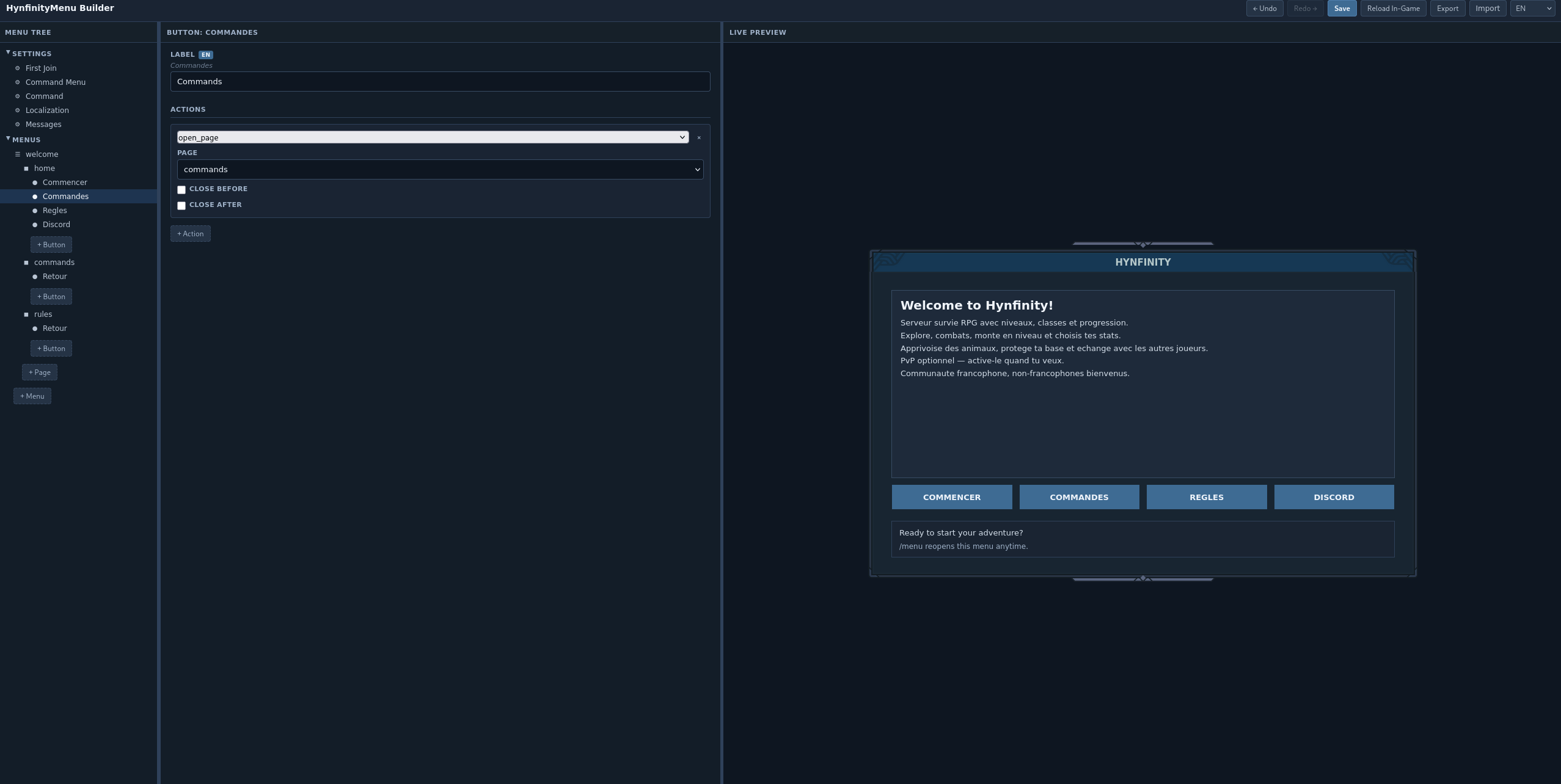
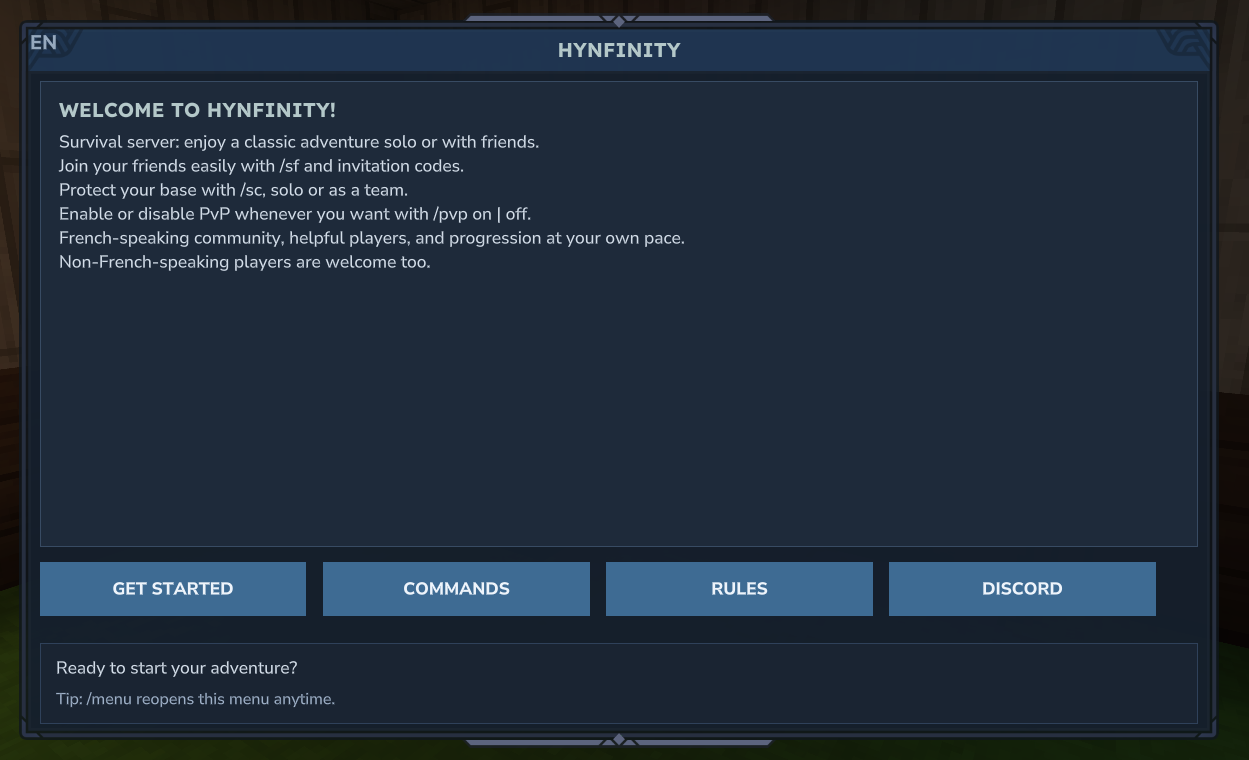
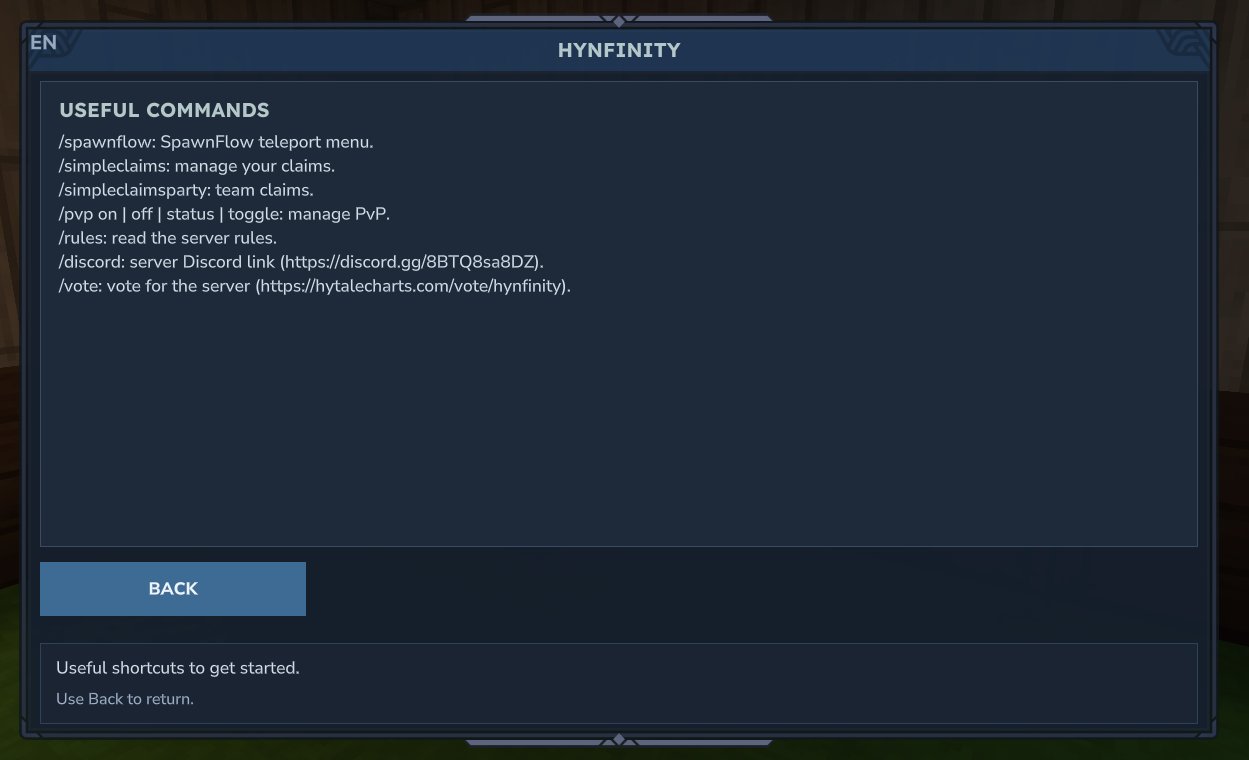
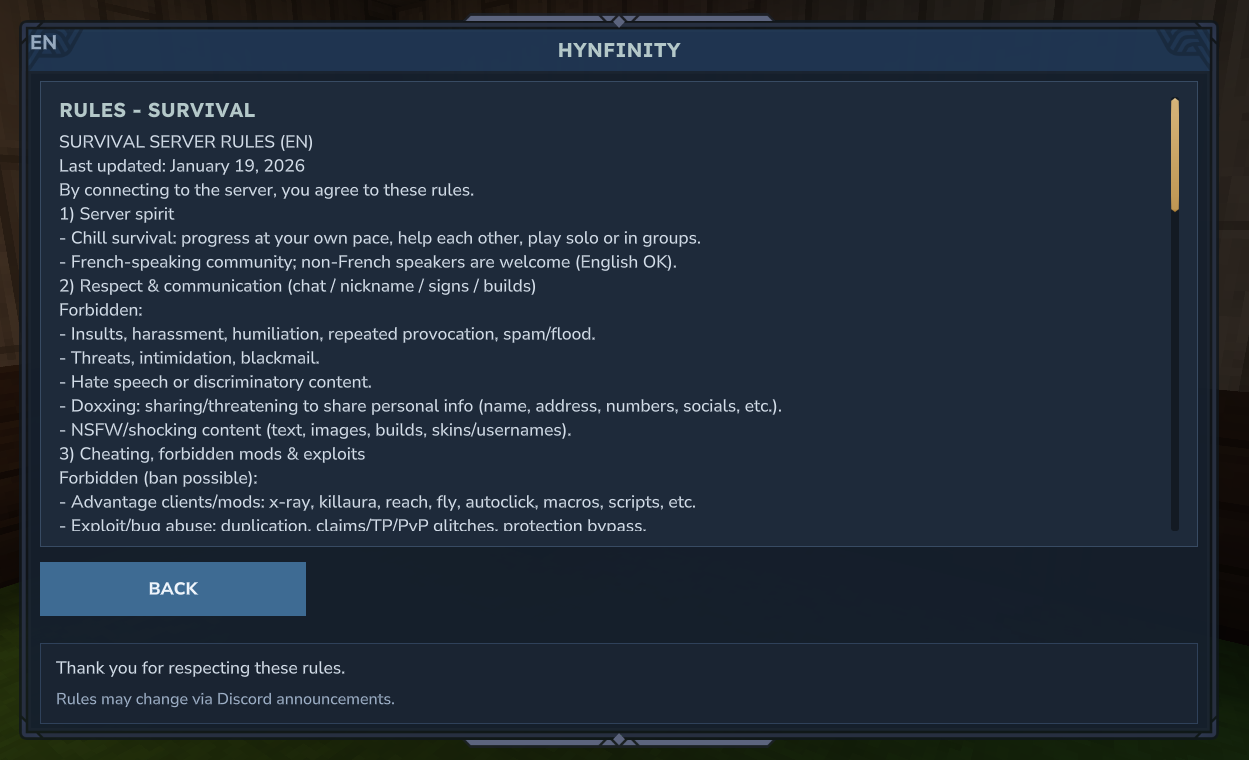
A configurable in-game menu system for Hytale servers with a built-in web-based visual editor. Design menus, pages, buttons, and actions — then preview them in a pixel-perfect Hytale UI replica directly in your browser.
Screenshot From 2026-04-12 18-51-56.png
Description
HynfinityMenu
Hytale Server
2026.03.26or later
A configurable in-game menu system for Hytale servers with a built-in web-based visual editor. Design menus, pages, buttons, and actions — then preview them in a pixel-perfect Hytale UI replica directly in your browser.
Quick Start
- Download the latest
HynfinityMenu-*.jarfrom Releases - Drop it in your server's
mods/directory - Start the server
- Open the menu in-game with
/menu
Features
In-game menus
- Fully configurable menus with pages, buttons, and chained actions
- Auto-open on first join (configurable)
/menucommand to reopen any time- 8 action types: message, command, open_url, open_page, open_menu, status, close, noop
- closeBefore / closeAfter flags for fine-grained control
Web builder
- Visual drag-and-drop menu editor at
http://your-server-ip:8180/builder/ - Live preview using real Hytale UI textures (pixel-perfect DecoratedContainer)
- Inline localization editing — switch language in the toolbar to translate
- Action simulation — click buttons in the preview to see what each action does
- Undo/redo, import/export, in-game reload without restarting
- Token-based authentication with brute-force protection
Localization
- Built-in language packs: en, fr, es
- Per-player language preference stored persistently
- Dot-notation translation keys with fallback chain:
player language → default language → base text from
menus.json - Add custom languages by dropping
<code>.jsonfiles intolang/
Commands
| Command | Description | Permission |
|---|---|---|
/menu |
Open the default menu | hynfinity.menu |
/menu <menuId> |
Open a specific menu | hynfinity.menu |
/menu <menuId> <pageId> |
Open a specific page | hynfinity.menu |
/menu lang |
Show current language and available codes | hynfinity.menu |
/menu lang <code> |
Change your language | hynfinity.menu |
/menu reload |
Reload config from disk | hynfinity.menu.admin |
Alias: /welcome.
Permissions
| Permission | Description |
|---|---|
hynfinity.menu |
Access to /menu and /welcome |
hynfinity.menu.admin |
Reload config |
LuckPerms example:
lp group default permission set hynfinity.menu trueConfiguration
menus.json
The menu config is created on first run in the plugin data folder:
mods/com.hynfinity_menu/menus.jsonStructure:
{
  "localization": {
    "defaultLanguage": "en",
    "enabledLanguages": ["en", "fr", "es"]
  },
  "command": {
    "name": "menu",
    "aliases": ["welcome"]
  },
  "messages": { ... },
  "firstJoin": {
    "enabled": true,
    "menu": "welcome",
    "page": "home"
  },
  "commandMenu": {
    "menu": "welcome",
    "page": "home"
  },
  "menus": [
    {
      "id": "welcome",
      "title": "Server Welcome",
      "subtitle": "",
      "defaultPage": "home",
      "pages": [
        {
          "id": "home",
          "title": "Welcome",
          "lines": ["Line 1", "Line 2"],
          "status": "Status text",
          "hint": "Hint text",
          "buttons": [
            {
              "label": "Button",
              "actions": [
                { "type": "message", "text": "Hello!" }
              ]
            }
          ]
        }
      ]
    }
  ]
}
Action types
| Type | Fields | Description |
|---|---|---|
close |
— | Close the menu |
message |
text |
Send a chat message to the player |
command |
command or commands |
Execute server command(s) |
open_url |
url, text |
Open a URL (sends clickable message + raw URL) |
open_page |
page |
Navigate to another page in the same menu |
open_menu |
menu, page |
Open a different menu (optionally at a specific page) |
status |
text |
Update the status bar text |
noop |
— | No operation (placeholder) |
All action types except close and noop support optional closeBefore and
closeAfter boolean flags.
builder.json
The web builder config is created on first run alongside menus.json:
mods/com.hynfinity_menu/builder.json{
"enabled": false,
"httpPort": 8180,
"httpHost": "0.0.0.0",
"threadPoolSize": 2,
"authToken": ""
}| Setting | Default | Description |
|---|---|---|
enabled |
false |
Enable the web builder server |
httpPort |
8180 |
Web server port |
httpHost |
0.0.0.0 |
Bind address |
threadPoolSize |
2 |
HTTP worker thread pool size |
authToken |
"" |
Auth token; auto-generated on first run if empty (logged to console) |
Set "enabled": true and restart the server. The generated token is printed
in the server logs — use it to log in at http://your-server-ip:8180/builder/.
Localization files
Built-in language packs are extracted on first run to:
mods/com.hynfinity_menu/lang/Files: en.json, fr.json, es.json.
Translation keys use dot-notation matching the config structure:
menus.{menuId}.title
menus.{menuId}.pages.{pageId}.title
menus.{menuId}.pages.{pageId}.lines.{index}
menus.{menuId}.pages.{pageId}.buttons.{index}.label
messages.playerOnly
messages.noPermission
...
Fallback order: player language → default language → base text from menus.json.
Web builder API
The builder exposes a REST API (all routes require Authorization: Bearer <token>):
| Method | Endpoint | Description |
|---|---|---|
POST |
/builder/api/auth |
Validate token |
GET |
/builder/api/config |
Read menus.json |
PUT |
/builder/api/config |
Write menus.json (validated before save) |
GET |
/builder/api/lang |
List available language files |
GET |
/builder/api/lang/:code |
Read a language file |
PUT |
/builder/api/lang/:code |
Write a language file |
POST |
/builder/api/reload |
Reload config in-game |
Data files
Player state is stored in:
mods/com.hynfinity_menu/welcomed.jsonwelcomed: UUID list of players that saw the first-join menulanguages: per-player preferred language code
Build
./gradlew shadowJarOutput: releases/HynfinityMenu/HynfinityMenu-<version>.jar
Requires Kotlin 1.9.x, Java 21, and the Hytale Server JAR in
resources/server-jars/.
The HynfinityMenu Team