HyGuard
- By
Territory protection for Hytale servers with cuboid regions, player claims, server-owned staff claims, per-world global protection, in-game UI management, async JSON storage, and scheduled backups.
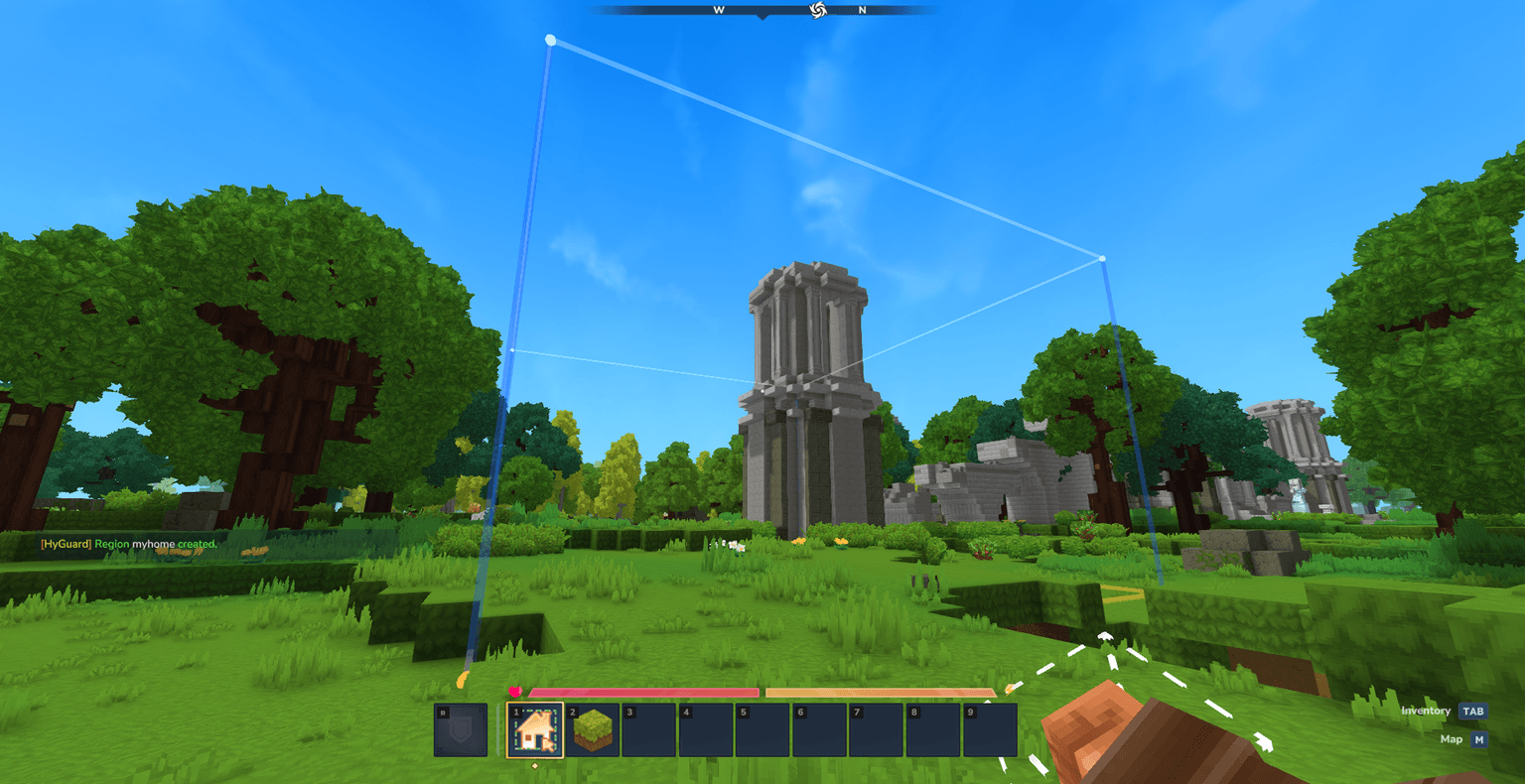
1.png
Description
Why HyGuard?
HyGuard is built for servers that need more than a basic "claim a box" workflow.
It supports:
- personal player claims
- server-owned protected areas for spawn, shops, warps, and events
- a separate
__global__fallback region for every world - in-game management through commands and UI pages
- member roles, region priorities, and configurable flags
- async persistence and automatic backups
The goal is to give server owners a practical protection system that works for both survival-style claims and admin-managed server infrastructure.
Main Features
Flexible Region Types
- Player-owned cuboid claims created with
/hg create <name> - Server-owned cuboid claims created by admins with
/hg create <name> --server - World-scoped fallback protection created with
/hg create __global__
This means you can protect player bases, server spawn, marketplaces, event zones, and world-wide defaults with the same mod.
Per-World Global Protection
HyGuard does not use one shared global region for the whole server.
Instead, every world can have its own __global__ region with its own flags and behavior.
That makes it easy to run different rules for:
- overworld
- resource worlds
- event worlds
- creative/build worlds
Protection Coverage
HyGuard currently enforces protection for:
- block break
- block place
- block interact
- PvP
- player damage
- fall damage
- mob damage to players
- item drop
- item pickup
- region entry and exit
- role-restricted entry through
ENTRY_PLAYERS - invincibility through
INVINCIBLE - enforced game mode through
GAME_MODE - enforced flight through
FLY
In-Game Management
HyGuard is not command-only.
It includes UI pages for:
- region browser
- region detail view
- member management
- flag editing
Players and staff can manage protection without constantly editing files by hand.
Region Roles
HyGuard supports multiple member roles:
OWNERCO_OWNERMANAGERMEMBERTRUSTEDVISITOR
These roles work together with region flags such as ALLOW_MEMBERS and ALLOW_TRUSTED so you can build more useful access rules than simple allow/deny claims.
Quality Of Life Features
- Wand-based selection workflow
/hg select,/hg redefine,/hg expand,/hg contract, and/hg shift- region teleport and per-region spawn points
- offline player lookup cache for member management
- async JSON saving
- temp-file writes with safe fallback behavior
- manual backups
- scheduled backups with retention limits
- localized messages and item text for
en-USanduk-UA
Important Ownership Behavior
HyGuard has three practical region ownership modes:
| Type | Command | Notes |
|---|---|---|
| Player-owned cuboid | /hg create <name> |
Standard personal claim |
| Server-owned cuboid | /hg create <name> --server |
Admin-created staff/server claim |
| World global fallback | /hg create __global__ |
One per world, server-owned |
Server-owned cuboids are useful for:
- spawn areas
- server shops
- admin hubs
- dungeon entrances
- event arenas
- public warps
Example Commands
/hg wand
/hg create home
/hg create spawn --server
/hg create __global__
/hg flag spawn BLOCK_BREAK DENY
/hg member add home Player2 TRUSTED
/hg gui
Installation
- Download the latest HyGuard release.
- Put
HyGuard-1.0.0.jarinto your server world'smods/folder. - Start the world/server once.
- Let HyGuard generate its runtime data.
- Configure permissions and flags as needed.
Recommended First Setup
After installation:
- Run
/hg wand - Create a player claim with
/hg create test - Create a server-owned spawn region with
/hg create spawn --server - Create a fallback region for the current world with
/hg create __global__ - Open
/hg guiand review your regions
Permissions
Default umbrella nodes:
hyguard.usehyguard.adminhyguard.bypass
HyGuard also supports configurable command-level permission nodes in config.json.
The HyGuard Team