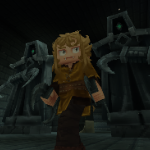
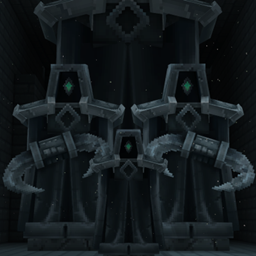
When you see Haunting Statue, it just stands there, menacingly.
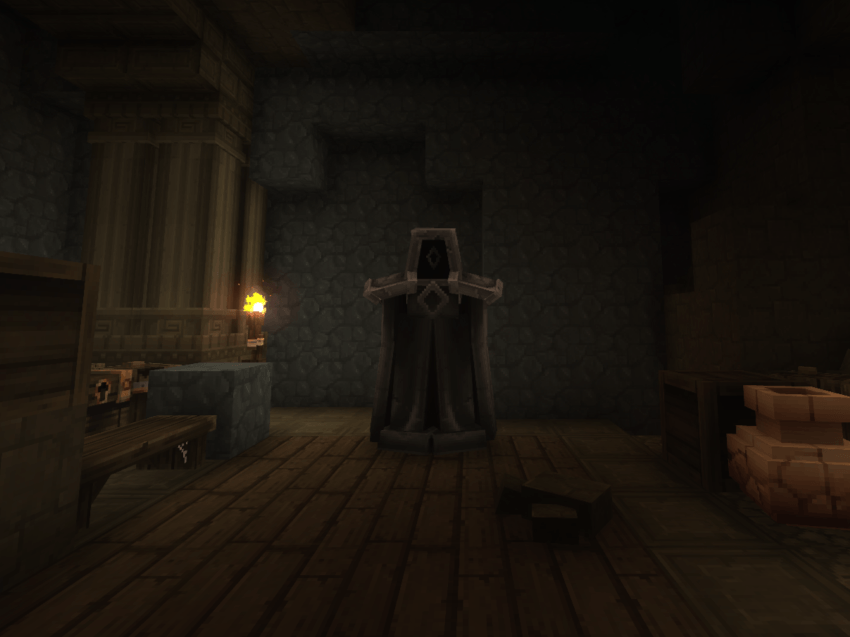
When you look away, it hunts.
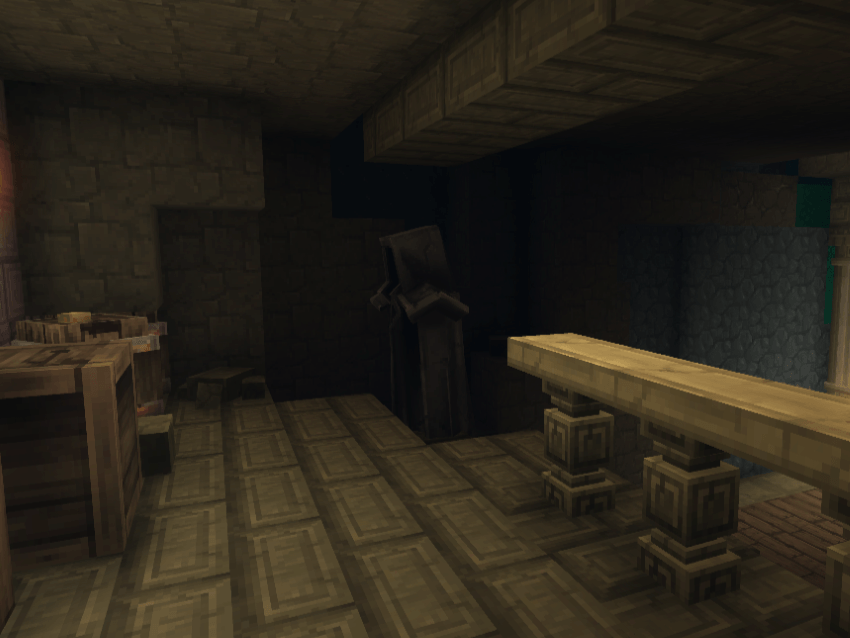
Better don't look away.
- Haunting Statue is a weeping-angel style NPC which is passive when there are no players nearby, but when it detects someone, it goes into haunting mode - chasing its target when not seen by the player, freezing in place when player turns towards it.
- The mod adds a custom NPC with new animation, drops and crafting recipes. When NPC is killed, it drops a placable statue (identical to itself visually), and when player has collected 2 statues, they can be upgraded to a bigger model, and 4 statues (or 2 big statues) to even bigger model, just a decorative feature.
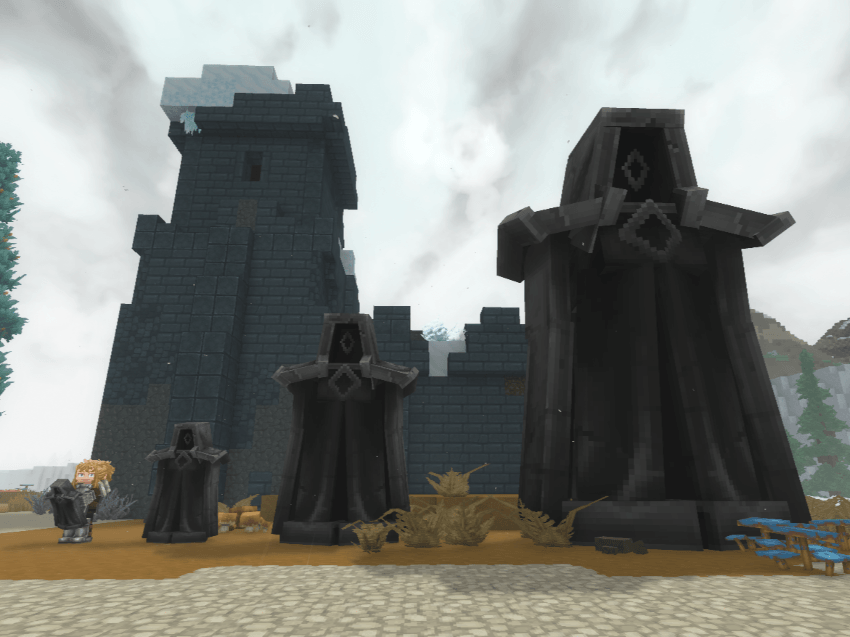
- The statues spawn on most surface biomes, but get more common in end-game biomes, or can be spawned manually in case you are creating a custom map.
- Mod Installation guide:
- Download the .zip file
- Move the .zip file to the game mods folder
("%AppData%\Roaming" may be different if you chose a custom install location of the game)%AppData%\Roaming\Hytale\UserData\Mods
- Setup for custom mod configuration / manual mod update:
- In Mods folder create "HauntingStatue" folder and extract the zip file inside it.
(It should be Mods\HauntingStatue and inside it you shold have folders "Common", "Server" and files "Manifest.json" and "Manifest.json.bak".) - When game (Hytale) updates, it may throw error that one or more mods are outdated. In that case you can either disable mod validation, look if I have updated the mod on curseforge, change server version in the asset editor (open any world in creative mode, use /op self command to enable use of asset editor (creative tools > assets tab, in inventory view), open asset editor, select the Haunting Statue mod in top left (By default it will show "Hytale:Hytale (Read-Only)", if the name of the mod is "DeRookie:Haunting Statue (Read-Only)" and not "DeRookie:Haunting Statue" it means you will have to extract the mod from .zip to a folder to allow changes, check if you don't have both .zip and extracted version present in mods folder), press 3 dots (. . .) near the title, press "Edit Pack" and near "Server Version" select "Current"
- In Mods folder create "HauntingStatue" folder and extract the zip file inside it.
- Mod configuration:
- Most relevant NPC variables are neatly exposed in "Haunting_Statue.json" file. Additional parameters (like "KnockbackScale" or effect (/ compute) defitionions) are found in "Haunting_Statue_Active.json", in same folder.
Server/NPC/Roles/Undead/Haunting_Statue/Haunting_Statue.json (FFile explorer view) Server/NPCRole/Undead/Haunting_Statue/Haunting_Statue.json (Asset Editor view) { "Type": "Variant", "Reference": "Haunting_Statue_Active", "Modify": { "Appearance": "Haunting_Statue", "MaxHealth": 200, "MaxSpeed": 15, "ViewRange": 100, "HearingRange": 100, "AlertedRange": 100, "ViewSector": 240, "DropList": "Haunting_Statue" } } - Also NPC attack damage and knockback can be modified in file "Haunting_Statue_Attack_Stat.json". This is the effect NPC casts when it attacks (referenced in "Haunting_Statue_Attack.json", in the same folder)
Server/Item/Interactions/NPCs/Undead/Haunting_Statue/Haunting_Statue_Attack_Stat.json (File explorer view) Server/Item/Interaction/NPCs/Undead/Haunting_Statue/Haunting_Statue_Attack_Stat.json (Asset Editor view) { "Parent": "DamageEntityParent", "DamageCalculator": { "BaseDamage": { "Physical": 50 } }, "DamageEffects": { "Knockback": { "Force": 2, "RelativeX": 0, "RelativeZ": -1, "VelocityY": 2, "VelocityType": "Set" }, "WorldSoundEventId": "SFX_Brazier_Break", "LocalSoundEventId": "SFX_Brazier_Break", "WorldParticles": [ { "SystemId": "Impact_Sword_Basic" } ] } } - If you are making a custom map, and the NPC gets stuck on diagonal corners/hallways or narrow pathways, you may reduce its hitbox size (min and max values, bring them closer to 0) in
Here model scale can be modified as well.Server/Models/Haunting_Statue.json (File explorer view) Server/ModelAsset/Haunting_Statue.json (Asset Editor view) Hitbox > Hit Box - modify Min / Max of X and Z values
- Most relevant NPC variables are neatly exposed in "Haunting_Statue.json" file. Additional parameters (like "KnockbackScale" or effect (/ compute) defitionions) are found in "Haunting_Statue_Active.json", in same folder.
- In case you want to prevent NPC from spawning, you can either remove every field with "Id": "Haunting_Statue" from every file in:
or simply delete files/zone folders for the zones you don't want NPC to spawn in from this mod folder. Currently Zone1 is default plains/forests, Zone2 is Desert biomes, Zone3 is Snowy biomes and Zone4 is volcanic islands.1.0.0 / 1.1.1 versions:
Server/NPC/Spawn/World/Zone1-4/Wander_Zone1-4_Tier1-3 (File explorer view) Server/WorldNPCSpawn/Zone1-4/Wander_Zone1-4_Tier1-3 (Asset Editor view)
1.2.0 and newer versions:
Server/NPC/Spawn/World/Zone1-4/Haunting_Statue_Zone1-4_Tier1-3 (File explorer view) Server/WorldNPCSpawn/Zone1-4/Haunting_Statue_Zone1-4_Tier1-3 (Asset Editor view)
If you want to change spawnrate or spawntime of the NPC, you can edit them in files mentioned above.
In the future I am planning to:
-
improve NPC hearing (the player) logic once the Hytale entity systems are expanded or I find a workaround to make it work. This is to allow the NPC to track player better when player hides behind 2 corners of same orientation and simmilar situations.V - Add more variants for biomes / specific use cases.
- Add more complex (multi - step) haunting logic to make the statue more interractive and give player more time to react if he gets ambushed from behind.
- Add a spawnable-only variant of Haunting Statue which would be immortal / would not take damage from player (for minigames or custom maps, escape rooms) (may be immortal unless some specific objective is complete)
- Make versions of default / immortal statues with roaming / wandering logic in idle state, when not haunting the player. (This one's tricky for naturally spawning statues in wide open fields)
- The model NPC is modified "Furniture_Dark_Temple_Statue_Gaia" made by Hytale team.
- The NPC logic is based on heavily modifed "Cactee" logic, made by Hytale team.
- Big thanks to Kaupenjoe, CurseForge Academy, camingjaming, TroubleDEV and Zeusley on Youtube for guides which helped me with this project <3
- You can use my mod as you wish, just credit me if you use my content in a mod and that's it. I hope my mod brings joy, or fright to the worlds you will create.
- If you have any questions you can message me on discord ( My name there's derookie_, you can also find me in official Hytale discord ) or ask in the comments down below.
The Haunting Statue Team