GlymeraWorker
- By
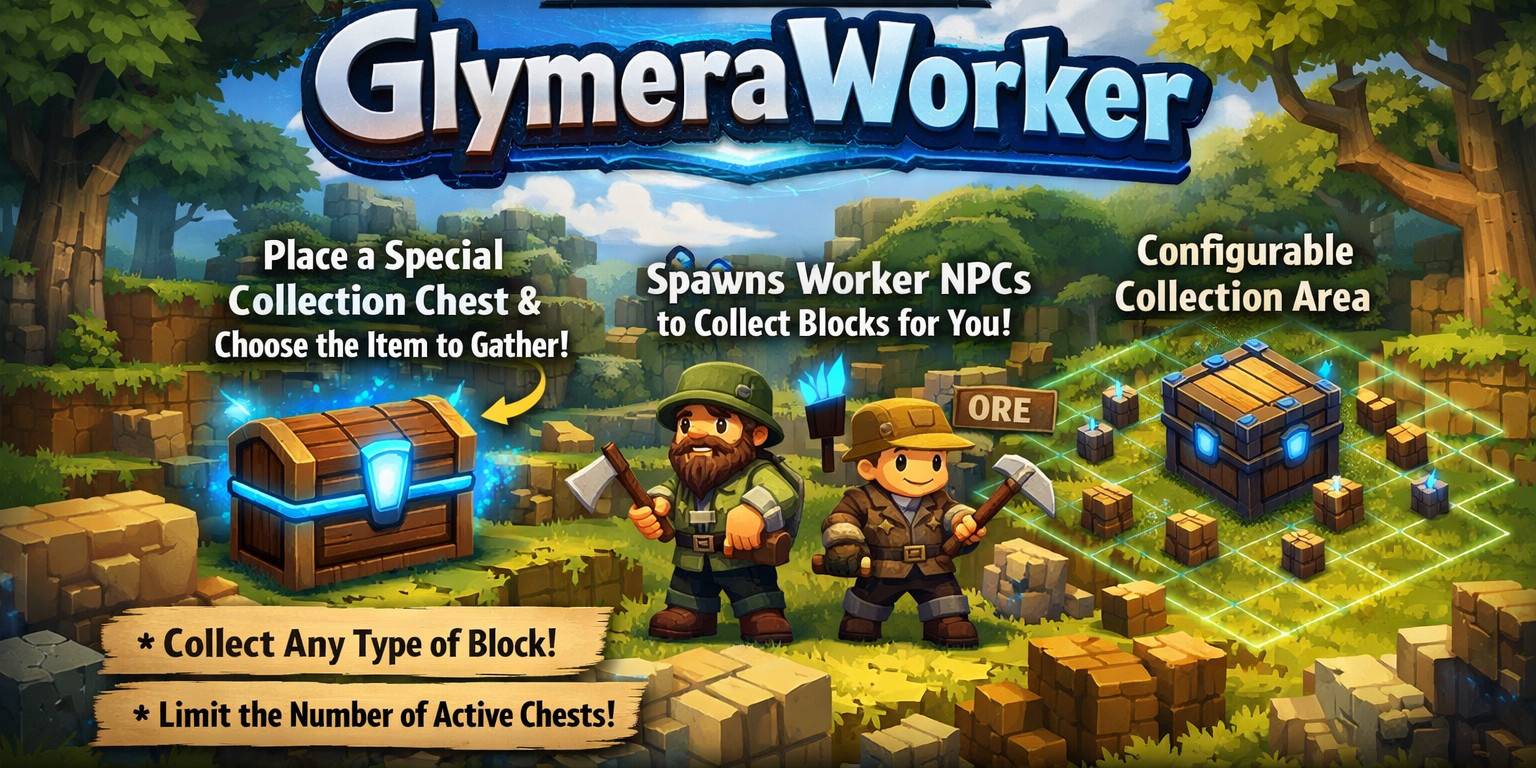
GlymeraWorker – Place a Worker Chest and insert any block: a worker NPC spawns, finds and mines that block type nearby, and deposits it back into the chest. Fully automatic resource gathering with per-player limits.
Unbenannt.jpg
Unbenannt_1.jpg
Description
⛏️ GlymeraWorker ⛏️
Place a Worker Chest, drop in a block, and a worker NPC will automatically mine and collect that block type for you.
Most actual version only working for Hytale stable 5 ! Don't miss my other exciting projects — take a look at GlymeraCraft's Profile Discord: https://discord.gg/s5NRFWfxgy
What is GlymeraWorker?
GlymeraWorker adds an automated resource gathering system to your Hytale server. Players place a special Worker Chest block, then put any block item into it. The chest automatically spawns a worker NPC on top of it that walks around, mines blocks of the matching type, and deposits them back into the chest. When the chest is full, the worker stops and waits. When space is freed up, it resumes automatically. Breaking the chest despawns the worker instantly.
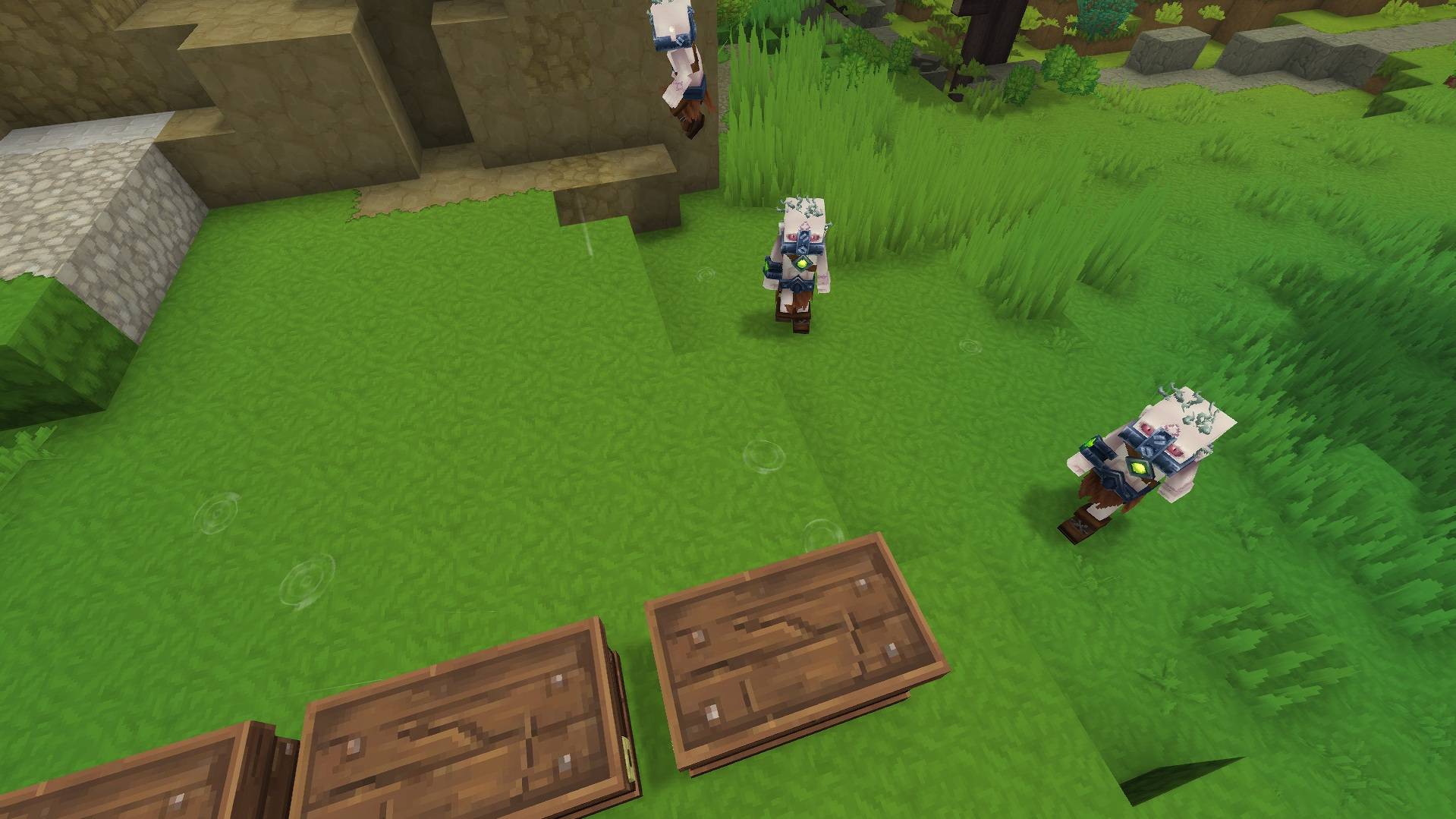
The worker NPC is an Outlander Peon that follows invisible markers placed above target blocks. It is invulnerable, friendly to players, and cannot be harmed. Each worker operates independently within a configurable radius around its chest.
Players can run up to 3 active Worker Chests simultaneously (configurable). Placing a 4th chest while 3 are already active will remove the chest, return it to the player's inventory, and display an error message. Workers are automatically cleaned up on server restart - no ghost NPCs accumulate.
How to Get the Worker Chest
The Worker Chest can be obtained in two ways:
- Crafting Recipe: Combine a Crude Chest (Small) with Iron Ore to craft a Worker Chest. The recipe can be enabled or disabled in the plugin config.
- Command: Use
/give Furniture_Worker_Chestto obtain it directly.
How it Works - Step by Step
- The player obtains a Furniture_Worker_Chest via crafting or the
/givecommand. - The player places the Worker Chest on the ground. It looks like a wooden chest and behaves like a standard container (can be opened, stores items).
- Within a few seconds, the chest scanner detects the new chest and registers it internally. The chest is now in WAITING_FOR_ITEM state.
- The player opens the chest and places any block item into it (e.g. Soil_Grass, Rock_Stone, Soil_Dirt, Wood_Oak_Trunk, etc.).
- The plugin reads the first item in the chest, resolves its block type, and activates the chest.
- A worker NPC (Outlander Peon appearance) spawns directly on top of the chest.
- The worker begins the work cycle:
- SCANNING - The worker scans for the nearest block matching the target type within its scan radius. Only blocks that are physically reachable by the NPC are considered (see Reachability below).
- MOVING_TO_BLOCK - An invisible marker entity spawns above the target block. The worker walks toward it using pathfinding.
- MINING - When close enough (within 3.5 blocks), the worker mines the block. The block is removed from the world and added to the worker's internal inventory.
- SCANNING again - The worker looks for the next block. This repeats until the worker has collected 16 blocks (configurable deposit threshold).
- MOVING_TO_CHEST - A marker spawns above the chest and the worker walks back.
- DEPOSITING - The worker deposits all collected items into the chest as ItemStacks.
- The cycle repeats from SCANNING.
- If the chest becomes full, the worker enters CHEST_FULL state and stops working. Every 2 seconds the plugin checks if space has been freed. When space is available, the worker resumes automatically.
- If no more matching blocks are found within scan range, the worker enters IDLE state and periodically re-scans.
- If the player breaks the chest, the worker and any active marker are immediately despawned.
Block Reachability
Workers only mine blocks they can physically reach. The NPC is 2 blocks tall, so the plugin checks whether there is a valid standing position adjacent to the target block. A block is considered reachable if:
- The NPC can stand next to it (North, South, East, or West) with 2 blocks of vertical clearance at foot level, head level, or one block below
- The NPC can stand on top of it (2 blocks of air above the target block)
- The NPC can stand directly below it and reach upward (block above head)
This prevents workers from targeting buried or underground blocks they could never actually walk to. Blocks completely enclosed in terrain are skipped. Workers may stare at blocks they can technically "see" but cannot pathfind to for up to 30 seconds before skipping them (stuck timeout).
Features
- Fully automated resource gathering - Place a chest, drop in a block, and the worker does the rest. No commands needed.
- Craftable Worker Chest - Craft the Worker Chest from a Crude Chest (Small) and Iron Ore. The recipe can be toggled in the config.
- Smart block detection - The first item placed in the chest determines what the worker mines. The plugin resolves the item's block type ID for accurate matching.
- Up to 3 simultaneous workers - Each player can have 3 active Worker Chests running at the same time. The limit is configurable. Attempting to place a 4th chest removes it instantly, returns it to the player's inventory, and shows an error message.
- Worker spawns on the chest - Workers always appear directly on top of their assigned chest, regardless of where the player is standing.
- Configurable work radius - Workers only mine within a configurable radius (default: 32 blocks) around their chest. This prevents them from wandering too far.
- Automatic chest-full detection - When the chest has no empty slots, the worker stops. When space is freed, it automatically resumes.
- 30-second stuck timeout - If a worker cannot reach a target block within 30 seconds, it skips the block and scans for the next one.
- 60-second return timeout - If a worker cannot return to the chest within 60 seconds, it is teleported directly to the chest.
- Deposit threshold - Workers collect up to 16 blocks before returning to deposit. This is configurable.
- Clean restart behavior - On server restart, all old worker and marker entities are automatically cleaned up when the first player joins. Fresh workers are spawned for existing chests. No ghost NPCs accumulate.
- Chest removal = instant cleanup - Breaking a Worker Chest immediately despawns its worker and marker. The slot is freed for a new chest.
- Double chest protection - The plugin correctly handles double chests (Chest_Large hitbox). Only the primary half with the ItemContainerState is registered. The second half is ignored to prevent slot waste.
- Block state variant matching - The Worker Chest has multiple internal block state IDs (base, OpenWindow, CloseWindow). The scanner matches all variants to reliably detect chests in any state.
- Chunk-aware operation - Workers only function when their chunks are loaded (i.e., a player is nearby). When all players leave the area, workers pause naturally. They resume when a player returns and the chunks reload.
Supported Block Types
Workers can mine any block type that exists as a placeable item. Simply place the corresponding item in the Worker Chest. Common examples:
- Soil blocks - Soil_Grass, Soil_Dirt, Soil_Sand_White, Soil_Snow, Soil_Ash, Soil_Mud, Soil_Clay, Soil_Gravel
- Rock blocks - Rock_Stone, Rock_Basalt, Rock_Volcanic, Rock_Slate, Rock_Marble, Rock_Quartzite, Rock_Sandstone, Rock_Ice, Rock_Calcite
- Wood blocks - Wood_Oak_Trunk, Wood_Birch_Trunk, Wood_Fir_Trunk, Wood_Maple_Trunk, Wood_Redwood_Trunk, and all other tree trunk types
- Any other placeable block - As long as the item has a valid block type ID in the asset map, the worker can mine it
Note: Crop blocks (wheat, potatoes, etc.) are currently not supported because they use growth-stage-specific block IDs.
Commands
This plugin has no commands. Everything is controlled through placing Worker Chests and putting items into them. Workers are fully automated.
The Worker Chest can be crafted or obtained via: /give Furniture_Worker_Chest
Configuration
A configuration file is automatically created at plugins/GlymeraWorker/config.json on first start. All values can be changed and take effect after a server restart.
| Parameter | Default | Description |
|---|---|---|
| scanRadius | 16 | How far the worker scans for target blocks, in blocks. |
| chestScanRadius | 48 | How far the plugin scans around each online player to detect Worker Chests, in blocks horizontally. |
| workerTickMs | 2000 | Interval in milliseconds between worker state updates. |
| chestScanTickMs | 5000 | Interval in milliseconds between chest detection scans. |
| miningDistance | 3.5 | How close the worker must be to a target block before it can mine it, in blocks. |
| maxActiveChests | 3 | Maximum number of Worker Chests that can be active simultaneously per player. |
| stuckTimeoutMs | 30000 | How long a worker waits while trying to reach a target block before giving up (30 seconds). |
| returnTimeoutMs | 60000 | How long a worker waits while trying to return to the chest before being teleported directly (60 seconds). |
| depositThreshold | 16 | How many blocks the worker collects before returning to the chest to deposit. |
| maxWorkRadius | 32 | Maximum distance in blocks that a worker will travel from its chest. |
Worker NPC Details
| Property | Value |
|---|---|
| Appearance | Outlander Peon model |
| Health | 1000 HP, invulnerable (cannot be killed) |
| Attitude | Friendly to players, neutral to other NPCs |
| Damage | Cannot deal or receive damage |
| Movement | Walk speed 6, can climb blocks up to 1.2 blocks high |
| Knockback | Immune |
| Pathfinding | Follows invisible marker entities. Range: 100 blocks. |
| Idle behavior | Wanders slowly in a 2-block circle when no target is set |
Technical Details
- The plugin runs two scheduled tasks: a worker tick (default every 2 seconds) for processing worker states, and a chest scan tick (default every 5 seconds) for detecting new or removed chests.
- All block and entity operations run on the World Thread via world.execute() to ensure thread safety and proper client synchronization.
- Block removal uses world.setBlock("Empty") which correctly syncs to connected clients.
- Entity cleanup on restart uses store.forEachChunk() to iterate all loaded entity archetype chunks and remove entities matching the worker or marker role index.
- Worker Chest detection matches against all block state variant IDs resolved at startup.
- Chest ownership is persisted in chests.json (position, owner UUID, target block). On server restart, saved chests are loaded and workers are re-spawned when a player enters the area.
Installation
- Stop your Hytale server.
- Copy GlymeraWorker.jar into your server's
mods/folder. - Start your server.
- A default configuration file will be created at plugins/GlymeraWorker/config.json.
No additional dependencies or asset packs required — everything is included in the single JAR file.
Known Limitations
- Crop blocks are not supported - Crops use growth-stage-specific block IDs (StageFinal) that differ from the base item block ID. Workers will not find mature crops.
- No item drops - Workers remove blocks with setBlock("Empty") which does not generate item drops or block-breaking particles. The block is directly added to the worker's internal inventory and deposited as an ItemStack.
- No mining progress persistence - Active mining progress (internal inventory, current target) is lost on server restart. Workers restart their work cycle from scratch. Chest ownership and positions are persisted.
- Pathfinding limitations - Workers use Hytale's built-in NPC pathfinding. They may struggle with complex terrain, cliffs, or water. The stuck timeout (30s) and return timeout (60s) mitigate this.
Support
Having issues or questions? Leave a message here or visit our Discord!
Developed by GlymeraCraft
The GlymeraWorker Team
GlymeraWorker Team