GlymeraFuel
- By
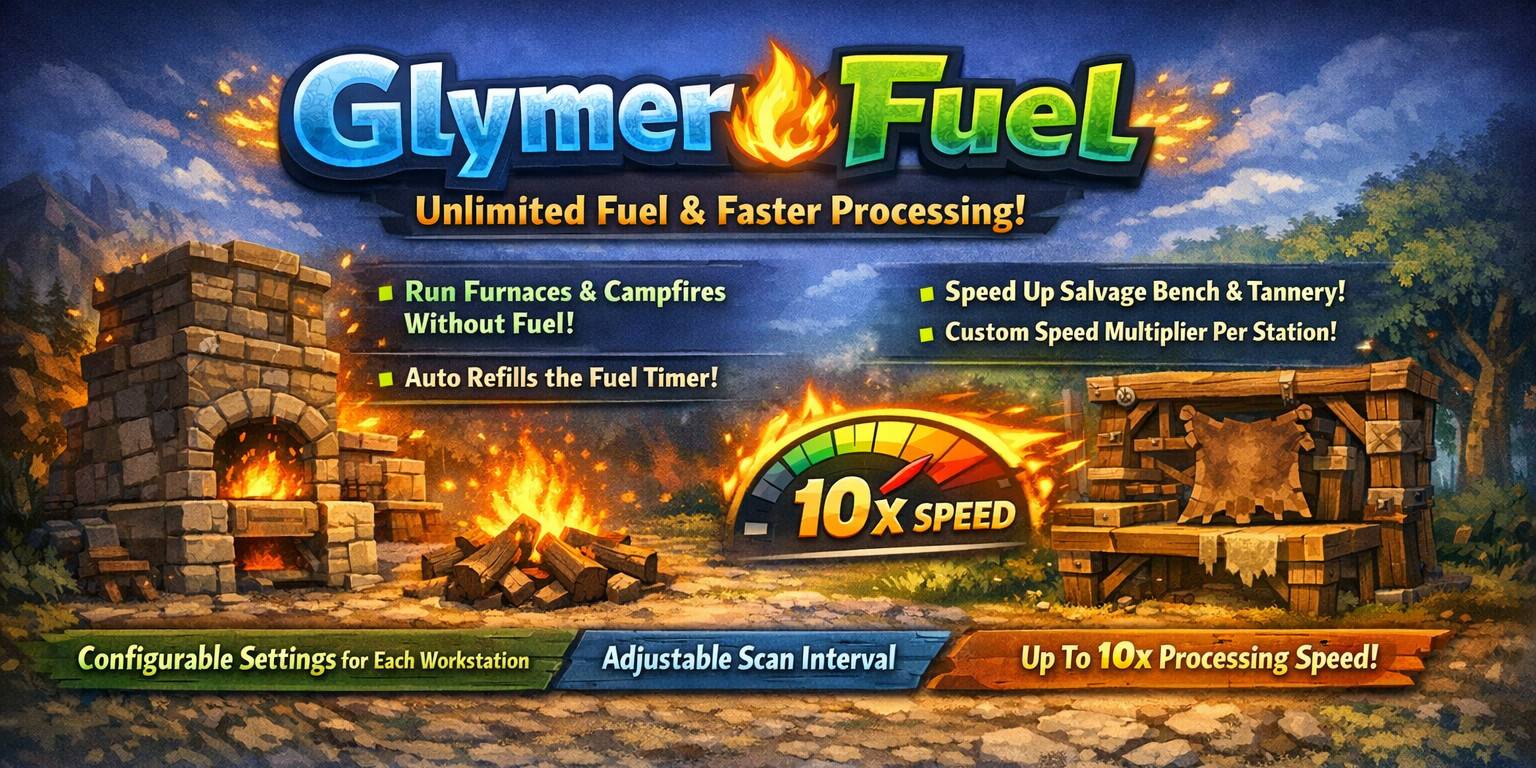
GlymeraFuel removes the fuel requirement from Furnaces and Campfires and speeds up four bench types (Furnace, Campfire, Salvagebench, Tannery) with a configurable multiplier up to 10x. All settings customizable per bench via config.json.
thumb.jpg
Unbenannt_1.jpg
Unbenannt_2.jpg
Description
🔥 GlymeraFuel 🔥
Fuel-free furnaces/campfires and speeds them up to 10x.
Up to now only working for Hytale stable 4 ! Don't miss my other exciting projects — take a look at GlymeraCraft's Profile Discord: https://discord.gg/s5NRFWfxgy
◆ What is GlymeraFuel?
GlymeraFuel is a server-side plugin that removes the fuel requirement from Furnaces and Campfires and provides a configurable speed multiplier for processing benches. Instead of waiting for fuel to burn and items to slowly smelt, your benches work instantly — no coal, no wood, no waiting.
The plugin works by running a background scanner that periodically iterates over all loaded chunks in every world. It finds all active ProcessingBenchState components using Hytale's ECS (Entity Component System) and manipulates their internal state via reflection. For fuel-free mode, the plugin keeps the internal fuelTime value topped up at 999.0 so the bench never runs out of fuel. For speed boost, it adds extra progress to the inputProgress field each scan cycle, effectively multiplying the processing speed.
By default, the plugin manages 4 bench types: Furnace and Campfire run fuel-free and at 10x speed, while Salvagebench and Tannery (which natively don't require fuel) are only speed-boosted at 10x. You can add any additional bench type, change the speed multiplier, or toggle fuel-free mode individually for each bench in the config file.
◆ Supported Bench Types (Default Config)
▸ Furnace
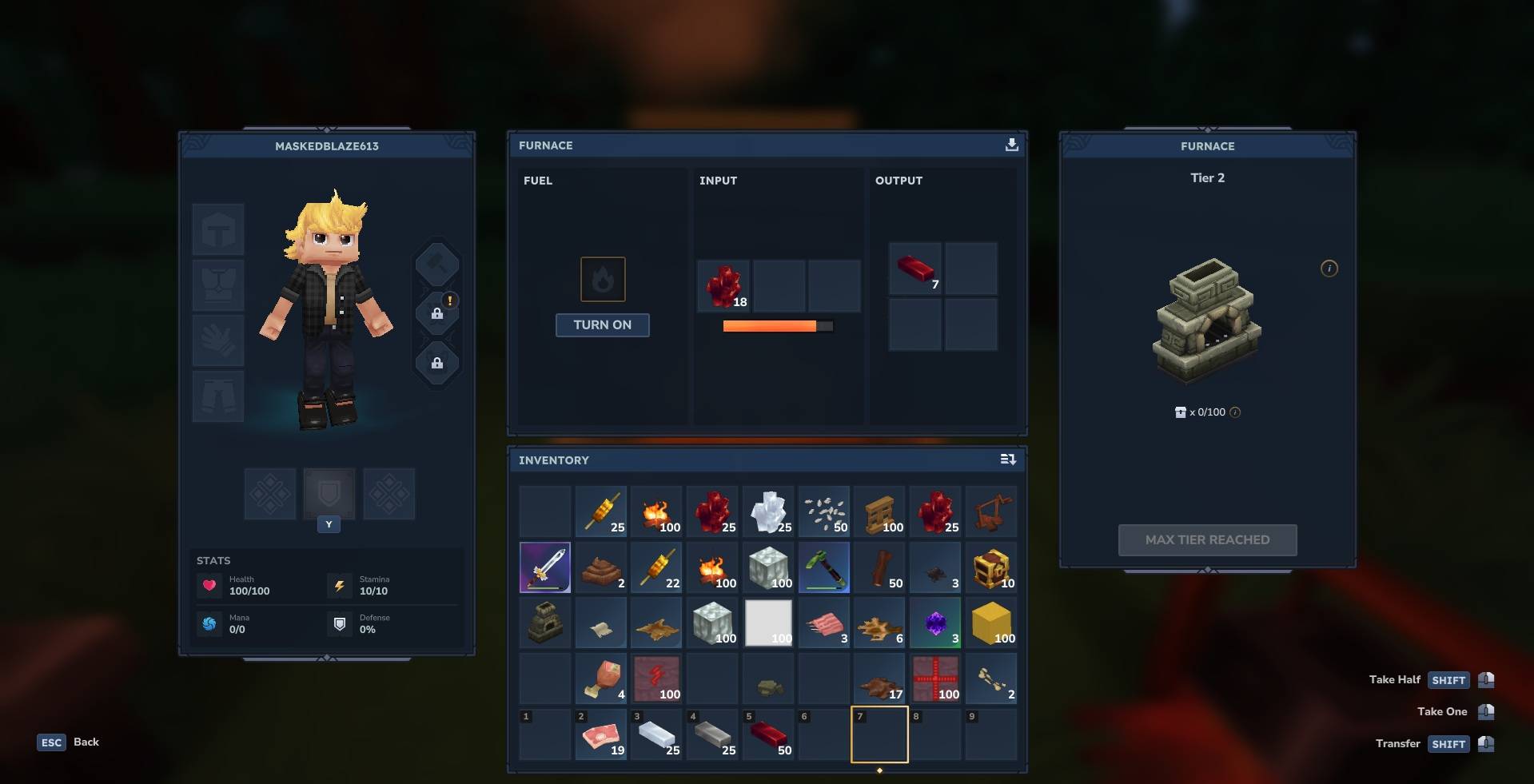
The standard smelting station. Normally requires fuel (coal, wood, etc.) to operate. With GlymeraFuel, the Furnace runs without any fuel and processes items at 10x speed by default. The plugin detects that the Furnace has fuel slots and automatically keeps the fuel timer topped up while also activating the bench if a recipe is present but the bench is inactive.
▸ Campfire
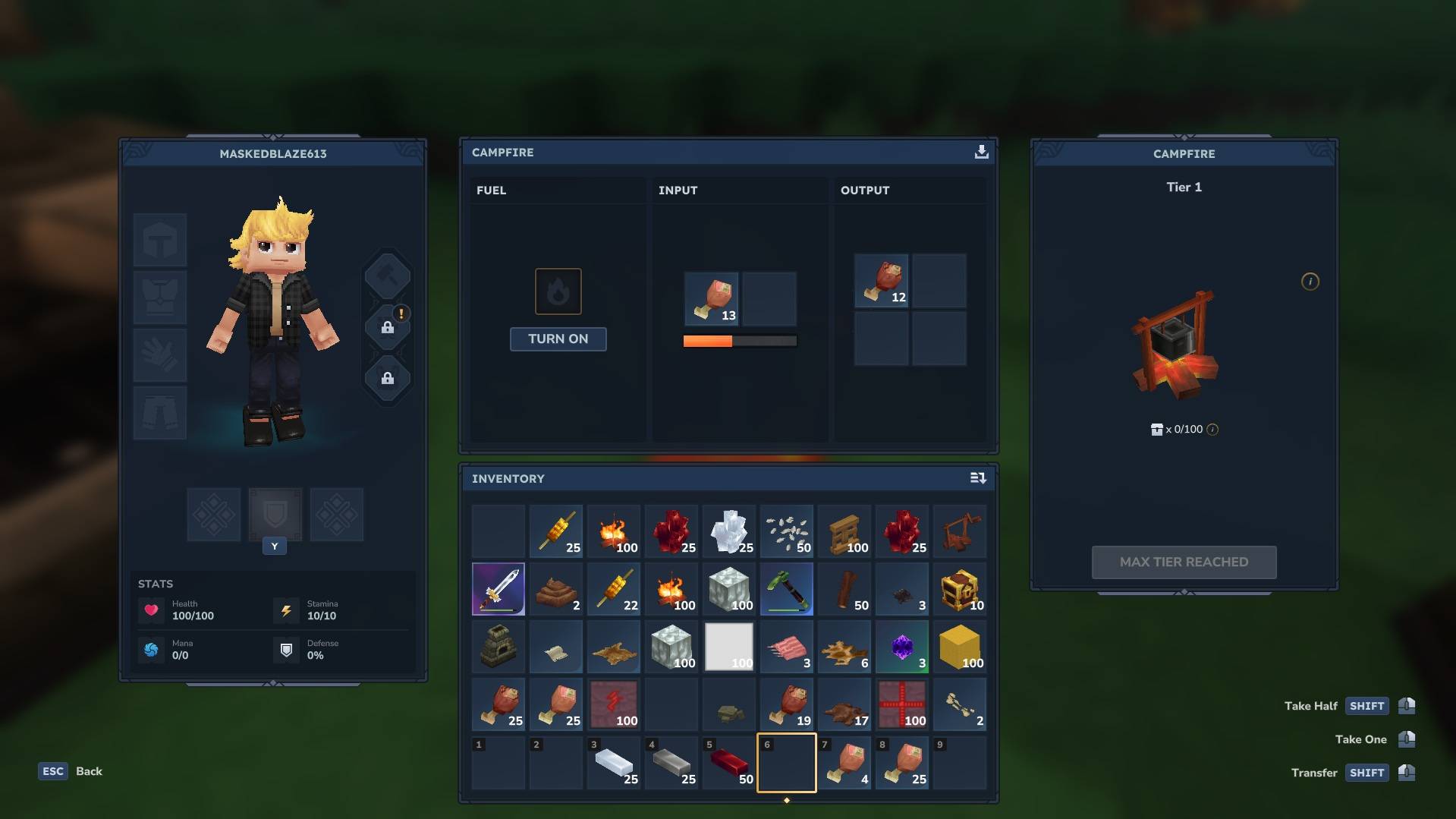
The outdoor cooking station. Like the Furnace, the Campfire normally requires fuel to operate. GlymeraFuel removes this requirement and boosts processing speed to 10x by default. The same fuel-free and speed-boost logic applies as with the Furnace.
▸ Salvagebench
The item salvaging station. The Salvagebench does not natively require fuel, so the fuel-free feature is disabled for this bench type by default (fuelFree = false). However, it still benefits from the 10x speed multiplier, making salvaging operations significantly faster.
▸ Tannery
The leather processing station. Like the Salvagebench, the Tannery does not natively require fuel, so fuel-free mode is disabled by default (fuelFree = false). The 10x speed multiplier is active, speeding up all tanning recipes.
◆ How it Works - Step by Step
- On server startup, the plugin loads its config.json from the plugin's data directory. If no config exists, a default config is created automatically with all 4 bench types pre-configured.
- The plugin initializes Java reflection to access 4 private fields of the ProcessingBenchState class: fuelTime (float - remaining fuel duration), inputProgress (float - current processing progress), active (boolean - whether the bench is currently running), and recipe (Object - the currently loaded recipe, null if no recipe is set).
- The plugin retrieves the ProcessingBenchState ComponentType from Hytale's BlockStateModule. This ComponentType is needed to efficiently query all processing bench states across loaded chunks using Hytale's ECS architecture.
- A scheduled background task is registered on Hytale's SCHEDULED_EXECUTOR. This task runs at a fixed interval (default: every 500ms, configurable between 100ms and 5000ms).
- Each scan cycle, the task iterates over all worlds on the server using Universe.get().getWorlds(). For each world, it dispatches a scan operation on the world's execution thread via world.execute().
- Inside each world, the plugin accesses the ChunkStore and calls forEachChunk with the ProcessingBenchState ComponentType. This efficiently iterates only over chunks that actually contain processing benches, skipping all other chunks entirely.
- For each ProcessingBenchState found, the plugin reads the bench's ID using state.getBench().getId() and checks if this bench type is listed in the config. If the bench type is not configured, it is skipped.
- For benches with fuelFree enabled, the plugin first checks whether the bench actually has fuel slots (using ProcessingBench.getFuel()). This prevents the fuel-free logic from being applied to benches that don't use fuel natively. If the bench has fuel slots and the current fuelTime is below 100.0, the plugin sets fuelTime to 999.0, effectively giving the bench infinite fuel. Additionally, if the bench has a recipe loaded but is not currently active, the plugin forces active = true to start processing immediately.
- For benches with a speedMultiplier greater than 1, and only if the bench is currently active with a recipe loaded, the plugin calculates extra progress: (speedMultiplier - 1) × (scanIntervalMs / 1000.0). This value is added to the current inputProgress each scan cycle. A multiplier of 10x at 500ms interval means 4.5 extra progress units per scan (9 × 0.5), effectively making the bench process items approximately 10 times faster than normal.
- All operations use cached reflection fields that are initialized once at startup, minimizing the performance overhead of reflection during each scan cycle.
◆ Configuration
GlymeraFuel uses a config.json file that is automatically created on first startup in the plugin's data directory. The config is loaded once at server start. To apply changes, restart the server.
▸ Default config.json
{
  "scanIntervalMs": 500,
  "benches": {
    "Furnace": {
      "fuelFree": true,
      "speedMultiplier": 10
    },
    "Campfire": {
      "fuelFree": true,
      "speedMultiplier": 10
    },
    "Salvagebench": {
      "fuelFree": false,
      "speedMultiplier": 10
    },
    "Tannery": {
      "fuelFree": false,
      "speedMultiplier": 10
    }
  }
}
▸ Config Options Explained
- scanIntervalMs (integer, default: 500) - How often the plugin scans all loaded chunks for processing benches, in milliseconds. Lower values mean faster response but slightly more CPU usage. Clamped between 100 and 5000 milliseconds.
- benches (map) - A map of bench type names to their individual settings. The key must match the exact bench ID as defined in Hytale (e.g., "Furnace", "Campfire", "Salvagebench", "Tannery"). You can add any processing bench type that exists on your server.
- fuelFree (boolean, default: true) - When enabled, the plugin keeps the bench's fuel timer at 999.0 and automatically activates the bench when a recipe is loaded. This setting only has an effect on benches that actually have fuel slots. For benches without fuel slots (like Salvagebench and Tannery), this setting is ignored regardless of its value.
- speedMultiplier (integer, default: 10) - How many times faster the bench processes items compared to normal speed. A value of 1 means normal speed (no boost). Clamped between 1 and 10. The speed boost only applies when the bench is active and has a recipe loaded.
▸ Adding Custom Bench Types
You can add any processing bench type to the config by using its exact Hytale bench ID. For example, if a mod adds a new bench type called "Kiln", you would add:
{
  "scanIntervalMs": 500,
  "benches": {
    "Furnace": { "fuelFree": true, "speedMultiplier": 10 },
    "Campfire": { "fuelFree": true, "speedMultiplier": 10 },
    "Salvagebench": { "fuelFree": false, "speedMultiplier": 10 },
    "Tannery": { "fuelFree": false, "speedMultiplier": 10 },
    "Kiln": { "fuelFree": true, "speedMultiplier": 5 }
  }
}
◆ Features
- Fuel-free operation - Furnaces and Campfires run without any fuel. The plugin keeps the internal fuel timer topped up at 999.0 so the bench never stops. No need to gather coal, wood, or any other fuel source.
- Configurable speed multiplier - Speed up processing from 1x (normal) to 10x for each bench type individually. At 10x speed, a recipe that normally takes 10 seconds completes in roughly 1 second.
- Per-bench-type settings - Each bench type has its own fuelFree and speedMultiplier settings. You can have fuel-free Furnaces at 10x speed while keeping Campfires at normal speed with fuel required, or any other combination.
- Smart fuel detection - The plugin checks whether a bench actually has fuel slots before applying the fuel-free logic. Benches without native fuel slots (like Salvagebench and Tannery) are never affected by the fuel-free feature, even if fuelFree is set to true in the config.
- Auto-activation - When fuel-free mode is active, the plugin automatically activates benches that have a recipe loaded but are not yet running. This means you simply place items in the bench and it starts processing immediately — no need to manually add fuel to trigger it.
- ECS-based chunk scanning - The plugin uses Hytale's Entity Component System to efficiently scan only chunks that contain processing benches. Instead of iterating over every block in every chunk, it uses the ProcessingBenchState ComponentType with forEachChunk to directly access only relevant data. This is extremely efficient even on servers with many loaded chunks.
- Multi-world support - The scanner runs across all worlds on the server automatically. Every world that contains processing benches will benefit from the plugin's features.
- Cached reflection - All reflection field lookups are performed once at startup and cached for the lifetime of the plugin. This minimizes the performance overhead that reflection typically introduces when used in tight loops.
- Thread-safe execution - All bench modifications are dispatched to each world's own execution thread via world.execute(), ensuring thread safety and compatibility with Hytale's internal threading model.
- Auto-generated config - On first startup, a fully configured config.json is created with sensible defaults for all 4 vanilla processing bench types. Existing configs are loaded and validated with clamped values to prevent misconfiguration.
- Extensible - Add any processing bench type to the config by its Hytale bench ID. If a mod introduces new bench types, simply add their ID to the config to include them in the fuel-free and speed-boost system.
- Graceful error handling - If reflection fails (e.g., due to a Hytale update changing field names), the plugin logs a clear error message and refuses to start rather than causing crashes. Individual bench scan errors are caught and logged without interrupting the scan of other benches.
◆ Technical Details
▸ Reflection Fields
The plugin accesses 4 private fields of the ProcessingBenchState class via Java reflection:
- fuelTime (float) - The remaining fuel duration in the bench. When this reaches 0, the bench stops processing. The plugin sets this to 999.0 for fuel-free benches.
- inputProgress (float) - The current processing progress of the active recipe. The plugin adds extra progress each scan cycle to achieve speed multiplication.
- active (boolean) - Whether the bench is currently processing. The plugin forces this to true for fuel-free benches that have a recipe loaded.
- recipe (Object) - The currently loaded recipe. Used to check whether the bench has something to process. The plugin never modifies this field.
▸ Speed Calculation
The extra progress added per scan cycle is calculated as:
extraProgress = (speedMultiplier - 1) × (scanIntervalMs / 1000.0)
For example, with the default settings (speedMultiplier = 10, scanIntervalMs = 500):
- extraProgress = (10 - 1) × (500 / 1000.0) = 9 × 0.5 = 4.5 progress units per scan
- Combined with the bench's normal progress of approximately 0.5 per 500ms, total effective speed is roughly 10x normal speed.
▸ Performance Considerations
- The forEachChunk method with a specific ComponentType ensures only chunks with processing benches are visited - empty chunks are skipped entirely.
- Reflection fields are cached at startup. No field lookups occur during scanning.
- The scheduled task uses Hytale's built-in SCHEDULED_EXECUTOR for optimal thread management.
- At the default 500ms interval, the overhead is negligible even with hundreds of active benches across multiple worlds.
◆ Installation
- Stop your Hytale server.
- Copy GlymeraFuel-1.0.3.jar into your server's mods/ folder.
- Start your server.
- On first startup, the plugin creates a default config.json in its data directory with all 4 bench types pre-configured.
- Check the server log for: "[GlymeraFuel] GlymeraFuel v1.0.3 started! Scan=500ms" followed by the configuration of each bench type.
- (Optional) Edit the config.json to customize bench settings, then restart the server.
Note: This plugin requires no asset pack and no additional files. Only the JAR file is needed.
◆ Important Notes
- No commands - This plugin has no in-game commands. All configuration is done via the config.json file. Changes require a server restart to take effect.
- All worlds affected - The scanner runs across all worlds on the server. There is currently no option to exclude specific worlds.
- Reflection-based - Since the plugin uses Java reflection to access internal Hytale fields, a Hytale update that renames or removes the fuelTime, inputProgress, active, or recipe fields in ProcessingBenchState will break the plugin. In that case, the plugin will log an error and disable itself gracefully.
- Speed limit - The maximum speed multiplier is capped at 10x. Values above 10 in the config are clamped down to 10. Values below 1 are clamped up to 1.
- Scan interval limits - The scan interval is clamped between 100ms and 5000ms. Lower values give faster response to newly placed items but use slightly more CPU.
◆ Support
Having issues or questions? Leave a message here or visit our Discord!
Developed by GlymeraCraft
GlymeraFuel Team