Forge.png
Forge2.png
adminGen.png
adminLevel.png
adminItems.png
sword.png
armor.png
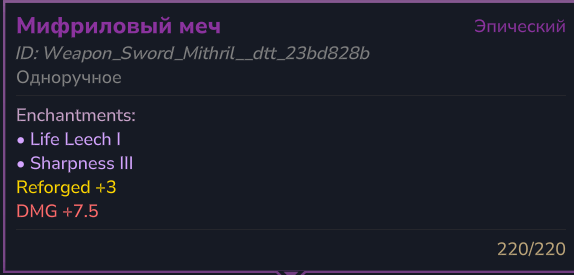
reforge.png
Description
⚔️ EcoTaleReforging
Progressive weapon & armor upgrading system for Hytale servers
Place a Reforge Station block, press F — and upgrade your gear through 10 enhancement levels with rising risk, material costs, and powerful stat bonuses.




Better gear. Bigger decisions.
Add a configurable gear-upgrade loop to your server. Players bring weapons or armor to a Reforge Station and weigh the next upgrade's benefits against its cost and risk.
Highlights
- Progressive upgrades: 10 default levels with damage or defense bonuses.
- Configurable costs: materials, currency and success chances per level.
- Risk and protection: failure penalties, material refunds and an optional protection mode.
- Admin tools: edit levels, allowed-item patterns and reverse recipes in-game; configure exclusions and custom materials in JSON.
Quick start
Place a Reforge Station and press F. Use /reforge info to inspect your held item or /reforgeadmin for settings.
Requirements & integrations
Hytale 0.7.2 build. DynamicTooltipsLib 1.6.2 or newer is mandatory. Currency costs need Ecotale or EconomyAPI; you do not need both.
Permissions
ecotalereforging.use— station accessecotalereforging.admin— administration.
Native permissions, LuckPerms and HyperPerms permission checks are supported; no external permission manager is mandatory.
Player guide
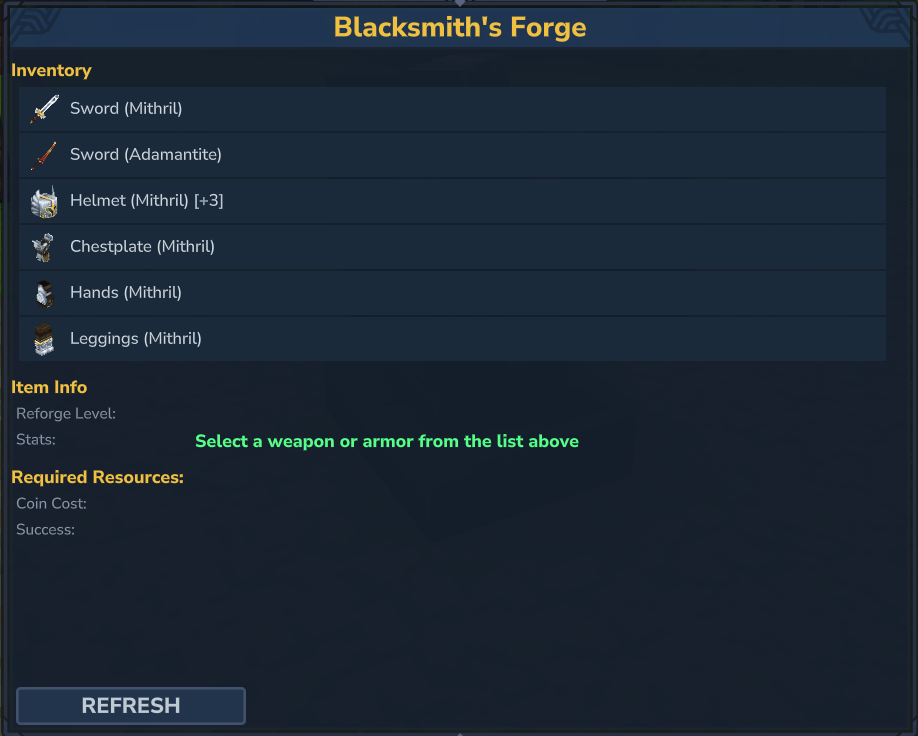
- Keep the equipment and required materials in your inventory, then interact with a Reforge Station using F.
- Select an eligible weapon or armor piece from the menu.
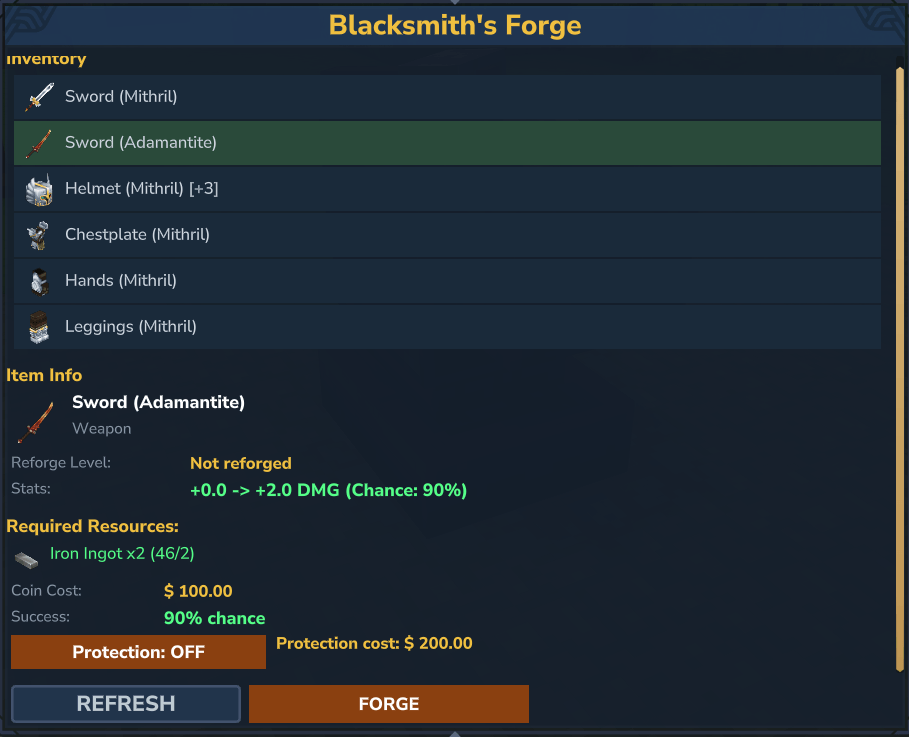
- Check the next level's bonus, success chance, materials and coin cost. Enable protection if your server offers it and you want to pay the additional cost.
- Start the reforge. A successful attempt upgrades the selected item.
Know the risk: an unprotected failure destroys the equipment. Material returns depend on its configured reverse recipe and the server's refund rate. A protected failure keeps the equipment but resets its reforge level to +0; protection does not preserve the previous upgrade level.
Administrator guide
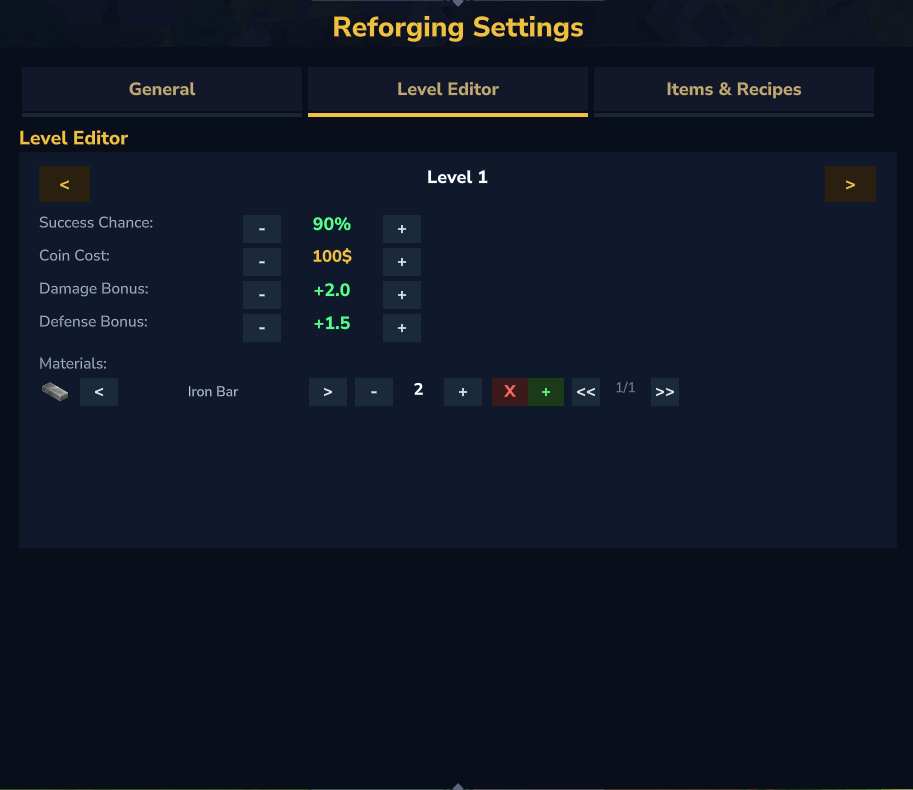
Configure an upgrade level
- Run
/reforgeadminwithecotalereforging.admin. - Open Level Editor and use the level arrows to select the upgrade you want to configure. Level
1is the upgrade from +0 to +1. - Adjust Success Chance, coin cost, weapon damage bonus and armor defense bonus.
- Select a material requirement, choose its material type and adjust the quantity. The material-entry arrows switch between requirements; the material-type arrows change the selected requirement's ingredient.
- Add another material when the upgrade should consume multiple ingredients. Remove a selected requirement if necessary; the editor keeps at least one.
- Review the result in the player station before enabling it for everyone.
For example, a +1 upgrade can require 2 Iron Bars + 100 coins, with a 90% success chance. These are separate settings: raising the cost does not automatically change the chance or bonus.
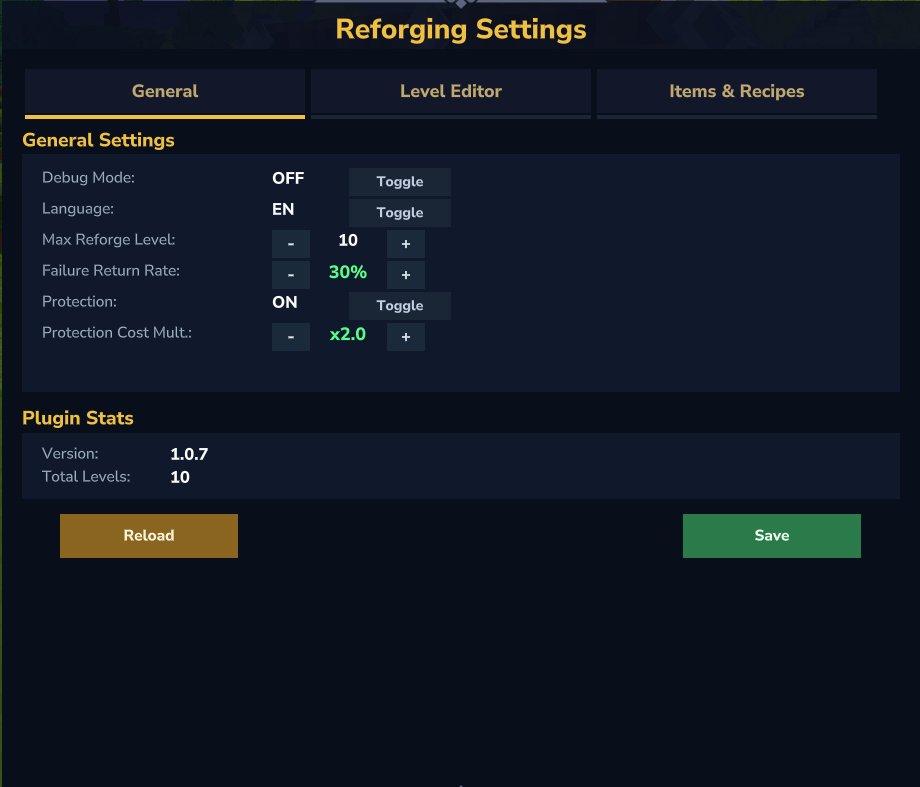
Most admin controls save immediately. Save explicitly writes the configuration; Reload reads the saved file and is not a substitute for applying an unfinished text field.
Allow another item or modded equipment
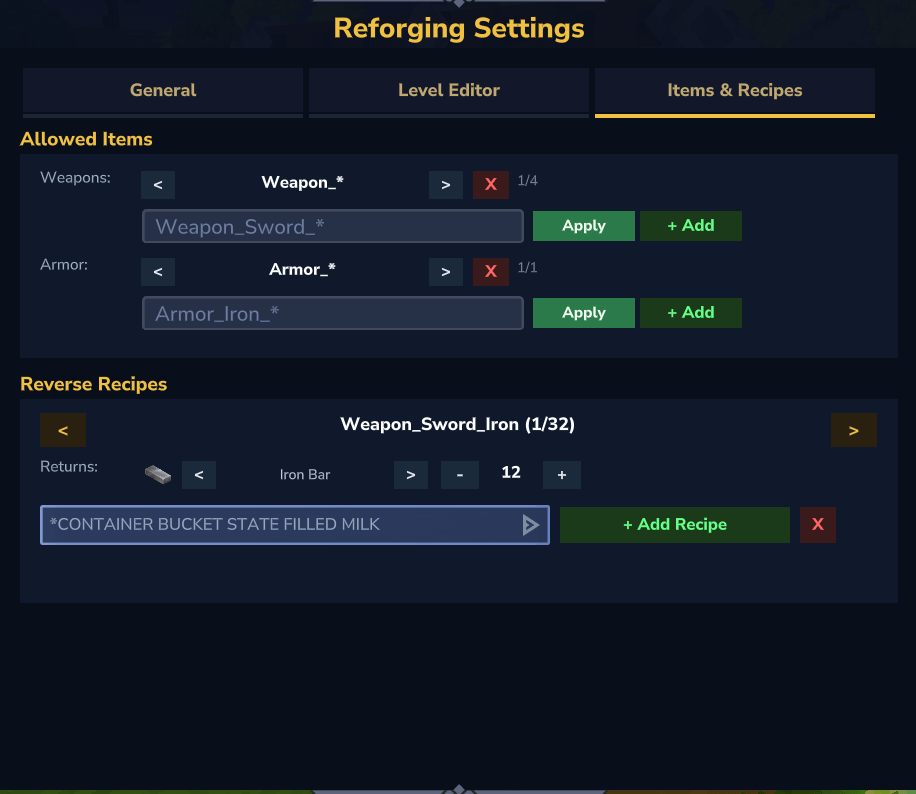
Open Items & Recipes, find the weapon or armor allow-list, enter the exact asset ID or a matching pattern, then press + Add. To replace the currently selected pattern, enter its replacement and press Apply.
- Use an item ID, not its translated display name.
Weapon_*matches a broad family; an exact ID is safer when allowing one item.- Check
allowedItems.excludedin the configuration if an item still does not appear. Exclusions take priority over allow-list matches and are edited in JSON. - Allowing an item does not install its parent mod or guarantee that every custom weapon mechanic supports reforging. Test its actual damage or defense as well as its tooltip.
Set up failure refunds
In Items & Recipes → Reverse Recipes, choose the equipment item and add its recipe. Set the material and amount that represent its base crafting ingredients. A newly added recipe starts with a default material and quantity: change these before using it.
Reverse recipes determine what can be returned when equipment breaks; they do not add crafting recipes or define the cost of an upgrade. For several refund ingredients, edit that item's array in reverseRecipes in JSON. The failure return rate is configured separately in General.
Advanced configuration
The generated file is EcoTaleReforging.json in the plugin's data directory. Back it up before editing. Configuration fragments must be merged into the existing file, not used to replace it.
For a custom upgrade material, add its real asset ID to customItems with a readable label. This makes it available in the admin material selector; it does not create a new item:
{
  "customItems": {
    "YourMod_Ingot": "Your Mod Ingot"
  }
}
Replace YourMod_Ingot with an installed item's actual ID. Then select it in the level editor and set its quantity.
To extend progression beyond the default ten levels, add a complete entry for every new level under levels and update general.maxReforgeLevel. Copy an existing entry's structure, including successChance, weaponDamageBonus, armorDefenseBonus, coinCost and materials. Increasing the maximum alone does not create the missing level definitions.
After saving manual changes, run /reforgeadmin reload and reopen the menu. Restart after changing the economy provider or dependencies. Do not edit the file while another administrator is saving through the GUI.
If something does not work
- Station denied: check
ecotalereforging.useon the player's actual permission group, including explicit denials. - Item missing: check its asset ID, allow-list and exclusions.
- Material missing from the selector: register it in
customItems, reload, and verify its parent mod is installed. - Coins or tooltips unavailable: check the selected economy provider and the mandatory DynamicTooltipsLib dependency in the startup log.
Weapon damage modes
New in v1.0.18: choose how reforging increases weapon damage.
- FLAT adds a fixed amount of damage, preserving the original upgrade system.
- PERCENT increases attack damage by a configurable percentage, so the bonus scales with the hit's damage.
Percentage bonuses add across reforge levels, rather than compounding. Five levels of 2% give +10%: a 20-damage hit becomes 22, while a 100-damage hit becomes 110, before any later combat modifiers.
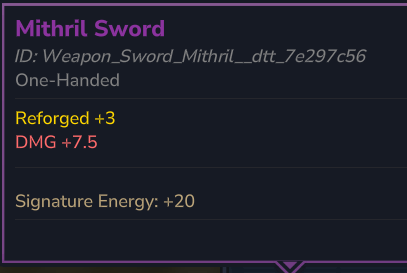
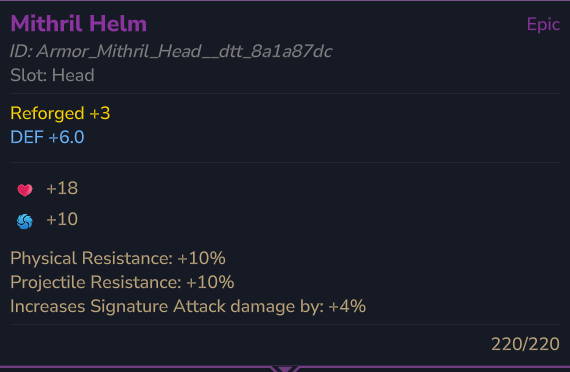
How to configure: open /reforgeadmin → Level Editor → Weapon Mode, choose FLAT or PERCENT, then use the damage controls to adjust each level's bonus. Flat amounts and percentages are saved separately. The station menu, /reforge info and DynamicTooltipsLib tooltips display the active bonus with the correct units.
Upgrading an existing server? Configurations without the new setting stay in FLAT mode. Item upgrade levels and existing flat values are preserved. Switching modes applies server-wide, including already upgraded weapons. Armor defense remains flat in both modes.
EcoTale Reforging Team