CodeCreature's ARPG Isometric Custom Camera Demo Extension
- By
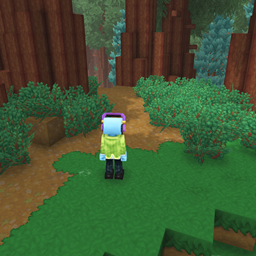
This mod adds pitch and yaw controls to the established player camera demo command. Allowing players to set their own angles independently.
CustomCameraDemo Command
This mod simply extends the CameraDemo command so that you can customize the pitch and yaw.
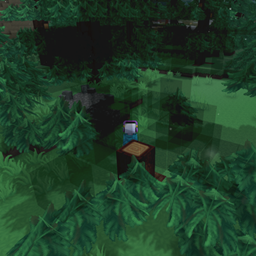
A custom camera demo command that allows you to set camera pitch and yaw rotation for an isometric/top-down camera view similar to Diablo or Path of Exile.
Command Syntax
/CustomCameraDemo --pitch <degrees> --yaw <degrees>
Parameters
| Parameter | Type | Range | Default | Description |
|---|---|---|---|---|
pitch |
Double | -90° to 90° | -45° | Camera pitch in degrees (vertical tilt). Negative values look down from above. |
yaw |
Double | -180° to 180° | 0° | Camera yaw in degrees (horizontal rotation). |
Both parameters are optional.
Usage Examples
Basic Usage
/CustomCameraDemo
Activates the camera demo with default settings (pitch: -45°, yaw: 0°) - a Diablo/Path of Exile style isometric view.
Custom Pitch
/CustomCameraDemo pitch:-30
Activates with a -30° pitch (less steep angle) and default yaw.
Custom Yaw
/CustomCameraDemo yaw:45
Activates with default pitch and 45° horizontal rotation.
Both Parameters
/CustomCameraDemo pitch:-60 yaw:90
Activates with -60° pitch (steeper top-down view) and 90° yaw (rotated east).
Camera Behavior
When activated, the camera demo:
- Sets a custom camera view with the specified pitch and yaw rotation
- Maintains a distance of 20 units from the player
- Enables cursor display for mouse interaction
- Allows mouse-based block placement and removal
- Cancels player interaction events to prevent conflicts
Default Camera Angle
The default pitch of -45° provides an isometric camera angle similar to:
- Diablo series - Classic action RPG camera
- Path of Exile - Top-down ARPG perspective
- StarCraft - RTS-style view
This angle provides good visibility of the surrounding area while maintaining depth perception.
Technical Details
Rotation System
- Pitch: Rotation around the X-axis (vertical tilt)
- Negative values = looking down from above
- Positive values = looking up from below
- Yaw: Rotation around the Y-axis (horizontal rotation)
- 0° = North
- 90° = East
- 180° = South
- -90° = West
Implementation
- Extends
AbstractPlayerCommand - Uses
CustomCameraDemohelper class - Converts degrees to radians internally
- Validates input ranges to prevent invalid camera angles
Mouse Controls (When Active)
- Left Click: Place block above target position
- Middle Click: Place block at target position
- Right Click: Remove block at target position
Deactivation
The camera demo can be deactivated by:
- Using the base camera system's deactivation method
- Disconnecting from the server (automatically cleaned up)
Notes
- The camera is set to third-person mode (not first-person)
- Eye offset is enabled for more natural positioning
- Mouse input uses plane-based targeting for precise block selection
CodeCreature's ARPG Isometric Custom Camera Demo Extension Team