BedWars Configurator
- By
Companion setup tool for the BedWars plugin — build and edit arenas, maps, and shops entirely in-game, no config files required
Screenshot 2026-06-13 at 13.59.23.png
Screenshot 2026-06-13 at 14.11.25.png
Screenshot 2026-06-13 at 14.00.02.png
Screenshot 2026-06-13 at 14.11.10.png
Screenshot 2026-06-13 at 14.00.14.png
Description
BedWars Configurator
In-game configuration UI for the BedWars Hytale plugin. Build and tweak arenas, maps, and shops without ever leaving the game — no editing JSON by hand, no server restarts, no guessing coordinates.
This plugin is a companion to the main BedWars plugin. It writes the same configuration files BedWars reads, so anything you build here is live the next time an arena loads. Configs are also pushed to the BedWars data provider (MongoDB, MySQL, …) if one is installed, so multi-server setups stay in sync.
Features
- Visual arena builder — name, timing, player counts, lobby position, lobby items, and shop assignment.
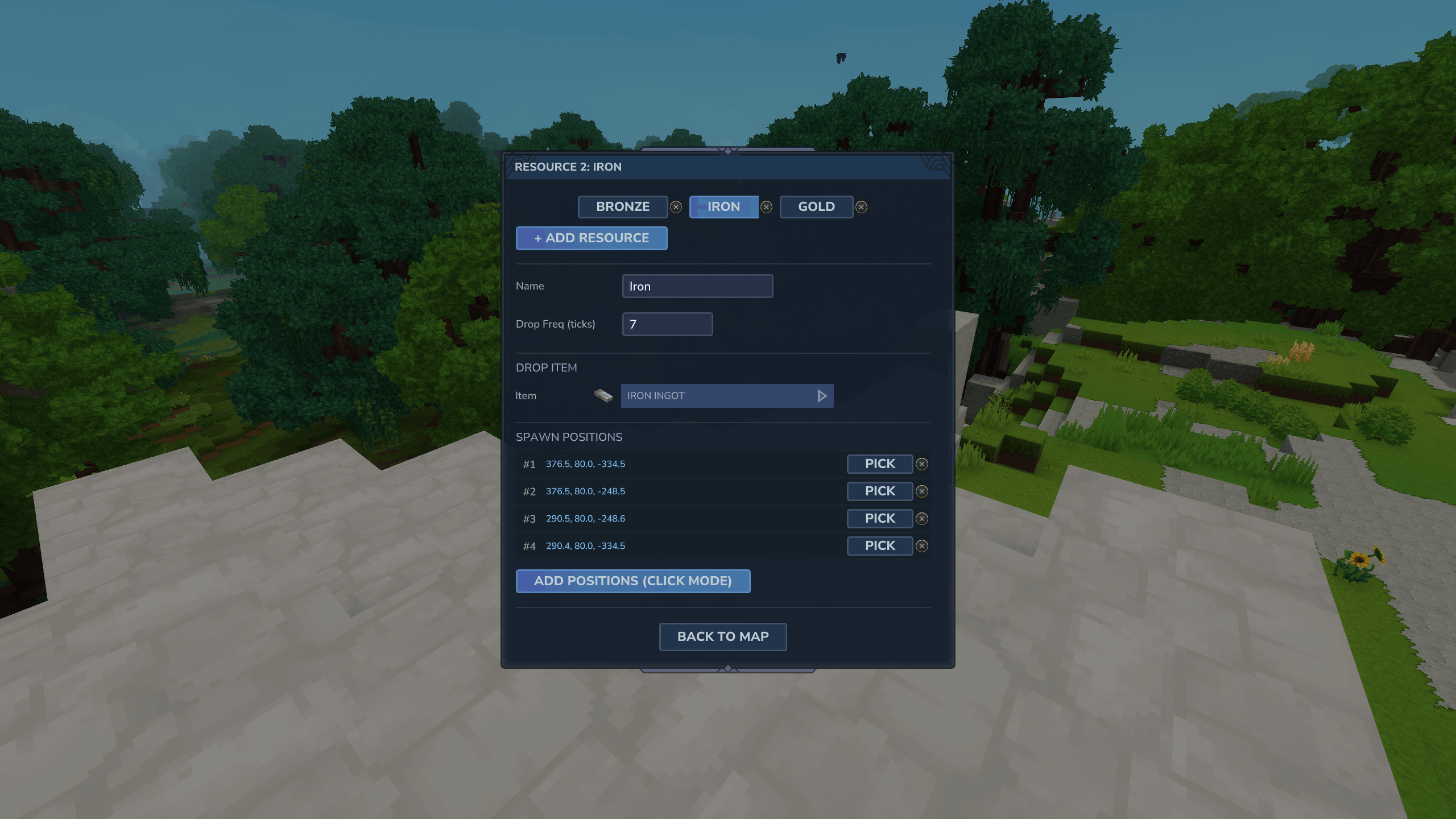
- Map editor — configure any number of teams (name, color, spawn, villager NPC, bed) and resource generators (item type, drop frequency, spawn positions).
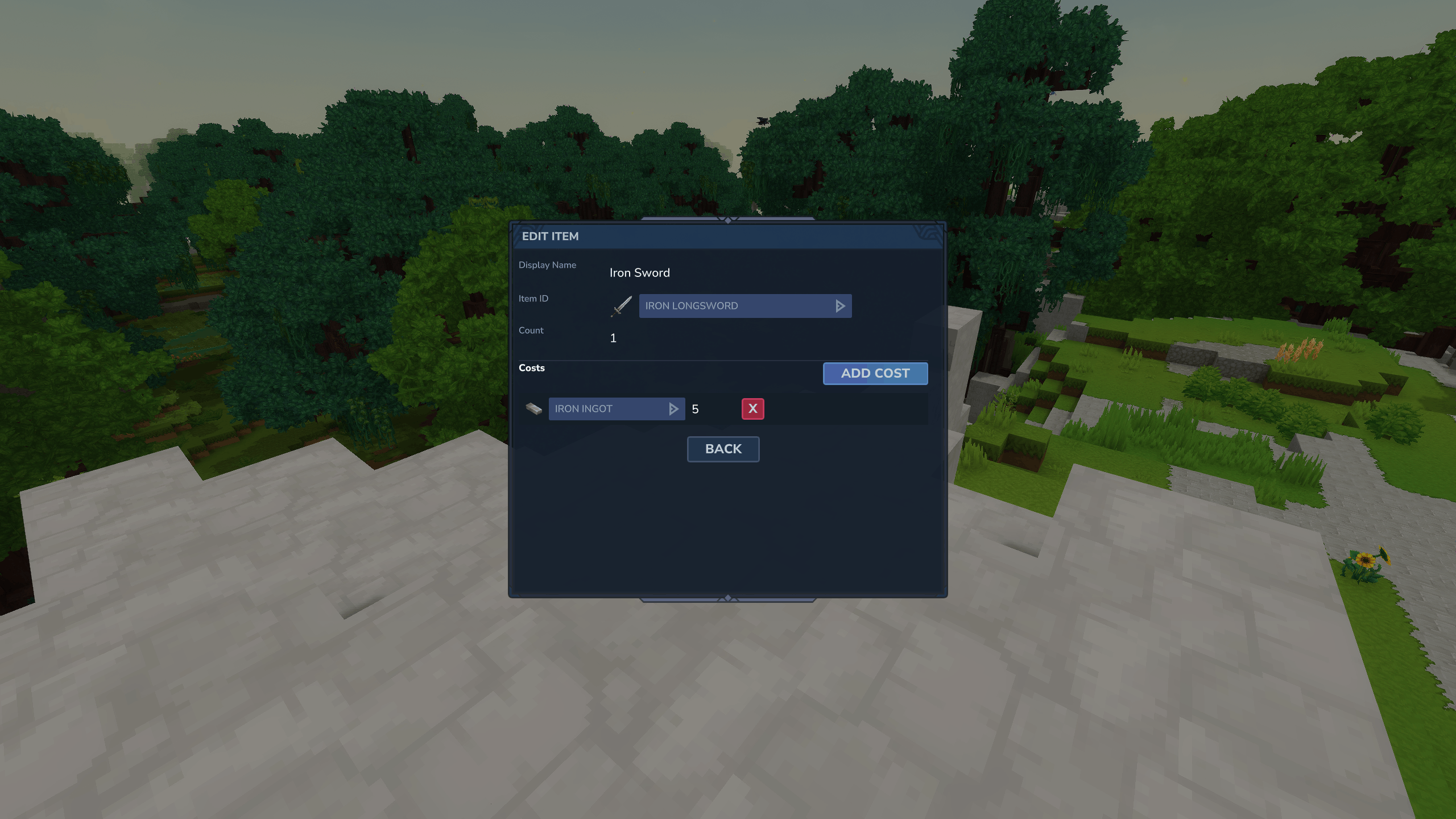
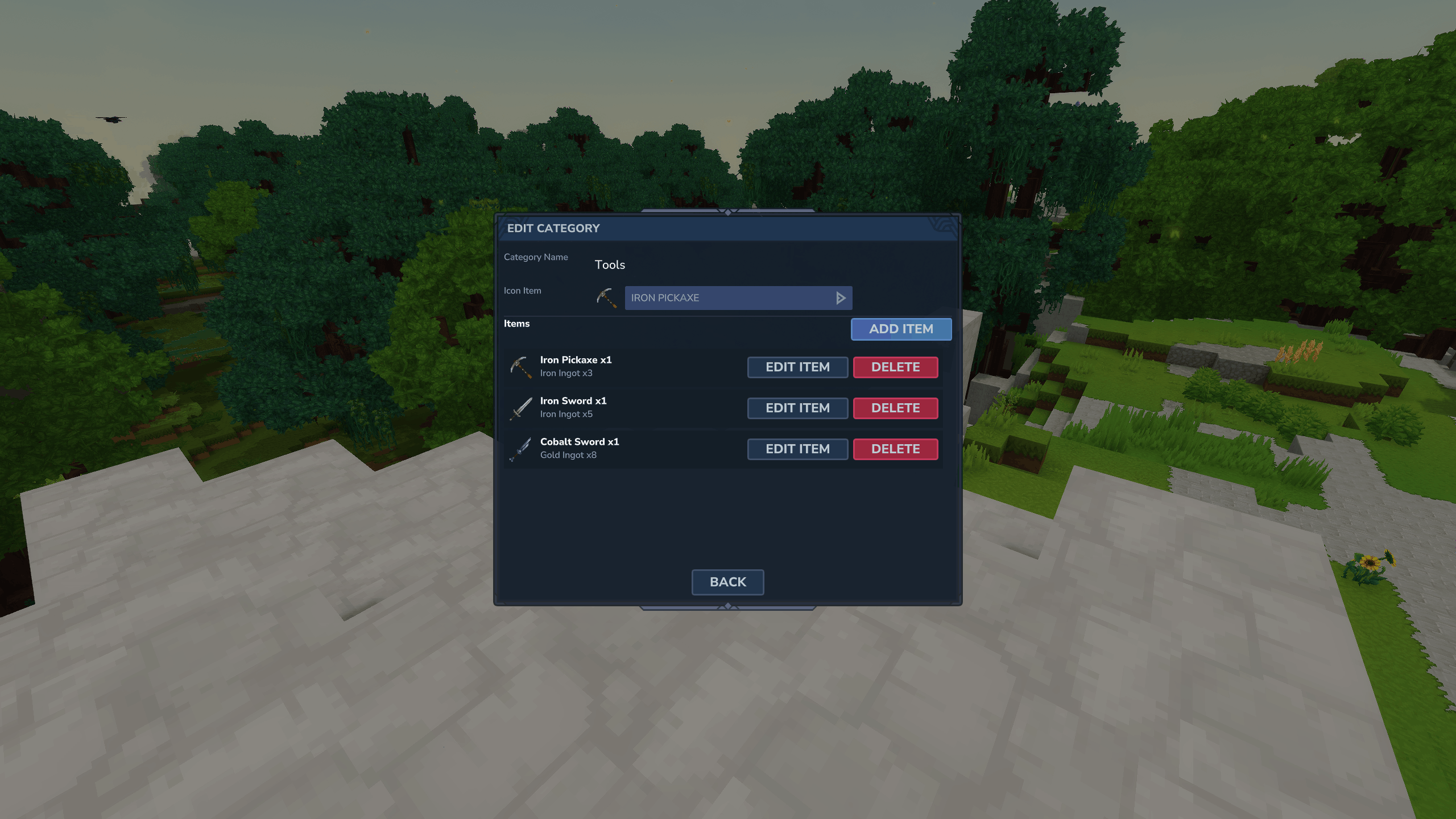
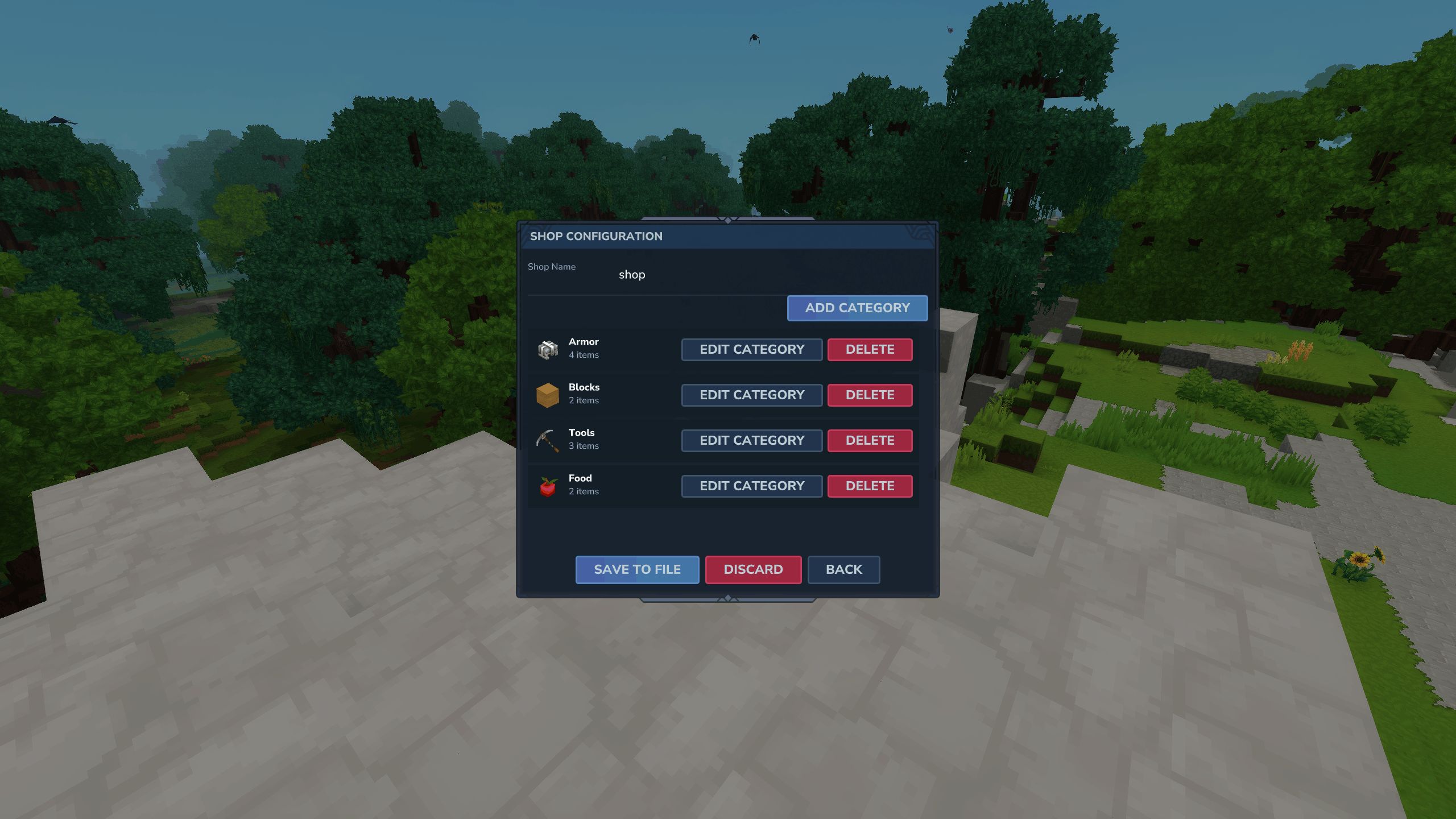
- Shop designer — build categories with icons, add items, configure each item's cost (any number of currency items per offer).
- Position Tool — pick block or player positions with a single click; no typing coordinates.
- Continuous-pick mode — flag many resource generator spawns in a row without reopening the UI between each.
- Auto-saved drafts — your work-in-progress survives disconnects, restarts, and accidental closes. Reopen the configurator and pick up exactly where you left off.
- Automatic backups — every overwrite snapshots the previous version into a
backup/folder. Mistakes are recoverable. - Two-pane management screens — saved configs on the left, your active draft on the right. Always know what's saved and what's in progress.
- Data provider sync — if a BedWars data provider is configured, every save is mirrored to the database.
- Plugin extension API — other plugins can register custom UI sections, buttons, and full pages inside the configurator (see the BedWars API documentation).
Installation
- Make sure BedWars, Kytale (1.4+), and UiManager are installed on your server.
- Drop
BedwarsConfigurator.jarinto themodsdirectory. - Restart the server.
That's it. No configuration files to edit before first use.
Requirements
| Dependency | Version | Notes |
|---|---|---|
| Hytale Server | * | |
| Kytale | ≥ 1.4 | |
| UiManager | latest | Required — provides the UI DSL the configurator is built on |
| BedWars (core) | latest | Recommended — enables live data-provider sync |
The configurator works standalone (it can write JSON files for later use), but it shines when paired with the BedWars core plugin — saves go straight into BedWars' live configuration.
Commands
| Command | Description |
|---|---|
/bwconfigure |
Opens the main configurator (Arenas / Maps / Shops) |
/bwshopconfig |
Jumps straight into shop management |
Both commands require a player context (run them in-game). There are no separate permissions to wire up — the plugin intentionally keeps things simple. Restrict access with your existing permissions plugin if needed.
Quick start: your first arena
- Run
/bwconfigureand click Manage Arenas → Create New Arena. - Set the Name, timing, player counts, and any lobby items you want players to receive.
- Under Lobby Position, click Use My Position to snap the lobby to where you're standing, or Pick Block Pos to right-click a specific block.
- Hit Save to File. The arena is now persisted to
arenas/<name>.json.
Repeat for maps and shops. Save and load apply immediately — no restart needed.
The Position Tool
A custom item, the Position Tool, appears in your hotbar when the configurator needs a coordinate. It uses all three click types so you never have to switch tools:
| Action | What it does |
|---|---|
| Right-click a block | Saves that block's position |
| Use item (Q / use key) | Saves your current standing position |
| Left-click (anywhere) | Returns to the configurator UI |
When picking resource generator spawns, the configurator stays in continuous mode — every right-click adds another spawn point until you left-click to return. Perfect for laying down a dozen iron/gold generators in seconds.
What you can configure
Arenas
Per-arena settings stored in arenas/<name>.json:
- Name and lobby position (with world)
- Timing: time limit, start countdown, ending time, respawn delay
- Players: start count, max count, team size
- Fast start: enable/disable, threshold count, shortened countdown
- Voting: enable/disable, max map options, voting countdown
- Lobby hotbar items: vote item, team-select item, leave item
- Shop assignment (pick from saved shops)
Maps
Per-map data stored under maps/<name>/config.json:
- Map name
- Teams (any count): name, color (full color picker), spawn position, shop villager (NPC) position, bed position
- Resource generators (any count): display name, item ID, drop frequency in ticks, multiple spawn positions
Teams and generators use tabbed editors — flip between them at the top of the page without losing your place.
Shops
Stored in shops/<name>.json. A shop is a tree of categories ("windows") and items ("offers"):
- Categories: name, icon item (searchable item picker)
- Items: display name, item ID, stack count
- Costs: any number of
(item, amount)pairs per item — supports mixed-currency pricing
File layout
Everything lives under the plugin's data directory:
BedWarsConfigurator/
├── arenas/
│   ├── lobby1.json
│   └── backup/             (timestamped snapshots)
├── maps/
│   ├── Castle/
│   │   └── config.json
│   └── backup/             (timestamped snapshots)
├── shops/
│   ├── default.json
│   └── backup/
└── drafts/                 (per-player work-in-progress)
    ├── arenas/<uuid>.json
    ├── maps/<uuid>.json
    └── shops/<uuid>.json
- Backups are made automatically whenever you overwrite an existing config.
- Drafts auto-save after every field edit. Disconnecting, crashing, or running
/bwconfigureagain brings the same draft right back. - Names are sanitized — anything outside
a-z,A-Z,0-9,_,-becomes_(blank names becomeunnamed).
Drafts: how they work
The configurator never holds your work hostage in memory. Every change is written to a draft file keyed to your player UUID. That means:
- Closing the UI mid-edit is safe — just reopen later.
- Crashes, kicks, and server restarts don't lose anything.
- One draft per type (arena / map / shop) per player at a time.
- Saving the config to file clears the draft. Discarding clears it too.
- The Active Draft panel on every management screen shows what's in progress and lets you continue or discard.
For plugin developers
The configurator exposes UI extension points — slots where your plugin can inject buttons, form fields, or full custom pages alongside the built-in arena/map/shop editors. Combined with the BedWars API's typed config-extension system, this lets you ship a fully integrated configuration UI without forking the configurator.
See the BedWars API documentation for UiExtensionPoints,
ConfigSection, and the MainPage / Arena / Map / Shop
edit contexts.
Issues and feature requests: please file them on the BedWars-API issue tracker.
The BedWars Configurator Team