Bed Wars
- By
Classic BedWars team PvP for Hytale — protect your bed, raid resource generators, upgrade at the shop, and outlast every other team
Screenshot 2026-06-13 at 13.51.23.png
Screenshot 2026-06-13 at 13.51.28.png
Screenshot 2026-06-13 at 13.51.11.png
Screenshot 2026-06-13 at 13.51.05.png
Screenshot 2026-06-13 at 13.51.51.png
Description
BedWars
A full-featured BedWars minigame plugin for Hytale. Defend your bed, raid enemy islands, and be the last team standing. Built from the ground up on the Hytale platform with multi-team arenas, map voting, a configurable shop, AI bots, persistent player stats, and rich integrations.
Features
Core Gameplay
- Classic BedWars rules — destroy enemy beds to prevent their respawn, eliminate the rest of their team, last team standing wins.
- Configurable team sizes — solos, duos, trios, squads, or any custom size up to your arena cap.
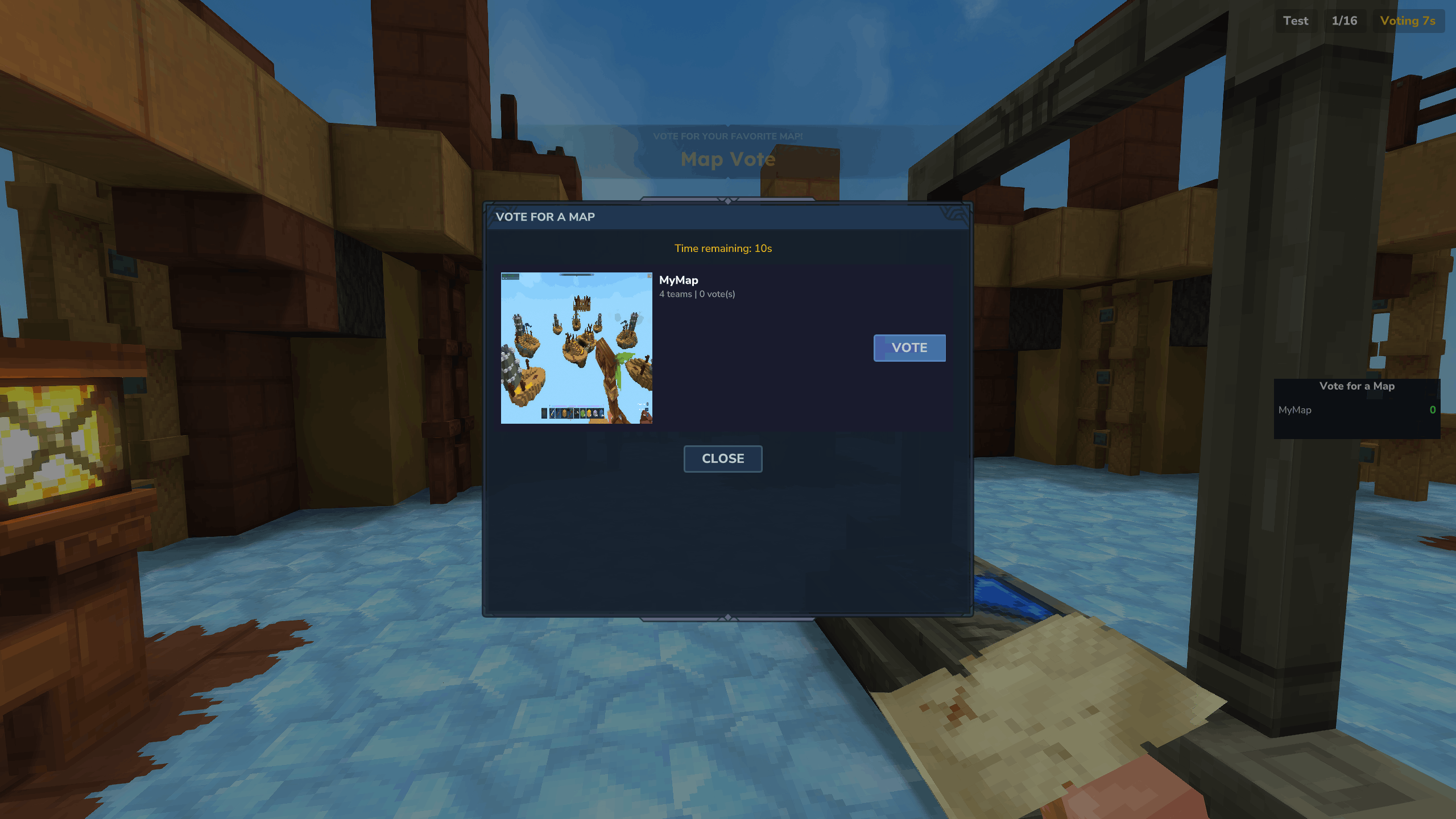
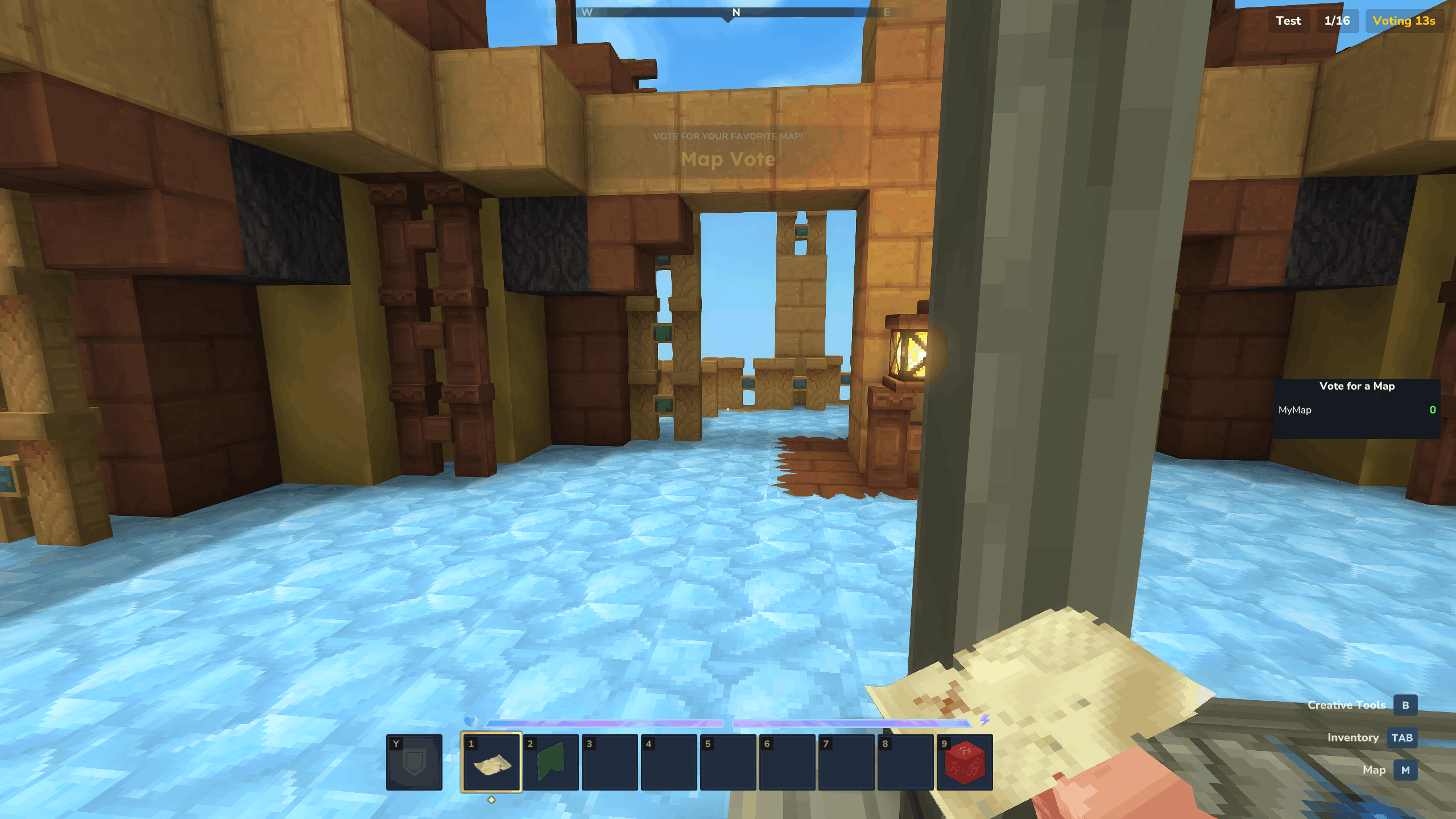
- Map voting — players vote on a shuffled subset of eligible maps before each match. Tie-breakers and time-outs fall back to a random pick.
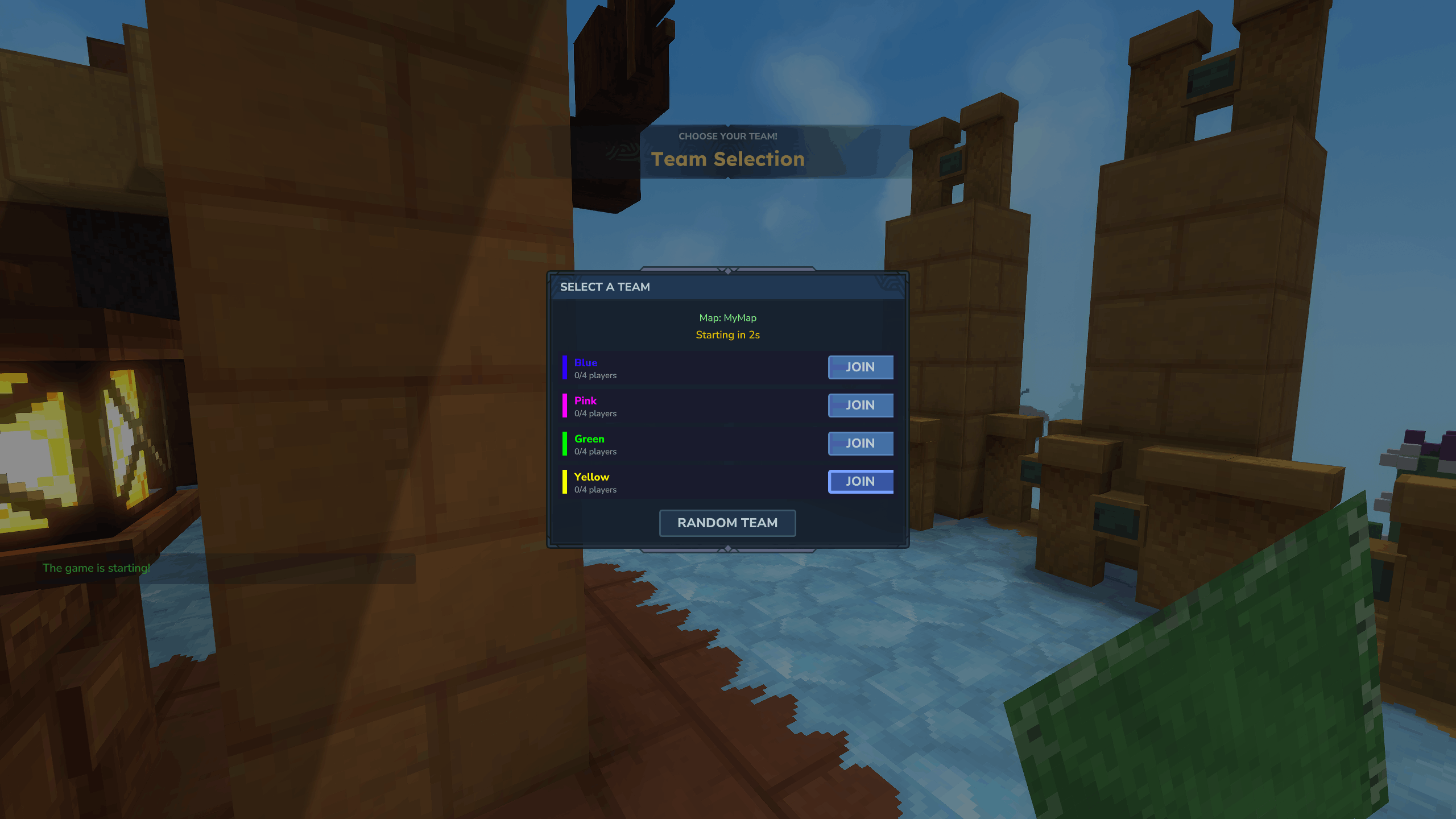
- Manual or automatic team selection — players can pick a team during the team-select phase, with automatic balancing for anyone who hasn't chosen.
- Fast start — when an arena fills above a configurable threshold, the start countdown shortens automatically.
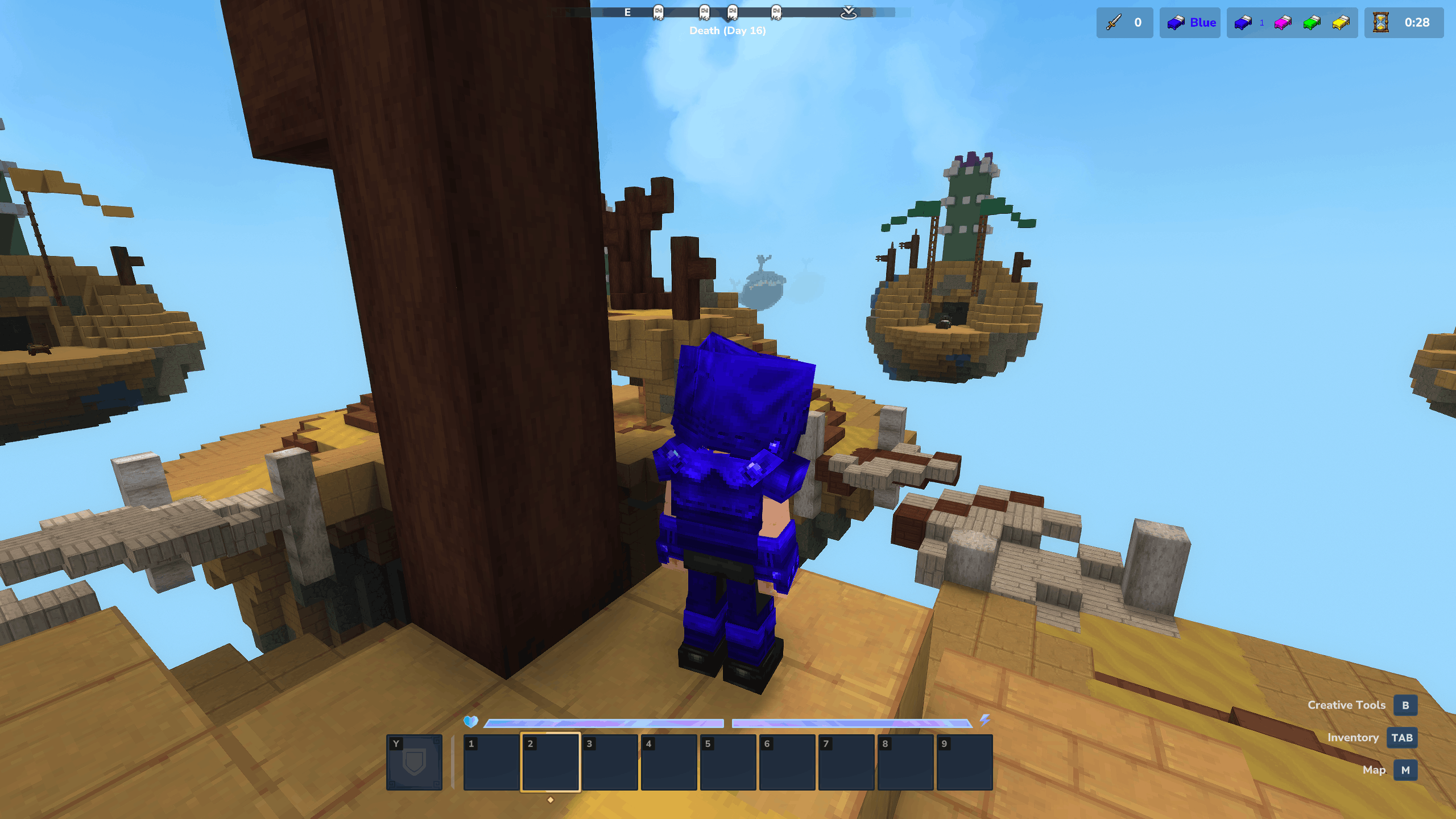
- Spectator mode — eliminated players become spectators; latecomers can also spectate ongoing matches when enabled.
- Per-team resource generators — bronze, iron, gold (or any custom drops) spawn at configurable positions and intervals.
- Per-arena lobby — each arena has its own waiting lobby with vote, team-select, and leave items.
- Block protection — only player-placed blocks can be broken; map terrain is preserved automatically.
- Friendly-fire protection — teammates cannot damage each other.
- Void death handling — falling out of the world counts as a normal death.
- Per-arena world instancing — each arena loads its own world template copy so multiple games can run in parallel without interference.
Shop System
- Hierarchical category shop — top-level tabs (blocks, weapons, armor, utilities, etc.) with per-category item lists.
- Multi-currency offers — define purchases that cost any combination of in-game items (e.g. 4 bronze + 1 iron).
- Quick-buy with Shift — Shift-click any offer to fill a full stack or as much as the player can afford.
- Custom display names and icons — every offer and category supports a custom label and icon item.
- Per-arena shop selection — point each arena at a named shop configuration.
- Cancellable purchase events — third-party plugins can intercept or modify purchases via
ArenaShopPurchaseEvent.
AI Bots (Experimental)
The plugin includes an experimental bot system that can fill empty team slots or play alongside real players. Bots can
gather resources, build, fight, and target beds, with selectable difficulty profiles (EASY, MEDIUM, HARD).
Bots are built on top of Hytale's core entity and NPC mechanisms, which are themselves in an early stage and still contain bugs. Any limitations or glitches in those underlying systems will surface in bot behavior as well. Both the bot system and its foundation will continue to improve in future updates.
Optional movement patch (Mixins). Hytale's NPC steering has a deadlock where a stationary bot can fail to bootstrap
its own velocity and gets stuck in place. An optional companion mod — BedWars-Mixins — applies a runtime Sponge Mixin
patch (loaded by the Hyxin mixin framework) that fixes it, so
bots navigate far more reliably. It is not required — bots run without it — but installing it (alongside the Hyxin
loader) noticeably improves bot movement.
Persistent Player Stats
- Stats tracked: kills, deaths, wins, losses, beds destroyed, blocks placed, blocks broken, hits, games played.
- Players can view their stats with
/bw stats. - Stats are exposed to other plugins via PlaceholderAPI.
- Optional MySQL storage with HikariCP connection pooling and async writes.
Economy & Rewards
- Optional stat-based reward payouts — earn currency for kills, wins, bed breaks, and more. Each reward value is independently configurable.
- Built-in support for Ecotale as an economy backend.
- Pluggable economy provider API for custom backends.
Internationalization
- Bundled languages: English (en-US) and Czech (cs-CZ).
- Messages use Hytale's native
.langasset system — add a new language by dropping in a translated file.
Requirements
- Hytale Server with the Kytale framework.
Required Dependencies
| Plugin | Version |
|---|---|
| Kytale (AmoAster:Kytale) | >= 1.4 |
| PlaceholderAPI (CreeperFace:PlaceholderAPI) | any |
| UiManager (CreeperFace:UiManager) | >= 1.0 |
Optional Dependencies
| Plugin | Purpose |
|---|---|
| Ecotale | Economy backend for stat-based rewards |
| BedWarsConfigurator | In-game UI for editing arenas, maps, and shops |
| BedWars-DebugMixins | Mixin patch fixing an NPC steering deadlock — smoother bot movement (needs the Hyxin loader) |
Installation
- Drop the BedWars plugin file into your server's
modsdirectory. - Install the required dependencies listed above into the same
modsdirectory. - (Optional) Install BedWarsConfigurator for the in-game setup UI.
- (Optional) Install Ecotale if you want economy-based rewards.
- Start the server. Default
config.json,economy.json,game.json, andbot.jsonfiles are generated automatically on first run.
After first start, either drop in the ready-made demo setup (below) or configure your own arenas, maps, and shops
(see Setup), then join with /bw join.
Try It Now — Demo Setup
Want a working game without configuring anything by hand? Download the demo setup — a complete, ready-to-run package that bundles everything: all required mods, a pre-configured arena, map, and shop, and the game worlds. No separate dependency installs, no JSON editing.
The pack ships two top-level directories that mirror your Hytale server layout:
mods/      All required mods (BedWars, Kytale, PlaceholderAPI, UiManager, …) plus the demo
           BedWars configs — arena, map, and shop — under mods/CreeperFace_BedWars/
worlds/ The demo game world(s)- Download the demo pack from the project's resources / downloads page.
- Extract it into your Hytale server directory, merging the bundled
mods/andworlds/folders into your server. - Start the server.
- Join with
/bw joinand play.
Because the pack includes every required mod, you can skip the Installation and Setup steps below for a quick trial. It also doubles as a working reference when building your own arenas, maps, and shops.
Setup Workflow
The recommended workflow is to use the BedWarsConfigurator companion plugin, which provides an in-game UI for everything below. If you prefer to edit JSON by hand, all the same files are in the plugin data directory.
Plugin Data Layout
BedWars' data folder lives at mods/CreeperFace_BedWars/ (Hytale derives the folder name from the plugin's group and
name in manifest.json):
mods/CreeperFace_BedWars/
├── config.json              Global plugin settings
├── economy.json             Economy provider and reward values
├── game.json                Chat formats and game mechanics
├── bot.json                 Bot system settings
├── arenas/
│   └── <ArenaName>.json     Arena definitions
├── maps/
│   └── <MapName>/
│       ├── config.json      Map (teams, beds, spawns, generators)
│       ├── preview.png      Map preview shown in voting UI
│       └── world/           World template copied per game
└── shops/
    └── <ShopName>.json      Shop window/category/offer definitions
Building Your First Arena
- Build (or import) a map world and place it under
maps/<MapName>/world/. - Add an optional
preview.png(shown in the voting UI). - Create
maps/<MapName>/config.jsondefining each team's spawn, bed location, shop NPC position, and resource generators. - Create
arenas/<ArenaName>.jsonwith the lobby position, player counts, time limits, and amap_filtercontrolling which maps are eligible. - Optionally create a
shops/<ShopName>.jsonand reference it from the arena. - Restart the server (or use the configurator's reload action).
Setup with the Configurator
The BedWarsConfigurator plugin provides a visual setup tool that handles all the JSON file editing for you — arena creation, map registration with team placement, shop building, and live preview. Highly recommended for production setups.
Configuration Reference
config.json — Global Settings
{
  "general": {
    "auto_join": false
  },
  "data": {
    "enable": false,
    "data_provider": "none",
    "store_configs": false,
    "mysql": {
      "host": "127.0.0.1",
      "port": 3306,
      "user": "root",
      "password": "mysql",
      "database": "default"
    }
  }
}| Field | Default | Description |
|---|---|---|
general.auto_join |
false |
Auto-join players to an available arena on connect |
data.enable |
false |
Enable persistent data storage |
data.data_provider |
"none" |
none or mysql (extensible via API) |
data.store_configs |
false |
Load arenas/maps/shops from the database instead of files |
data.mysql.* |
— | Connection settings used when data_provider = "mysql" |
economy.json — Economy & Rewards
{
  "economy_provider": "none",
  "rewards": {
    "enabled": false,
    "values": {
      "kills": 10.0,
      "deaths": 0.0,
      "wins": 100.0,
      "losses": 0.0,
      "beds": 50.0,
      "place": 0.0,
      "break": 0.0,
      "hits": 0.0,
      "games": 5.0
    }
  }
}| Field | Default | Description |
|---|---|---|
economy_provider |
"none" |
none or ecotale (extensible via API) |
rewards.enabled |
false |
Pay players when stats are recorded |
rewards.values.* |
various | Currency awarded per stat event |
Arena Configuration (arenas/<Name>.json)
| Field | Description |
|---|---|
name |
Arena identifier |
max_players |
Hard cap on arena size |
start_players |
Player count required to begin the start countdown |
team_players |
Players per team |
start_time |
Seconds in the team-select countdown |
ending_time |
Seconds the end-game screen shows before the arena resets |
respawn_delay |
Seconds a player waits before respawning (bed still intact) |
fast_start / fast_start_players / fast_start_time |
Shortened countdown when the arena fills past a threshold |
time_limit |
Maximum match duration in seconds |
lobby_position, lobby_world |
Where players spawn while waiting |
voting.enable, voting.max_options, voting.countdown |
Map voting settings |
map_filter.enable, .team_count, .include, .exclude |
Whitelist/blacklist eligible maps |
shop |
Name of the shop configuration to use |
lobby_items |
Custom item IDs and slots for the vote/team-select/leave items |
Map Configuration (maps/<Name>/config.json)
| Field | Description |
|---|---|
name |
Map identifier |
teams[] |
List of teams: name, color (hex), spawn, bed, villager positions |
resources[] |
Resource generators: name, item_id, drop_frequency (ticks between drops), list of positions |
extensions |
Free-form JSON for third-party plugin extensions |
Shop Configuration (shops/<Name>.json)
A shop is a list of windows (category tabs). Each window contains children — the individual offers. Every offer has
a purchase_item (what the player receives) and a cost array (any combination of items required).
{
  "windows": [
    {
      "type": "menu",
      "name": "Blocks",
      "icon": {
        "item_id": "Cloth_Roof_Green_Flap"
      },
      "children": [
        {
          "type": "offer",
          "name": "Green Wool",
          "purchase_item": {
            "item_id": "Cloth_Roof_Green_Flap",
            "item_count": 16
          },
          "cost": [
            {
              "item_id": "Bronze_Coin",
              "item_count": 4,
              "item_name": "Bronze"
            }
          ]
        }
      ]
    }
  ]
}
Bot Configuration (bot.json)
| Field | Default | Description |
|---|---|---|
enabled |
false |
Activate the bot system |
bots_per_team |
0 |
Spawn this many bots per team automatically |
fill_teams |
true |
Top up empty team slots with bots after team selection |
difficulty |
"MEDIUM" |
EASY, MEDIUM, or HARD |
role_asset |
"BedWars_Bot" |
NPC role asset to spawn bots with |
name_prefix |
"[BOT] " |
Display-name prefix (empty string disables) |
eval_interval |
10 |
Ticks between goal re-evaluations (lower = more reactive) |
Game Mechanics & Chat (game.json)
game.json is split into a general section and a chat section:
{
  "general": {
    "allow_spectators": true
  },
  "chat": {
    "enable_all_chat": true,
    "all_prefix": "!",
    "lobby_format": "...",
    "team_format": "...",
    "all_format": "...",
    "spectator_format": "..."
  }
}| Field | Default | Description |
|---|---|---|
general.allow_spectators |
true |
Allow eliminated players (and late joiners) to spectate a live game |
chat.enable_all_chat |
true |
Toggle the cross-team all-chat feature entirely |
chat.all_prefix |
"!" |
Message prefix that flips a team message to all-chat |
chat.lobby_format |
— | Chat format used in the lobby |
chat.team_format |
— | In-game team chat format |
chat.all_format |
— | In-game all-chat format |
chat.spectator_format |
— | Spectator chat format |
The *_format strings use PlaceholderAPI placeholders (see the table below) — e.g. %player_display_name%,
%message%, %team_color%.
Commands
All commands live under the /bw root.
| Command | Description |
|---|---|
/bw |
Show command help |
/bw join [arena] |
Join the named arena, or any available one |
/bw leave |
Leave the current arena |
/bw vote |
Open the map voting UI (during voting phase) |
/bw team |
Open the team selection UI (during team-select phase) |
/bw start |
Force-advance the start countdown |
/bw stop |
Force-stop the current game |
/bw stats |
View your personal stats |
/bw shop |
Open the shop UI (testing/debug) |
/bw bot [team] |
Spawn a bot for the given team (testing) |
Placeholders
The plugin ships with full PlaceholderAPI support. All BedWars placeholders are prefixed with bw_.
Arena Placeholders (global, parameterized by arena name)
Used as %bw_arena_<property><ArenaName>%:
| Placeholder | Description |
|---|---|
bw_arena_player_count |
Current player count |
bw_arena_max_players |
Configured maximum |
bw_arena_team_size |
Players per team |
bw_arena_state |
waiting, voting, teamSelect, or game |
bw_arena_time |
Seconds elapsed in the current game |
bw_arena_time_formatted |
Elapsed time as M:SS |
bw_arena_time_remaining |
Seconds left until time limit |
bw_arena_time_remaining_formatted |
Remaining time as M:SS |
bw_arena_timeLimit |
Configured time limit (seconds) |
bw_arena_team_count |
Number of teams in the active game |
bw_arena_alive_teams |
Teams still in the running |
bw_arena_winner |
Name of the winning team (after game end) |
bw_arena_map |
Currently loaded map name |
bw_arena_spectators |
Spectator count |
bw_arena_ending |
true when the end-game screen is showing |
Team Placeholders (scoped to a team context)
| Placeholder | Description |
|---|---|
bw_team_name |
Team display name |
team_color |
Team color (resolves to empty when no team is in scope, e.g. lobby chat) |
bw_team_players |
Current member count |
Arena Placeholders (scoped to an arena context)
| Placeholder | Description |
|---|---|
bw_arena_name |
Arena name |
bw_arena_players |
Current player count |
Color Placeholders
Color is applied via PlaceholderAPI's built-in helpers — there's no extra registration step:
%color<name,shade>%— Tailwind palette, e.g.%color<zinc,400>%,%color<cyan,500>%. Default shade is 500.%color_rgb<r,g,b>%— explicit RGB, e.g.%color_rgb<255,255,255>%.%color_hex<rrggbb>%— explicit hex, e.g.%color_hex<ff5555>%.%team_color%— the active team's color, resolves to an empty string when no team is in scope.
Plugin API
BedWars exposes a public BedWarsAPI interface other plugins can use:
- Look up arenas, get a player's current arena, join a random arena.
- Register custom data providers (storage backends) via
registerDataProvider. - Register custom economy providers via
registerEconomyProvider. - Listen to arena lifecycle events:
ArenaPlayerJoinEvent,ArenaPlayerLeaveEventArenaStartEvent,ArenaStopEvent,ArenaStateChangeEventArenaPlayerEliminateEvent,ArenaPlayerRespawnEvent,ArenaTeamEliminateEventArenaKillEvent,ArenaBedDestroyEvent(cancellable)ArenaShopPurchaseEvent,ArenaResourceDropEvent(both cancellable)
- Extend arena/map/shop configurations with custom sections via the
ConfigExtensionRegistry.
Add the BedWars API module as a compile-time dependency to use it. Full API documentation — usage, events, and
customization examples — lives in the public API repository:
Creeperface01/BedWars-API (vendored here as the api/ git
submodule).
Game Flow
Waiting → Voting → Team Select → Game → (reset to Waiting)- Waiting — players are in the arena lobby. When
startPlayersis reached, the arena advances. - Voting — players vote on a shuffled subset of eligible maps. The winning map (or a random fallback) is loaded.
- Team Select — players pick teams via the UI. Anyone who doesn't pick gets auto-balanced when the countdown ends.
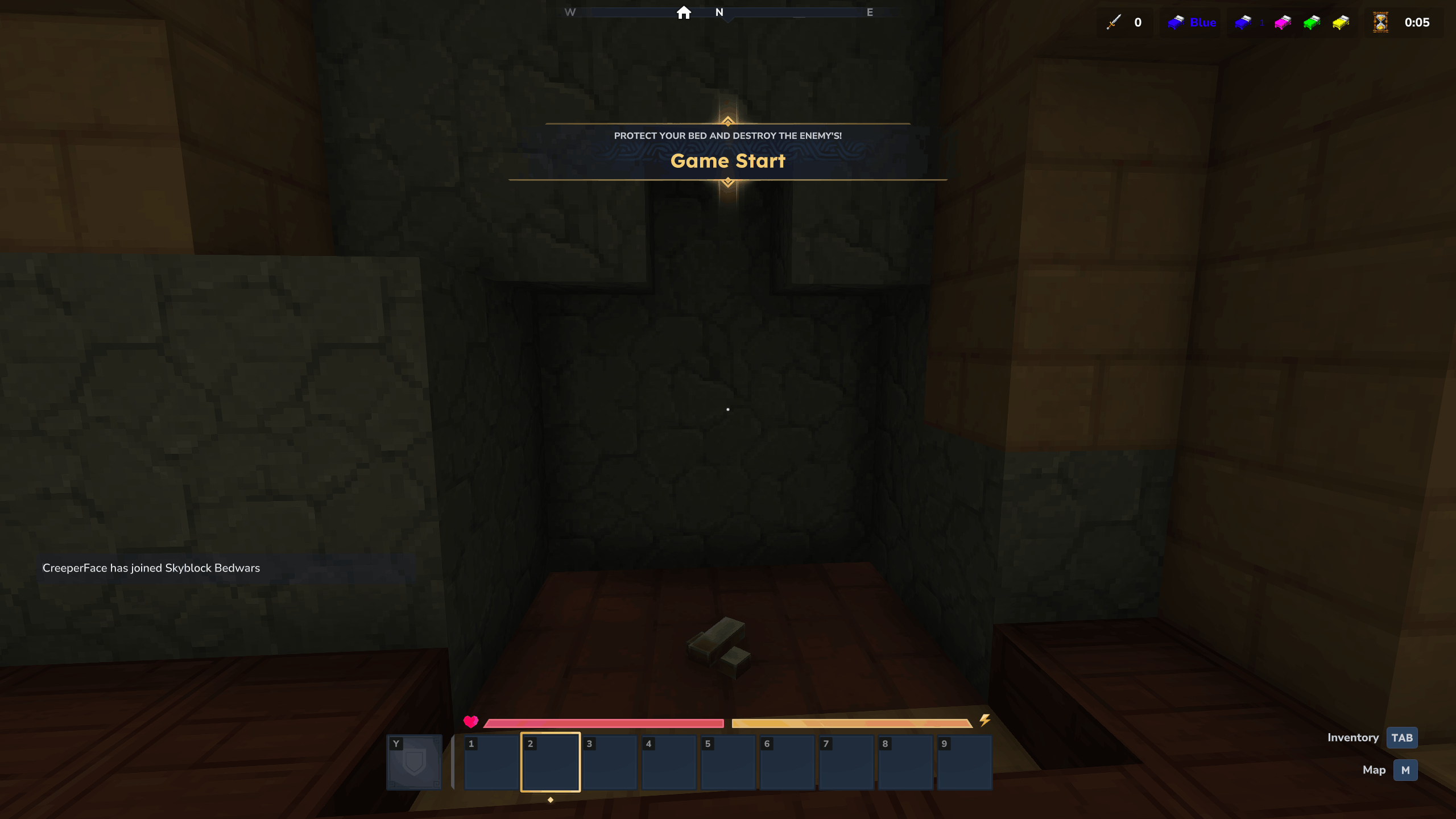
- Game — match runs until only one team is left alive, time runs out, or an admin stops the game. Players who die with their bed intact respawn; players who die with their bed destroyed become permanent spectators.
- Reset — the world copy is cleared, players return to the lobby, and the arena waits for the next match.
Languages
Bundled translations:
- English (
en-US) - Czech (
cs-CZ)
To add a language, drop a translated .lang file under the appropriate Server/Languages/<locale>/ asset path.
Credits
- Author: CreeperFace
Support
Report issues and feature requests on the BedWars-API issue tracker. Contributions and translations are welcome.
The Bed Wars Team