ATLAS // 2D-3D Live Web Map
- By
1.png
2.png
3.png
4.png
5.png
Description

ATLAS // A 3D-2D live web map for your Hytale server

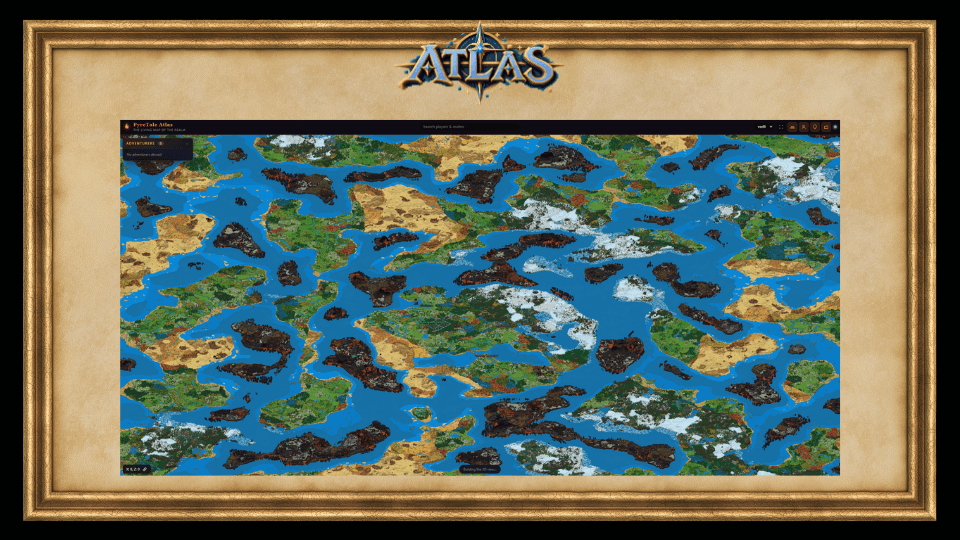
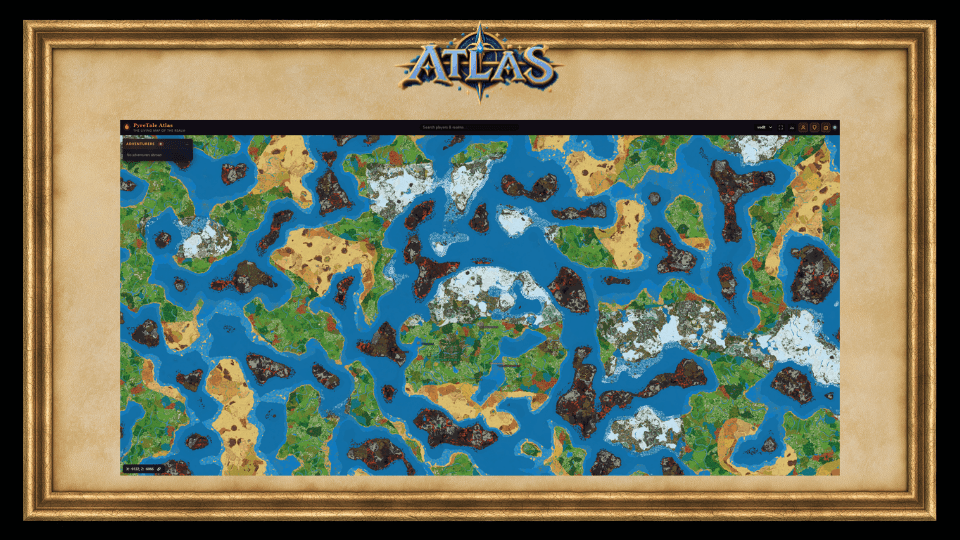
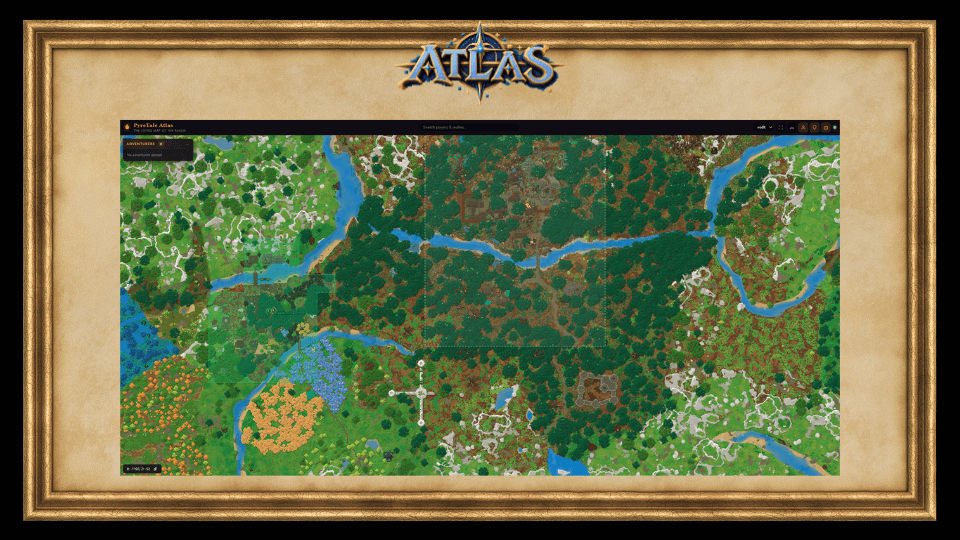
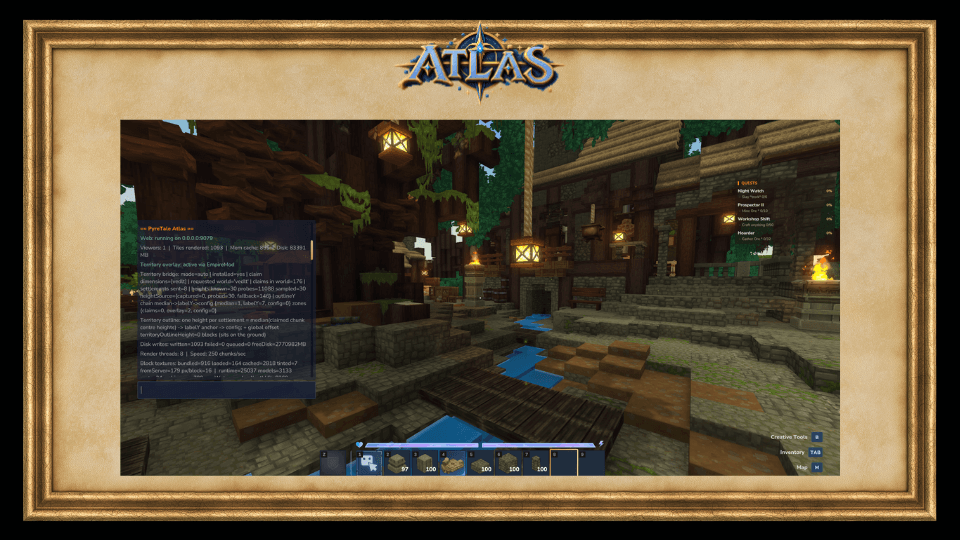
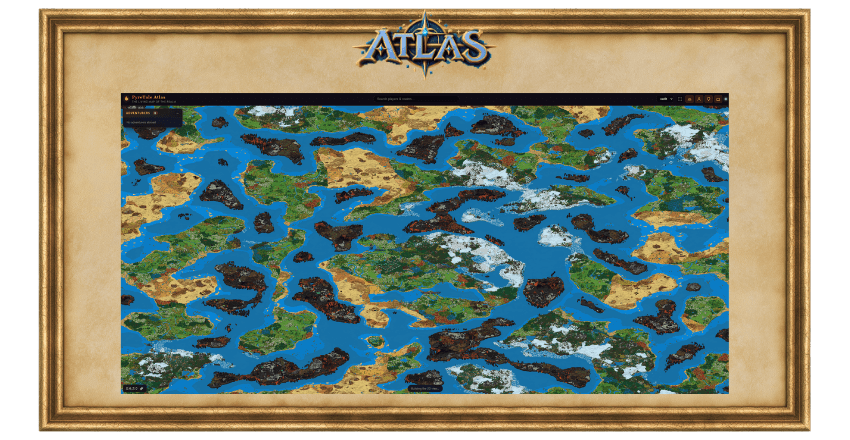
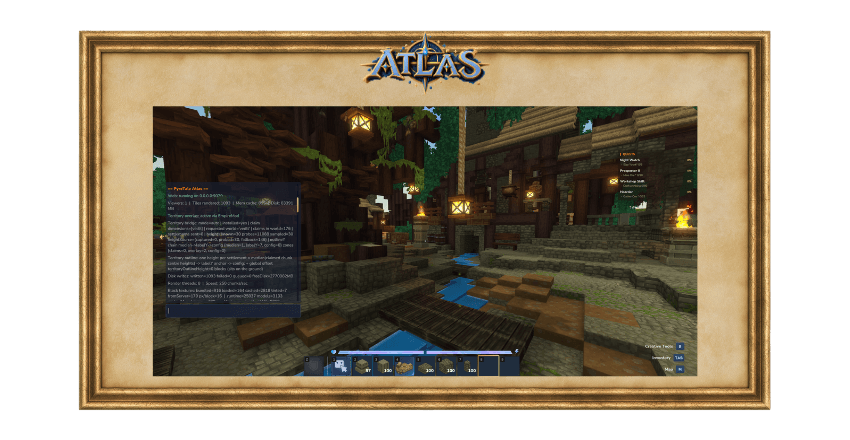
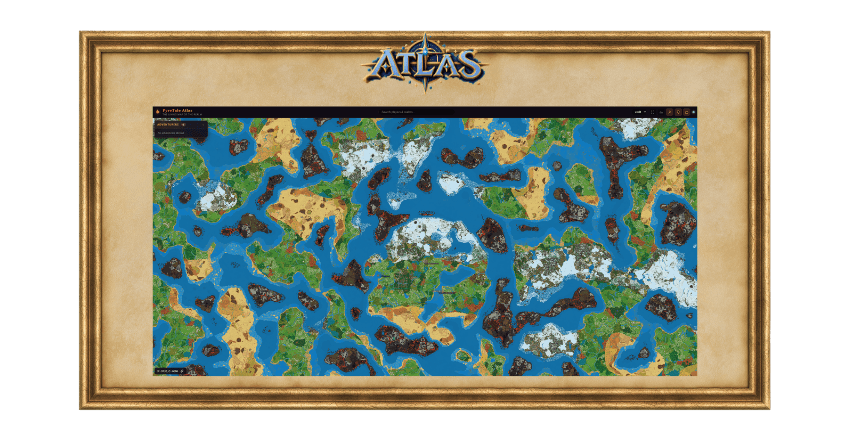
PyreTale Atlas serves a browser map of your world straight from the plugin: no external renderer, no exporting, no third-party service. Open a page, watch your players move, and pan across every chunk your server has ever generated. Think Dynmap, built for Hytale from the ground up.
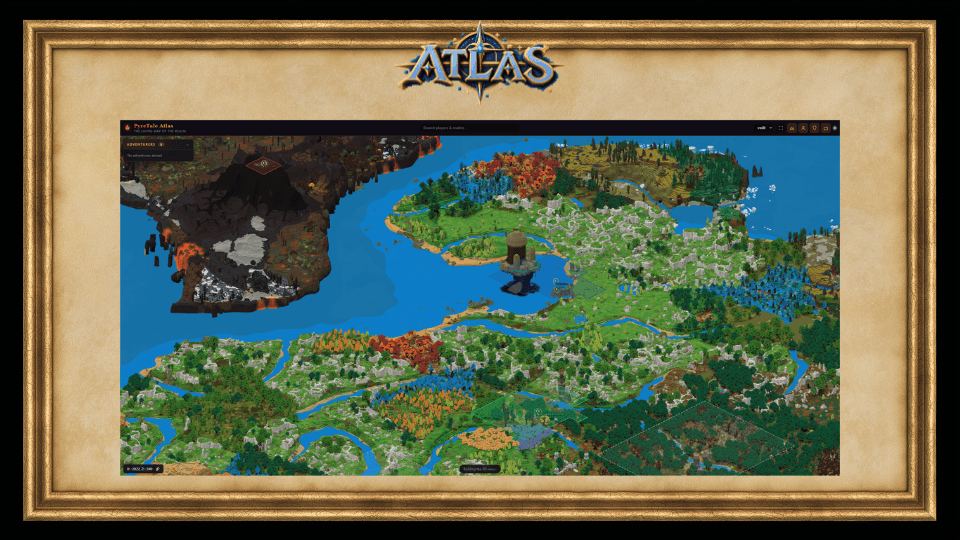
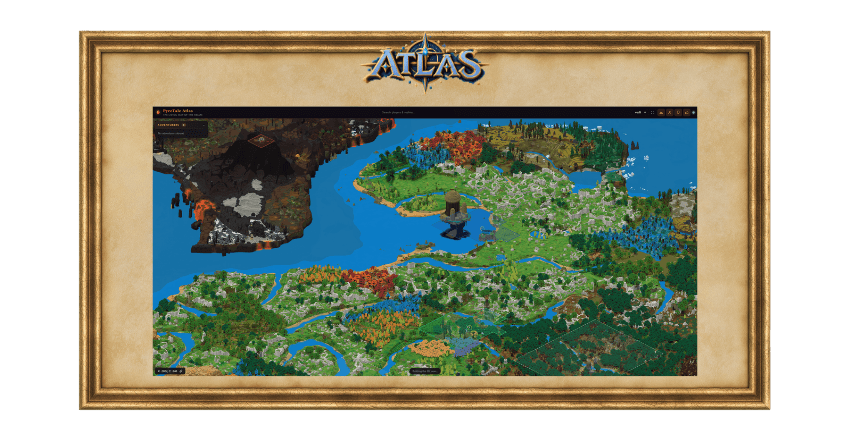
It ships with two cameras: a classic top-down flat map, and a rotated 3D isometric view that renders the world the way it actually looks, buildings with visible walls, terrain relief, water with real depth, and roofs, stairs, fences and flora drawn from the game's own .blockymodel files as true angled geometry, not coloured cubes.
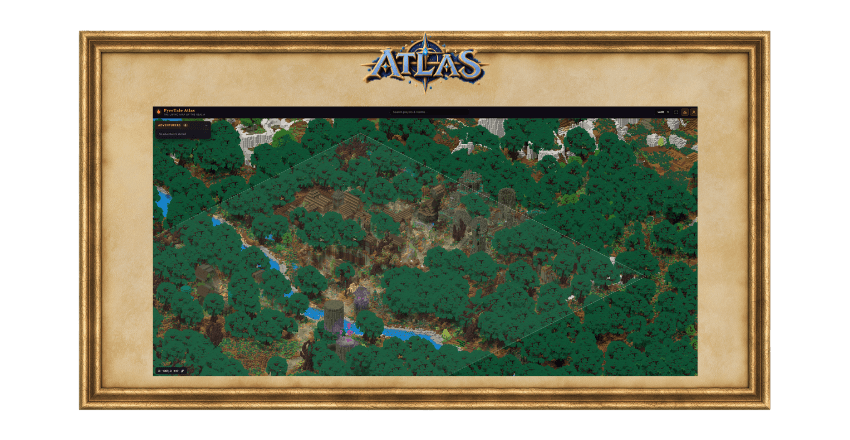
Runs alongside PyreTale Empires: settlement claims render in the 3D view as clean chunk-aligned outlines sitting on each settlement's own ground, with capital labels placed where the settlement actually lives.

Check out our new server PYRETALE's live webmap view it live here

The 3D isometric renderer
A raycast renderer with a Dynmap-matched camera (30° inclination, 45° rotation). Sub-block shapes, stairs, fences, roofs and props are drawn from each block's real model geometry - including rotated boxes and oriented cards, so a sloped roof reads as a continuous plane rather than a staircase. Per-face texture regions, tint masks and biome colour are handled the way the game does it, read from the client's own rules. Interiors and caves darken naturally.
Computed sky light
Hytale's on-disk sky light is unreliable, so Atlas computes its own light field per chunk (validated against a brute-force reference at millions of cells) and keeps the server's block light for torches and lava. Shadows fall where they should.
Live everything
Players appear and move in real time. Points of interest, world markers, deaths, homes and settlement labels all carry height, so they sit on the terrain in 3D rather than floating. Multiple worlds are supported with a switcher in the UI - run as many dimensions as you like.
Empire territory overlay
With PyreTale Empires installed, claim areas render as merged per-settlement outlines that follow the exact boundary of the claimed chunks, and labels are guaranteed to sit inside a chunk the settlement actually claims. No Empires? Atlas runs fine without it.
World border protection
Cross the edge of the world and Atlas returns you to the exact position you last occupied inside it, facing the way you were, with a message you write yourself. No more dying to the void at the map's edge. Creative mode and a bypass permission pass through freely.
Fast full renders
A camera-aware band sweep keeps chunk captures local, backpressure keeps memory flat, and the zoom-out scales to your world - however big you generate it, the whole map fits on screen. Progress reporting is per-phase (2D, 3D, pyramid) with honest ETAs.
Zero hand-tuning of block art
No hardcoded block lists anywhere. Every block resolves its appearance from the server's own assets at boot - models, hitboxes, textures, tints, and the boot audit tells you exactly what resolved and why.

| Command | What it does |
|---|---|
/atlas status |
The big one - camera, render progress with per-phase ETA, appearance/texture audit, sky-light agreement, territory bridge state. |
/atlas fullrender |
Render the whole world (2D + 3D + zoom pyramid). Prepares asynchronously; never stalls the tick thread. |
/atlas cancelrender |
Stop a running full render. |
/atlas generate |
Pre-generate chunks for the map - the only command that creates ground. Tiles over new chunks are queued and drawn automatically. |
/atlas verify |
Check every zoom level for missing or stale tiles and report exactly what needs repairing. |
/atlas repair |
Re-render missing or damaged tiles and rebuild the zoom levels above them. |
/atlas pyramid |
Rebuild the zoom-out tiles. |
/atlas preview --x= --z= --ratio= --azimuth= |
Render a one-off PNG at any camera without touching the cache. |
/atlas inspect |
Per-block texture and appearance provenance for the chunk you stand in. |
/atlas water / /atlas tilealpha |
Water colour/depth and tile transparency diagnostics. |
/atlas border on/off |
Respect or ignore the world border. |
/atlas speed |
Throttle render speed. |
/atlas show / /atlas hide |
Toggle marker layers. |
/atlas reload / /atlas clearcache |
Reload config / drop tile cache |

- Drop the jar in your server's mods folder and restart.
- Open
http://<your-server-ip>:8080(port configurable inatlas.json). - Run
/atlas fullrenderand watch the per-phase progress in/atlas status. - Optional: install PyreTale Empires and territory appears automatically.
- Tune
renderConcurrency,isoScanThreadsandvoxelCacheMbto your hardware, the status screen tells you when the render is painter-bound.

Hytale server 0.6.0 or newer (Java 25). Not compatible with 0.5.x, install alongside your server upgrade. Optional: PyreTale Empires for the territory overlay; Atlas detects it automatically.

Bugs, feature requests, or want to see it running at scale? Join the Discord and visit the PyreTale community server located through the server discovery page in your Hytale Launcher.
See it in motion: PyreTale official trailer | Discord: discord.gg/pyretale
Pairs with: Pyre Empires (territory overlay) and Pyre Gilded Dreams (player economy).
ATLAS // 2D-3D Live Web Map Team