Astro's Minimap
- By
A simple live on-screen minimap for Hytale with a rotating compass, radar, waypoints and a player-set size and update rate. It needs Astro's World Map.
4_enlarged.png
3_sizes.png
2_circle.png
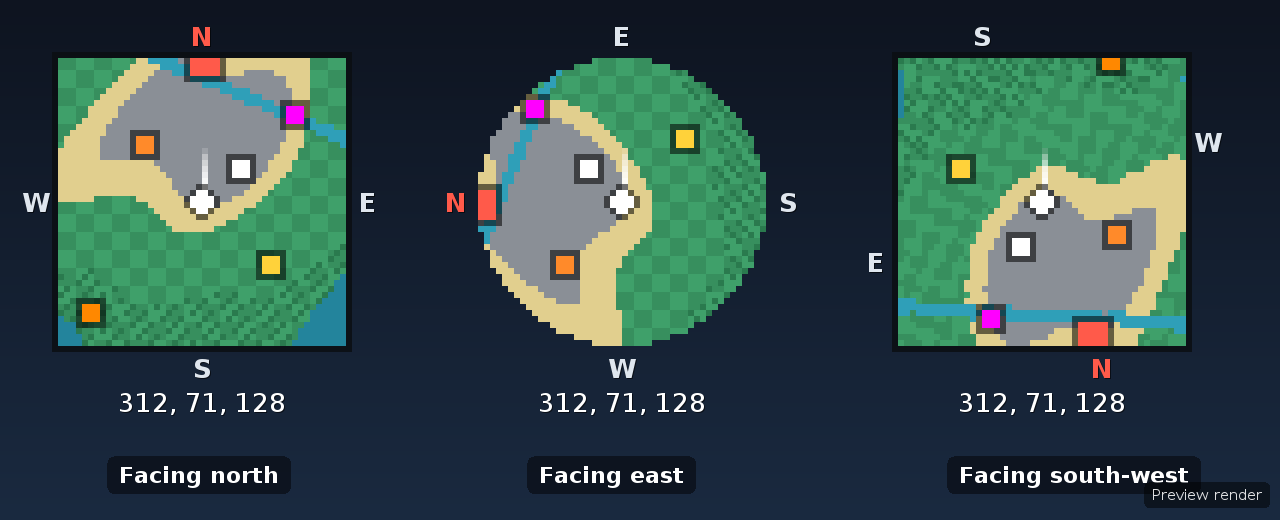
5_compass_turning.png
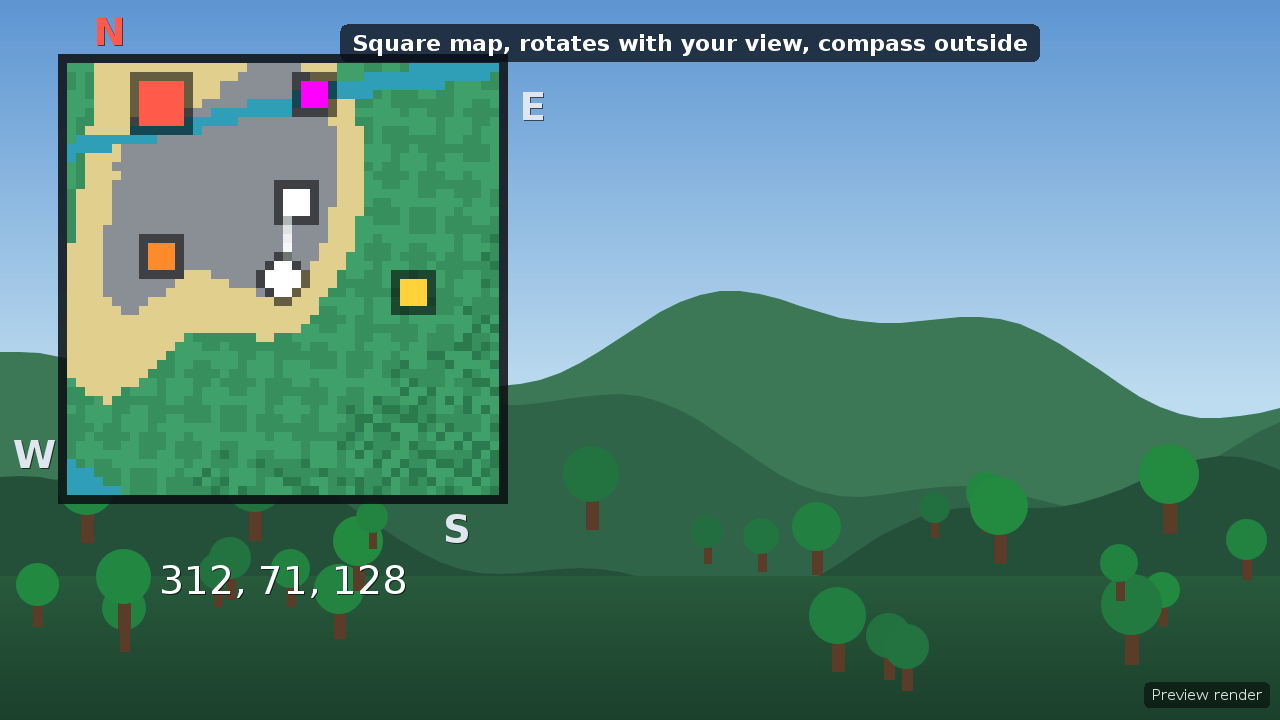
1_square_default.png
Description
Astro's Minimap
A live minimap for Hytale that sits on your screen and shows what's around you, so you can find your way without opening the full map. It is inspired by Xaero's Minimap and built from scratch for Hytale.
Requires Astro's World Map. Install both mods and keep them on the same version.
Features
- Live map on your HUD. Terrain around you scrolls smoothly as you move.
- Player dot and direction line. A clean white dot with a thin line shows where you're looking.
- Compass outside the map. N, E, S and W sit around the frame (N in red), so they never cover the map. They turn with the map when you rotate it.
- Rotate with your view or keep north at the top.
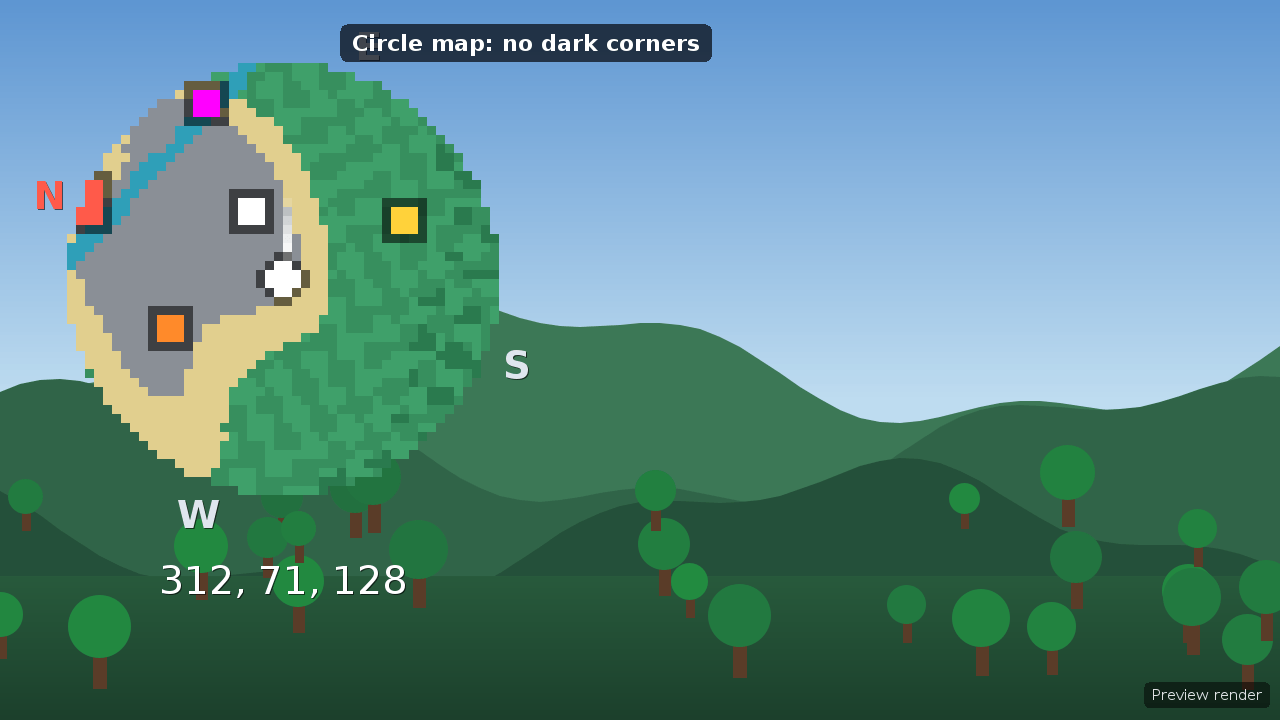
- Square or circular map. The circle has no dark corners.
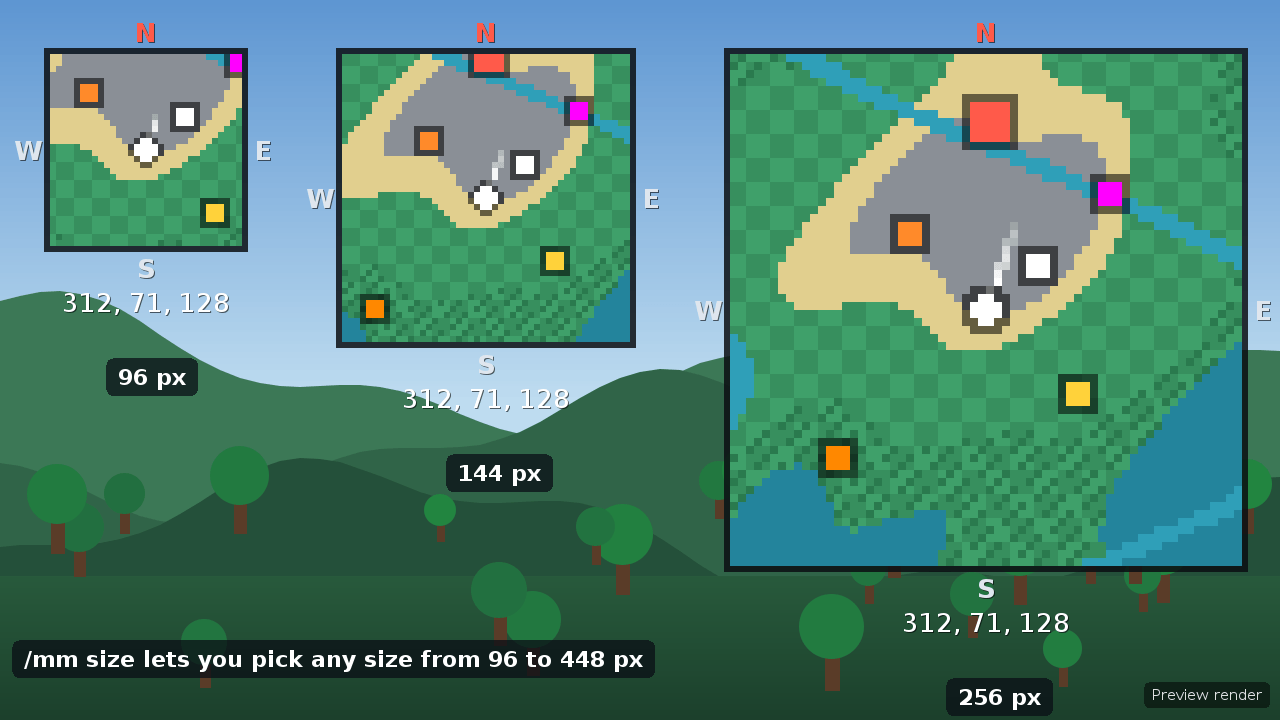
- Choose your own size. Pick any width from 96 to 448 px with
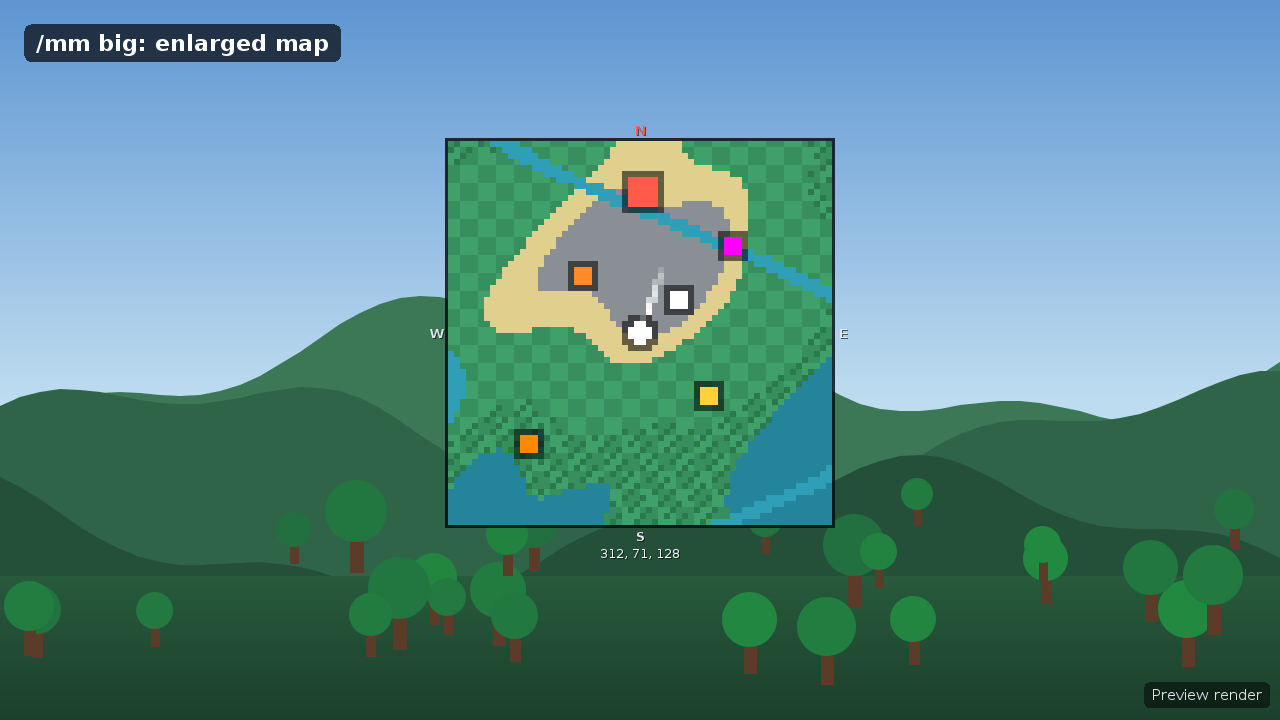
/mm size, plus an enlarged view with/mm big. - Choose your update rate. From 10 to 60 updates a second, 20 by default.
/mm perfis a light mode for weaker PCs. - Waypoints. Colour-coded dots on the map. Waypoints out of view are pinned to the edge like a compass hint. Death points are recorded automatically.
- Radar. Players, friendly mobs, hostile mobs and items shown as dots, each with its own on/off option.
- Footsteps, world border and coordinates on or off as you like.
- Menus.
/mm menuopens settings and/wp menuopens the waypoint list, where you can add, rename, recolour, teleport and delete. Buttons on the world-map screen open the same menus. - Per-player settings. Everyone has their own layout, corner, zoom and options, saved between sessions.
Quick start
- Put both jars in your Mods folder and enable them.
- Join a world. The minimap appears on its own.
- Type
/mm menuto adjust it, or/mm size,/mm fpsand/mm circlefor quick changes.
Main commands
| Command | What it does |
|---|---|
/mm menu |
Open settings |
/mm toggle |
Show or hide the minimap |
/mm big |
Enlarge the map |
/mm size [px] |
Set the on-screen size |
/mm fps [n] |
Set updates per second |
/mm zoomin / /mm zoomout |
Zoom |
/wp add [name] |
Add a waypoint where you stand |
/wp menu |
Waypoint list |
The full command list is in the README.
Notes
- Hytale mods can't bind keys, so everything is done through commands and menus.
- Not every part has been tested in a live game yet. If something looks wrong, please report it with your game log.
Made by Astro.
ENJOY!
Astro's Minimap Team