Better Fast Travel Map - Redscript
- By
Makes the Fast Travel menu behave more like the Map menu.
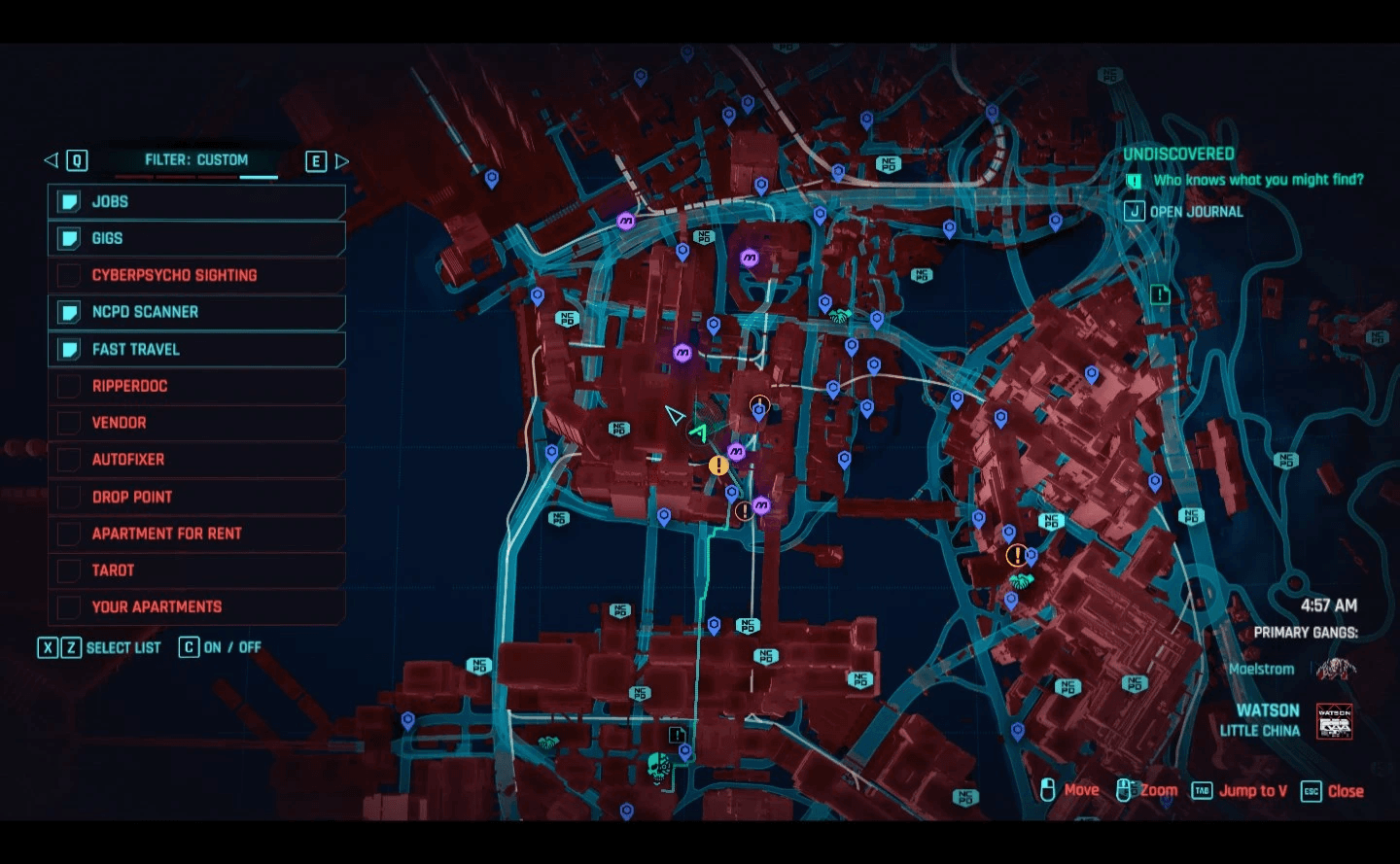
modded
Description
Makes the Fast Travel menu behave more like the Map menu.
Features
Disables the "Fast Travel, Select Destination" box that obscures the map when in the Fast Travel menu.
Disables the black bar at the top that obscures the map when in the Fast Travel menu.
Custom filters are saved between the Map Menu and the Fast Travel Menu. So if you set your filters to Dynamic in the Map Menu the Fast Travel Menu will open with the filters set to dynamic and vice versa. In the vanilla game the Fast Travel menu opens up with the Fast Travel filter always.
Installation
Download and install redscript. You can find redscript here: Releases · jac3km4/redscript and redscript at Cyberpunk 2077 Nexus - Mods.
Download and install Codeware. You can find codeware here: Releases · psiberx/cp2077-codeware and Codeware at Cyberpunk 2077 Nexus - Mods.
Download the mod. You should get a zip file.
Drop the contents of the zip file into your game's root folder.
If you did everything correctly the folder/file structure for the mod's files should look like this:
\Cyberpunk 2077\r6\scripts\BetterFastTravelMap.reds

The Better Fast Travel Map - Redscript Team


Owner