Description
This mod allows you to search for items in nearby structure and dino inventories, and pull some or all of those items into your inventory.
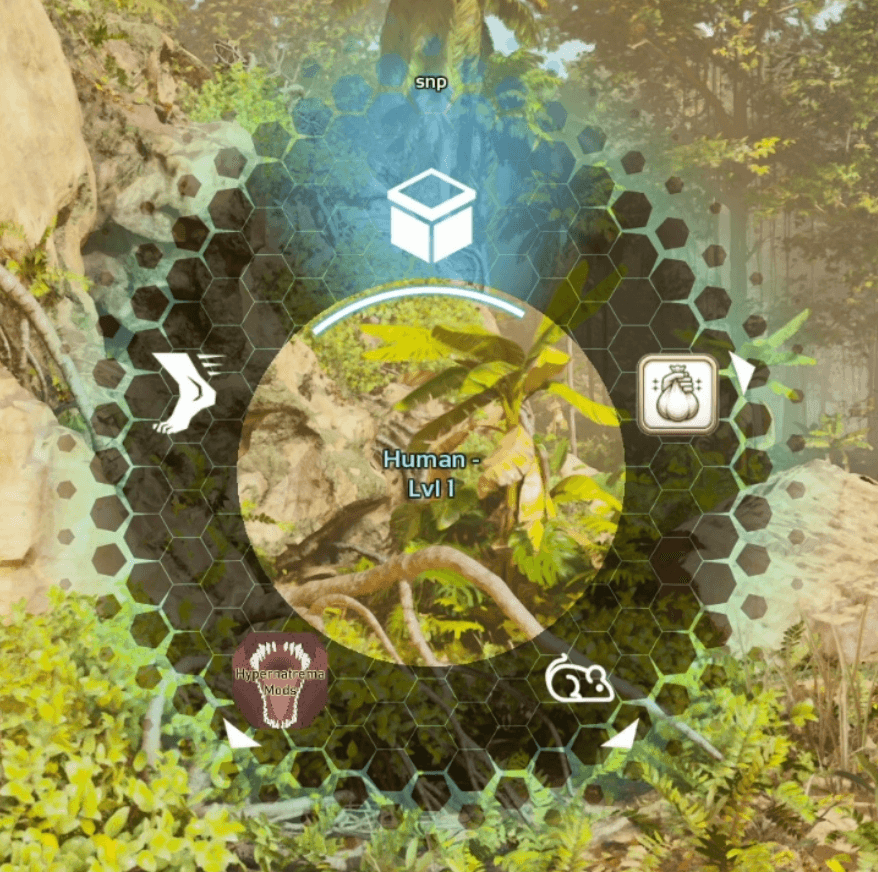
Bringing up the radial menu while controlling your character should provide you with an SNP entry:
And that should bring you to the SNP User Interface:
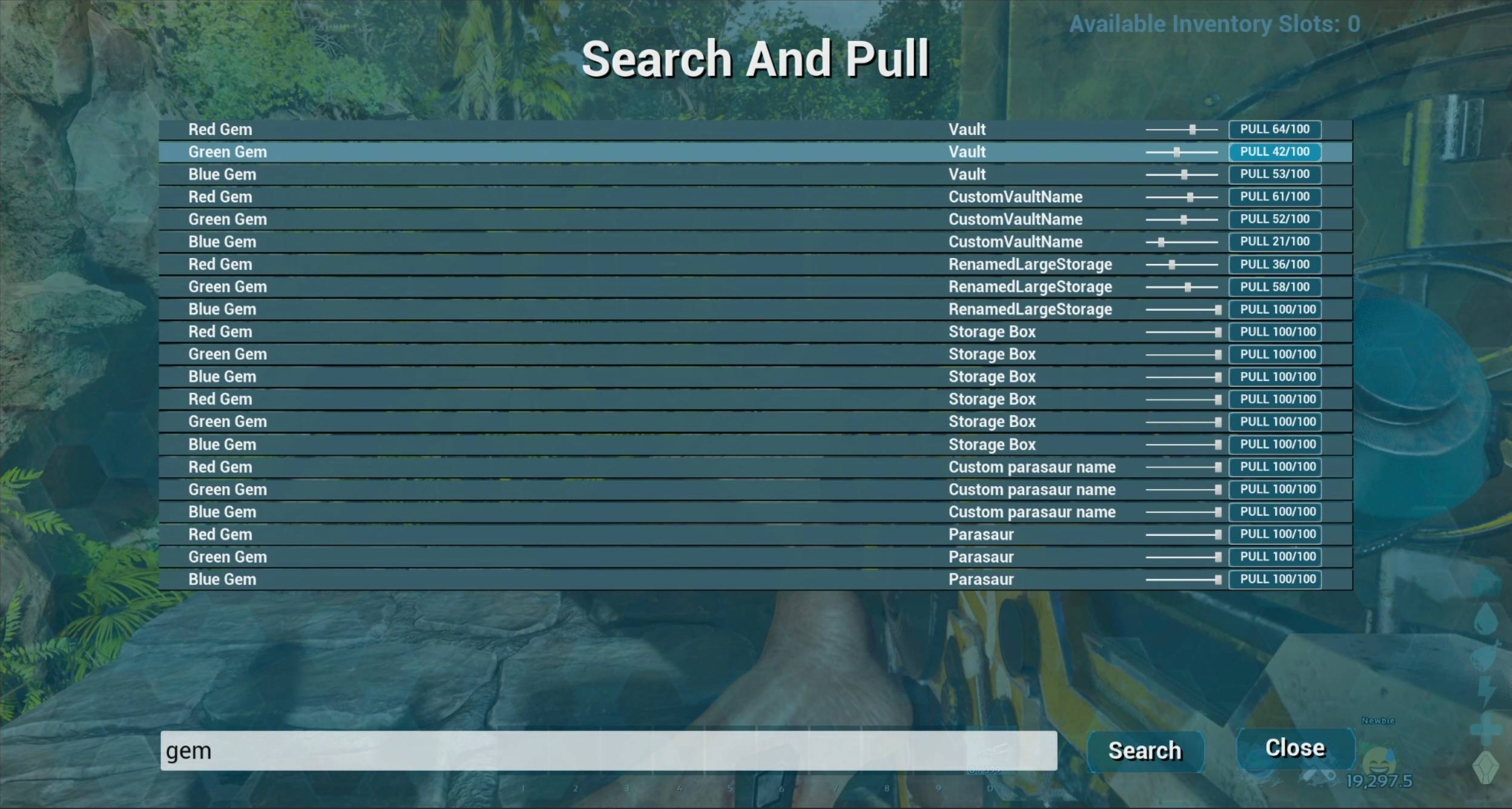
SNP Link (live as of build 87)
A craftable late-game structure which consumes element and/or black pearls as fuel. Only one SNP Link is allowed to be active per tribe at a time. Turning a second SNPLink on will turn the others off.
While active SNP will search SearchInventoriesRadiusFoundations around that structure as well as around the current player position.
This allows pulling from your storage containers no matter where on the map you happen to be.
Crafting and repair Support (added in build 101)
- When viewing player or structure inventory an SNP icon will appear for each inventory being displayed.
- Before selecting an item, or engram, that button will bring up the SNP UI for normal operation.
- When you click on an item, or engram, the SNP icon for the inventory containing that item will be highlighted (shown in a brighter color)
- When you click on the highlighted SNP icon the SNP UI will open and one of a few things will happen automatically
- If the highlighted icon is an engram or recipe SNP will search for all of the crafting components that satisfy crafting that item
- If the item is repairable AND the item CAN be repaired in the inventory it's in (a torch in your player inventory, a smithy for a crossbow, etc) then SNP will search for all of the crafting components that are needed for the repairing of that item
- Otherwise SNP will search for exactly that item
This feature works with the SNP Link, and obeys all of the configured parameters such as enforced time between searches, etc.
Built for servers and communities
Considerable effort has gone into making the mod play nicely with servers. It's built from the ground up to attempt to get the job done in a performant way while, hopefully, leaving dedicated servers room to breathe. INI settings allow you to configure throttling, delays, and limitations, to suite your servers resource availability and specific needs.
Built to work with mods and modded items
Specifically tested and working with the following mods, but likely working with most mods built in standard ways
- Ark Omega Ascended
- Dino Depot
- Any item with normal, or custom names
- Any item with normal, or custom descriptions
Deliberate limitations
- Only searches inventories (not equipped items, etc)
- Searches of hundreds or thousands of storage containers takes some time to give servers breathing room
- Only searches structures, and dinos
- Not built to work with dedicated storages. You can't lose things in those. (Also they are not "coded" as normal inventory containers)
Suggested Mods
- Due to the effort required to parse cryopods I recommend using the Dino Depot mod for dino storage from which you'll be able to see stats and traits in tooltips
Changelog
- Build 76: Added support for dinoball specific tooltips (show dino stat point allocation)
- Build 88: Fixed bug where attempting to pull one of a stack of items pulled the entire stack
- Build 93: Reworked partial stack pulling to work with custom recipes
- Build 97: Added support for traits display in dinoball tooltips
- Build 100: Added EOS ID to the UI to assist admins with various support issues where having a players EOS ID is helpful but difficult to find (especially for console players). Added support for multiple large items to be returned per inventory and the following ini options to tune UI performance vs reliability vs server performance (all of which are documented in the INI settings section)
SerializeSearchResultsSendSearchResultsPerTickSearchInventoriesPerTick
- Build 101: Added SNP button to Inventory UIs + Crafting/Repairing
- Build 102: Add icon on item rows to enable text input for faster keyboard/mouse usage for power users
- Build 103: add item quantity preselection for repair/crafting. search for the exact item even when repairing or crafting in case you didn't want to do that and just wanted another one
Where Can I Get Help or Ask Questions?
INI Settings (with defaults)
[SNP]
SearchInventoriesRadiusFoundations=20
- How far, in foundations, you want the mod to be able to search from the players current location
MaxSearchResultsPerInventory=1000
- How many items should be returned as search results from each inventory before moving on to the next inventory while searching. Tune this is server resource usage becomes a problem.
MaxSearchedInventories=10000
- After this many inventoiries found with items the mod will stop searching for more. Tune this if server resource usage becomes a problem.
AllowAdminSearchUnowned=true
- Do admins and cheat players search inventories that they do not, personally or as a tribe, own?
AllowSearchDinoInventories=true
- Should the mod search dino inventories as well as structure inventories?
AllowSearchDeathCaches=true
- Should the mod search death caches?
RestrictedUsageMode=false
- Restrict the use of the mod to single player, admins, and
RestrictedModeAdditionalEosIDslisted players only?
RestrictedModeAdditionalEosIDs=
- A space or comma separated list of EOS ID's to allow access while in restricted mode
MinimumSecondsBetweenSearches=5.0
- Number of seconds users must wait between searches. Introduced in build 33.
LogSearches=true
- Log searches. Including timing data. Introduced in build 41
LogSearchedInventories=false
- Log inventories accessed while searching. Introduced in build 41. This option has a moderate performance impact. Setting this option to true comes with a performance cost.
LogFoundItems=false
- Log items found when searching. Introduced in build 41. Setting this option to true comes with a performance cost.
ProcessQueueEntriesPerSecondPerPlayer=60
- How many inventories searched per second each player is allowed. Tune this if server hitches are a problem. Players will not be able to process more than one per frame, so there's an effective cap of 60 times per second. The once per frame rule also means that if the server is running slowly the mod will throttle back with it (if the server is running at 10fps then that is the maximum rate we can search at). This settings is a tradeoff between speed and resource usage. Introduced in build 49
SerializeSearchResults=True
- When sending search results to the client from the server should the server wait for acknowledgement from the client before sending another search result? This slows down search result rendering but enhances reliability.
- Added in build 100
SendSearchResultsPerTick=1
- How many items to attempt to send from the server to the client per tick. This controls how fast searc results show up in the search result UI. Higher is faster, but may impact reliability.
SerializeSearchResultsis still respected and effectively caps this at 1 or less. If you want to speed up search results showing in the UI you should set this higher and also that toFalse - Added in build 100
SearchInventoriesPerTick=1
- How many inventories to attempt to search per tick. This allows the searching to happen faster with the tradeoff that the higher this is set the more likely it is to impact server performance. To search more inventories faster you will want to increase this number.
The Search and Pull Team