RivalArk: Inventory Filter
- By
Never scroll through 300 flak pieces again: filter any inventory by armor, durability and damage, then transfer or drop every match in one click.
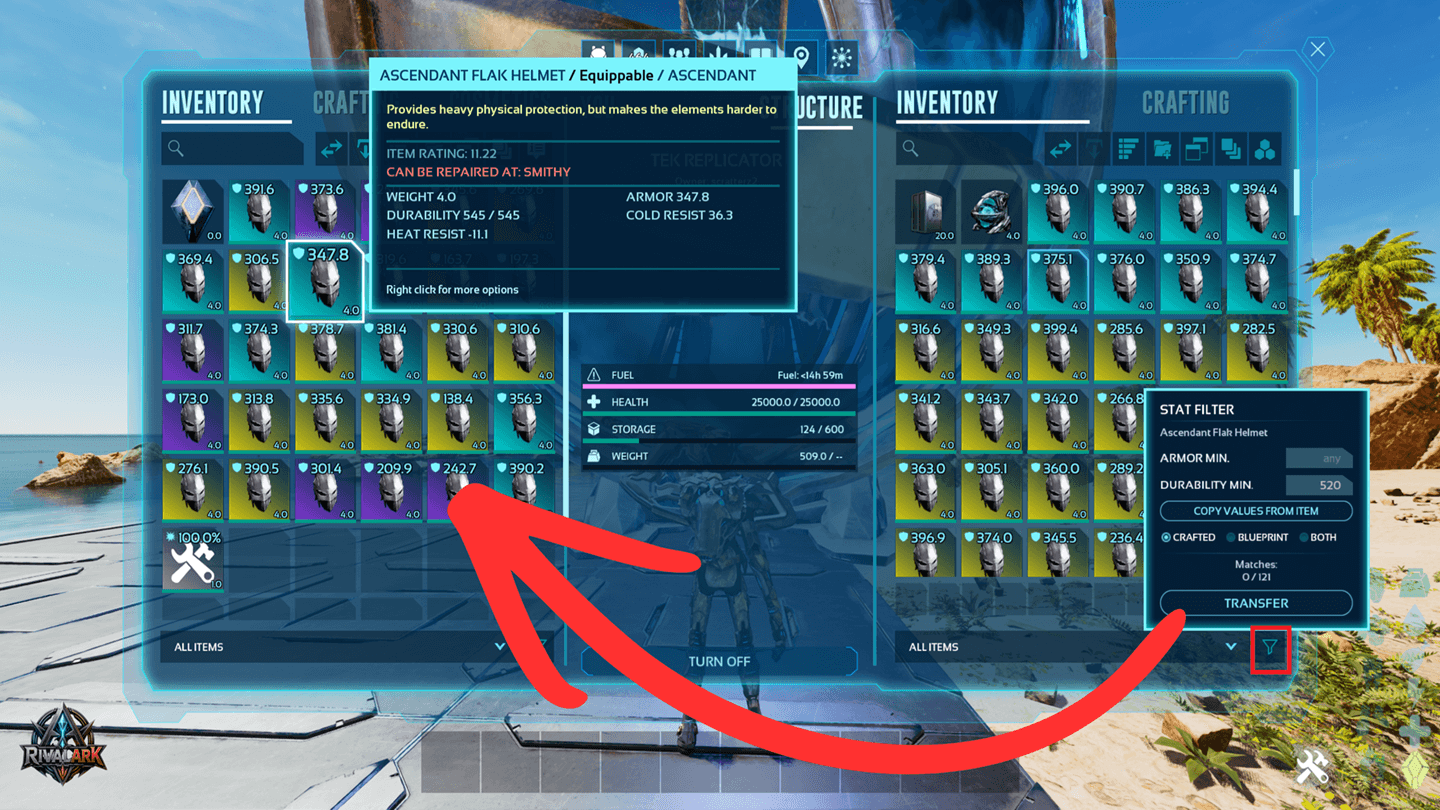
Inventory_Filter_Transfer_3_CurseF.png
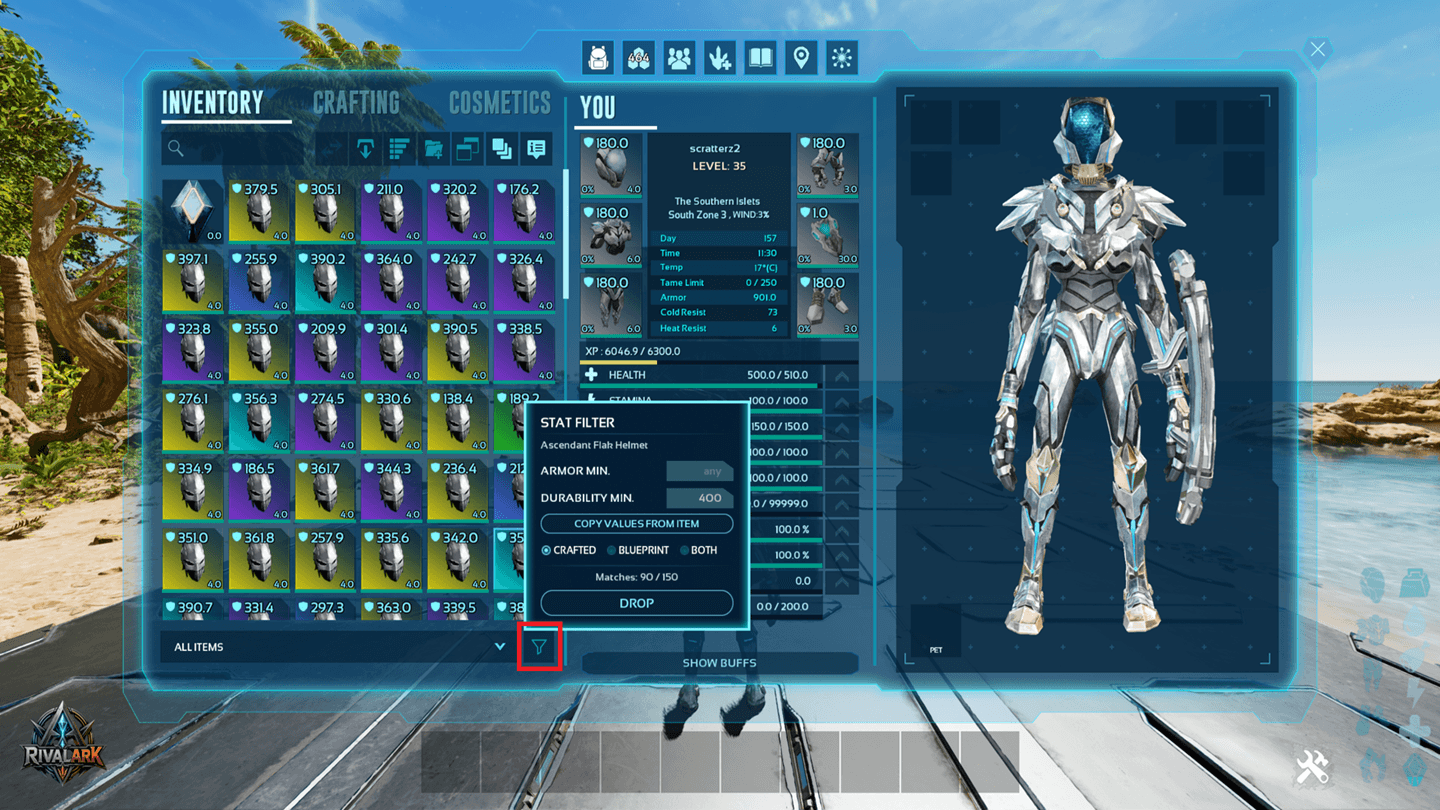
Inventory_Filter_Drop_1.png
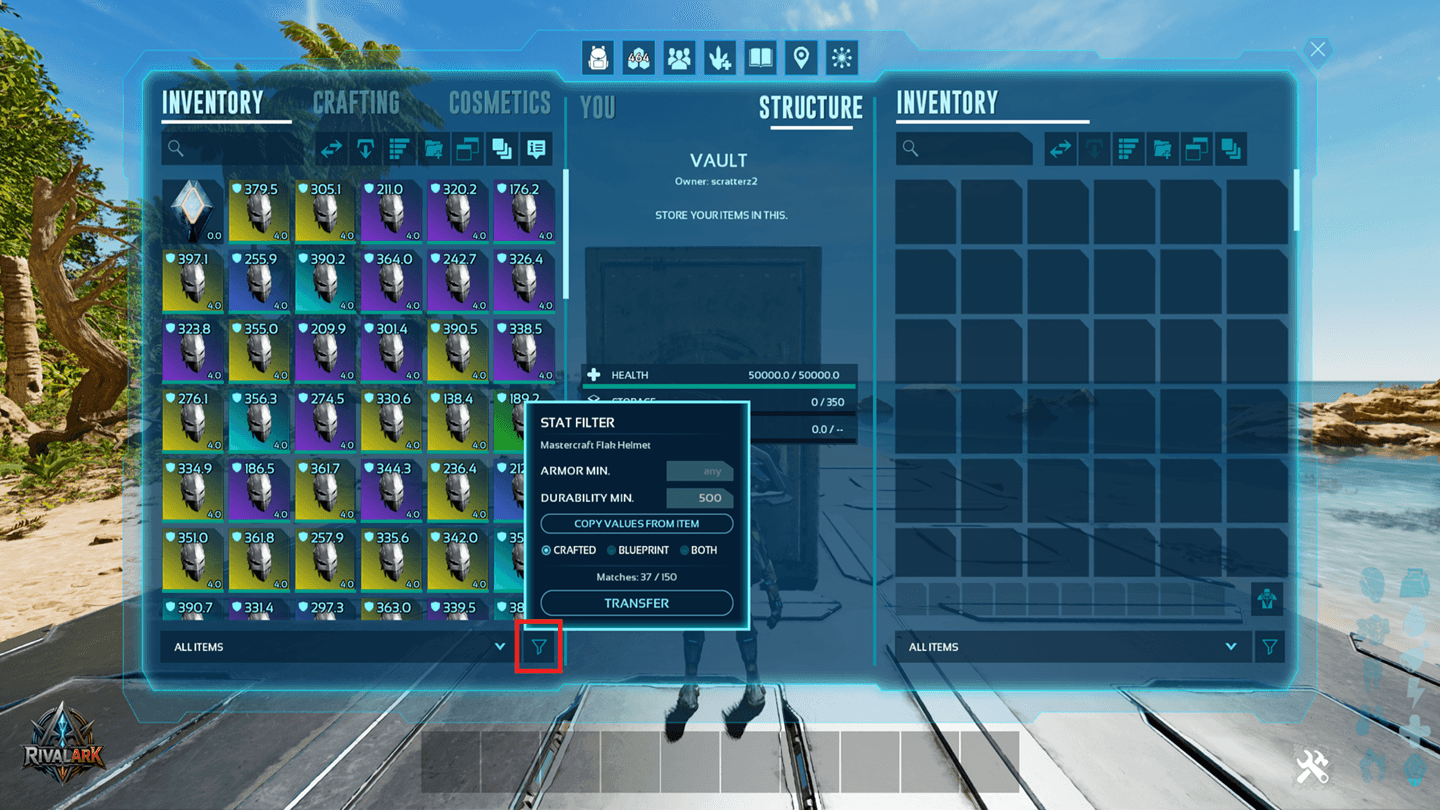
Inventory_Filter_Transfer_1.png
Description
Inventory Filter
Never scroll through 300 flak pieces again just to find the good ones.
Filter by armor, durability and damage, see how many items match, and move them all with one click.
How it works
- Open your inventory, a storage box, vault or dino.
- Click the filter icon next to "ALL ITEMS".
- Click an item, e.g. a Flak Chestpiece. The filter now works on all items of that type.
- Type your minimum values, or click Take values from item.
- See instantly how many match, e.g. Matches: 38 / 500.
- Click TRANSFER or DROP. Done.
Features
- Armor, Durability, Damage % – only the stats the item really has.
- Exact tooltip values – what you type is what you get.
- Crafted, Blueprint or both.
- Live preview before you move anything.
- One click: into the open container, back to you, or all into one single bag.
- Hotbar and equipped items are never touched.
- Server-side check – only matching items are moved.
- 20 languages, automatically in your game language.
Compatibility
- Singleplayer, non-dedicated and dedicated servers.
- No configuration – just add the mod.
- Does not replace the game mode or ARK menus. Works alongside other mods.
Perfect for
- Sorting the good armor out of a pile of crafted or looted pieces.
- Moving only high-durability saddles into your vault.
- Dumping all low-damage weapons into one bag.
RivalArk: Inventory Filter Team