Ziro Guide
- By
WoW Forever leveling guide with an arrow, live step tracker, auto quest and NPC finder. Starter zones built in. Early Access.
ziro-banner.png
shot1.png
shot2.png
shot3.png
shot4.png
Description

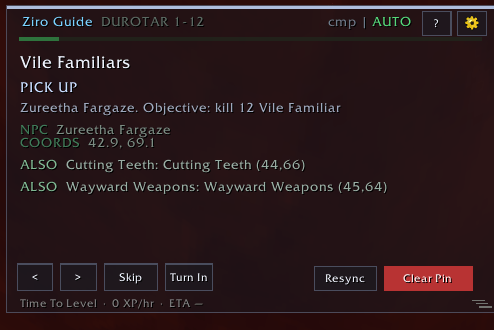
Ziro Guide is a leveling guide addon for WoW Forever. It tells you what to do next in plain language, tracks your quest progress live, and points an arrow at where to go. You spend your time playing, not alt-tabbing to a website.
Every guide has been walked in-game on WoW Forever, not just simulated.

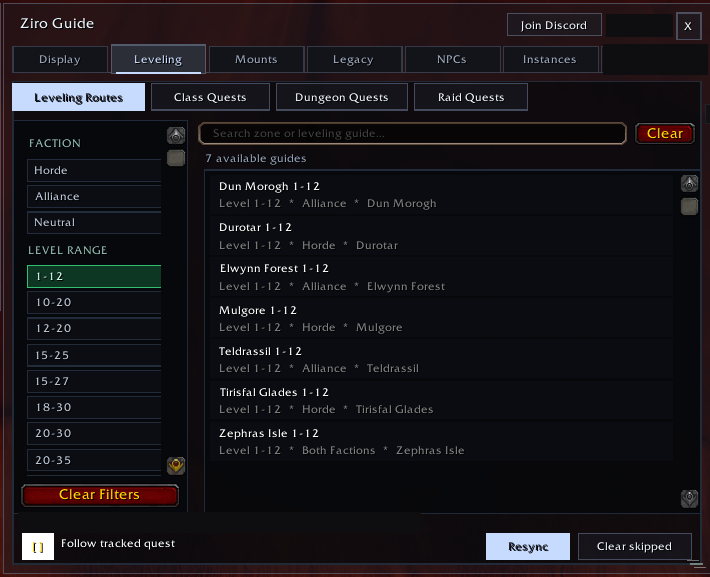
- Early Access: starter zones (levels 1-12) for every race: Dun Morogh, Elwynn Forest, Teldrassil, Durotar, Mulgore, Tirisfal Glades and Zephras Isle.
- Weekly updates: new content and fixes roughly once a week.

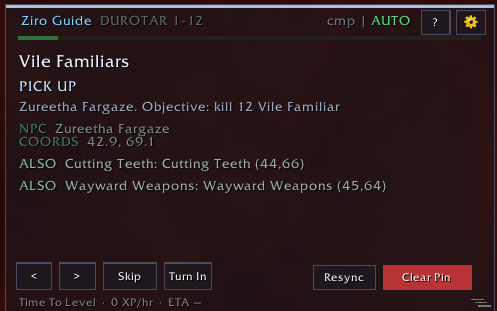

- Clear steps: Pick up, Kill, Collect, Turn in or Travel, with the NPC, coordinates, live objective counts and a short tip.
- "ALSO" lines: quests you can pick up or finish on the way, so nothing nearby gets missed.
- Full control: Previous, Next, Skip, Turn In and Resync buttons. Skipped steps stay skipped.
- Time to Level: your XP per hour and an ETA to your next level.

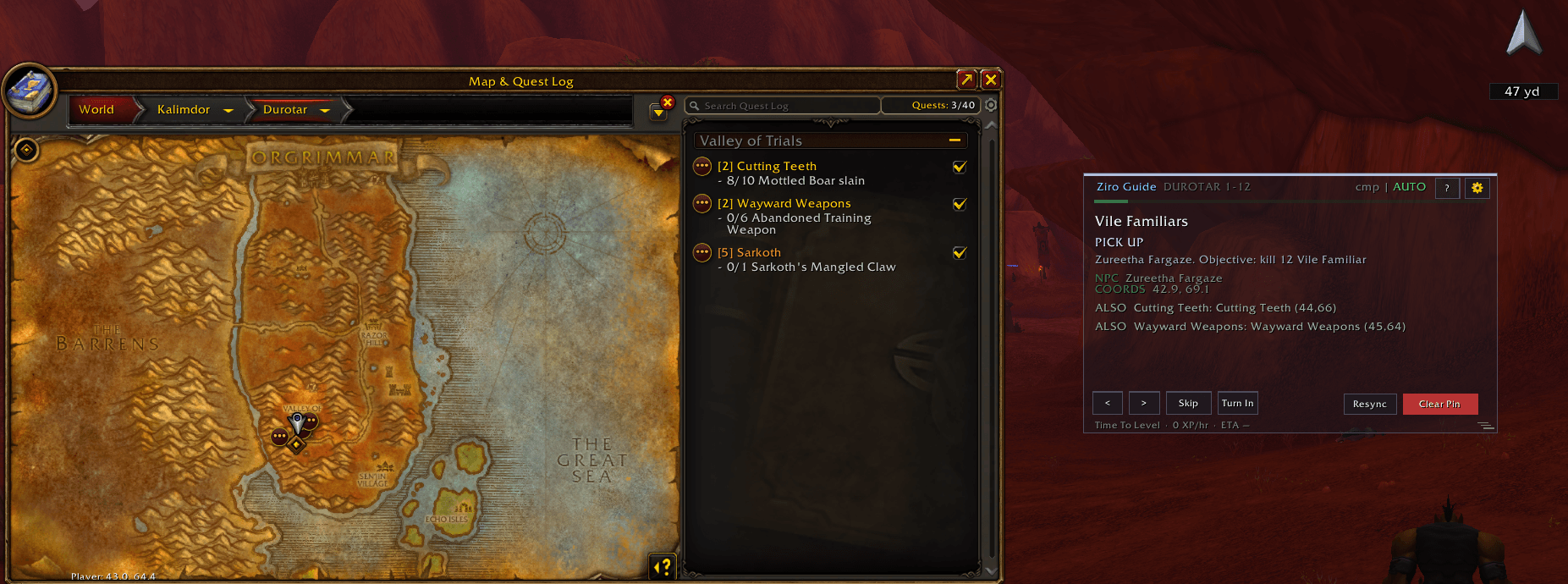
- 3D or classic flat arrow: a yard counter that points at your next objective.
- Cave-aware: points at cave and mine entrances first when an objective is underground.
- Your colors: lots of options, or match your theme.

- Level gates: a quest only shows once you can take it. Level, class, race, profession and earlier chain steps are all checked.
- Completion mode: takes you through every quest in the zone. Recommended for now.
- Camping 101: profession quests appear once you've learned the profession, track your skill out of 20 and send you to the trainer.
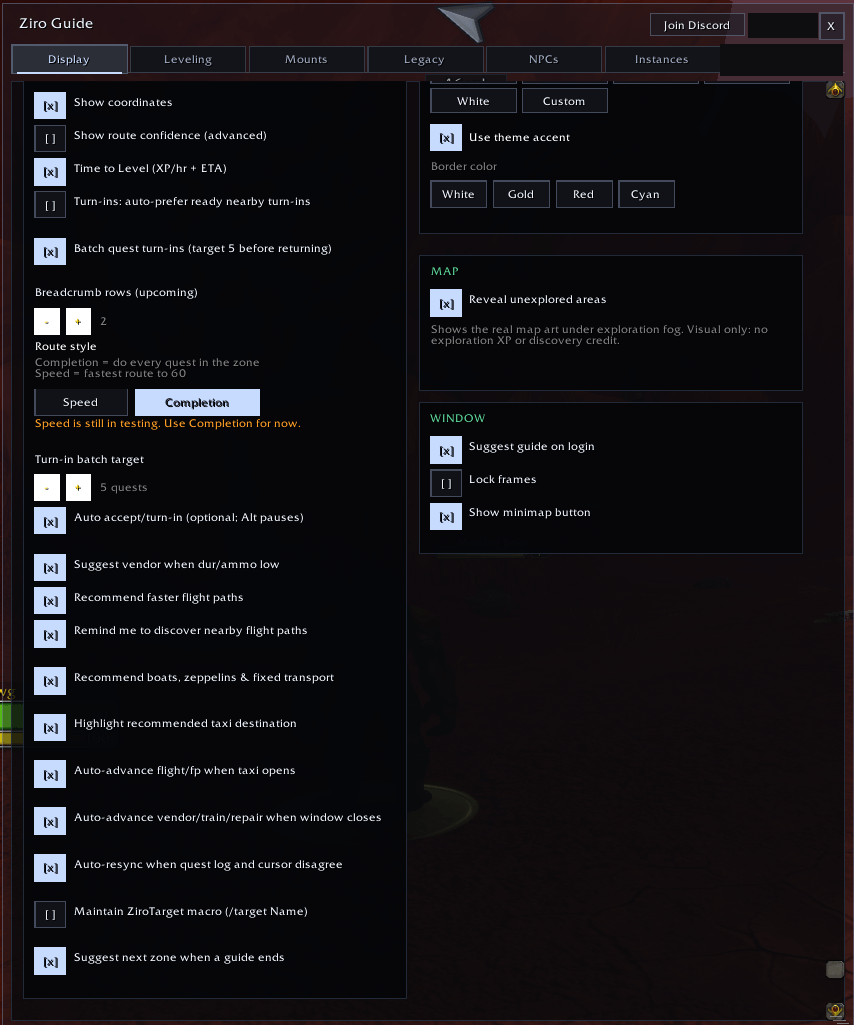
- Batched turn-ins: 5 by default (adjustable), so you aren't running back and forth.
- Auto-resync: fixes itself if the guide and your quest log ever disagree.
- Coming soon: Speed mode: the fastest route to 60. Currently in testing; use Completion mode until it ships.

- Optional auto accept and turn-in: handles guide quests for you. Hold Alt to pause it.

- Flight paths: reminds you to grab nearby ones and recommends faster flights.
- Flight map: highlights the right destination when it opens.
- Fixed transport: recommends boats, zeppelins and more.
- Next zone: suggested as soon as a guide ends.

All inside the Options window:
- Leveling: filter routes by faction and level range, with tabs for class, dungeon and raid quests.
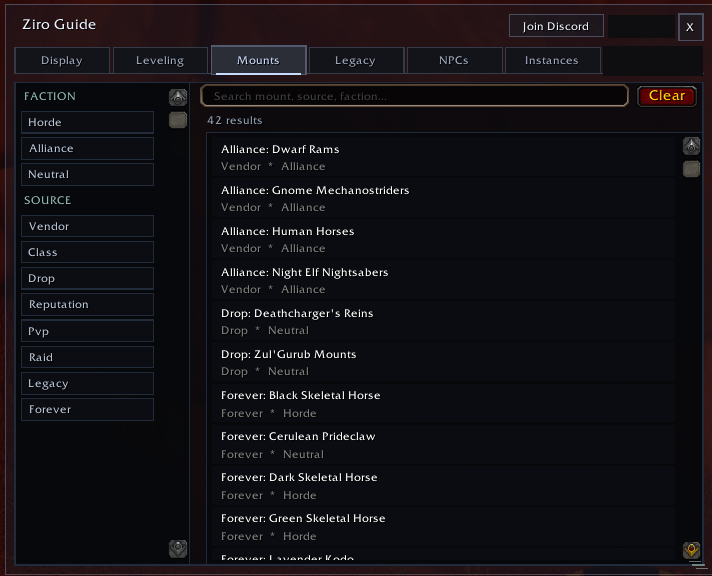
- Mounts: search by faction and source (vendor, class, drop, reputation, PvP, raid, Legacy, Forever).
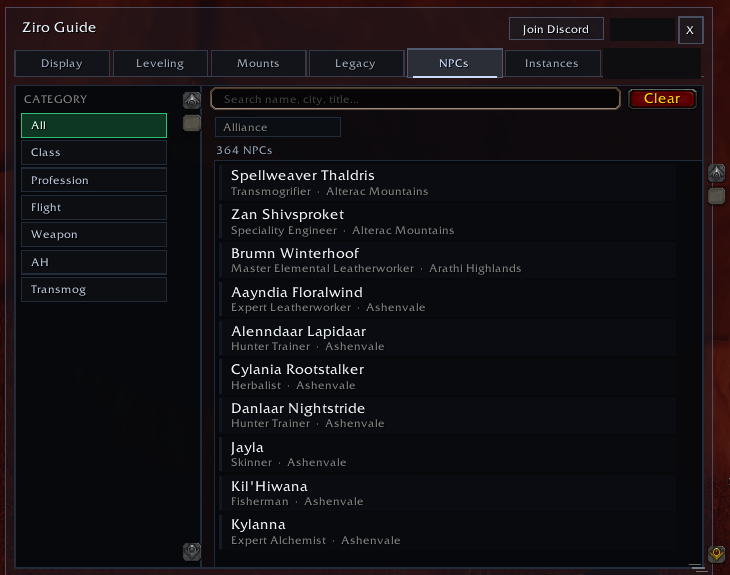
- NPCs: class and profession trainers, flight masters, weapon masters, the auction house and transmog. Click one to pin it on your map.
- Instances: browse dungeons and raids by type, size and level range.
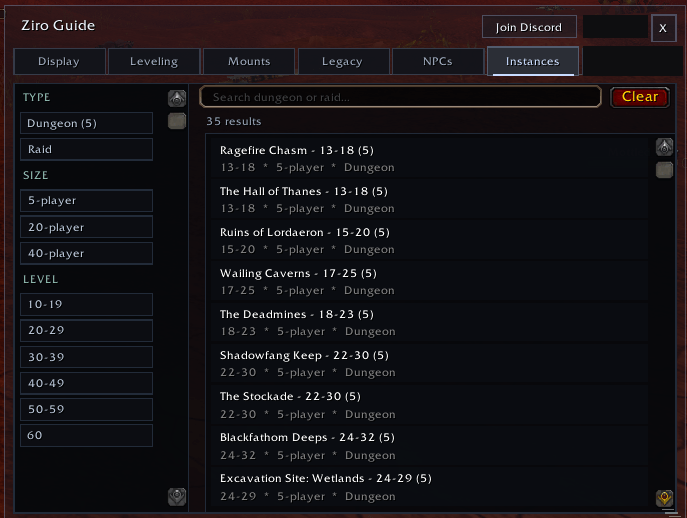

- Vendor alerts: suggests a vendor when durability or ammo is low.
- Hands-free progress: steps move on when you close a vendor, trainer, repair or flight window.
- ZiroTarget macro: optional, targets the step's NPC.
- Map reveal: shows unexplored areas (visual only, no exploration XP).
- Your layout: themes, opacity, text size, a minimap button and lockable frames.

- 13 color themes: Ghost (default), Verdant, Amber, Slate, Arcane, Frost, Ember, Blood, Holy, Ocean, Rose, Midnight and High Contrast.
- Matching arrow: each theme tints the waypoint arrow to fit.


- Speed mode: the fastest route to 60, currently in testing. Completion mode is the recommended mode for now.
- More zones: new guides beyond the starter zones in the weekly updates.

We're looking for testers to walk routes in-game and report anything that's off: a step in the wrong order, a missing quest, an NPC that moved.
- More info in the Discord: https://discord.gg/DMX8zFZBCx

- Download the zip.
- Unzip it into
World of Warcraft/_classic_beta_/Interface/AddOns/(use_forever_once Forever launches). - Check for a
ZiroGuidefolder there, then restart the game or/reload. - Type
/ziroto show the tracker, or/ziro optionsto open Options./ziro helplists all commands.

- Help, bug reports and feedback: https://discord.gg/DMX8zFZBCx
- In game:
/ziro discord
Known issues
- Bag sort button sometimes disappears: a Blizzard bug. Workaround:
/run C_Container.SortBags() - Cave entrance pins: a few caves don't have them yet. They're coming in updates.
Ziro Guide Team