Zing Forever
- By
An all-in-one quality-of-life addon for WoW Forever, featuring group alerts, chat tools, performance widgets, graphics settings, and a customizable AFK screen.
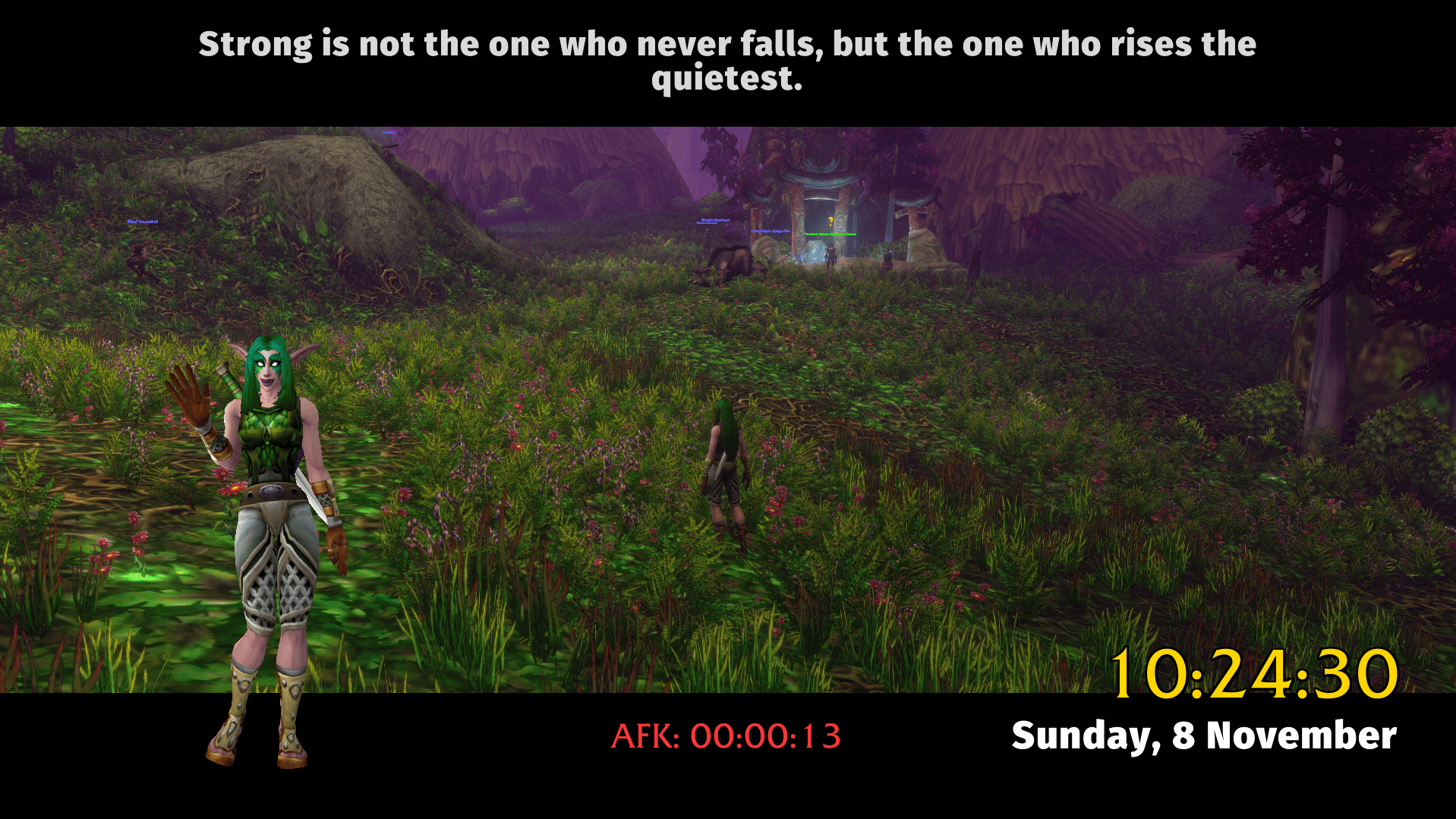
AFK screen
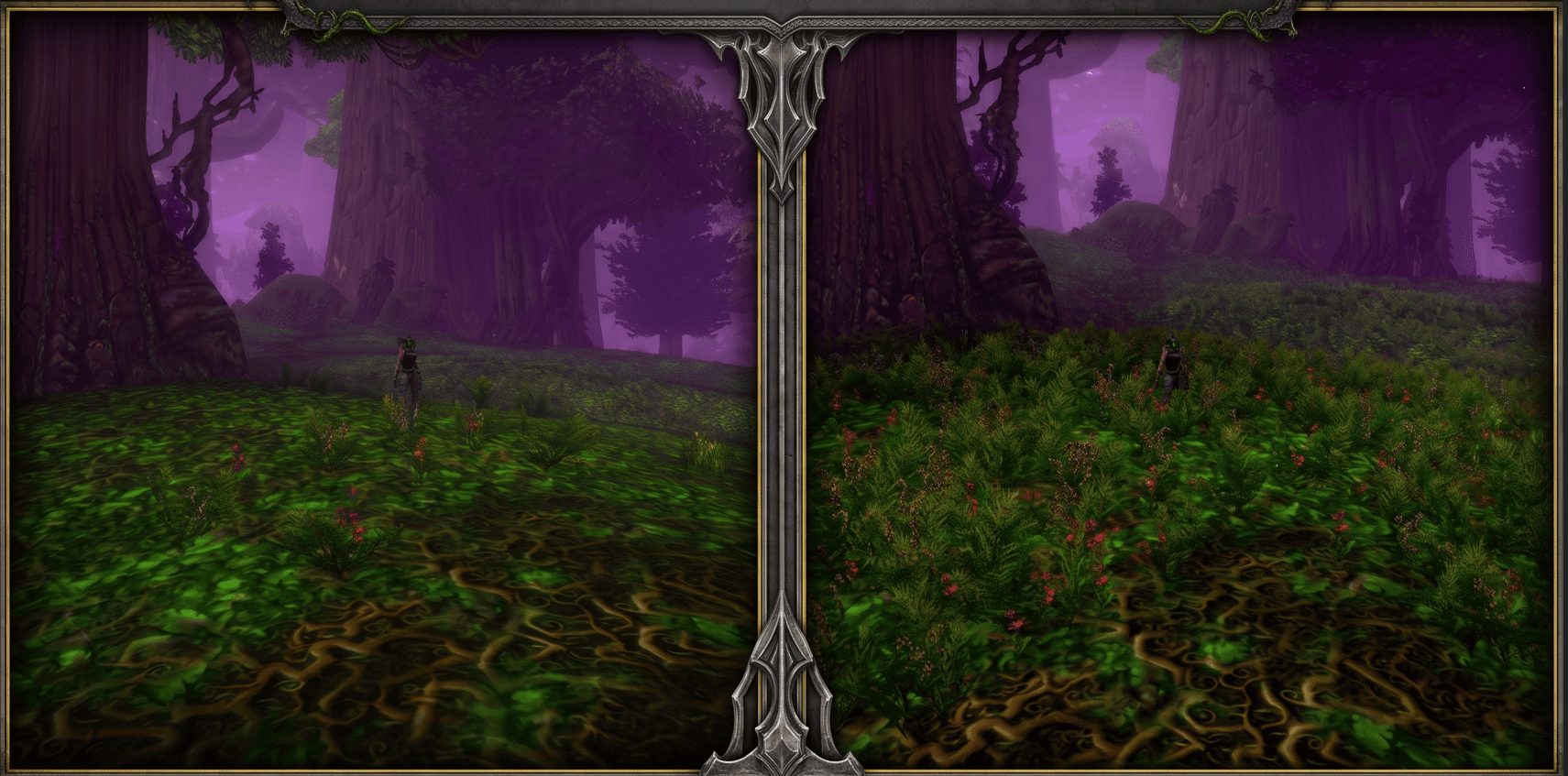
change setting on one button
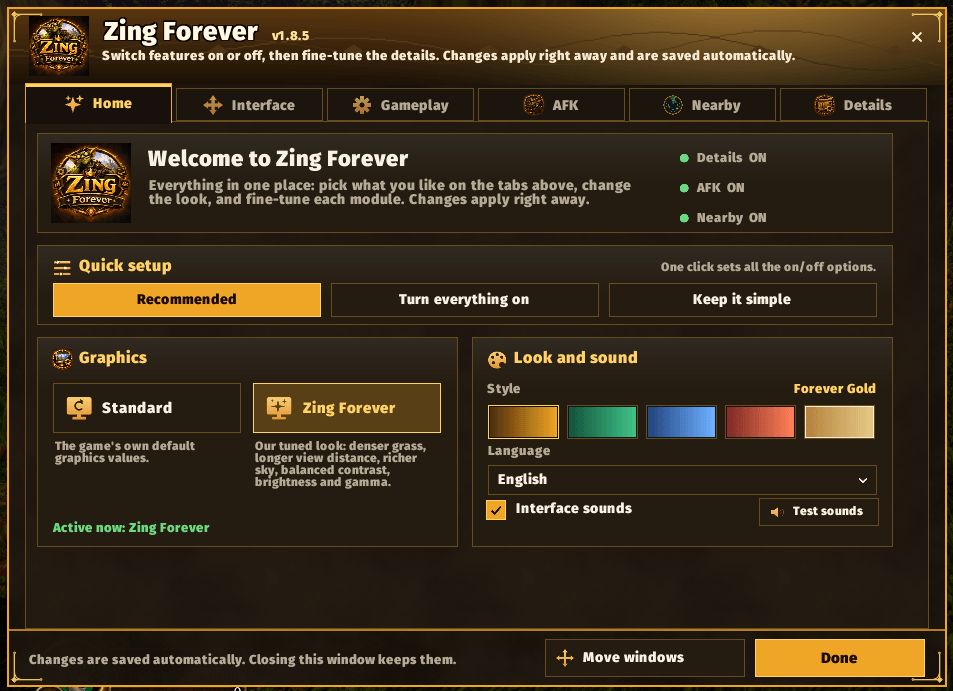
setting
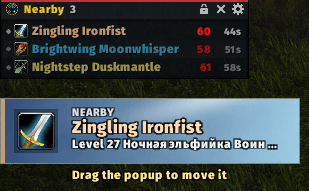
nearby module
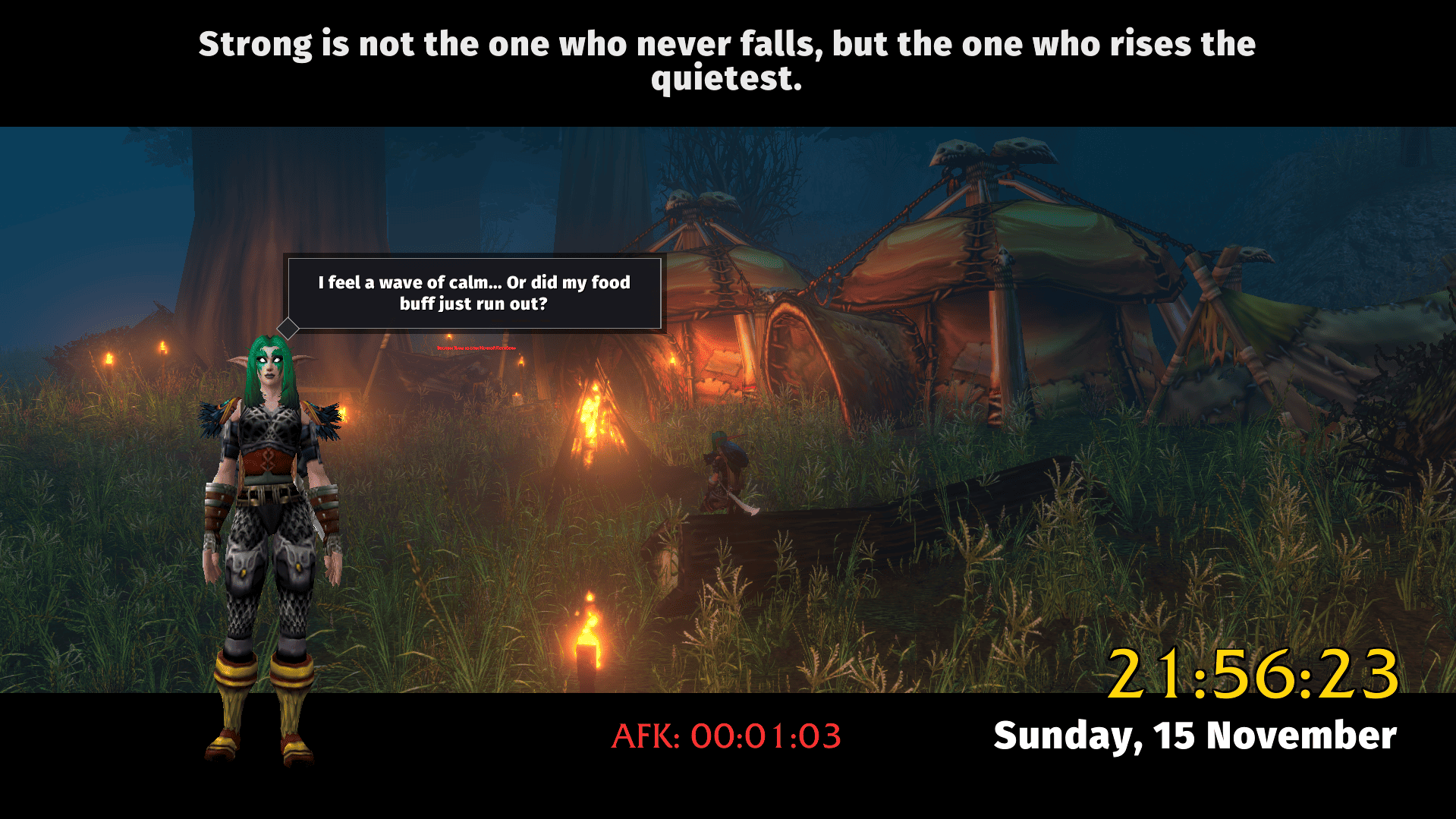
afk2
Description
Zing Forever
One addon. Multiple quality-of-life tools. Built specifically for World of Warcraft: Forever.
Zing Forever brings together useful interface improvements, nearby player alerts, chat tools, performance metrics, graphics presets and a customizable AFK screen.
Each module can be configured independently through a unified tabbed settings window.
Features
Nearby (Player Radar & Alerts)
- Detects players around you in the open world.
- Clean Nearby panel and gradient alert popup.
- Movable panel and scalable popup with customizable display options.
Details & Chat Tools
- Movable chat shortcut bar with quick access to Say, Emote, Party, Instance, Raid, Guild, Officer, Yell and Whisper.
- Session-based unread message indicators, recent message previews and whisper shortcuts.
- Movable and scalable FPS, latency (ping) and equipment durability counter.
- Optional fast looting.
- Clickable web links in chat with one-click copy support.
- Draggable minimap button (Left-click to open settings, Right-click for a quick menu) and Addon Compartment support.
- Option to disable the pulsing low-health red screen glow.
- Objective Tracker visibility controls for combat, dungeons, raids and selected zones.
- Option to hide or resize Talking Head pop-ups.
Interactive AFK Screen
- Automatically activates when the game marks your character as AFK.
- Optional interface hiding and dark background.
- 3D character and mount display with camera rotation and subtle animations.
- Rotating quotes and thought bubbles.
- Optional on-screen whisper notifications.
- Configurable background audio, playlist, volume and in-window track preview.
Graphics & Display Presets
- One-click Zing Forever and Standard presets right on the Home tab.
- Fine-tune world visuals through supported client CVars:
- Grass density & grass draw distance
- Horizon distance & ground detail opacity
- Small object culling & sky/cloud detail
- Live sliders for Contrast, Brightness and Gamma with reversible defaults.
Unified Interface, Themes & Languages
- Tabbed settings window with one-click Quick Setup presets (Recommended, Turn everything on, Keep it simple).
- 5 visual styles (Forever Gold, Midnight Azure, Ember Dusk, Emerald Grove, Parchment) and optional UI sound effects.
- Step-by-step Move Windows assistant to drag and resize interface elements directly on screen.
- Automatic client language detection with support for 10 languages: English, Russian, German, Spanish (EU & Latin America), French, Brazilian Portuguese, Korean, Simplified Chinese and Traditional Chinese.
Compatibility
This addon is specifically adapted for WoW Forever.
Retail, Classic Era and other WoW client versions are not supported.
Installation
1. Install through the CurseForge App with the Forever game version selected.
2. For manual installation, extract the Zing Forever folder into:
World of Warcraft/forever/Interface/AddOns/
3. Restart the game and enable the addon on the character selection screen.
Commands
- /zing - Open addon settings.
- /zing place - Open the interactive window placement assistant.
- /zing test - Preview the alert popup and chat shortcut bar.
- /zing afk - Preview the AFK screen.
Feedback & Support
Bug reports, suggestions and feature requests are welcome in the CurseForge comments.
Thank you for using Zing Forever!
Zing Forever Team