Zepla 3D Portraits
- By
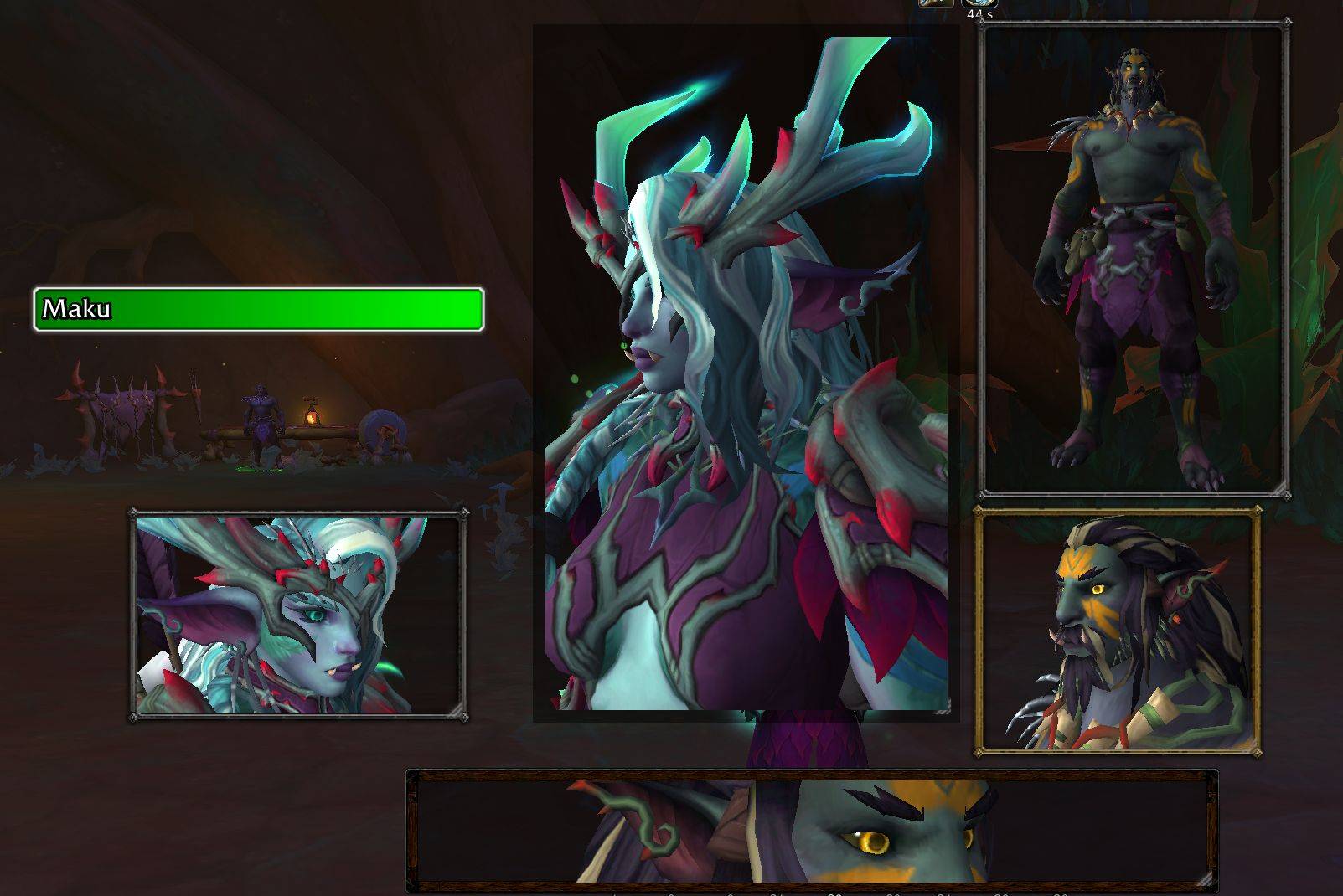
Mix & match portrait sizes, camera angles, zoom levels, borders, and framing to create a layout that fits your UI. Each portrait can be configured independently.
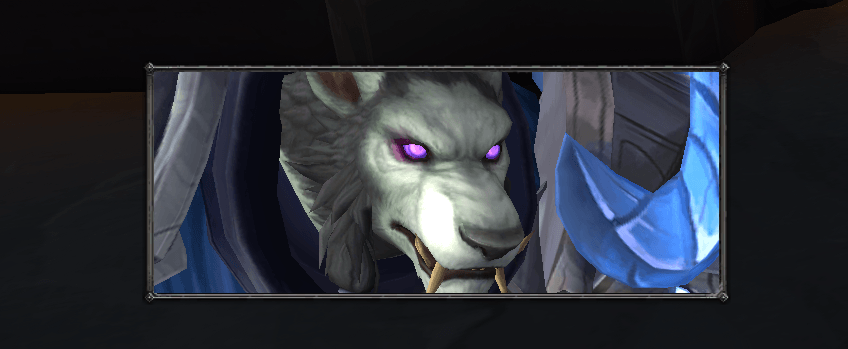
Zoom in, change frame dimensions however you like
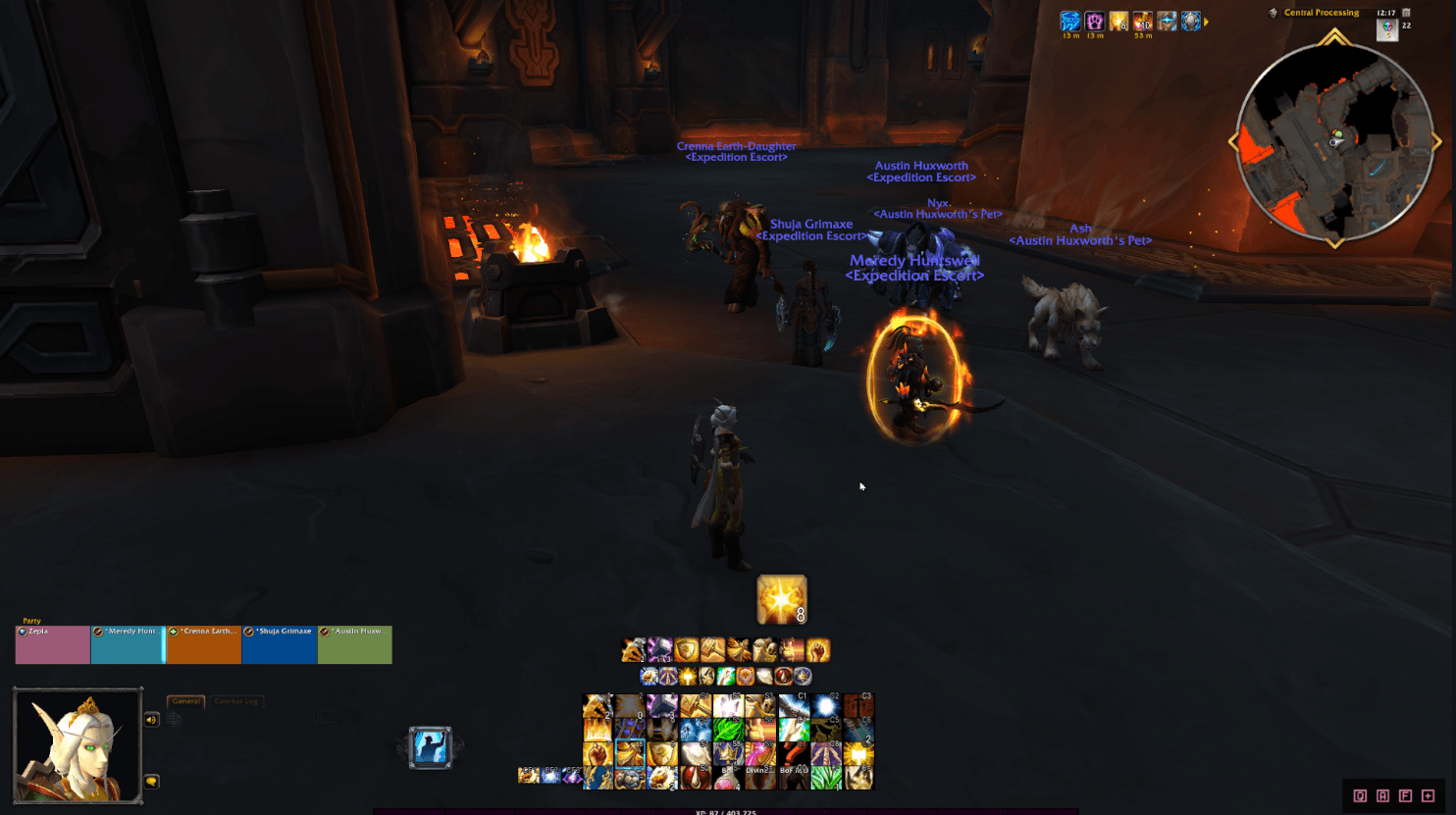
One possible use: keep your own animated 3D character on-screen like a classic RPG portrait
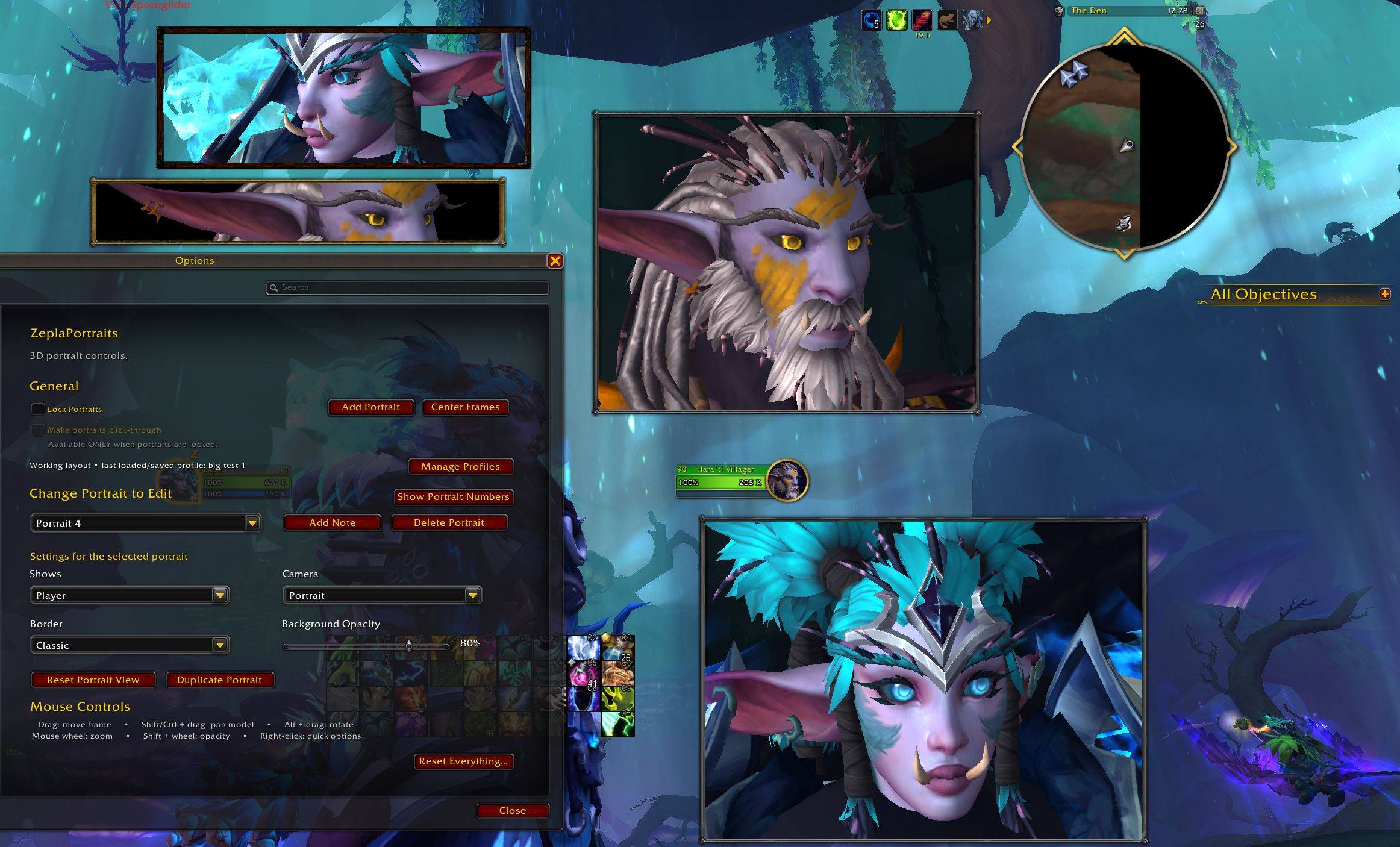
New in-game settings UI in /zp for creating & customizing your portraits! Add multiple portraits, adjust each one independently, and save your favorite layouts as profiles.
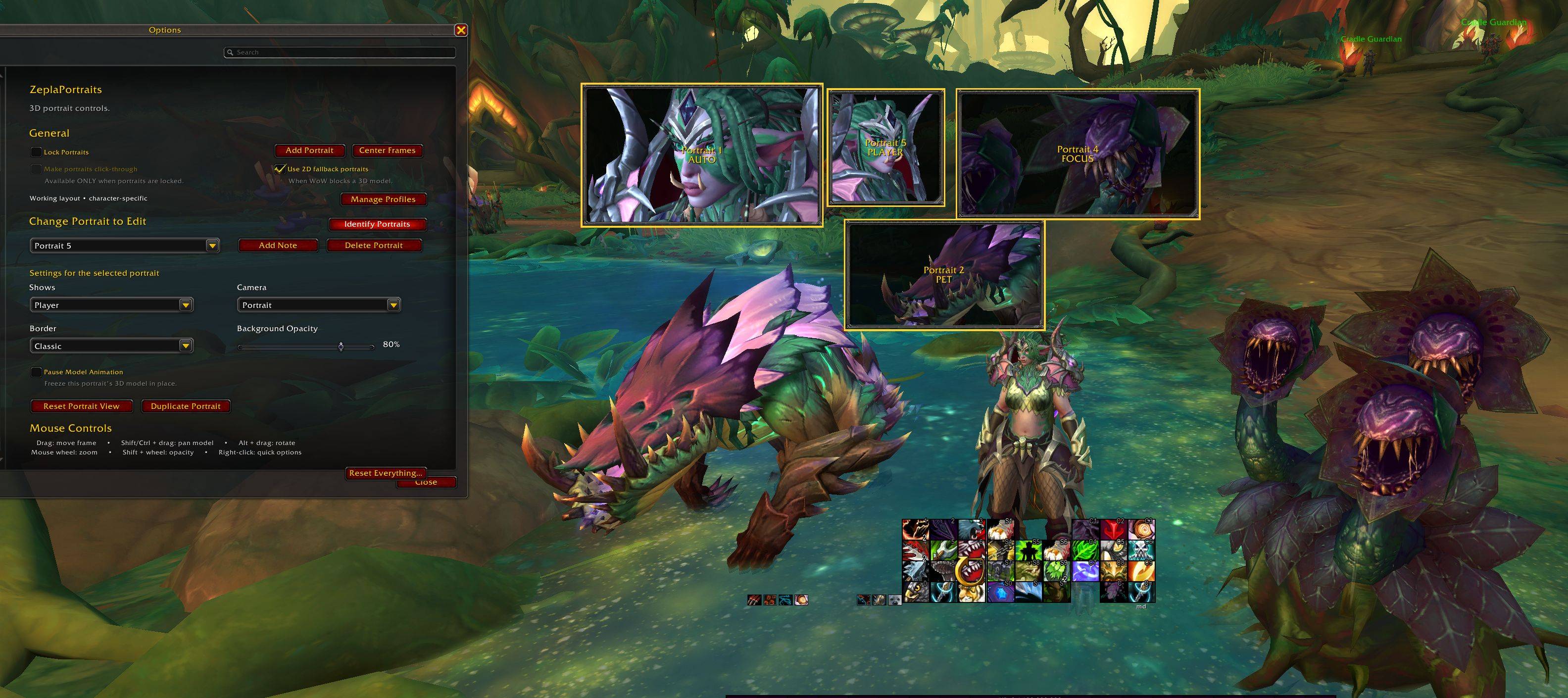
Version 2.4.2: Now with PET portraits and FOCUS!
Description
🔴⚠️ FOREVER BETA: YOUR SETTINGS MAY NOT SAVE ⚠️🔴
In the WoW Forever version, Portrait positions, profiles, and other addon settings may reset after /reload, relogging, or restarting the game. This is caused by a current WoW Forever Beta SavedVariables bug affecting addons broadly. Zepla 3D Portraits is saving its data, but the Forever client may fail to load it back correctly. This is not currently fixable from the addon side.
++++++++++++++++++++++++++++++++++++++++++++
🖼️Using a unitframes addon that hides Blizzard's default portraits? Tired of the flat, static picture in the default UI? Want a better look at your character's (or your target's) gorgeous face?
ZeplaPortraits adds clean, lightweight 3D animated portrait boxes to your UI. Create as many as you want, put them wherever you want, and customize each portrait independently.
Type /zp to open the ZeplaPortraits settings menu.
✨ Portrait Modes
Each portrait can display exactly what you want:
🔹 AUTO — Shows your current target's portrait when you have one, and switches back to your own character when you don't. Great as a set-it-and-forget-it default.
🔹 PLAYER — Always shows your own character, regardless of targeting.
🔹 TARGET — Always shows your current target. The portrait hides when nothing is targeted.
🔹 (NEW!) FOCUS — Shows your current WoW focus target, letting you keep a specific NPC or player visible while targeting other things.
🔹 (NEW!) PET — Shows your active pet. Great for Hunters, Warlocks, and anyone else with a permanent companion!
💎 Features & Customization
✅ Multiple Portraits — Create as many portrait boxes as you like and arrange each one independently.
✅ Independent Framing — Player, Target, Focus, and Pet views remember their own pan, zoom, and rotation settings, so switching units won't disturb your preferred framing.
✅ 3D Model Controls — Move, pan, zoom, and rotate models directly with your mouse:
- Drag — Move the portrait
- Shift/Ctrl + Drag — Pan the model
- Alt + Drag — Rotate left/right
- Mouse Wheel — Zoom
- Shift + Mouse Wheel — Adjust background opacity
- Right-click — Quick portrait options
✅ Camera & Appearance Options — Choose portrait or full-body view, multiple border styles, adjustable background opacity, and even pause the animation of an individual portrait.
✅ Lock & Click-Through — Lock portraits once your layout is finished, with optional click-through so they don't interfere with gameplay mouse input.
✅ Saved Profiles — Save complete layouts and load them across characters. Profiles can be updated, renamed, duplicated, or deleted directly from Settings.
✅ Portrait Notes & Identification — Add optional notes to portraits and use Identify Portraits to briefly display each portrait's number, note, and current mode.
✅ Automatic Model Updates — Portraits automatically refresh after appearance, equipment, transmog, barber shop, pet, focus, and other relevant model changes.
❓ Why Are Some Portraits 2D?
In some instanced content, such as dungeons and raids, WoW prevents addons from loading certain target 3D models.
When that happens, ZeplaPortraits can automatically use WoW's standard 2D portrait instead.
You can control this with Use 2D fallback portraits in Settings:
Enabled — Restricted targets use a 2D portrait.
Disabled — The entire portrait hides until a 3D model becomes available again.
This can affect enemies, pets, and other units in restricted instanced content. Your normal 3D portrait returns automatically whenever WoW allows the model to be displayed.
🛠 Getting Started
Type /zp to open the settings menu.
From there you can create portraits, choose what each one displays, customize its framing and appearance, save profiles, and lock your finished layout.
Legacy /zp commands are still supported for existing users.
Perfect for players who want a minimalist or heavily customized UI without losing the RPG feel of seeing who they're fighting—or how good their own character looks.
──────── ✧・゚: *✧・゚:* *:・゚✧*:・゚✧ ────────
💖 Come hang out with me!
I make WoW content on YouTube and stream on Twitch!
Since CurseForge comments are disabled, please bring any questions, feedback, or bug reports to our Discord. Just drop into the #wow-general channel and we will get you sorted!
🔹 Discord: discord.gg/zeplahq
🔹 YouTube: @zeplawow
🔹 Twitch: twitch.tv/zeplahq
☕ Support the Addon! If you like ZeplaPortraits and want to toss some support my way, you can buy me a coffee on Ko-fi or come hang out and sub on Twitch!
The Zepla 3D Portraits Team