Zenkit
- By
04-mythic-plus-timer.jpg
05-kicks.jpg
06-party-frames.jpg
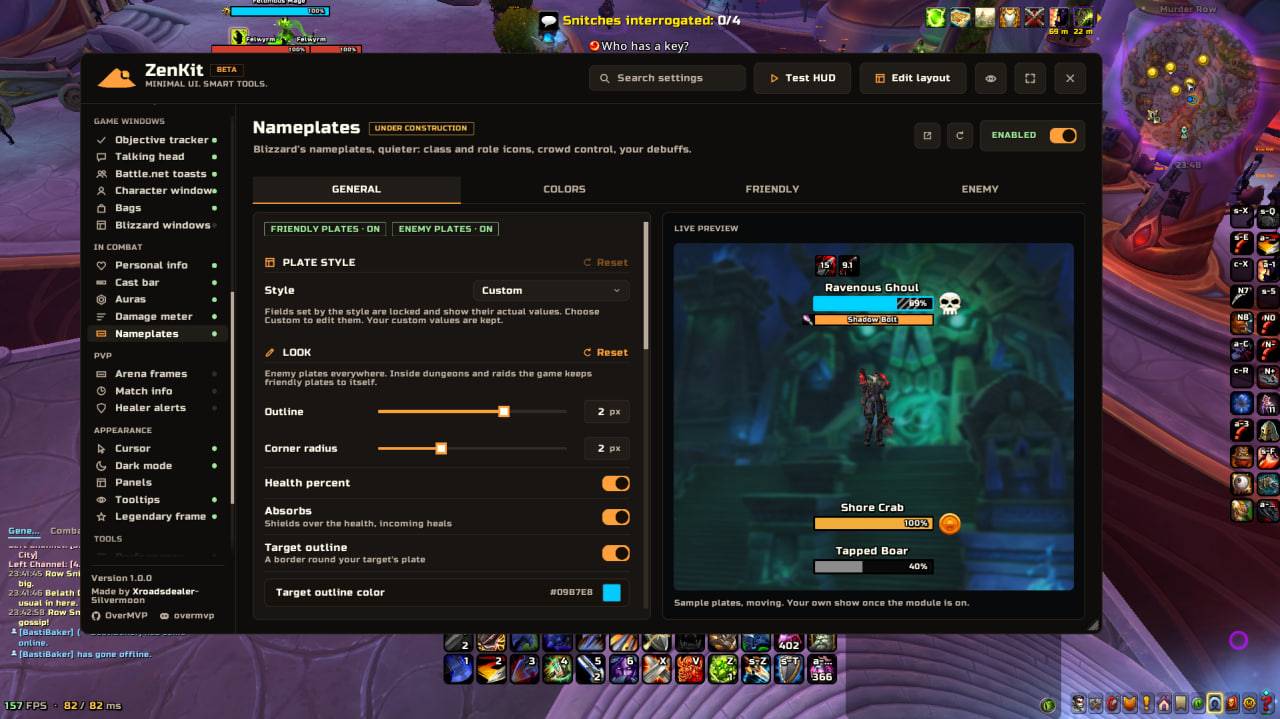
08-nameplates.jpg
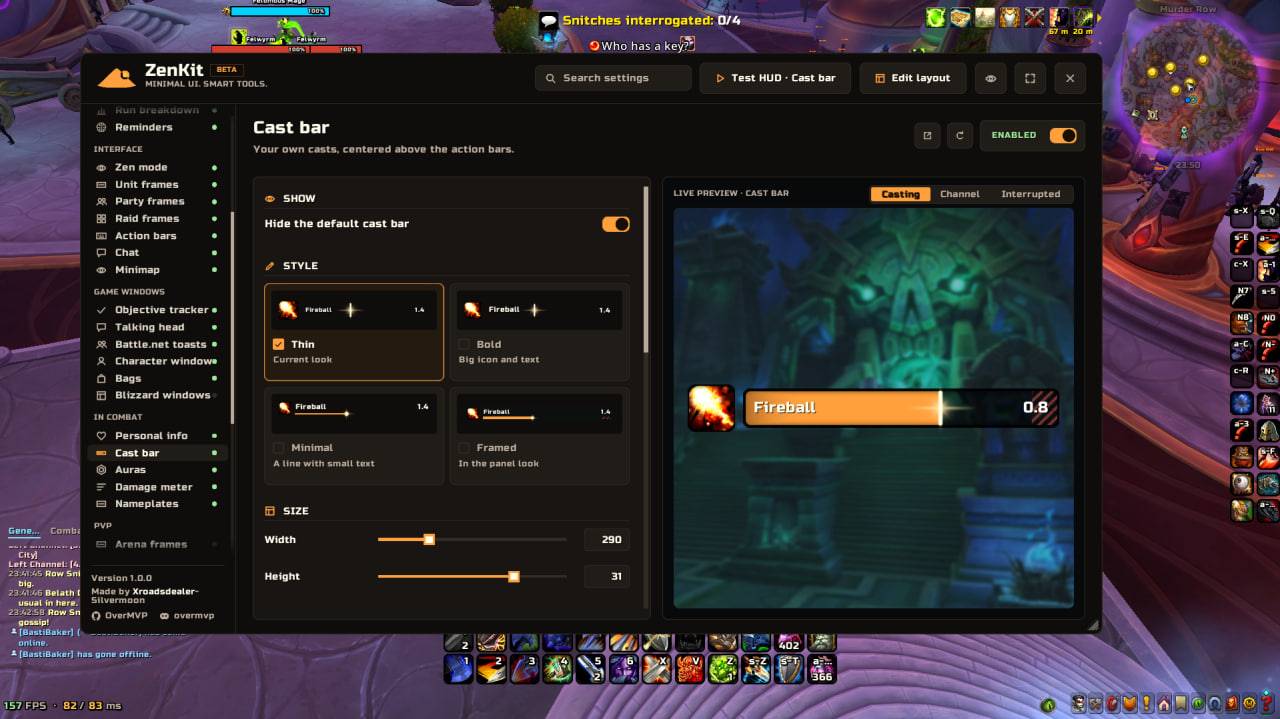
10-cast-bar.jpg
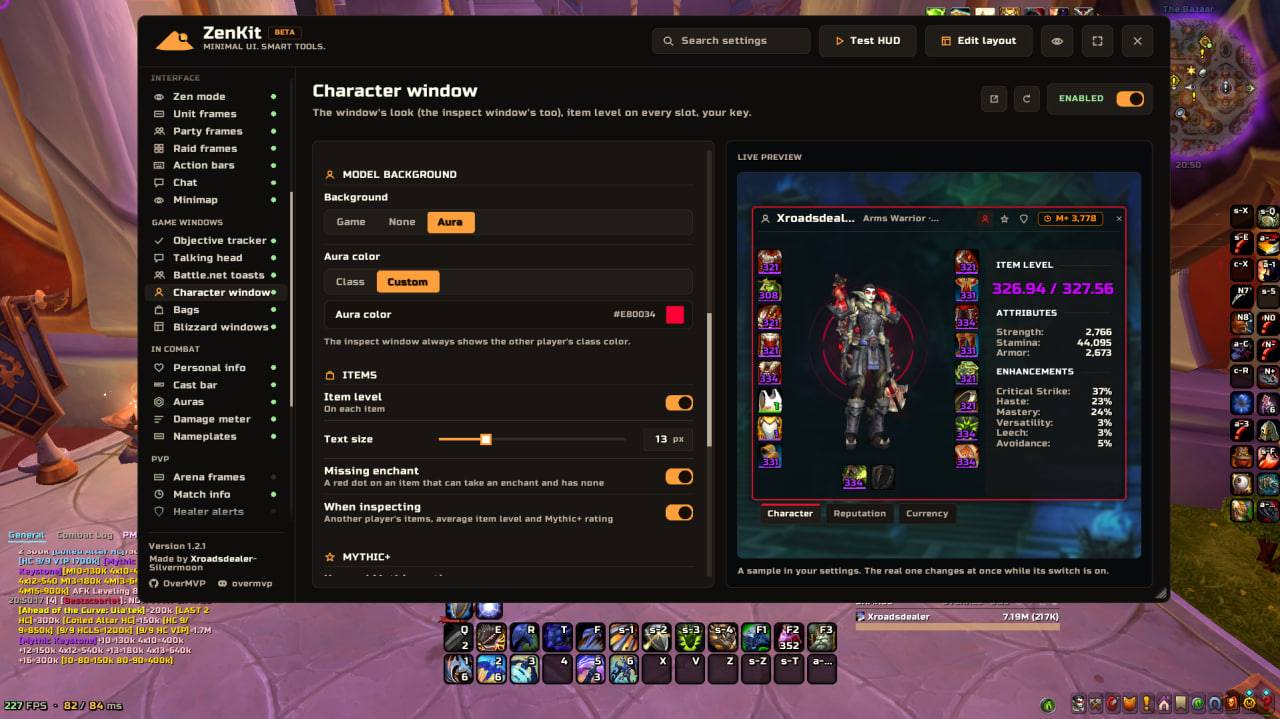
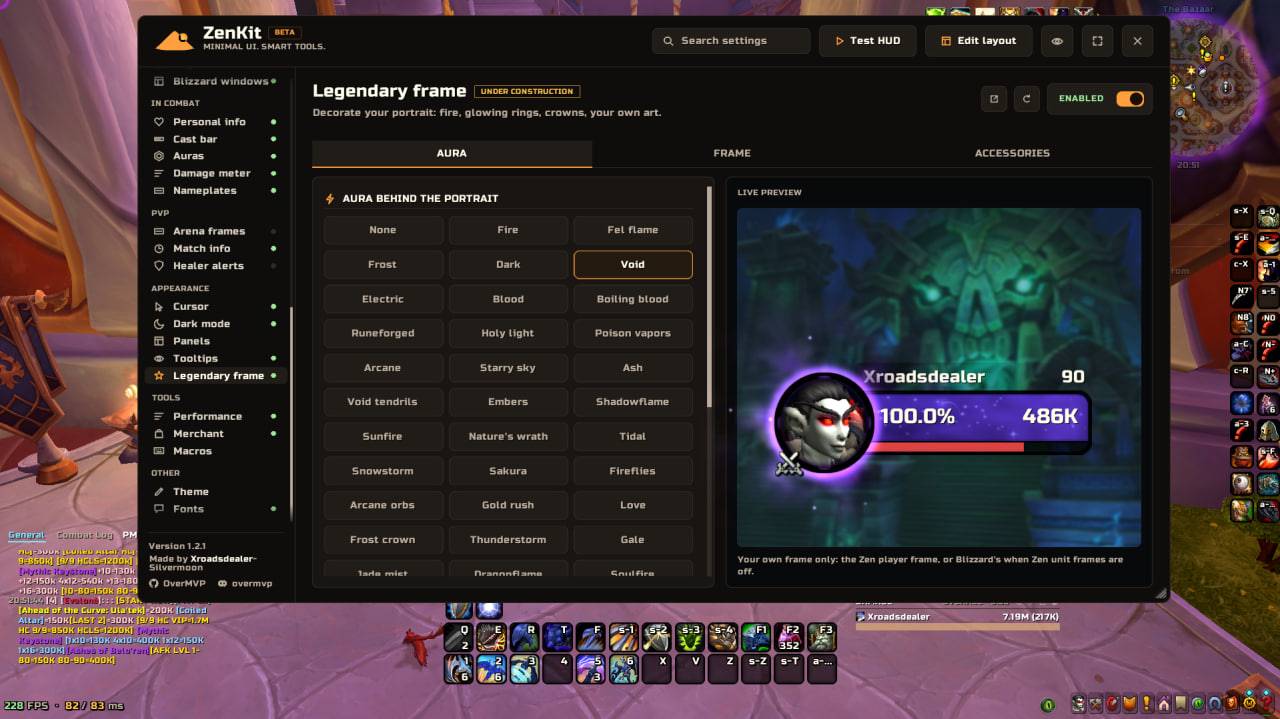
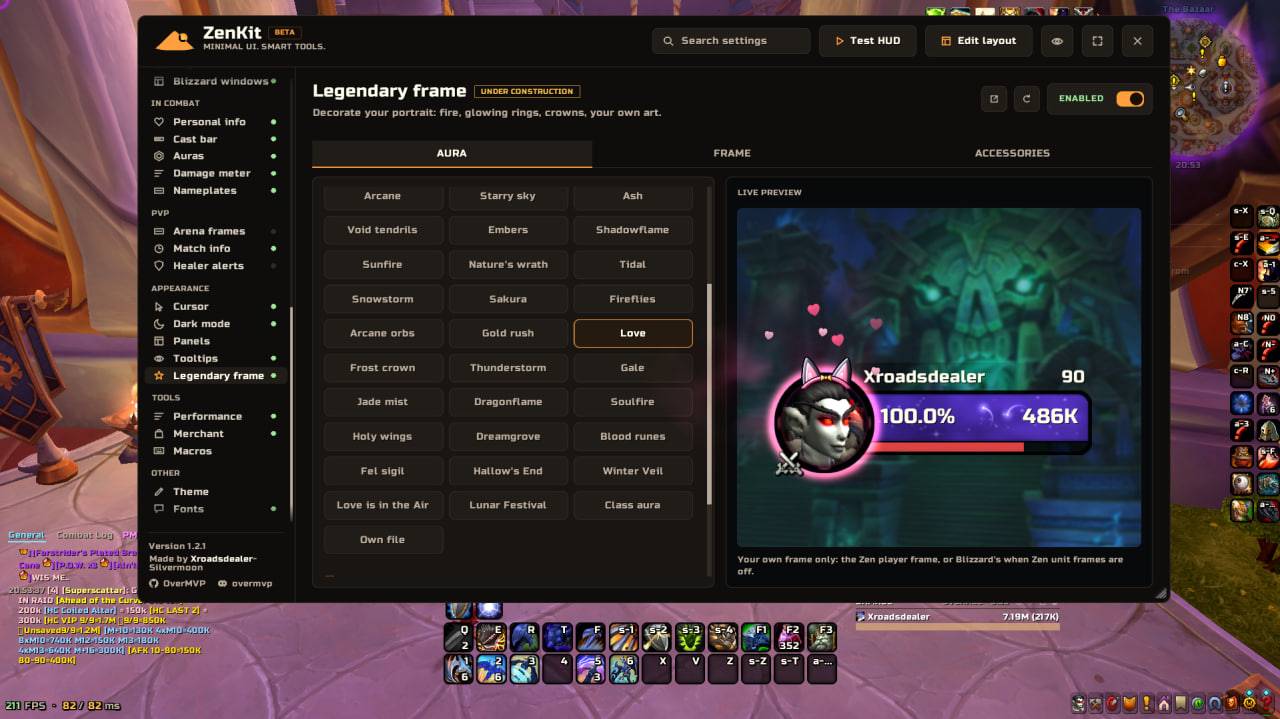
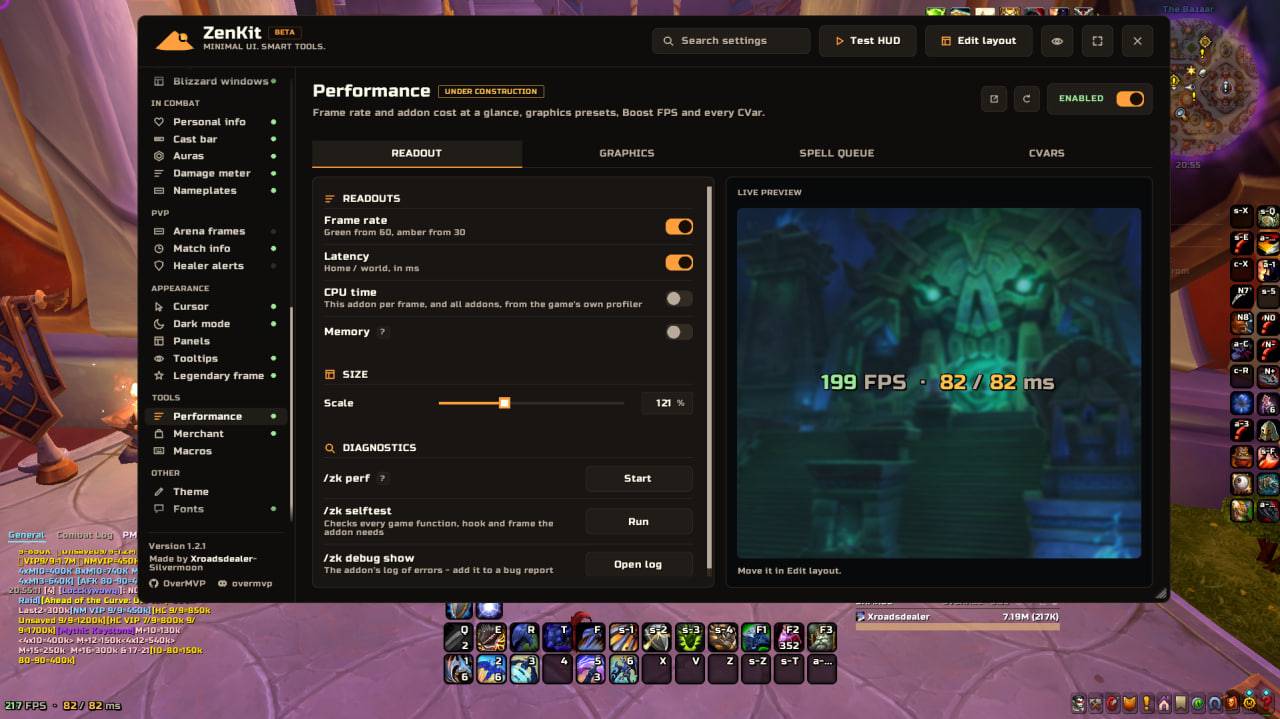
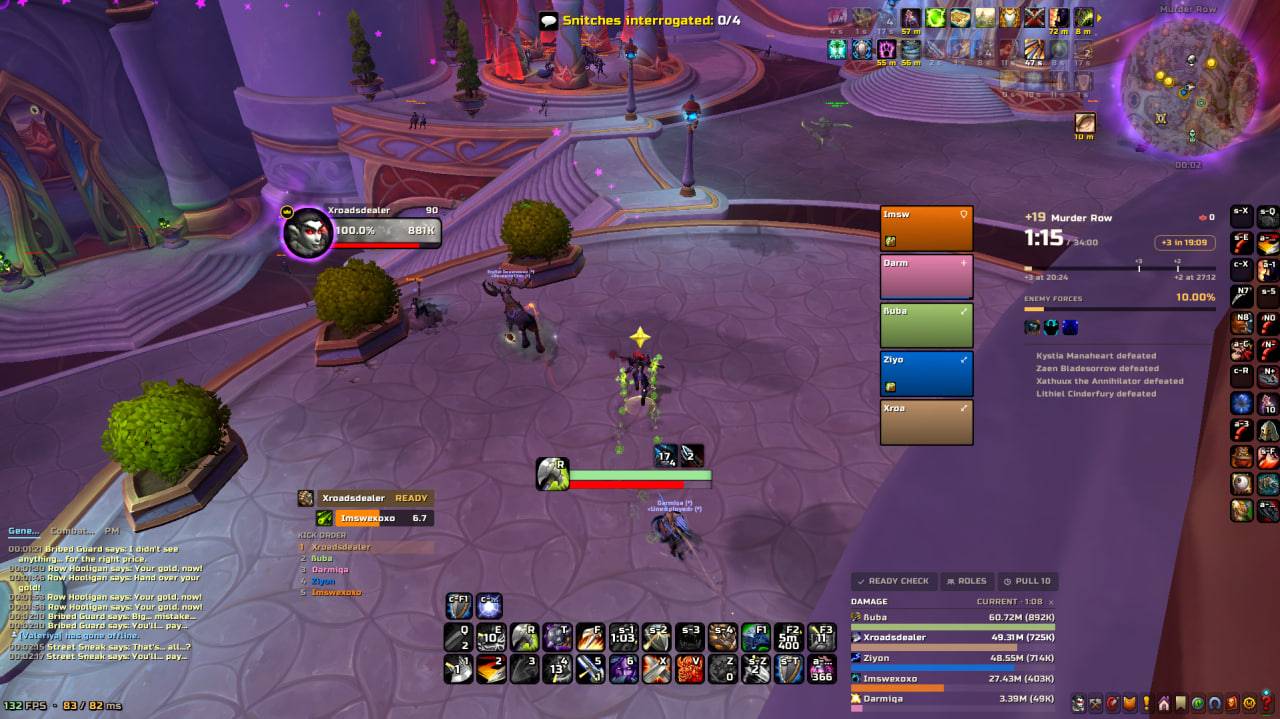
photo_2026-10-08_00-02-30.jpg
Description
ZenKit
Minimal UI. Smart tools.
A calm, modular interface for World of Warcraft, with everything a Mythic+ player or a raider needs in one place. Keep what you use and switch off the rest.
World of Warcraft Retail · Midnight (12.x)
Why ZenKit
- Quiet in combat. Zen mode hides the Blizzard UI and leaves only what matters.
- Mythic+ in one place. Timer, Kicks, Markers, Reminders and Run breakdown work together.
- Set up with the mouse. Every panel moves, snaps and resizes in Edit layout.
- Modular. A core plus 13 plugins. Disable anything you don't need.
Zen UI
A complete set of calm, minimal replacements for the Blizzard interface. Use the whole set or just the parts you like.
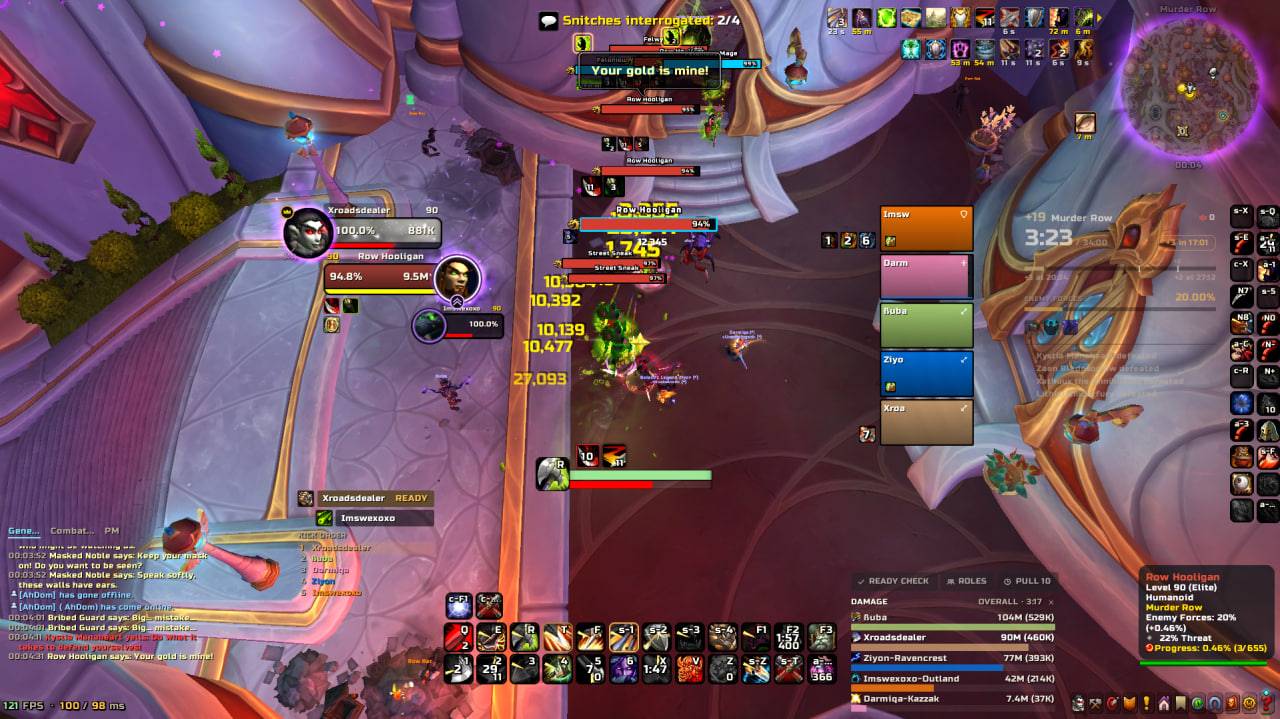
- Unit frames. Player, target, target of target, focus, focus target and bosses. A focus cast bar for interrupts.
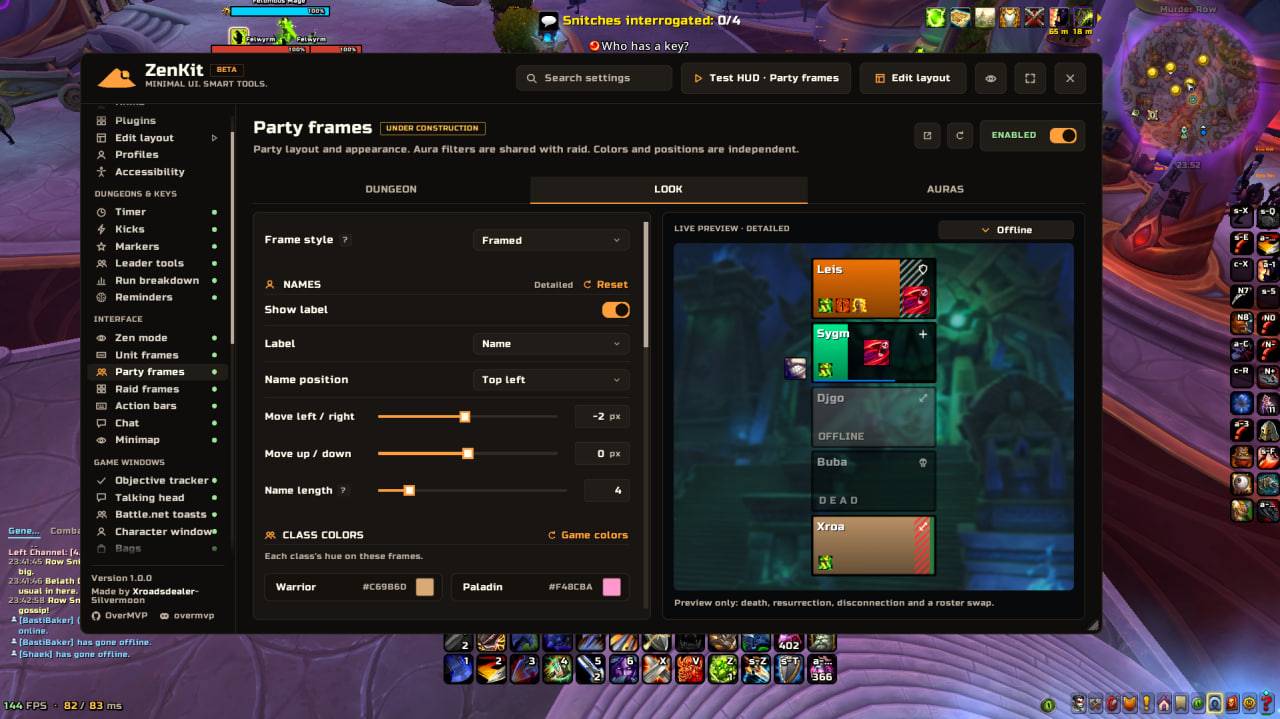
- Party and raid frames. Minimal bars or a detailed view built for healing. Group auras show dispels, defensives, HoTs and crowd control on adds and bosses.
- Action bars. Rounded bars, as many as you need, each placed in Edit layout. Stance, pet and extra buttons, quick keybind.
- Chat. A quiet customizable interactive chat.
- Damage meter. A slim, quiet meter for damage, healing and more.
- Cast bar. A cast bar that matches the rest of the UI, in several styles and as subtle or bold as you like.
- Personal info. Your health and resource right next to your character, so your eyes stay on the fight.
Zen mode
Hide interface elements by situation: in combat, in dungeons or always. Your screen shows only what the moment needs.
Mythic+ tools
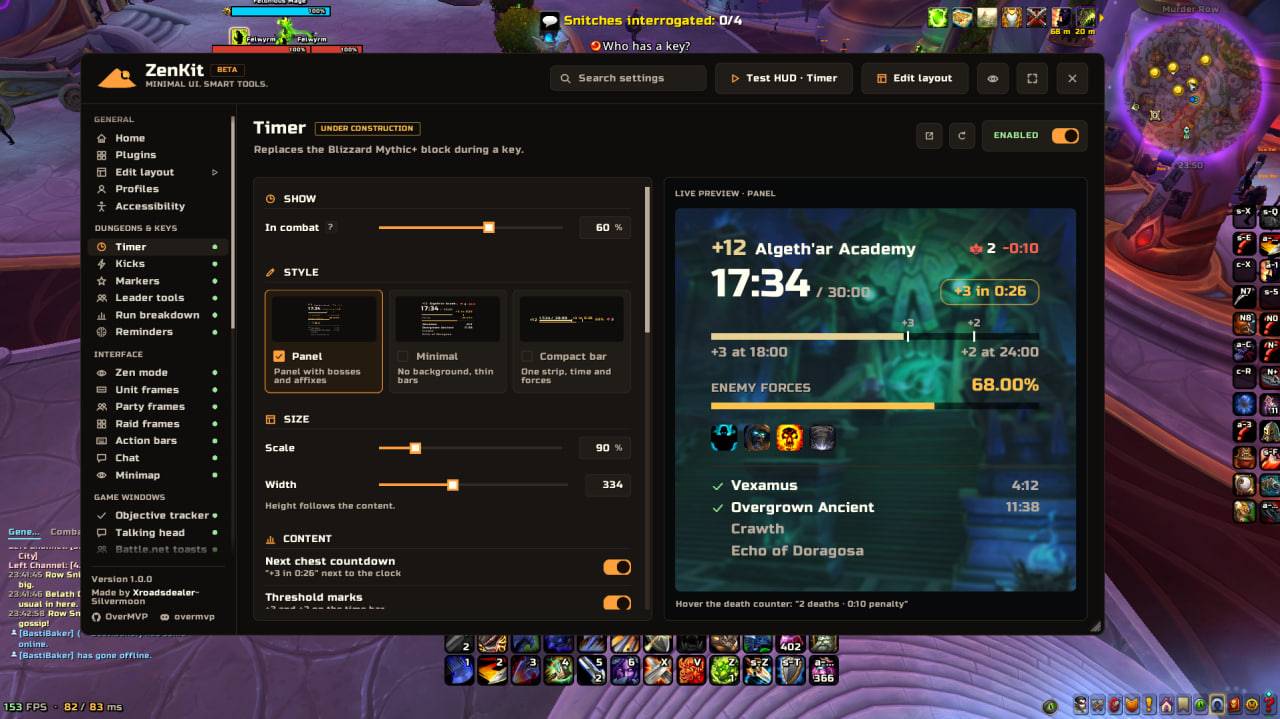
- Timer. Clock, enemy forces, bosses and deaths in one compact panel. Three styles: Panel, Minimal and Compact bar. Know at a glance how long you have for the next chest ("+3 in 0:26"). Every boss with its kill time, deaths with penalty and who died on hover. After the key it shows the result until the group leaves. (Under construction)
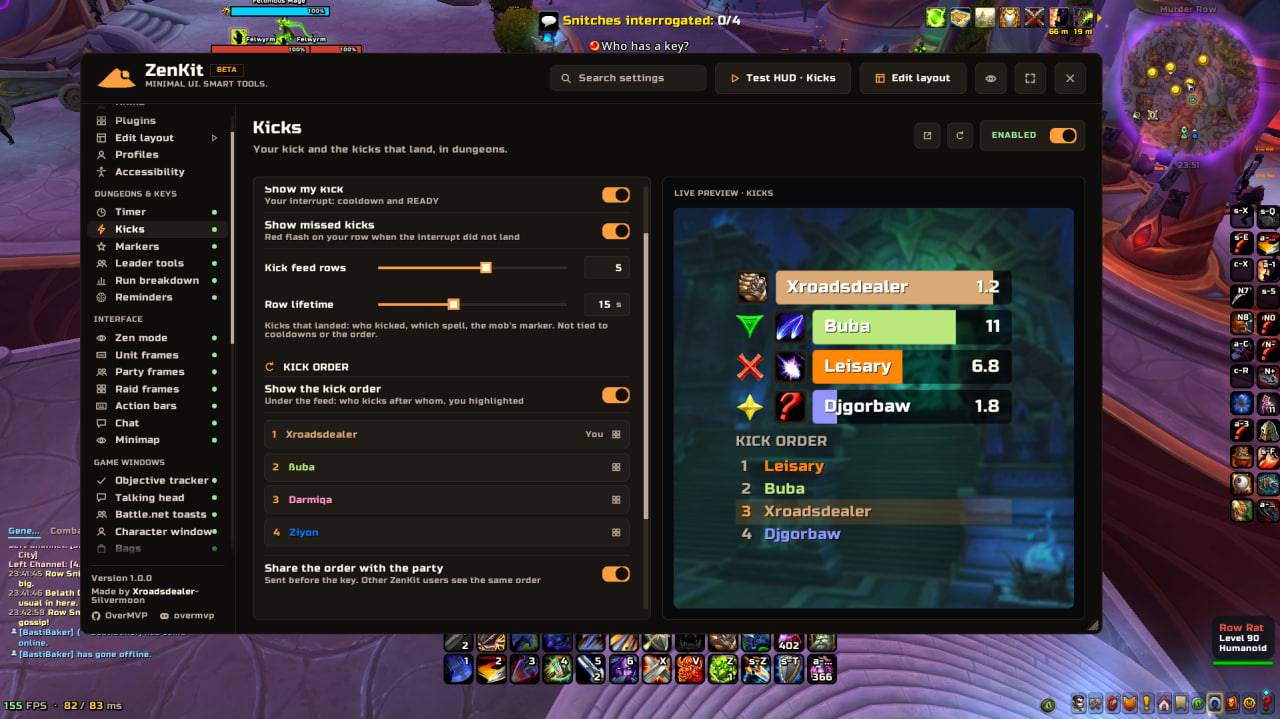
- Kicks. Who is ready, who is next and one interrupt order for the whole group.
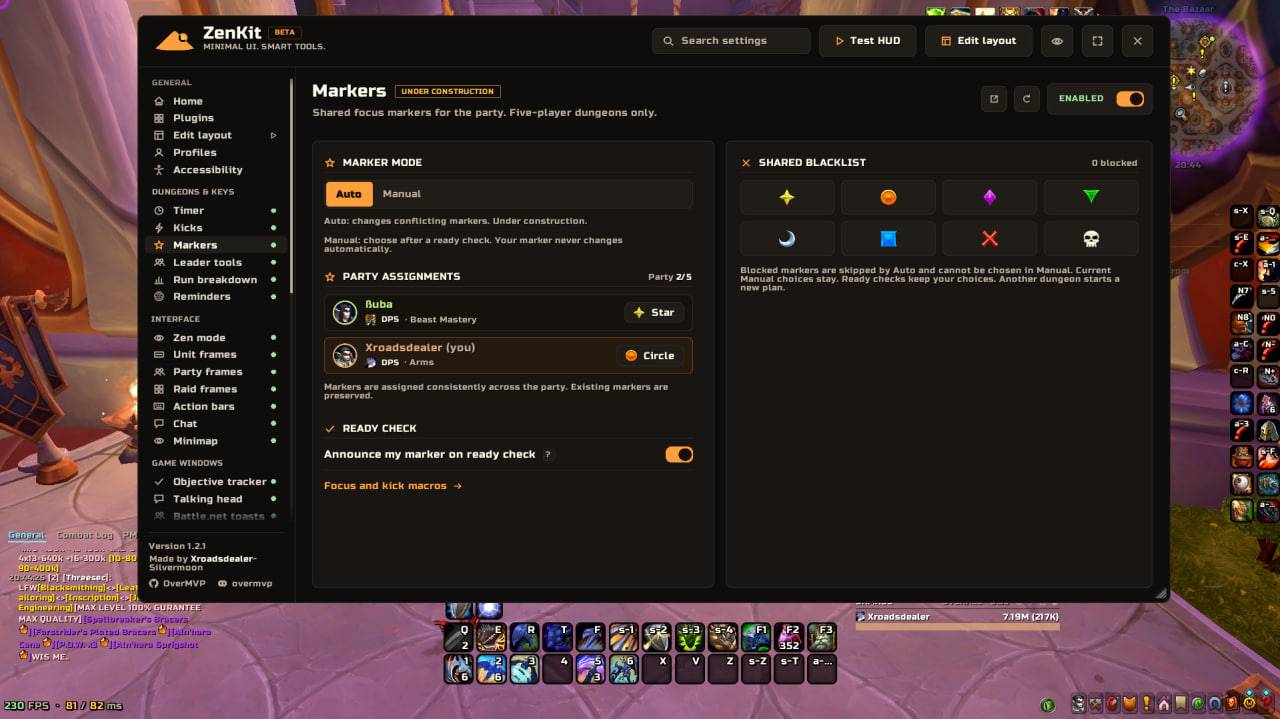
- Markers. Each group member gets the same focus marker for everyone running ZenKit. Marker and battle res macros update on their own. (Under construction)
- Macros. Focus, focus interrupt and class macros. Just drag them to your bar.
- Leader tools. Ready check, role check, pull and break timers in one small panel.
Run breakdown
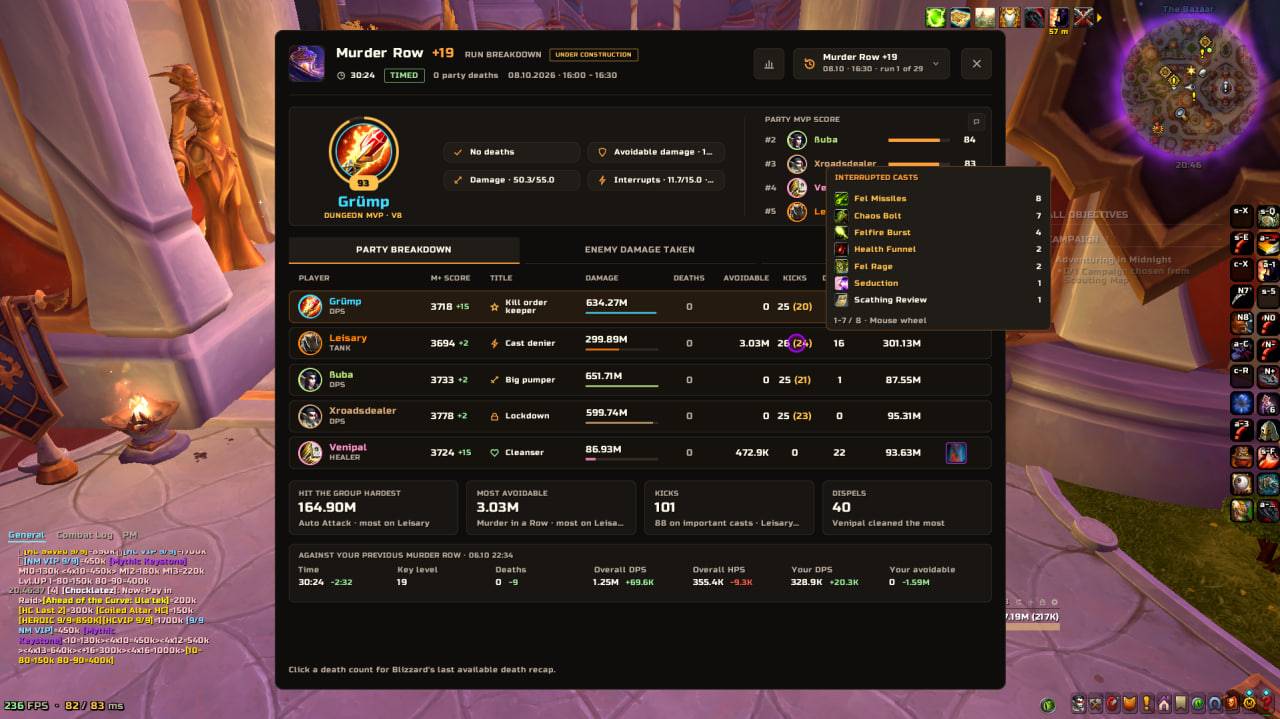
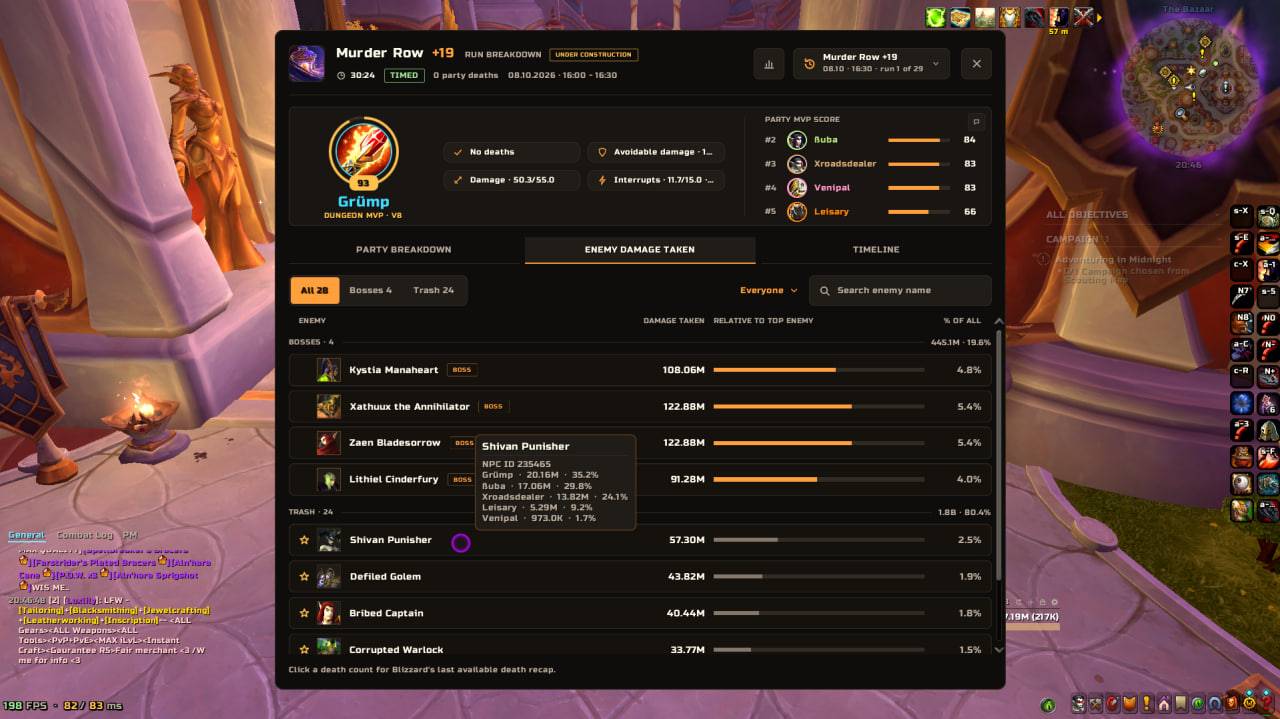
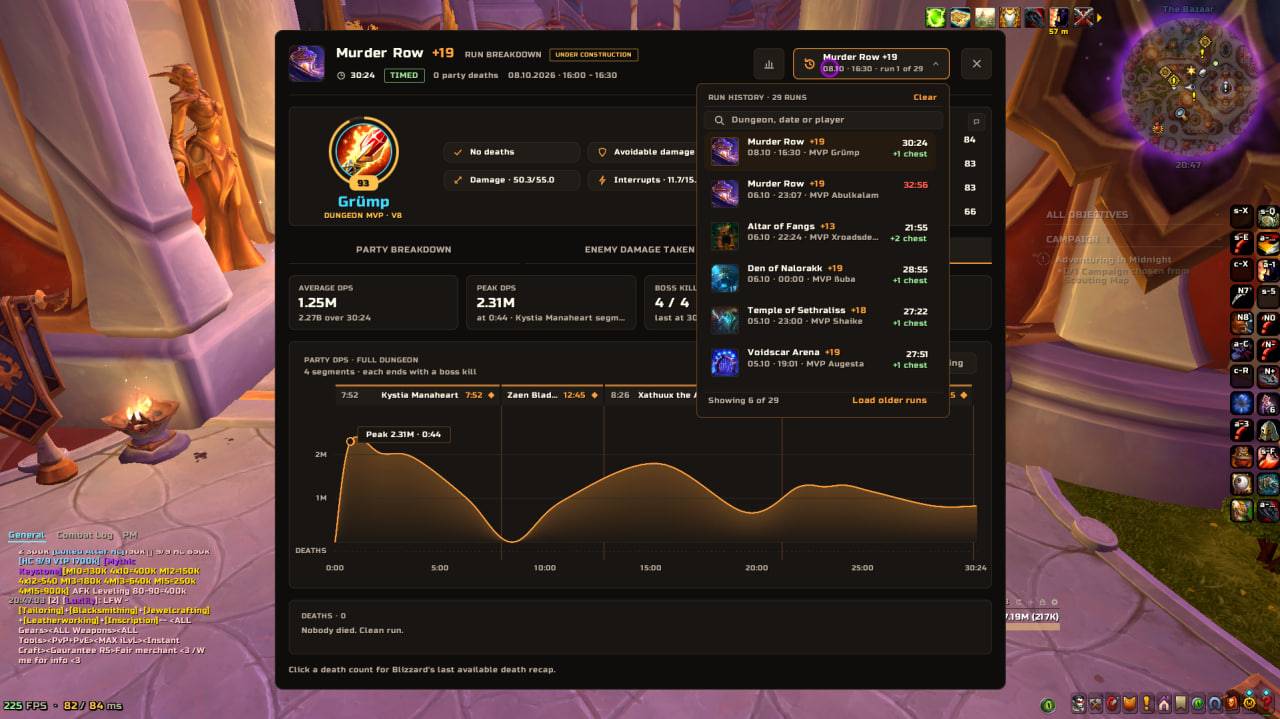
Every completed key gets its own story. See who carried the run, where the damage went and what went wrong, then compare it with your other runs.
- MVP. Who carried the key, at a glance.
- Damage. Where the group's damage went, pull by pull and boss by boss.
- Timeline. The whole run on one graph, with every boss and death in place.
- Deaths. Who died, when and how often.
- Compare runs. Line up keys side by side and see what changed.
Reminders
Before the pull. The ready check flags missing group buffs, flasks, food, potions, healthstone and armor durability. Add your own tracked consumables.
In combat
- Auras. Icons for chosen procs and auras anywhere on screen. Groups, single icons, cooldowns, ready-made spec sets.
- Nameplates. Blizzard nameplates, only calmer: class and role icons, crowd control, your debuffs. (Under construction)
- Cursor. A ring, glow and trail so you never lose it in a fight. (Under construction)
Game windows
- Character and inspect. A new look with item level on every slot. (Under construction)
- Bags. A new look, one window or separate bags, item level, your own sort. (Under construction)
- Battle.net toasts in the same style.
- Objective tracker and Talking head (position, voice, look). (Under construction)
PvP
- Arena frames. PvP trinket, diminishing returns, casts with kick readiness, major buffs and the prep room.
- Match info. Dampening, match timer and Shadowsight.
- Healer alerts. Your healer is in crowd control - protect. Their healer is - punish.
Utilities
- Merchant. Auto repair and junk selling.
- Performance. Boost FPS for lighter graphics, and your settings come back when you turn it off. Graphics presets. An FPS, latency, CPU and addon memory line. (Under construction)
- Dark mode. Darker Blizzard frames, cast bars and windows.
- Legendary frame. Dress up your portrait with living auras, frames and accessories, mix them as you like or add your own.
Make it yours
- One settings window. A page per module and search across all settings. Reset any page or share it with others.
- Profiles. Per character or shared. Export and import the whole profile as a string. Class presets to start fast.
- Edit layout. Drag any panel, snap to the grid, type X/Y, nudge with arrow keys, resize from the edge.
- Panel look. One shared look for tooltips, chat, meter, bags, timer and more. Any panel can use Same as all or its Own look.
- Accessibility. Text size, Reduce motion, a colorblind filter, high contrast and item quality colors.
- Fonts. One font for the whole game or only for ZenKit.
Getting started
- Install ZenKit. Each plugin comes as its own addon folder.
- Type
/zkor click the minimap button to open settings. - Turn off what you don't need in General → Plugins.
- Open Edit layout (
/zk layout) and turn on Test HUD to place your panels. - Pick a Class preset, tune it and export your profile as a backup.
| Command | What it does |
|---|---|
/zk or /zenkit |
Open settings |
/zk layout |
Edit layout |
/zk zen |
Zen mode |
/zk perf |
Find stutters: which handlers and spikes came from ZenKit |
/zk boost |
Boost FPS on or off |
/zk update |
Update focus macros |
Modular by design
Every plugin is a separate addon. Disable it in the game's AddOns list or in General → Plugins.
| Plugin | What it adds |
|---|---|
| ZenKit | Core: settings, profiles, Edit layout, Panel look, accessibility |
| ZenKit_Zen | Zen mode, cast bar, Personal info, minimap |
| ZenKit_UnitFrames | Player, target, focus and boss frames |
| ZenKit_GroupFrames | Party and raid frames |
| ZenKit_ActionBars | Action bars |
| ZenKit_Chat | Chat |
| ZenKit_Meter | Damage meter |
| ZenKit_Nameplates | Nameplates |
| ZenKit_MythicPlus | Timer, Kicks, Markers, macros |
| ZenKit_ReadyCheck | Reminders, Leader tools |
| ZenKit_RunBreakdown | Run breakdown |
| ZenKit_Misc | Objective tracker, Talking head, toasts, character windows, bags |
| ZenKit_PvP | Arena frames, match info, healer alerts |
| ZenKit_Extras | Cursor, auras, Dark mode, Legendary frame, performance, merchant, fonts |
For addon authors. The Plugin API lets your addon join ZenKit with its own settings page.
Beta notes
- ZenKit is in beta, so things may change. Modules marked Under construction are still being finished or not yet tested in game.
- In Midnight, Blizzard limits some combat data for addons. Some features show only what the game allows.
- Protected frames and buttons can change only out of combat. Changes made in combat apply after it ends.
- Shared markers work for group members who also run ZenKit.
Feedback and bugs
- Bug Reports, ideas and questions: Discord
Zenkit Team