YaYeetDelete
- By
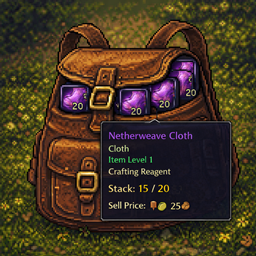
Addon that allows you to define lists of items to delete in the options and then previews them on the screen for lazy people to click and delete.
YaYeetDelete (TBCC)
A compact bag-action bar for fast cleanup and utility:
- Delete tracked junk (one stack per click)
- Open “Right Click to Open” items
- Convert 10x TBC Motes → Primals
- Disenchant eligible gear (secure click)
- Pick Lock on lockboxes (secure click)
Built to avoid the common taint/protected call problems that happen when addons try to UseContainerItem() directly.
Quick Start
- Type
/yeetto open Options. - Default activation is Shift + Right-Click (safer). You can change this in Options.
- Add items you want to delete/open/unlock using either:
- the Options tabs OR
- the slash commands below (fastest).
What You’ll See In-Game
The main bar shows rows when relevant items exist in your bags:
YaYeetDelete
Shows items from your Delete list. Click deletes one stack.YaYeetOpen
Shows items that are either:- on your Open list, or
- auto-detected via tooltip: “Right Click to Open” (if enabled)
YaYeetMotes
Auto-detects TBC motes when a stack is ≥ 10 (and/or tooltip matches the “Turn ten Motes …” use line). Click converts that stack.YaYeetDE
Shows disenchantable Armor/Weapon gear (green/blue etc.). Use the Ignore list to hide specific items.YaYeetUnlock
Shows locked lockboxes (tooltip “LOCKED”) that are in your Unlock list (prefilled with a safe default list).
Controls / Safety Gates
You can require:
- Shift (default: ON)
- Right Click (default: ON)
These gates apply to the secure rows (Open/Motes/DE/Unlock) and also to the Delete row.
Slash Commands
Open Options:
/yeet/yeet opt
Manage lists (paste an item link or use numeric itemID):
Delete list
/yeet del add <itemLinkOrID>/yeet del remove <itemLinkOrID>
Open list
/yeet open add <itemLinkOrID>/yeet open remove <itemLinkOrID>
Disenchant Ignore list (this is an IGNORE list)
/yeet de add <itemLinkOrID>← adds to ignore/yeet de remove <itemLinkOrID>← removes from ignore
Unlock list
/yeet unlock add <itemLinkOrID>/yeet unlock remove <itemLinkOrID>
Notes:
- YaYeetMotes is auto-detected and doesn’t use a manual list.
Options Tabs
Each tab contains the relevant settings + list management:
- Require Shift (safer)
- Require Right Click
- Hide This Row When Empty
- Lock main bar (no dragging)
- Hide bar in combat
Per-tab extras:
- Open: “Auto-detect: only <Right Click to Open\>”
- Motes: “Enable Motes row (stack ≥ 10)”
- DE: Ignore list management
- Unlock: Lockbox list management (defaults are prefilled)
Important Notes (Blizzard Secure Restrictions)
- Open/Motes/DE/Unlock are executed via secure clicks using
/use <bag> <slot>and/or/cast …macros. - The addon does not automate actions. You still click each item.
- Secure bindings/attributes are only updated out of combat. If you change settings mid-combat, they’ll apply after you leave combat.
Troubleshooting
Nothing happens when I click:
- Confirm you are using the required gate (default Shift + Right-Click).
- Confirm you are not in combat (if “Hide bar in combat” is enabled).
- For DE/Unlock: make sure you can actually use the spell:
- Disenchant requires Enchanting + Disenchant available.
- Pick Lock requires Rogue + Pick Lock available.
Delete doesn’t delete:
- Some items trigger a Blizzard delete confirmation popup. Confirm it, then click again.
Motes not showing:
- Needs a stack of 10+ and/or tooltip matching the conversion “Use:” line.
- Only TBC mote IDs are auto-tracked (Air/Earth/Fire/Life/Mana/Shadow/Water).
Lockboxes not showing:
- Item must be detected as LOCKED on the tooltip.
- Item must be in your Unlock list (defaults are prefilled, but you can add more).
Credits
Created by: Subversus - Thunderstrike
Rest in peace Kai Budde, raid leader and guild master of Bad Omen - Tarren Mill
The YaYeetDelete Team