
yamyam_AutoGreet
- By
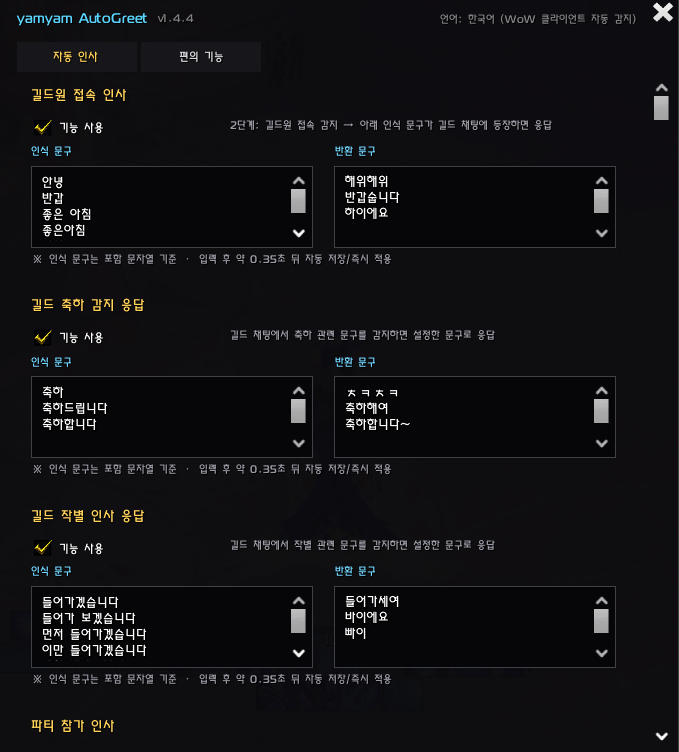
yamyam_AutoGreet_v1.4.4_Settings_AutoGreeting.png
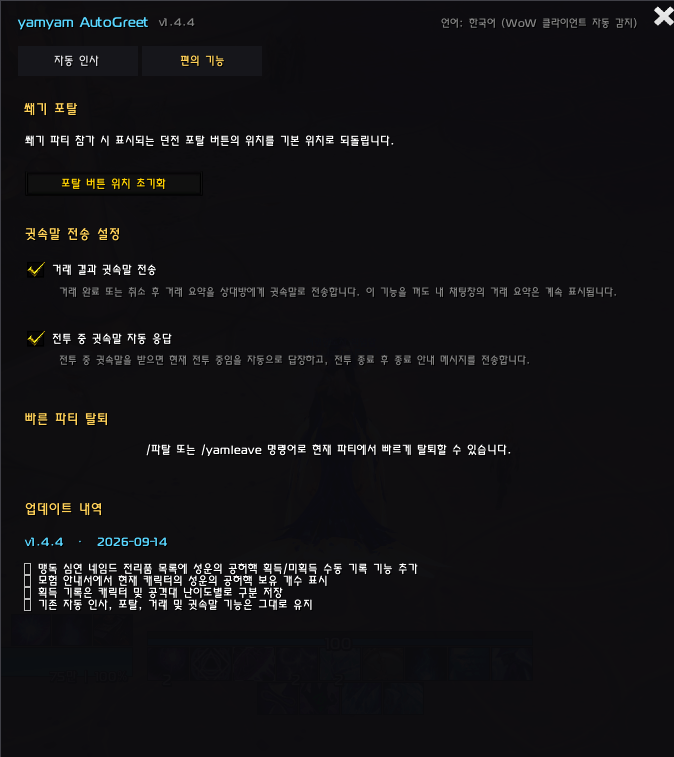
yamyam_AutoGreet_v1.4.4_Settings_Convenience.png

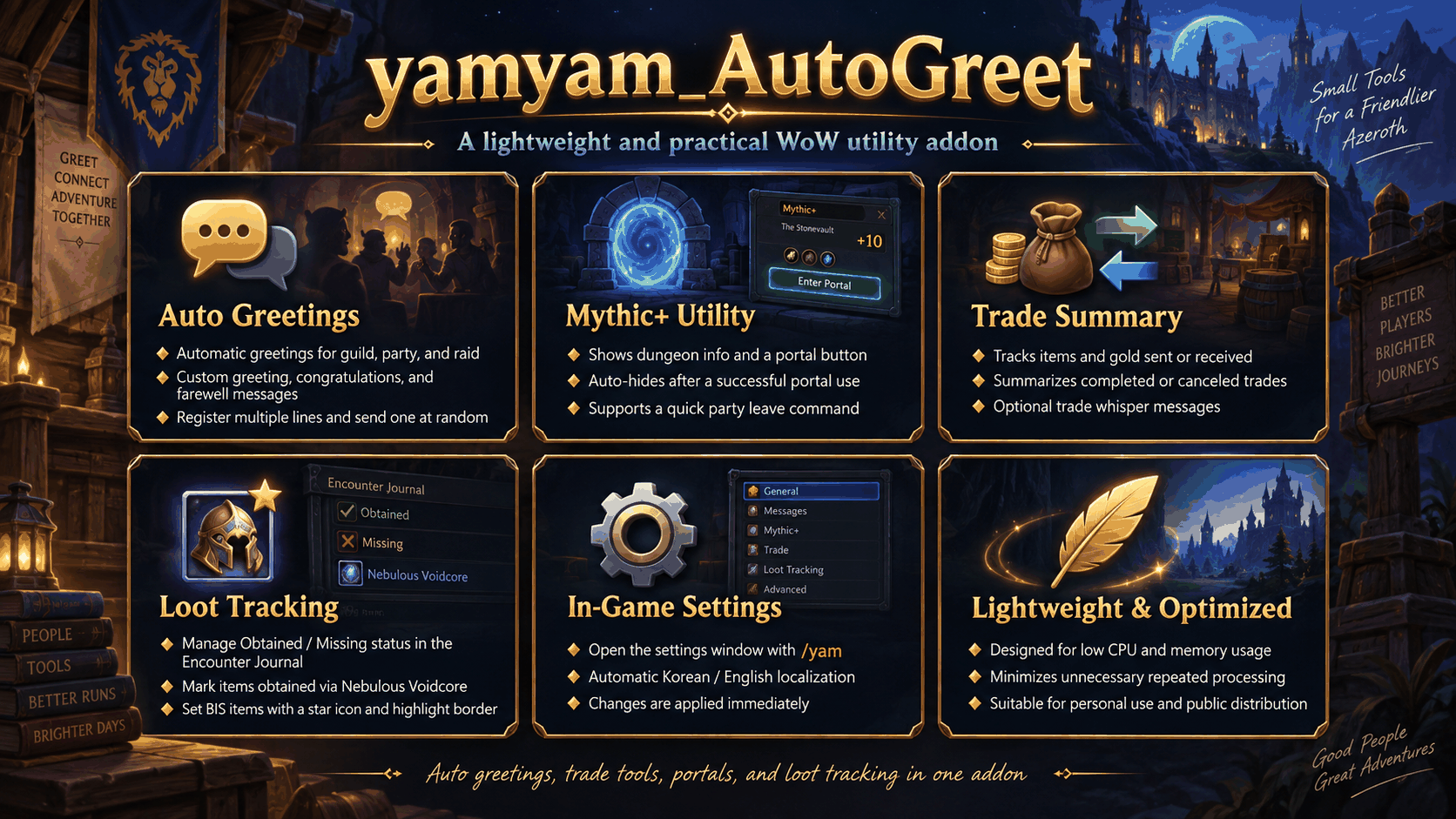
Description
Description
주요 기능
1. 사용자 지정 자동 인사
- 길드, 파티, 공격대 상황에 맞춰 자동으로 인사 메시지를 전송합니다.
- /yam 명령어를 통해 게임 내에서 직접 응답 메시지를 설정할 수 있습니다.
- 줄바꿈으로 여러 메시지를 등록하면 그중 하나를 무작위로 전송합니다.
- 길드원의 접속 및 길드 채팅의 인사 관련 문구를 감지하여 자연스럽게 응답합니다.
- 축하 및 작별 인사 응답도 자유롭게 설정할 수 있습니다.
- 신화+ 완료 시 수고 인사를 자동으로 전송할 수 있습니다.
- 배포용 기본 메시지는 자연스럽고 정중한 표현을 사용합니다.
2. 신화+ 포탈 지원
- 신화+ 파티에 참가하면 해당 던전 정보를 표시합니다.
- 사용 가능한 던전 포탈이 있을 경우 포탈 버튼을 표시합니다.
- 버튼을 클릭하여 해당 던전으로 바로 이동할 수 있습니다.
- 던전 이름 길이에 맞춰 포탈 안내창의 크기가 자동으로 조정됩니다.
- 포탈 시전이 정상적으로 완료되면 안내창이 자동으로 사라집니다.
- 포탈 안내창의 위치를 저장하거나 설정창에서 초기화할 수 있습니다.
3. 거래 요약
- 완료되거나 취소된 거래 내용을 요약하여 표시합니다.
- 자신이 전달한 아이템과 골드, 상대방에게 받은 내용을 기록합니다.
- 거래 완료 내용을 상대방에게 귓속말로 자동 전송할 수 있습니다.
- 거래 결과 귓속말 기능은 설정에서 개별적으로 켜거나 끌 수 있습니다.
- 물약, 음식, 룬 등 소모품 거래에서도 보다 안정적으로 기록되도록 구성되어 있습니다.
- 거래창이 닫히는 순간에도 마지막 정상 거래 정보를 보존하여 보다 정확한 기록을 제공합니다.
4. 모험 안내서 전리품 파밍 추적
- 지원되는 공격대와 신화+ 던전의 모험 안내서 전리품에서 직접 파밍 상태를 관리할 수 있습니다.
- 아이템별로 획득 / 미획득 상태를 직접 표시할 수 있습니다.
- 일반 획득과 성운의 공허핵으로 획득한 아이템을 구분하여 기록할 수 있습니다.
- 공격대 아이템의 획득 기록은 난이도별로 별도로 관리할 수 있습니다.
- 원하는 아이템을 BIS로 지정할 수 있습니다.
- BIS로 지정한 아이템은 별표와 강조 테두리로 쉽게 확인할 수 있습니다.
- BIS 설정은 아이템 기준으로 공유되므로 공격대 찾기, 일반, 영웅, 신화 중 어느 난이도에서 설정해도 다른 난이도에 동일하게 적용됩니다.
- Blizzard 기본 모험 안내서 배치를 최대한 유지하면서 필요한 정보만 추가합니다.
- 추가 전리품이나 추적이 필요하지 않은 일부 비장착형 보상은 제외됩니다.
- 기존 기록은 캐릭터별로 저장됩니다.
5. 파티 / 공격대 주사위 순위 집계
- Blizzard 기본 /주사위 결과를 자동으로 수집하여 순위를 정리합니다.
- /얌주사위 또는 /yamdice 명령어로 전용 결과창을 열고 닫을 수 있습니다.
- 높은 순 / 낮은 순 정렬을 자유롭게 선택할 수 있습니다.
- 동수 탈락 옵션을 사용하면 같은 숫자를 굴린 참가자를 탈락 처리할 수 있습니다.
- 같은 캐릭터가 여러 번 주사위를 굴려도 해당 회차에서는 첫 번째 결과만 인정합니다.
- 첫 번째로 감지된 주사위 범위를 현재 회차 기준으로 사용하여 다른 범위의 주사위가 섞이는 것을 방지합니다.
- 결과창의 결과 전송 버튼을 이용해 정리된 순위를 파티 또는 공격대 채팅에 바로 전송할 수 있습니다.
- 파티와 공격대 모두 결과를 1위, 2위, 3위… 순으로 한 사람씩 한 줄에 표시하여 많은 인원의 공격대에서도 쉽게 확인할 수 있습니다.
- 일반 파티, 공격대, 자동 매칭 인스턴스 그룹에 맞춰 적절한 그룹 채팅 채널을 자동으로 사용합니다.
- 최대 40인 공격대에서도 사용할 수 있도록 구성되어 있습니다.
- 별도의 상시 반복 처리를 사용하지 않고 주사위 이벤트가 발생할 때만 동작합니다.
6. 전투 중 귓속말 편의 기능
- 전투 중 귓속말을 받았을 때 자동 응답을 보낼 수 있습니다.
- 전투 종료 후 필요한 후속 응답을 지원합니다.
- 해당 기능은 설정창에서 독립적으로 켜거나 끌 수 있습니다.
7. 게임 내 설정
- /yam 또는 /얌 명령어로 설정창을 열 수 있습니다.
- 인사 메시지, 감지 문구, 지연 시간, 재응답 제한 등을 직접 설정할 수 있습니다.
- 거래 결과 귓속말 및 전투 중 귓속말 자동 응답 기능을 각각 설정할 수 있습니다.
- 변경한 내용은 자동으로 저장되며 즉시 적용됩니다.
- 설정창에서 신화+ 포탈 버튼 위치를 기본값으로 초기화할 수 있습니다.
애드온 설계 방향
- 가볍고 간단한 사용성
- 낮은 CPU 및 메모리 사용량
- 필요한 상황에서만 동작하는 이벤트 기반 구조
- 게임 내에서 손쉽게 설정 가능
- 개인 사용 및 배포에 적합한 구성
명령어
- /yam, /얌 - 설정창 열기
- /yamdice, /얌주사위 - 주사위 결과창 열기 / 닫기
- /yamleave, /파탈 - 현재 파티 또는 공격대에서 빠르게 탈퇴
불필요하게 복잡한 기능 없이 자동 인사, 신화+ 편의 기능, 거래 기록, 전리품 파밍 관리, BIS 추적, 주사위 순위 집계를 한 번에 관리하고 싶은 사용자라면 yamyam_AutoGreet를 통해 간단하고 실용적인 플레이 환경을 구성할 수 있습니다.
yamyam_AutoGreet is a lightweight World of Warcraft utility addon that combines customizable auto-greetings, Mythic+ convenience features, trade summaries, loot tracking, BIS management, and party/raid dice ranking in one simple package.
Main Features
1. Customizable Auto Greetings
- Automatically sends greetings for guild, party, and raid situations.
- Configure your own response messages directly in-game with /yam.
- Add multiple messages using line breaks and one will be selected at random.
- Detects guild activity and greeting-related messages to provide natural automatic responses.
- Includes configurable congratulations and farewell responses.
- Can automatically send a completion message after Mythic+ runs.
- Includes natural and distribution-friendly default messages.
2. Mythic+ Portal Assistance
- Shows dungeon information when joining a Mythic+ party.
- Displays a portal button when a matching dungeon portal is available.
- Click the button to use the portal immediately.
- The portal window automatically adjusts to the dungeon name length.
- The notification automatically hides after a successful portal cast.
- Portal position can be saved and reset from the settings window.
3. Trade Summary
- Summarizes completed or canceled trades.
- Tracks items and gold you gave and received.
- Can automatically whisper a trade summary to the other player.
- Trade-result whispers can be enabled or disabled independently.
- Designed to reliably track consumables such as potions, food, and runes.
- Preserves the last valid trade snapshot when the trade window closes for improved accuracy.
4. Encounter Journal Loot Tracking
- Track farming progress directly inside the Encounter Journal for supported raids and Mythic+ dungeons.
- Manually mark individual items as Obtained / Missing.
- Track items obtained normally and items obtained through a Nebulous Voidcore separately.
- Raid acquisition progress can be tracked independently for each difficulty.
- Mark desired items as BIS.
- BIS items are highlighted with a star and a prominent border for quick identification.
- BIS status is shared by item ID, so marking an item on Raid Finder, Normal, Heroic, or Mythic applies the BIS status across all difficulties.
- Preserves Blizzard's default Encounter Journal layout wherever possible while adding only the required controls.
- Certain bonus rewards and non-equippable items that do not require tracking are excluded.
- Tracking data is stored per character.
5. Party / Raid Dice Ranking
- Automatically collects Blizzard's standard /roll results and organizes them into rankings.
- Open or close the dedicated dice window with /yamdice or /얌주사위.
- Choose between Highest First and Lowest First sorting.
- Enable Eliminate Ties to eliminate players who rolled the same number.
- Only the first roll from each character is counted during the current round.
- The first detected roll range becomes the active range, preventing rolls with different ranges from being mixed into the same result.
- Use the Send Results button to post the sorted ranking directly to party or raid chat.
- Party and raid results are displayed one player per chat line as 1st, 2nd, 3rd, and so on for easy readability.
- Automatically selects the appropriate Party, Raid, or Instance Chat channel.
- Designed to support raid groups of up to 40 players.
- Uses event-driven processing without persistent polling.
6. Combat Whisper Convenience
- Can automatically reply to whispers received during combat.
- Supports an optional follow-up after combat ends.
- The feature can be independently enabled or disabled in the settings.
7. In-Game Settings
- Open the settings window with /yam or /얌.
- Customize greeting messages, detected keywords, delays, and cooldowns.
- Configure trade-result whispers and combat whisper auto-replies independently.
- Changes are saved automatically and applied immediately.
- Includes a Mythic+ portal position reset option.
Design Goals
- Lightweight and simple to use
- Minimal CPU and memory usage
- Event-driven behavior that runs only when needed
- Easy in-game customization
- Suitable for personal use and public distribution
Commands
- /yam, /얌 - Open the settings window
- /yamdice, /얌주사위 - Open / close the dice results window
- /yamleave, /파탈 - Leave the current party or raid
If you are looking for a lightweight addon that combines automatic greetings, Mythic+ convenience tools, trade summaries, loot and BIS tracking, and party/raid dice rankings without unnecessary complexity, yamyam_AutoGreet is designed to provide a clean and practical experience.
yamyam_AutoGreet Team
