XPBar Island
- By
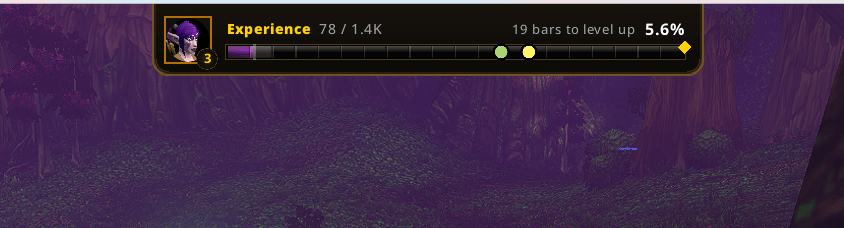
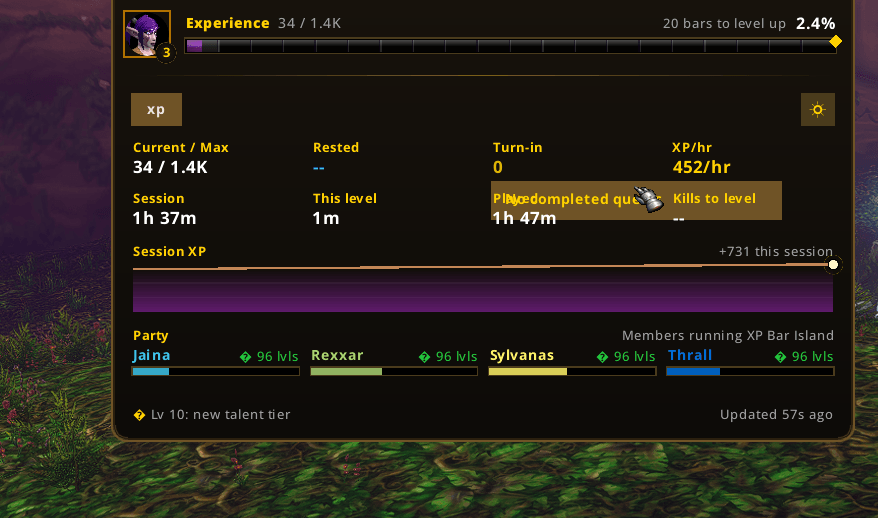
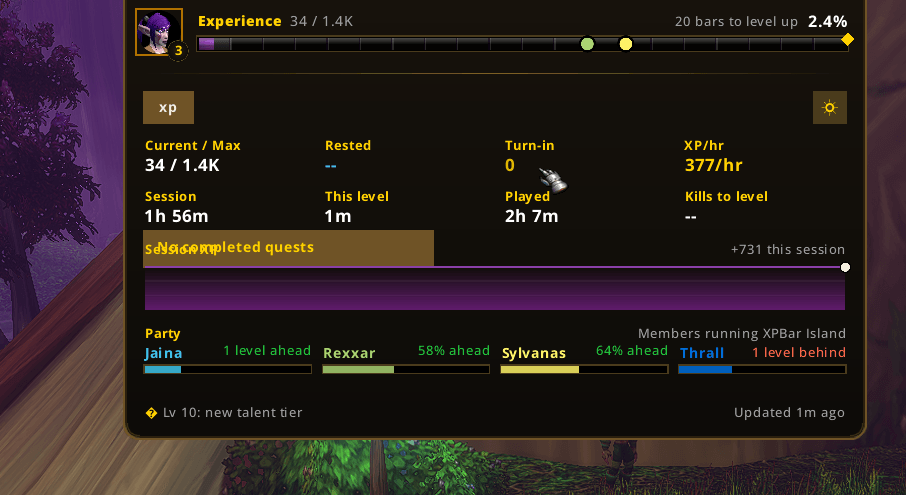
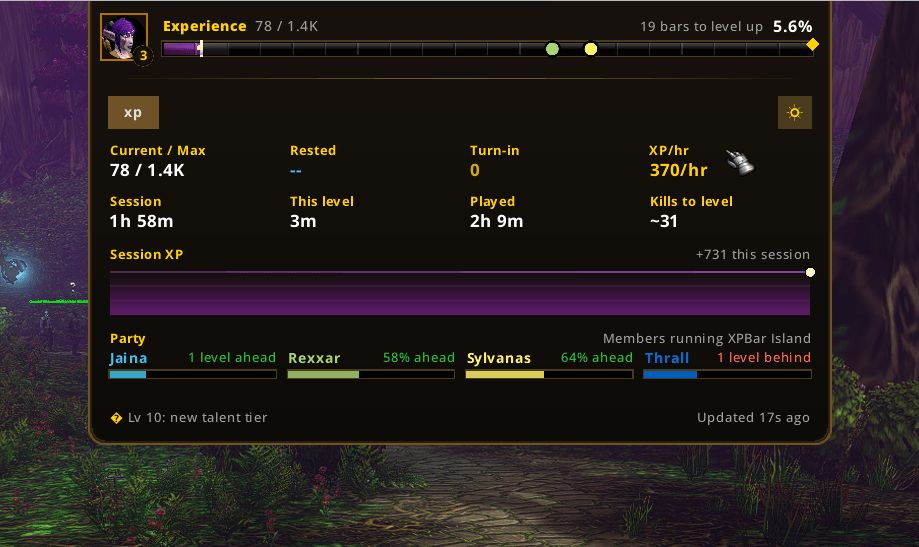
A sleek top-center XP bar island for WoW Classic, tracking experience, reputation, honor, pet XP and skills with live rates and party comparison.
2026-10-05 11_27_59-World of Warcraft.png
2026-10-05 11_28_53-World of Warcraft.png
2026-10-05 11_48_21-World of Warcraft.png
2026-10-05 11_50_27-.png
Description
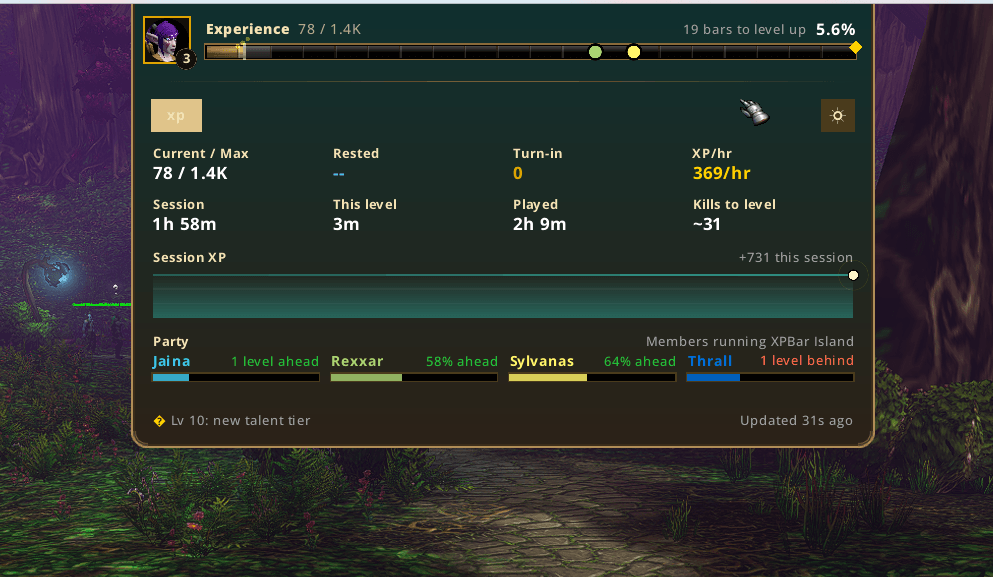
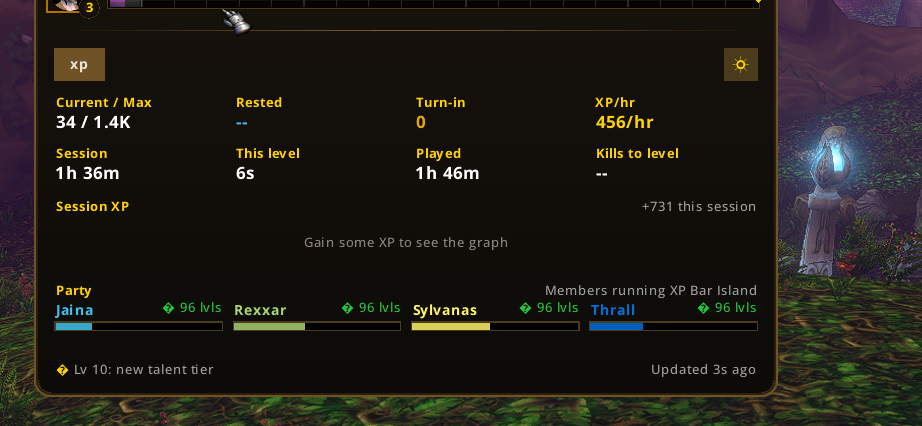
XPBar Island puts experience, reputation, honor, pet experience and skills into one compact HUD “island” that sits flush to the top of your screen. Hover it and it springs open into a full panel; leave it alone and it stays out of the way.
Built specifically for World of Warcraft: WoW Forever. No other addon, library or shared media is required — just drop it in and play. It is lightweight, pure Lua, and designed to safely handle the APIs available on the WoW Forever client.
WHAT IT TRACKS
Experience: current / max, percentage, rested XP, quest XP, XP per hour, kills to level, time to level and a live session graph.
Reputation: your watched faction, its full standing ladder (Hated, Hostile, Unfriendly, Neutral, Friendly, Honored, Revered, Exalted), the bar, the next tier and how much is left to it.
Honor: rank, honor progress and weekly honor where the client exposes it.
Pet experience: your active pet’s XP or health, its level and happiness.
Skills: the progress of your skill-ups in one place.
PARTY SYNC — SEE YOUR GROUP
If other players in your party also have XPBar Island, the island reads their level and XP and shows a live party comparison right inside the panel, so you can see who is about to ding.
Group members who do not have the addon are still shown by class color and level.
Only your level and XP are ever shared — nothing else leaves your client — and you can switch the whole feature off at any time in Settings > Party & Share.
SWITCH ON THE FLY
Click a chip to flip between Experience, Reputation, Honor, Pet XP and Skills.
Auto-switch can briefly show a type whenever it changes, and at max level the bar can replace XP with your watched reputation.
FEATURES
- HUD island with a springy expand-on-hover panel, or pin it open
- Four built-in themes: Default, WoW, Classic and WoW Forever
- Custom trim, bar and text-accent colors
- Font picker
- Display modes: Full, Classic, Auto-hide and Always open
- Animated XP fill and count-up numbers
- XP gain flash, edge glint, segment flashes and charge-up glow
- Kill-streak tag
- Level-up celebration with flash, badge pop, rings, banner and sound
- Optional “Fade until hovered”
- “Hide in combat”
- “Hide the default XP bar”
- Live session graph showing your XP gains
- Minimap button
- Movable island
- Scale control
- Named profiles
- Per-character profiles and per-spec profiles where supported
- Fully configurable in game
- /xpbar opens the settings window
- Registers under Options → AddOns when supported by the client
DISPLAY MODES
Full: island + full expanded panel.
Classic: thin, minimal bar.
Auto-hide: appears at the top edge only when needed.
Always open: the panel is permanently expanded.
SLASH COMMANDS
/xpbar — open settings
/xpbar reset — reset session counters
/xpbar share — post your progress to your share channel
/xpbar move — toggle move mode
/xpbar font — confirm the bundled font loaded
/xpbar debug — print current data
/xpbar contact — open the author’s X page
INSTALL
- Close World of Warcraft.
- Copy the XPBarIsland folder into your WoW Forever client:
World of Warcraft\<WoW Forever client>\Interface\AddOns\
- Start the game and enable XPBar Island from the AddOns button on the character screen.
Optional: /console scriptErrors 1 can be used to display Lua errors in chat for troubleshooting.
The addon folder name must remain XPBarIsland. SavedVariables use XPBarIslandDB. Existing saves migrate automatically.
COMPATIBILITY
Designed for WoW Forever.
XPBar Island is built around the WoW Forever client and uses API detection and fallbacks where appropriate to keep the addon stable across the supported client environment.
No external libraries, addon dependencies or shared media packages are required.
FEEDBACK, BUGS AND CONTACT
Found a bug or have an idea to make XPBar Island better?
Please leave a comment on this CurseForge page — I read them all, and it is the fastest way to get something fixed.
You can also reach me on X: @mainlek
In game, there is a subtle “Contact @mainlek” link in the settings footer, and /xpbar contact opens the author’s X page directly.
XPBar Island Team