XPBar (1).png
XPBar (2).png
Description
XPBar
===============================================================
EN
An experience bar that tells you everything.
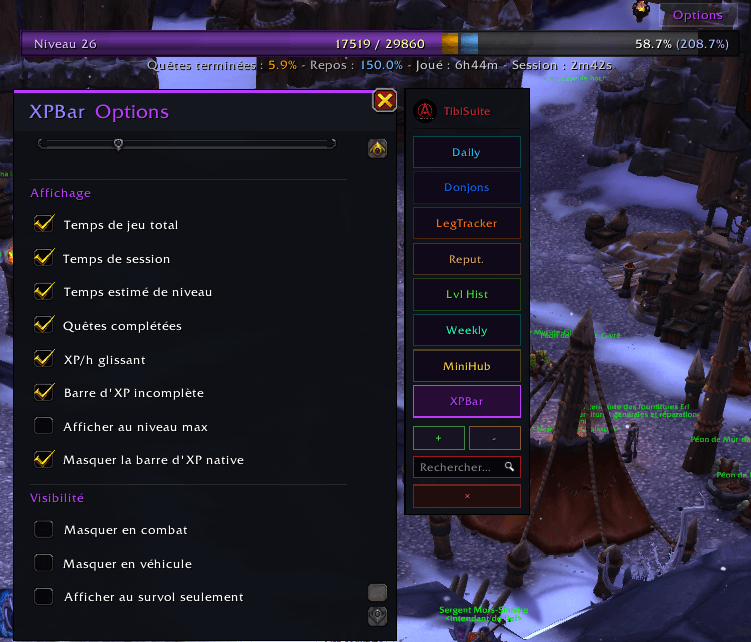
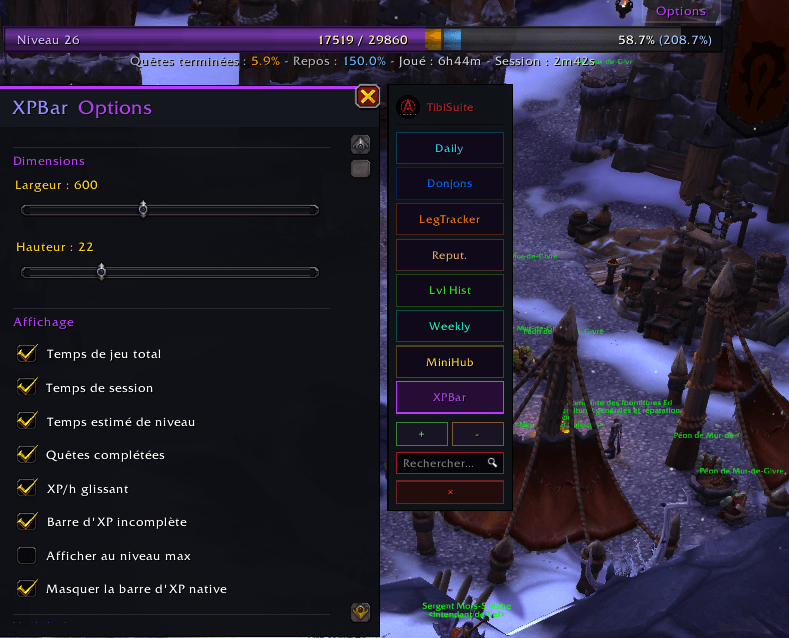
XPBar replaces the standard XP bar with an enriched version: level, experience, rested experience, quest progress and live session statistics.
What it does
Track your progress in real time, the rested bonus you've banked and the current session's gains, all in a readable, customizable bar.
What's new in v4.0
- Integrated into the TibiSuite bar, logo-colored vignette (purple accent).
- Floating options panel, opened via the Options button or by right-clicking the vignette, with size settings.
- Unified "Midnight" design.
Note: XPBar has no search function, not applicable to this module.
FR
Une barre d'expérience qui vous dit tout.
XPBar remplace la barre d'XP standard par une version enrichie : niveau, expérience, expérience de repos, progression des quêtes et statistiques de session en direct.
Ce que ça fait
Suivez votre progression en temps réel, le bonus de repos accumulé et les gains de la session en cours, le tout dans une barre lisible et personnalisable.
Nouveautés v4.0
- Intégration à la barre TibiSuite, vignette à la couleur du logo (accent violet).
- Panneau d'options flottant, ouvert via le bouton Options ou par clic droit sur la vignette, avec réglages de taille.
- Design « Midnight » unifié.
Note : XPBar n'intègre pas de fonction de recherche, sans objet pour ce module.
XPBAR Team