
XP Portrait
- By
XP Portrait wraps your experience bar around your character portrait as a glowing ring, so you can see your progress to the next level at a glance.
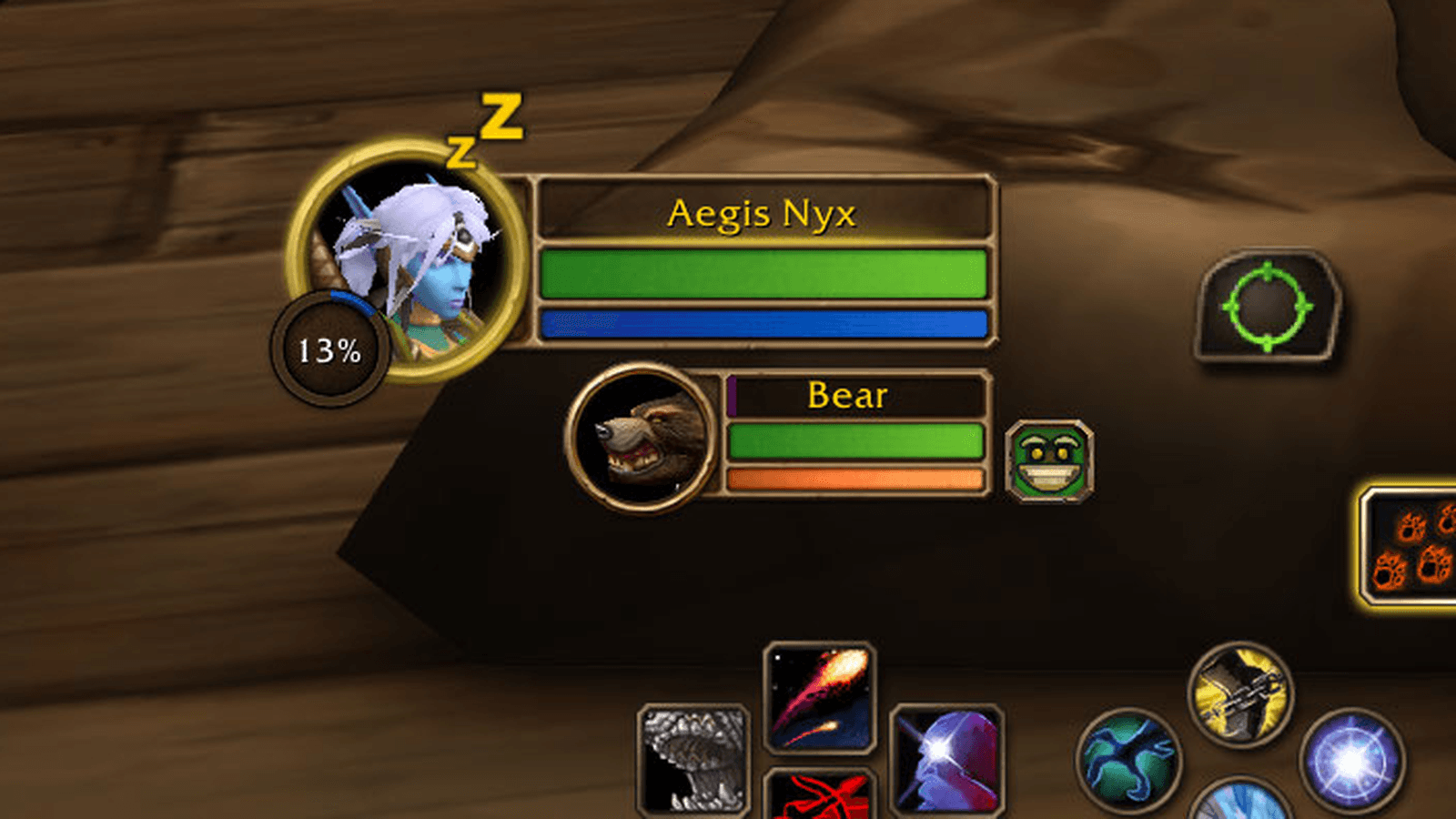
Your experience as a ring around the level circle, behind the frame's gold border.
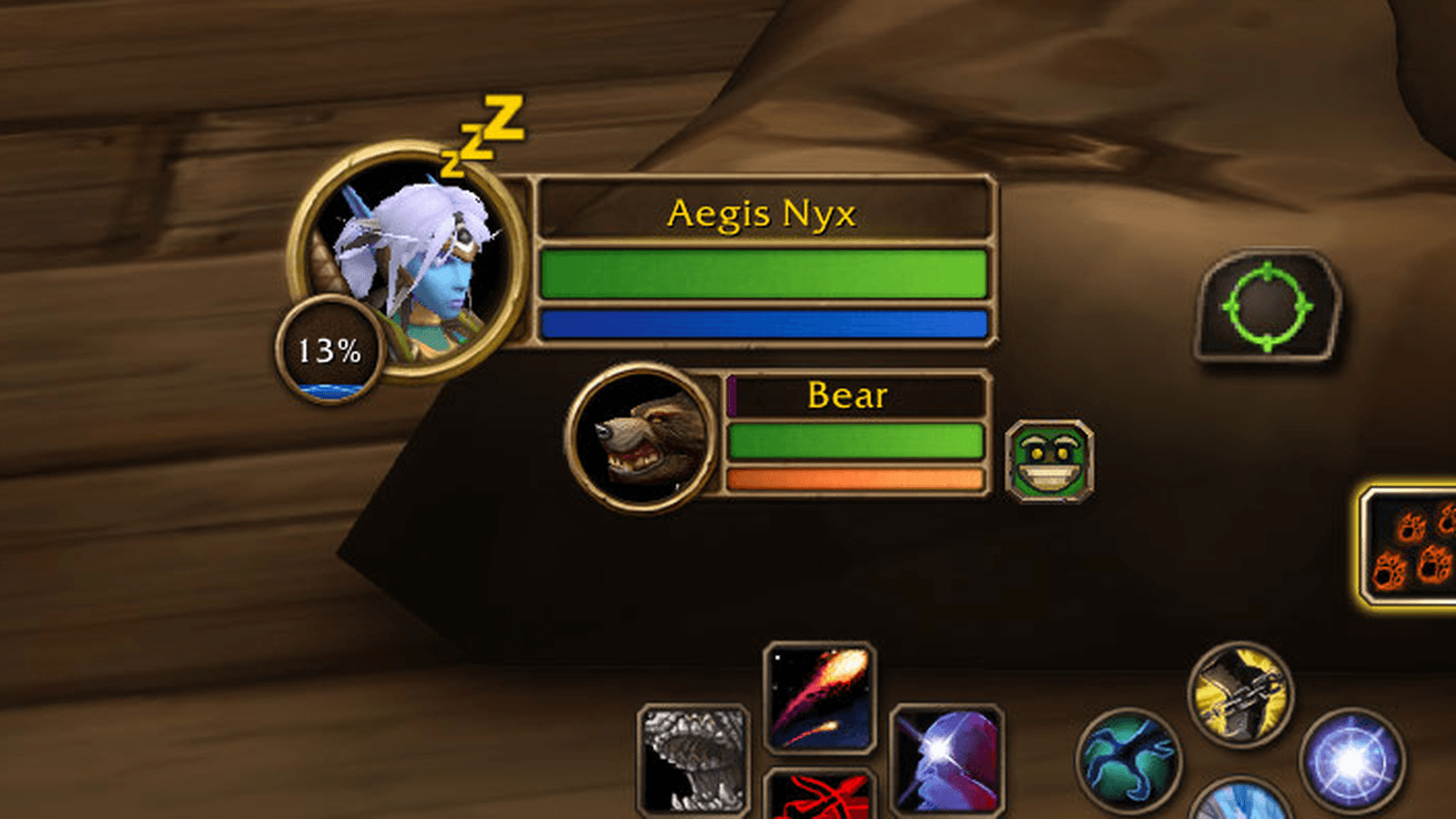
The level circle fills from the bottom like a potion, or shaded like the health bar.
Description
XP Portrait
XP Portrait shows your experience on the player frame in WoW Forever, drawn to match the default interface. Show it on the level circle, as a ring around your portrait, or in the bar behind your name. Your pet's experience can be shown the same way, with its own placement.
Features
- Three places for your experience: the level circle, a ring around the portrait, or the name bar.
- Three looks for the level circle: a ring around the circle, a ring over its gold border, or a fill inside the circle.
- The level circle fill rises from the bottom, either animated like liquid or static and shaded like the health bar.
- Separate placement for your pet: a ring around its portrait, its name bar, or off.
- Textured rings shaded to match the frame's gold borders, or flat rings.
- The level circle can show your level, your percentage through the level, or both. The percentage counts up as the experience fills when animations are on.
- Experience shown in blue while rested and purple otherwise, as on the default experience bar, with rested experience shown ahead of your current progress.
- Tooltip with current and required experience, percentage, experience remaining, rested experience, estimated kills to level, experience per hour, estimated time to level, experience gained this session and time played at the current level.
- Optional display of experience from quests that are ready to turn in.
- At maximum level, reputation for the watched faction in its standing colour.
- Smooth filling and a short animation on level up. Animations respect the game's reduced motion setting and can be turned off.
- Option to hide the default experience bar.
- Option to hide the objective tracker. If you turn this on during combat, the tracker hides once combat ends.
- Every setting has a tooltip explaining what it does.
- Clicks pass through to the player and pet frames.
Configuration
Options are under Esc > Options > AddOns > XP Portrait, or type /xpp. Type /xpp help for the list of commands.
| Command | Description |
|---|---|
/xpp level / /xpp portrait / /xpp nameplate |
Choose where your experience is shown (nameplate is the name bar) |
/xpp level around / /xpp level over / /xpp level fill |
Choose the look of the level circle |
/xpp fill animated / /xpp fill static |
Choose how the level circle fill looks |
/xpp pet portrait / /xpp pet nameplate / /xpp pet off |
Choose where your pet's experience is shown |
/xpp circle level / /xpp circle percent / /xpp circle split |
Choose what the level circle text shows |
/xpp texture |
Switch between textured and flat rings |
/xpp size <n>, /xpp x <n>, /xpp y <n> |
Adjust the size and position of the ring or fill |
/xpp reset |
Restore the default size and position |
/xpp rested |
Show or hide rested experience |
/xpp quests |
Show or hide experience from completed quests |
/xpp turnins |
List the quests that count toward that total |
/xpp animate |
Turn animations on or off |
/xpp rep |
Turn reputation at maximum level on or off |
/xpp native |
Show or hide the default experience bar |
/xpp tracker |
Show or hide the objective tracker |
/xpp session |
Reset the experience per hour count |
XP Portrait Team
