


XP Per Hour Forever
- By
Screenshot 2026-10-12 164706.png
Screenshot 2026-10-12 164416.png
Screenshot 2026-10-12 164343.png
Screenshot 2026-10-12 164501.png
Description
Features and window settings
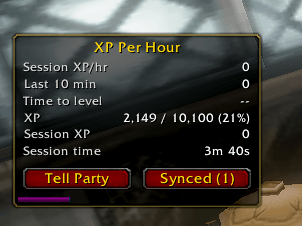
Session XP/hr: your average since you logged in or last reset.
Last 10 min: your recent rate, which reacts quickly when you change zones or start a dungeon.
Time to level: based on your recent rate.
Session XP and session time.
Gains to level: roughly how many more kills or quest turn-ins you need, based on your last 20 XP gains.
A thin XP bar: purple is your current XP and blue is rested XP.
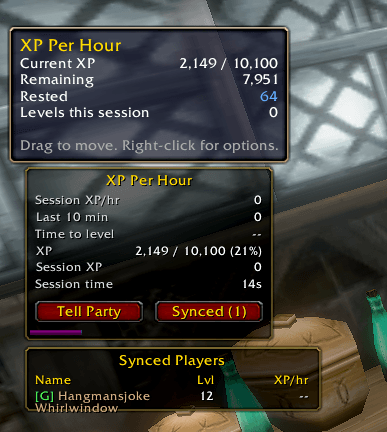
Hovering over the window shows your exact XP, rested XP and how many levels you've gained this session. Level-ups are counted correctly, so the XP left over from the old level isn't lost.
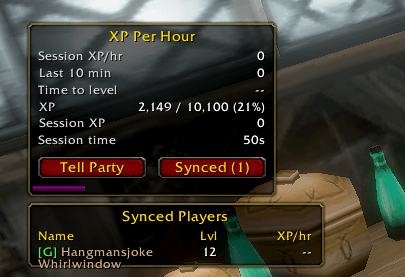
Group sync with party, raid and guild members who use the addon, plus a list showing their level and XP per hour.
Automatic level-up messages to guild chat and party chat (instance chat in dungeon finder groups).
A Tell Party button and the /xph party command, which send your level and XP per hour to party chat.
Syncing with other players
Automatic sharing: the addon shares your level and XP per hour in the background with addon users in your party, raid and guild. It does this when you log in, when your group changes, once a minute, and when you level up.
Synced list: a new Synced (N) button opens a list of everyone using the addon. It shows their name in class color, level and XP per hour, sorted fastest first. A tag shows where each player was seen: P for party, R for raid, I for instance and G for guild.
Level-up notices: when a synced player levels, you get a private chat notice. Turn it off with /xph notify off.
Players drop off the list if they haven't been heard from in 5 minutes.
Opening the menu
There are three ways to open it:
Type /xph (or /xph options).
Right-click the main window.
Go to Esc > Options > AddOns > XP Per Hour.
Main window stats
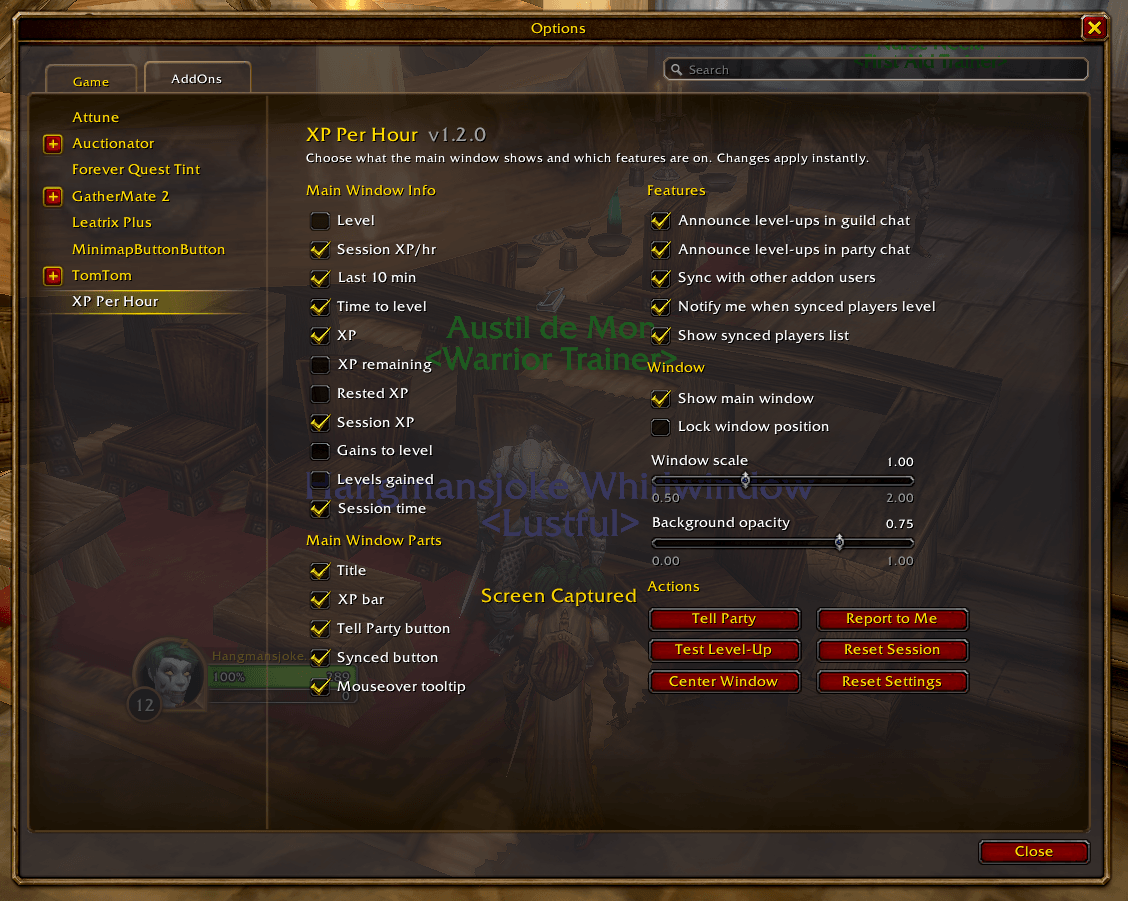
You can turn each stat on or off, and the window resizes to fit whatever is checked:
Session XP/hr, Last 10 min, Time to level, Session XP, Gains to level and Session time.
Off by default: Level, XP (for example 1,200 / 5,000 (24%)), XP remaining, Rested XP and Levels gained.
Main window parts
You can also turn off the title, the XP bar, the Tell Party button, the Synced button and the mouseover tooltip.
Features and window settings
Toggles: level-up announcements in guild chat, level-up announcements in party chat, syncing with other addon users, notices when synced players level, and showing the synced players list.
Window: show the window, lock its position, and set its size with a scale slider.
Background opacity slider: you can make the window fully see-through.
Action buttons
The menu has buttons for Tell Party, Report to Me, Test Level-Up, Reset Session, Center Window and Reset Settings.
/Commands: /xph help lists them all, and /xph defaults resets all your settings.
XP Per Hour Forever Team
