
XP Orbs
- By
Makes glowing orbs burst from every non-trivial mob you kill and fly to your XP bar, more orbs for bigger gains.


A World of Warcraft addon for the Forever client. When you gain experience, a burst of orbs flies to your XP bar. For a kill the burst starts at the mob, and rested experience is drawn in a second colour.
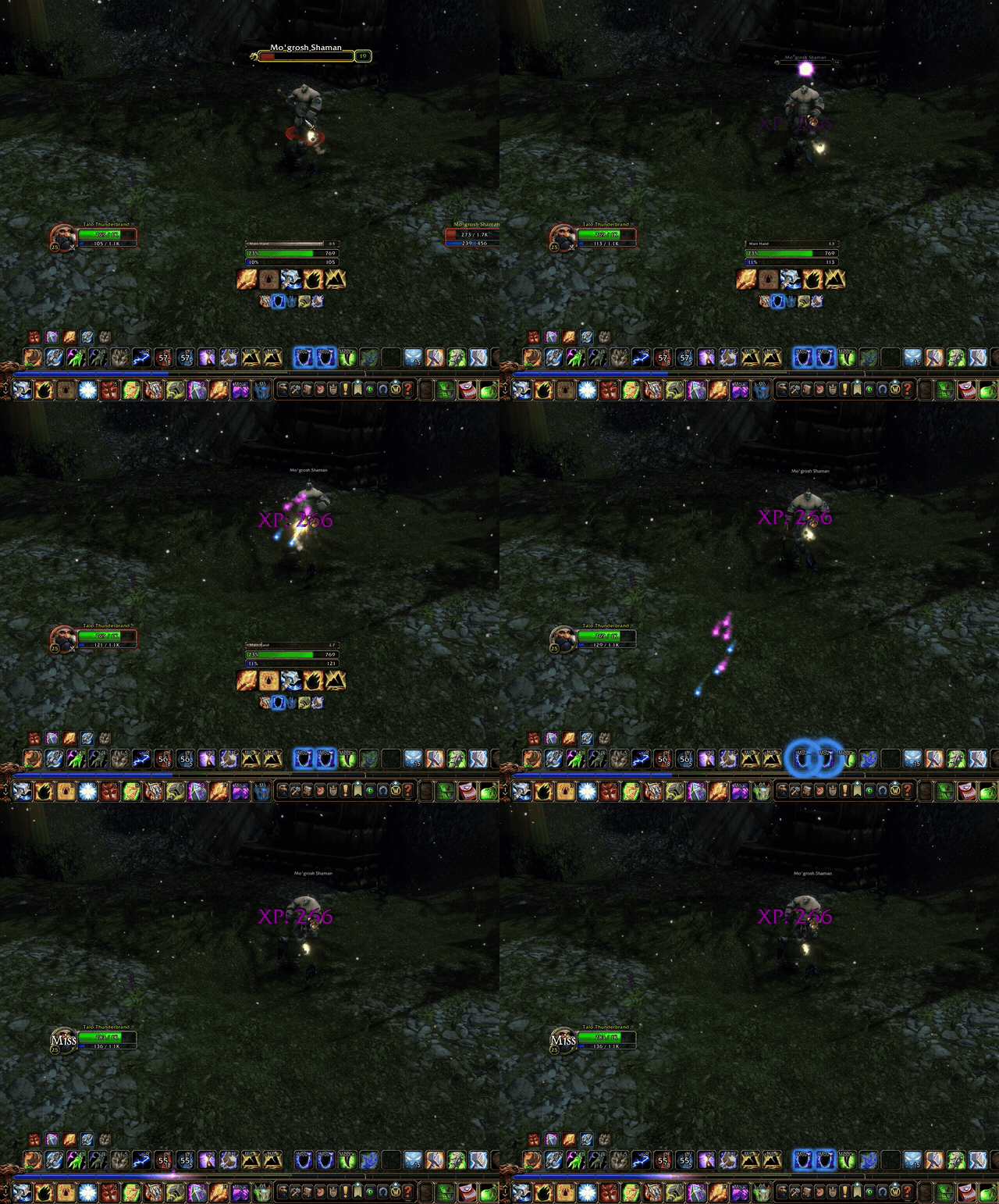
You can customise the colour, speed and quantity of the orbs, pick one of three kill styles, and choose any frame for them to fly to (like your character portrait, or a 3rd party exp bar; EnhanceQoL's is picked up automatically).
The number of orbs grows with the xp's relative percentage of your current level, so a big kill feels more impactful than a trivial one.
I had to get a bit creative to get orbs coming from nameplates (leveraging mouse position too), so fingers crossed it'll work well for everyone, but please make an issue here or on the github if something doesn't work for you and I'll get to it asap.
Kill styles
- Popstream (default): a pop of orbs at the mob, then a stream to your bar. The pop is either on the mob's nameplate (default) or Direct, at the mob's estimated position, which also works with nameplates turned off.
- Crossfade: the orbs pop on the nameplate and fade away, then reappear just above your bar.
- Direct Stream: a plain stream from the mob, with no pop.
Pops sit on the mob's body and adjust to your camera zoom, and with "Zoom-scaled spread" on (the default) they spread wider when you're zoomed in and tighter when zoomed out. If the pops sit too high or low for your setup, /xporbs calib lets you fine-tune them.
Compatibility
- WoW Forever only (
Interface: 16001). It has not been tested on Retail or any other Classic client. - The English client is tested. Other languages should work but are untested.
- The default UI XP bar, EnhanceQoL's XP bar, or another frame you pick with
/xporbs pick.
Usage
Settings are saved per account in XPOrbsDB. The options panel is in the standard addons menu, behind the minimap button, or with /xporbs options. Right-click the minimap button to turn the orbs on or off.
| Command | What it does |
|---|---|
/xporbs options |
Open the options panel. |
/xporbs test |
Fire a test burst of orbs, to see how your settings look. |
/xporbs pick |
Choose which frame the orbs fly to: run it, then left-click the frame (your XP bar, portrait, or another addon's bar). |
/xporbs pick clear |
Go back to the default XP bar. |
/xporbs minimap [on or off] |
Show or hide the minimap button. |
/xporbs calib |
Fine-tune where the pops sit on the mob, if they look too high or low. |
/xporbs reset |
Restore every setting to its default. |
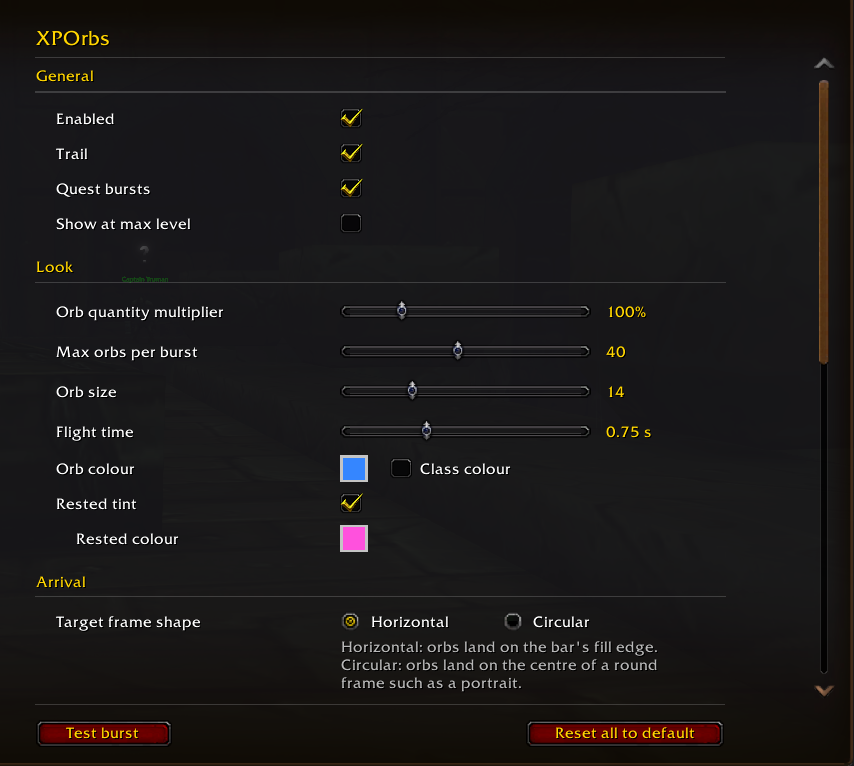
The full list of commands, including test and debug options, is in the README on GitHub. The panel has these settings (as seen above): enable, trail, quest bursts, kill orbs at max level, the arrival chime and its sound, and the minimap button; orb quantity, maximum orbs per burst, orb size and flight time; orb colour (or your class colour), rested tint and rested colour; the shape of the target frame, a landing offset, and the arrival glow with its intensity; the kill style and zoom-scaled spread; the XP bar frame; and the debug log.
At the level cap the game gives no XP, so nothing is drawn unless "Kill orbs at max level" is on. With it on, each kill of a mob you were fighting sends a small burst of orbs to your portrait.
Bug Reports & AI Usage Disclaimer
I did use Claude to help implement the methods used to get this addon working. However, I am a tech person who's actively playing the game and using this addon, so will be keeping it updated and maintained for Wow Forever (though it's just me so I'll do my best to get to bug reports quickly).
Source code and bug reports: github.com/Talotan/XPOrbs. For a bug, please include the output of /xporbs status.
XP Orbs Team

