


XBuild Alts
- By
XBuild Alts is a World of Warcraft Retail addon that gives you an account-wide alt dashboard for item level, weekly Mythic+ runs, raid lockouts, professions, bags, gold, and weekly quest progress.
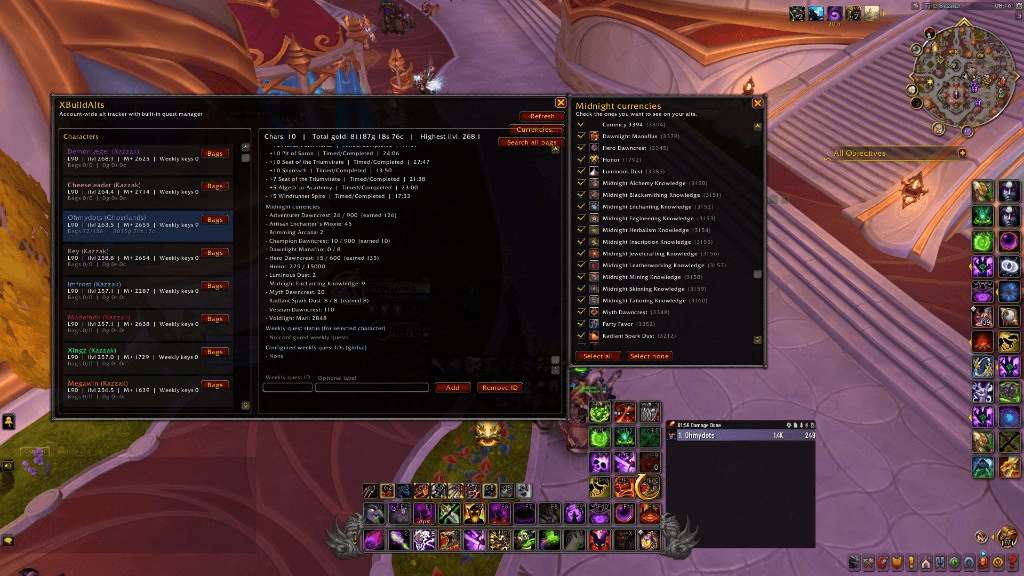
02-currencies-toggle.png
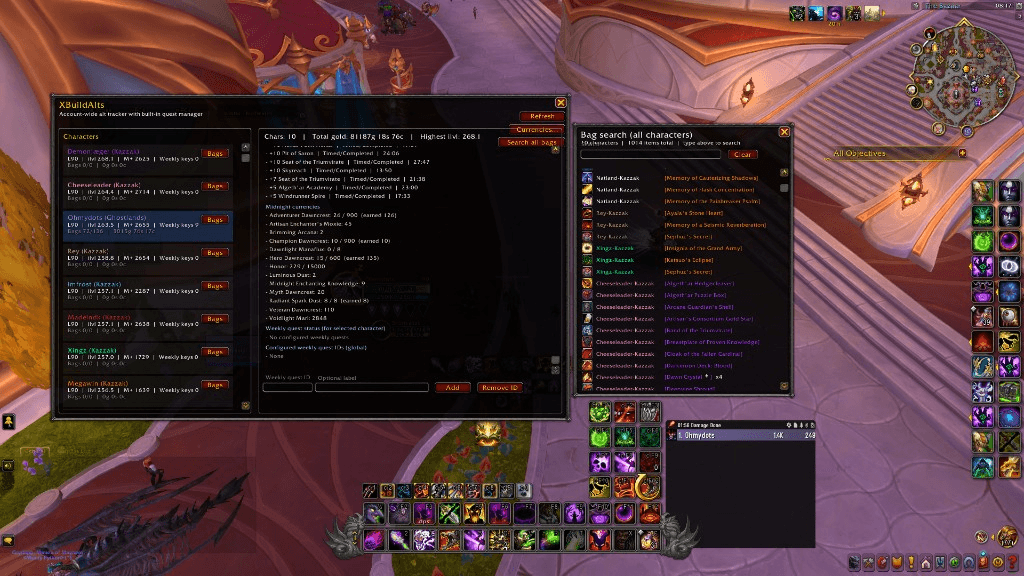
03-search-all-bags.png
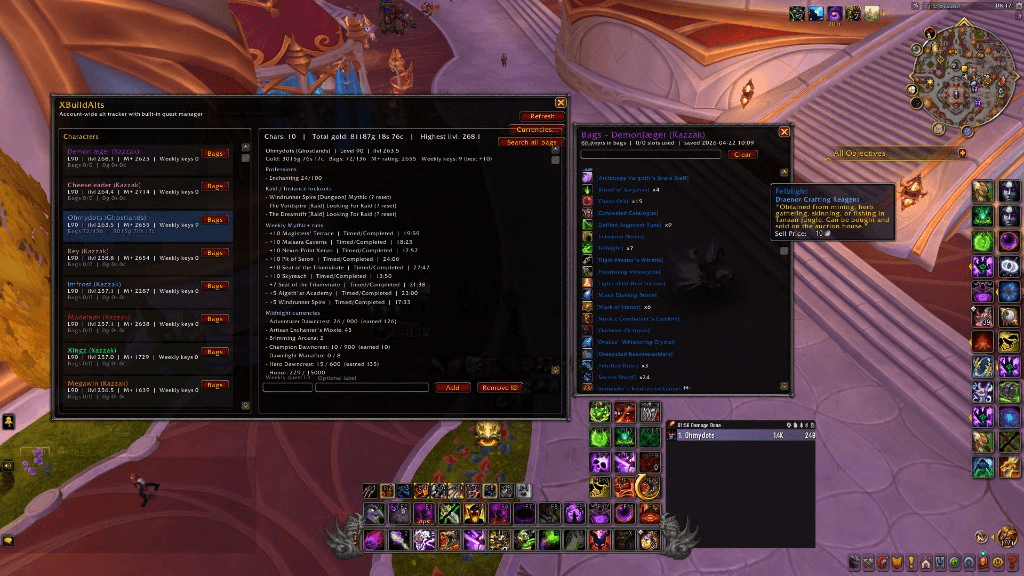
05-character-bags.png
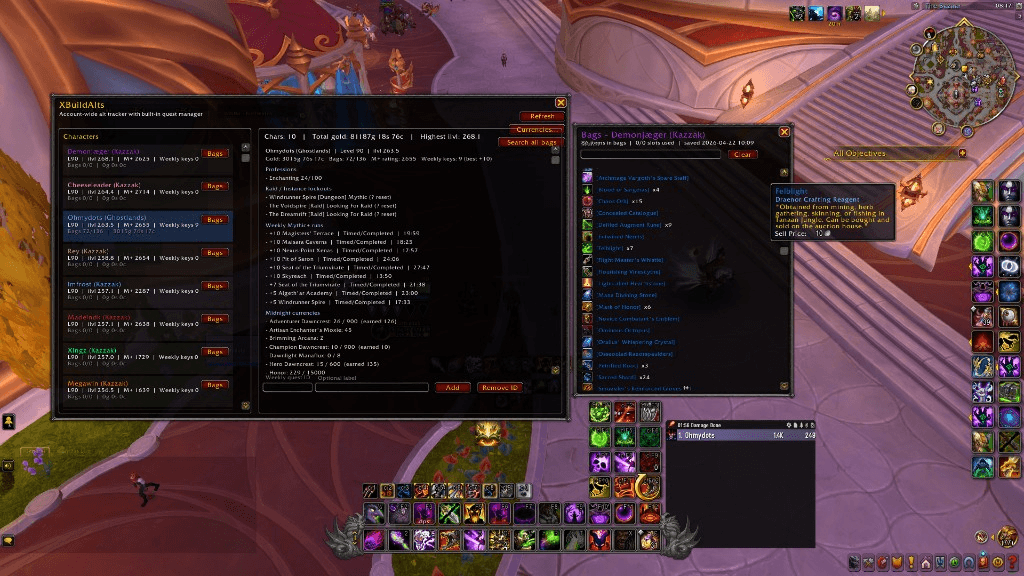
04-bag-tooltip.png
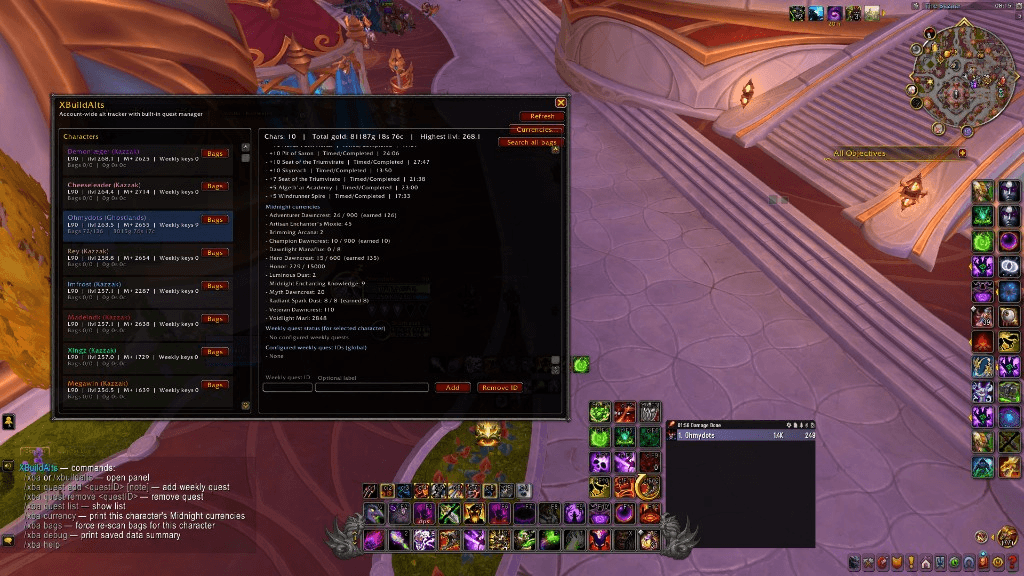
01-main-panel.png
Description
# XBuild Alts
Account-wide alt overview for World of Warcraft Retail.
XBuild Alts gives you a clean, in-game overview of your characters in one place: item level, weekly Mythic+ activity, raid lockouts, professions, gold, bags, and weekly quest tracking
Midnight Currency Tracker, Bag Search, and Cross-Alt Lookup
---
## Why XBuild Alts?
Managing many alts is messy. XBuild Alts is built to answer the important question instantly:
**"What has each character done this week?"**
No spreadsheets, no alt-hopping guesswork.
---
## Features
- Account-wide character tracking (SavedVariables)
- Character list with quick overview:
- Level
- Equipped item level
- Mythic+ rating
- Weekly key count
- Gold and bag usage
- Detailed character panel:
- Professions and skill levels
- Raid/instance lockouts with reset timers
- Weekly Mythic+ run list (key level, dungeon, status, run time)
- Weekly quest completion state
XBuild Alts v0.4.0
New
- Bag inspector – each character in the list now has a Bags button. Click it to see exactly what's in that alt's bags, with item icons, stack counts, and tooltips on hover. Shift-click any item to link it in chat.
Fixed
- Item level is now saved correctly. Previously it would sometimes reset to 0 right after logging in – the addon now waits until your gear is fully loaded before saving.
- The detail panel no longer stacks text on top of itself when you click between characters. Everything is cleared properly now.
- Bag contents stay saved even if you quickly relog – an early login scan can no longer wipe previously saved bag data.
Also
- New chat command
/xba bags– force a fresh scan of your current character's bags. - New chat command
/xba debug– print a quick summary of every saved character so you can verify your data.
XBuild Alts v0.5.0 update
This release adds full Midnight expansion currency tracking, a per-character toggle panel, and a powerful bag search that works both per character and across your entire account.
- **Midnight currency tracking.** All known Midnight currencies are detected automatically per character and shown in the detail panel. Includes:
- **Gear upgrade crests:** Adventurer, Veteran, Champion, Hero, and Myth Dawncrest
- **Crafting:** Radiant Spark Dust, Dawnlight Manaflux (Catalyst charges)
- **PvP (Season 1):** Honor, Conquest, Bloody Tokens
- **Zone / Renown / Event:** Voidlight Marl, Twilight's Blade Insignia, Party Favor, Angler Pearls, Shard of Dundun, Unalloyed Abundance, Brimming Arcana, Luminous Dust, Remnant of Anguish, Latent Arcana, Uncontaminated Void Sample
- **Profession knowledge:** Midnight Alchemy / Blacksmithing / Enchanting / Engineering / Inscription / Jewelcrafting / Tailoring (and more if Blizzard adds them)
- **Artisan Moxie** for all 11 professions
- **"Currencies..." popup** to choose which currencies you want to see on your alts. Use the checkboxes, "Select all" / "Select none" buttons. Hidden currencies are still snapshotted in the background, so you can re-enable them at any time without re-logging.
- **Per-character bag search.** A search box is now at the top of the bags popup; type to instantly filter the open character's items by name, link, or item ID.
- **Search all bags.** New button on the main panel opens a global search across every saved character's bags. Each match shows the owner (class-colored) plus the item, sorted by quality. Hover for full tooltip, shift-click to insert the item link in chat.
- **Live tooltips on bag results.** Hover any item (in single or all-bags mode) to see the full Blizzard tooltip pulled from the saved item link.
- New slash command: `/xba currency` prints the current character's Midnight currencies and stored amounts.
The XBuild Alts Team
