WU - Warrior Utilities
- By
WU-InUse.png
WU-EditMode.png
WU-CDM.png
WU-General.png
Description
WU - Warrior Utilities
A lightweight rage bar and Cooldown Manager setup (Optional) for warriors on World of Warcraft: Forever.
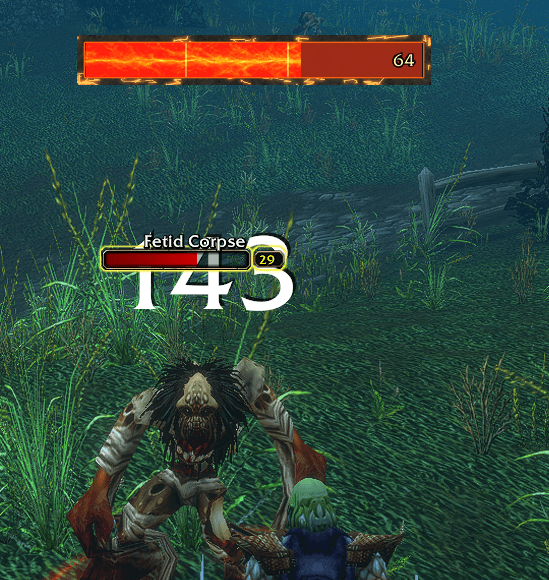
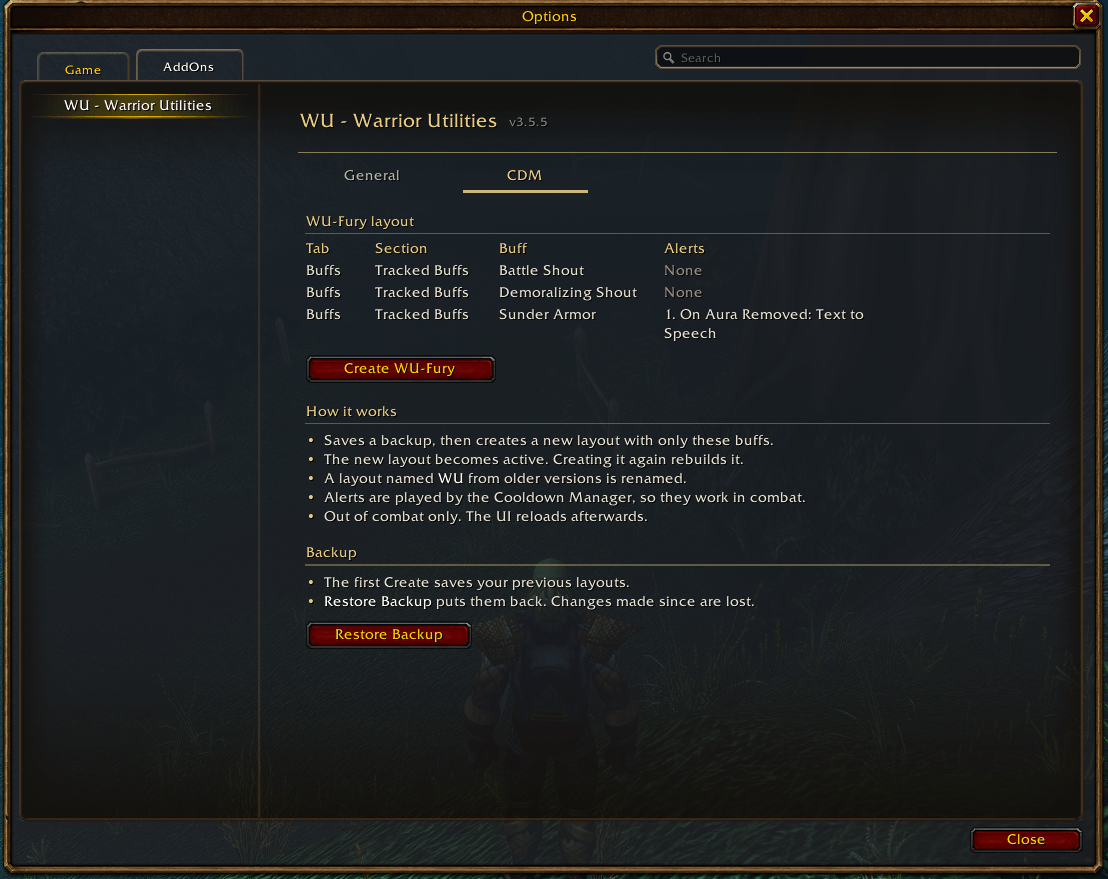
WU keeps your rage on screen with marks at the amounts you care about. Sets up Blizzard's Cooldown Manager (Optional) so Battle Shout, Demoralizing Shout and Sunder Armor are tracked right where you need them. The addon only loads on warriors, and settings are saved per character.
Install
- Unzip the addon zip.
- Delete any older
WU - Warrior Utilitiesfolder fromInterface\AddOns. - Copy the
WU - Warrior Utilitiesfolder intoWorld of Warcraft\_classic_beta_\Interface\AddOns. - Restart WoW or
/reload. - Log in on a warrior (the addon stays off on other classes).
Settings are saved per character.
Rage bar in Edit Mode
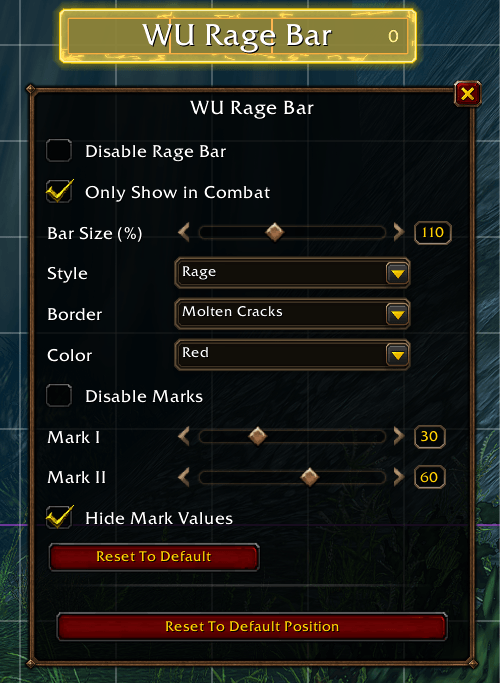
Open Edit Mode (Esc > Edit Mode) and drag the bar, or click it and use the arrow keys (Shift moves 10). Clicking the bar opens its Edit Mode panel:
| Setting | Notes |
|---|---|
| Disable Rage Bar | Hides the bar (it shows faded in Edit Mode so you can turn it back on) |
| Only Show in Combat | |
| Bar Size (%) | 50 to 200 |
| Style | Modern, Classic, Rage (default Rage) |
| Color | Red, Blue, Yellow, Green (default Red) |
| Disable Marks | Hides both marks and the glow |
| Mark I / Mark II | 1 to 99 (default 30 / 60) |
| Hide Mark Values |
Plus Reset To Default and Reset To Default Position.
- These settings are per character and the same in every Edit Mode layout.
- The position is per layout; copying, renaming or deleting a layout carries it along.
- Outside Edit Mode the bar can't be moved and clicks pass through it.
- The bar does not snap to the Edit Mode grid or to other frames.
Options
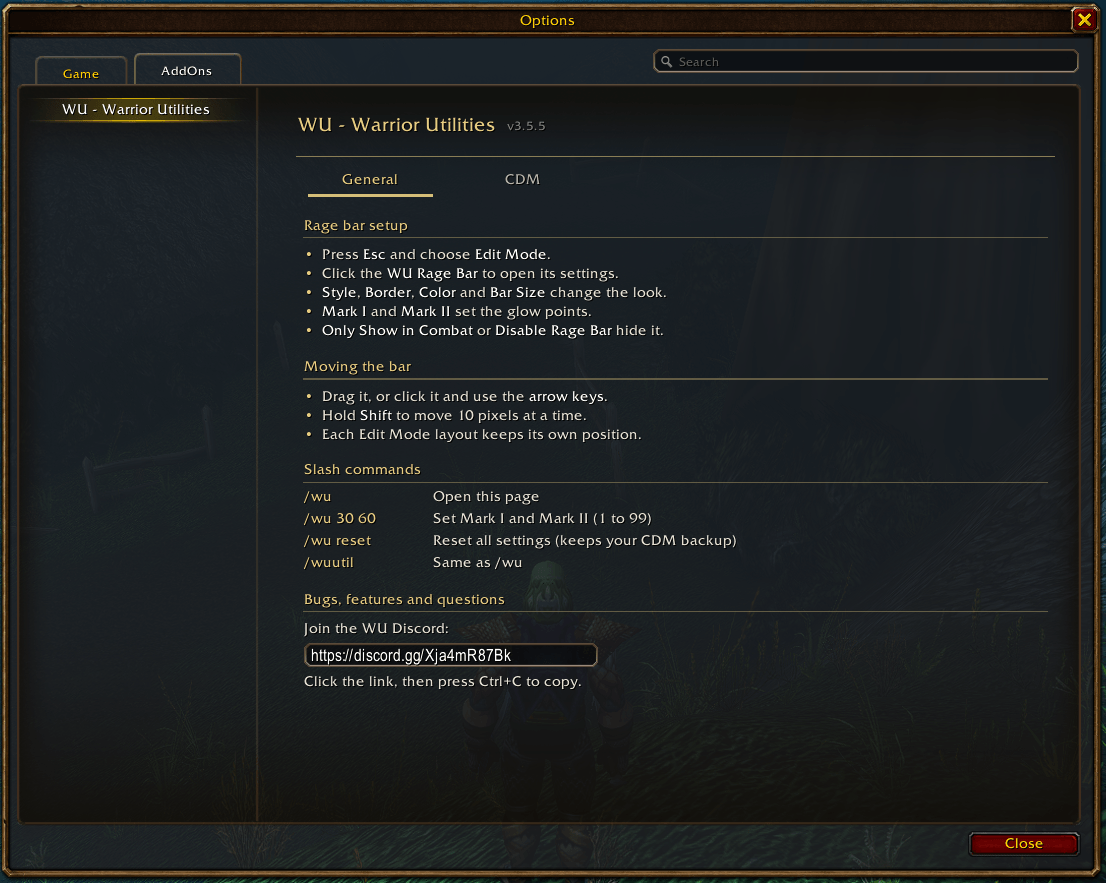
Esc > Options > AddOns > WU - Warrior Utilities. The addon compartment button by the minimap and /wu open the same page.
- General — how to use the addon
- CDM — Create WU Layout, Restore Backup
CDM (Blizzard's Cooldown Manager)
Create WU Layout adds a Cooldown Manager layout named WU with Battle Shout, Demoralizing Shout and Sunder Armor first in Tracked Buffs. It starts as a copy of your active layout (or empty when you have no layouts), becomes the active layout, and the UI reloads.
- Sunder Armor gets one alert: Sound, On Aura Removed, Text to Speech. The Cooldown Manager plays it itself, so it works in combat.
- The Cooldown Manager has no "seconds remaining" alert, so there is no warning before Sunder falls off.
- Pressing Create again rebuilds the WU layout instead of adding another one.
- Out of combat only.
The first Create saves your previous layouts. Restore Backup puts them back (Cooldown Manager changes made since then are lost) and reloads the UI. If you had no layouts, there is nothing to back up and no backup is saved.
The Cooldown Manager's saved data format is not documented by Blizzard. If a patch changes it, Create refuses and changes nothing.
Slash commands
| Command | Action |
|---|---|
/wu |
Open options |
/wu 30 60 |
Set marks |
/wu reset |
Reset all settings and bar positions in every layout to default (keeps the Cooldown Manager backup) |
/wuutil is an alias.
Files
| File | Contents |
|---|---|
Libs\LibEditMode |
LibEditMode by p3lim (Edit Mode support), embedded unmodified; see its LICENSE.txt |
Core.lua |
Settings, shared helpers, event dispatch |
RageBar.lua |
Rage bar, marks, glow, styles, size, Edit Mode position and settings |
CDM.lua |
WU Cooldown Manager layout (create, restore) |
Options.lua |
Options page in Esc > Options > AddOns, slash commands |
Glow
- Mark I: bar glow at the first mark.
- Mark II: brighter glow at the second mark.
- Marks are a percent of max rage (100 for warriors).
- Rage bar styles: Modern (flat), Classic (vanilla gold frame), Rage (thin iron frame).
Disclaimer
This addon was made with the assistance of Claude AI.
WU - Warrior Utilities Team