


WT - W1LD Tools
- By
Description
WT (W1LD Tools)
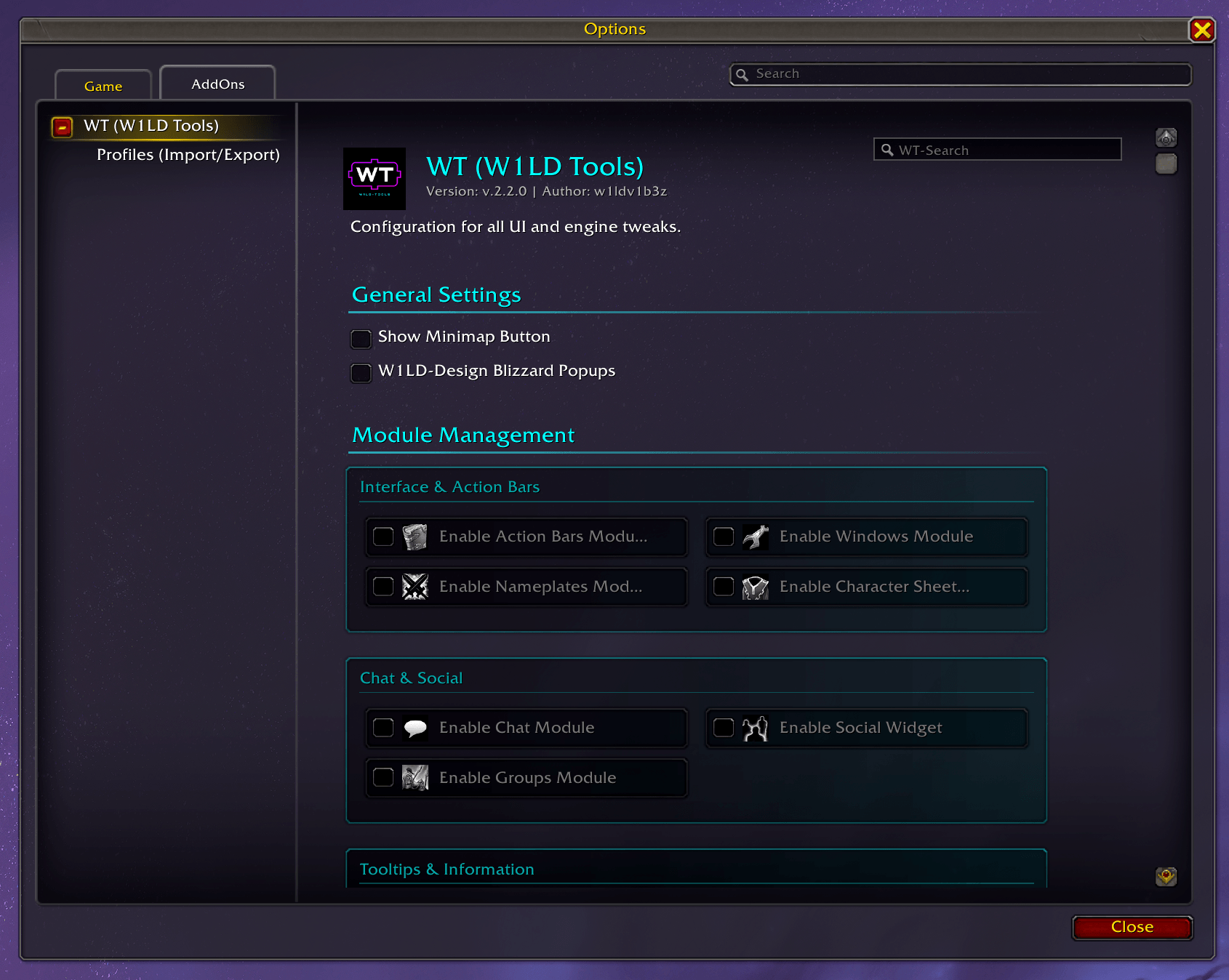
WT (W1LD Tools) is a modular UI and system tweak collection for World of Warcraft Retail & WoW Forever (Camelot - BETA).
Originally, I wrote this addon primarily for myself. Over time, an incredible number of small tools, quality-of-life adjustments, and tweaks have accumulated that make my everyday life in the game easier. Instead of using countless individual addons for this, I wanted to combine everything in one place, make it configurable, and store it in a structured way.
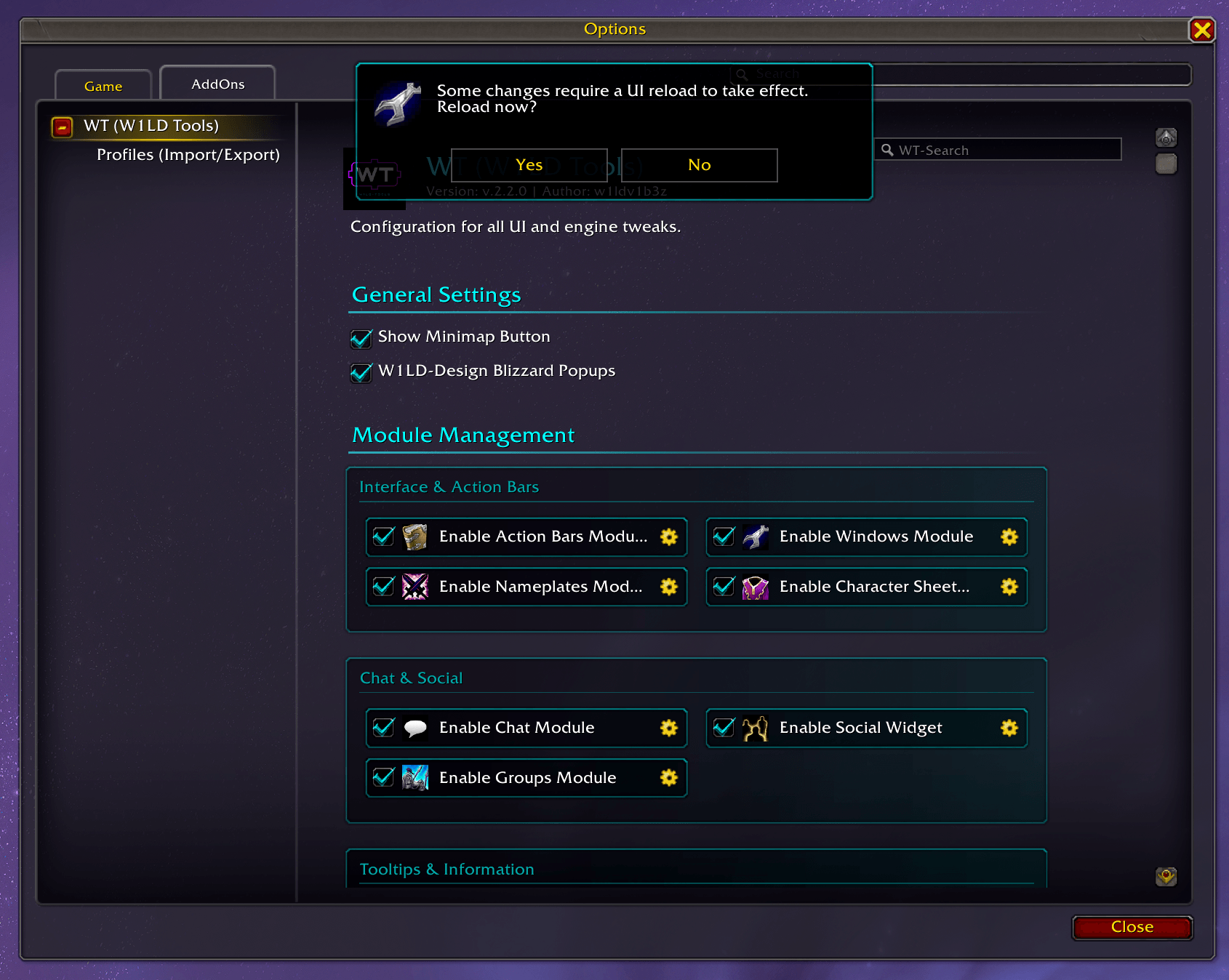
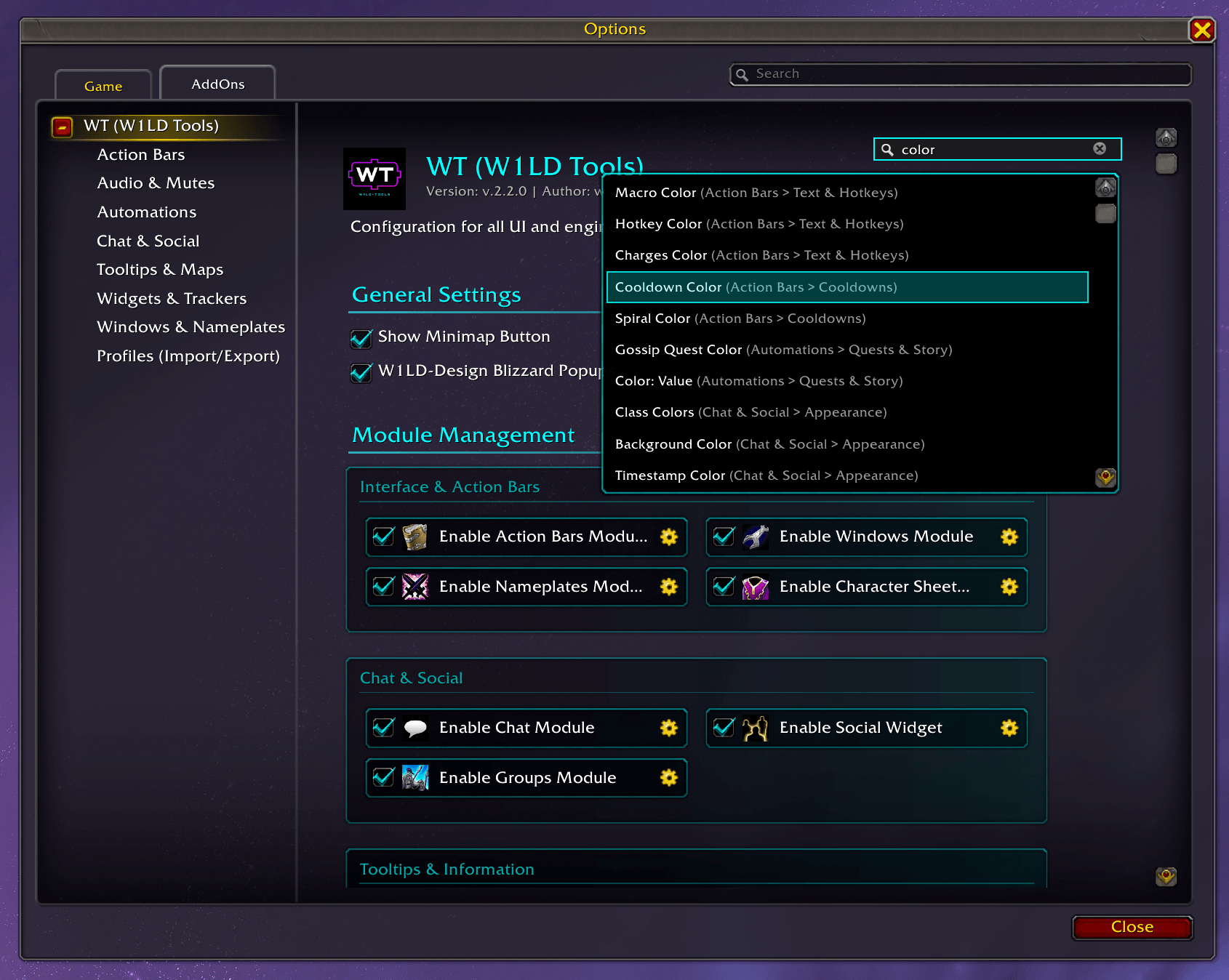
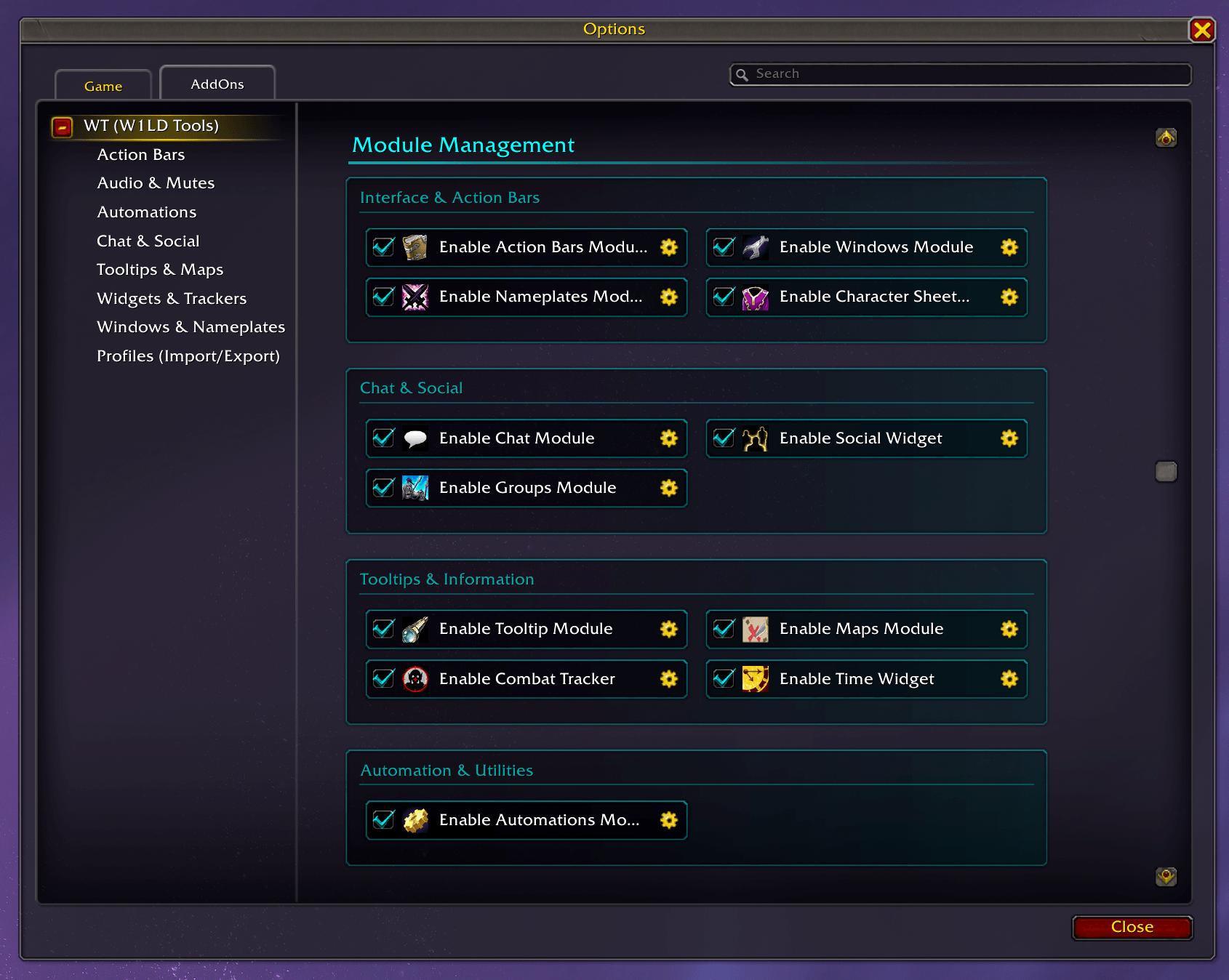
The result is WT. The addon is divided into modular systems, all of which can be toggled on or off individually. So you only load the things you really need. It integrates directly into the WoW options menu, automatically detects your client version (Retail or WoW Forever), and comes with its own search function for the settings.
Here is a rough overview of the features that have accumulated over time:
Feature Overview
Multi-Client Compatibility (Retail & WoW Forever - Beta)
[!NOTE] WoW Forever Beta Notice: Support for WoW Forever (1.60.x / Camelot) is currently in BETA. While core systems (UI, Automations, Rogue Poison Reminder, Chat, Character Sheet Slot 18 & Enchants, Tooltips, etc.) have been adapted for the WoW Forever engine, testing is actively ongoing. Feedback and bug reports are very welcome!
- Dual Compatibility: Full native support for WoW Retail (Midnight 12.1.x / TWW) and preliminary support for WoW Forever (1.60.x / Camelot - Beta).
- Intelligent Flavor Detection: Automatically detects your game version at runtime. The options panel header displays your active environment and dynamically tags or disables incompatible settings (
[Retail Only]/[Forever Only]) with clear tooltip explanations. - Client-Specific Adaptations: On WoW Forever, includes Slot 18 (Ranged / Wand / Relic) item levels and durability, legacy enchant tracking (Gloves, Ranged, Head, Shoulders), routing database links to
wowhead.com/forever/& ForeverDB, and filtering out non-vanilla classes.
Account-Wide Settings Sync
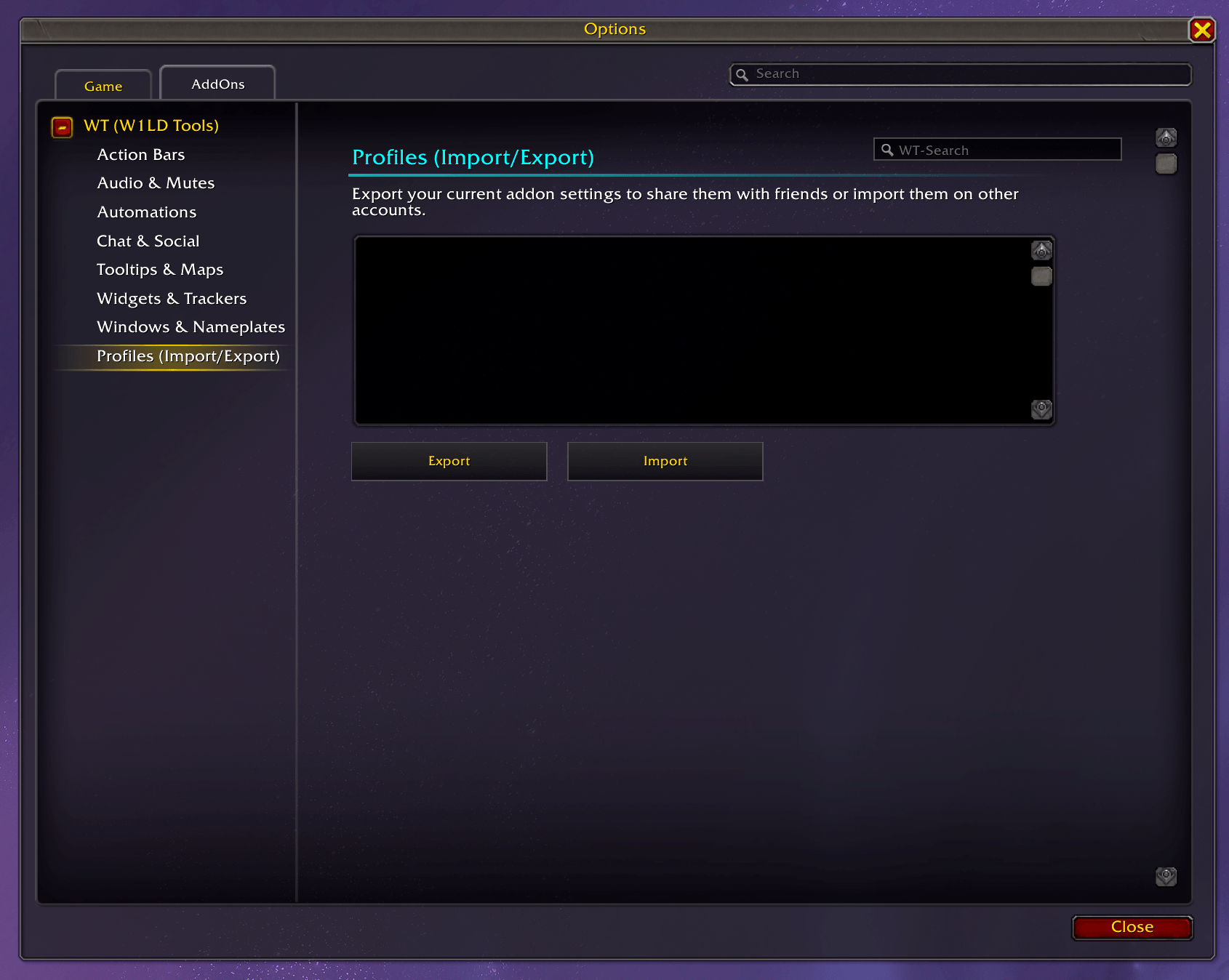
- Master Profile System: Fully replaces external addons like "Account Wide Interface Settings". WT dynamically captures 100% of your non-hardware WoW settings (Keybindings, Macros, and all Interface CVars) on your main character and automatically mirrors them to all your alts on login! Includes an intelligent auto-save function and a smart Blacklist to prevent syncing hardware-specific settings across different PCs.
- Chat Sync: Ensures your chat channels, message groups, and settings are perfectly synced across your entire account. (Note: physical tab layouts are excluded to prevent Edit Mode conflicts; see in-game UI for a manual copy tip).
Windows & UI
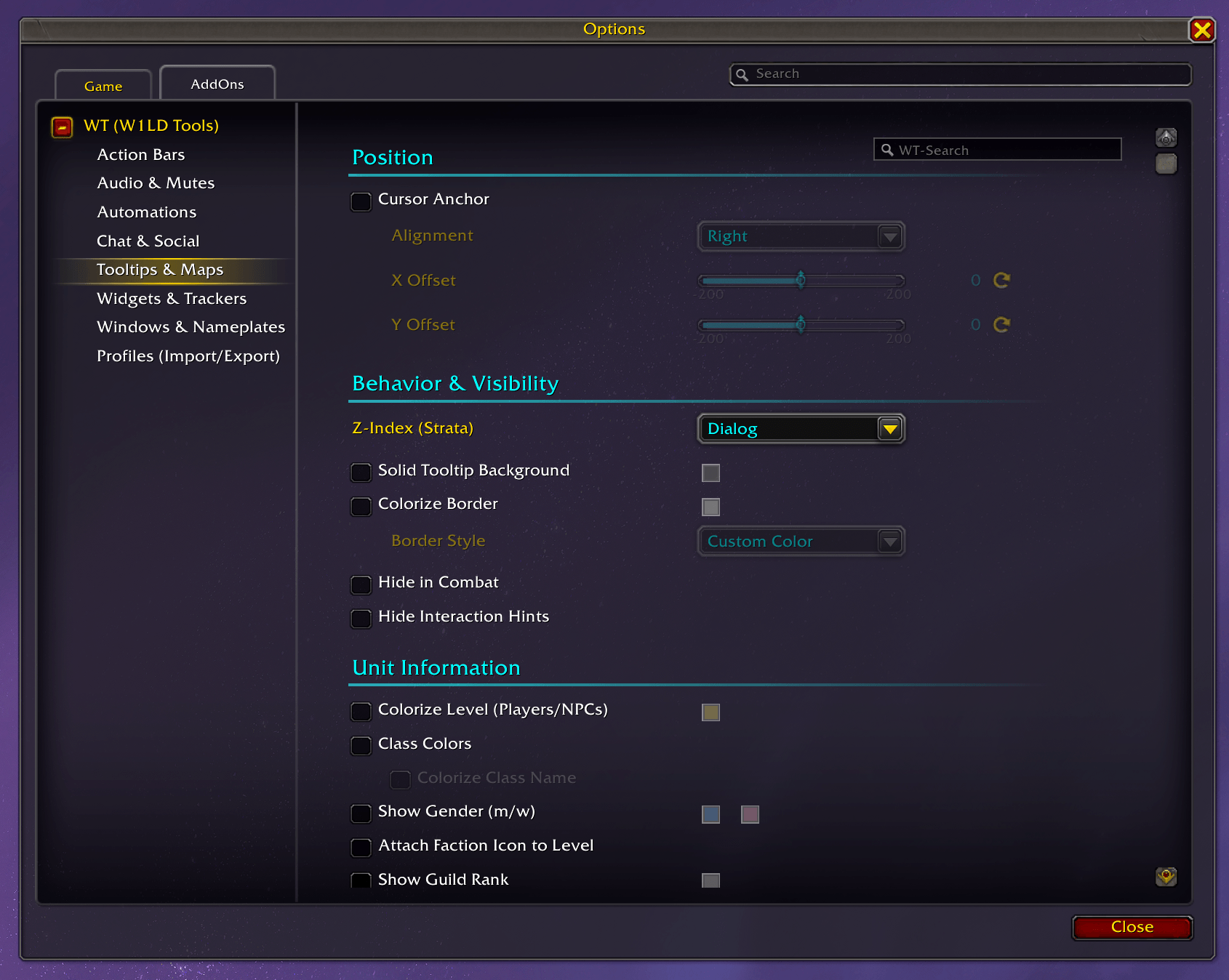
- Scrollable Dropdown Menus: All dropdowns in the settings panel with larger option lists (e.g. SharedMedia sounds, fonts, and textures) feature smooth mouse wheel scrolling, a custom slim scrollbar, auto-scrolling to the active selection, and smart screen boundary clamping (flips upward when close to screen bottom).
- Extended ColorPicker: Replaces the default WoW color picker with an enhanced version to save your favorite custom colors and access class colors quickly.
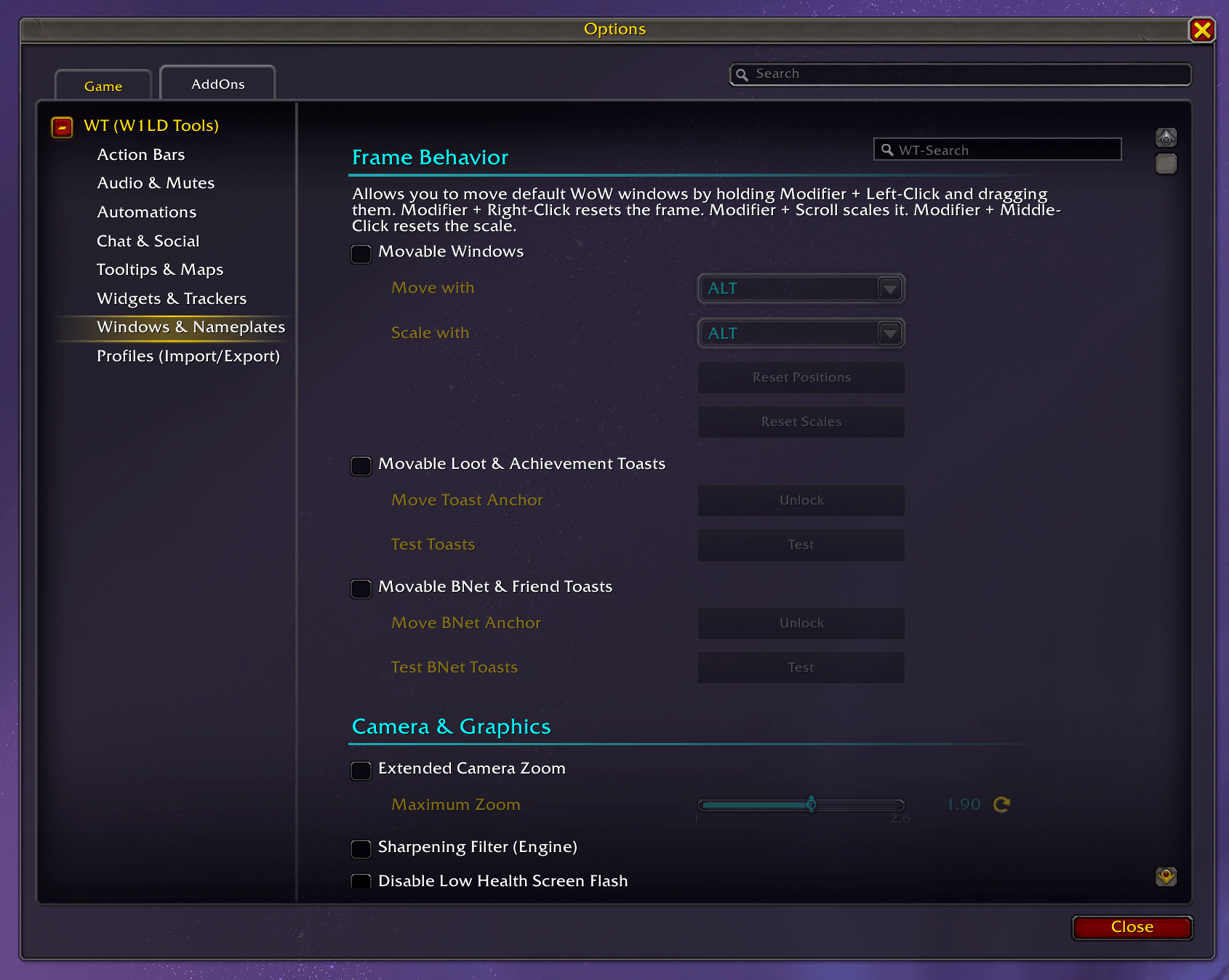
- Move Windows: You can move and scale most standard WoW windows (Character, LFG, Settings, etc.) by holding down a modifier key.
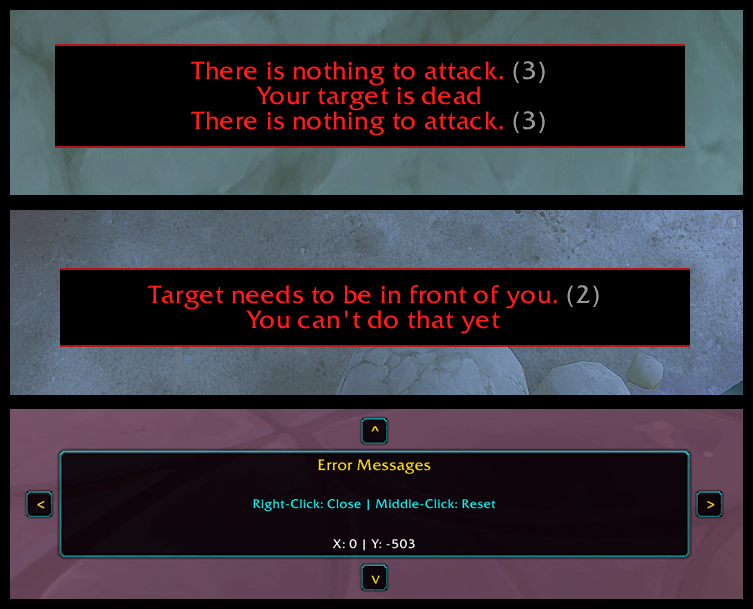
- Alerts & Toasts: The anchor points for loot, achievements, Battle.net toasts, and error messages can be repositioned.
- Hide Elements: If they bother you, you can simply hide XP bars, the bag bar, the "Talking Head," or tutorial tooltips.
- Class-specific Colors: Replaces or adjusts the standard class colors in various UI elements.
- Camera & Visuals: Increases the maximum camera zoom out distance upon request and allows you to turn off effects like the red screen border at low health or the full-screen glow.
- Combat Cursor: The cursor can be highlighted with colors or click animations so it doesn't get lost in the heat of combat.
Action Bars
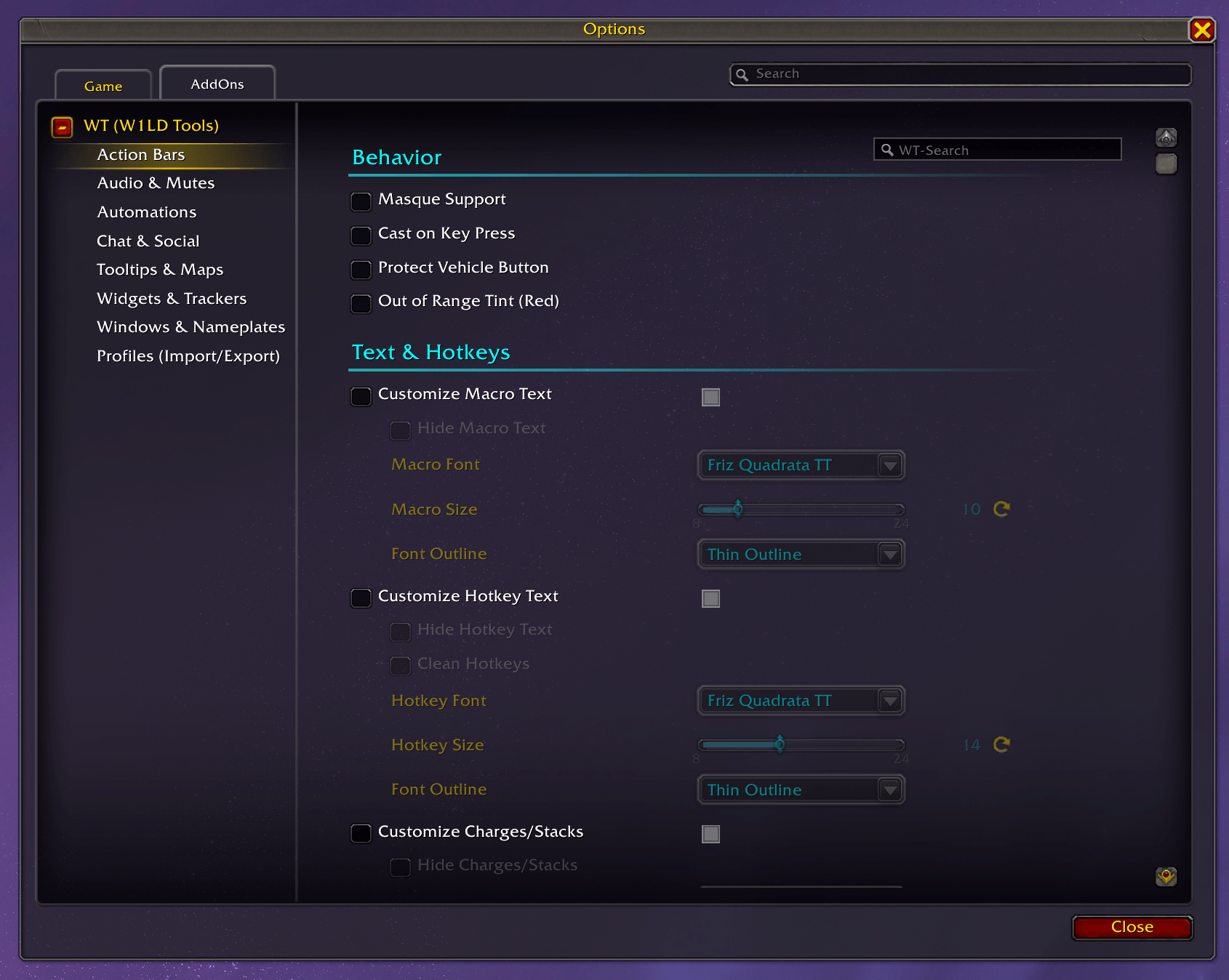
- Key Down Casts & SQW: Spells can be triggered directly upon pressing the key down. You can also customize your Spell Queue Window (SQW) to match your latency for the most responsive combat feel possible. Keys turn red when the target is out of range.
- Clean Text: Macro and hotkey texts can be shortened (e.g., "Mouse Button 4" becomes "M4") or completely hidden.
- Cooldowns: Cooldowns can be color-adjusted or hidden if you use another addon for them.
Character & Inspect
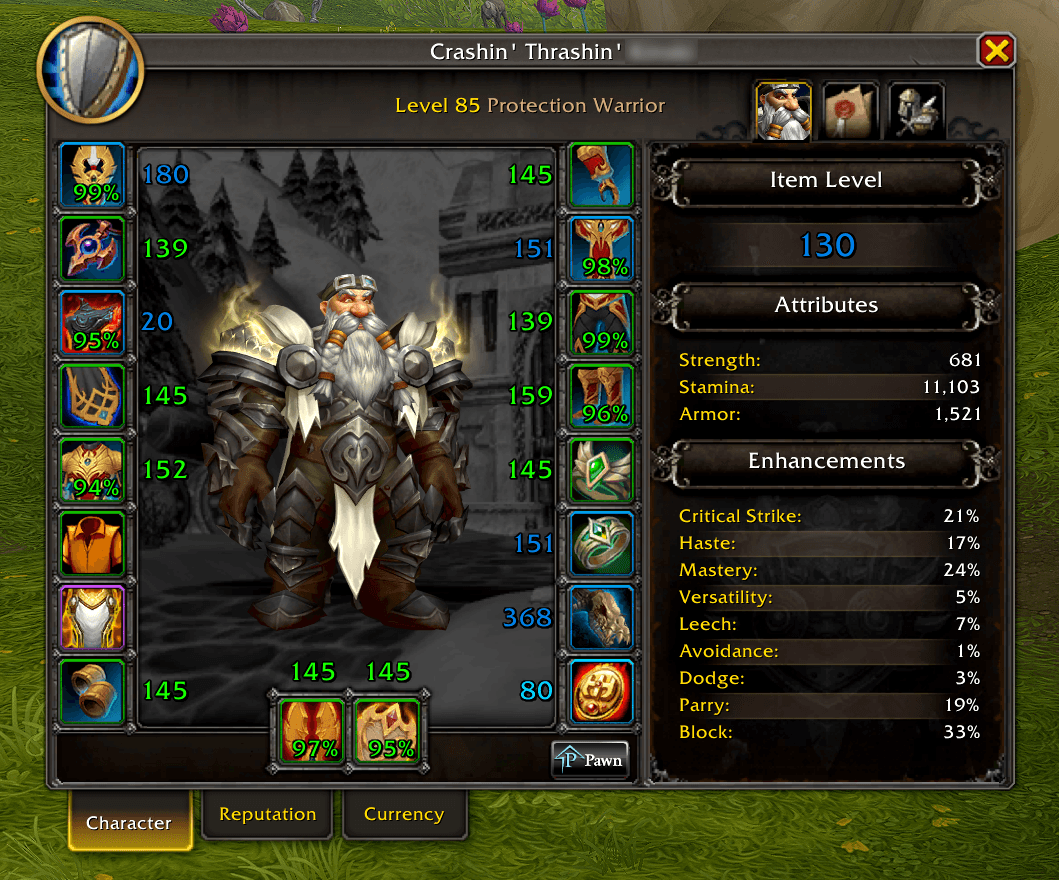
- Item Level & Enchants: Shows the exact item level directly on your equipment slots and in the inspect window, colored according to rarity. Includes full support for Slot 18 (Ranged / Wand / Relic) and legacy enchants (Gloves, Ranged, Head, Shoulders) on WoW Forever.
- Durability: Displays a percentage on your items so you know when you need to repair.
HUD Fader & Nameplates
- Fader: Hides action bars, bags, or menus as long as you are not in combat or hovering over them with your mouse.
- Automatic Nameplates: Automatically turns on enemy nameplates in combat.
- Colors & Highlights: Shows class colors in PvP, highlights casters/bosses, and colors enemies based on your threat (aggro).
- Quest Indicator: A small icon shows you if an enemy is important for your current quest.
- Class-Specific Resources: Displays class-specific resources (e.g. combo points) on your target's nameplate with various shapes, sizes, and coloring options.
Loot, Inventory & Vendors
- Fast Looting: Instantly loots everything by completely bypassing the loot window.
- Loot Under Mouse: The loot window opens directly at your mouse cursor.
- Easy Delete / Destroy: Automatically fills in "DELETE" (or "DESTROY" for custom housing objects) in confirmation dialogs.
- Sell Junk: Instantly sells grey junk (protects equipment sets), allows ignoring items via CTRL+ALT+Click, and visually highlights junk in your bags (supports Bagnon & Baganator).
- Auto-Repair: Automatically repairs at the vendor, optionally using guild bank funds.
Automation & Quality of Life
- Rogue Poison Reminder: A dedicated HUD for Rogues reminding you to apply and maintain your poisons. Full dual compatibility: monitors Lethal & Non-Lethal player auras on Retail, and Main-Hand & Off-Hand temporary weapon enchants on WoW Forever. Features live duration countdowns, differentiated visual states (amber pulse when expiring soon, red pulse when missing), customizable frame scaling (0.5x – 2.0x), an interactive edit mode with live coordinates (
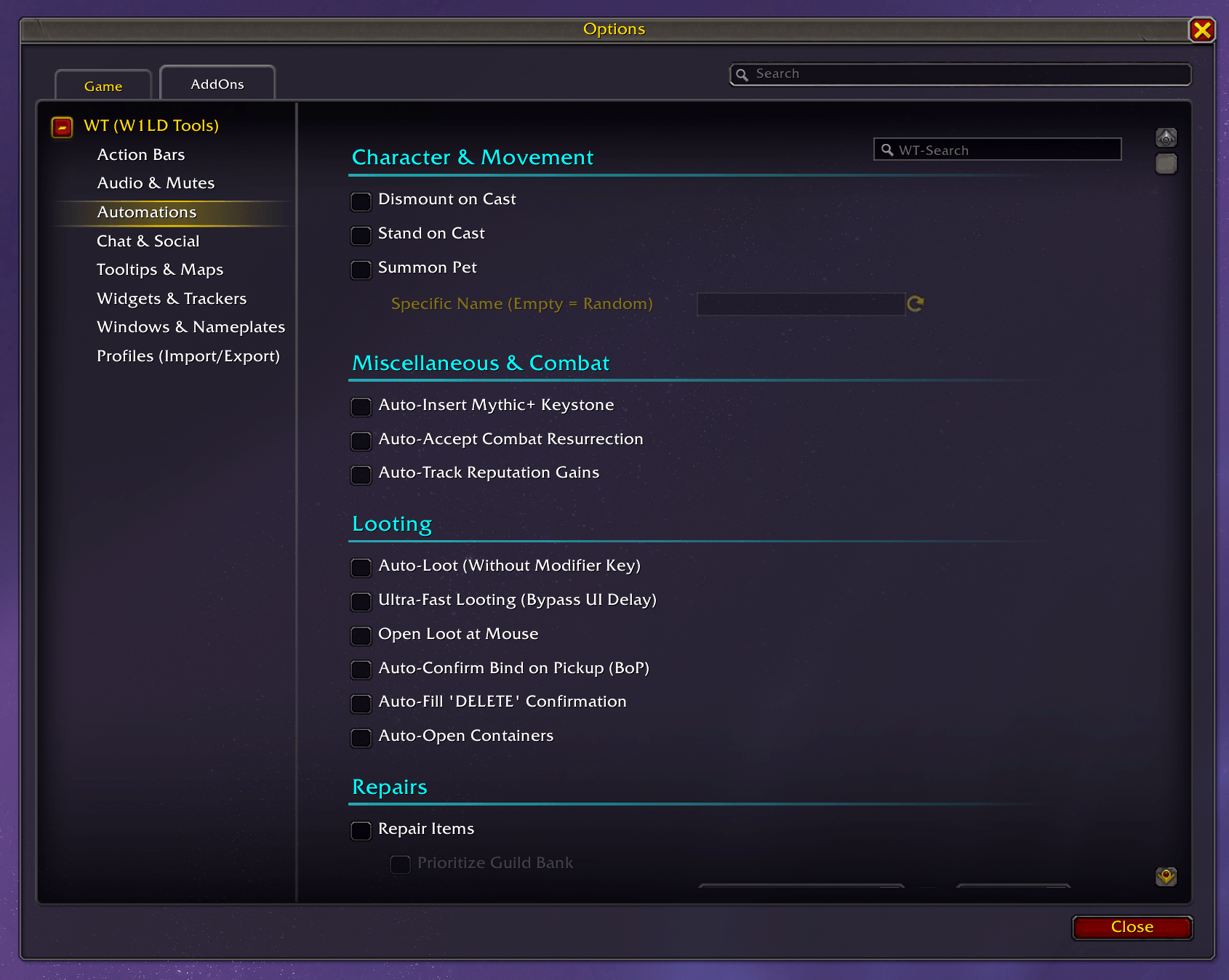
X | Y), nudge arrow buttons, and quick reset (Right-Click: Close, Middle-Click: Reset), standardAlt+Dragrepositioning (defaults to screen center), audio alerts with channel routing and preview, chat warnings, combat start reminders (for missing poisons), and smart context suppression (dead, taxi, vehicle, pet battles, optional instance-only filter). - Mythic+ Keystones: Automatically places your keystone in the slot when you open the window.
- Combat Resurrection: Automatically accepts battle rezzes in PvE situations.
- Auto-Dismount/Stand: Automatically dismounts and makes you stand up when you start casting.
- Automatic Reputation: Automatically switches the tracked reputation bar to the faction you just gained rep with.
- Fishing Enhancements: Adds modifier+double-click casting, Smart Audio, and a dynamic 1-button cast/interact keybind.
- Farming (Sunsong Ranch): Creates a handy bar with your tools and seeds.
Audio & Sounds
- Sound Routing & Preview: Routes alert and UI sounds through audio channels of your choice (Master, Dialog, SFX, Music, Ambience) with instant preview buttons and universal fallback sound IDs for WoW Forever.
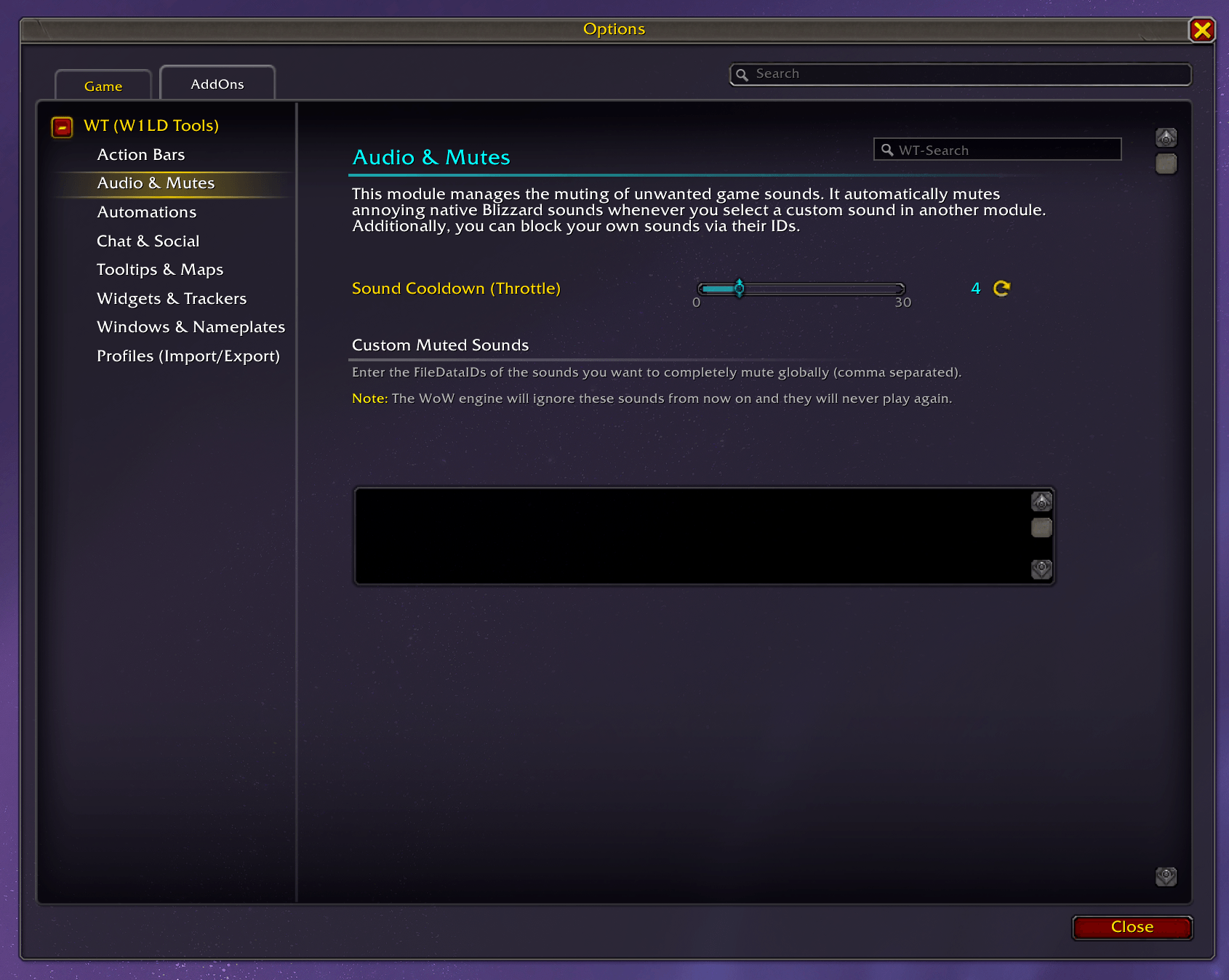
- Sound Blacklist: You can specifically mute certain standard game sounds (via their FileDataIDs).
Questing & Dialogs
- Auto-Questing: Can automatically accept and turn in quests. Alternatively, only when you hold SHIFT.
- Smart Gossip: Skips useless NPC dialogs if there is only one option anyway.
- Cinematics: Can automatically skip in-game cutscenes and videos.
Map & Minimap
- Minimap Zoom: Allows zooming the minimap via the mouse wheel.
- Map Transparency: Makes the large world map slightly transparent while you move.
- Coordinates: Shows your position and your mouse cursor's position on the world map.
Groups & LFG
- Auto-Accept: Can automatically accept group invites from friends, role checks, or portals.
- LFG Enhancements: Shows faction icons and country flags in the group finder.
Chat & Communication
- Chat Copy: A dedicated, draggable window that lets you easily extract and copy full chat histories (including native colors and dynamic tabs).
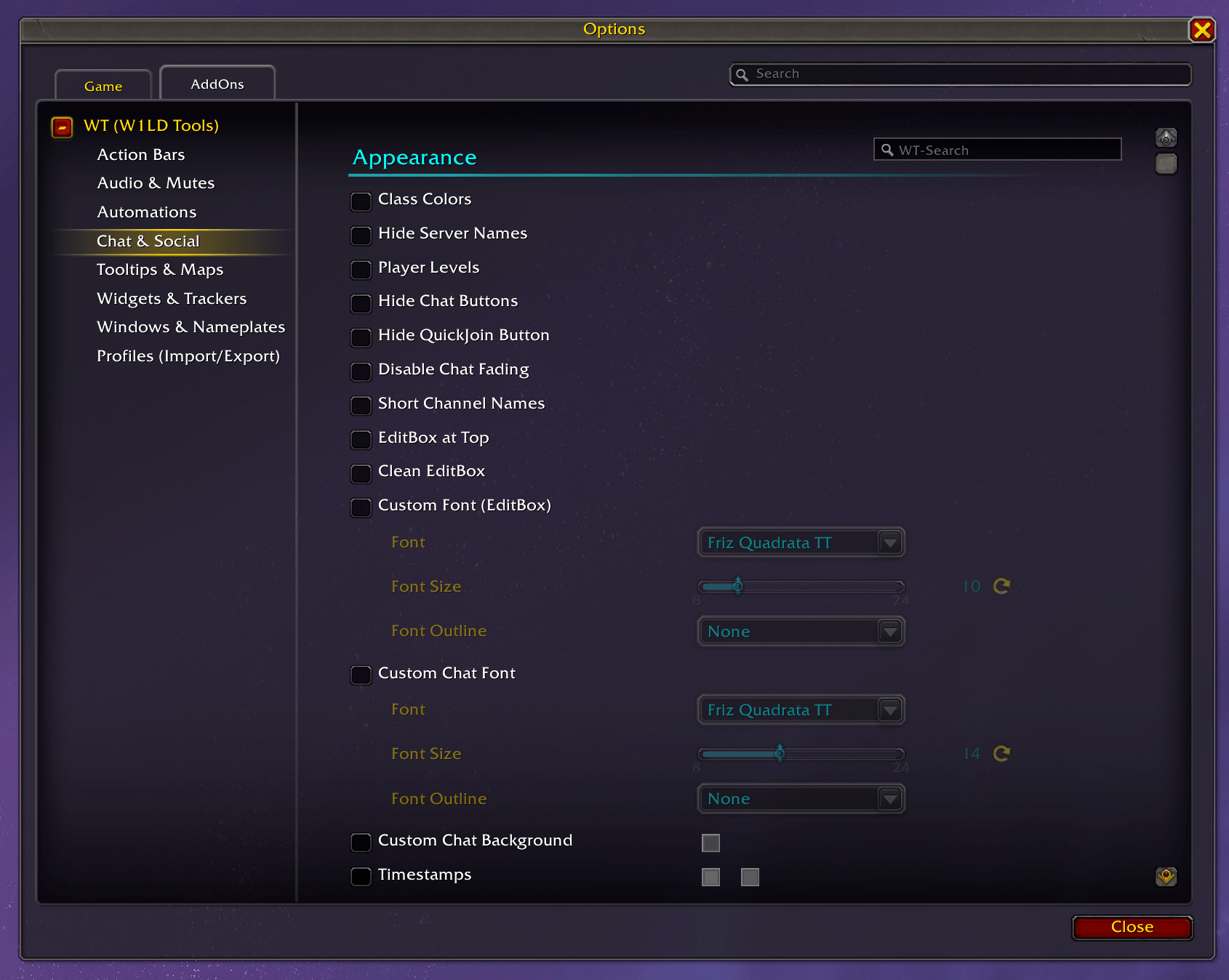
- Visual Adjustments: Class colors in chat, hiding server names, displaying player levels.
- Better Usability: Links (including Raider.io/Wowhead) are clickable, scrolling works via mouse wheel, and you can navigate through text with arrow keys without ALT.
- Chat History: Saves your typed messages and chat history across game sessions (supports global and custom channels. Note: Community chats cannot be saved due to Blizzard's chat restrictions).
- Word Filters & Highlights: You can block words (with a whitelist for friends) or have certain terms highlighted with color and a sound.
- Channel Customization: You can give chat channels your own aliases (abbreviations) or colors.
Tooltips
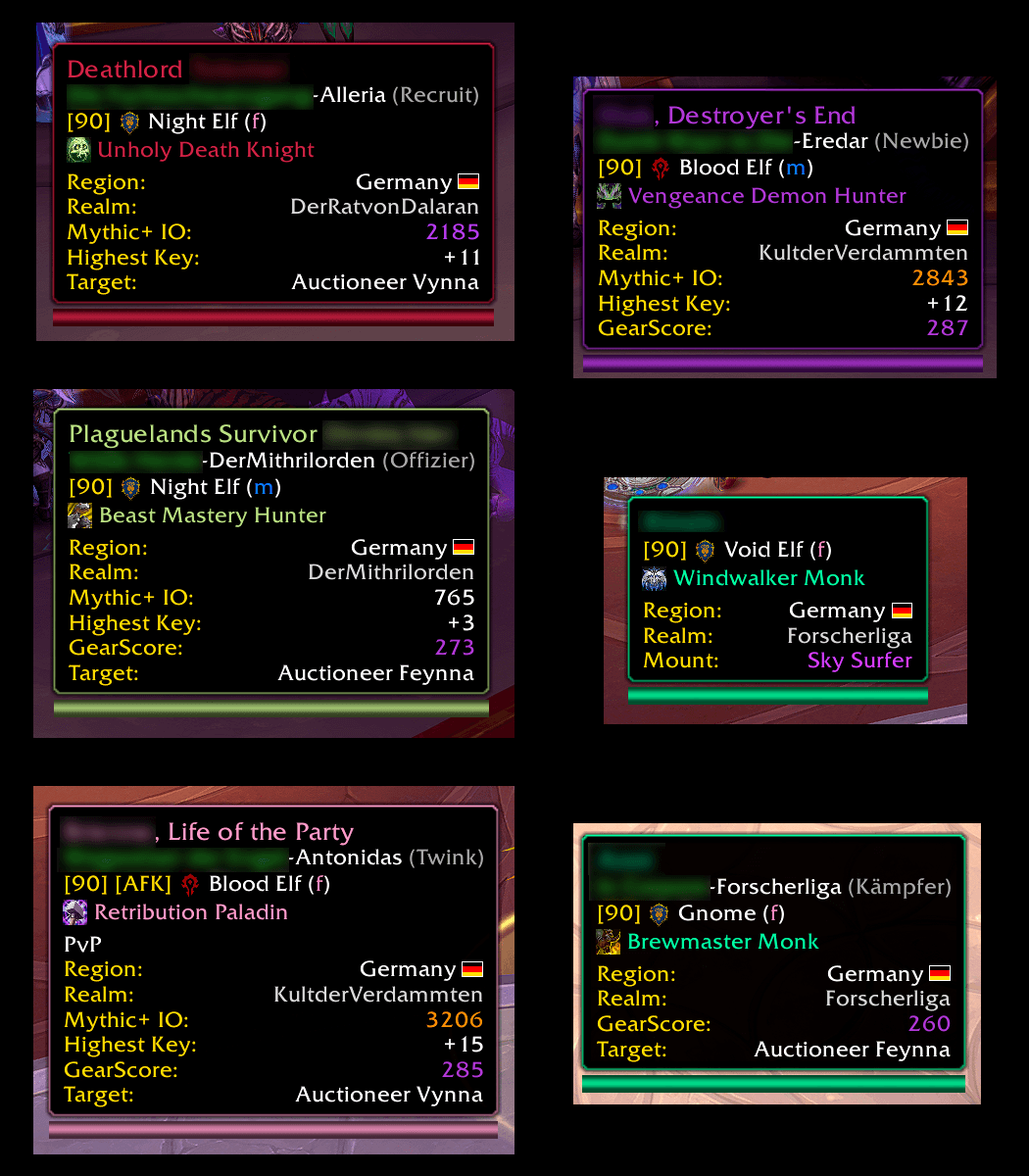
- Player Info: Adds Item Level, M+ Rating, PvP Rating, and info about the player's target to the tooltip.
- Items: Shows which expansion an item was introduced in, whether you already know a recipe/toy, or how many materials you have in the bank.
- Database Links: ALT-clicking on items, spells, or players generates a Wowhead or Raider.io link to copy (automatically routes to
wowhead.com/forever/and ForeverDB on WoW Forever). - NerdIDs: Shows you the internal IDs of spells, items, and NPCs.
- Anchor to Cursor: You can set the tooltip to appear directly at the mouse instead of the bottom right.
Small Trackers / Widgets
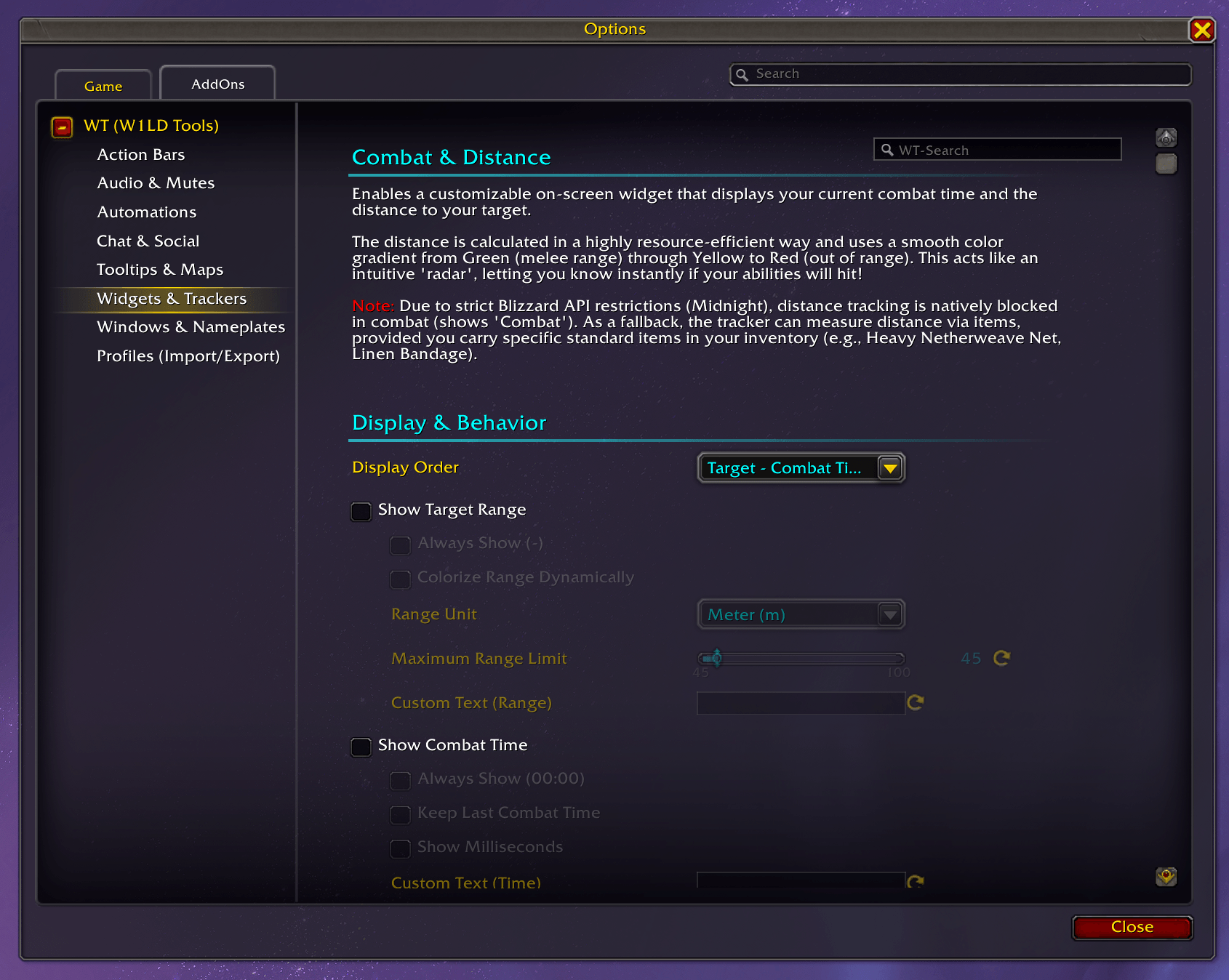
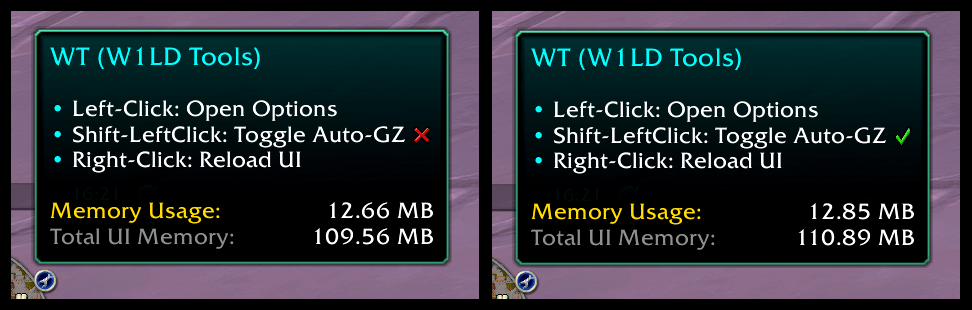
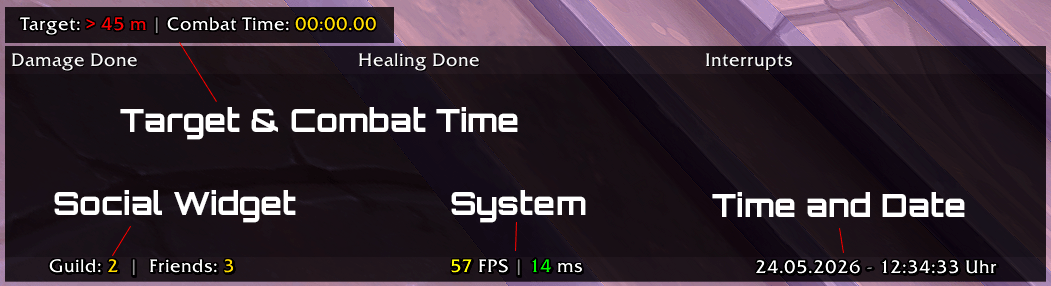
- System: A simple display for FPS, latency, and memory usage.
- Time: A small widget for the time and date.
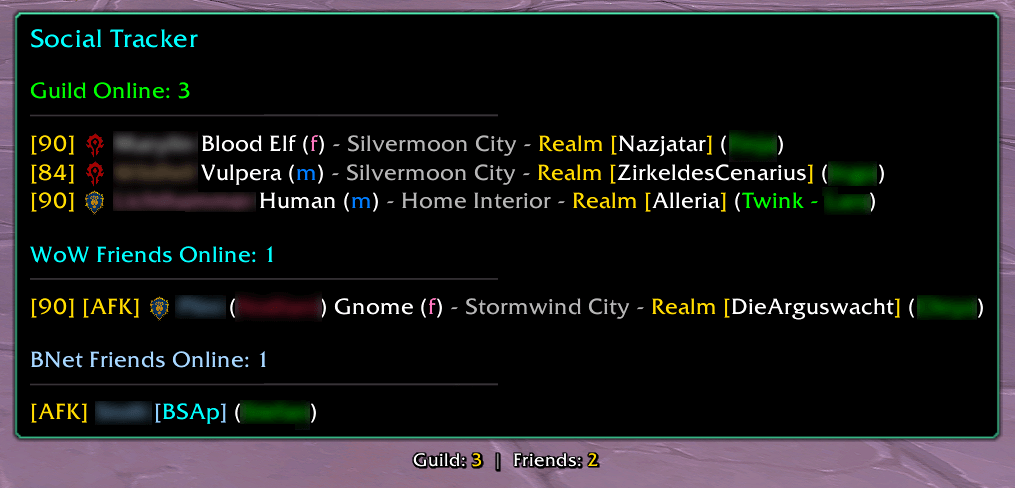
- Social: Shows you online guild members and Battle.net friends.
Help & Bugs
If you notice anything, something doesn't work, or you have ideas for new tweaks, feel free to leave a comment here on the CurseForge page.
Known Blizzard Taint Issues
In the current World of Warcraft expansions, you might occasionally encounter [ADDON_ACTION_BLOCKED] or [ADDON_ACTION_FORBIDDEN] errors caught by addons like BugSack. Some well-known examples are:
IsUserOAuthed()(when scrolling in the Blizzard Settings Panel, specifically the Social tab).SetAvatarTexture()(when opening or scrolling in the Guild & Communities frame).
These are known Blizzard UI bugs. They occur because the game shares its settings windows and scroll boxes globally. When any addon registers an options panel (like WT does), WoW's strict taint system sometimes incorrectly assumes the addon is trying to trigger protected Blizzard functions during a simple scroll update. If you see these errors and they mention WT, please be assured they are harmless and not caused by our code. You can safely ignore them or use the "Stop Nag" feature in BugSack.
Important Slash Commands
/wt— Opens the options./wt status— Shows you which modules are currently active./wt reset pos / scale / config— Resets manually moved or scaled windows (or/wt reset poisonto reset the Rogue poison reminder)./rl— Reloads the UI.- … and a few more you can find in-game with
/wt help.
Supported Languages
- English (enUS)
- German (deDE)
Have fun with W1LD Tools!
WT - W1LD Tools Team
