


Writ Routes
- By
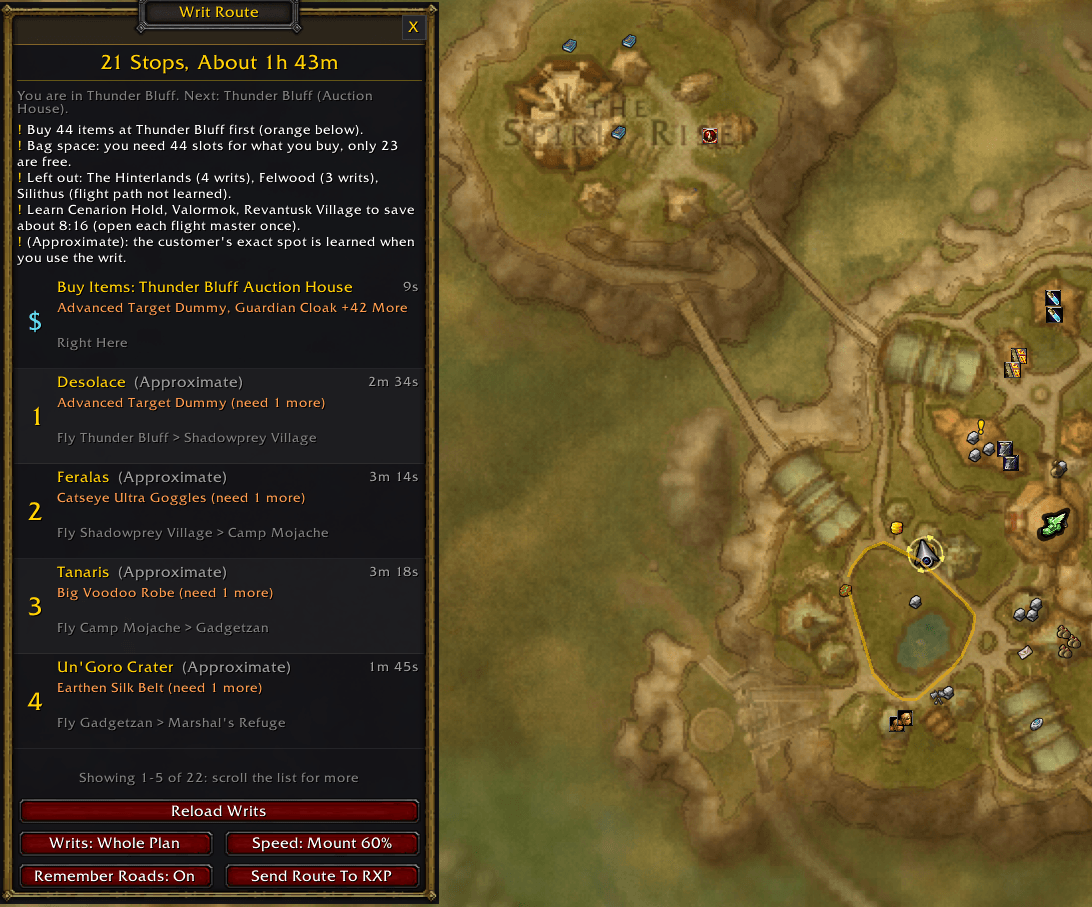
Plans the cheapest Craftsman's Writs and Waylaid Crates to buy at the auction house, then draws the quickest route round your writ customers on the world map. Optional RXP export. Made for WoW Forever.
Minimap screenshot 1.png
Writ Route Needed Items.png
Writ Routes Reputation.png
Writ Route Crates.png
Guide.png
Description
Writ Route
Plan the cheapest Craftsman's Writs and Waylaid Crates, then find the quickest way round your writ customers.
Writ Route is a one-stop addon for the Durotar Supply and Logistics grind on WoW Forever. It works out what to buy at the auction house, maps the fastest trip with numbered stops, guides you there with its own arrow and step list, and fills and hands in your crates for you.
What it does
Buying
- Scan the auction house. Press Scan and the addon prices every crate in a few searches, then looks deeper only at the items your plan depends on. Prices are saved, so the plan and tooltips still work away from the auction house, and the window tells you how old they are.
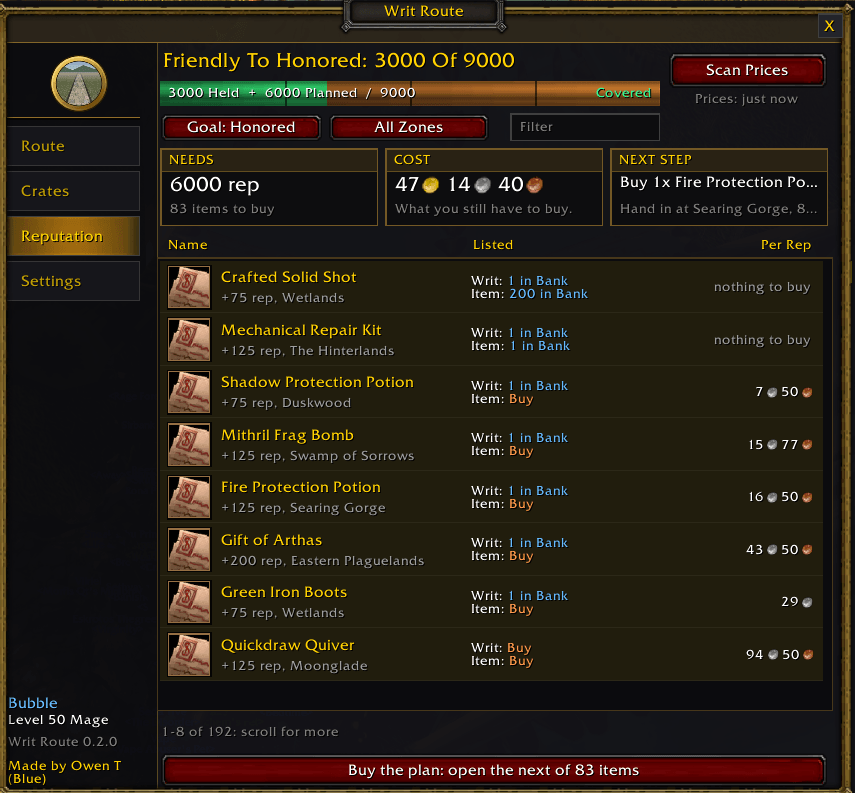
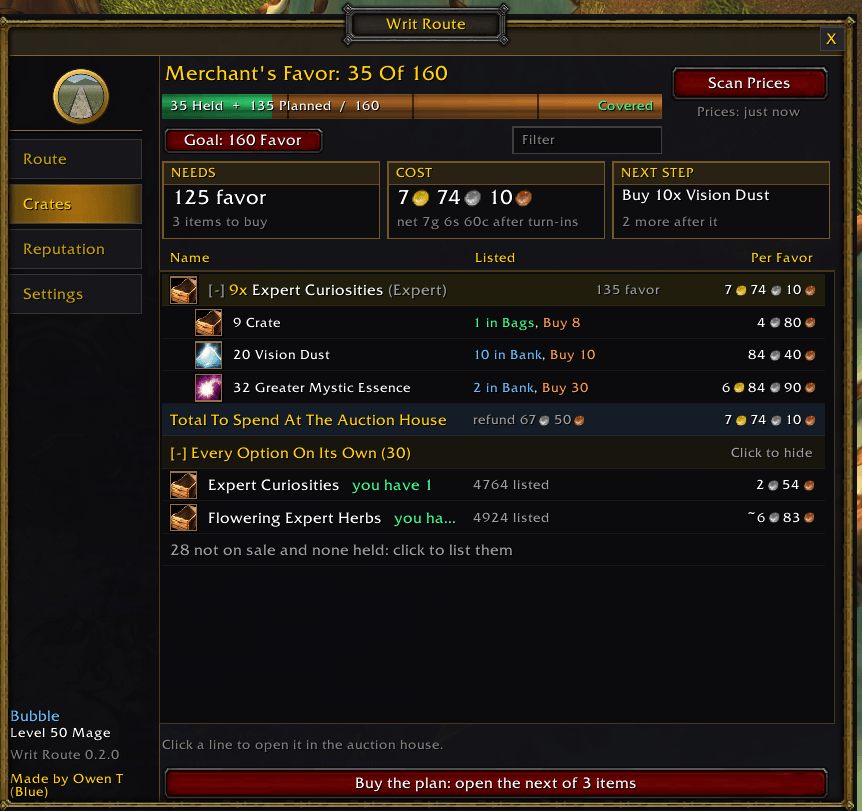
- The cheapest plan for your goal. Pick a Merchant's Favor target or a reputation level and it finds the cheapest set of crates or writs to get there, with the price of each item and where the rest of it already is.
- It knows what you own. Bags, bank, mailbox and same-realm, same-faction alts all count. Settings turns each one on or off.
- Buy straight from the plan. A buy bar at the auction house opens the next missing item with the quantity already filled in. Each click moves to the next item, and right-click goes back one.
- Buy Cheapest. One button picks the option with the lowest cost per favor (or rep) plus the cheapest materials for it. A summary shows each item, its price, the total, the favor or rep it brings, the gold the turn-in pays back and the net cost. Nothing is bought until you confirm.
- Buy several. Right-click any crate in the list for the same summary with a quantity you can raise or lower.
- Buy Next. After you confirm, a Buy Next button walks the list: one click asks the price, the next confirms it. It warns you if a price rose since the scan. It can have its own key.
- Sort and narrow. Sort crates by cost per favor, cost of one, favor paid, level, number listed or name. Show only one rank, gathering or crafting crates, ones you hold or ones on sale.
- Purchases update the plan. When "You won an auction" appears, the item counts as waiting in your mailbox, so the plan stops asking you to buy it. Opening the mailbox then replaces that note with what is really there.
The route
- The quickest order. It plans the order of your writ customers and puts numbered stops on the world map. A step list shows each stop, the leg time, the item to hand in and how to get there.
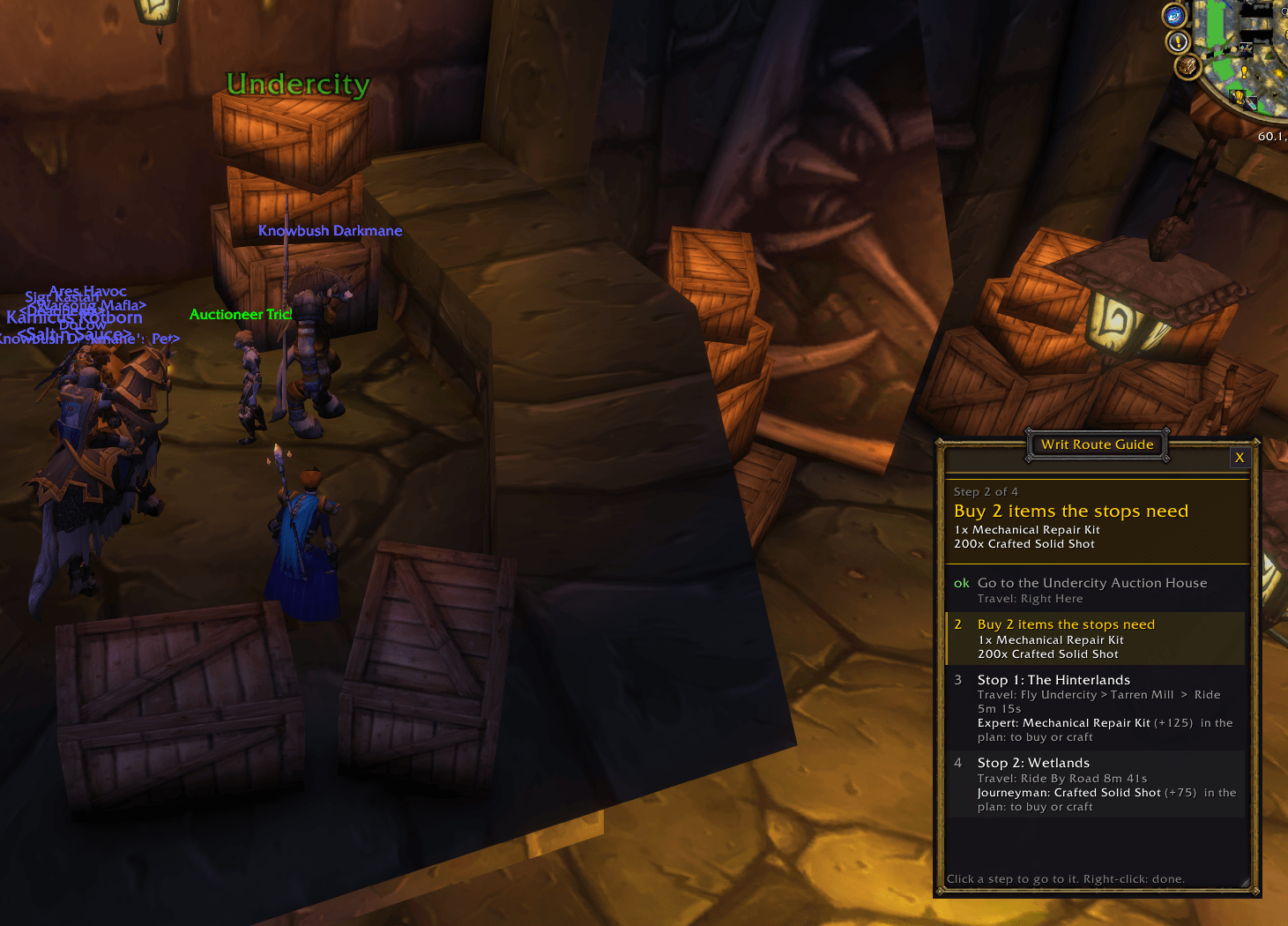
- A step-by-step guide. A side window shows the route as a guide. The step you are on is boxed at the top, with every step below it: the auction house, what to buy, each stop and what to hand in, and the mailbox pickups. Done steps are ticked, and it moves on by itself as you reach each stop. Click a step to go to it, right-click to mark it done.
- Its own arrow. An on-screen arrow points to the next waypoint (the next bend of the road, a flight master, a boat or the stop) with the distance in yards. It hides in dungeons, shows "~" when the next step is on the other continent, and points to your corpse when you die. No other addon is needed.
- Only the travel you can use. It chains the flights, boats and zeppelins you have learned, and leaves out stops whose flight path you don't have (Settings can change that).
- Roads it learns. Walking legs follow the roads you ride, which the addon records as you go. Ground with no known road counts as slower, so a straight line over mountains doesn't beat a longer road.
- Hearthstone aware. If your Hearthstone is ready and bound to a useful city, the first leg can use it, but only when that is quicker.
- A start at the auction house. When items are missing, the route can begin at the best auction house city for your faction. The arrow leads to the auctioneers, not the flight master, and learns each auction house's exact spot the first time you open it.
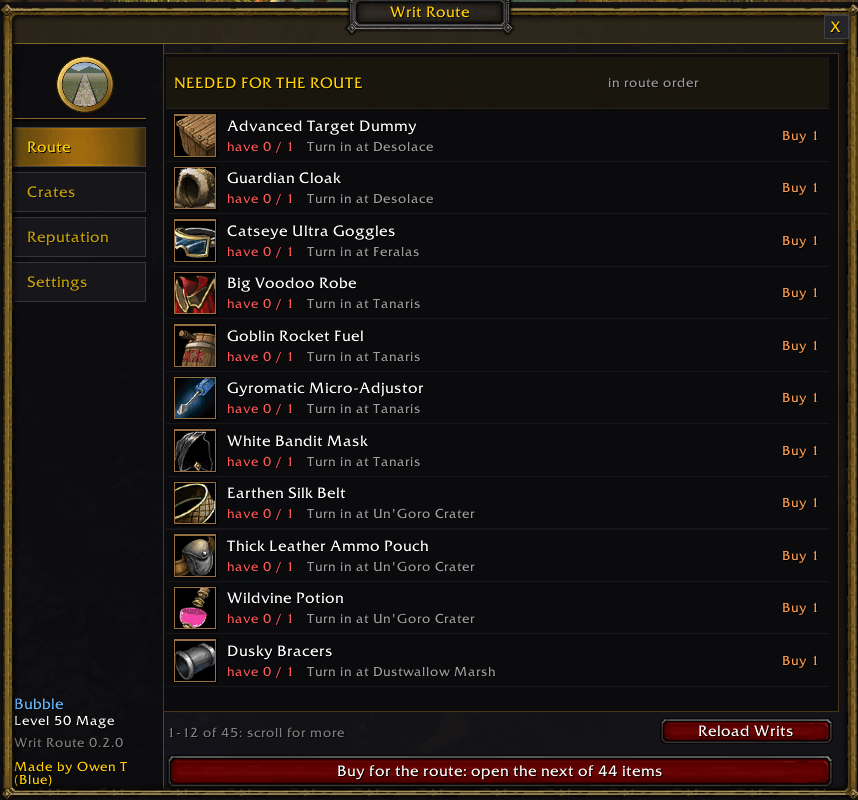
- Mailbox pickups. Items waiting in the mail become pickup stops on the way, planned around your free bag space.
- One continent at a time. Route only Kalimdor or only the Eastern Kingdoms. The rest are counted as "left for later".
- Flight path help. It warns you when the route needs a continent where you know no flight paths. It can also add a quick detour to unlearned flight masters near the route.
- What the route is worth. It shows the rep still to deliver, what the coin pouches will pay and what you delivered today, plus a countdown to the daily reset.
Crates and writs
- Fill Next Crate. One click (or one key) fills the next Waylaid Crate in your bags with the materials it needs. No more right-clicking the crate and then the materials, and your reagent bag is searched too.
- Hand in for you. Talk to Marcy Baker or Dokimi and every Sealed Crate in your bags is handed in, one after another, with the quest windows kept out of the way. Hold Shift to skip it. It only touches the Sealed Crate quests and never picks a reward with a choice for you.
- Start Next Writ. One click (or one key) uses the next writ in your bags, in route order, and accepts its quest.
- My Writs and All Writs. See your writs at a glance: ready or not, what is missing, rep per gold, the customer and the zone. Switch to all writs and filter by rank, profession and done today.
- Coin pouches. It learns what each writ's coin pouch pays when you open one, and marks the writs whose pouch pays more than the writ costs to buy.
- Diplomat perk. Set your Diplomat Legacy perk rank and the rep maths includes it.
- Crafting help. Open a profession window once and the addon learns its recipes. Recipes your writs want are marked in profession windows and at trainers, and the Route tab lists the reagents to buy for anything you can craft yourself.
The window
- Route: today's value of the route, what your writs still need in route order, reagents to craft with, and what is waiting in the mailbox.
- Crates: your Merchant's Favor goal, a progress bar (held, Sealed Crates in bags, planned), and the cheapest crates to fill.
- Reputation: the same for writs and your standing with the trade faction, limited to the zones you tick.
- Writs: My Writs and All Writs.
- Settings: one scrolling page covering what counts as yours, route options, the guide, arrow and buttons, turn-ins and the Diplomat rank.
Extras
- RXP export. One click turns the route into an RXP guide (RXP is optional).
- Key bindings. Start Next Writ, Fill Next Crate and Buy Next each have a key under Key Bindings > AddOns > Writ Route.
- Minimap button. Click to show or hide the route, right-click for a quick settings menu.
- Auction house button. Optionally adds a Writ Route button to the bottom bar of the auction house.
- Quest log tidy-up. The quest pane next to the map closes when the route opens.
- Tooltips. Items show what they are worth to your plan.
Install
- Copy the
WritRoutefolder intoInterface/AddOns/. - Type
/wrto open the route, or/wr hubfor the full window./wr helplists every command.
Good to know
- Built for WoW Forever (Interface 16001), English client.
- This is an early version (0.2.0). Please report anything that looks wrong.
Made by Owen T (Blue).
Writ Routes Team
