WPEPESHOW
- By
Decorate your WoW UI with 20 adorable 3D Pepe appearances, featuring individual positioning, resizing, rotation, and a preview gallery.

Description
WPEPESHOW
Bring a little more cuteness to your adventures!
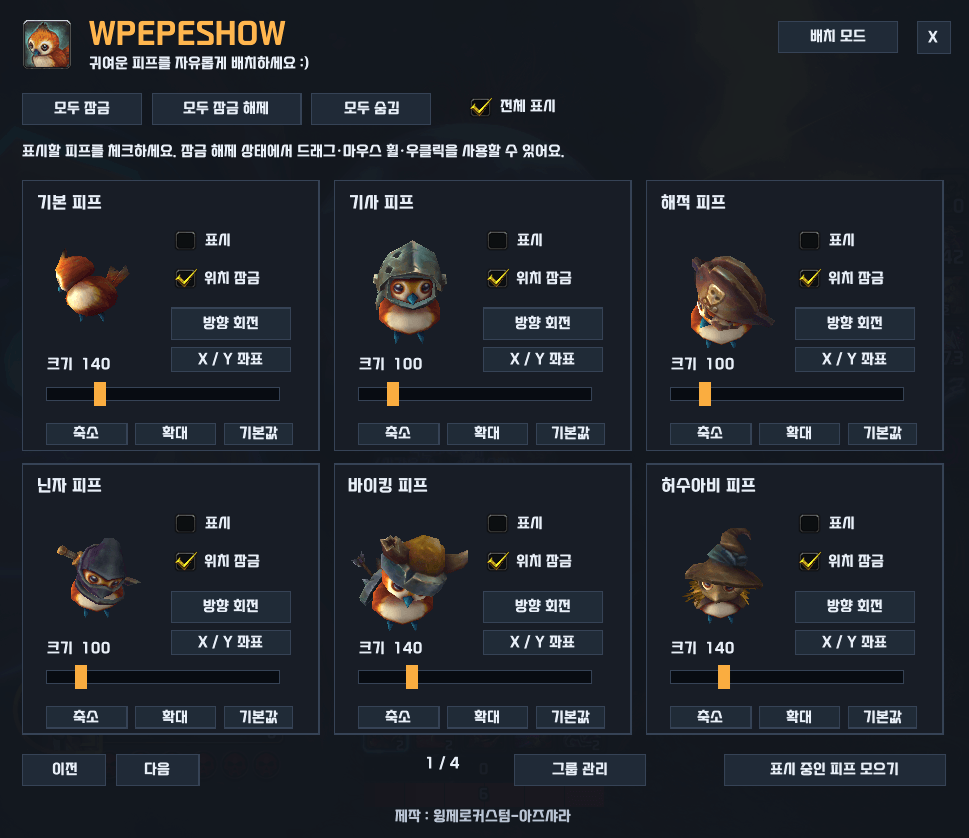
WPEPESHOW lets you decorate your World of Warcraft interface with 3D Pepe models. Choose your favorite appearances, preview them in the gallery, and place multiple Pepes anywhere on your screen.
Features
- 20 Pepe appearances — Choose from a variety of costumes and styles.
- 3D preview gallery — Browse appearances before displaying them.
- Multiple Pepes — Display any combination of your favorites.
- Individual positioning — Drag each Pepe to its own spot.
- Adjustable size and rotation — Customize each Pepe's size and facing direction.
- Model zoom controls — Fine-tune how each model fits within its display area.
- Position locking — Lock your decorations to let mouse clicks pass through.
- Minimap button — Quickly open the gallery and drag the button around the minimap.
- Saved settings — Your selections, positions, sizes, and rotations are shared across characters on the same account.
How to Use
Type /wpepe or click the minimap button to open the gallery.
- Check an appearance to display it.
- Unlock its position and drag it wherever you like.
- Use the size slider or mouse wheel to resize it.
- Adjust its rotation and model zoom.
- Right-click the unlocked decoration, or use the gallery checkbox, to lock it.
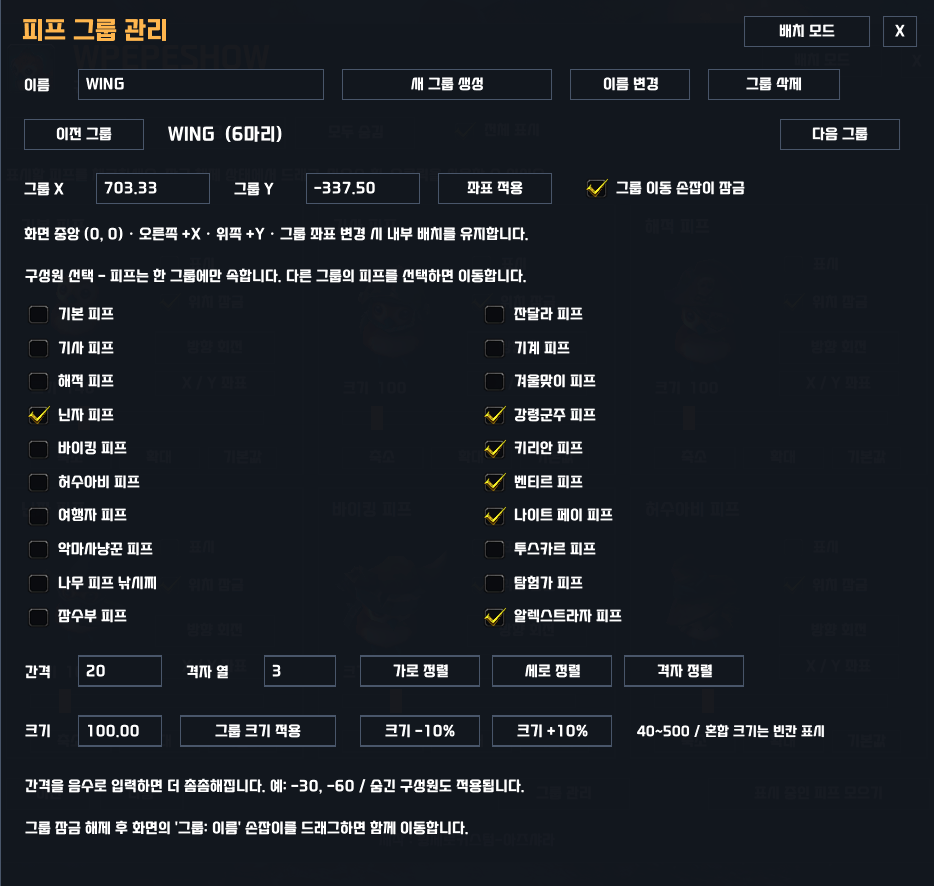
The gallery also includes controls to lock or unlock all Pepes, hide them, and bring active decorations back into an organized layout.
Commands
/wpepeor/wpeps— Toggle the gallery./wpepe lock— Lock all positions./wpepe unlock— Unlock all positions./wpepe hide— Temporarily hide all decorations./wpepe show— Restore enabled decorations.
Compatibility
Designed for World of Warcraft Retail. No additional addons are required.
Pepe collection unlocks are not required. These are personal UI decorations visible only to you; they do not summon Pepe into the game world or change your character's appearance.
Created by 윙제로커스텀-아즈샤라.
WPEPESHOW
귀여운 피프를 자유롭게 배치하세요 :)
WPEPESHOW는 다양한 의상의 피프 3D 모델로 와우 화면을 꾸밀 수 있는 애드온입니다. 갤러리에서 마음에 드는 피프를 고르고, 원하는 위치와 크기로 배치해 보세요!
주요 기능
- 20종의 피프 모델 — 다양한 의상과 모습의 피프를 선택할 수 있습니다.
- 3D 미리보기 갤러리 — 설정창에서 각 피프의 모습을 확인할 수 있습니다.
- 여러 피프 동시 표시 — 체크한 피프들을 화면에 함께 표시합니다.
- 개별 위치 이동 — 피프마다 원하는 위치로 드래그할 수 있습니다.
- 크기 및 방향 조절 — 각 피프의 크기와 바라보는 방향을 설정할 수 있습니다.
- 모델 확대·축소 — 표시 영역 안에서 모델이 보이는 크기를 세부 조절합니다.
- 위치 잠금 — 잠근 피프는 마우스 클릭을 통과시켜 게임 조작을 방해하지 않습니다.
- 미니맵 아이콘 — 클릭으로 설정창을 열고, 드래그로 아이콘 위치를 옮길 수 있습니다.
- 설정 저장 — 표시 여부, 위치, 크기, 방향 등의 설정을 계정 내 캐릭터가 공유합니다.
사용 방법
/wpepe를 입력하거나 미니맵 아이콘을 클릭해 설정창을 엽니다.
- 화면에 표시할 피프의 표시 항목을 체크합니다.
- 위치 잠금을 해제하고 피프를 드래그해 배치합니다.
- 크기 슬라이더 또는 마우스 휠로 크기를 조절합니다.
- 방향 회전과 확대·축소 버튼으로 모습을 조절합니다.
- 배치가 끝나면 피프를 우클릭하거나 설정창에서 위치를 잠급니다.
전체 잠금·잠금 해제·숨김 기능을 지원하며, 표시 중인 피프 모으기 버튼으로 피프들을 정렬된 위치에 다시 모을 수 있습니다.
명령어
/wpepe또는/wpeps— 설정창 열기·닫기/wpepe lock— 모든 피프 위치 잠금/wpepe unlock— 모든 피프 위치 잠금 해제/wpepe hide— 전체 일시 숨김/wpepe show— 표시하도록 선택한 피프 다시 표시
지원 환경 및 참고 사항
월드 오브 워크래프트 리테일용 애드온이며, 별도의 필수 애드온은 없습니다.
게임 내 피프 수집 여부와 관계없이 사용할 수 있습니다. 피프는 자신에게만 보이는 UI 장식으로 표시되며, 게임 공간에 실제로 소환되거나 캐릭터의 외형을 변경하지 않습니다.
제작 : 윙제로커스텀-아즈샤라
WPEPESHOW Team