Wowstagram
- By
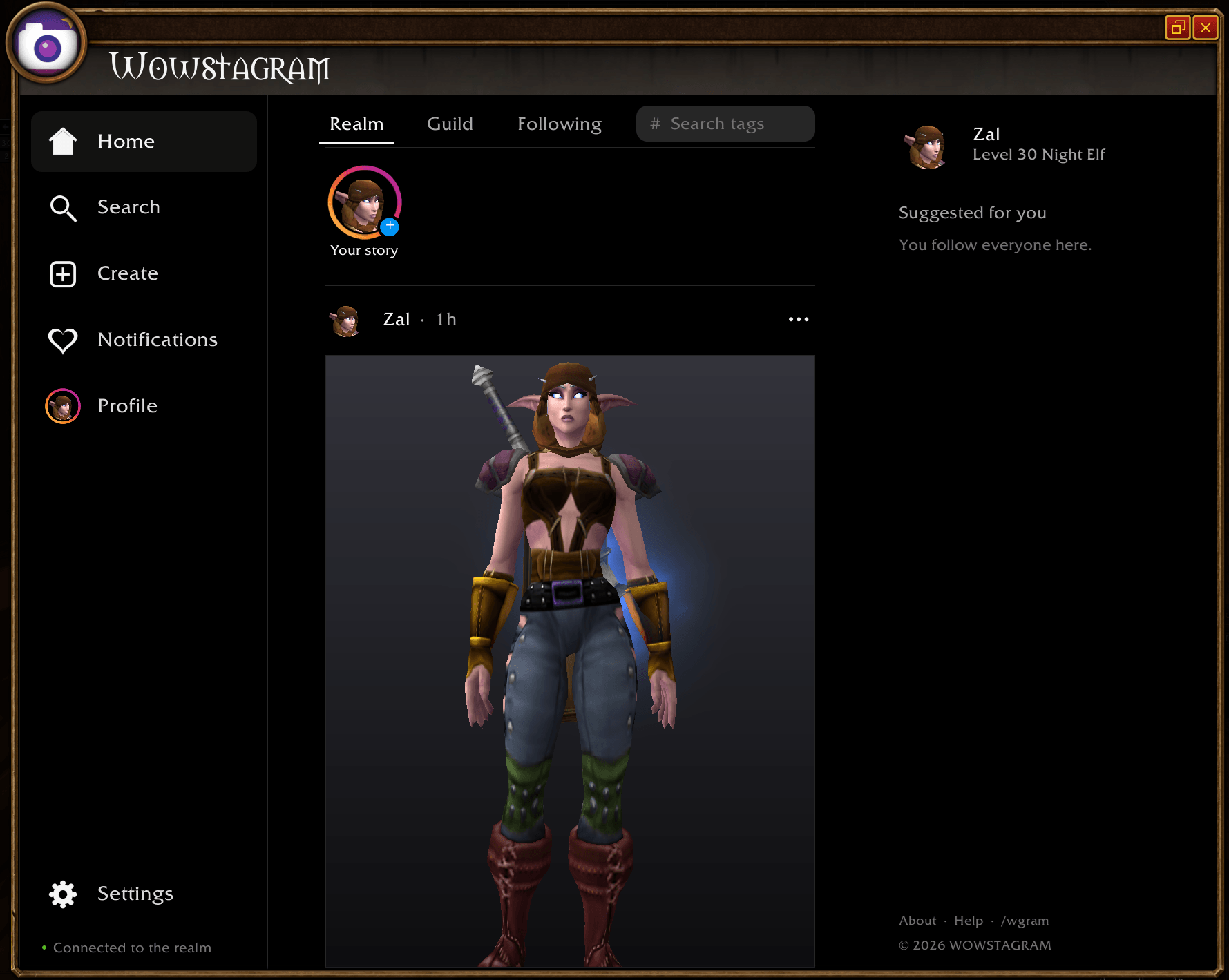
Instagram for your WoW characters: put yourself in the picture, change the outfit, strike a pose and share it with your realm or guild. Retail and WoW Forever.
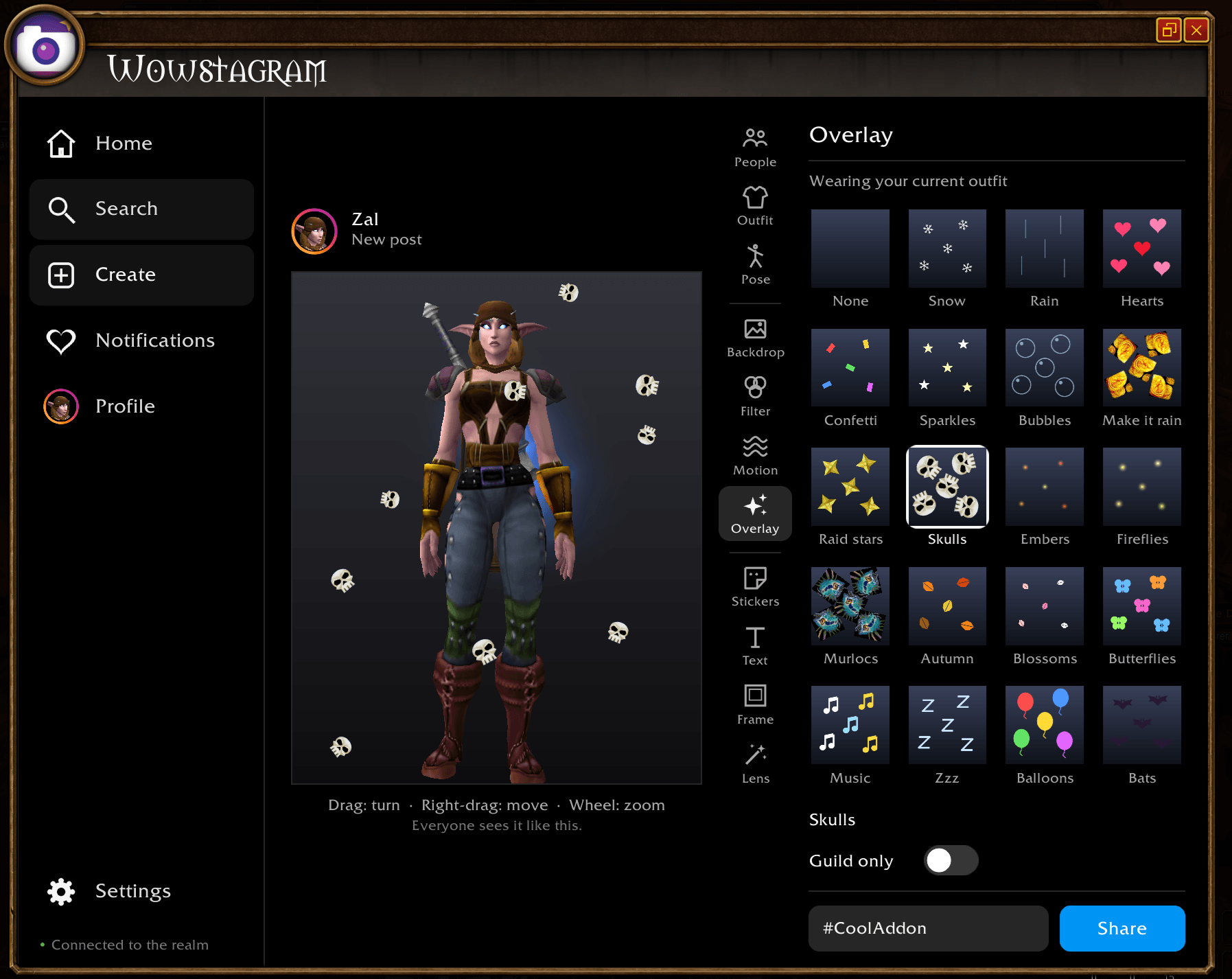
CreatePost.png
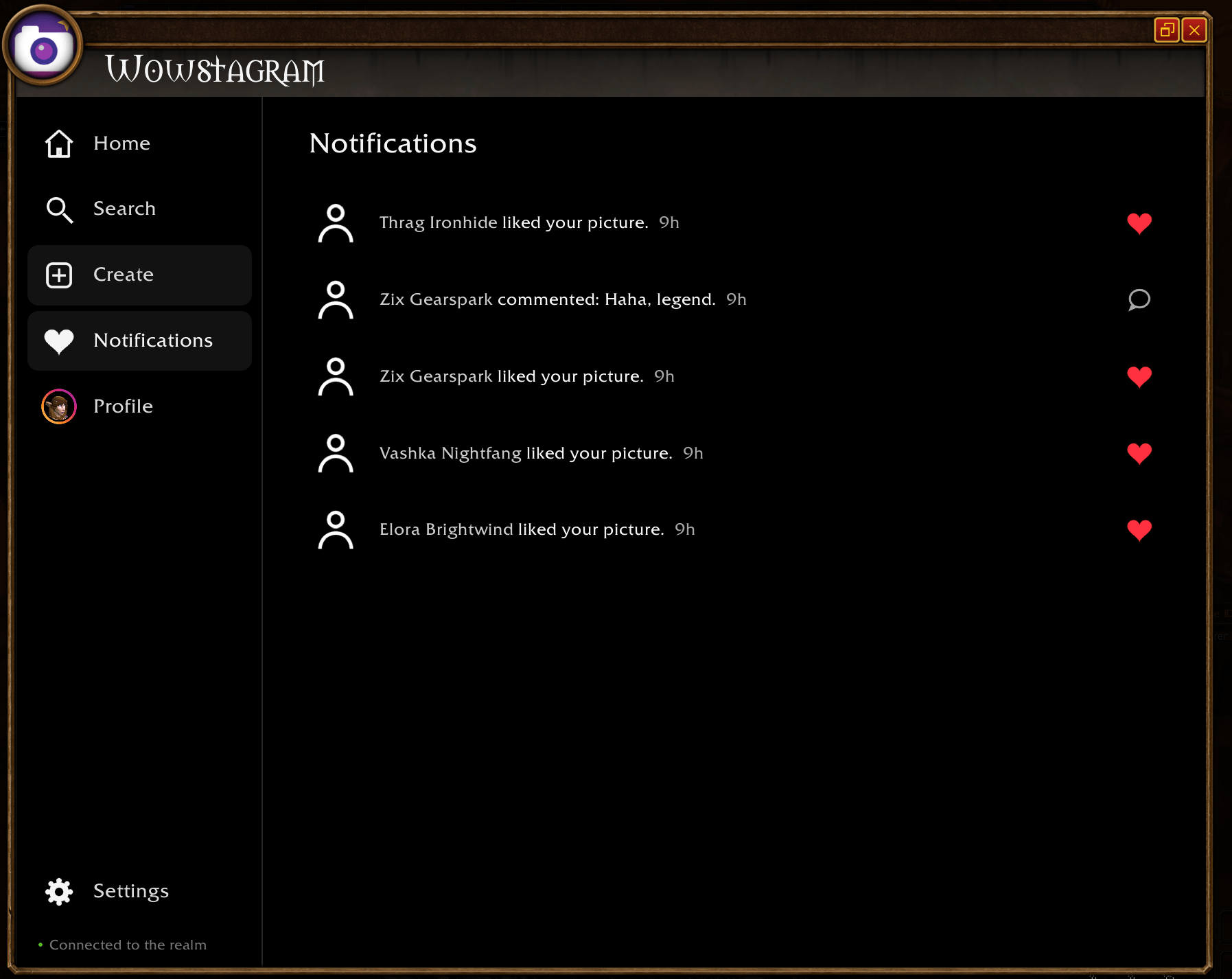
Notifications.png
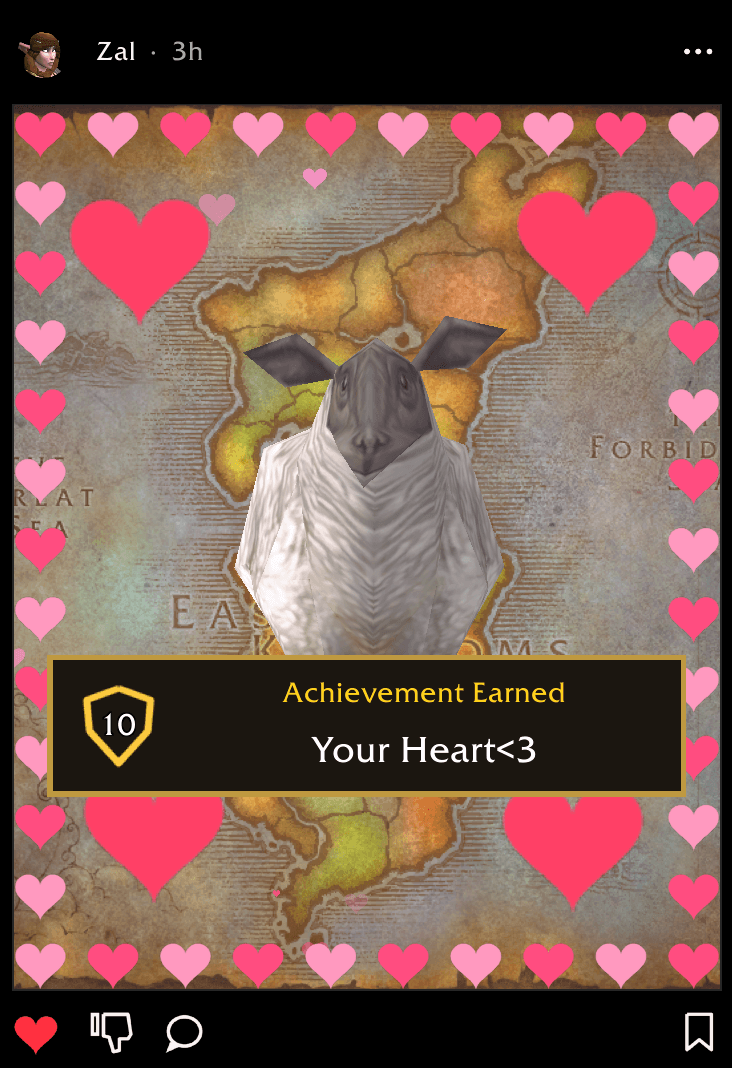
wowstagram.png
Profile.png
Description
Wowstagram
Instagram for your WoW character. Put yourself in the picture, change the outfit, strike a pose, add a filter and share it with your realm, or only with your guild. Everyone with Wowstagram sees it in their feed, and can like it and comment on it.
Type /wgram to open it, or click the camera on your minimap. Works on Retail and WoW Forever.
Create
Open Create and you're in the picture, exactly as you look right now: race, face, hair and transmog.
- Outfit: click any piece to take it off, click again to put it back. Take all off and Put all on with one button.
- Try on any item: drop it from your bags, shift-click a link in chat, or type its ID.
- 22 poses: dance, wave, cheer, flex, salute, kneel, sit, sleep, battle-ready, cast and more.
- Framing: full body, waist up or face, with weapons out or put away.
- Backgrounds: 20 colours, moving ones (Disco, Rainbow, Aurora, Starfield), your own two colours, the classic Dressing Rooms, 32 classic loading screens, 48 old world maps, flowing lava and water, ground textures, talent tree paintings and book pages.
- Filters: 21 looks from Golden hour to Fel, Blood Moon, Ghost and Vaporwave.
- Motion, with any filter: Rainbow, Disco, Strobe, Glitch, Drunk, Dizzy, Earthquake, Hype, Underwater, Heartbeat, Spooky.
- 44 overlays: snow, fireworks, lightning, sunbeams, confetti cannon, butterflies, ghosts, meteors, loot rain... even raining sheep and murlocs.
- Stickers: raid markers, quest marks, faction crests, gold, murlocs... drag, size and turn them.
- Text in 9 styles, including an Achievement Earned banner, Epic loot and Level up.
- Frames: Polaroid, Wanted poster, Film, Breaking news, Magazine cover, Boss fight and more.
- Face filters: cat or bunny ears, blush, heart eyes, shades, a crown or halo, a quest "!" over your head, even a nameplate.
- Lenses: Tiny, Giant, Upside down, Spin, Float, or turn into a sheep, frog, murloc, snowman... or Ragnaros.
- Group pictures: add your target or party members, up to 4 people, each with their own pose and place.
- Drag to turn, right-drag to move someone, wheel to zoom. Everyone sees the picture exactly as you made it.
Share
- Realm, Guild and Following feeds. Double-click a picture to like it, or give it a thumbs down.
- Block anyone: their pictures and comments disappear for you.
- Your friends first, then the people you follow, your guild, and people you've recently seen around you.
- #hashtags, @mentions and Search.
- Guild only: one switch keeps a picture, its likes and its comments inside your guild.
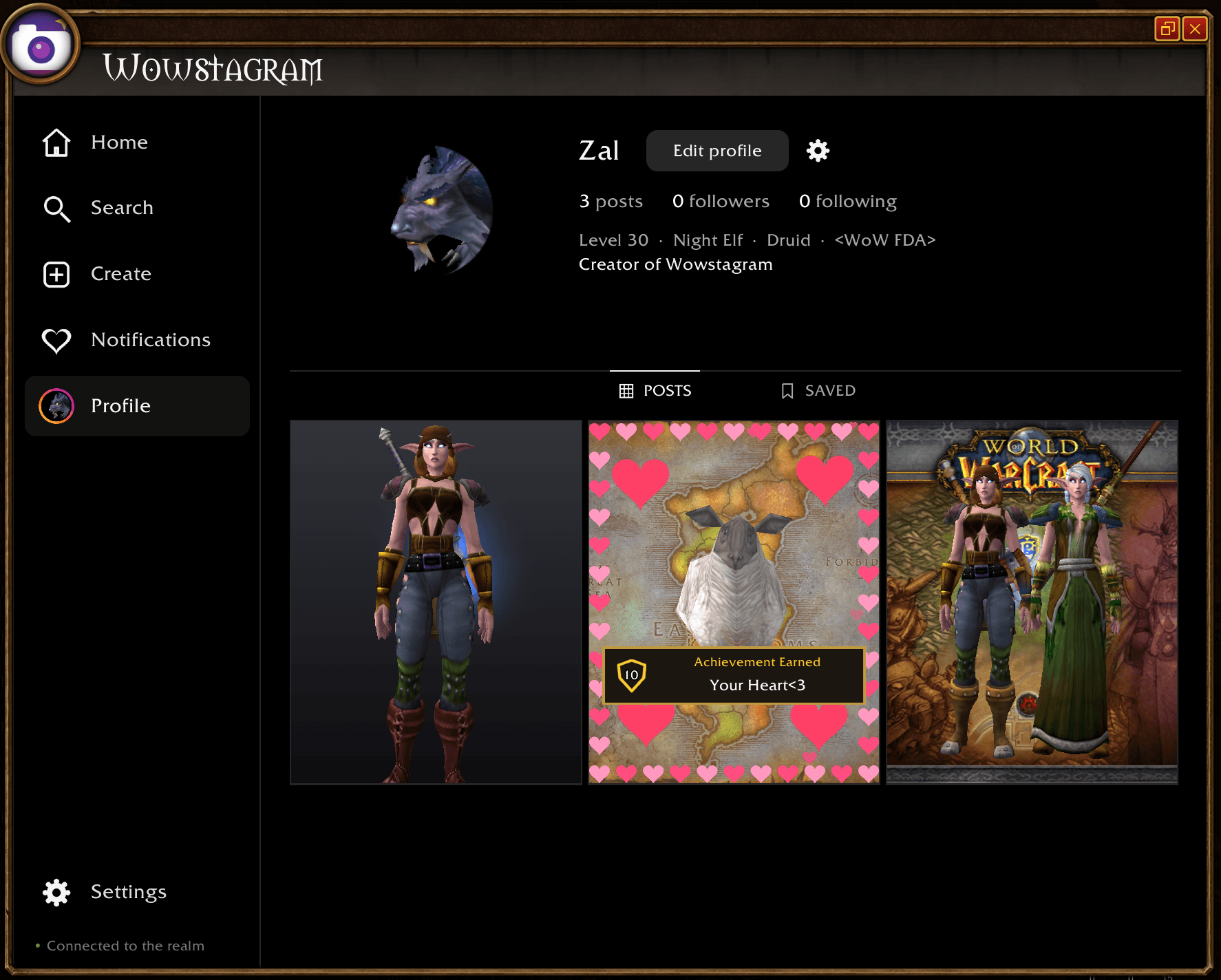
- Comments, follows, profiles with a bio, Saved pictures and Notifications.
- The look: every item in someone's outfit, with its tooltip.
- Try this look: put someone's outfit on your own character, change it and post it.
- Save to computer: any picture, as a screenshot in your Screenshots folder.
- Stories along the top, Suggested for you on the right, and a profile grid, all in a dark, clean page inside a WoW window. One click for fullscreen.
How does it work?
A picture isn't an image. It's a tiny note saying which appearances are worn, the pose, the background and the filter. Every player's game draws it again in 3D, so pictures cost almost nothing to send.
WoW can only dress a real player it can see, so a stranger's picture uses the best body available, and a small badge says which:
- Their own body, when your game can see them (target, group, nameplates...).
- Stand-in: their exact outfit, on a body of their gender turned into their race (the same trick as the in-game Shop's previews).
- Look-alike: someone of their race and gender in the same kind of armour, with their real helm, shoulders, cloak and weapons.
Also
- Try it alone: type
/wgram demofor made-up people who post, like and comment on your pictures. - Built not to lag a busy realm: only a few players answer each login, and every sender is rate-limited.
- Only you can edit or delete your pictures and comments.
- Settings: window size, sounds on or off, a chat line for likes and comments, the minimap button, sharing on or off.
Wowstagram Team