WoWSheet
- By
A fully-featured in-game spreadsheet with 40+ formulas, live WoW data functions, multi-document support, and real-time collaborative editing.
Description
WoWSheet
WoWSheet brings full spreadsheet functionality into World of Warcraft. Create documents, write formulas, pull live game data, and collaborate with other players in real time — all without leaving the game.
Getting Started
Type /ws or /wowsheet to open the document manager. You can also click the minimap button (left-click for document manager, right-click for the function reference).
Spreadsheet Features
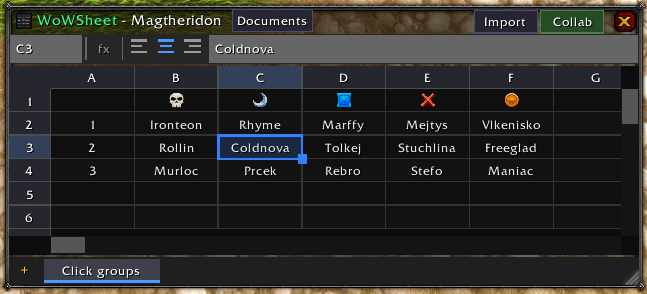
WoWSheet supports up to 999 rows and 52 columns (A through AZ) per sheet, with multiple sheets per document and multiple documents. Cells accept numbers, text, booleans, formulas, and even clickable item links with quality coloring.
- Adjustable column widths via drag-resize
- Cell alignment controls (left, center, right)
- Range selection with Shift + Arrow Keys
- Copy, cut, and paste with Ctrl+C, Ctrl+X, Ctrl+V
- Fill drag handle to auto-fill cells with incrementing formulas
- Search across all cells with Ctrl+F
- Right-click context menus on cells, sheet tabs, and documents
- Formula bar with cell name box for quick navigation
40+ Built-In Functions
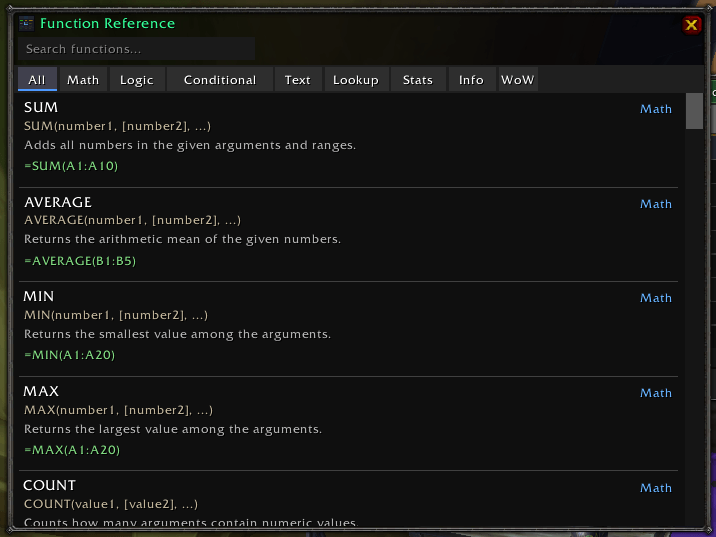
WoWSheet includes a full formula engine. Start any cell with = to enter a formula. A searchable function reference is built in — access it with the fx button, right-click the minimap icon, or press F1.
Math
SUM AVERAGE MIN MAX COUNT ABS ROUND CEIL FLOOR MOD POWER SQRT
Text
CONCATENATE LEN UPPER LOWER LEFT RIGHT MID TRIM SUBSTITUTE REPT
Logic & Conditional
AND OR NOT IF IFERROR
Lookup
VLOOKUP HLOOKUP INDEX MATCH
Statistics
COUNTA COUNTIF SUMIF AVERAGEIF MEDIAN
Info
ISNUMBER ISTEXT ISBLANK
WoW-Specific Functions
Pull live game data directly into your spreadsheet cells.
Character
HEALTH() HEALTHMAX() MANA() MANAMAX() LEVEL() CLASS() PLAYERNAME() REALM() XP() XPMAX()
Currency & Inventory
GOLD() SILVER() COPPER() TOTALGOLD() BAGFREE() BAGTOTAL()
Equipment
ILEVEL(slot) — returns the item level of an equipped item by slot number
Location & Time
ZONE() SUBZONE() NOW() GAMETIME()
Item Lookup
Pass any item ID to retrieve its information:
ITEMNAME(id) ITEMLEVEL(id) ITEMPRICE(id) ITEMCOUNT(id) ITEMLINK(id) ITEMQUALITY(id) ITEMTYPE(id)
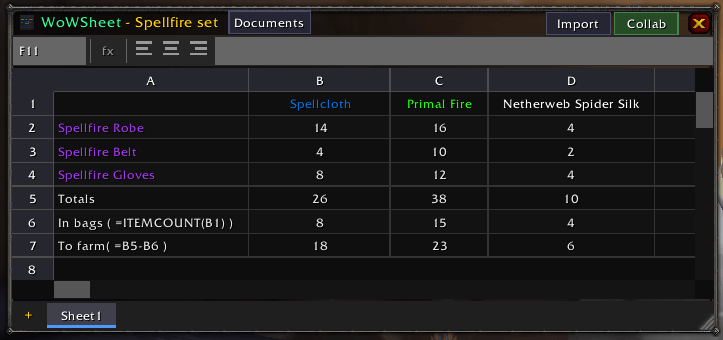
Item functions accept a numeric item ID, a cell reference containing an item link (e.g., =ITEMCOUNT(A2) where A2 has a shift+clicked item), or a direct item ID number. While editing a formula, Shift+Click an item to insert its item ID, or Shift+Click a cell to insert a cell reference at the cursor.
ITEMLINK returns a fully clickable, quality-colored item link with tooltip support.
Raid Icons
RAIDICON(name_or_number) — displays a raid target icon by name (star, circle, diamond, triangle, moon, square, cross, skull) or number (1–8)
Real-Time Collaboration
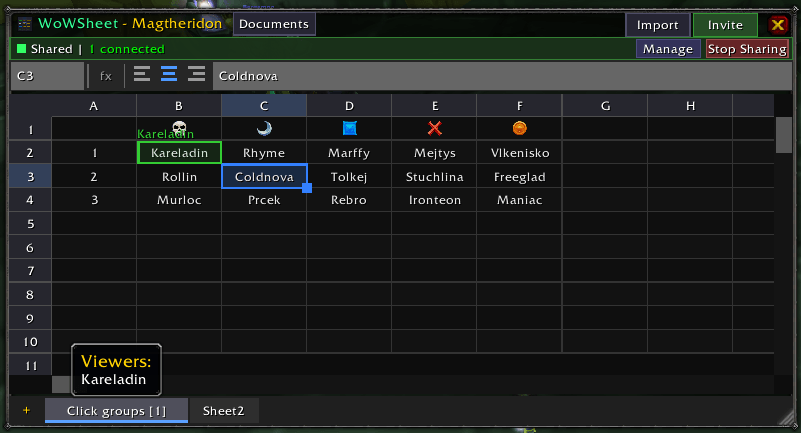
Share a document with other players and edit together in real time.
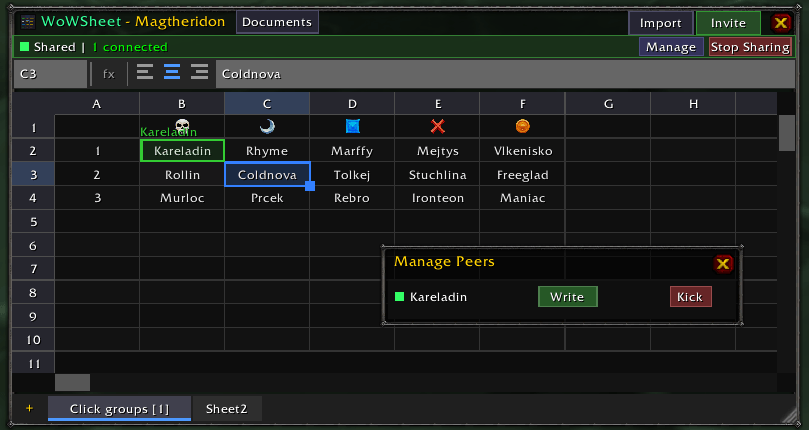
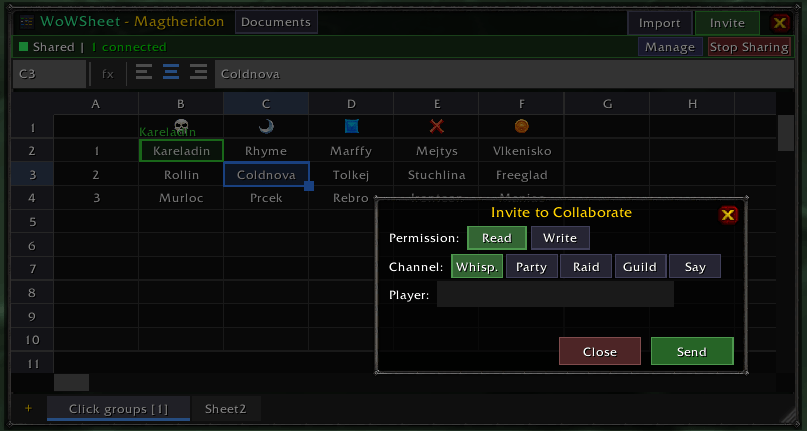
- Right-click a document and select Share to start hosting
- The recipient gets a share offer dialog — once accepted, the document syncs automatically
- Host controls permissions: guests can be given write access or kept read-only
- Peer cursors show where each collaborator is editing, with unique colors per player
- Edits sync with delta-based batching for efficient bandwidth usage
- Automatic reconnection if a player reloads
- The addon detects whether the recipient has WoWSheet installed before attempting to share
Import CSV/TSV Data
Bring external spreadsheet data into WoWSheet. Supports comma-separated (CSV), tab-separated (TSV), and semicolon-separated formats.
Direct Paste from Excel / Google Sheets
Copy cells in Excel or Google Sheets, then select a cell in WoWSheet and press Ctrl+V. The data is automatically detected and imported at the cursor position — no extra steps needed.
Import Dialog
For more control, use the import dialog:
- Click the Import button in the spreadsheet header bar
- Type
/ws import - Right-click a cell and select Import CSV/TSV here
- Right-click a document in the document manager and select Import CSV/TSV
The import dialog is a two-step wizard:
- Paste & choose separator — paste your data and select the delimiter (Tab, Comma, Semicolon, or a custom character). The separator is auto-detected on paste.
- Preview & import — review parsed rows and columns, then choose where to import: as a new document, a new sheet in the current document, or at the current cell position.
When importing at the current cell, WoWSheet warns if existing cells will be overwritten and if data exceeds the sheet size limits (999 rows, 52 columns).
Document Management
- Create, rename, and delete documents from the document manager
- Each document supports multiple sheets with add, rename, and delete controls
- Documents display relative timestamps (e.g., "2 mins ago")
- All data persists between sessions via SavedVariables
Keyboard Shortcuts
- Arrow Keys — navigate between cells
- Shift + Arrow Keys — extend selection
- Tab / Shift+Tab — move right / left
- Enter or F2 — edit cell
- Shift+Click item (while editing) — insert item ID into formula
- Shift+Click cell (while editing) — insert cell reference into formula
- Escape — cancel edit, collapse selection, or close window
- Delete / Backspace — clear selected cells
- Ctrl+C / Ctrl+X / Ctrl+V — copy / cut / paste (Ctrl+V also pastes from external clipboard)
- Ctrl+F — search
- F1 — function reference
Supported Versions
WoWSheet works across all WoW editions: Retail, Mists of Pandaria, Cataclysm, Wrath of the Lich King, The Burning Crusade, and Classic Era.
WoWSheet Team