


Wowdee
- By

A free all in one add on, character tracking, quest and dungeon journals, gear advice, and auction tools.
What's new
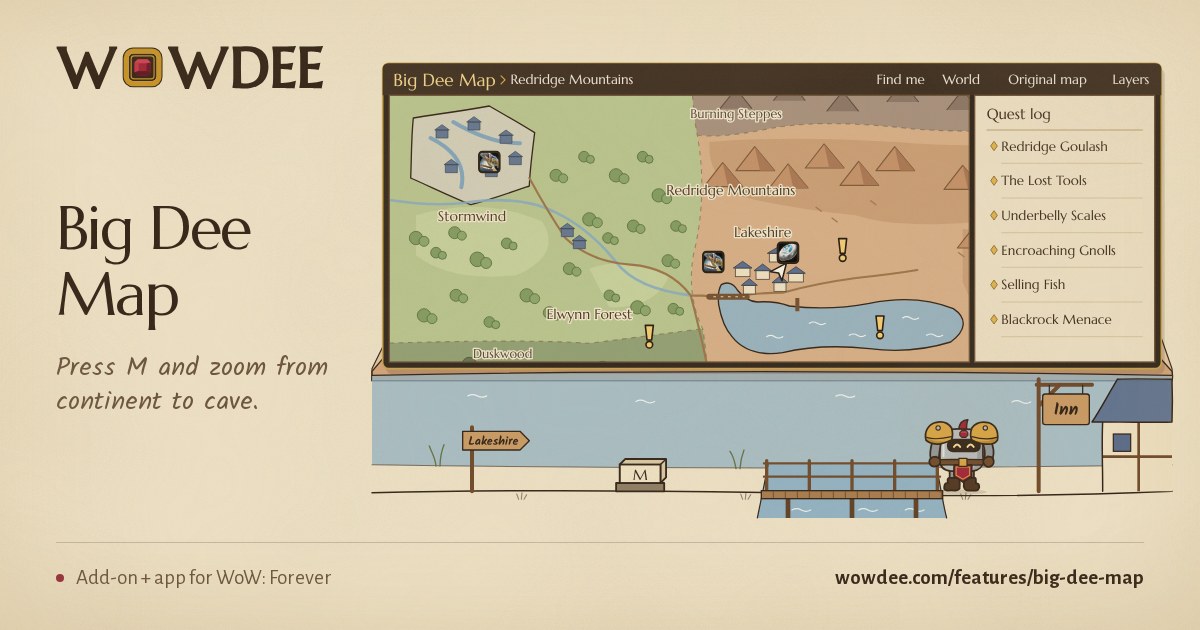
Wowdee Alpha 0.35.1 — BIG DEE Map, a rebuilt 1–60 Guide
Restart the game after updating. Download at wowdee.com.
0.35.1 — New
- Damage-over-time preview. On by default, a mark on your target's health bar shows the estimated damage left from your own spells, with a finish cue and optional numbers. Change its look in Settings. Estimates need supported spell details; resists, dispels and healing can change the outcome.
- 1-60 Guide: a new route to level 60. Every starting zone has its own route all the way to 60, with more quests on the way and class trainer visits for your class. Travel stops tick off by themselves when you arrive, and the arrow points at your next quest work.
- Your guide beside you. A movable tracker keeps your current stop and nearby quests on screen. It shows what is finished, what still needs doing and why a stop is waiting. The guide continues into the next chapter, with a small notice when you finish a step.
- Quest areas on Big Dee Map. The blue areas where your quest objectives are, as on the game's own map, with the same tooltip. They have their own switch under Layers.
- Horde and Alliance at a glance. To-do groups your tasks under each character with their faction crest, and Mail shows each character's crest. With characters on both factions, Characters and Gold split your characters into Horde and Alliance, each with its own gold total, and the gold chart can show one faction. Turn off Split by faction in Settings for one list for your whole account.
0.35.1 — Improved
- Smoother Big Dee Map. Zooming eases toward your cursor in smaller steps. Zone maps take over from the world map in one quick cross-fade, so the map never rests halfway between two pictures. Neighboring zones meet along their borders and coasts, and places no zone map draws show soft land and sea instead of a stretched world map.
- A lighter map. Zooming, questing and looting with Big Dee Map open no longer cause stutters, and opening it again is instant.
- Your portrait marks you. Your character's portrait shows where you are, with an arrow on its ring pointing where you face.
- Cities come in as they fill the view. Orgrimmar, Thunder Bluff, Ironforge and Undercity show their street plans without the blank paper around them; Stormwind and Darnassus fade in round.
- Detail up close. The game's terrain detail blends in when you zoom far in, under the painted map. Underground maps appear when you zoom right in on a cave or city, and fade in instead of popping.
- Quest sparkles are on unless you switch them off. Quest objects sparkle instead of showing the game's outline when you point at them; turn Quest sparkles on or off in Settings, Nearby highlights. Herb and ore quest objects, which the game never sparkles, get Wowdee's quest marker when Quest objects is on.
- Your level-up card shows on time, even in a fight. With the Auto banner duration it stays up until the fight ends, then fills in the details.
- Guildmates' level-ups arrive sooner, and several at once come as one message. Messages that appear during a fight let your clicks through.
- The guide shows the quests to pick up at one place together, and keeps you on nearby quests before sending you off to hand in.
- Map names stay on their place and are no longer cut short. The height controls follow the place under the map's center.
0.35.1 — Fixed
- The 1-60 Guide no longer stays on "Reach Tirisfal" or another arrival step while you quest, and it moves on after each quest without a reload.
- Finished quests on Big Dee Map show the hand-in question mark instead of the new-quest exclamation mark.
- The Big Dee Map button on the game's map no longer sits under the map's own corner button.
- Level-up stat arrows show instead of boxes.
- The layer display no longer announces layer changes that didn't happen. It changes only when two different nearby NPCs agree, and its tooltip shows the last change.
This mod has no additional files