WoW Tracker: PvP Ratings & Match History
- By
WoW Tracker puts PvP ratings, titles and top-player builds into the interface you are already using - and keeps a record of every rated match you play.
Check anyone's rating without leaving the group finder. Open your own history to see both teams, every Solo Shuffle round and who you keep losing to. Read your alts' ratings, honor and conquest on one screen. Apply a build from the top of the ladder in one click.
What it does
| Feature | Details |
|---|---|
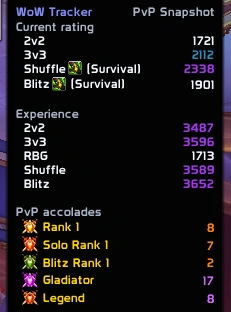
| Current Ratings | Ratings for 2v2, 3v3, RBG, Solo Shuffle and Battleground Blitz, in tooltips across the game |
| PvP Experience | Previous high-rated experience across supported brackets |
| PvP Accolades | Notable titles and achievements, including Gladiator, Legend, Elite and Rank 1 |
| Match History | Every rated match you finish, with both teams, ratings, MMR and Solo Shuffle rounds |
| Matchups | Your record against every enemy comp, and against every spec in Solo Shuffle |
| Characters | Every alt's ratings, honor, conquest and gold, with this week's conquest cap |
| Live Overlay | Your latest results on screen while you queue |
| Build Library | Talents, PvP talents and gear from top-rated players, applied in one click |
Where it works
Player PvP information is available from:
- Character Tooltips
- Group Finder / LFG
- Friends List
- Guild Roster
Check a player's current rating, previous experience and notable accomplishments without leaving the interface you're already using.
Match History
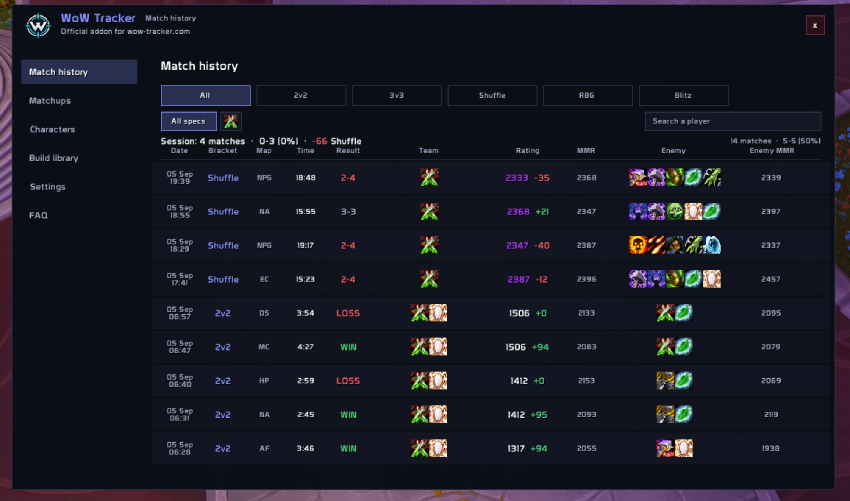
Every rated arena, Solo Shuffle, rated battleground and Blitz you finish is recorded automatically. Skirmishes and unrated battlegrounds are not.
Each match shows the date, bracket, map, length, result, your rating and how it moved, both MMRs, and the specs of both teams.
- Hover a match for the full picture - and for Solo Shuffle, all six rounds: who you played with, how long each took, who fell first and how it ended.
- Hover a player for their damage, healing, kills, deaths and rating change in that match, together with their WoW Tracker ratings and titles.
- Search a name to find every match you played with or against someone, and filter by bracket or by the spec you played.
- Read your session at a glance: matches played, win–loss, and rating gained or lost per bracket.
History is stored on that character, on your computer, and never leaves it. Keep the last 500, 1000 or 5000 matches, or switch recording off entirely - per bracket if you like.
Matchups
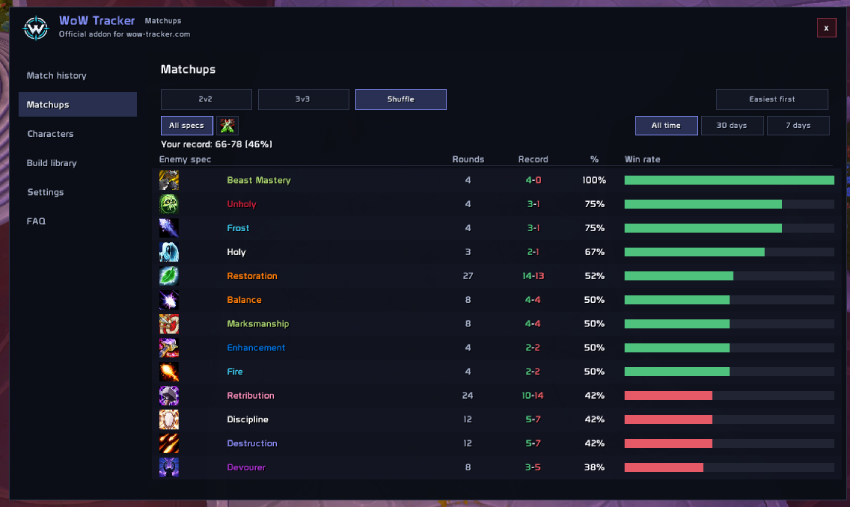
Who you actually beat, worked out from the matches you have already played - nothing extra is recorded for it.
- 2v2 and 3v3 answer by enemy composition: the exact three you faced, however the scoreboard listed them.
- Solo Shuffle answers per enemy spec and per round, because a lobby deals a different three every round.
- Sorted hardest first, because the matchup you lose to is the one worth reading. Filter by the spec you played, or by the last 7 or 30 days.
Characters
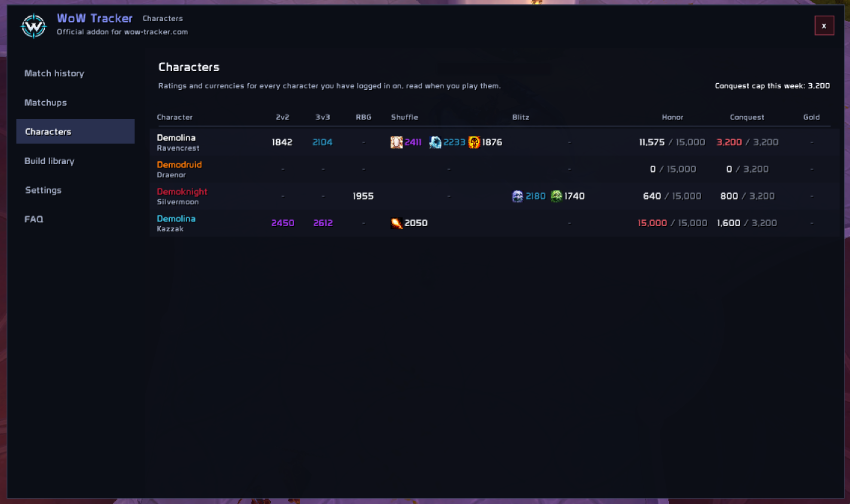
Every character you have logged in on, on one screen: ratings in all five brackets - per spec for Solo Shuffle and Blitz - plus honor, conquest and gold.
- This week's conquest cap, read from the game itself, so it is right as the cap grows each week and when it is lifted later in the season.
- A notice when honor reaches its cap, because everything past it is lost.
- Hover a character for its Bloody Tokens, Marks of Honor and other PvP items.
Live Overlay
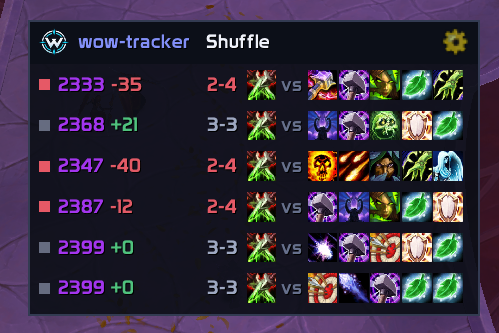
A compact bar with your latest results, always on screen. It follows the bracket you last played, or click its label to switch.
Show 4 to 10 matches, drag it anywhere, scale it from 50% to 300%, hide it in combat, and turn on hover details to get the same match information the history tab shows. Solo Shuffle rows carry the round score.
Build Library
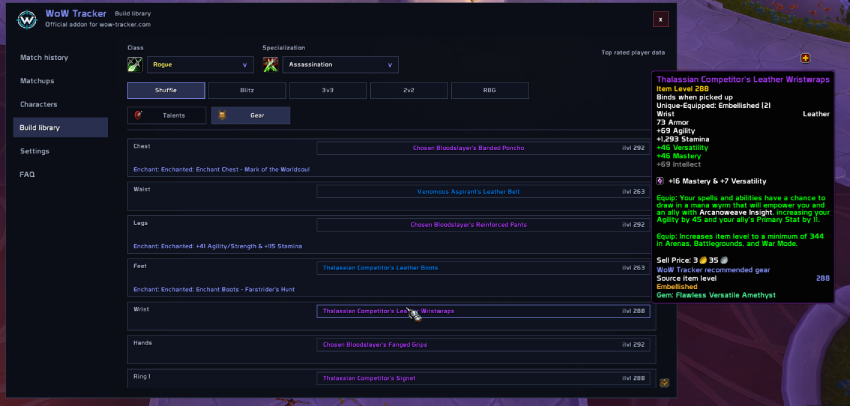
Choose a class, specialization and bracket to browse builds based on top-rated players.
Solo Shuffle · Battleground Blitz · 3v3 · 2v2 · RBG
View recommended talents, popular alternatives, PvP talents and gear setups. Copy the talent code, or apply the build in one click - the addon keeps its own loadout, never overwrites yours without asking, and judges a build by the talents you are actually wearing.
Fully Customizable
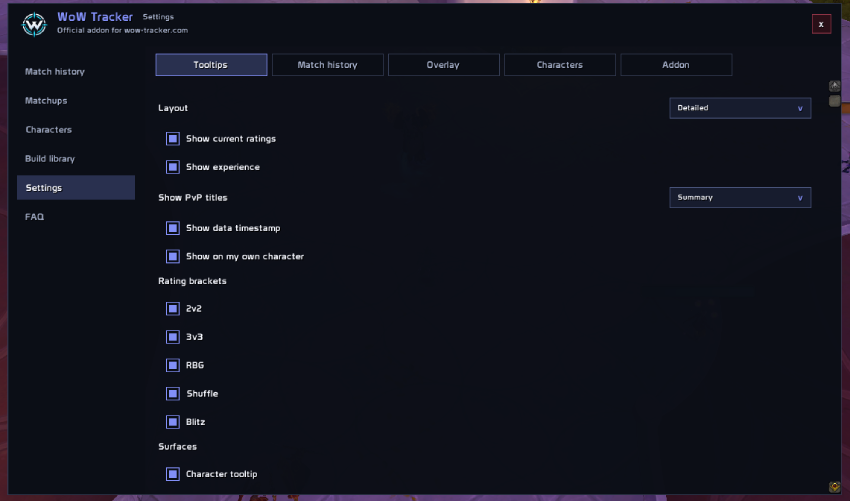
Settings are grouped into Tooltips, Match history, Overlay, Characters and Addon.
Choose which ratings, experience and titles appear, which brackets and interfaces are covered, how the addon behaves in combat and in instances, what is recorded and how much of it is kept, how the overlay looks, which currencies are tracked and on which characters, and whether the minimap button is shown.
Getting around
- Minimap button - left click opens Match history, right click opens Settings.
/wtropens the addon./wtr buildsand/wtr settingsgo straight to a tab.
Good to know
- WoW Tracker installs with bundled EU and US data packs, refreshed twice a day. Leave them enabled in the addon list - without them there are no ratings to show, and the addon will say so if one is switched off.
/wtr enableswitches them back on. - The addon reads only the data shipped with it and what the game gives it. It makes no web requests and uploads nothing.
- Full leaderboards, activity, cutoffs and detailed build analysis live at wow-tracker.com.
WoW Tracker: PvP Ratings & Match History Team