WoW Touch Bar
- By
01-quest.png
02-xp.png
03-reputation.png
04-alerts.png
05-timer-alert.png
Description
Your quest, XP, reputation, bags and alerts on the Touch Bar of an Intel MacBook Pro running Windows in Boot Camp.
The game screen stays clean: everything you'd glance at sits on the strip above your keyboard, updated within about a second. Outside the game, the Touch Bar becomes your brightness, volume and media keys.
This addon needs the free WoW Touch Bar app. On its own it only draws a thin line of dots in the corner of the screen. Get the installer (app, addon and Touch Bar driver in one) from GitHub.
What you get
In game
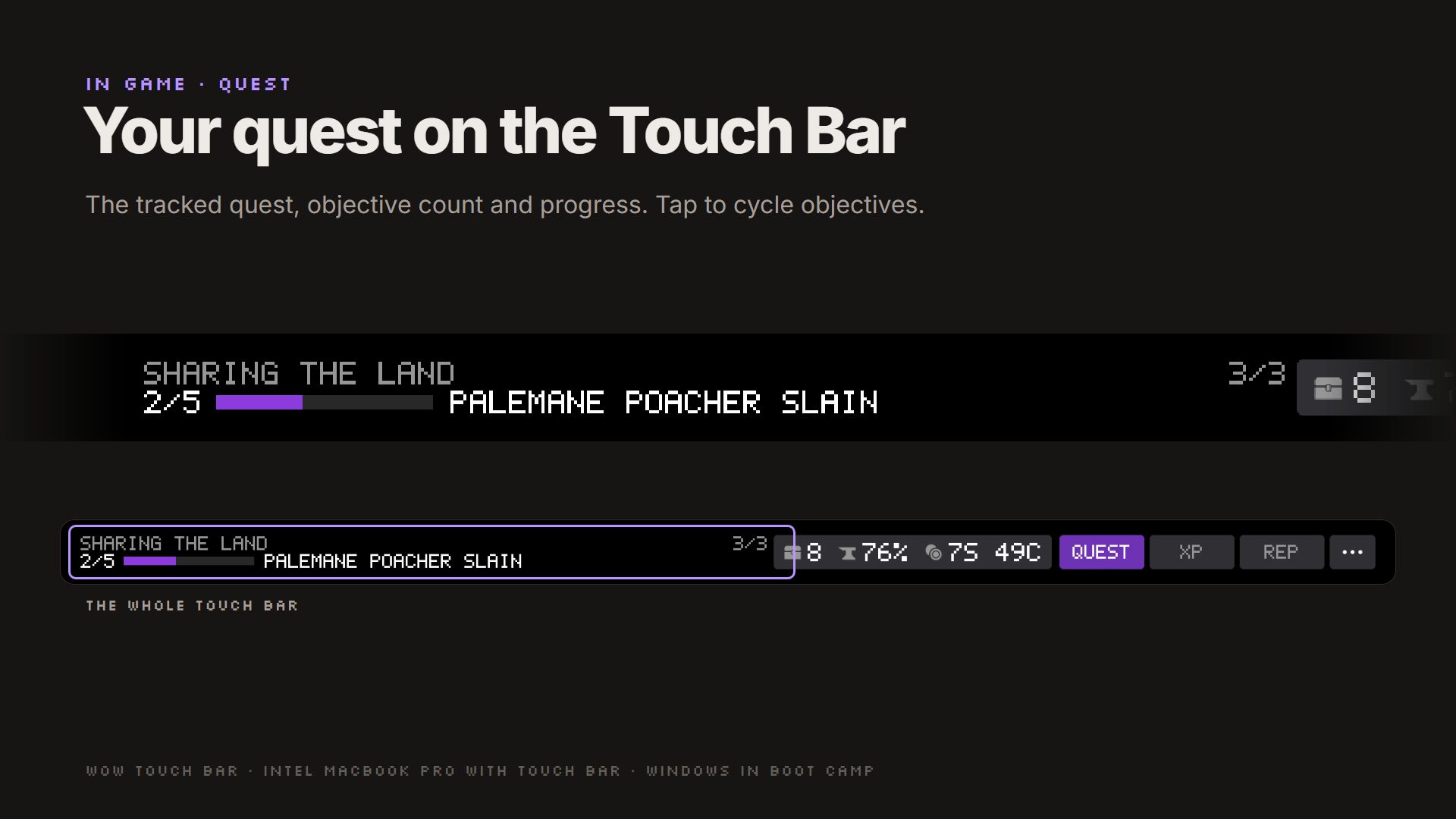
- Quest: your tracked quest with objective counts and a progress bar. Tap to cycle objectives.
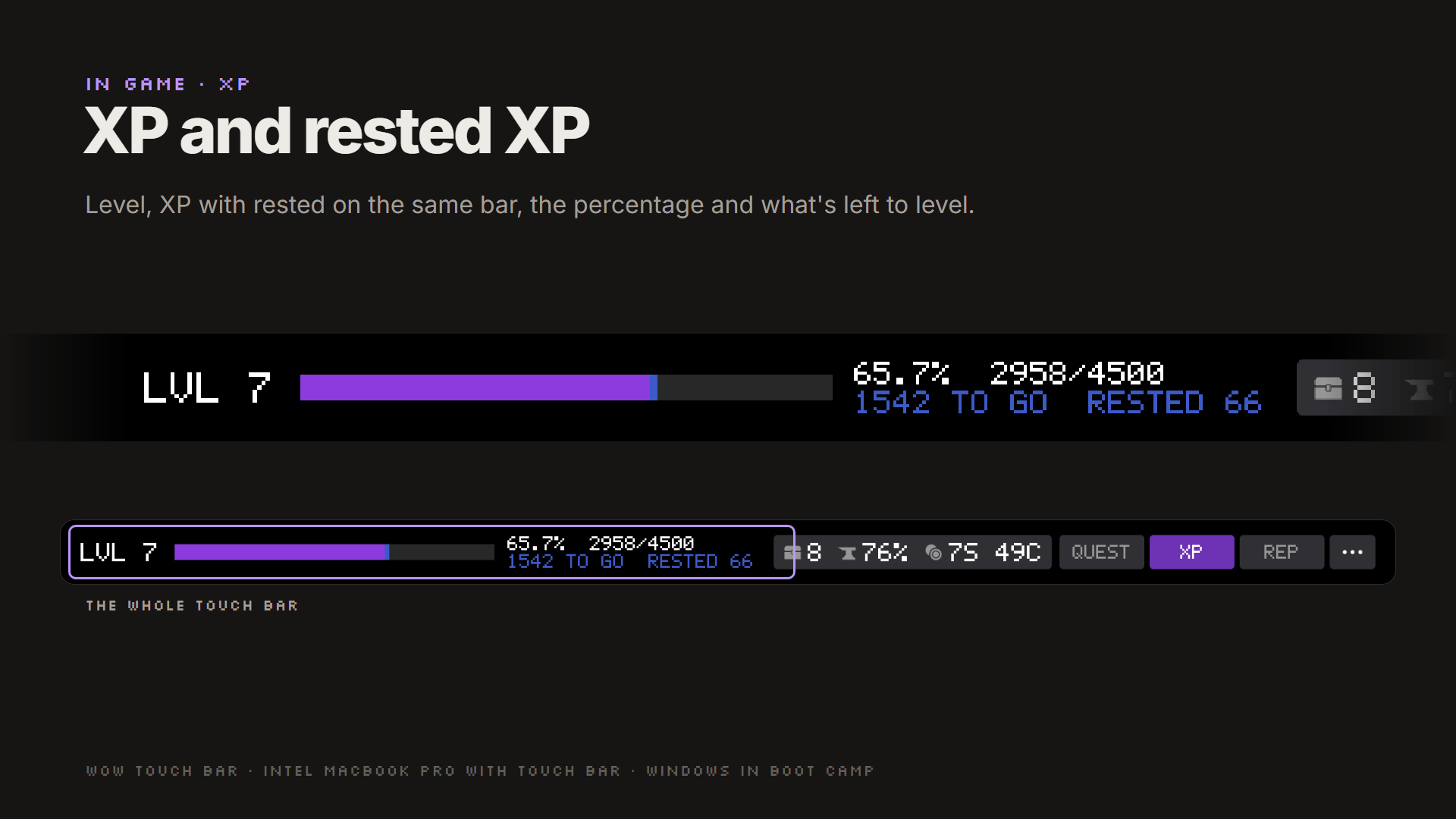
- XP: level, XP and rested XP on one bar, percentage and what's left to level.
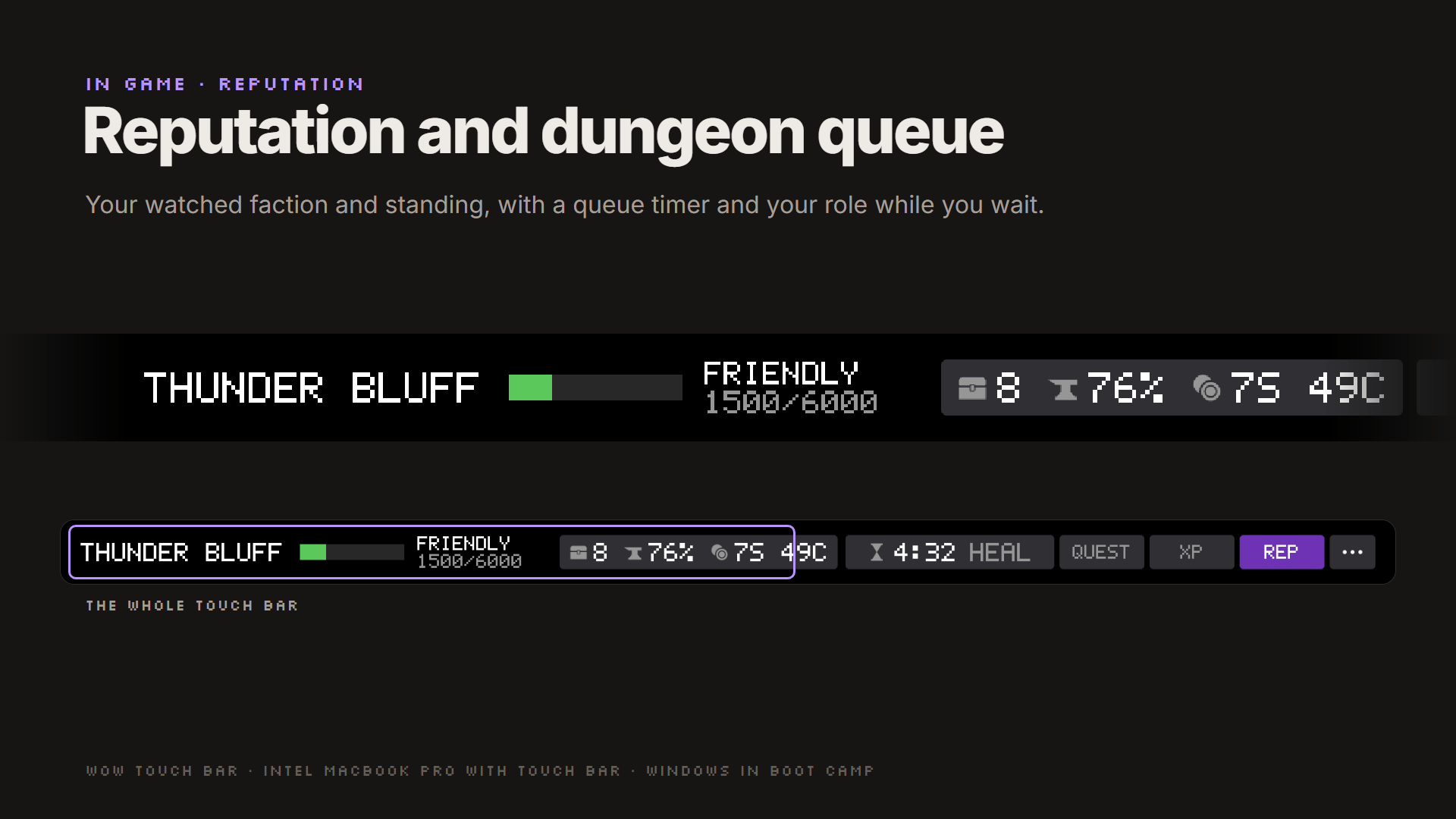
- Reputation: your watched faction and standing, plus a dungeon queue timer with your role.
- Bags, durability and gold beside the tabs on every page.
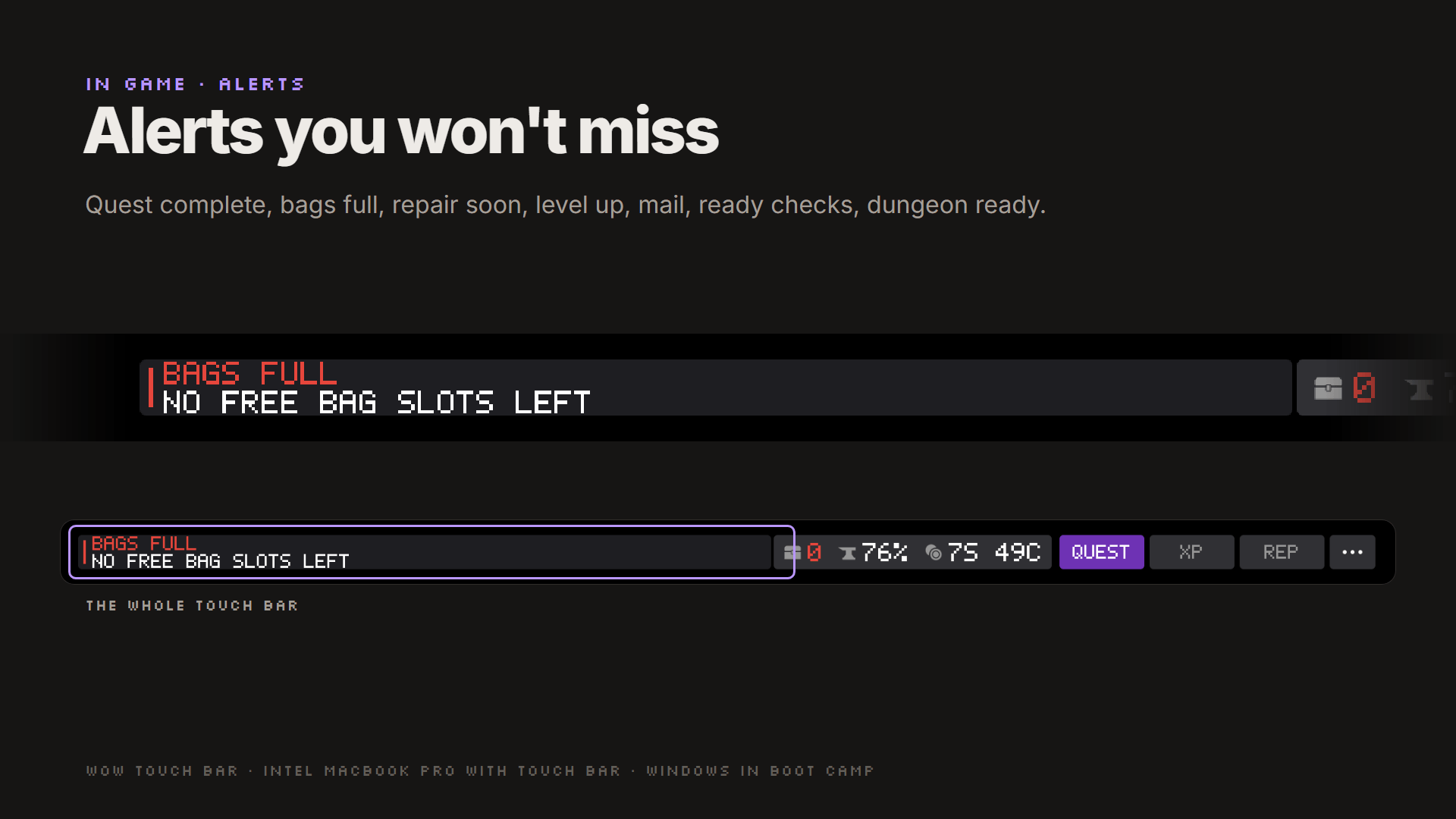
- Alerts: quest complete, bags full, repair soon, level up, new mail, ready check, dungeon ready.
- Whispers and guild lines that mention you (optional; shown only, never saved).
- Notes and timers:
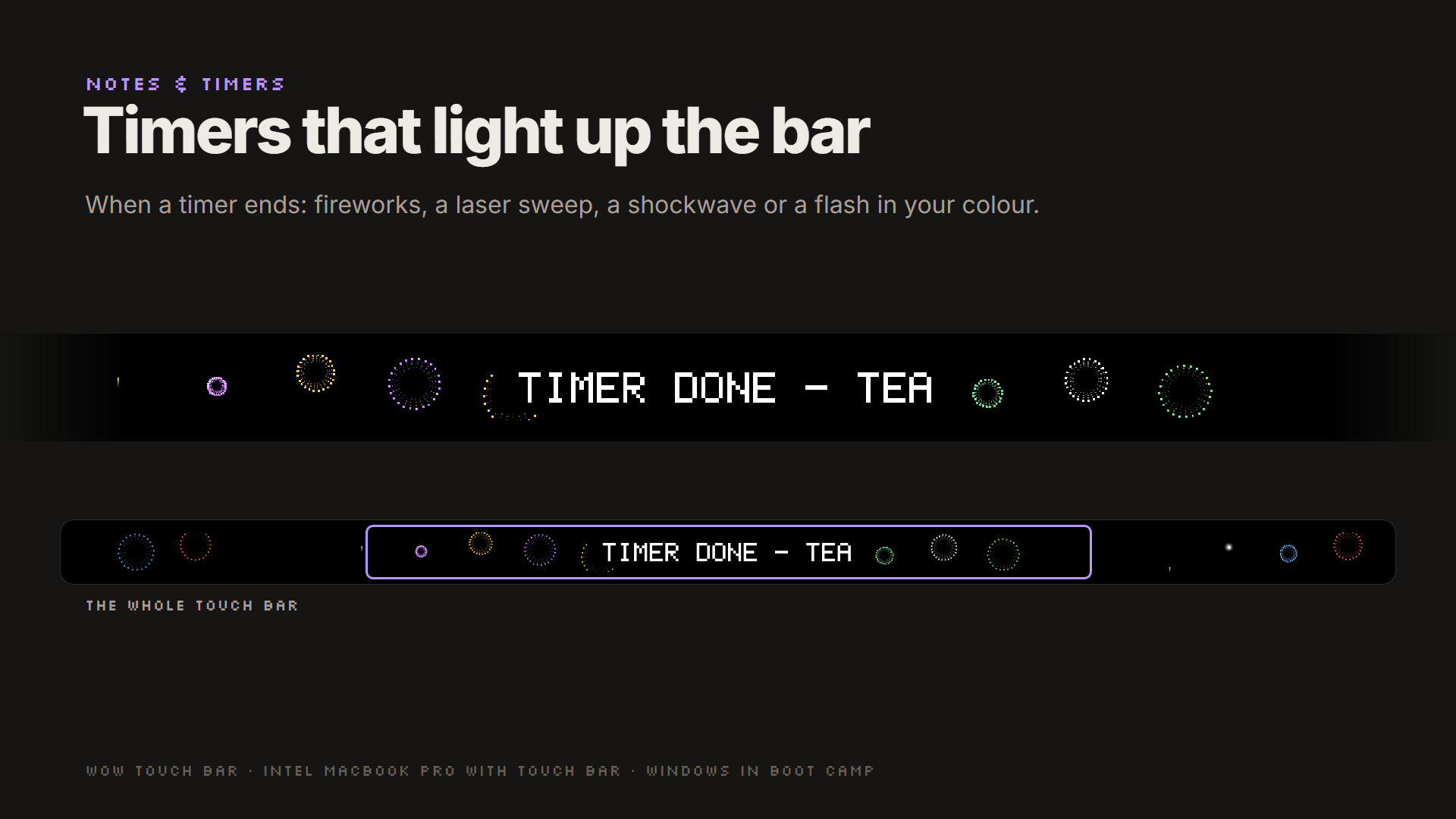
/wtb note heresaves your map coordinates,/wtb timer 10m teastarts a countdown. When a timer ends, the whole bar lights up: fireworks, laser, shockwave or flash. - Long text glides gently across the bar instead of being cut off.
Outside the game
- Brightness and volume (sliders when nothing is playing), media keys with what's playing, clock, battery, F1-F12, and up to 12 buttons of your own.
- Quick add: press Ctrl+Option+N anywhere, type
buy flasksfor a note or10m teafor a timer.
Requirements
- Intel MacBook Pro with Touch Bar and T2 chip, 2018-2020 (tested on the 13" 2020). Apple Silicon (M1/M2) Macs can't run Windows in Boot Camp, so they aren't supported.
- Windows 10 in Boot Camp.
- WoW: Forever or WoW Retail. Classic versions are untested.
- Secure Boot set to "No Security" on the Mac side. Windows has no official driver that can draw on the Touch Bar, so the installer sets up the open-source DFRDisplayKm driver, signed on your PC only, which needs Windows test mode. Uninstalling undoes everything.
Install
- Turn Secure Boot off: restart holding Command + R, then Utilities > Startup Security Utility > No Security.
- Run WoWTouchBar-1.1.0.msi from the GitHub release. It sets up the driver, the app and this addon. Restart when asked.
- In WoW, tick WoW Touch Bar under AddOns. Options: Esc > Options > AddOns > WoW Touch Bar, or
/wtb options.
Full guide: INSTALL.md - Undo it: Settings > Apps > WoW Touch Bar > Uninstall.
Commands
| Command | Does |
|---|---|
/wtb |
what the addon sees right now |
/wtb options |
the options panel |
/wtb note <text> - /wtb note here |
add a note (here = zone and coordinates) |
/wtb timer 10m [name] |
start a timer (90s, 1h30m, 1:30) |
/wtb notes |
the notes & timers window |
/wtb pin - /wtb unpin |
keep the current quest on the bar |
/wtb chat whispers on/off - /wtb chat guild off/mentions/all |
chat on the bar |
Safe by design
- Read-only. The addon only reads game state through the normal addon API. It never acts in the game, and doesn't read anything WoW hides from addons during combat (like health or cooldowns).
- No input to WoW. The app never presses keys in the game. Its key buttons only work while another window is in front.
- Nothing leaves your PC. No internet, no account, no telemetry.
How it works: WoW addons can't talk to other programs, so the addon draws a thin line of coloured dots in the top-left corner of the game window and the app reads only that line.
Blizzard hasn't approved this, and no tool like it is approved. It uses only the normal addon API and never reads memory, injects code or automates anything, which we consider low risk. Use it at your own risk.
Links
- Website - Source code (MIT licence) - Troubleshooting - Report an --issue
- The Touch Bar driver is DFRDisplayKm by Bingxing Wang (MIT). Thank you.
Not affiliated with or endorsed by Blizzard Entertainment or Apple.
WoW Touch Bar Team