WoW Task Manager - Forever
- By
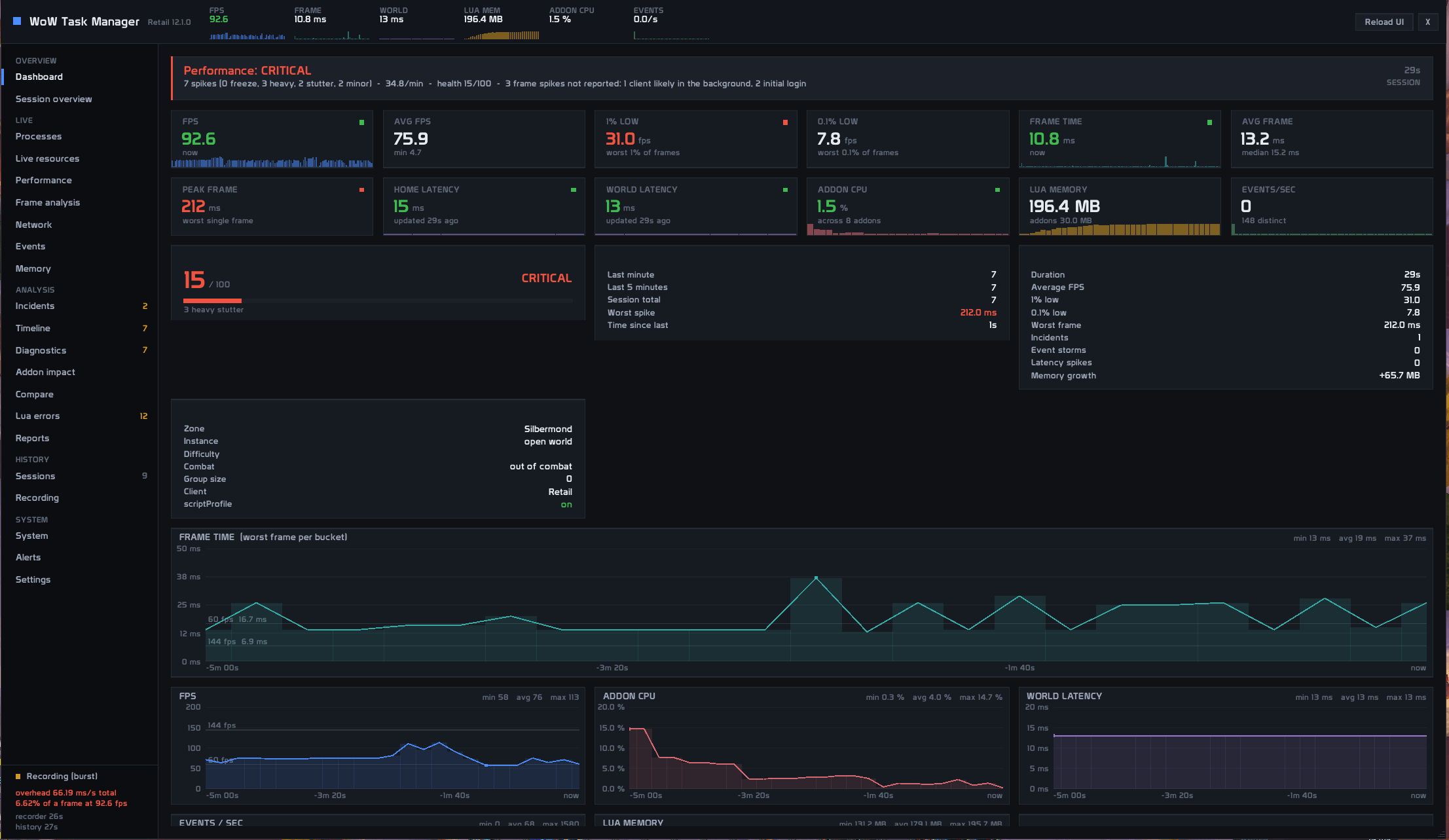
WoW Task Manager is a real-time performance and diagnostic tool that monitors FPS, frame times, addon CPU and memory usage, latency, events, and performance spikes.
Screenshot 2026-09-04 124333.png
Screenshot 2026-09-04 124431.png
Screenshot 2026-09-04 124351.png
Screenshot 2026-09-04 124413.png
Screenshot 2026-09-04 124446.png
Description
WoW Task Manager
WoW Task Manager is a modern performance monitoring and diagnostic addon designed to help identify FPS drops, stutters, addon CPU spikes, memory growth, latency issues, and unusual event activity.
Instead of simply showing current FPS or memory usage, WoW Task Manager records performance data over time and helps you understand what was happening when a performance issue occurred.
Features
Performance Dashboard
Monitor your game in real time with:
-
FPS
-
Frame time
-
1% low FPS
-
Home and World latency
-
Addon CPU usage
-
Addon memory usage
-
Events per second
-
Performance history graphs
Frame Time & Stutter Analysis
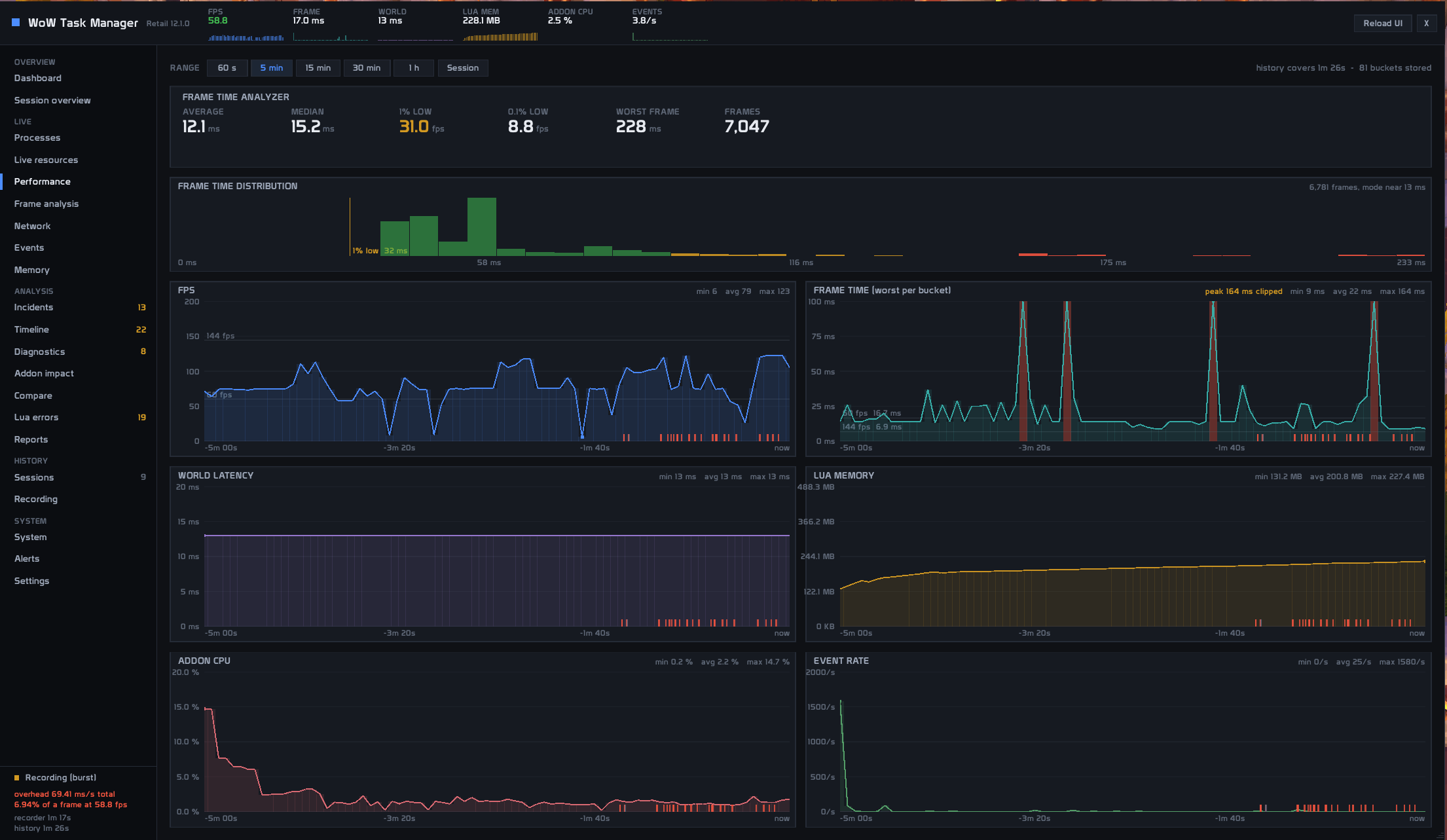
Frame time is measured continuously to detect short freezes and stutters that normal FPS counters can easily miss.
The addon detects and records:
-
Minor stutters
-
Frame-time spikes
-
Heavy stutters
-
Freezes
-
Stutter clusters
Performance graphs preserve short spikes instead of averaging them away.
Flight Recorder
WoW Task Manager continuously keeps recent performance data in memory.
When a performance spike occurs, it creates an incident containing data from both before and after the spike, allowing you to inspect what happened around the problem.
Incident information can include:
-
Frame time
-
FPS
-
Latency
-
Addon CPU activity
-
Memory usage
-
Event activity
-
Combat state
-
Zone and instance information
Addon Performance Monitor
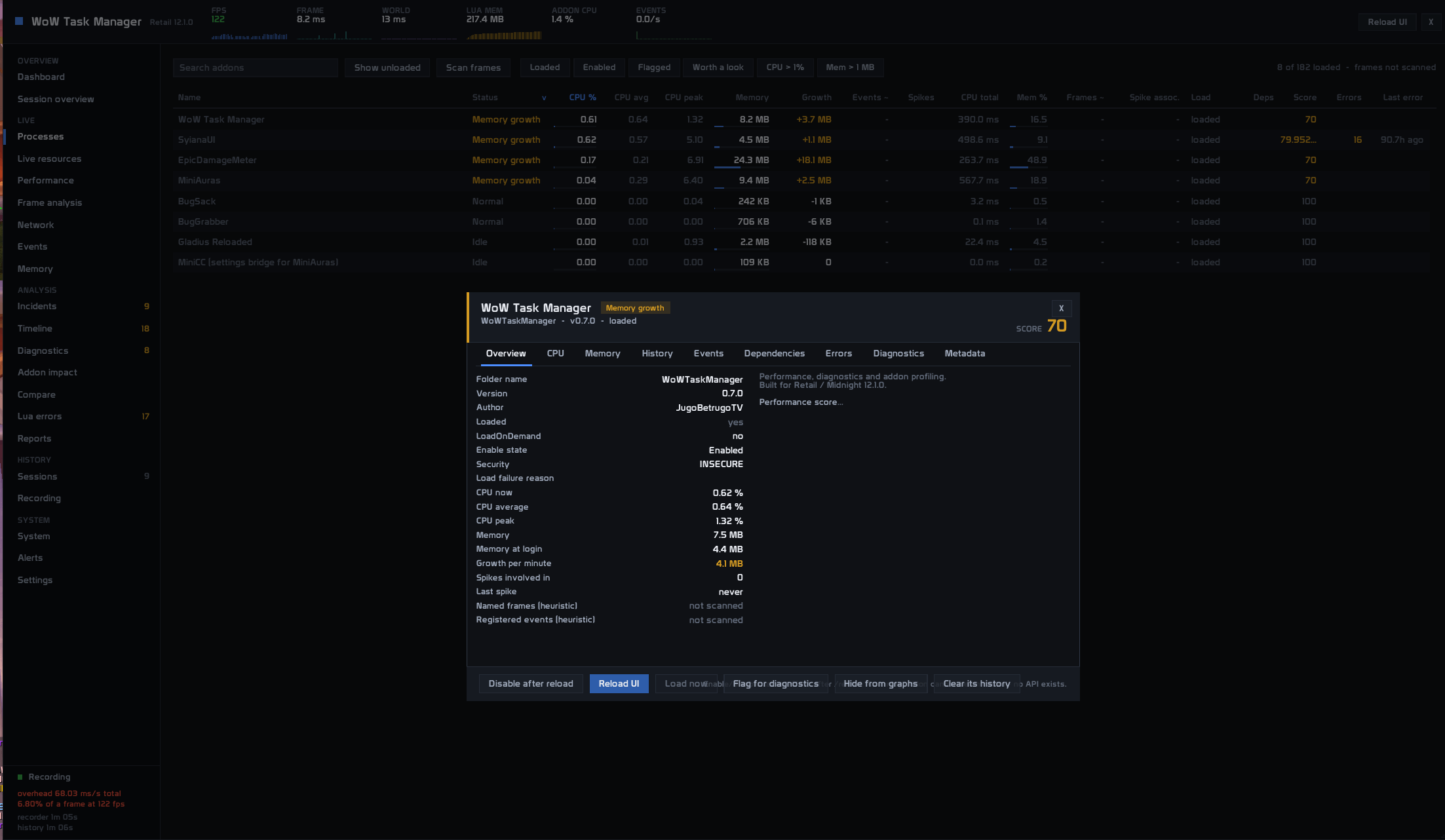
The Processes page works similarly to a traditional task manager and provides information about loaded addons.
Depending on the client and available APIs, it can display:
-
CPU usage
-
Average CPU usage
-
Peak CPU usage
-
Memory usage
-
Memory growth
-
Performance spikes
-
Addon status
-
Dependencies
CPU monitoring requires WoW's scriptProfile option to be enabled.
Performance Timeline
View multiple performance metrics on the same timeline:
-
Frame time
-
FPS
-
Addon CPU
-
Events
-
Latency
-
Memory
The timeline can also display markers for events such as:
-
Frame spikes
-
Event storms
-
Latency spikes
-
Combat
-
Encounters
-
Zone changes
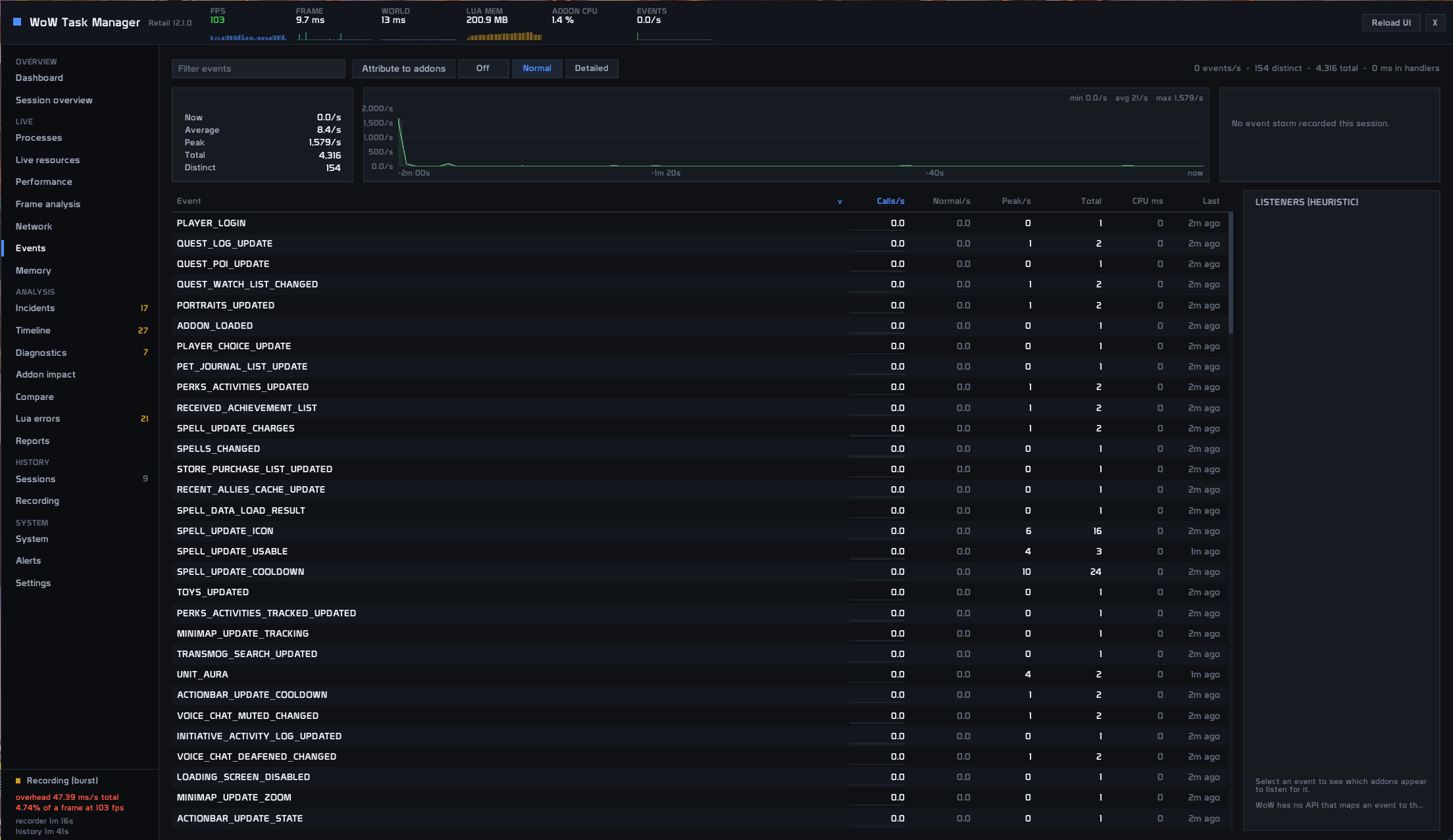
Event Monitor
Monitor the rate at which WoW events are firing and detect unusual bursts of event activity.
Event monitoring can be configured or disabled if you prefer lower monitoring overhead.
Memory Monitor
Track:
-
Total Lua memory
-
Addon memory
-
Memory growth
-
Session growth
-
Observed heap decreases
-
Addons with unusually high memory growth
Diagnostics
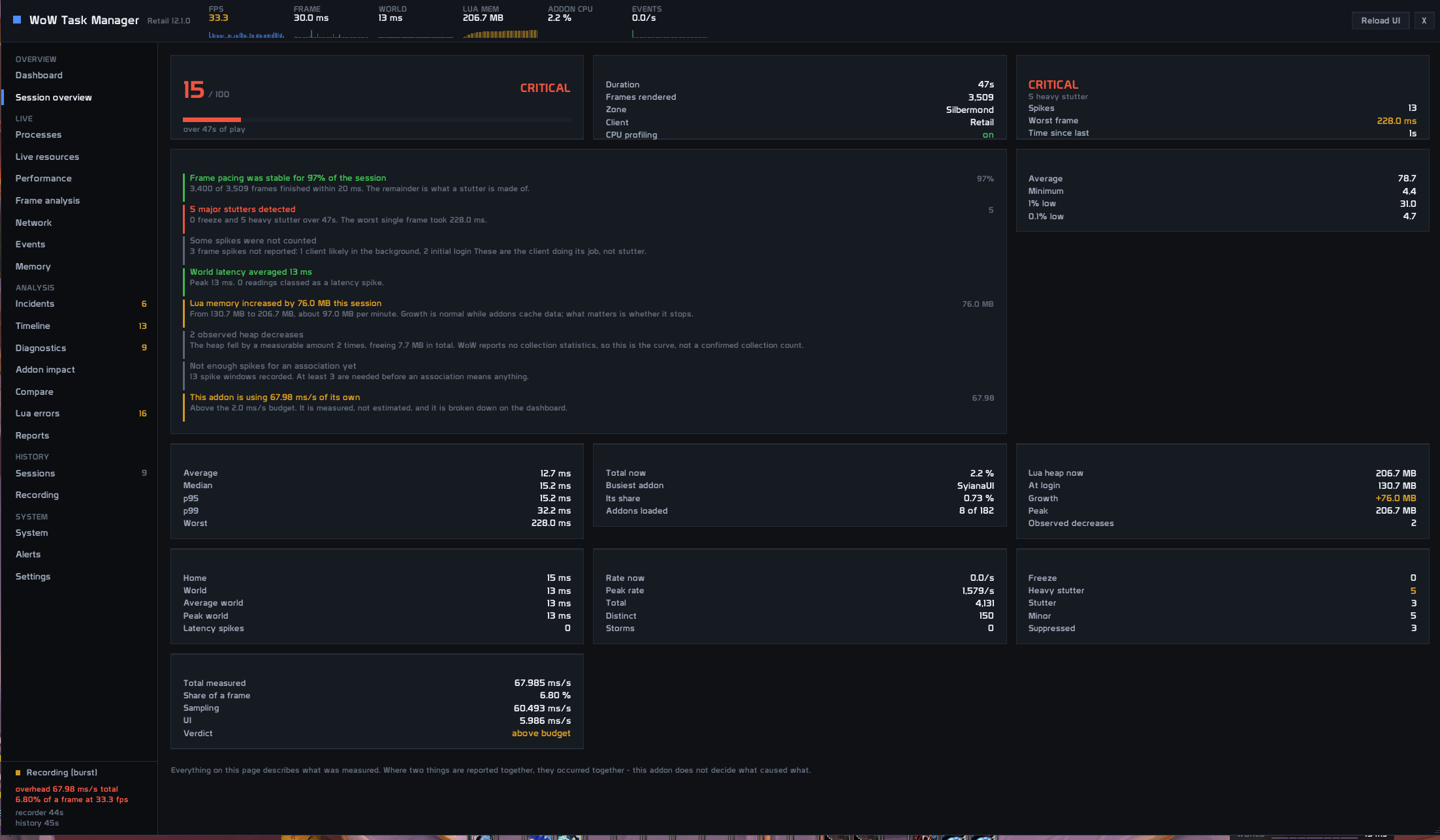
WoW Task Manager automatically analyzes collected performance data and highlights possible correlations between performance spikes and addon activity.
The addon deliberately distinguishes between correlation and causation.
It will never claim that an addon definitely caused a freeze unless the WoW API can actually prove it.
Compact Live Monitor
A small optional overlay provides quick access to important metrics while playing without keeping the full interface open.
Performance History
Session data can be stored so performance can be reviewed after playing.
Recorded session information can include:
-
Average FPS
-
Minimum FPS
-
1% lows
-
Maximum frame time
-
Number of detected spikes
-
Latency statistics
-
Addon CPU and memory statistics
Designed to Stay Lightweight
A performance monitor should not become the performance problem itself.
WoW Task Manager therefore uses:
-
Controlled sampling intervals
-
Pre-allocated buffers
-
Adaptive monitoring
-
Data downsampling
-
UI redraw throttling
-
Monitoring only when required
-
Built-in overhead measurements
A benchmark mode is also available to measure the addon's own monitoring cost.
Modern Interface
WoW Task Manager uses a completely custom interface inspired by modern desktop diagnostic and monitoring software rather than traditional WoW addon windows.
The interface includes:
-
Dashboard
-
Processes
-
Performance
-
Timeline
-
Events
-
Memory
-
Diagnostics
-
Sessions
-
System information
-
Settings
Supported Clients
Development targets:
-
Retail / Midnight
-
Mists of Pandaria Classic
-
Classic Era
-
Burning Crusade Anniversary
Client capabilities can differ because Blizzard exposes different APIs depending on the WoW version.
When a feature cannot be measured on a specific client, WoW Task Manager displays it as unavailable instead of inventing or estimating data.
Important Note About Addon CPU Monitoring
Per-addon CPU statistics require WoW's built-in scriptProfile functionality.
WoW Task Manager can guide you through enabling it and will clearly indicate when CPU profiling is unavailable.
Development Status
WoW Task Manager is currently under active development.
The core monitoring and diagnostic systems are functional, but additional testing across different WoW clients, hardware configurations, addons, encounters, and environments is still ongoing.
Bug reports and performance feedback are highly appreciated.
WoW Task Manager - Forever Team

Owner