WOW Handbook
- By
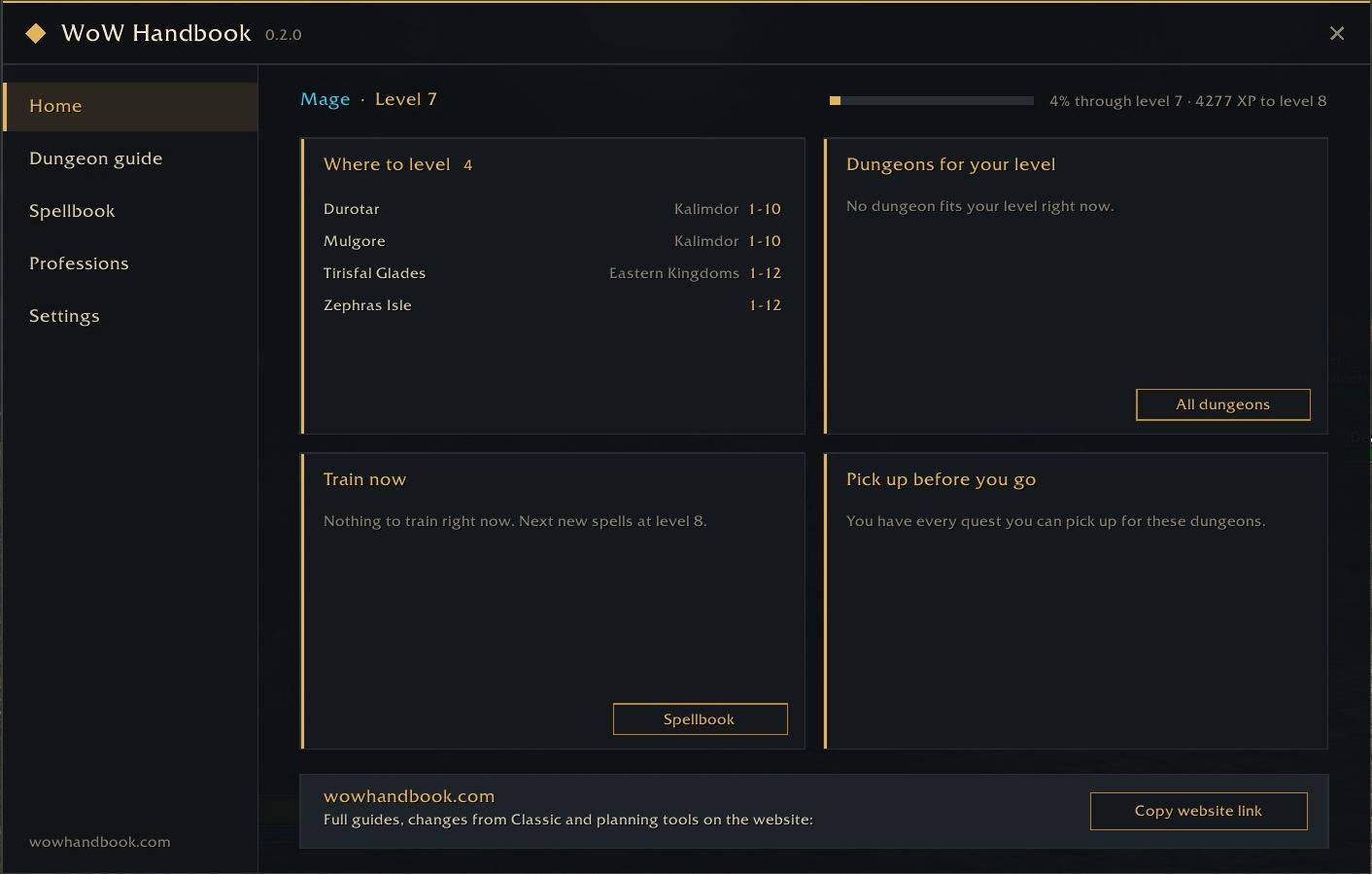
All-in-one companion for WoW: Forever. Level-based dungeon guides with quest chains and boss loot, talent simulator, spells by level, trainers on your maps, auto quests, and auto junk seller. Type /wh to open.
01-home.jpg
02-dungeon-guide.jpg
03-dungeon-quests.jpg
04-spells-by-level.jpg
05-professions.jpg
Description
WoW Handbook answers the questions you ask yourself every play session in World of Warcraft: Forever: where to go, what to learn, where your trainer is, and what to do next. Everything runs inside the game, and every feature can be switched on or off.
Dungeons and quests
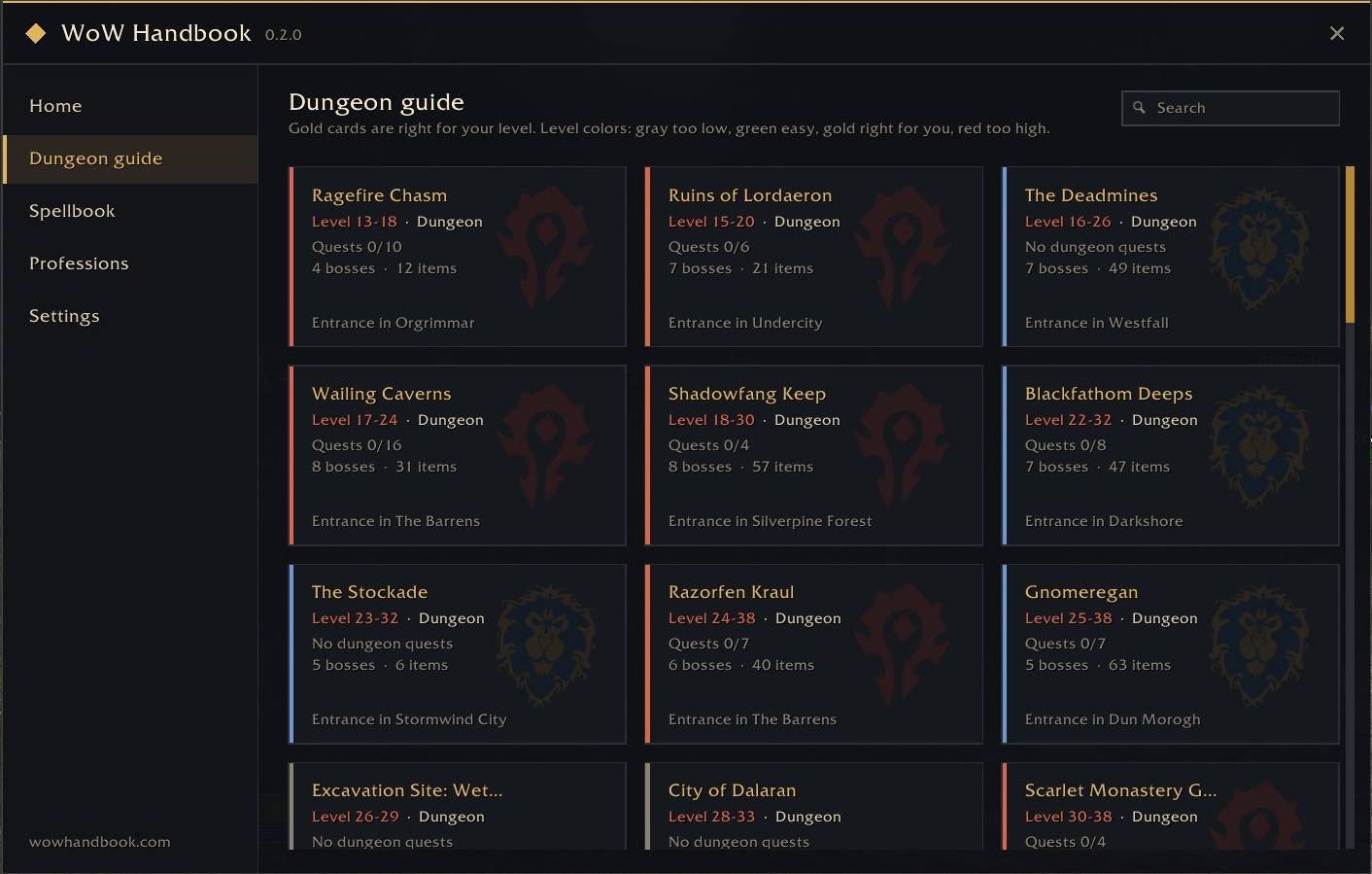
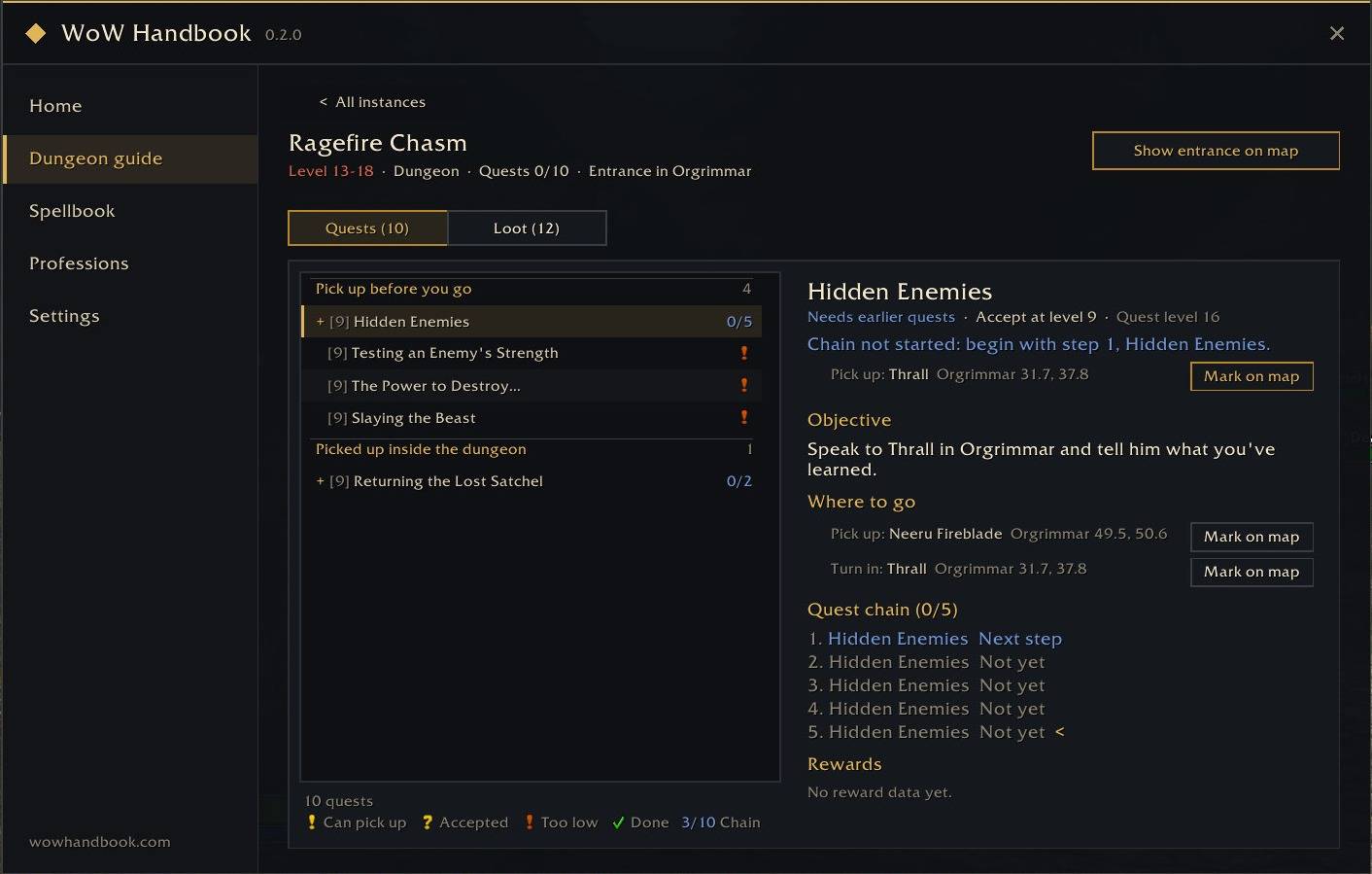
- Dungeon guide: dungeons matched to your level, the quests to pick up before you go in, full quest chains, and boss loot you can filter by class and armor type.
- Instance tracker: a slim window inside a dungeon shows boss progress in its title bar, folds killed bosses into one line, and marks your dungeon quests with the familiar quest icons (? ready to turn in, ! pick up here) and counts such as 3/8. Collapsed, it still shows the next boss.
- Map pins for quest givers and dungeon entrances.
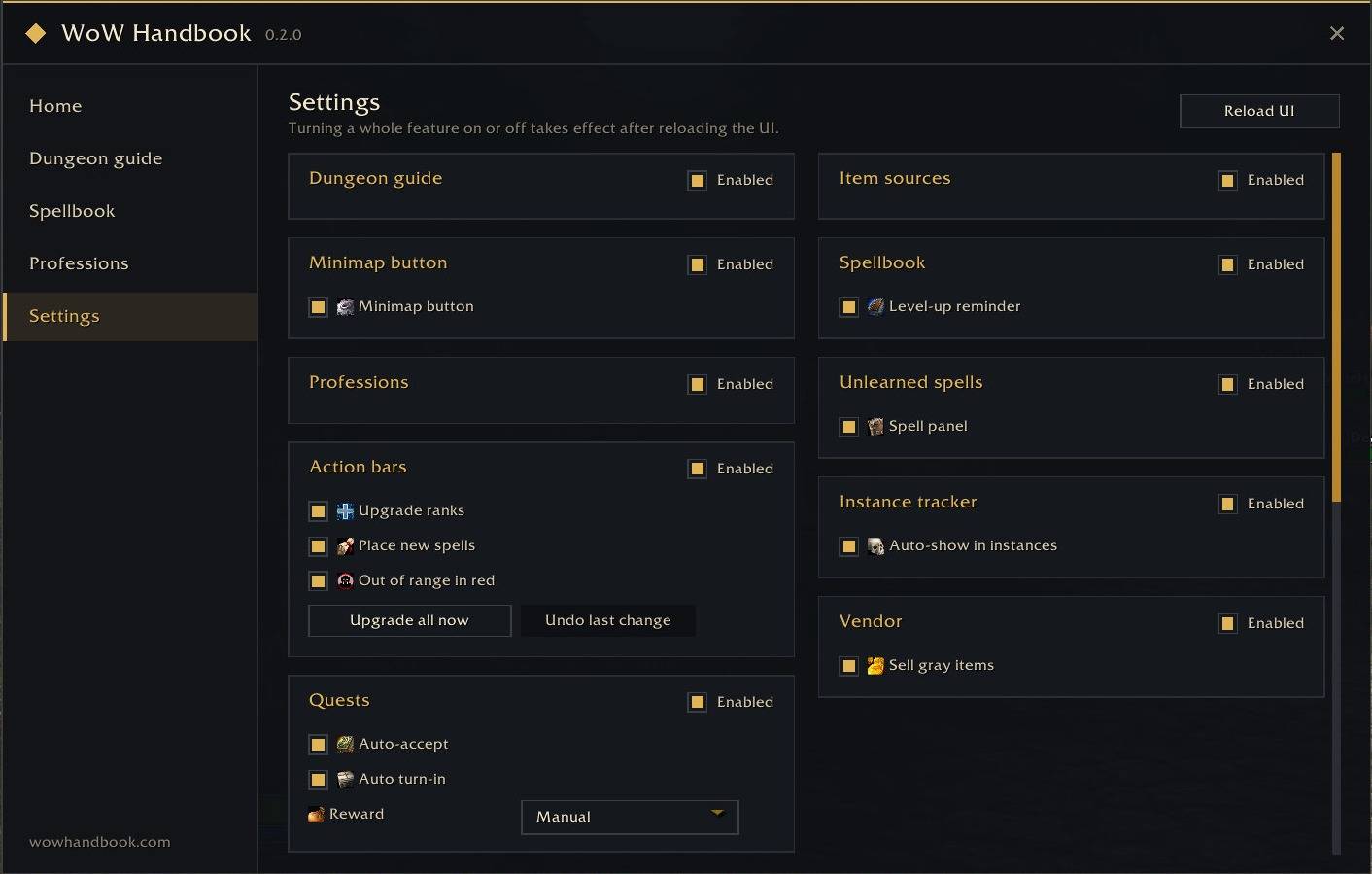
- Auto quest: accept quests and turn in finished ones as soon as you talk to an NPC. When a quest offers several rewards, pick one yourself (default) or let the addon choose: a usable reward first, the most valuable one otherwise. Hold Shift while talking to an NPC to skip it once. A quest that cannot be accepted or turned in is not retried in the same conversation; talk to the NPC again and the addon tries once more.
Talents, spells and trainers
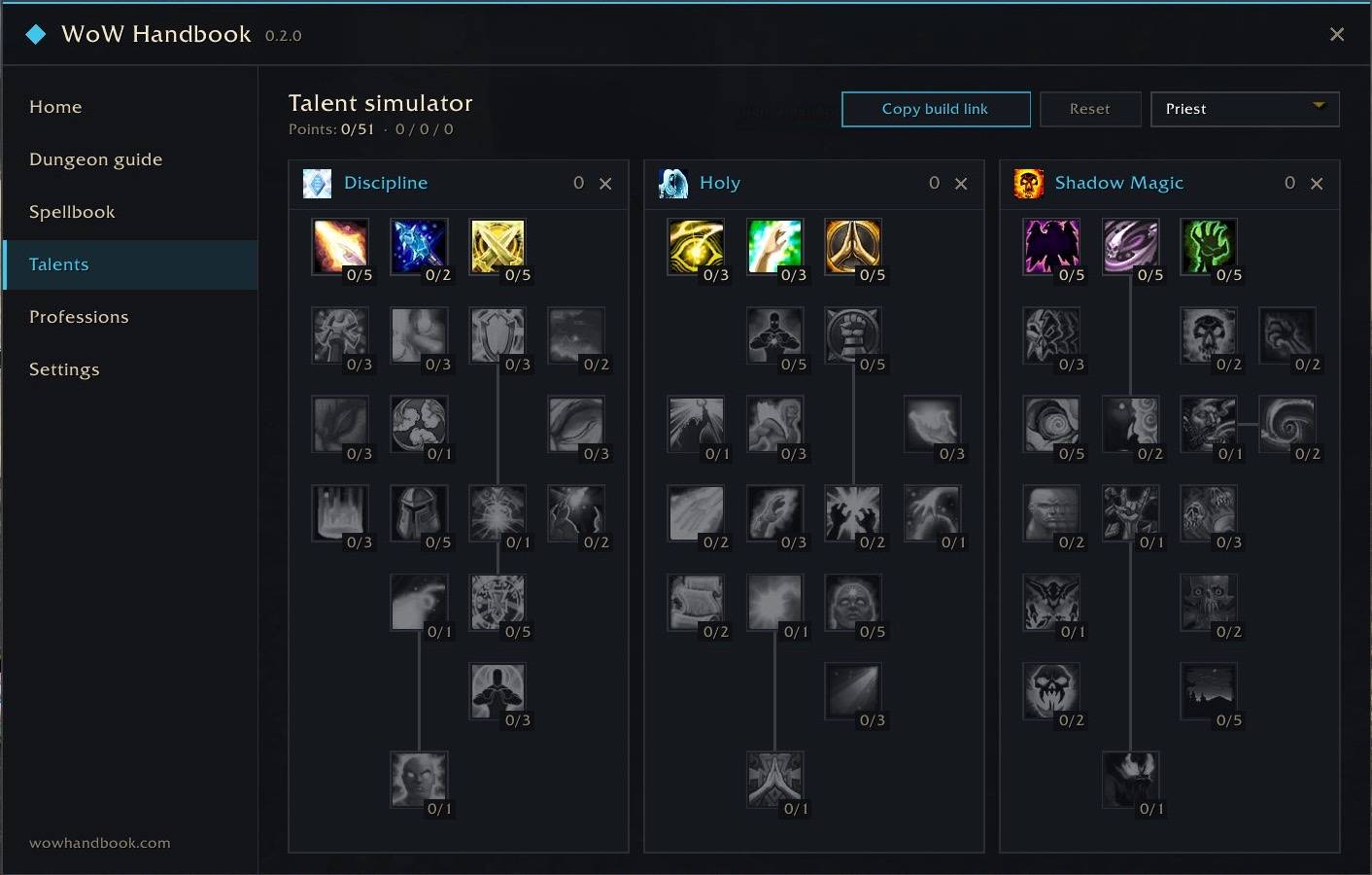
- Talent simulator: all nine classes, three trees side by side. Left-click adds a point, right-click removes one, and the game's own rules apply: 51 points, five points per row, prerequisites first. Each class keeps its own build, and one button copies a link that opens the same build in the talent calculator on wowhandbook.com. It only simulates; your character's real talents are never touched.
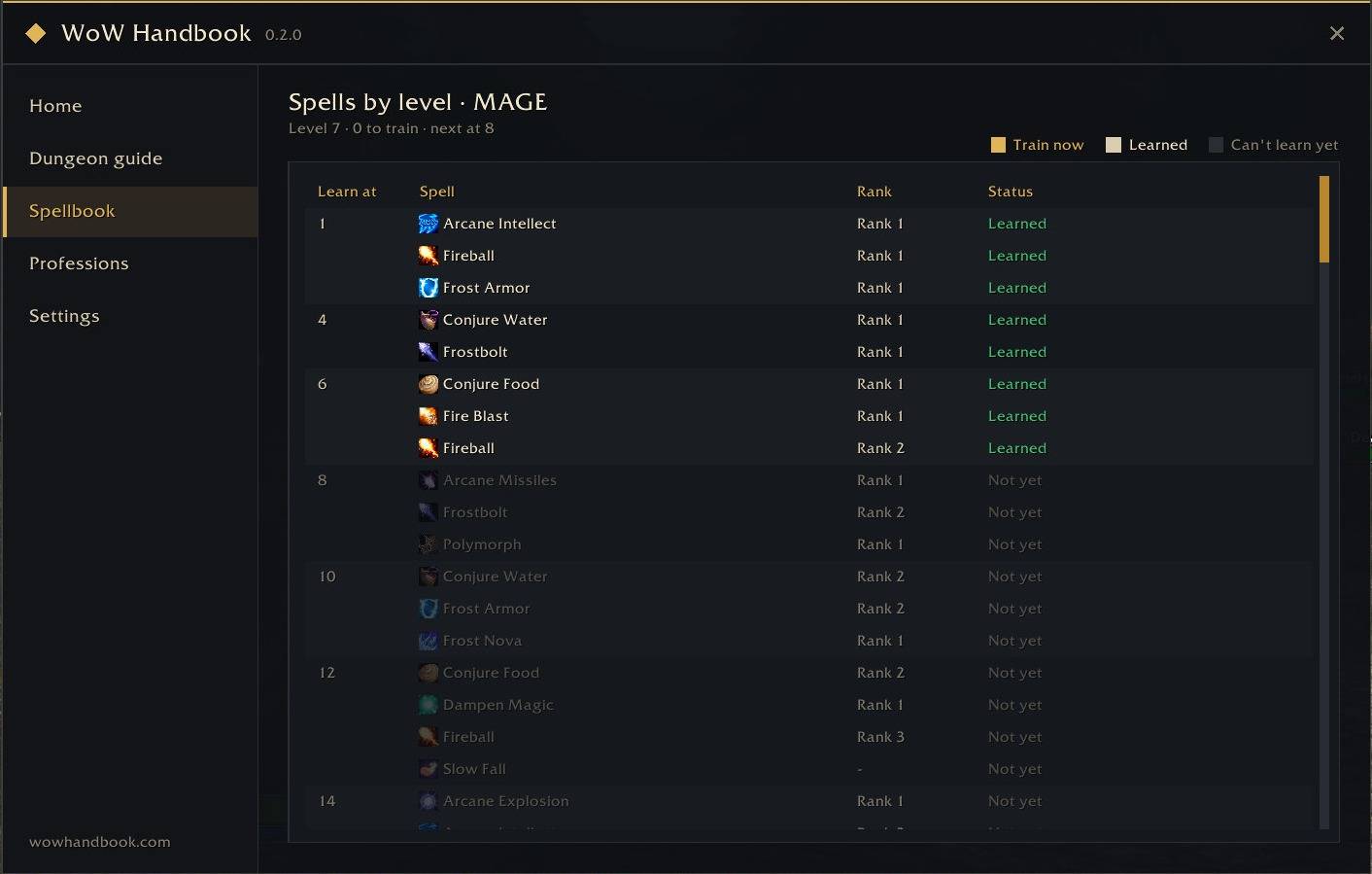
- Spells by level: every spell your class learns at each level, with a reminder when new ranks are waiting. Race-only spells are tagged with their race: green for yours, grey for the others. Warlocks get demon abilities and grimoires in clear groups.
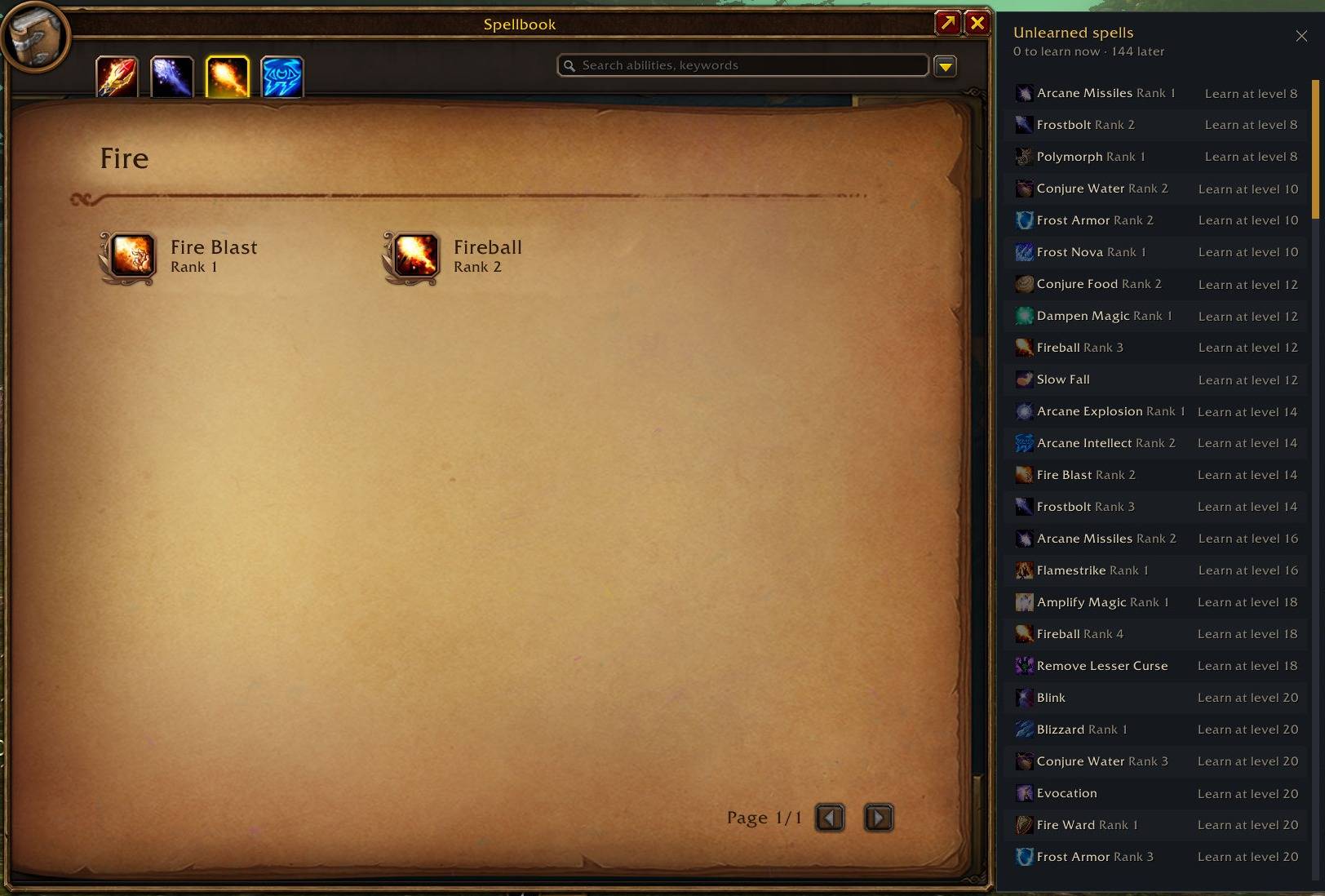
- Unlearned spells panel next to the game spellbook. Drag it anywhere; it remembers its place. Right-click it to reset.
- Action bar upgrades: new ranks replace lower ranks on your bars, and new active spells go into empty slots.
- Out of range in red: when your target is out of range, the whole action button turns red, not just the small hotkey number.
- Class trainers on the map, with how many spells you can train right now.
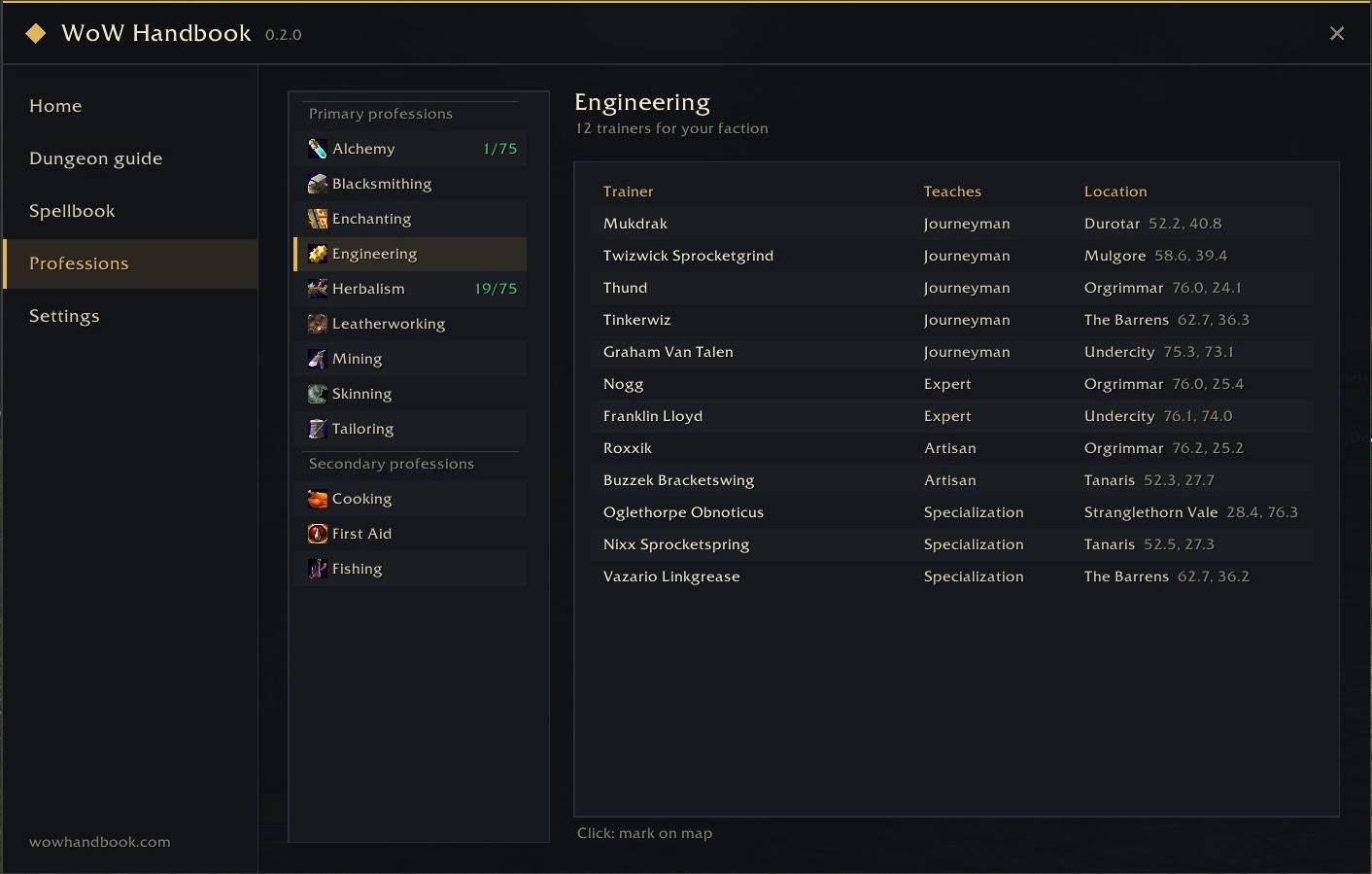
- Professions page: every trainer for all 12 professions, for your faction, with the rank they teach and where they stand. The trainer you need next is highlighted; click one to mark it on the map. Your professions' trainers also appear on the world map.
World map and minimap
- Herbs and mining nodes on the world map and minimap, shown once you learn Herbalism or Mining. Each spot shows the main node of the zone, with every possible node and its required skill in the tooltip. Nodes above your skill are tinted red. On the minimap, choose item icons or small circles that frame the game's own tracking dots. Spots you gather yourself are remembered and added to the map; quest-only nodes are left out.
- Trainers and spirit healers on the minimap: the class trainers, profession trainers and spirit healers you chose to see on the world map also appear on the minimap as small borderless icons. One switch turns them off.
- Zone level ranges, flight points (grey when not yet discovered), dungeon entrances, spirit healers, the full map including unexplored areas, and map scaling.
Look and language
- Color scheme: the accent color follows your class by default. Switch to the classic handbook gold or any class color in Settings; the change applies at once.
- Background opacity: make the main window translucent, from 100% down to 30%. Text, borders and menus stay solid.
- Interface language: follow the game, or pick English or Simplified Chinese.
- About: the version, author and links live in Settings > About; the title bar shows the handbook's own wordmark.
Convenience
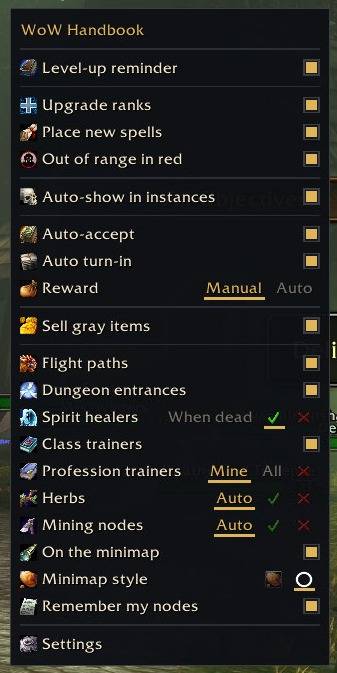
- Quick settings: right-click the minimap button for a compact menu of the most-used options.
- Automatic sale of grey items at vendors.
- One-click copy links to the full guides on wowhandbook.com.
Commands
/whor/wowhandbook: open or close the handbook./wh talents: open the talent simulator./wh instance: show or hide the instance tracker./wh test: preview the instance tracker with a sample dungeon.
简体中文
WoW 手册帮你解决每次上线都会遇到的问题:去哪升级、学什么技能、训练师在哪、下一步做什么。全部在游戏内完成,每项功能都可以单独开关。
副本与任务
- 副本手册:按等级推荐副本,列出进本前要接的任务与完整任务链,首领掉落可按职业与护甲类型筛选。
- 副本进度小窗:进副本后显示首领进度与本副本任务。首领进度放在标题栏,已击杀的合并成一行;任务用熟悉的任务标记(? 可交、! 可接)和 3/8 这样的数量显示;收起时仍显示下一个首领。
- 地图图钉:接交任务 NPC 与副本入口。
- 自动任务:和 NPC 对话时自动接任务、自动交已完成的任务。有多个奖励时可以自己选(默认),也可以交给插件:优先选能用的,其次选最值钱的。按住 Shift 对话可跳过一次;接不下或交不了的任务在同一次对话里不会反复尝试,关掉对话再点 NPC 会重新处理一次。
天赋、技能与训练师
- 天赋模拟器:九个职业,三棵天赋树并排显示。左键加点、右键减点,规则与游戏一致:共 51 点,每层 5 点,前置天赋先点满。每个职业的加点各自保存,一键复制链接即可在 wowhandbook.com 的天赋模拟器里打开同一套加点。只做模拟,不会改动角色的真实天赋。
- 按等级技能书:列出职业每一级能学的全部技能,有新等级可学时提醒;种族专属技能带种族标签,本种族绿色、其他种族灰色;术士的恶魔技能与魔典分类清楚。
- 未学技能面板:贴在游戏技能书旁,可拖到任意位置并记住,右键复位。
- 动作条自动升级:学会高等级技能后替换动作条上的低等级版本,新的主动技能放进空位。
- 超距染红:目标超出技能距离时,整个动作条按钮染红,不再只是右上角的小数字变红。
- 职业训练师地图标记:显示本职业训练师,并提示现在可学几个技能。
- 专业页:12 个专业的本阵营训练师、能教到的等级与位置,高亮你下一步要找的训练师,点一下标到地图;已学专业的训练师也显示在大地图上。
大地图与小地图
- 草药与矿点:学会草药学或采矿后在大地图和小地图上显示。每个点显示该区域的主要草药或矿,悬停列出可能刷出的全部种类与所需技能;技能不够的染红。小地图可选物品图标或小圆圈(圆圈正好框住游戏自带的采集追踪点)。自己采过的点会记下并显示在地图上(只掉任务物品的任务采集物不记)。
- 小地图上的训练师与灵魂医者:大地图上选了要显示的职业训练师、专业训练师与灵魂医者,小地图上也以无边框小图标显示,可单独关闭。
- 区域等级范围、飞行点(未发现的灰显)、副本入口、灵魂医者、完整地图(含未探索区域)与地图缩放。
外观与语言
- 配色方案:强调色默认跟随你的职业,可在设置里改回手册金色或任一职业色,改动立即生效。
- 背景不透明度:主窗口可调成半透明(100% 到 30%),文字、边框与菜单保持清晰。
- 界面语言:跟随游戏,或指定 English / 简体中文。
- 关于:版本号、作者与链接在“设置 → 关于”里;标题栏显示手册自己的字标。
便利功能
- 快捷设置:右键小地图按钮,弹出常用选项的精简菜单。
- 与商人对话时自动出售灰色物品。
- 一键复制 wowhandbook.com 上对应的完整攻略链接。
游戏内命令
/wh或/wowhandbook:打开或关闭手册。/wh talents:打开天赋模拟器。/wh instance:显示或隐藏副本进度小窗。/wh test:用示例副本预览副本进度小窗。
Made by AntaresBuild (ArcaneStudio).
WoW Handbook is an unofficial, fan-made addon. It is not affiliated with or endorsed by Blizzard Entertainment.
Full guides, quest walkthroughs and loot tables: wowhandbook.com
The WOW Handbook Team