
WoW Forever Tracker
- By
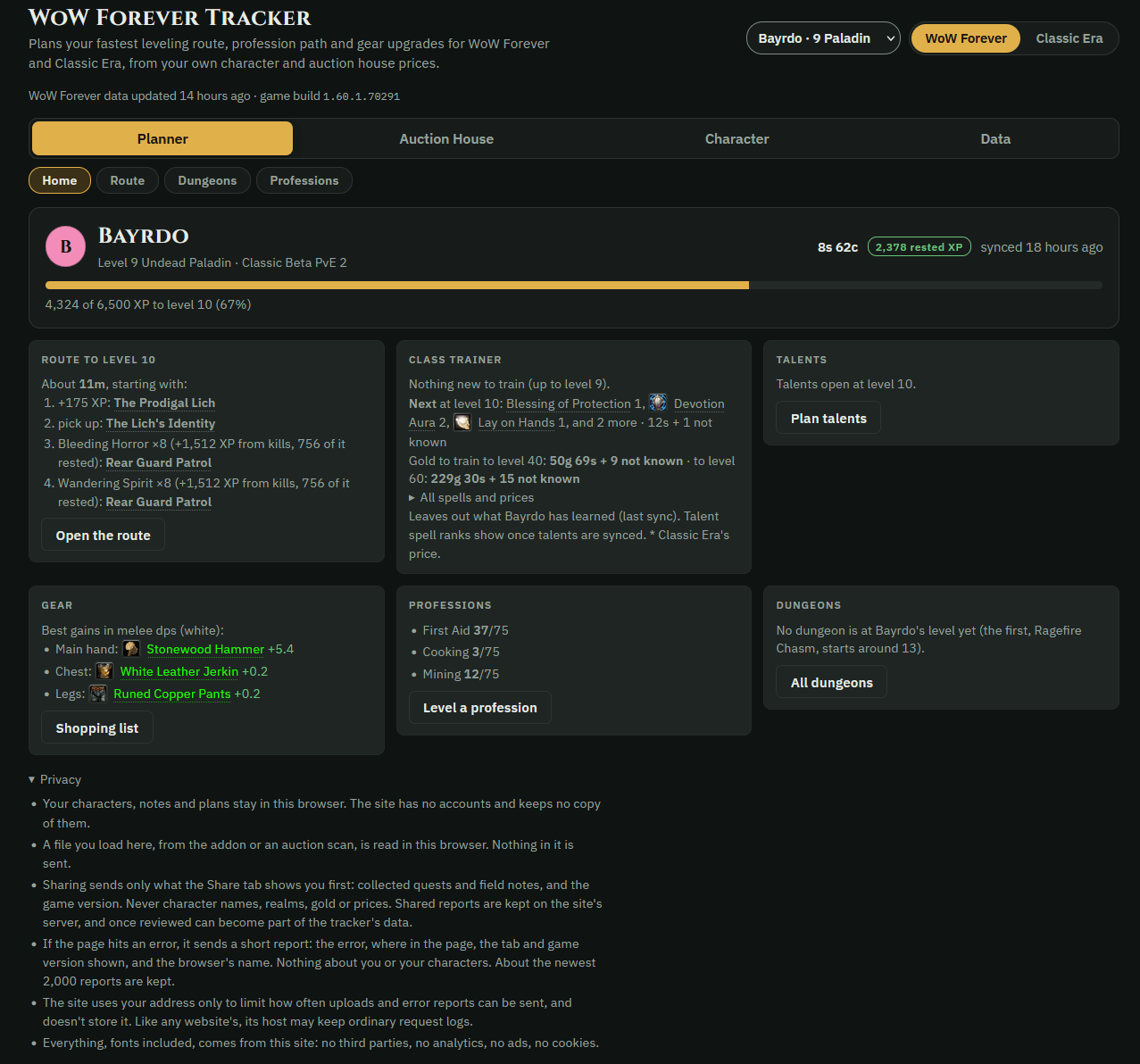
WFT1.png
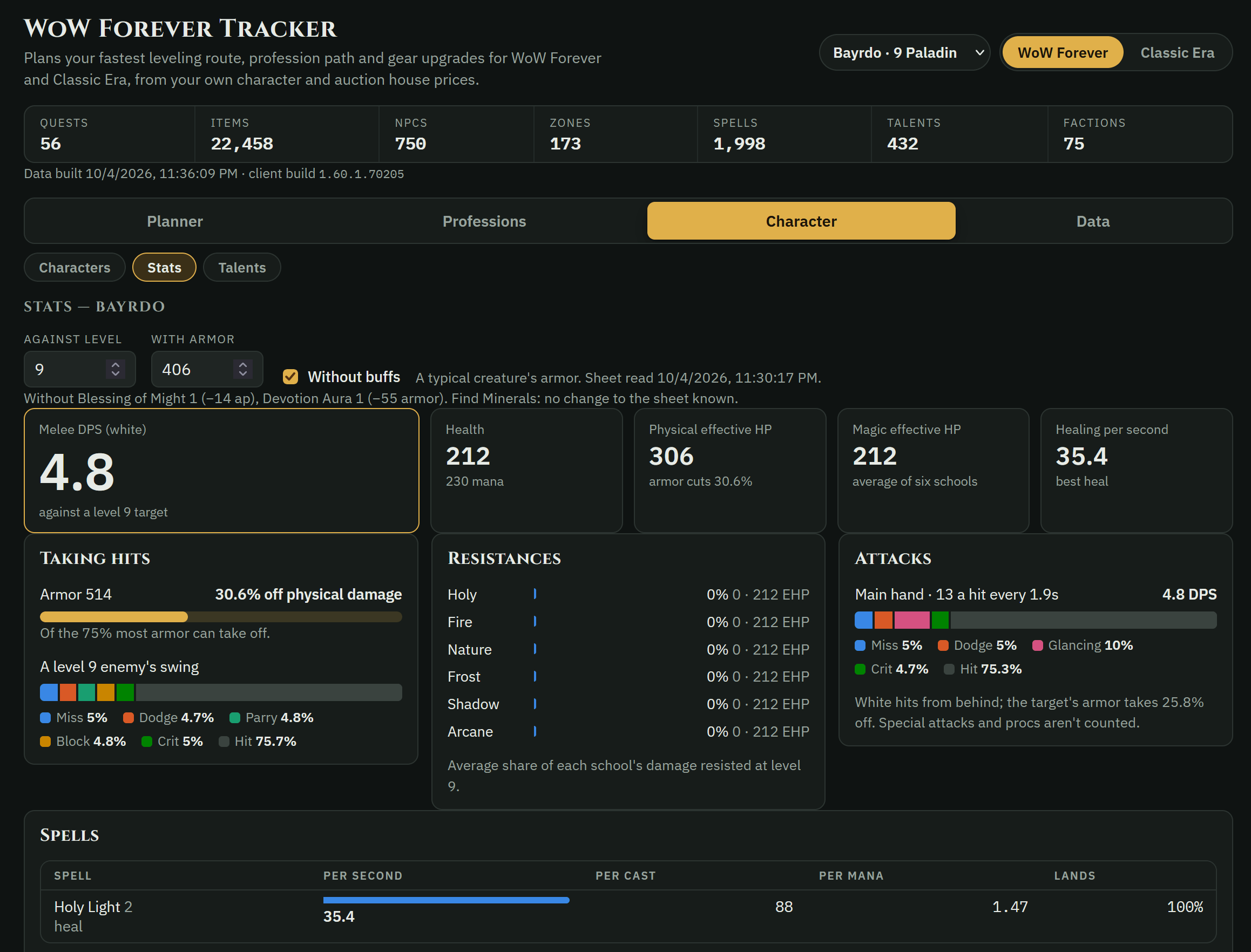
WFT4.png
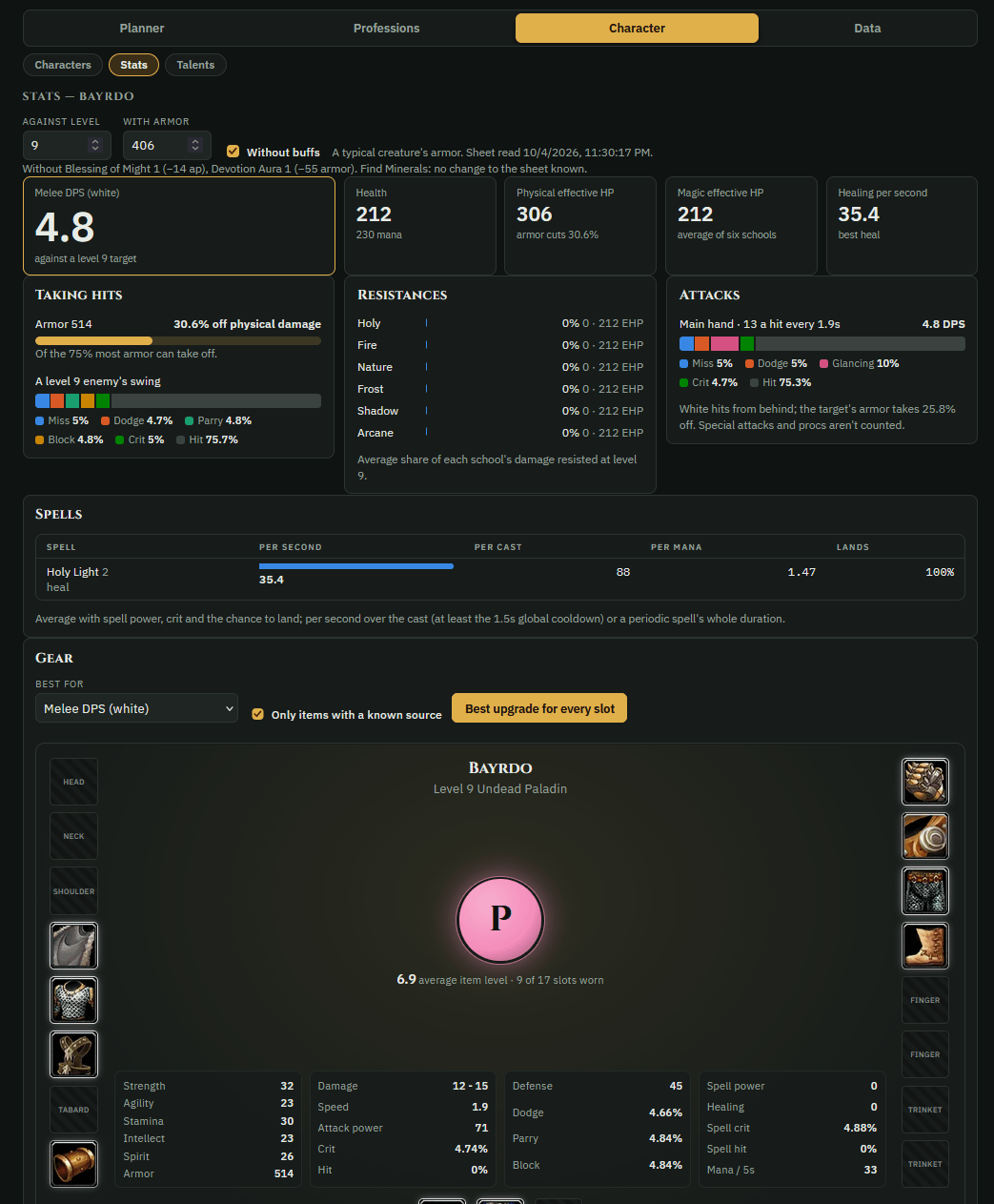
WFT3.png
Description
WoW Forever Tracker
Your character, your route, your next upgrade, in game and on the web.
WoW Forever Tracker is a free addon and companion website for WoW Forever and Classic Era. The addon saves your character as you play: level, quests done, professions, gear, talents and auction prices. The website uses it to work out what to do next: the fastest route to your next level, the cheapest way to level a profession, the gear upgrades that matter for your class, and where to farm for gold. Then it sends all of that back into the game, while you play, with no /reload.
Website: https://wowforevertracker.up.railway.app
In game
The tracker window
Click the map button on your Character page, or type /wft window:
- Route: your whole route, with the step you're on highlighted. Use the back and next buttons to move along it, and click a step to point TomTom's arrow at it.
- Gear: the best upgrade for each slot and where it comes from: a quest, a vendor, a drop, the auction house, or a craft you can make yourself. Hover for the item; Shift-click to link it.
- Professions: each profession's next steps to its cap, with the hours and gold they take.
- Trainer & talents: what your class trainer has for you now and at your next level, what it costs and whether you can afford it, plus your build's next talent points.
- Guild: who in your guild has each profession, and how far along. Click a crafter for every recipe they know, then click a recipe to ask them for it: the addon whispers them (or their main, if that's who's online), and the website turns it into a crafting order on your guild's Contracts.
Live sync: no /reload
While you play, the addon and the website trade updates as they happen.
- To the game: your route, the window's gear, professions and trainer, your talent build and your watchlist arrive within about 10 seconds.
- From the game: when you take, finish or hand in a quest, level up or go up in a profession, the addon shows the website how you're getting on: for a frame or two, a thin strip of coloured squares at the top left of the screen, saved as a picture. The website reads it on your own PC and deletes it. Your own screenshots are never touched. Never in a fight, and at most one every 20 seconds.
- To turn it on: in Chrome or Edge, connect the game's folder in the Live sync panel on the website's Route page. The website adds a folder of its own, WoW Forever Tracker bells, beside the addon. Then restart the game once. The game's sound has to be on, at any volume.
- Other browsers, or with the sound off: the website copies each update for you. Press the Paste the website's update key in game (Key Bindings, AddOns), then Ctrl+V.
/wft live says how it's going.
Route guide
Send a route from the website and the addon walks you through it step by step. It moves on by itself as you accept, progress and hand in quests. It tells you how to get to each step: your Hearthstone, flights, boats and flight paths to learn, with a map arrow if you use TomTom. It also sends you to your class trainer when new spells are due. Each character keeps its own route.
WFT Market tab
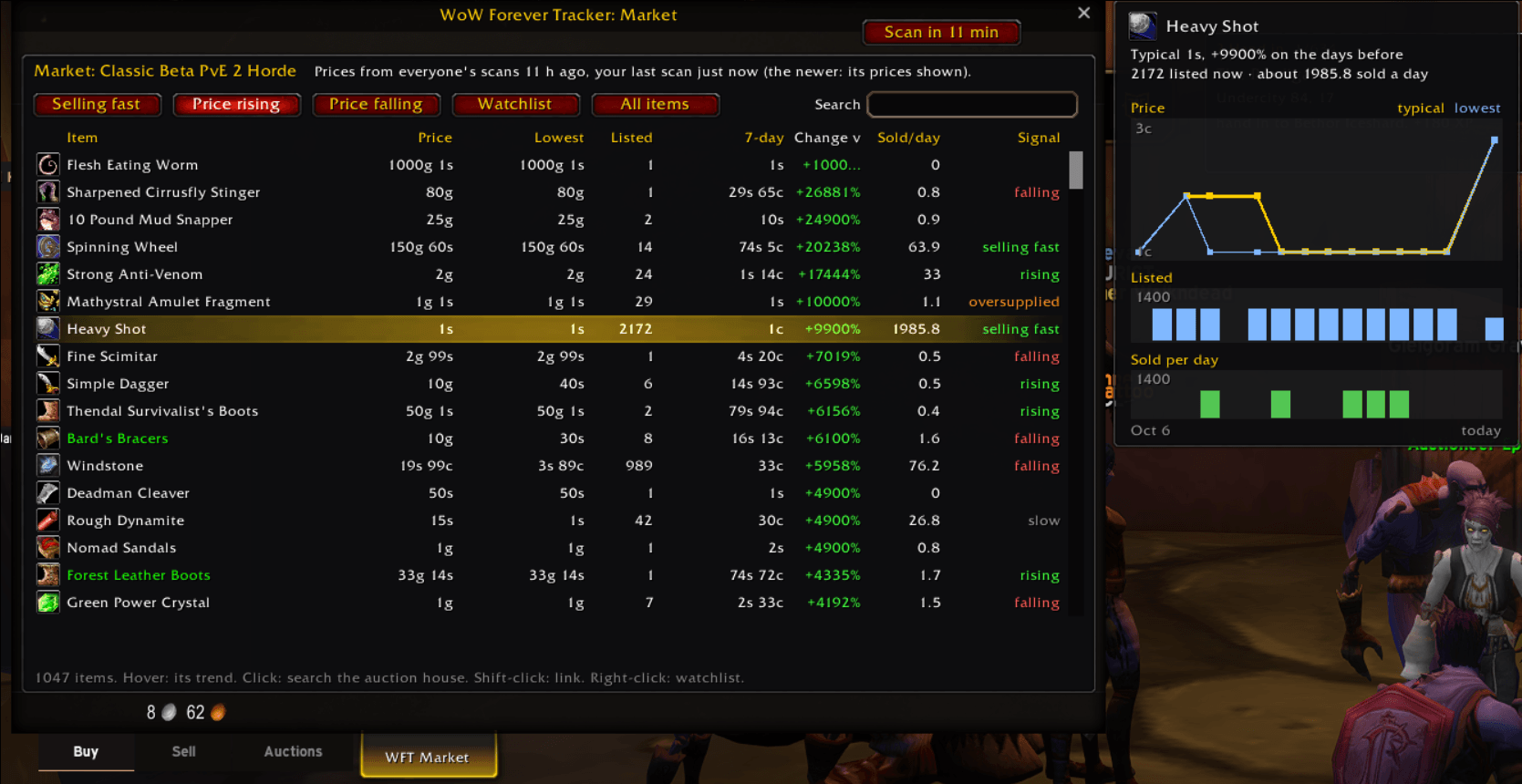
A new tab at the auction house, named for the house you're at ("US PvP · Horde"):
- what's selling fast, and which prices are rising or falling;
- each item's lowest listing, its 7-day and 30-day usual price, and how many sell a day;
- Columns picks what the list shows: a trend line of each item's last days, sell-through, the vendor price, item level and more;
- Filters narrows it by type, quality, level, price and sales a day, or to what's cheaper than a vendor pays or under its usual price;
- hover an item for its graph: price, listed and sold, day by day;
- your watchlist: right-click any item to add it. It's the same watchlist as the website's, which can alert your phone.
Click an item to search for it in the auction house. If you use Auctionator, the tab sits in its row.
Auction prices
- Scan now: a button at the top of the auction house saves every price, how many are listed and what sold since your last scan. The button counts the listings as they come in. No other auction addon is needed.
- Every player's scans: each full scan goes to every player on your realm who has the addon, and on to the website, so one scan updates everyone's prices.
- One auction house for every realm that shares it (WoW Forever): the realms of a region and ruleset share one auction house a side, so all their players see the same prices. Where Blizzard's own hourly listing of a house is confirmed, the website reads every auction there each hour, with no scanning.
- Prices on tooltips: any item's lowest price in the newest scan of your auction house, and how many are listed.
- Undercut warnings: which of your own auctions have a cheaper listing.
This download comes with every player's shared prices as of its release; the website's own download always has the newest. In Chrome or Edge, connect the addon's folder on the website and it keeps them current, Blizzard's hourly listings included. A /reload brings them into the game.
And more
- Who can make it: item tooltips say who in your guild, and which of your own characters, can make it.
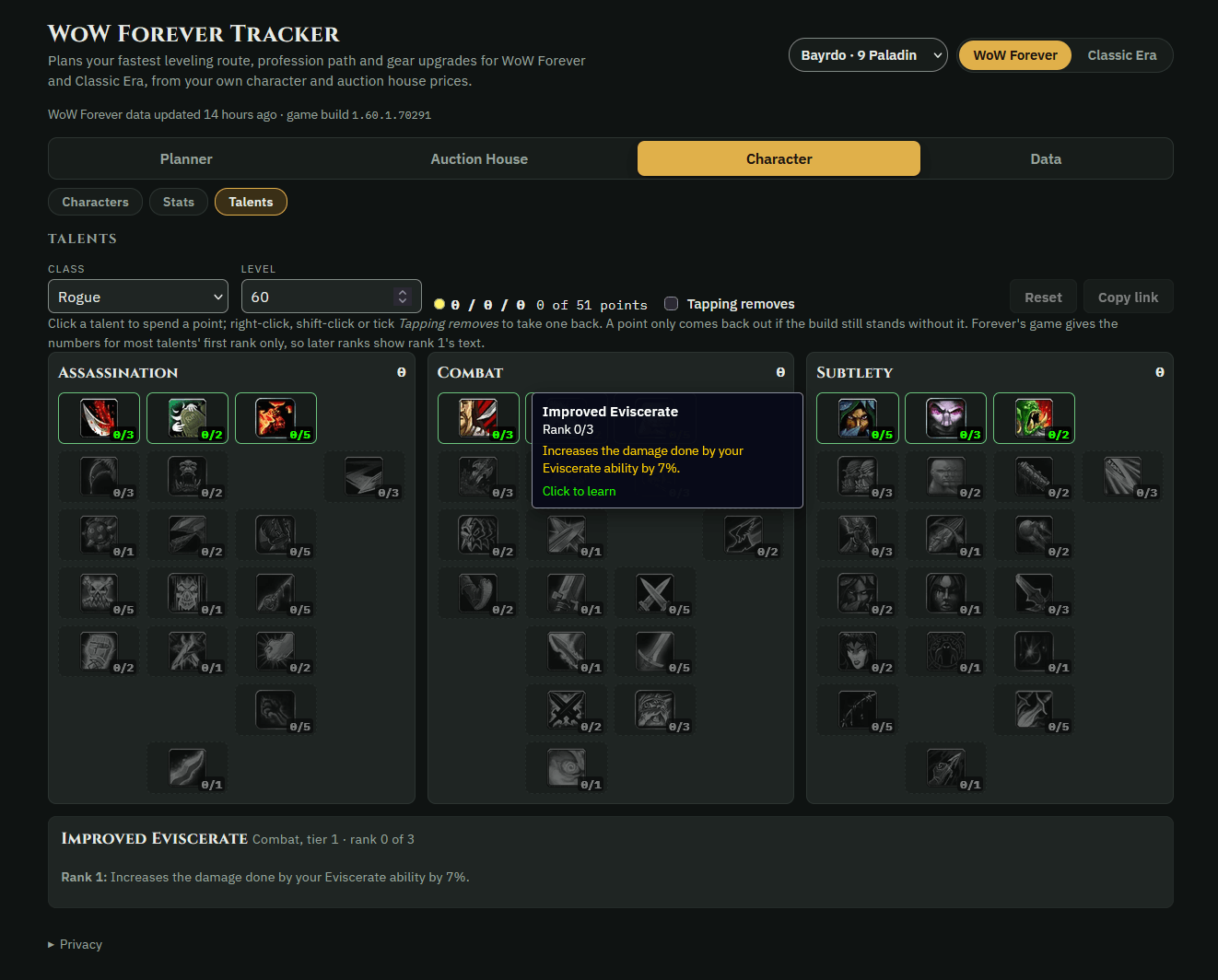
- Talent build: plan a build on the website and it arrives with your route. The addon tells you which talent to take each time you level up.
- Macros: describe a macro in plain words on the website, then paste it into
/wft macro. It's saved and put on your cursor, ready for an action bar. - Try on: the website's Try on buttons copy a
/wft tryline that shows the items on your character in the Dressing Room. - Portrait:
/wft portraittakes 24 pictures of your character turning, for your portrait on the website. - Play log: times your fights, quests, flights, crafts and gathers, so routes and profession plans can use your real pace.
- Guild trades: notes your trades and mail with guildmates, so the website can mark a guild contract handed over by itself.
- Legacy (WoW Forever): reads your Legacy perks, points and challenges for the website's Legacy page.
- Quest collection: records WoW Forever's new quests as you play (who gives them, where the objectives are, what they reward), so everyone's routes get better.
On the website
- Route planner: the fastest quest path to a level, a quest or a reputation, drawn on the game's zone maps. It weighs each quest's XP against travel time, gathers along the way and stops at your trainer.
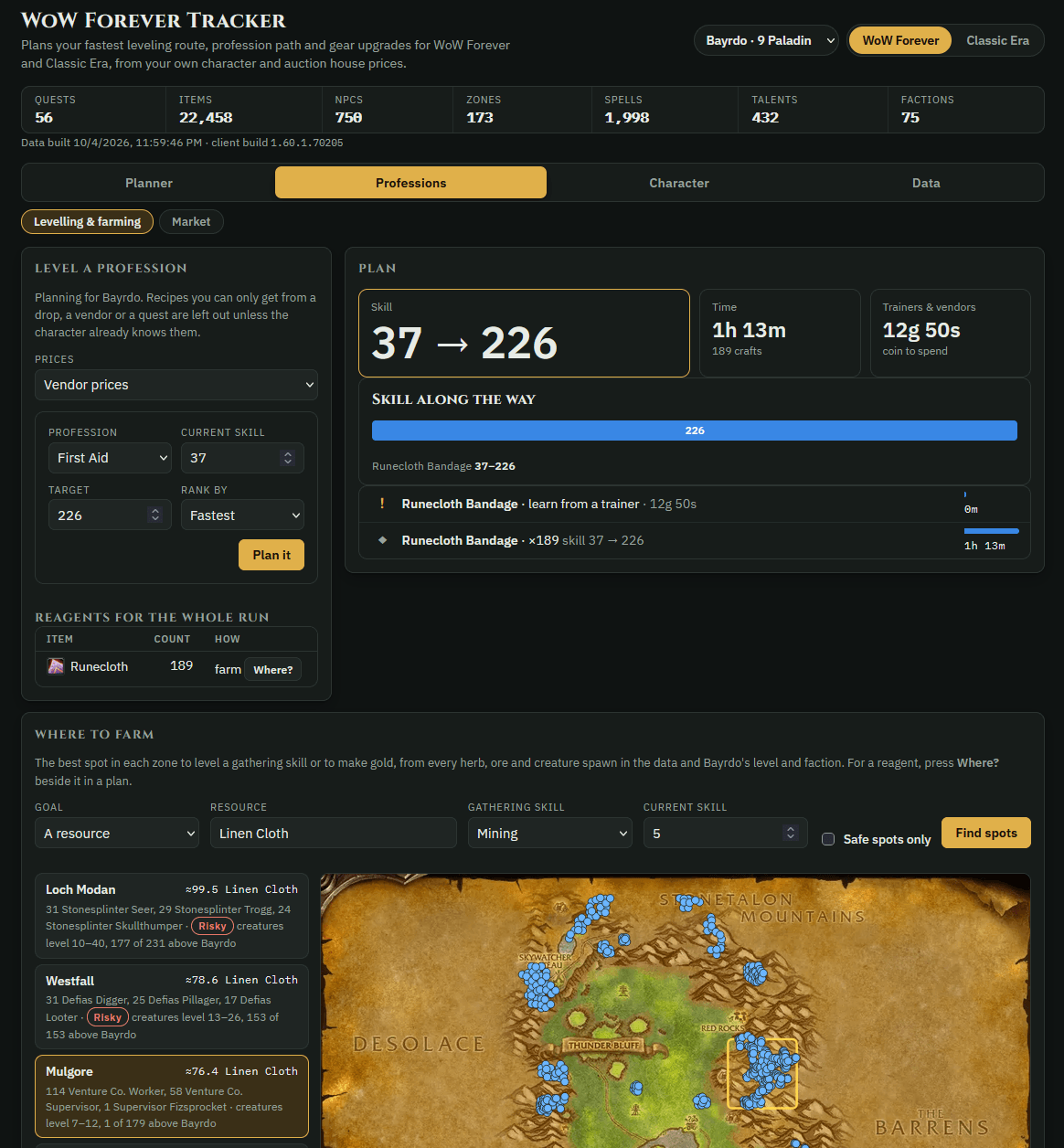
- Professions: a step-by-step plan from your skill to your goal, with every reagent, trainer visit and cost, using only recipes you know or can learn. Gathering professions get the best spots to work.
- Gear and stats: a full character analysis, plus the best upgrade for every slot, limited to what you can actually use.
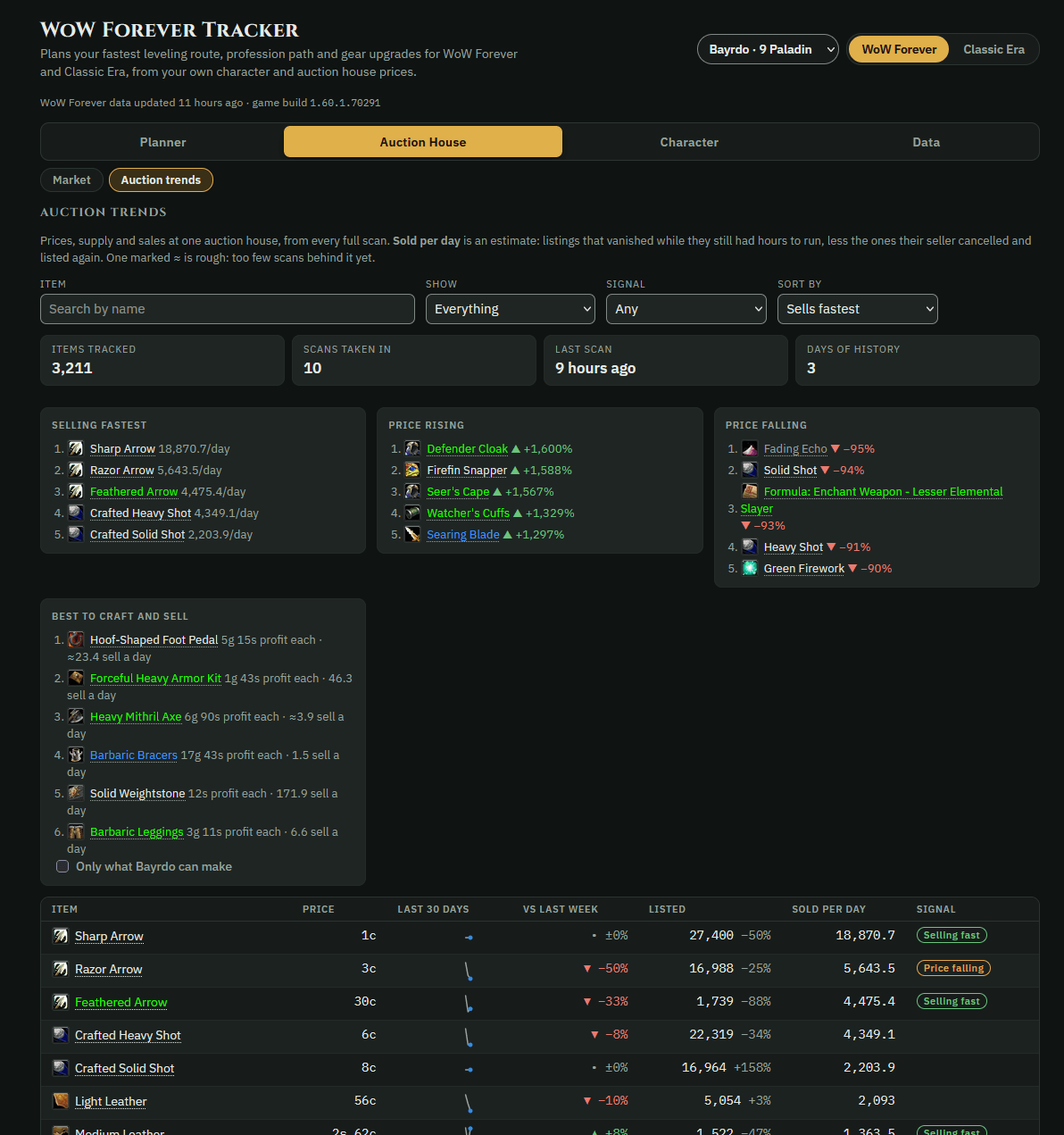
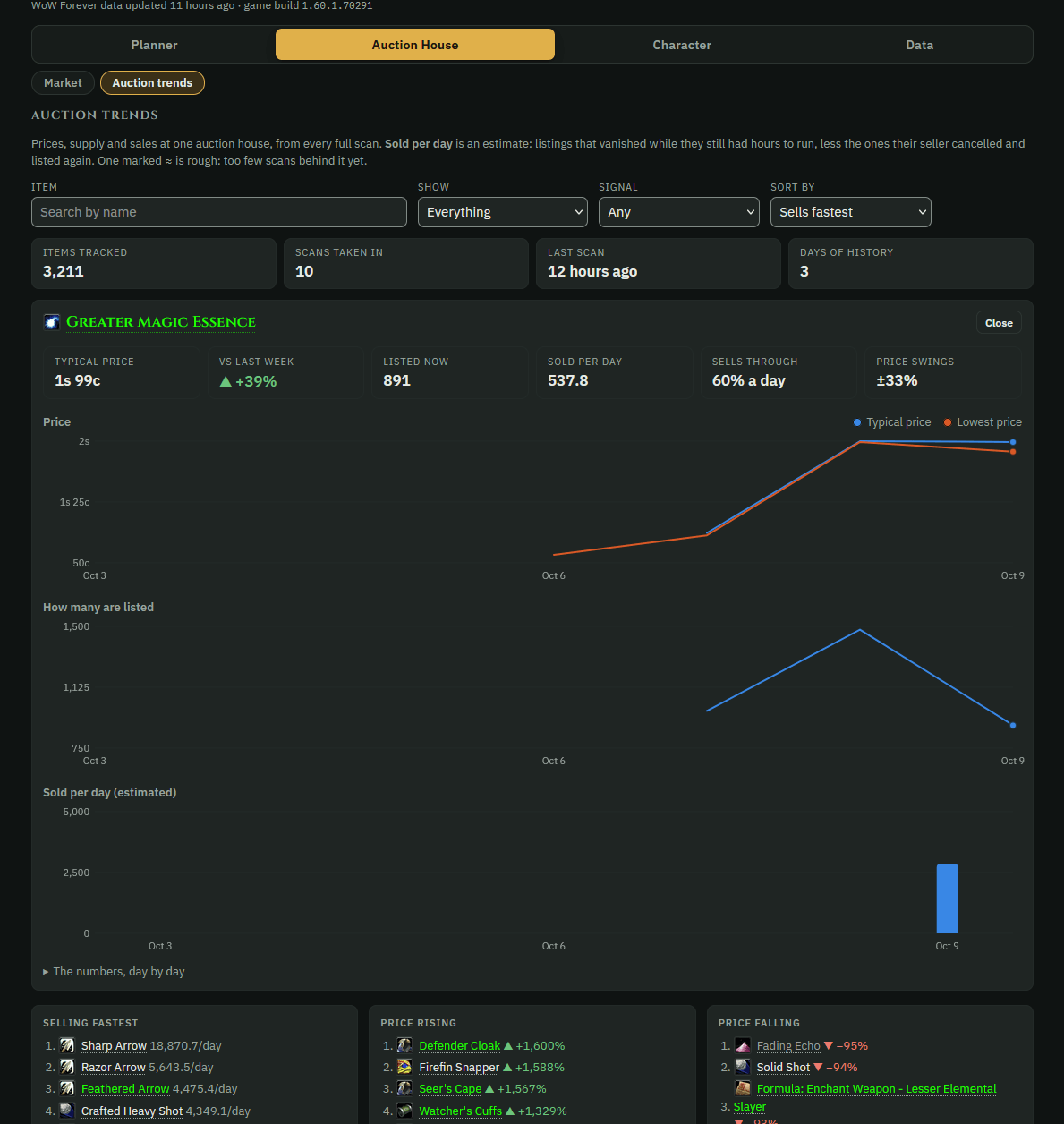
- Auction trends: 30, 60 or 90 days of every item's price, supply and sales, the best things to craft and sell, and watchlist alerts on your phone.
- Realms: every auction house side by side, to help you choose where to start or sell.
- Guild: a poll of what everyone plays, who can craft what, trades between guildmates with a ledger, and the guild's news (level-ups and deaths too) posted to Discord.
- Map, Dungeons, Talents, Spellbook, Class trainer, Legacy, Glossary and more.
Getting started
- Install the addon and enable WoW Forever Tracker at the character screen. One download works in both WoW Forever and Classic Era. Leave its helper addons (WoW Forever Tracker live 01 to 30, in grey) on: live sync uses them.
- Log in and play. The game saves the addon's file when you log out or /reload.
- On the website, go to Characters, then Import from game. In Chrome or Edge, connect the folder once and your characters update by themselves.
- Plan a route and press Send to game. With live sync on, it's in game within about 10 seconds; otherwise /reload.
Commands
| Command | What it does |
|---|---|
/wft window |
open or close the tracker window; /wft window gear (or route, professions, trainer, guild) opens a tab |
/wft status |
what the addon has read so far, and which auction house you're at |
/wft sync |
save this character now |
/wft stats |
save your gear, talents and stats now (out of combat) |
/wft route |
show the route guide; import to paste a route, clear to drop it |
/wft build |
your next talent; import to paste a build, clear to drop it |
/wft live |
how live sync is going; on / off, now (send one at once), fetch (take the website's update now), paste |
/wft scan |
scan the open auction house |
/wft undercut |
which of your auctions have been undercut; on / off to be told by itself |
/wft crafters |
who in your guild (and which of your characters) can make an item: Shift-click it into the line |
/wft macro |
make a macro from the website's Macros page |
/wft try |
try items on in the Dressing Room |
/wft portrait |
24 pictures of your character turning, for your portrait on the website (Escape stops it) |
/wft pace |
what the play log has kept |
/wft legacy |
read your Legacy perks now (WoW Forever) |
/wft autoscan on / off |
scan by itself when you open the auction house and the last scan is an hour old |
/wft pricetips on / off |
auction prices on item tooltips |
/wft crafttips on / off |
who in your guild can make an item, on its tooltip |
/wft relay on / off |
share your scans with every addon on your realm, and keep theirs for the website |
/wft reloadprompt on / off |
offer a reload after a scan or a craft request, so it's saved at once |
/wft help |
every command |
Optional: TomTom, for map arrows. Works alongside Auctionator.
Fair play and privacy
- The addon only reads what the game already shows you. It never plays for you, and it never bids, buys or posts. The one thing it sends for you is the whisper when you ask a guildmate for a craft.
- Your characters stay in your own browser, not on a server.
- Auction scans are shared: prices, listings, realm, side and time, never who scanned. You can turn sharing off (
/wft relay offin game, and a switch on the website). - In game, the addon tells your guildmates' addons your characters' professions and recipes. A guild you join on the website sees your characters' names, realms, professions and recipes too; a switch on its Crafters page turns that off.
- Quest and field-note uploads never include names, realms or gold, and they're checked before they're used.
WoW Forever Tracker is not affiliated with or endorsed by Blizzard Entertainment. World of Warcraft is a trademark of Blizzard Entertainment, Inc.
WoW Forever Tracker Team
