


WOW Forever Camera
- By
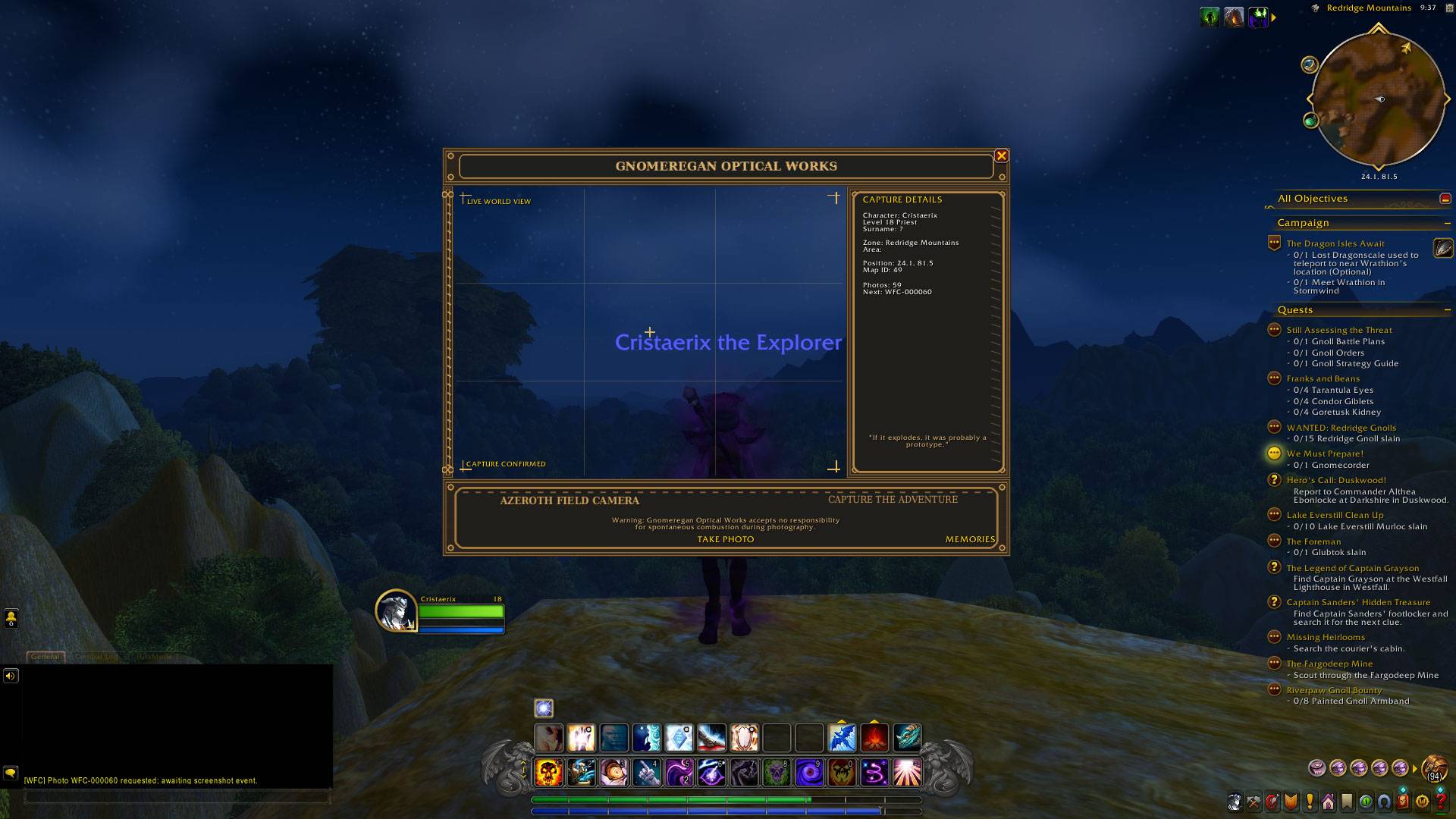
WoWScrnShot_102526_213721.jpg
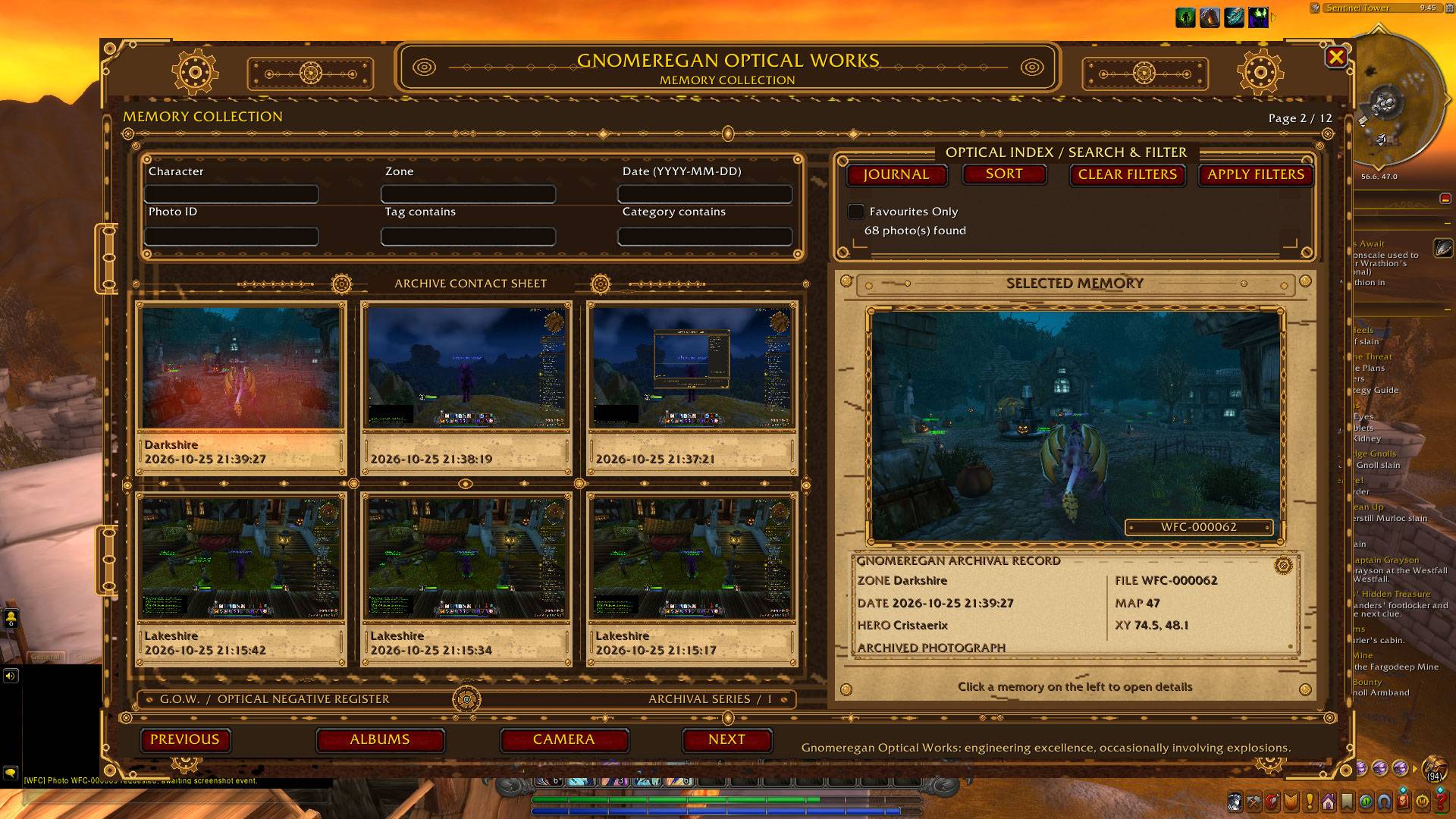
WoWScrnShot_102526_214541.jpg
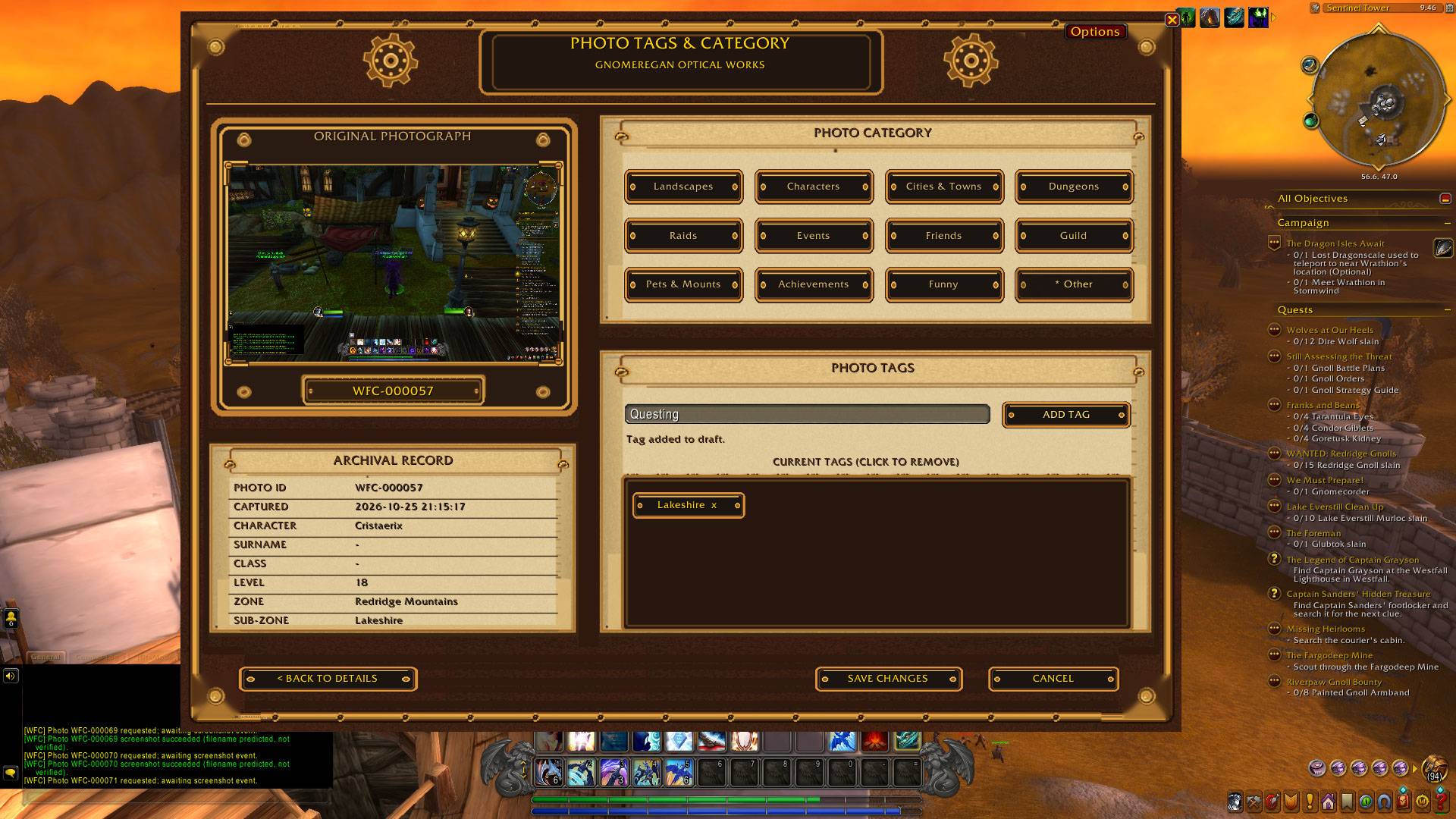
WoWScrnShot_102526_214652.jpg
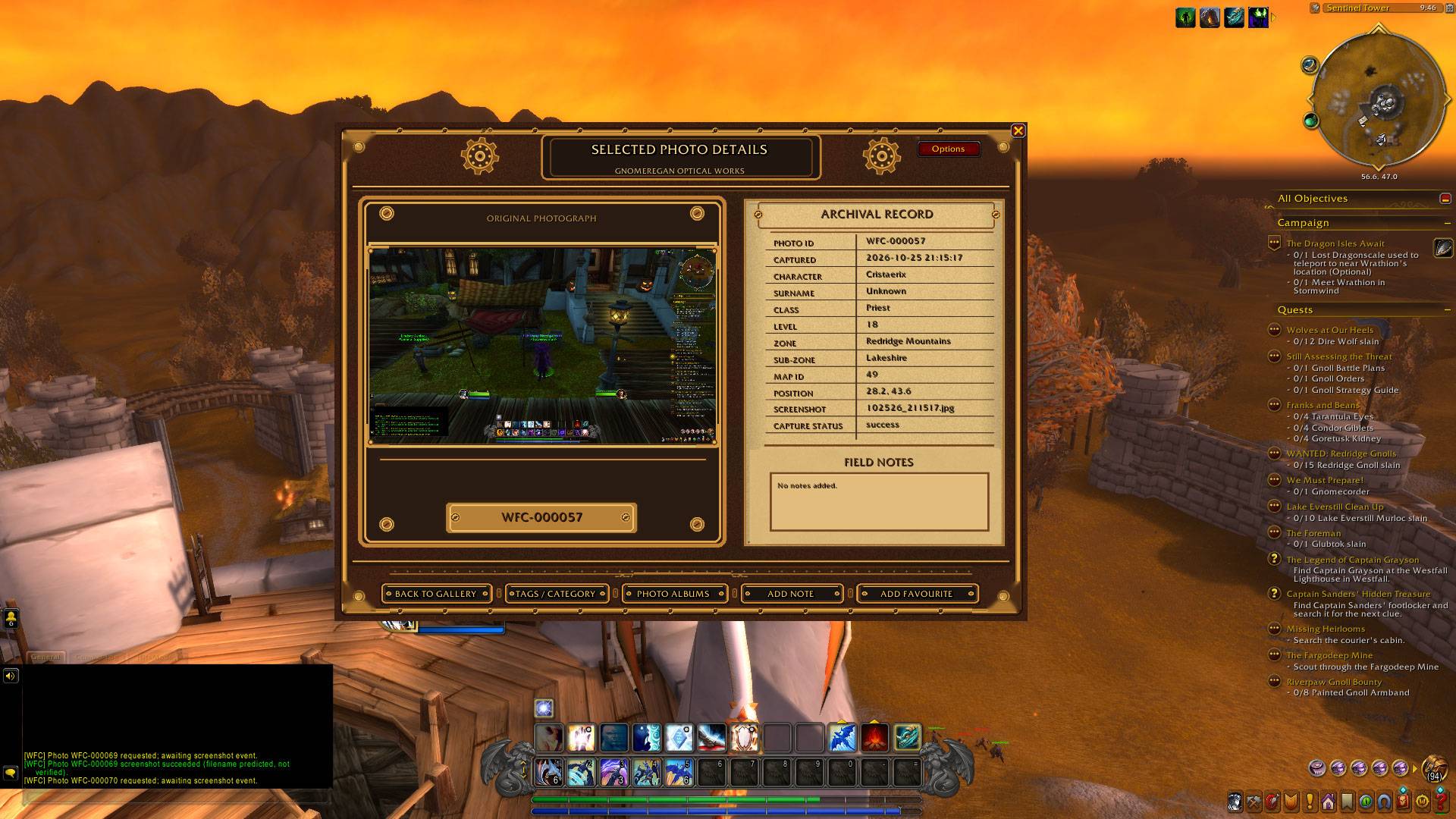
WoWScrnShot_102526_214618.jpg
WoWScrnShot_102526_214618.jpg
Description
WOW Forever Camera
Capture your adventures. Preserve your memories. Build your own photographic history of Azeroth.
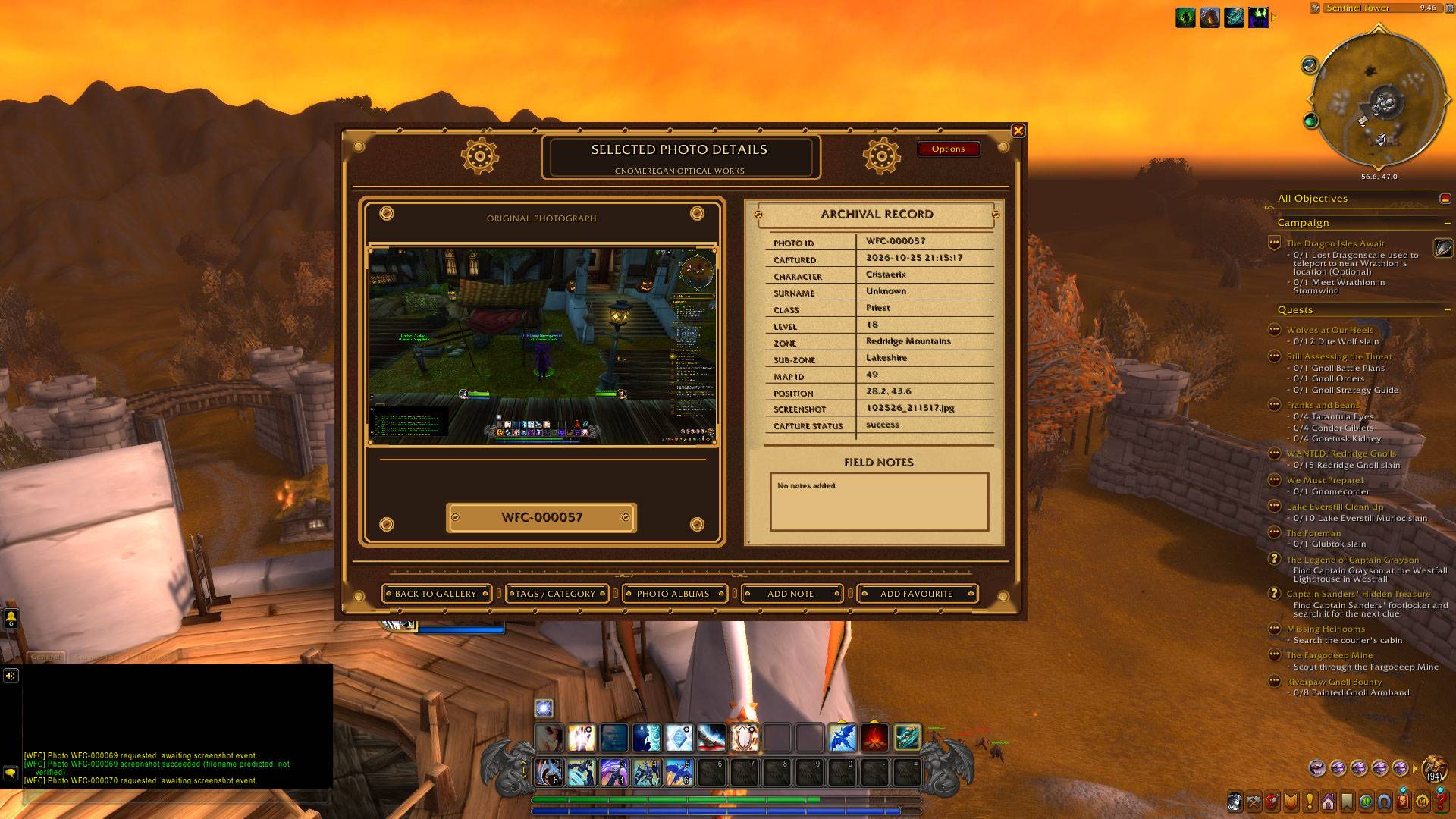
WOW Forever Camera is a screenshot camera and photo-journal addon for World of Warcraft Retail and WoW Forever. It turns your adventures into a personal collection of memories, presented in an ornate Gnomeregan Optical Works interface inspired by brass machinery, leather-bound albums and archival parchment.
Features
- Take photographs from the camera window, a keyboard shortcut or a slash command.
- Automatic memory records store available capture details, including the time, location and character information.
- Memories gallery for browsing your photographs and viewing their archival details.
- Photo albums for organising memories into personal collections; photographs can belong to multiple albums.
- Tags and categories to help organise and find your photographs.
- Favourites, field notes and journal tools to give your collection a personal touch.
- Camera tools, including composition grid and focus marker options.
- Gnomeregan Optical Works styling throughout the camera, memories and archive pages.
- Responsive windows, designed to adapt to different UI scales.
- Minimap button for convenient access to the addon.
- Saved collection data between play sessions.
Keyboard shortcuts
Open Game Menu → Options → Keybindings, find the Wow Forever Camera category and assign keys to any of these four actions:
| Keybinding action | What it does |
|---|---|
| Take Photograph | Capture a photograph |
| Toggle Camera Window | Open or close the camera window |
| Toggle Memories | Open or close your memories collection |
| Toggle Options | Open or close the addon options |
You can choose your own keys; no particular key combination is required.
Slash commands
Both /camera and /wfc work as command prefixes. For example, /camera status and /wfc status perform the same action.
| Command | Action |
|---|---|
/camera or /wfc |
Take a photograph |
/camera snap |
Take a photograph |
/camera photo |
Take a photograph |
/camera ui |
Toggle the camera window |
/camera camera |
Toggle the camera window |
/camera options |
Toggle the options window |
/camera settings |
Toggle the options window |
/camera count |
Display the number of stored photo records |
/camera status |
Display database schema, photo count and next photo ID |
Tip: /wfc options opens the same options window as /camera options. Entering an unrecognised subcommand displays the addon’s command help in chat.
Compatibility
World of Warcraft Retail and WoW Forever — the addon has been tested with both. WoW Forever's Beta client is currently unavailable, so further Forever-client testing must wait until access returns. The addon includes Forever-oriented character metadata terminology, including Surname.
Installation
- Install through CurseForge when the relevant game version is available, or download the addon ZIP manually.
- For manual installation, extract the
WowForeverCamerafolder into your World of Warcraft client'sInterface/AddOnsdirectory. - Enable WOW Forever Camera in the character-selection AddOns menu.
- Enter the game and use
/camera ui, the minimap button or your chosen keybinding to get started.
Release information
Version 0.9.0 Beta — initial public release. The addon is actively developed; please report bugs with the client version, reproduction steps and any Lua error messages.
An independent fan-made addon; not affiliated with or endorsed by Blizzard Entertainment.
WOW Forever Camera Team
