WoW Forever BiS List
- By
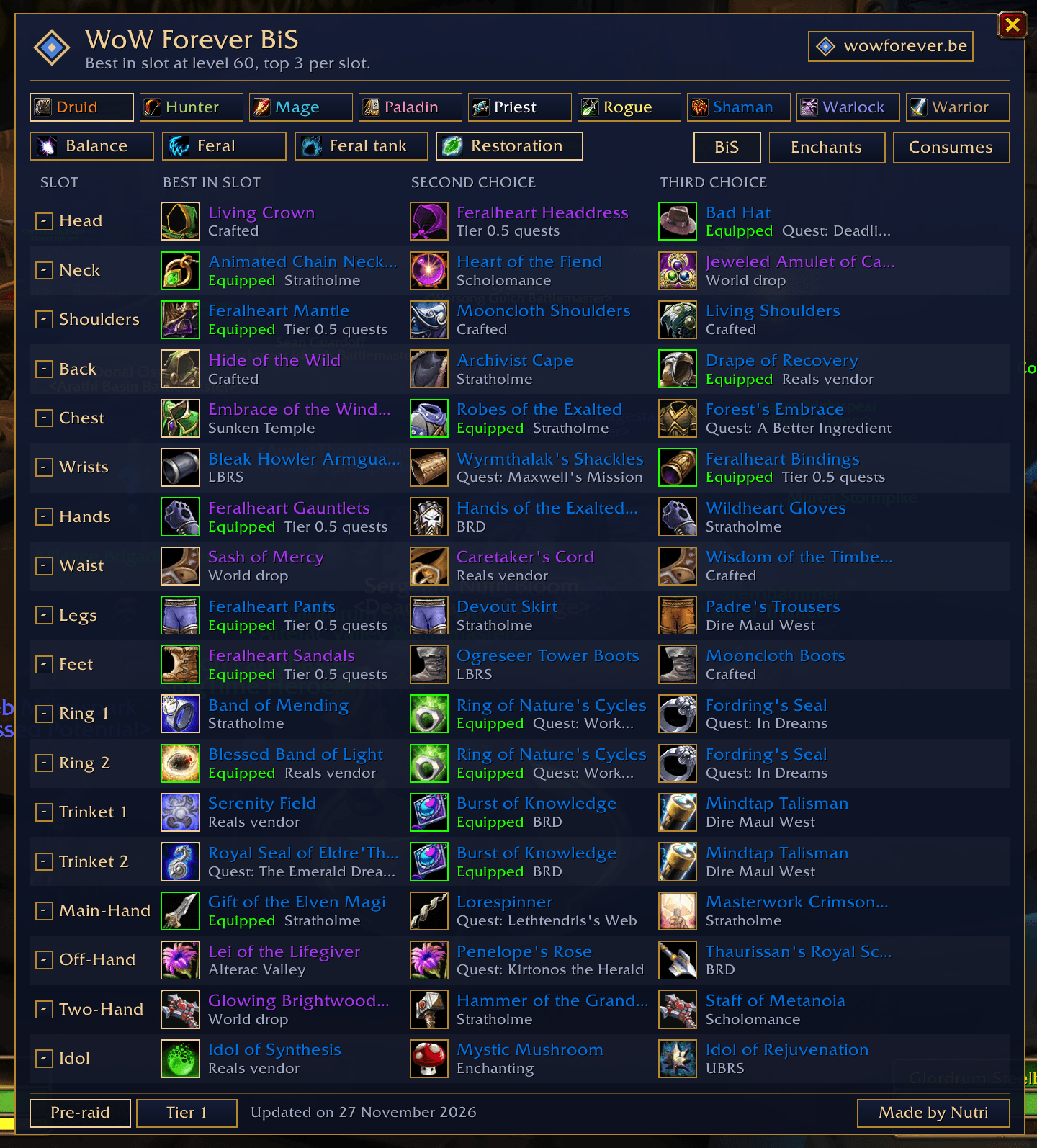
Shows the top 3 best in slot items per gear slot for every WoW Forever spec.
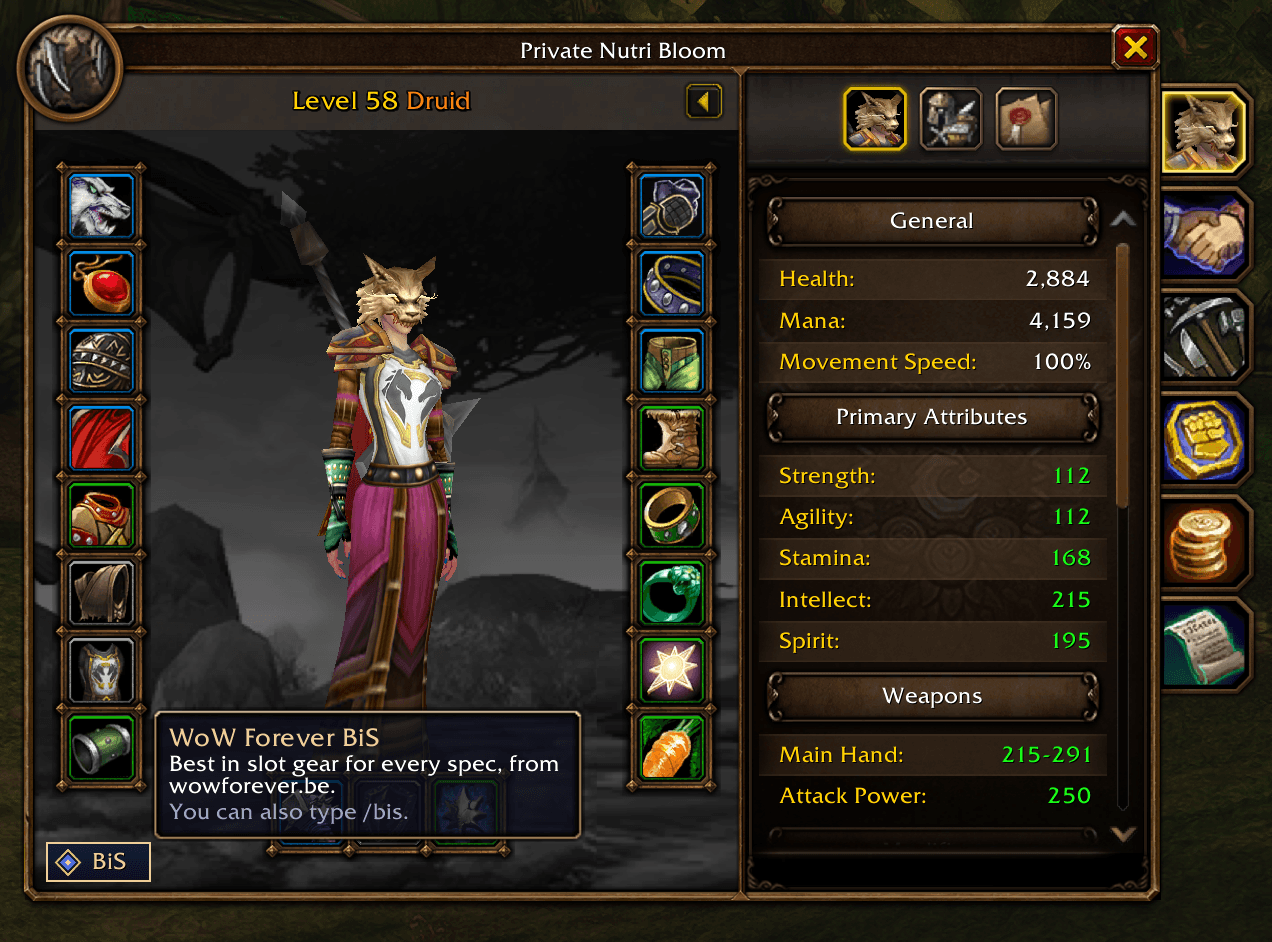
Character Panel
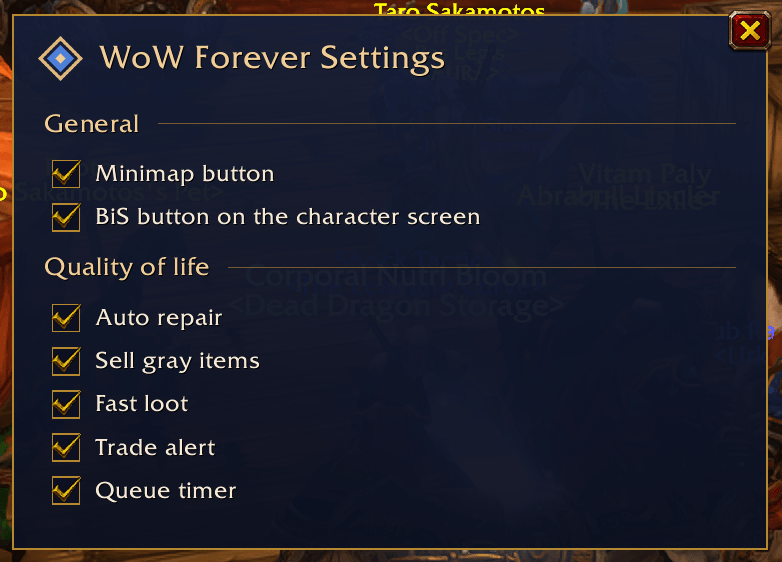
Options Window
Description
WoW Forever BiS
The best in slot gear, enchants and raid consumables for every spec in WoW Forever, right on your character panel.
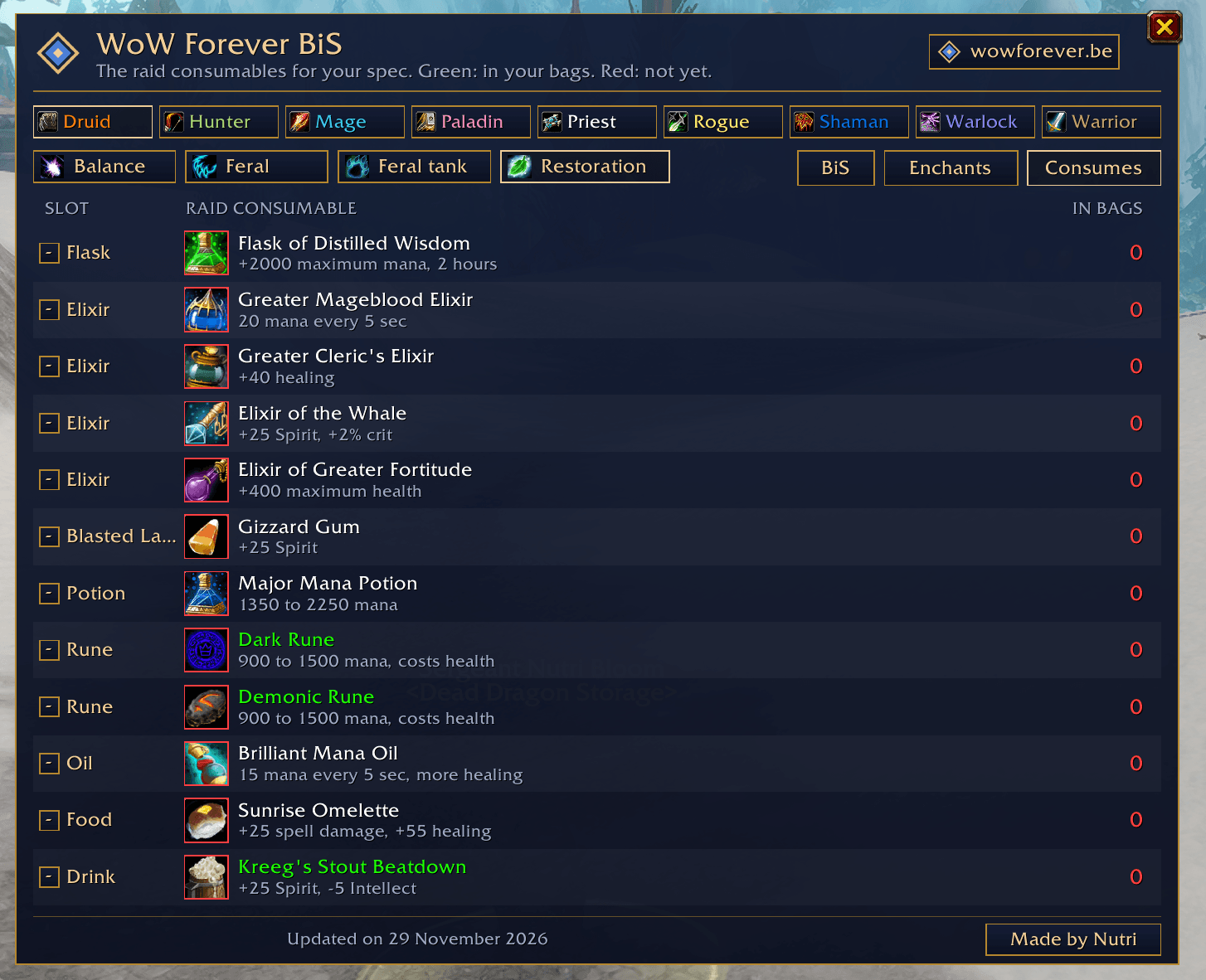
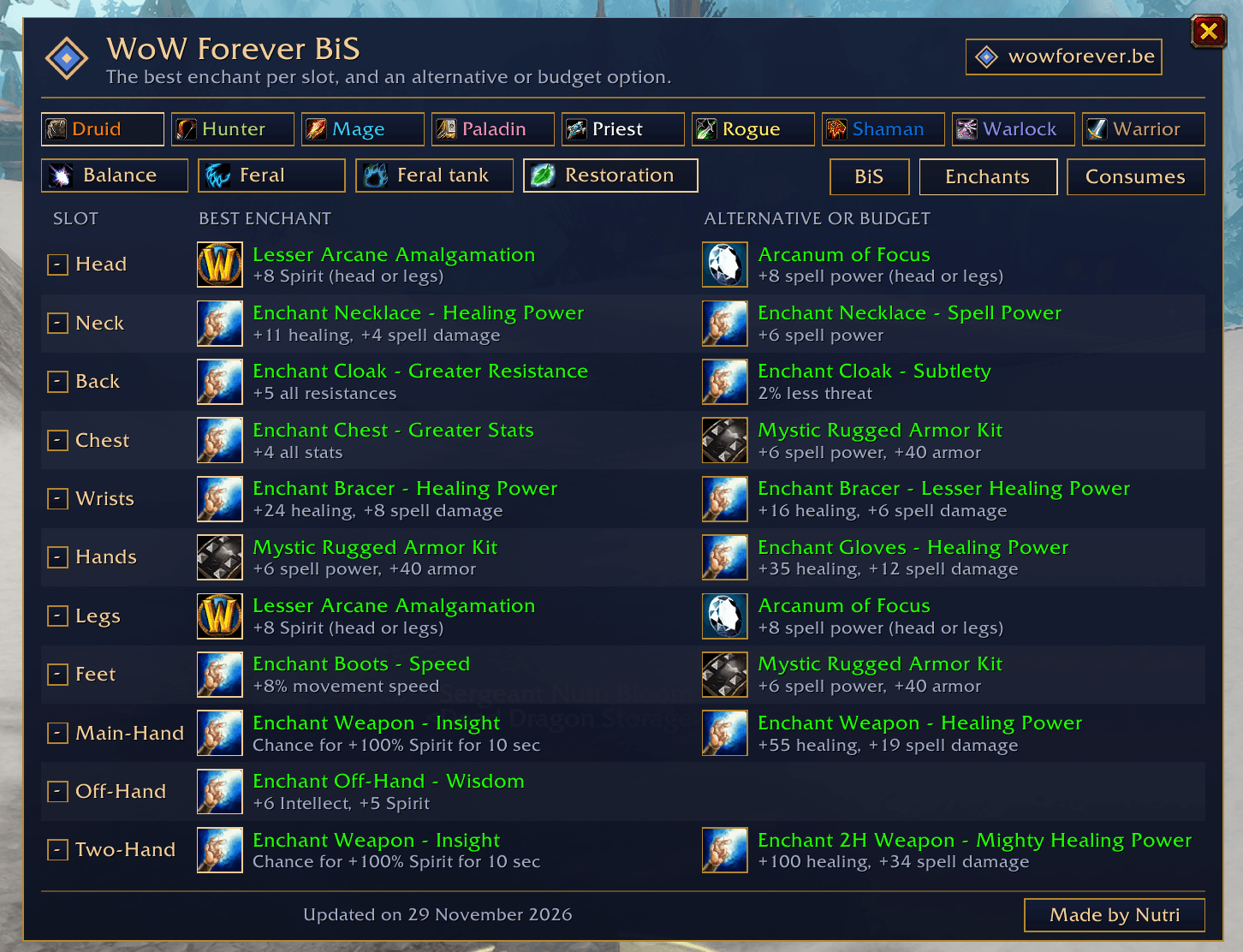
Open your character panel and click the small BiS button in the bottom left corner (or type /bis). A window shows the top 3 items for every gear slot, with where each item comes from. Two switches in the same window show the Enchants and Consumes for your spec (or type /bis enchants or /bis consumes).
Features
- Top 3 per slot: best in slot, second and third choice. 27 of the 28 specs have a list, Assassination is coming soon.
- Enchants: the best enchant for every slot and a cheaper or easier alternative, for all 28 specs.
- Raid consumables for your spec, with how many you carry: green when it is in your bags, red when it is not. The count updates as you loot or buy.
- Equipped mark on the items you already wear.
- Where to get it under every item, in a word or two (Leatherworking, Scholomance, a quest), and the full source in the tooltip. Shift-click to link an item, enchant or consumable in chat.
- Class and spec icons on the tabs.
- Fold a slot with the - button to keep the window short, saved per character and spec.
- A button per phase: pre-raid now, Tier 1 once the raids open on 9 December. Earlier phases keep their lists.
- Alliance and Horde: lists with faction items show both sides.
- Remembers your choice: the window opens on the last spec you looked at.
- Minimap button: left click for your notes, right click for the BiS window, middle click for the settings. Drag it around the minimap, or hide it with
/bis minimap. - In English, German, French, Spanish and Italian.
Quality of life
Six small helpers, all but the cursor ring on by default. Switch them in the settings window, or type /bis qol to see them and /bis qol repair (or sell, loot, trade, queue, cursor) to switch one off or on.
- Auto repair at a merchant, with guild funds when your guild pays for it.
- Sell gray items at a merchant, with the total in chat.
- Fast loot: takes everything at once when auto loot is on.
- Trade alert: a sound, a line in your chat and a flashing taskbar icon when a trade opens.
- Queue timer: a bar under the battleground pop-up that counts down the time you have left to enter.
- Cursor ring: a gold ring around your mouse cursor that pulses on a click, so stream viewers can follow it. Stays visible with the UI hidden (Alt+Z). Off by default.
Notes
A notepad behind the minimap button (or /bis notes), shared by all your characters on every server. Save with the button or Ctrl+S (Cmd+S on a Mac); closing the window saves too.
Settings
Middle click the minimap button (or type /bis settings) for one window with every switch: the minimap button, the BiS button and the six helpers.
Where the lists come from
The lists come from wowforever.be, the WoW Forever guide site, where every Forever BiS page also shows the enchants and raid consumables. Each list shows the date of its last update, and new versions of the addon follow the site.
Made by Nutri
Leveling, dungeon and BiS videos for WoW Forever on YouTube: Nutri - WoW Forever Guides
WoW Forever BiS List Team

Owner