


wow-easylife
- By
Small quality-of-life helpers in one addon: protect your valuable items, let merchants sell your junk, see what your farming is worth, and keep notes on the map, on items and on people. Every part is a module you can switch on or off.
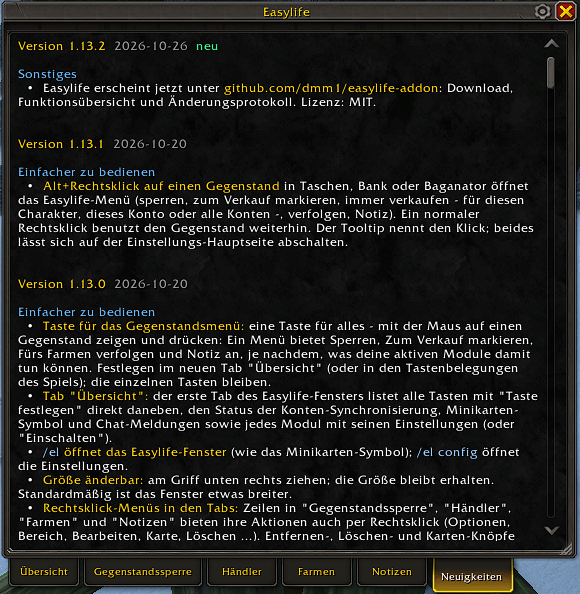
news.PNG
Description
- Lock single items (default key CTRL-H) or every item of a kind - for this character, this account or all your accounts. Items of your equipment sets can be protected automatically.
- Locked items are protected against selling (an accidental sale is bought back right away), destroying, scrapping, disenchanting, the auction house, mail and trade - each with its own setting and per-item exceptions.
- A lock icon in your bags, bank, Baganator and the character window; a warning when you take a locked item off.
- The Item Lock tab lists the locked items of all your characters, with where they are.
- Sells grey items automatically when you open a merchant; optionally low-level food and toys you already know. Hold Shift while opening the merchant to skip it once.
- Mark items for sale (default key CTRL-J) or set them to always sell - for one character, the whole account or all accounts. A coin in your bags shows what will be sold.
- Never sells more than the buyback list holds (12), so everything can be bought back.
- Repairs automatically, with guild gold first if you are allowed to.
- Track the items you farm (default key CTRL-F): the farm view shows how many you gather per hour and the gold per hour, with prices from Auctionator, TradeSkillMaster or the merchant.
- Sessions start and pause by themselves, count raw gold and merchant income, and list all other loot.
- Goals per item and per session, item sets to switch what you track, a bag space warning.
- A questing view: quest gold, quests and XP per hour, time to the next level, and what became of your quest rewards.
- The history of your sessions, the best spots per zone and gathering points on the world map.
- Map pins with a comment: Alt+click on the world map, or pin where you stand. Kinds for vendors, treasures, rares and to-dos, done marks, respawn timers, pins on the minimap, and reminders when you come close.
- Item notes (default key CTRL-N), shown in the tooltip, at the auction house and as a warning when you sell the item.
- Where did I get this? Every merchant purchase, loot and quest reward is remembered with the place.
- Notes on players and NPCs, shown in their tooltip.
- Import and export
/waylines (TomTom format, e.g. from Wowhead).
- Accepts group invites and shared quests from your own characters automatically - and summons, if you switch that on.
If you play two WoW accounts of the same Battle.net account at the same time, account sync shares locked items, sell rules, notes, pins and farming data between them (read-only on the other side). You confirm each account once.
- Baganator (icons and Alt+right-click in its bags; with Syndicator, item counts of all characters)
- TomTom (waypoints), Auctionator and TradeSkillMaster (prices)
- Addons that do the same job (e.g. other auto-sell or repair addons) are detected after login, and Easylife offers to switch them off so nothing happens twice.
Supported Language
- German
- English
Please open a ticket on github if you need more translations
Support is available via Github Issues
Please open a ticket on github if you find an issue or need help
wow-easylife Team
