World of Tools
- By
Description
World of Tools is a project made in my spare time. If it makes your adventures in Azeroth easier, a small tip on Ko-fi helps me keep it growing: Ko-fi.com/xifreddy
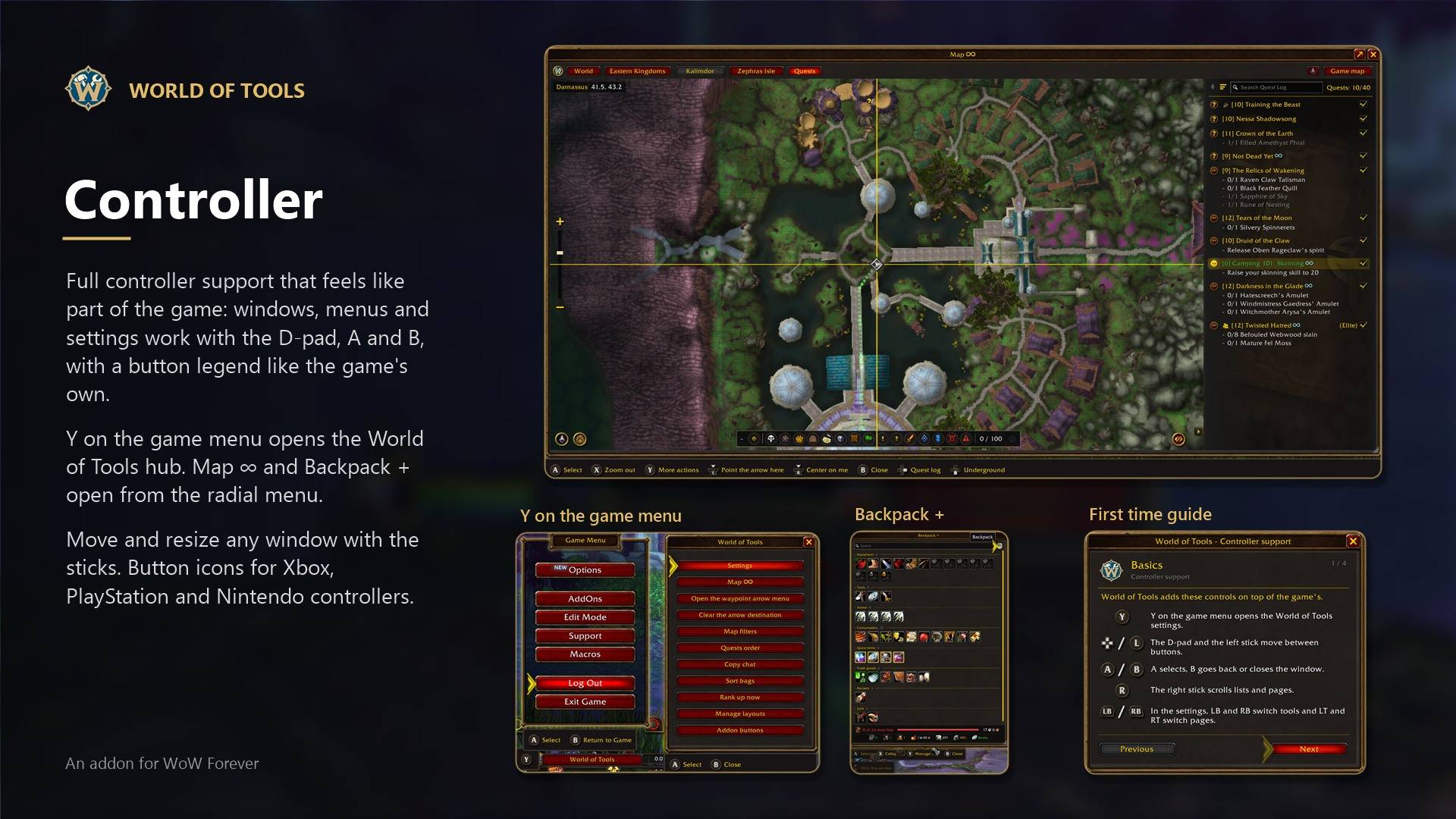
Now with full controller support. With the controller layout, every World of Tools window, menu and setting works with the D-pad, A and B like the game’s own windows. Press Y on the game menu to open the World of Tools hub, and Map ∞ and Backpack + open from the radial menu.
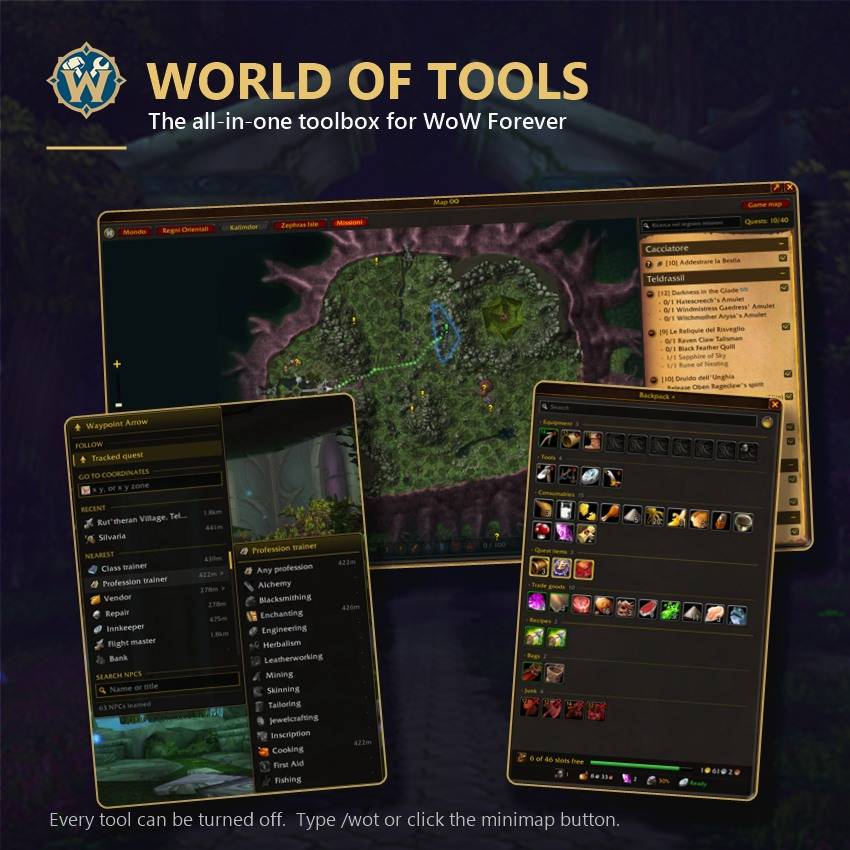
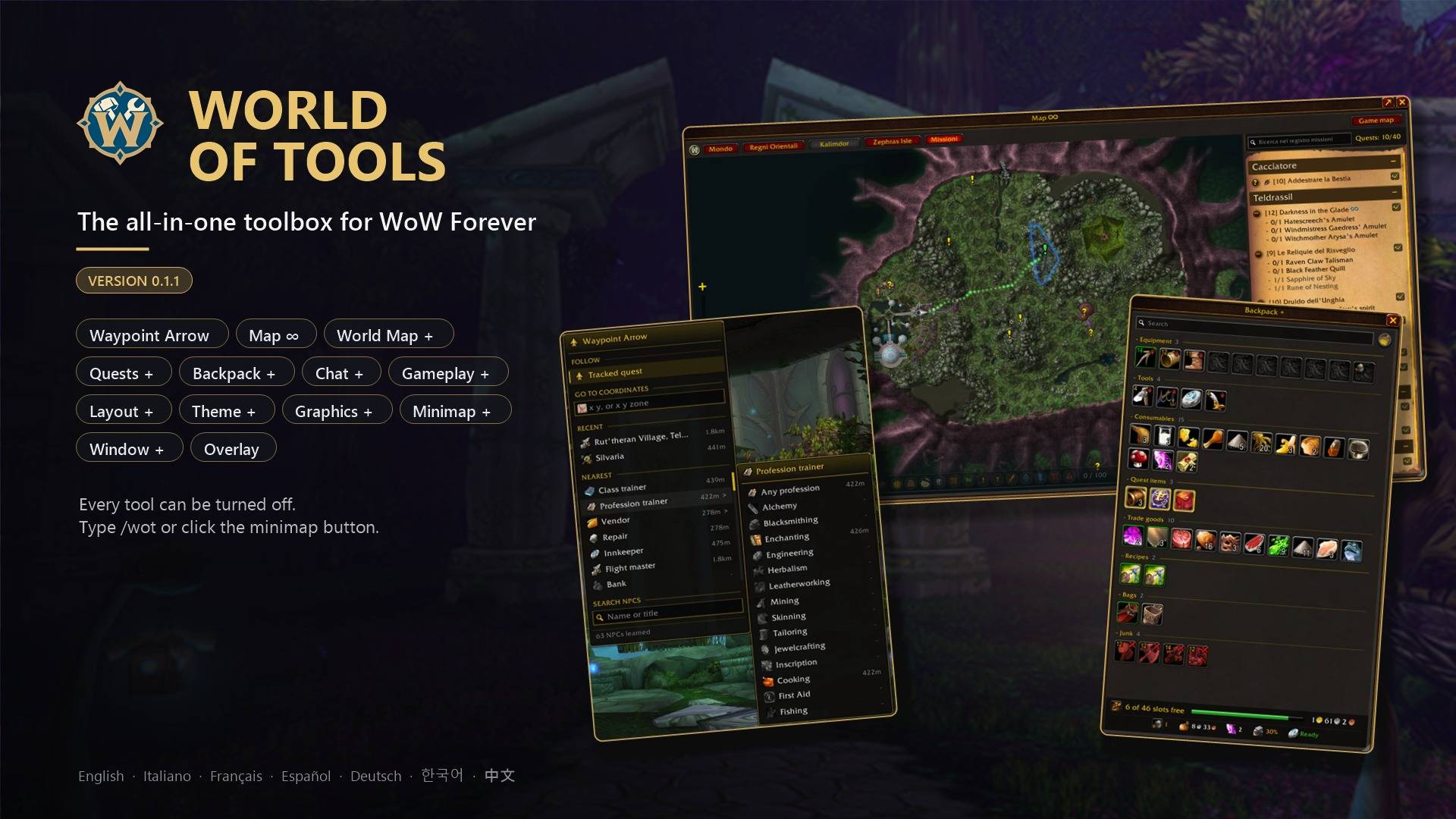
World of Tools is a bunch of small tools I made for WoW Forever, all in one addon. A quest arrow, a map of the whole continent, a better bag window, faster loot, a cleaner chat, some quest helpers and a few other things I wanted while playing.
Waypoint Arrow
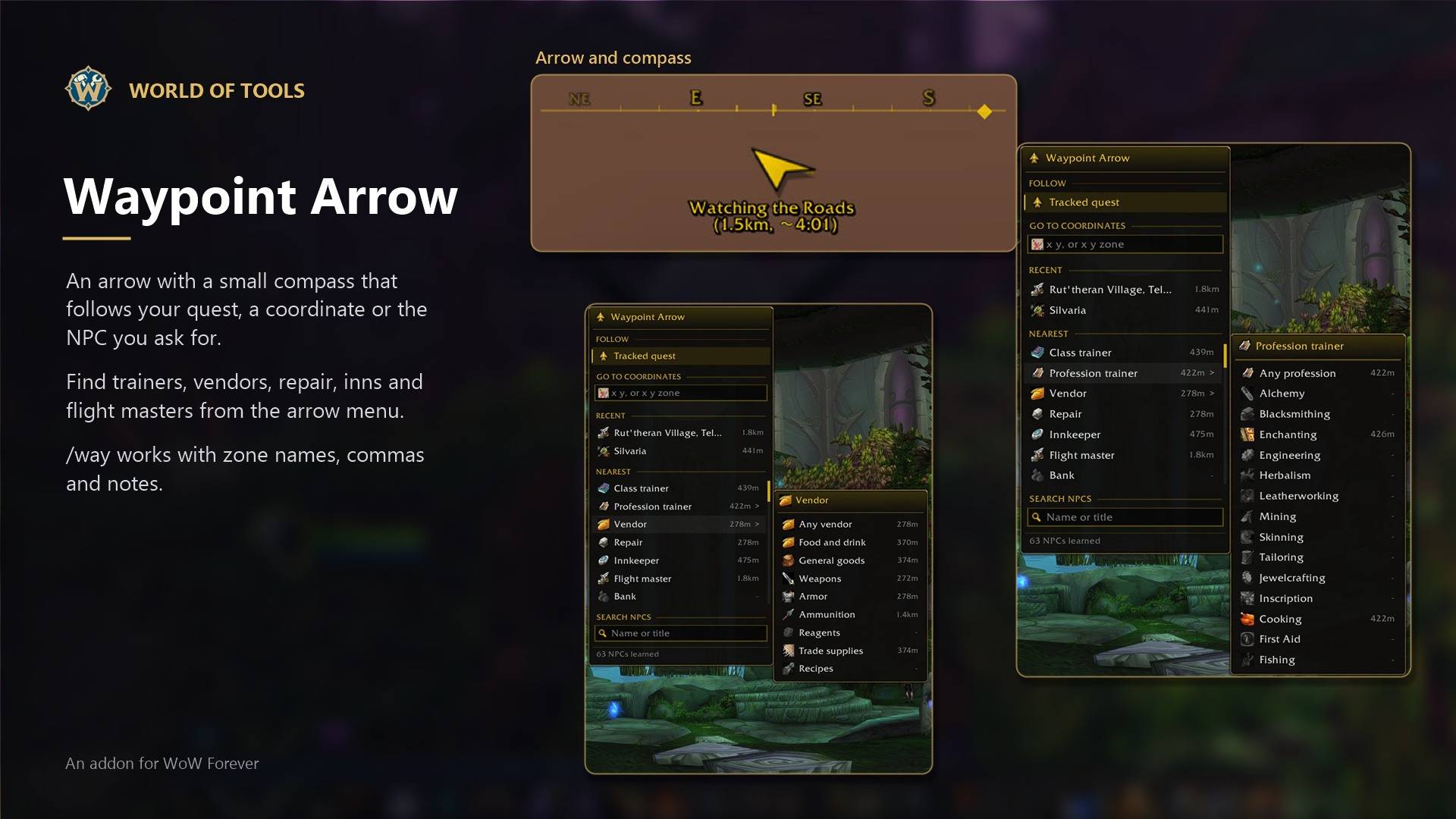
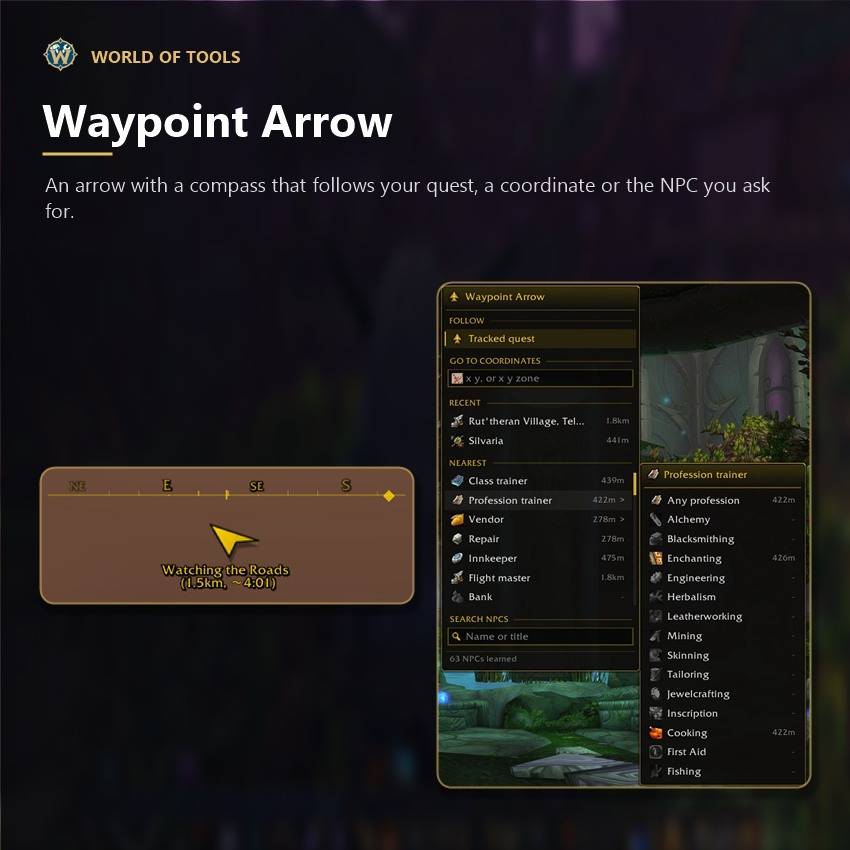
An arrow in the middle of the screen with a small compass bar above it. It follows the quest you track, a coordinate you type, or the nearest NPC you ask for.
- Find trainers, vendors, repair, innkeepers, flight masters and banks from the arrow menu, or search an NPC by name
- Towns, dungeons and raids in the menu too, and entrances are learned when you walk in
- Quest mobs: it can walk you to the enemies your quests want you to kill or loot
- Points to your corpse when you die, if you want
- /way x y works, also with a zone name, a comma or a note after it, and Alt+click on the world map
- Share my NPCs with a friend as a text, nothing gets replaced
- Lots of looks: arrow styles, size, colors, distance in yards or meters, arrival time
- Works together with a free leveling guide addon: the arrow, the route and Map ∞ follow its steps
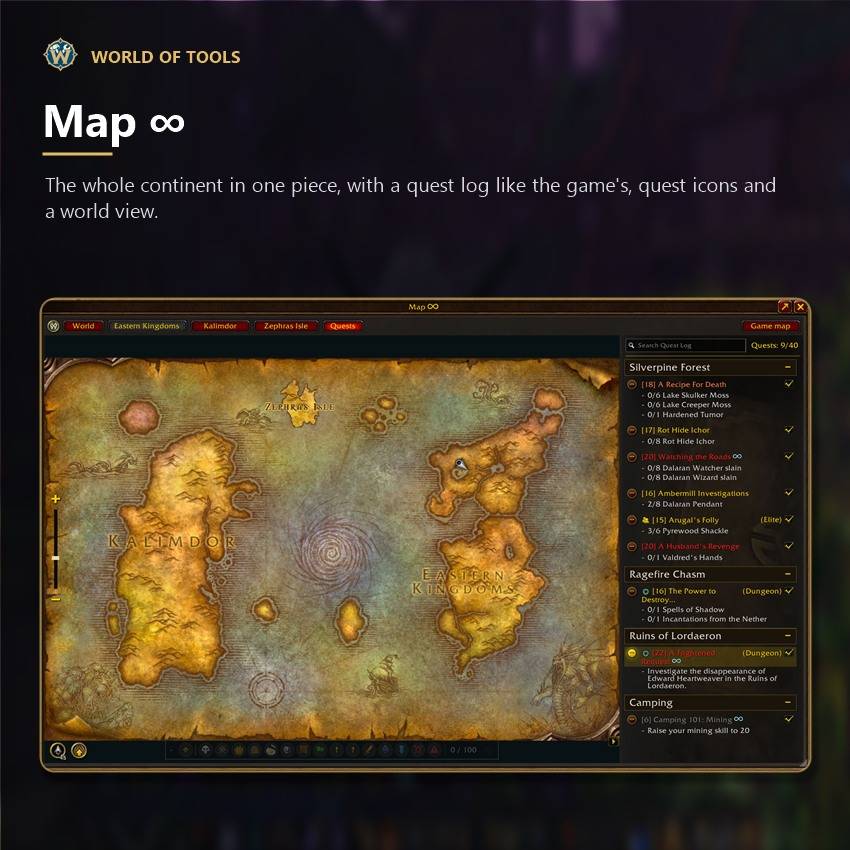
Map ∞
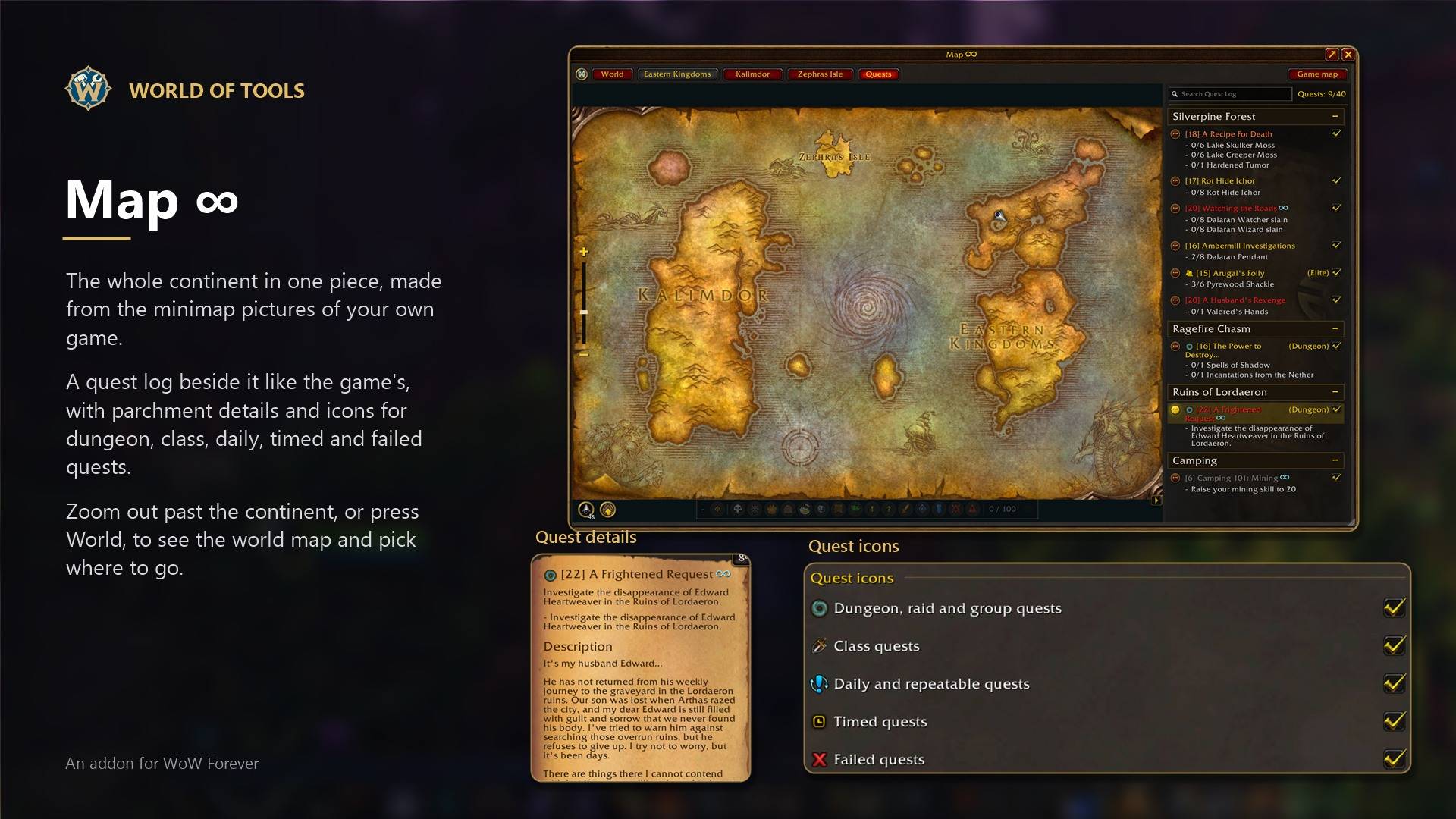
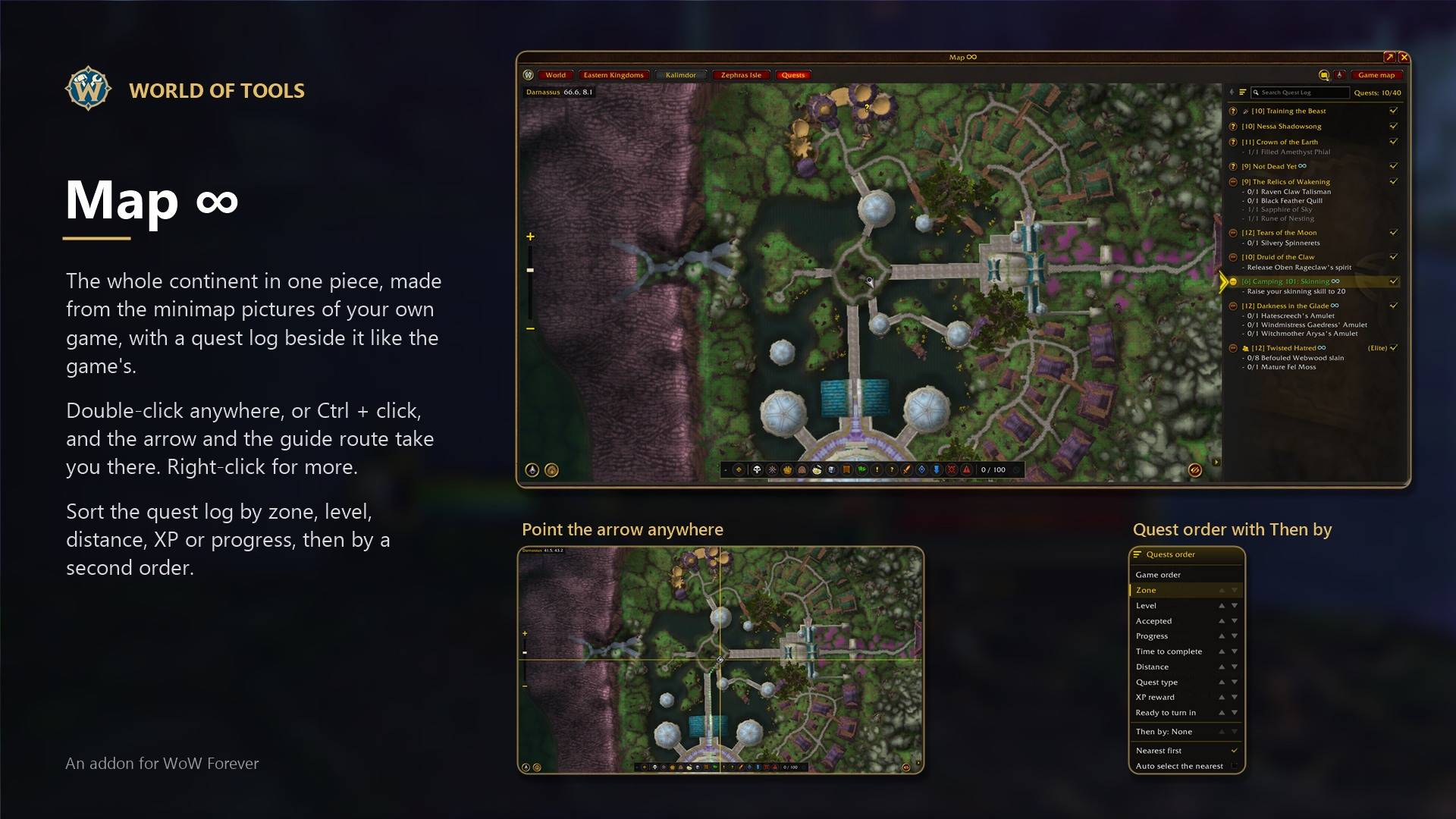
The whole continent in one piece, made from the minimap pictures of your own game. It opens with the map key.
- Drag, zoom with the wheel or the slider, zoom out past the continent to see the whole world and pick another one
- Center on me, and Follow the player keeps you in the middle while you walk
- A quest log beside the map like the game's, with parchment details, rewards, dungeon and raid icons and the quest you follow kept in sync. Click a quest in the tracker and it opens there
- Drag the quest log wider, and pick its look: the game's, parchment, classic parchment or dark, with your own fonts and text effect
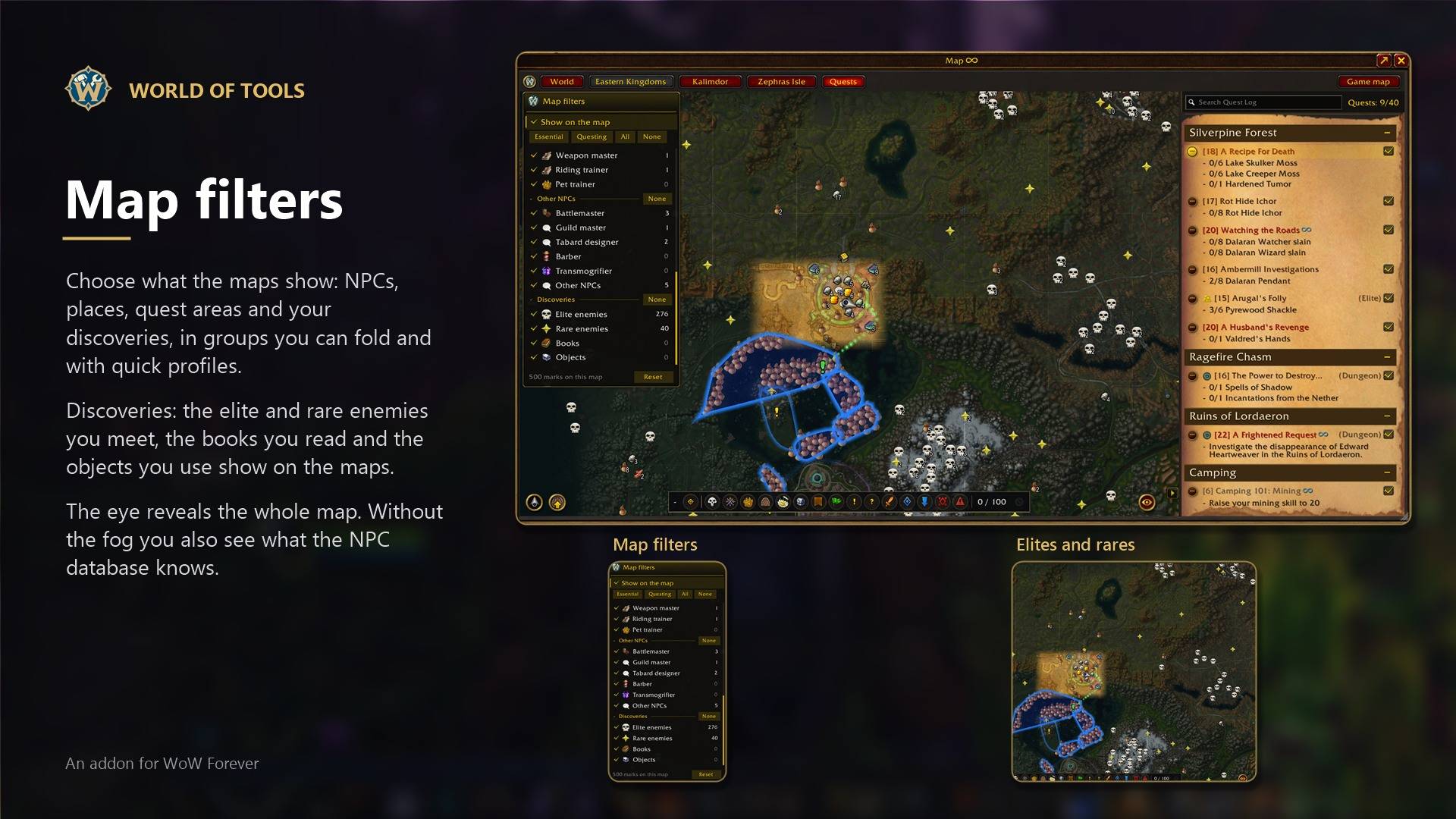
- The eye button reveals the whole map or brings the fog back
- Discoveries: the elite and rare enemies you meet, the books you read and the objects you use show on the map. Without the fog you also see what the NPC database knows. Share them with friends
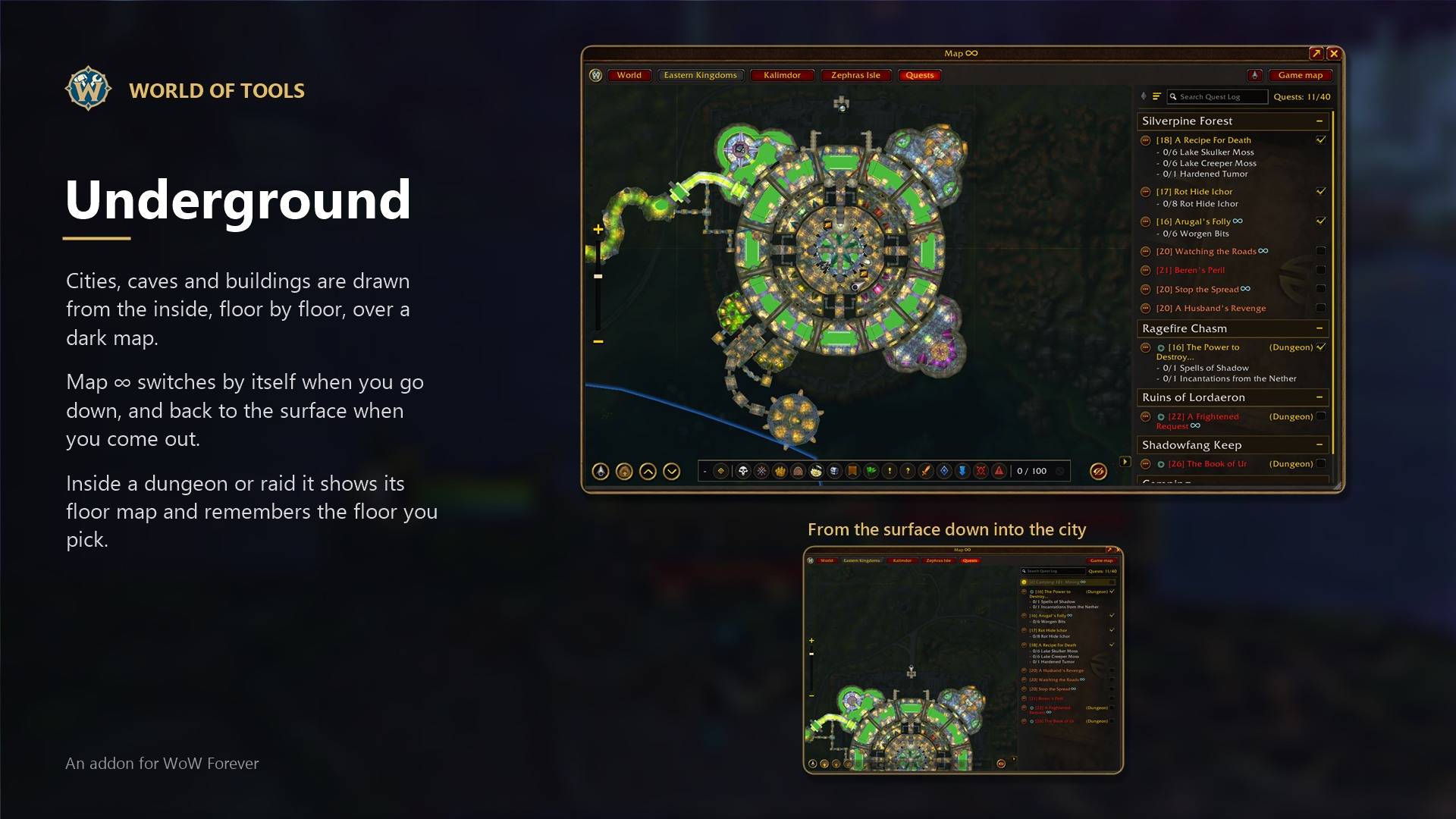
- Cities and caves show their underground map, and it switches by itself when you go in or out
- NPCs, quest areas and your marks on it
- Turns see-through while you walk, so you can leave it open
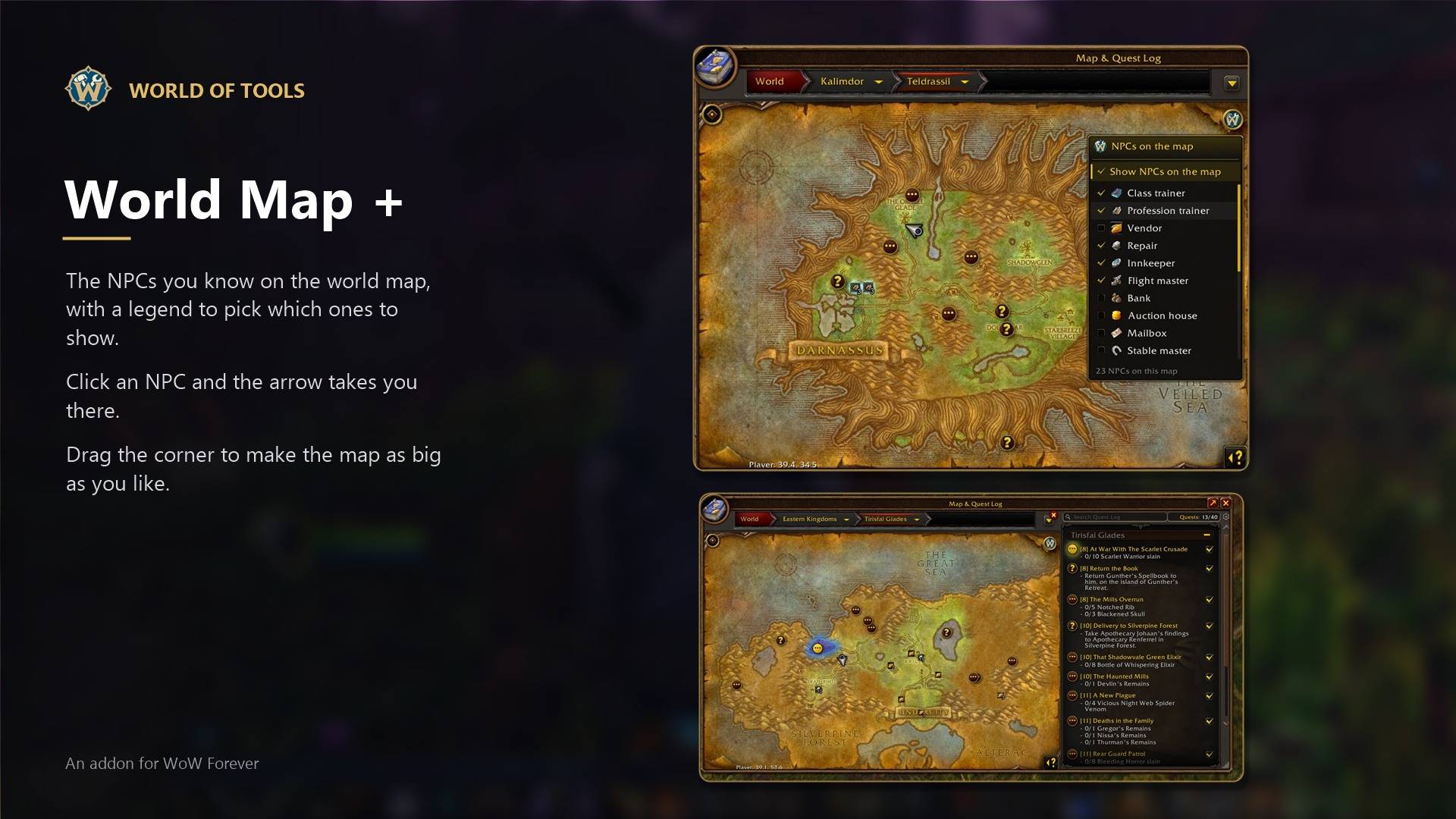
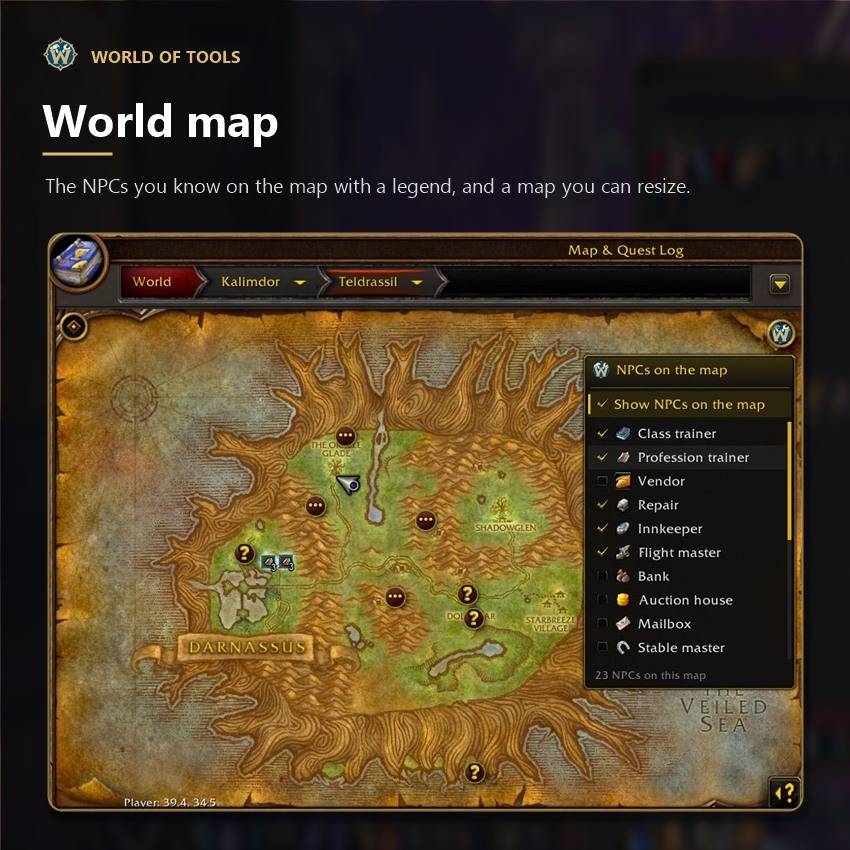
World Map +
Everything about the world map in one place.
- Map filters: NPCs, places, quest areas and your discoveries on the world map, in groups you can fold and with quick profiles. Right-click the button to hide every mark at once
- Dungeon and raid entrances, flight masters and towns from the game files, also on the continent and world maps if you want
- Resize the world map from its corner
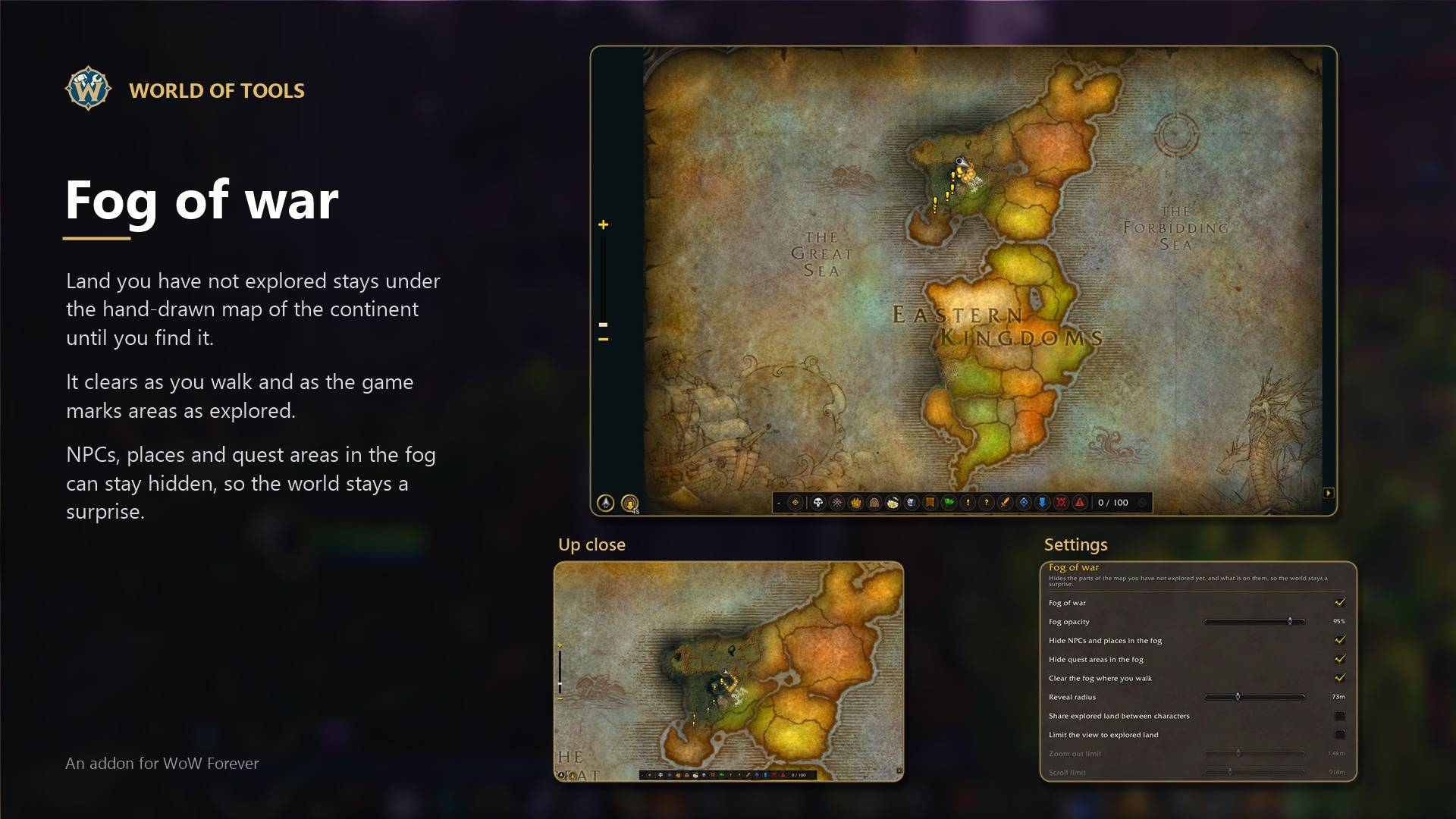
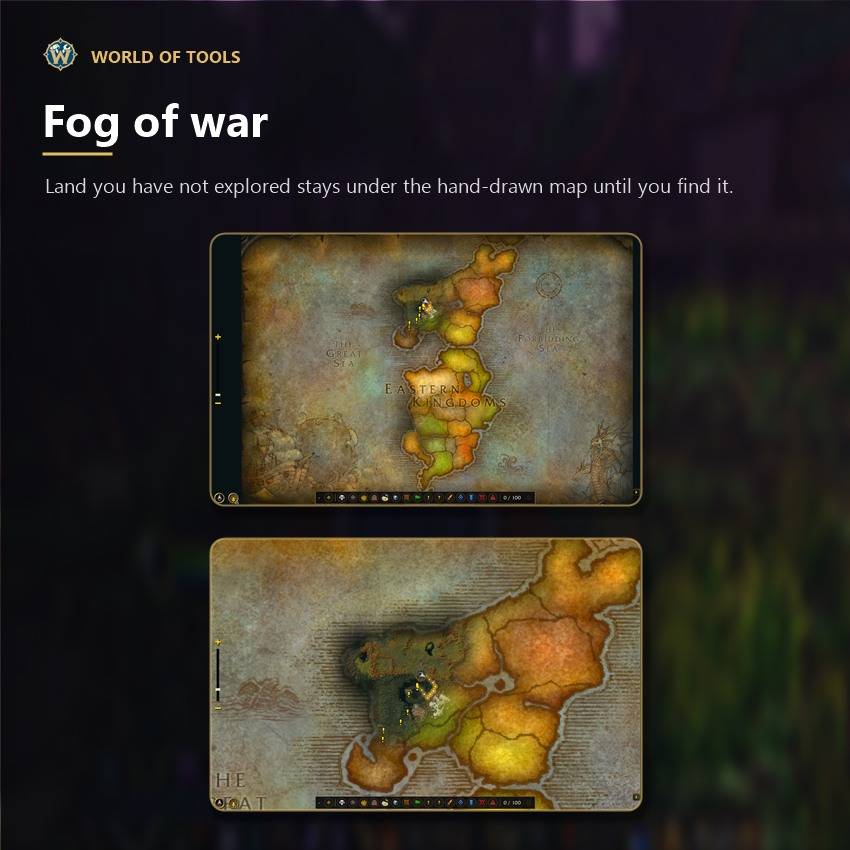
Fog of war
The land you have not explored stays hidden on Map ∞ until you find it, and it clears around you as you walk.
- The fog covers the unknown land with the hand-drawn map of the continent and clears as you explore
- NPCs, places and quest areas in the fog stay hidden too, so the world stays a surprise
- Share explored land between your characters if you want
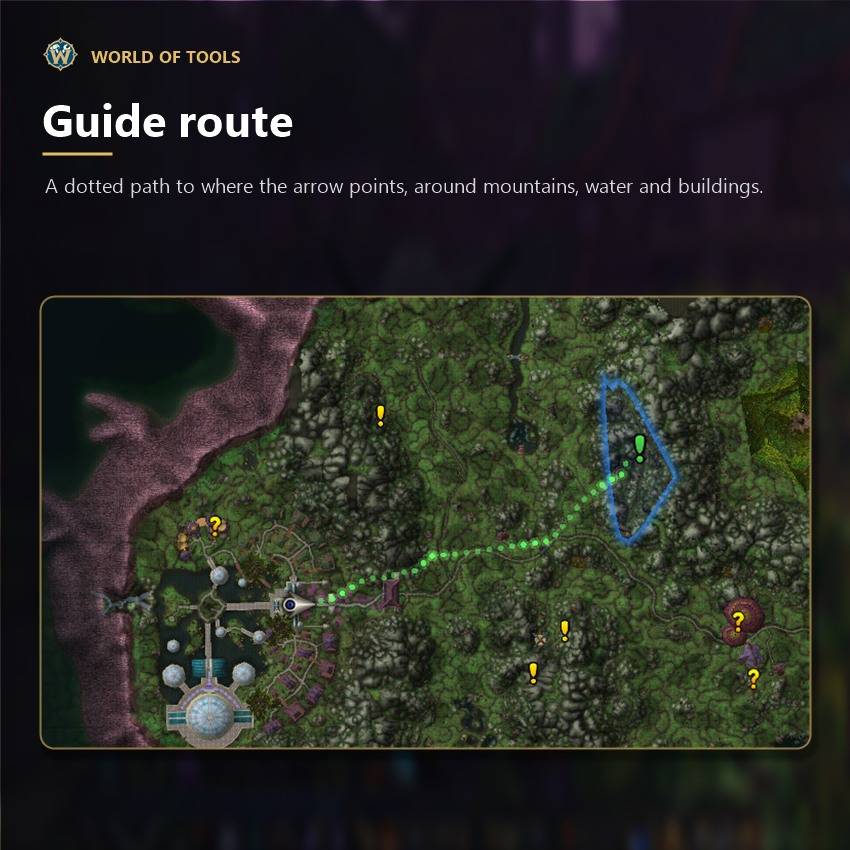
Guide route
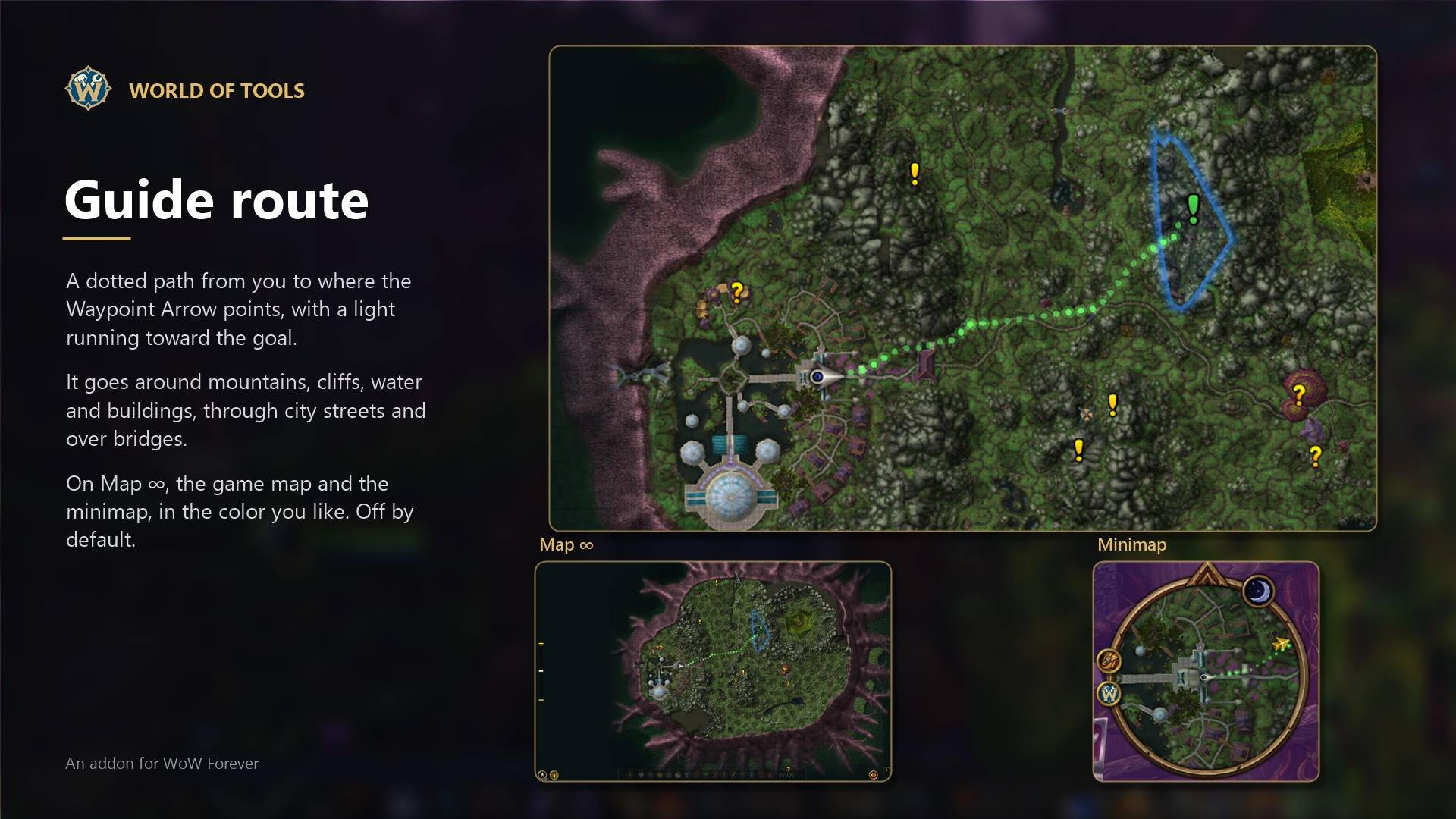
A dotted path on the maps from you to where the arrow points. It goes around mountains, cliffs, water and buildings, and uses bridges.
- The arrow can follow the turns and show the distance left along the route
- On the minimap too, through flight paths for far places, in the color you like
- Off by default, turn it on in Map ∞ > Guide route
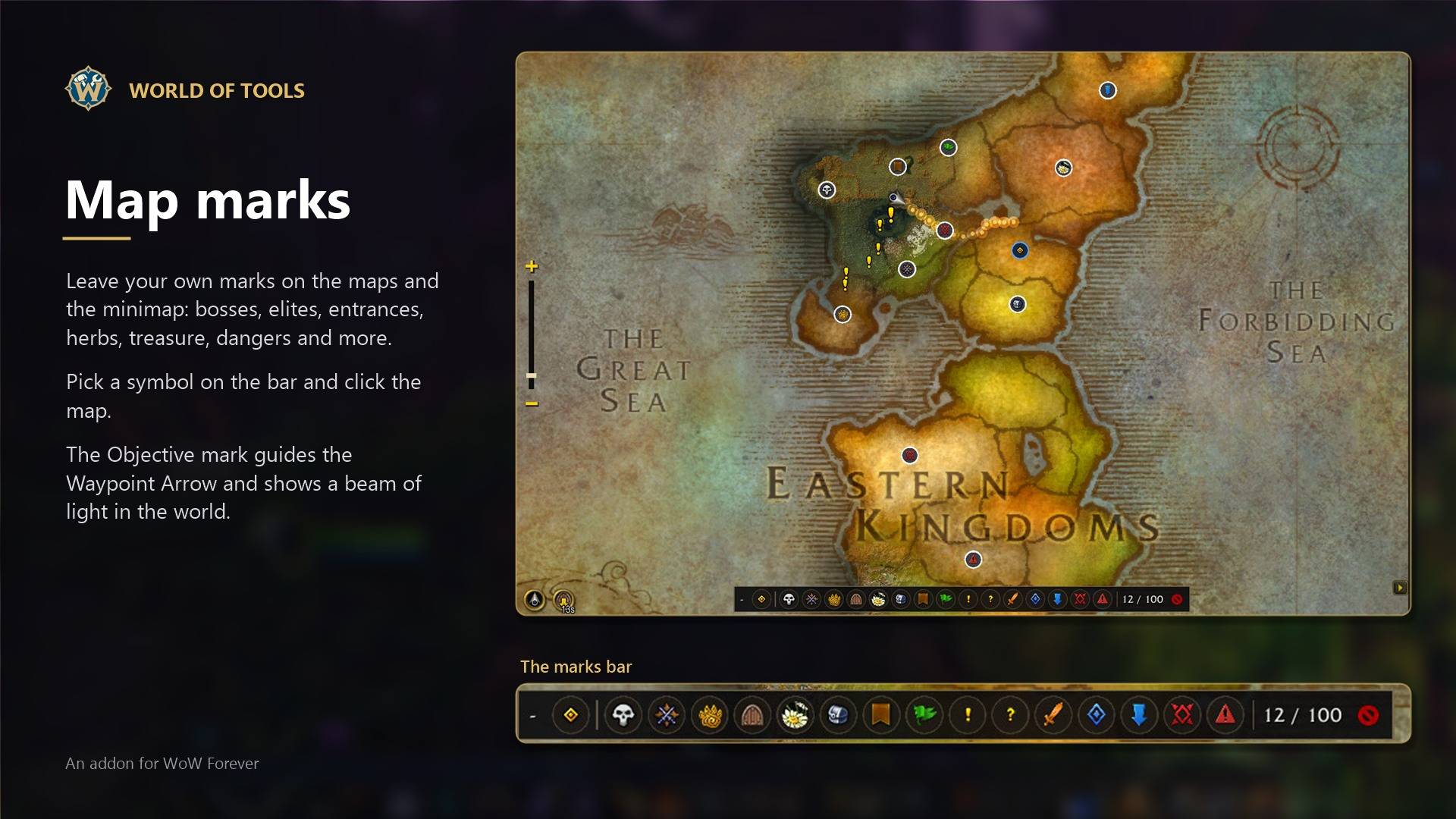
Map marks
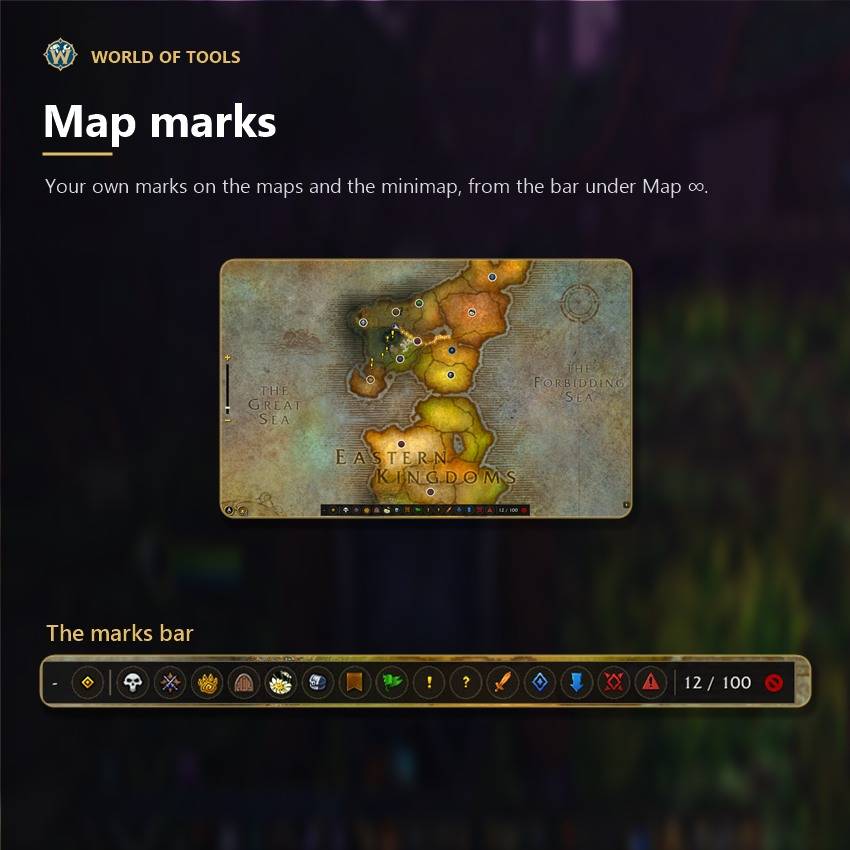
Your own marks on the world map, Map ∞ and the minimap: bosses, elites, beasts, entrances, herbs, treasure, quests, meeting points, dangers, raid symbols and more.
- Pick a symbol on the bar under Map ∞ and click, or Shift + right-click on the game map
- The Objective mark: the arrow points to it and the game shows it in the world with a beam of light
- Share them with your group if you want
Quests +
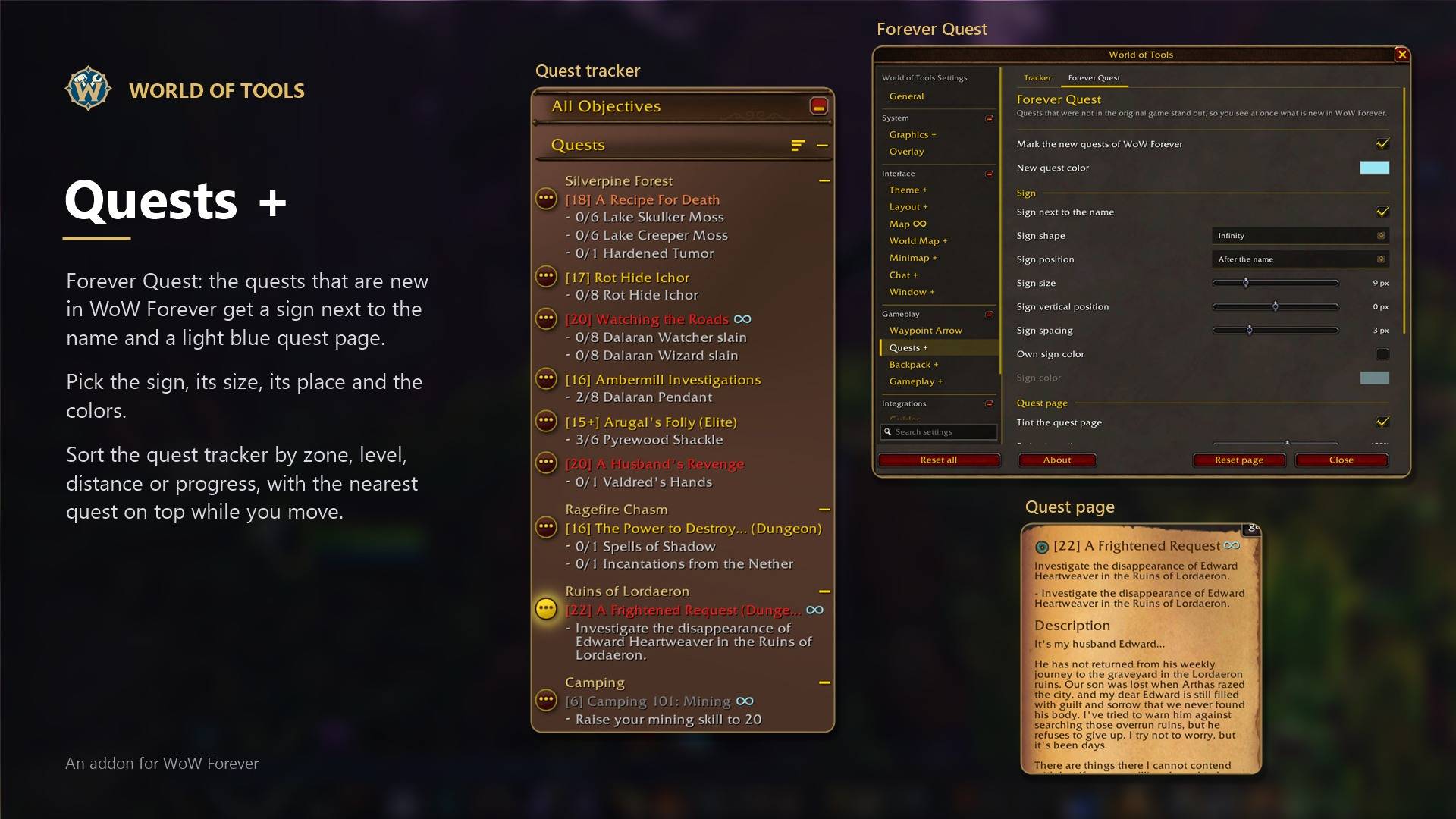
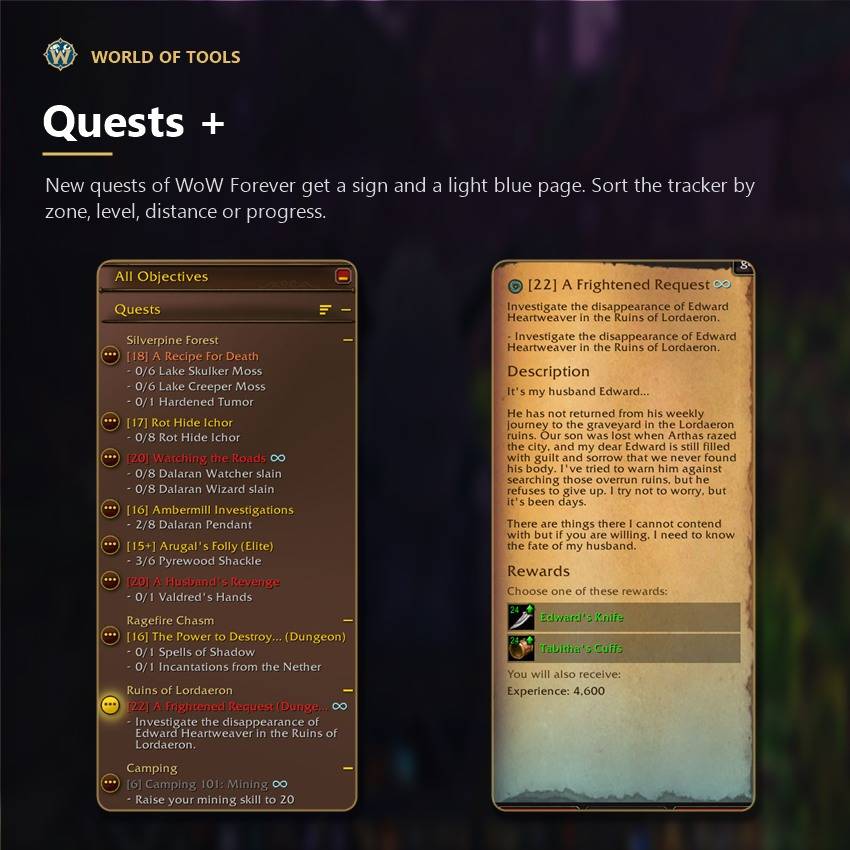
- Forever Quest: the quests that are new in WoW Forever get a sign next to the name and a light blue quest page, so you see at once what you have never played. Pick the sign, its size, its place and the colors
- A sort button on the quest tracker: by zone, level, distance, progress and more
- Nearest first keeps the closest quest on top while you move, and can make it the tracked one so the arrow follows
- Zone headers that you can fold, like the game's own
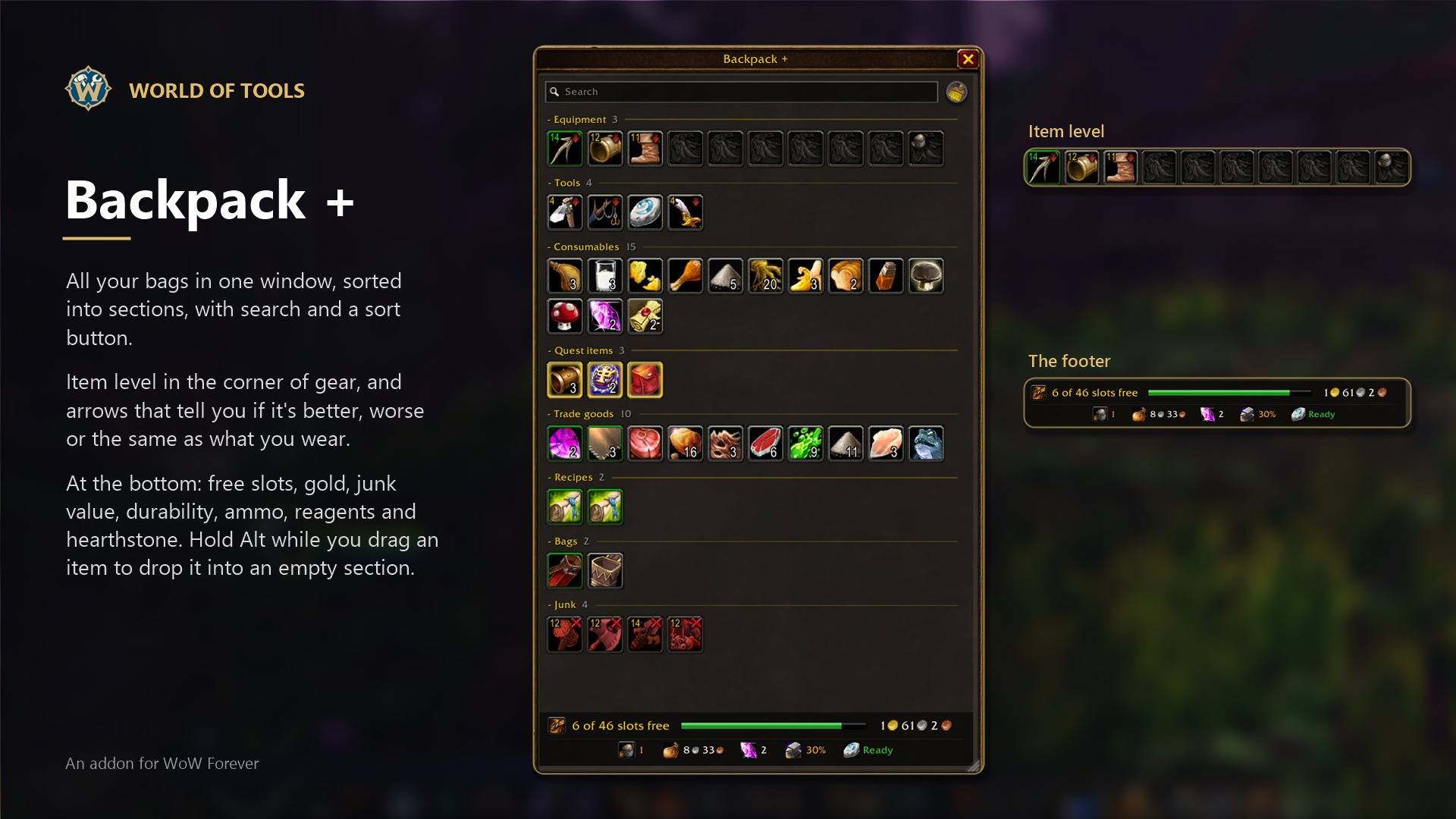
Backpack +
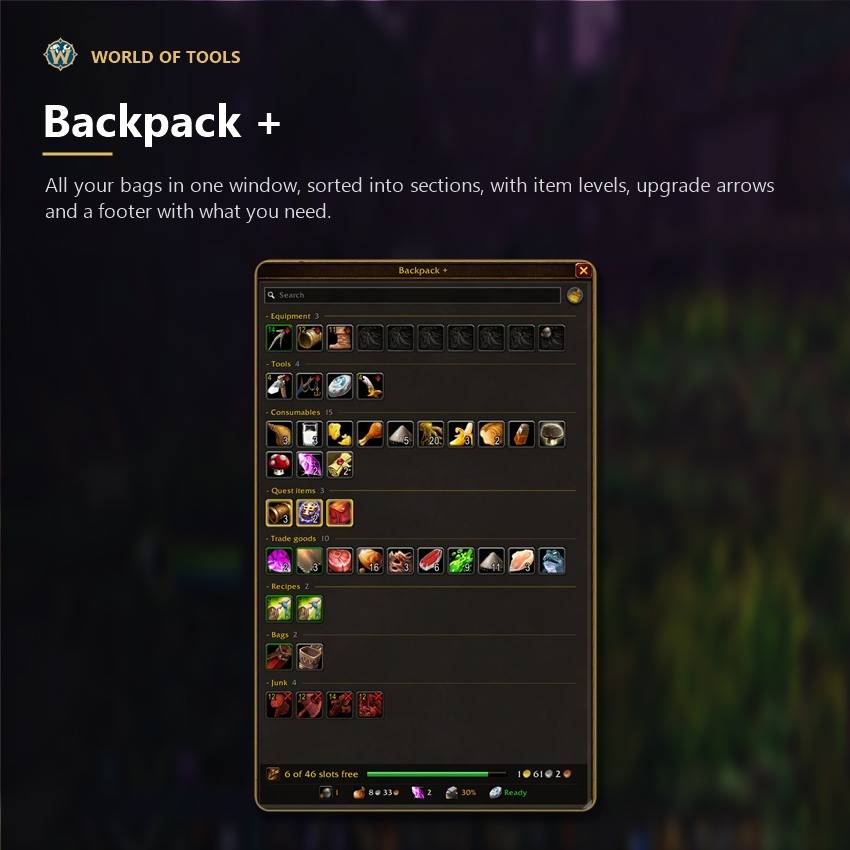
All your bags in one window, sorted into sections, with search and a sort button.
- Item level in the corner of gear, or the level you need to wear it
- Arrows on gear compared with what you wear: green up, red down, a yellow line if it's the same
- Red items you can't use, a red X on junk to sell or delete it
- Empty slots as one slot with the count or all of them, profession bags kept apart
- At the bottom: free slots, gold, and if you want junk value, durability, ammo, reagents and hearthstone
- Soul Shards and other things that don't stack shown as one icon
- Hover a bag on your bag bar to see only what's inside it
- Sells junk and repairs at vendors, counts items across your characters
Chat +
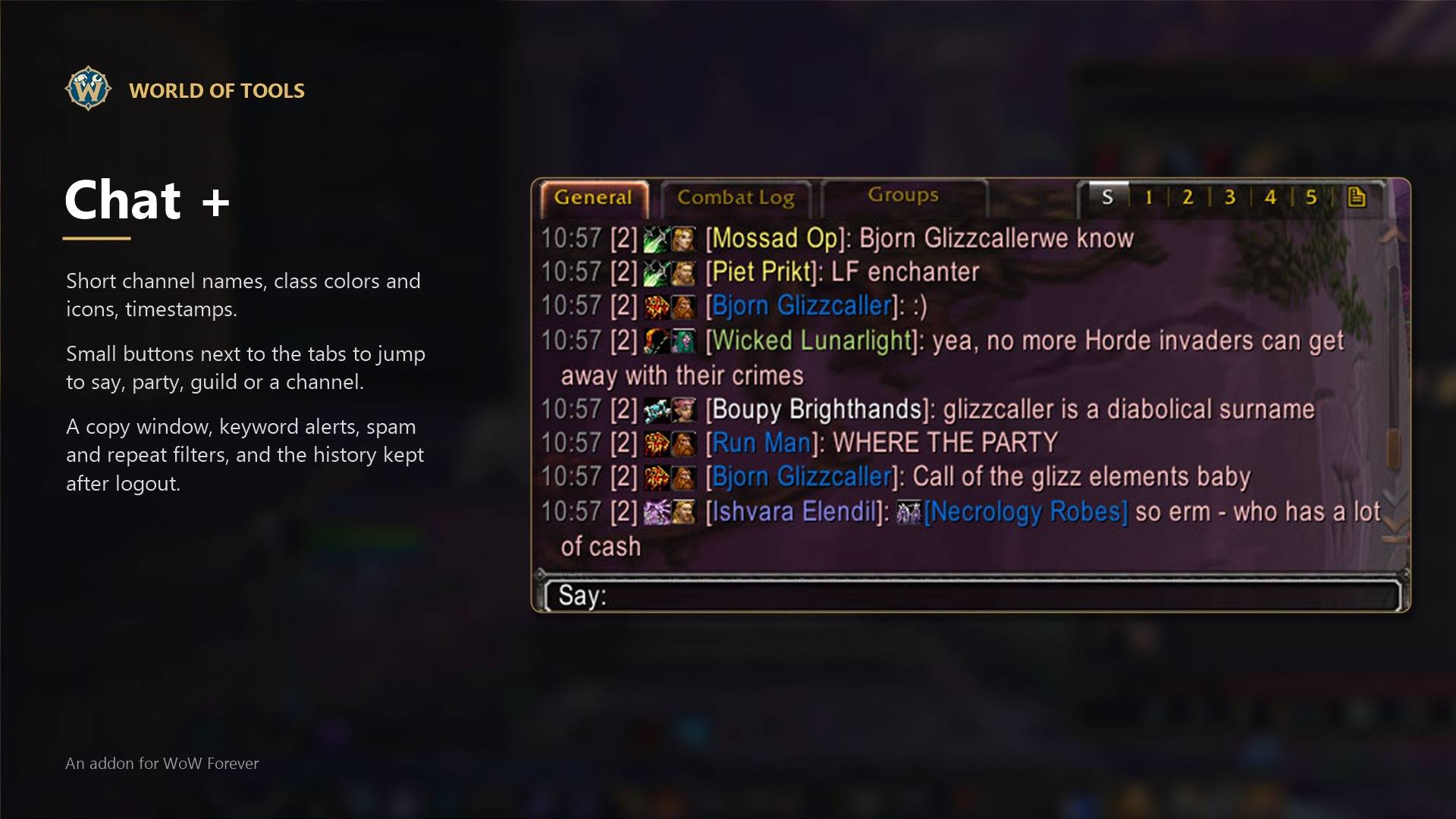
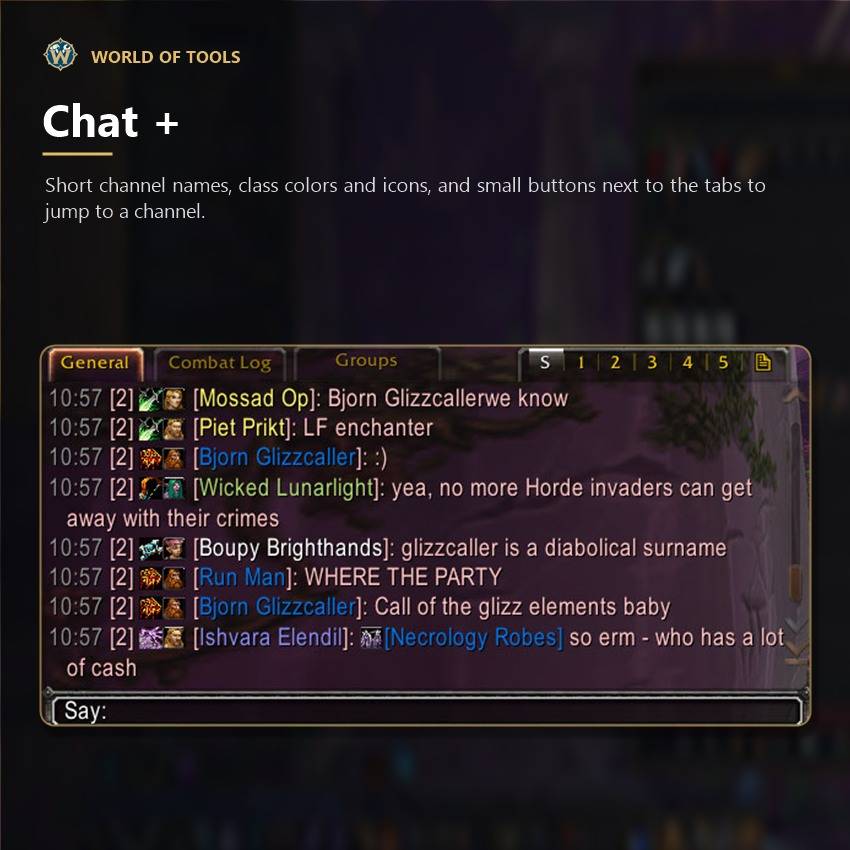
- Small buttons next to the chat tabs to jump to say, party, guild, raid or a channel
- Short channel names, class colors and icons, timestamps, clickable links
- A copy window to copy or search the chat, and the chat history is kept after logout
- Keyword alerts, blocked words, muted players, spam and repeat filters, a tab for group requests
- Your own colors for say, party, guild, whispers and every channel
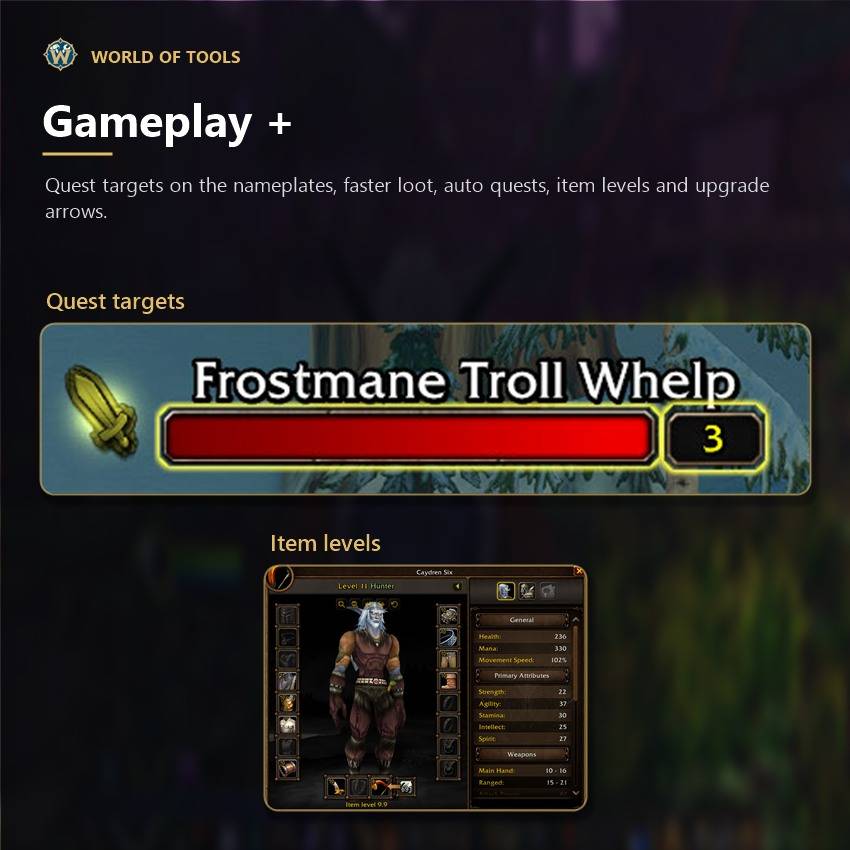
Gameplay +
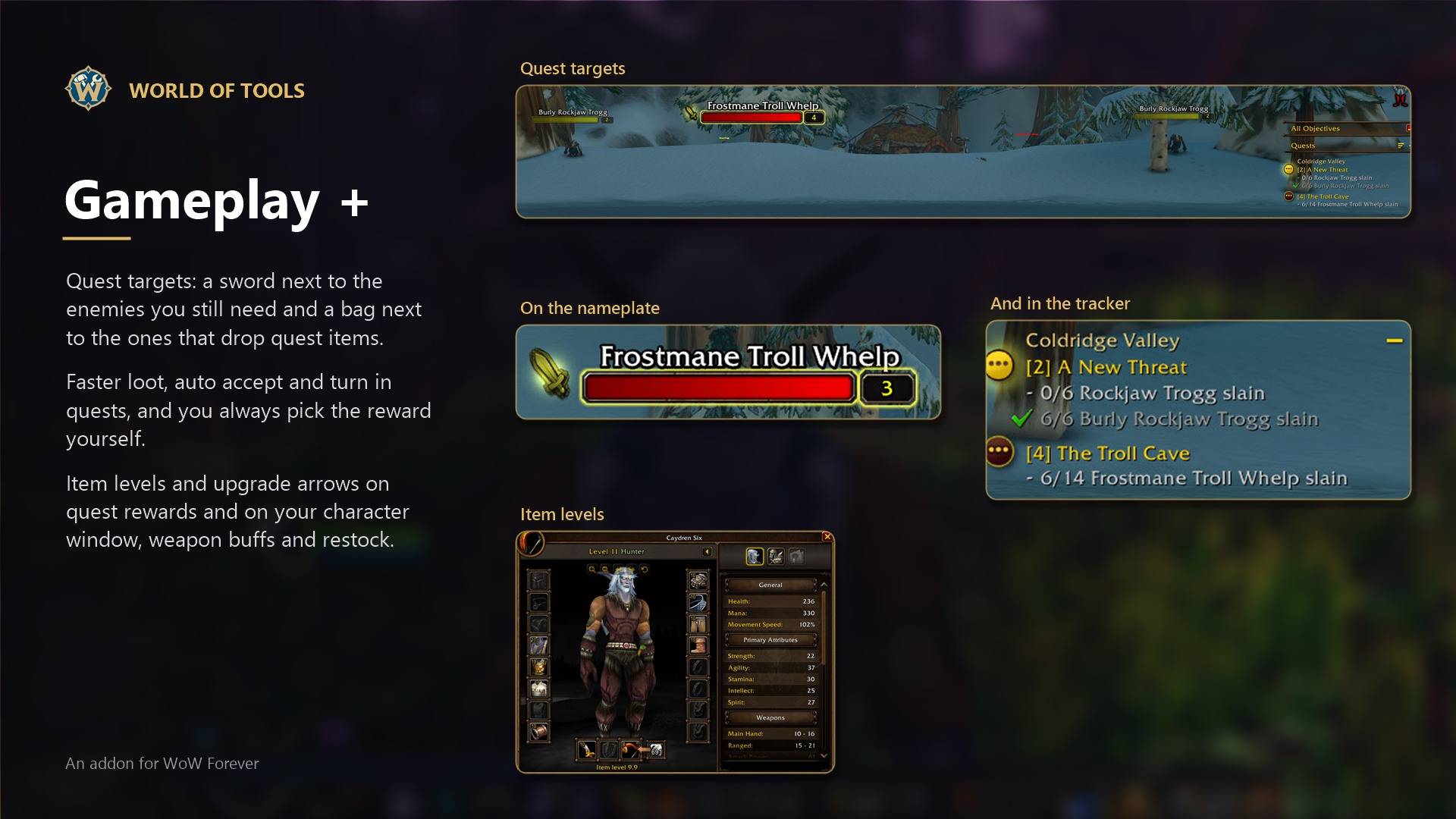
- Faster loot: with auto loot on, everything goes straight into your bags, no waiting for the loot window to open and close. Once you try it you won't go back
- Quest targets: a sword next to the enemies you still need for your quests and a bag next to the ones that drop quest items
- Auto accept and auto turn in quests. When you can choose a reward you always pick it yourself
- Reward prices, item levels and upgrade arrows on quest rewards
- Item levels on your character window
- Weapon buffs: poisons, stones and oils on your weapons with one key or click
- Restock: buys your reagents when you talk to a merchant who sells them
- Skip the NPC chat when there is only one option, hide the red errors in combat, decline duels
- A button at the mailbox with your other characters
- Hold Shift while talking to an NPC to do everything by hand
Overlay
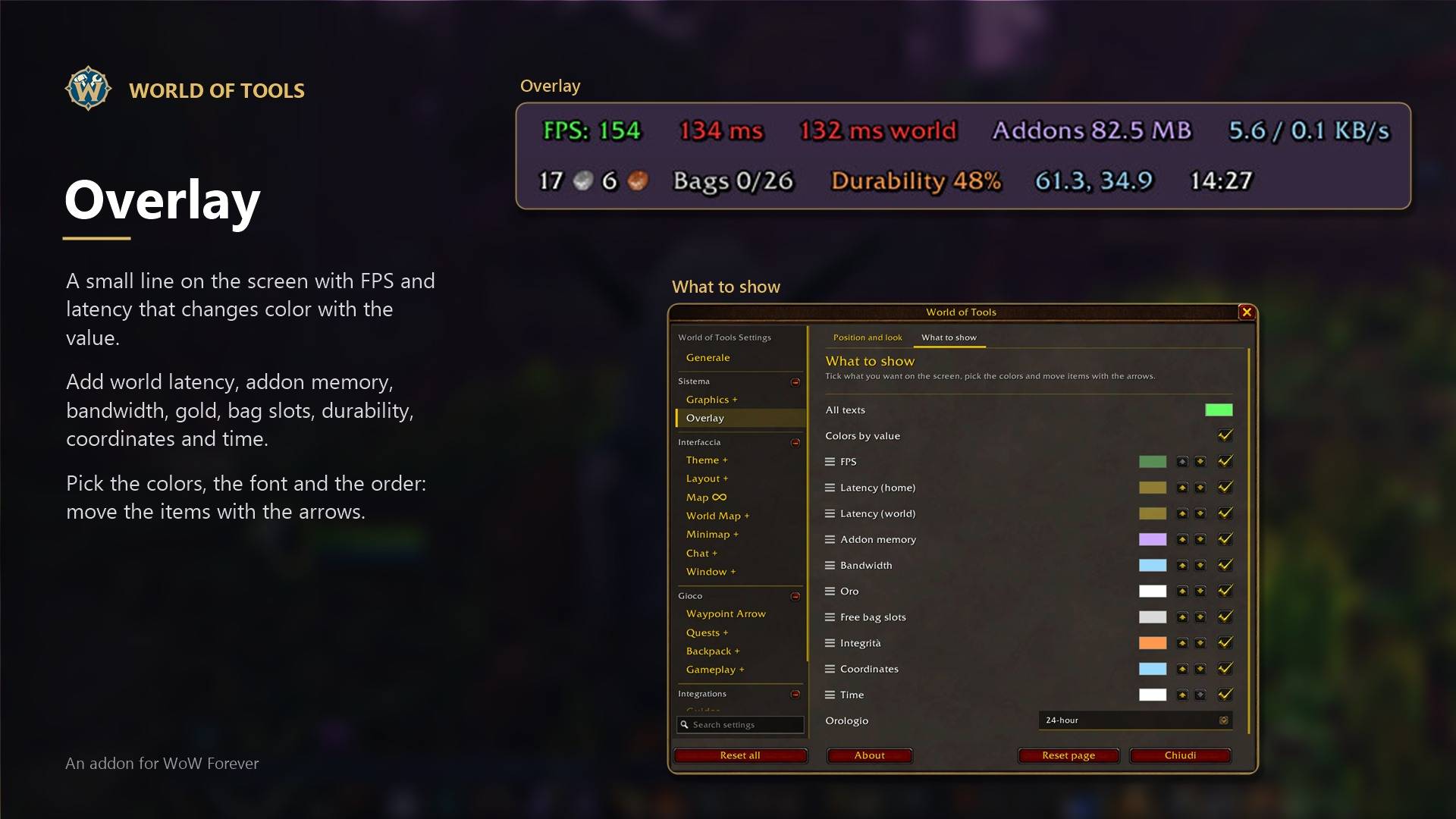
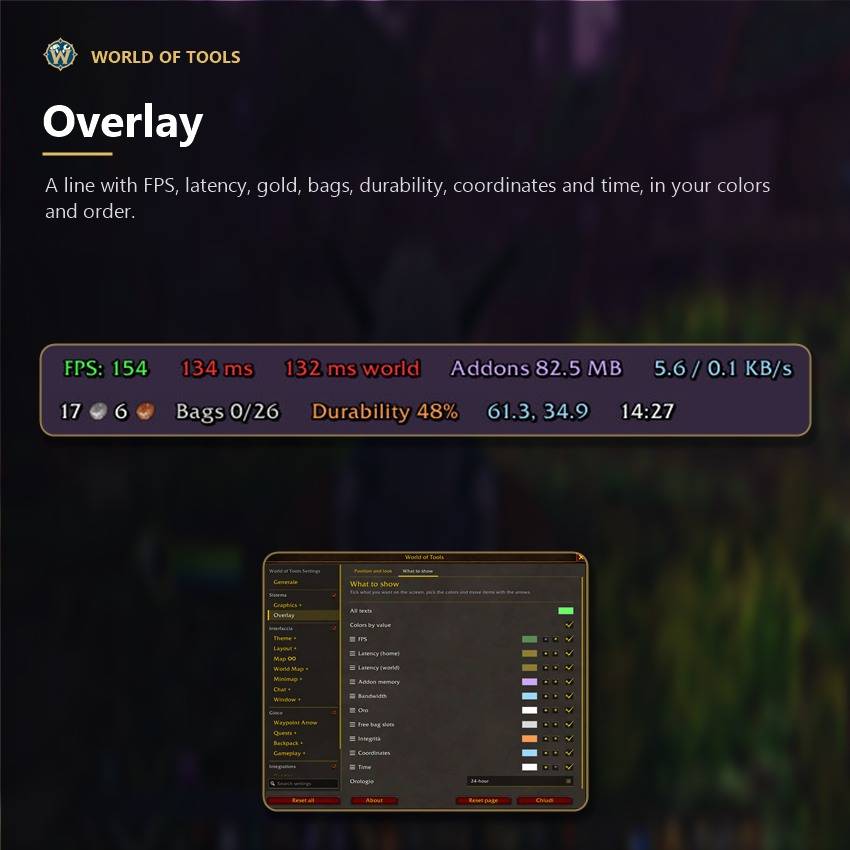
A small line on the screen with FPS and latency, and if you want world latency, bandwidth, time, coordinates, durability, free bag slots, gold and addon memory, in the font you like. Colors change with the value, and you can drag the items in the order you like.
Minimap +
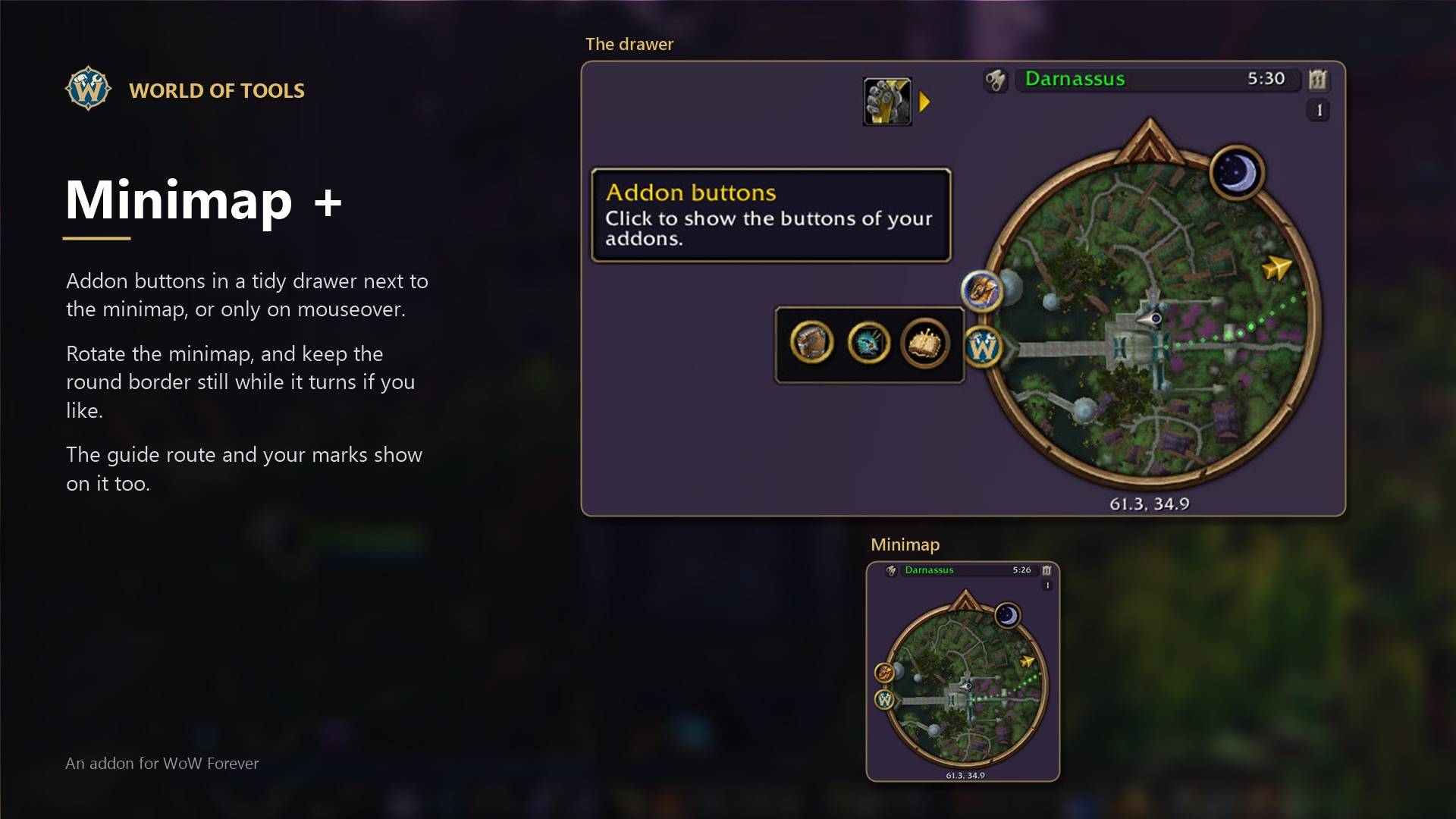
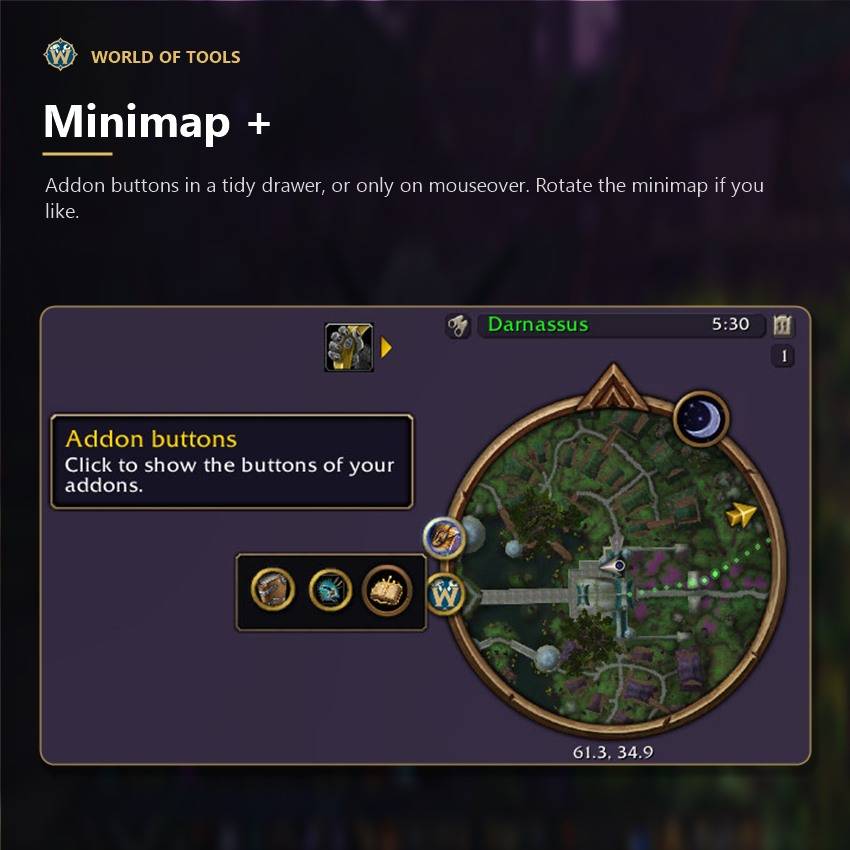
- Put addon buttons in a drawer or show them only on mouseover
- Rotate the minimap, and keep the round border still while it turns if you like
Window +
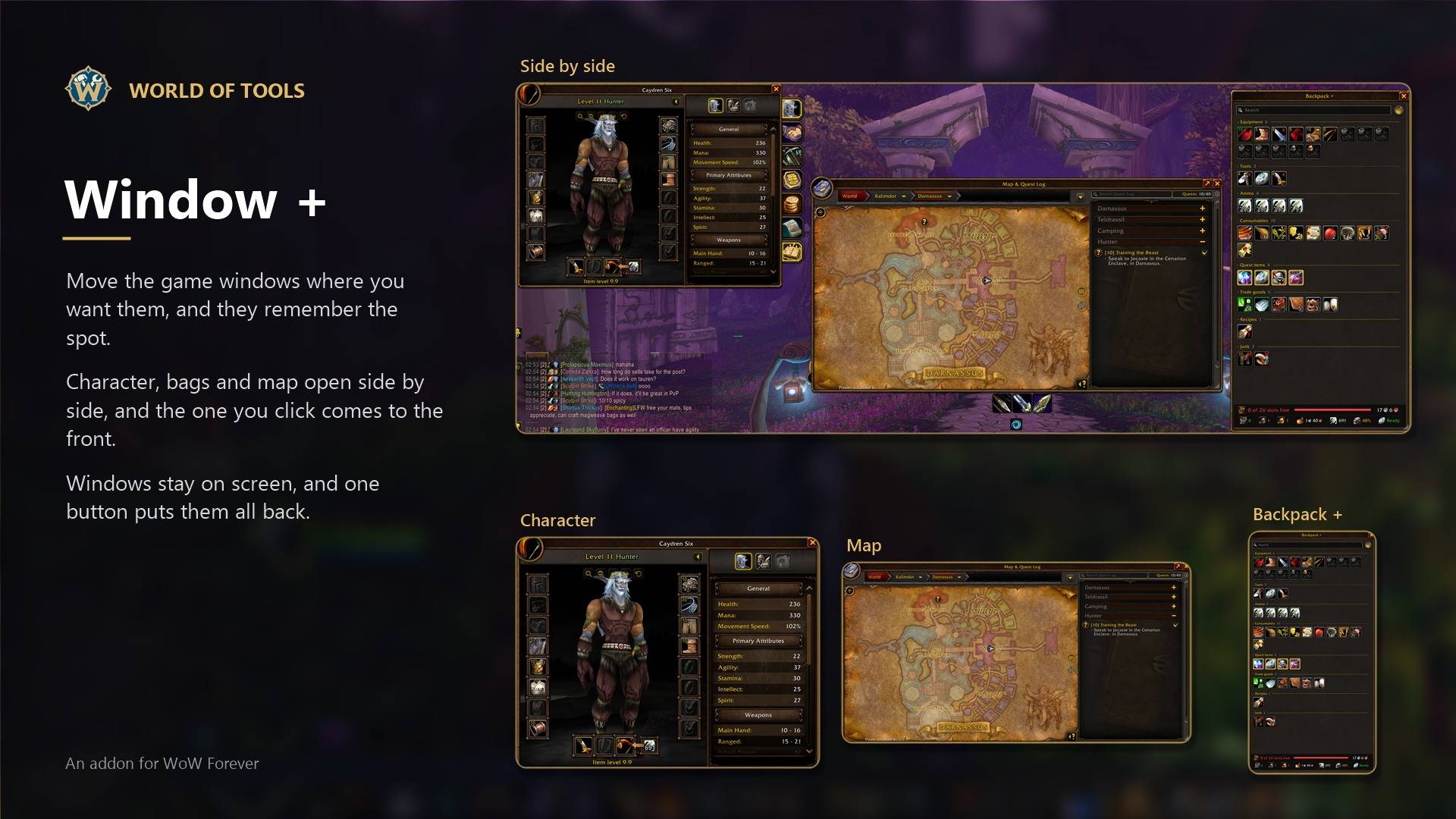
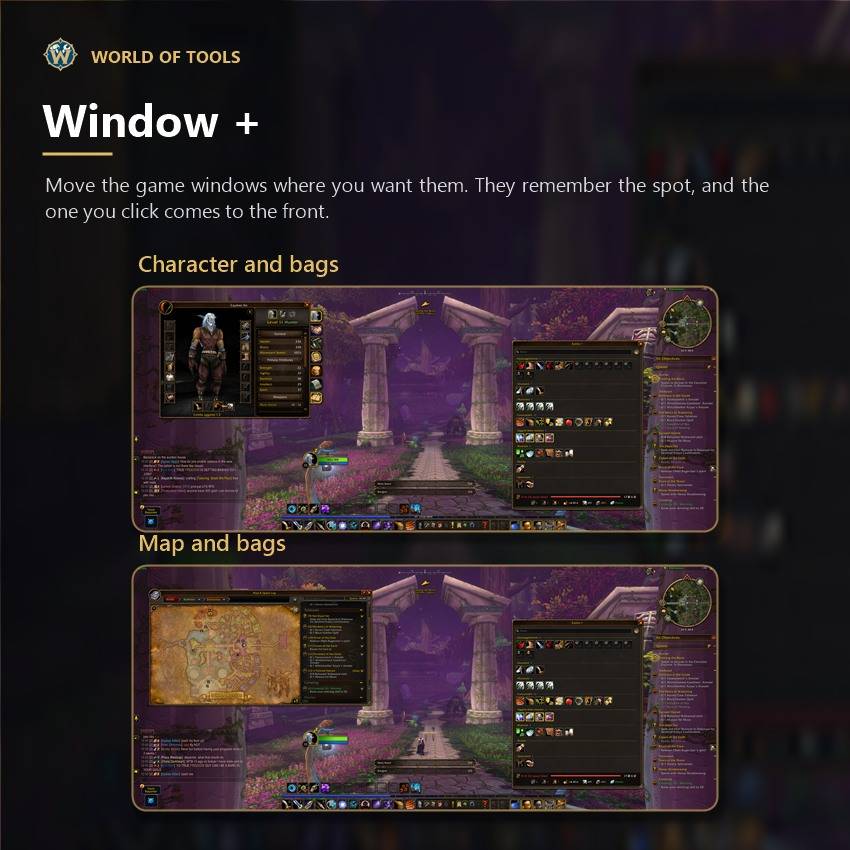
Move the game windows where you want them. They remember the spot, and the one you click comes to the front.
Graphics +
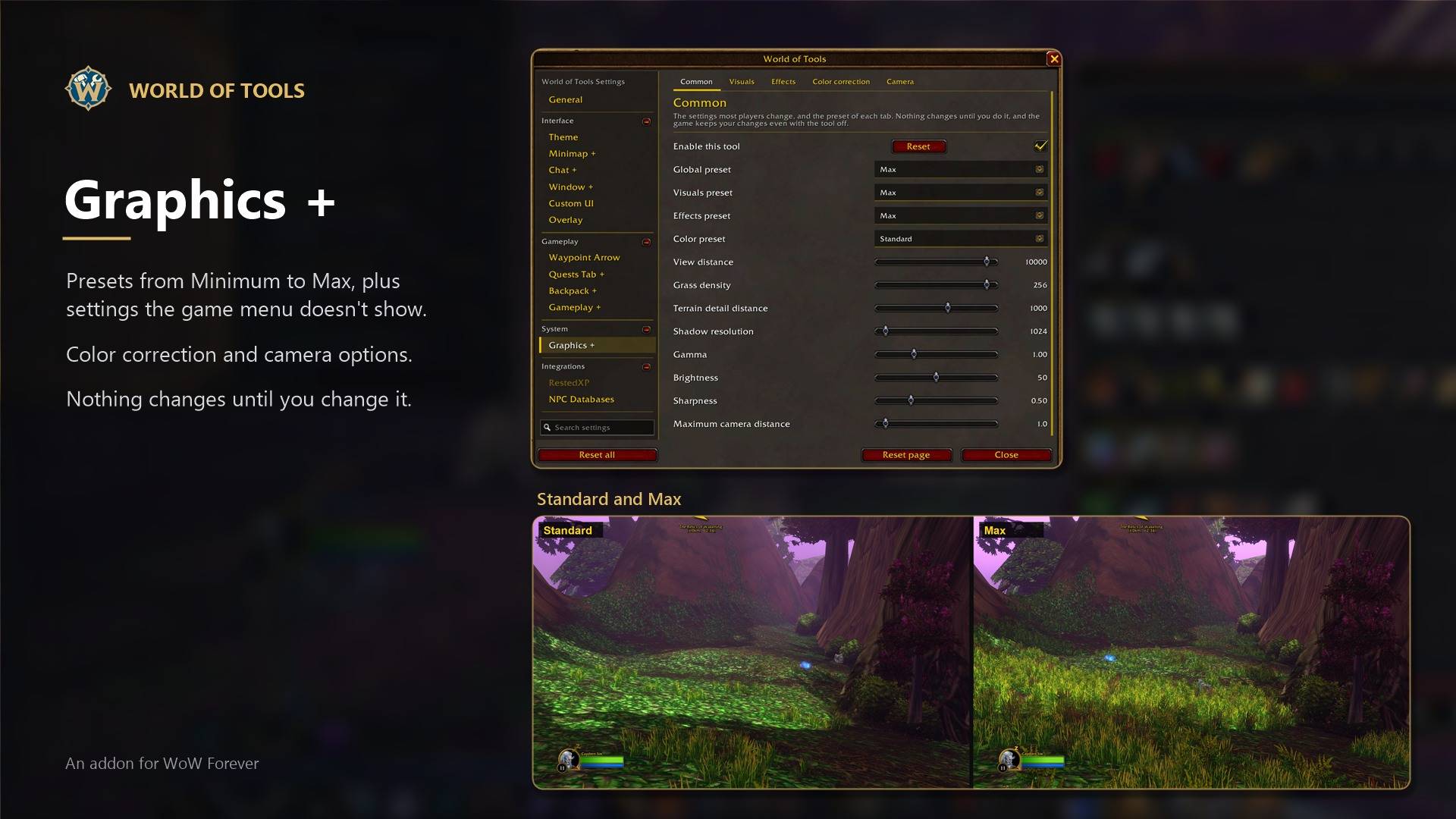
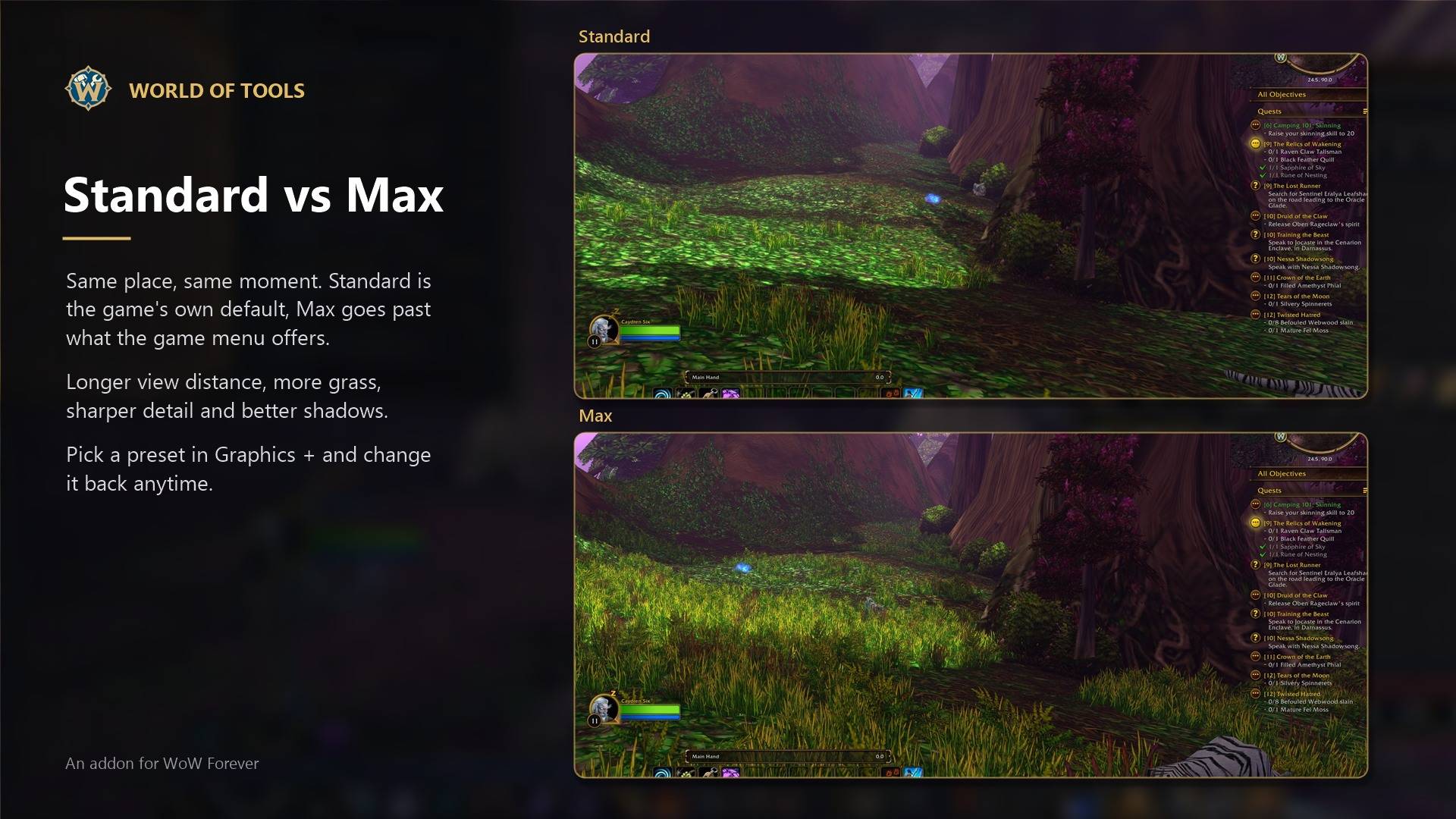
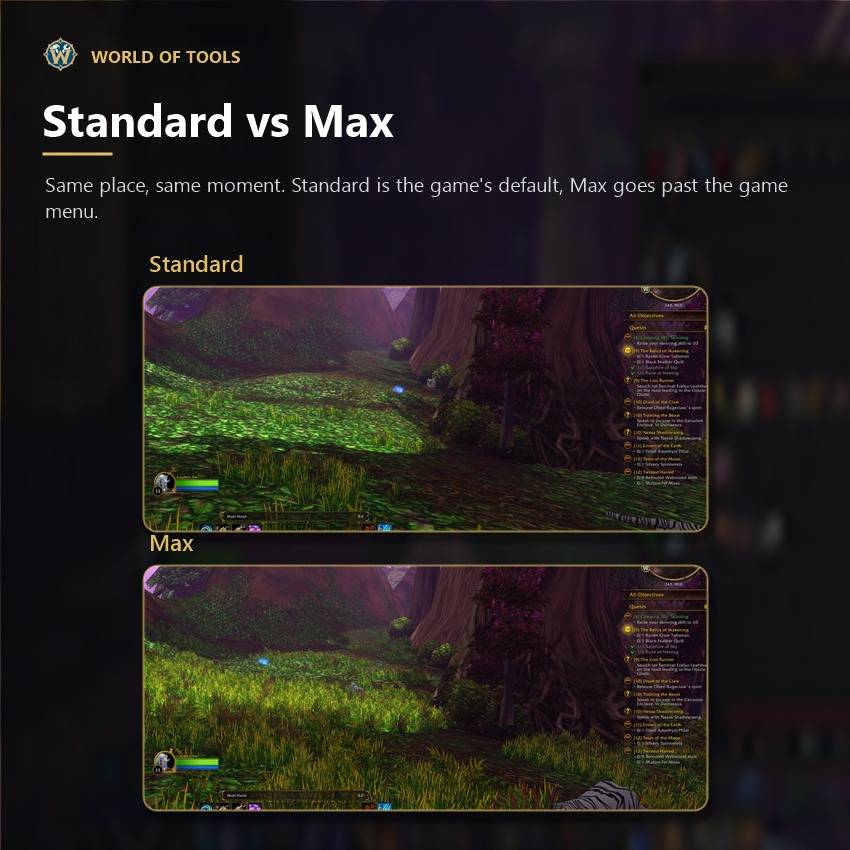
Quality presets from Minimum to Max, settings the game menu doesn't show, color correction, camera options and HDR if your game has it. Nothing changes until you change it. High, Ultra and Max ask before they stay and show your frame rate before and after, every slider tells you how heavy it is, and Restore puts back what you had before.
Layout +
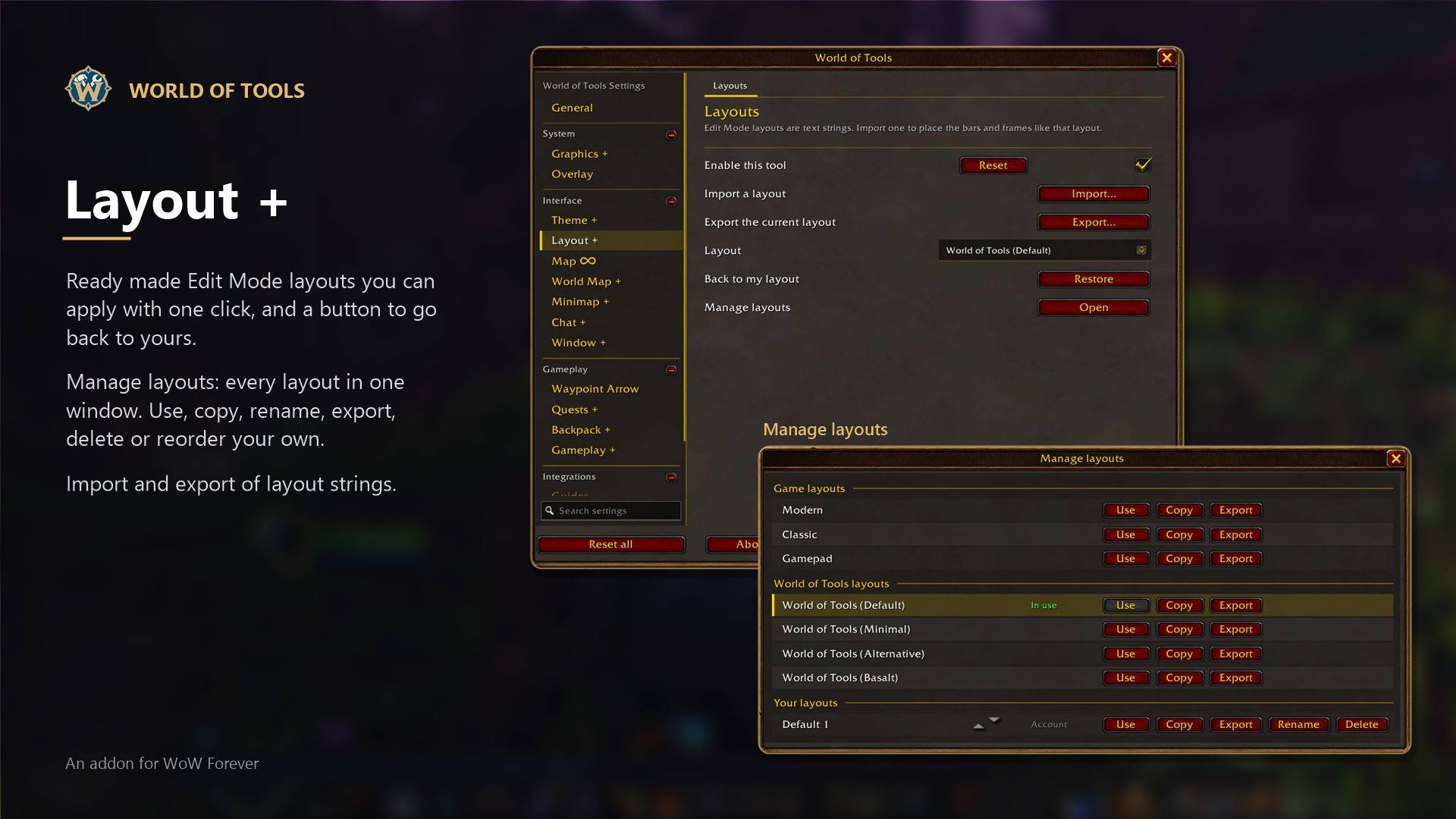
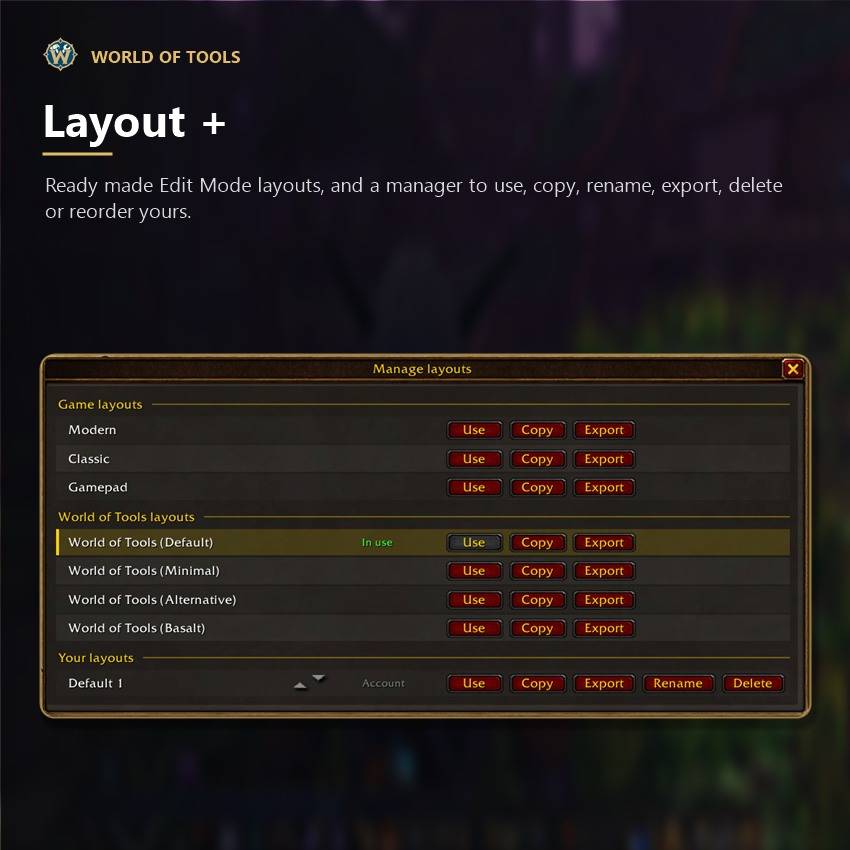
Ready made Edit Mode layouts you can apply with one click, and a button to go back to yours. Your own layouts are in the same list, and a manager lets you use, copy, rename, export or delete them. Also import and export of layout strings.
Settings
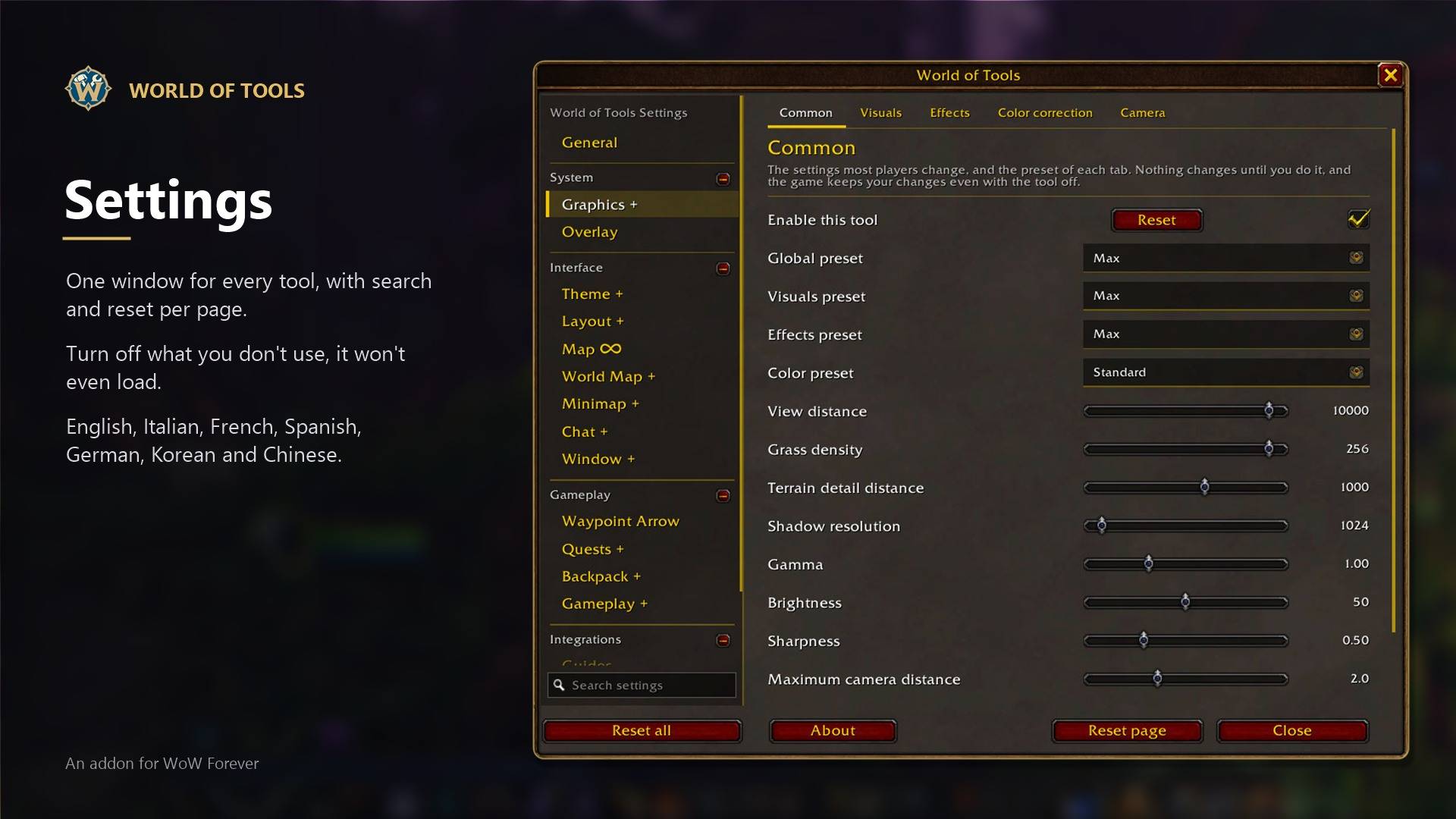
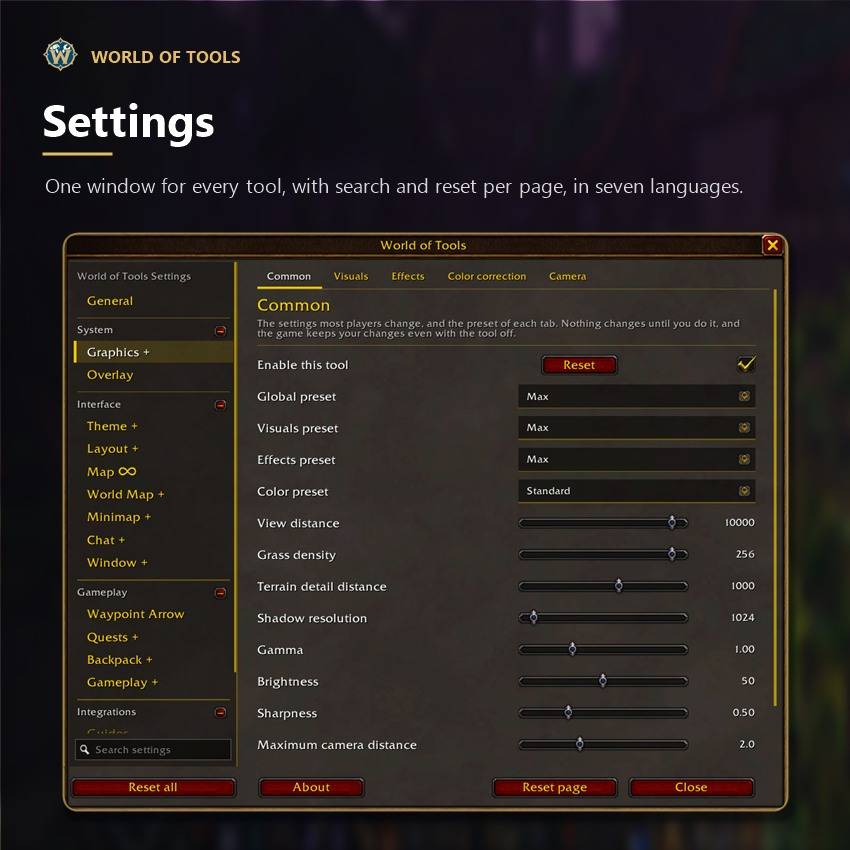
One window for everything, with search, reset per page or per tool, export and import, and settings per character if you want. In English, Italian, French, Spanish, German, Korean, Simplified Chinese and Traditional Chinese.
Made with Visual Studio Code as the code editor, Git for version control, PowerShell scripts for building and packaging, small C# / .NET tools that read the game data for the maps and the routes, and Perl scripts for the translations. The whole interface is built with its own UI toolkit on top of the game's frames and art, with no external libraries.
Found a bug or have an idea? Leave a comment, I read them all.
Unofficial addon, not affiliated with Blizzard Entertainment. No game art inside, everything comes from your game client.
World of Tools Team