WinduKOS
- By
Hatelist and nicelist management. Never forget a good (or bad) pug. Keep track and be notified of people that helped you (or not) in the past. Inspired in the old VanasKOS addon.
screen2.png
screen1.png
screen3.png
screen4.png
Description
A Hatelist / Nicelist addon for World of Warcraft (Classic, TBC Anniversary and Forever). Keep track of characters you want to remember - good or bad - and get warned the moment you cross paths with them again. Inspired in the old VanasKOS addon.
Forever version is under testing and still may have some bugs, please comment if you see them, thank you <3
## Features
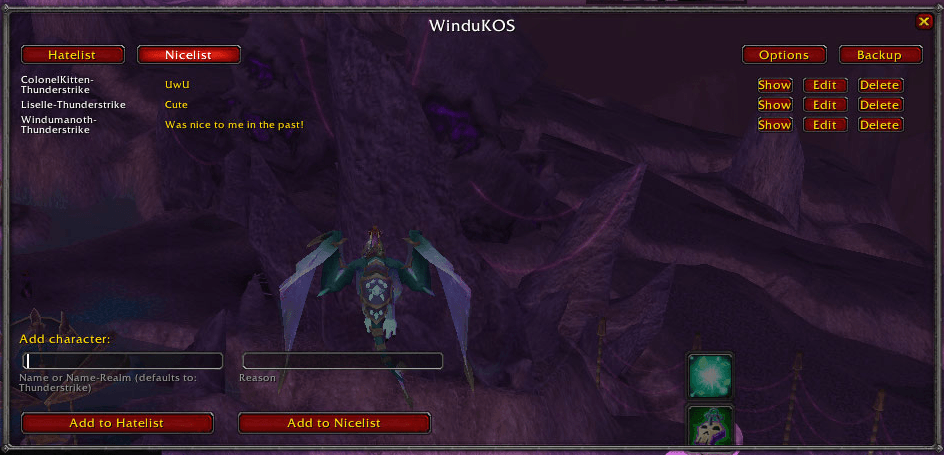
- Hatelist and Nicelist - tag any character with a reason, on one list or the other. A character can only ever be on one list at a time.
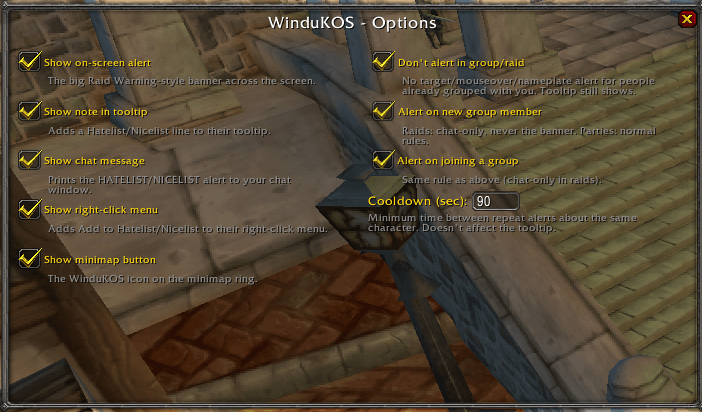
- Highly customizable - all the options below can be activated or deactivated at will, you have control over everything.
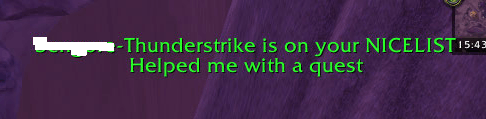
- On-screen alert - a Raid Warning-style banner when you target, mouse over, or see the nameplate of someone on either list.
- Chat message - the same alert echoed to your chat window.
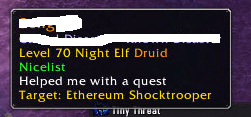
- Tooltip note - a Hatelist/Nicelist line added to their tooltip, alongside whatever other tooltip addons (TacoTip, etc.) you already use.
- Right-click menu integration - "Add to Hatelist/Nicelist" on the portrait right-click menu for your target, focus, party/raid members, friends, and more. The option to add someone to a list is hidden while they're already on the other one.
- Party/raid aware - no repeated on-screen/chat spam while you're grouped with someone already on a list (the tooltip note still works); instead you get a one-time heads-up when you join a group that already has them in it, or when they join a group you're already in. In a raid that heads-up always goes to chat only, never the screen banner, so it doesn't get lost among real Raid Warnings.
- Configurable alert cooldown - minimum time between two on-screen/chat alerts about the same character, so repeatedly targeting/mousing over them doesn't spam you.
- Minimap button - standard LibDBIcon minimap icon to open the list window.
- Backup / restore - export your whole list as plain text (to copy somewhere safe) and import it back later.
- Again, all of the above can be turned on or off (or tuned) individually from the in-addon Options window.
## Usage
- `/windukos` or `/wkos` - opens the list window (or click the minimap icon).
- Click "Add to Hatelist" / "Add to Nicelist" in the list window, or from a character's right-click menu.
- Click into the "Name" box in the list window, then click a player's name in chat to fill it in automatically.
- Click Options (in the list window) to toggle the on-screen alert, chat message, tooltip note, right-click menu entries, minimap button, party/raid alert behavior, and set the alert cooldown.
- Click Backup (in the list window) to copy your list out as text, or paste a previous backup back in.
## Installation
1. Download the addon.
2. Extract it so you end up with a `WinduKOS` folder directly inside your `Interface\AddOns\` folder (i.e. `Interface\AddOns\WinduKOS\WinduKOS.toc` should exist).
3. Restart WoW or reload your UI (`/reload`).
## Third-party libraries
WinduKOS bundles the following standard, widely-used libraries (see `Libs\`) so that other addons (like Leatrix Plus and similar minimap-button managers) recognize its minimap icon correctly:
- [LibStub](https://www.wowace.com/projects/libstub)
- [CallbackHandler-1.0](https://www.wowace.com/projects/callbackhandler)
- [LibDataBroker-1.1](https://github.com/tekkub/libdatabroker-1-1)
- [LibDBIcon-1.0](https://www.curseforge.com/wow/addons/libdbicon-1-0)
Feel free to contact me in Thunderstrike (Liselle or Windumanöth) for suggestions or comments :3.
These remain under their own original licenses (see the header of each file) and are not covered by WinduKOS's own license below.
## License
See LICENSE. All Rights Reserved - this addon may be downloaded and used, but not redistributed or modified without permission.
WinduKOS Team