


Screenshot 2026-11-05 064712.png
Screenshot 2026-11-05 064903.png
Screenshot 2026-11-05 064922.png
Screenshot 2026-11-05 065028.png
Screenshot 2026-11-05 065057.png
Description
What's in the bag?
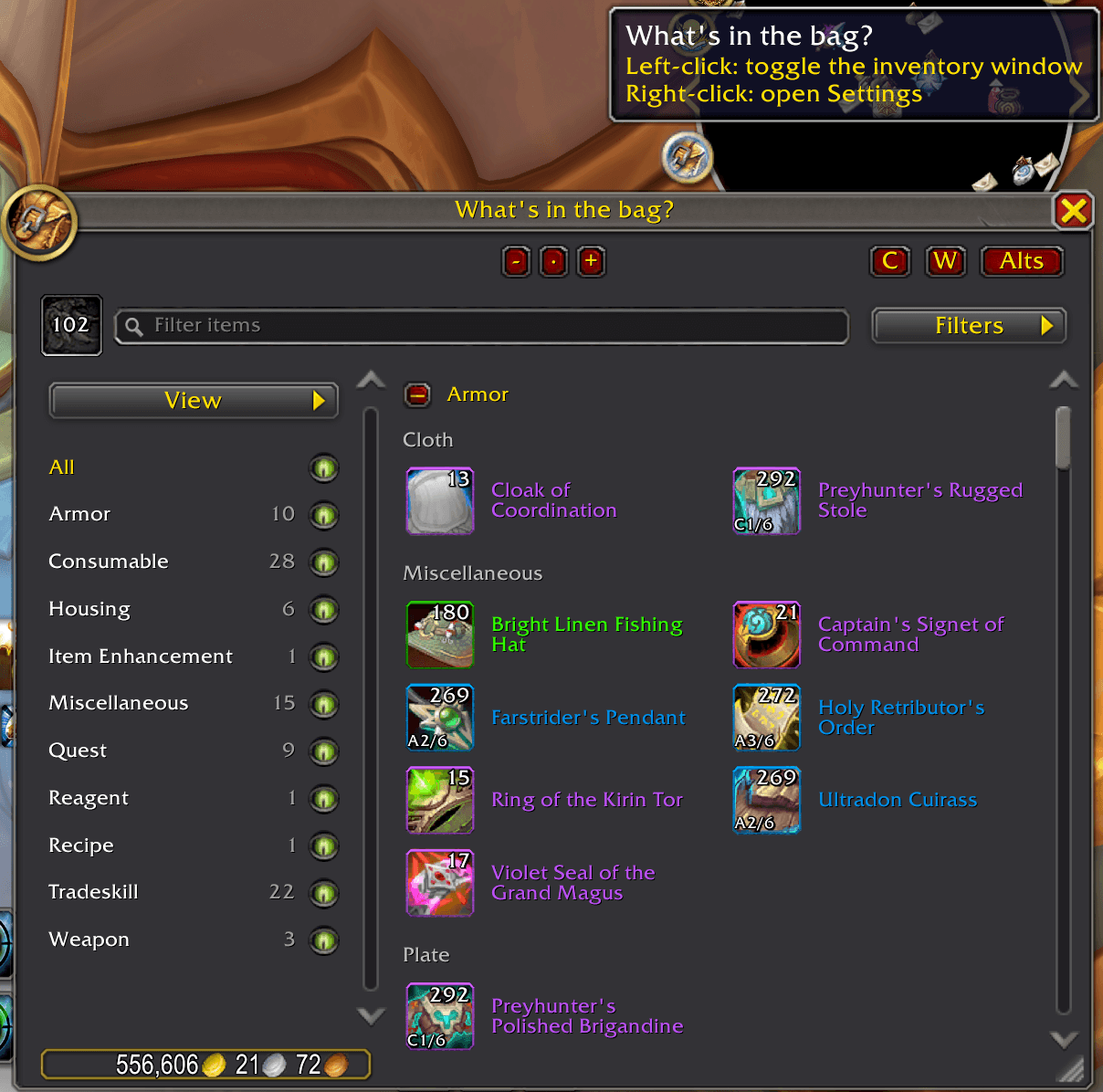
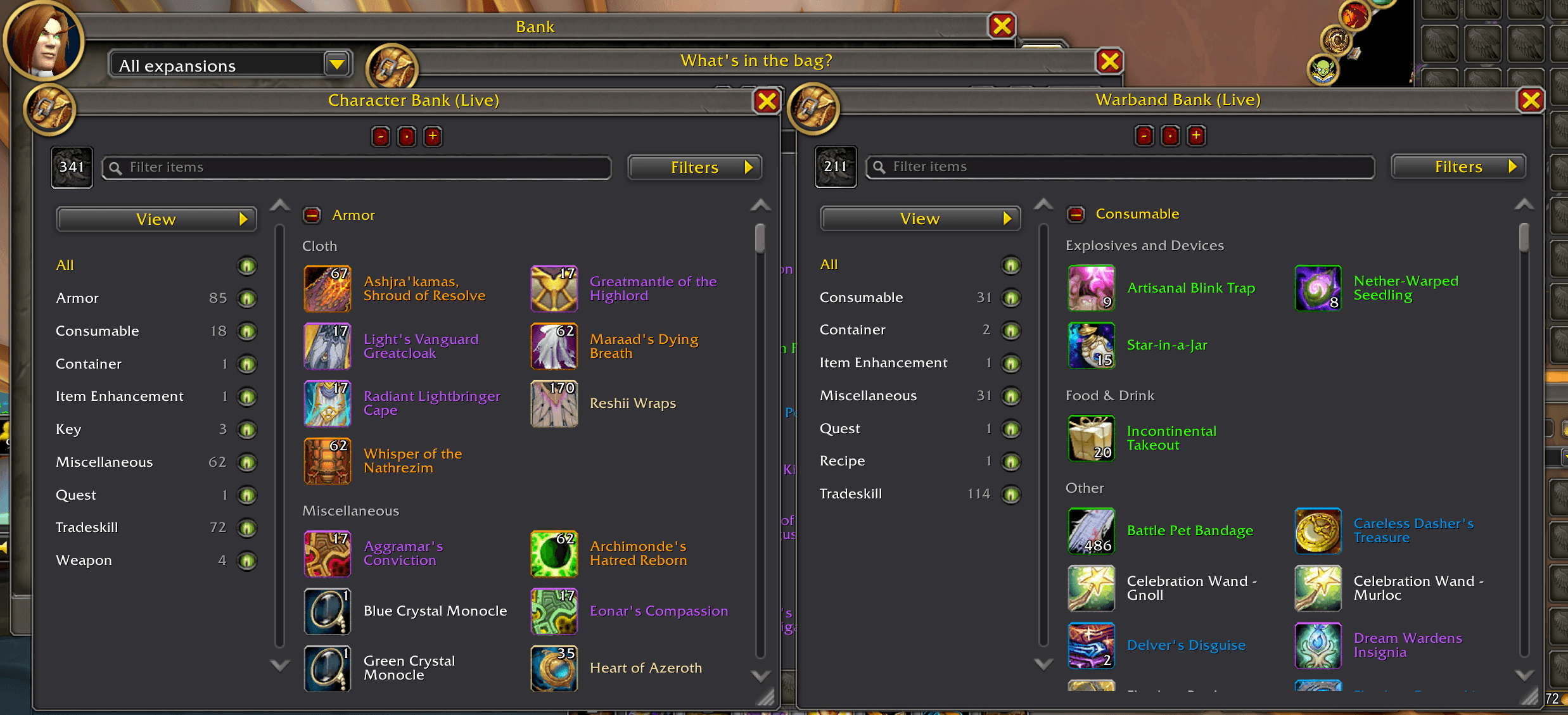
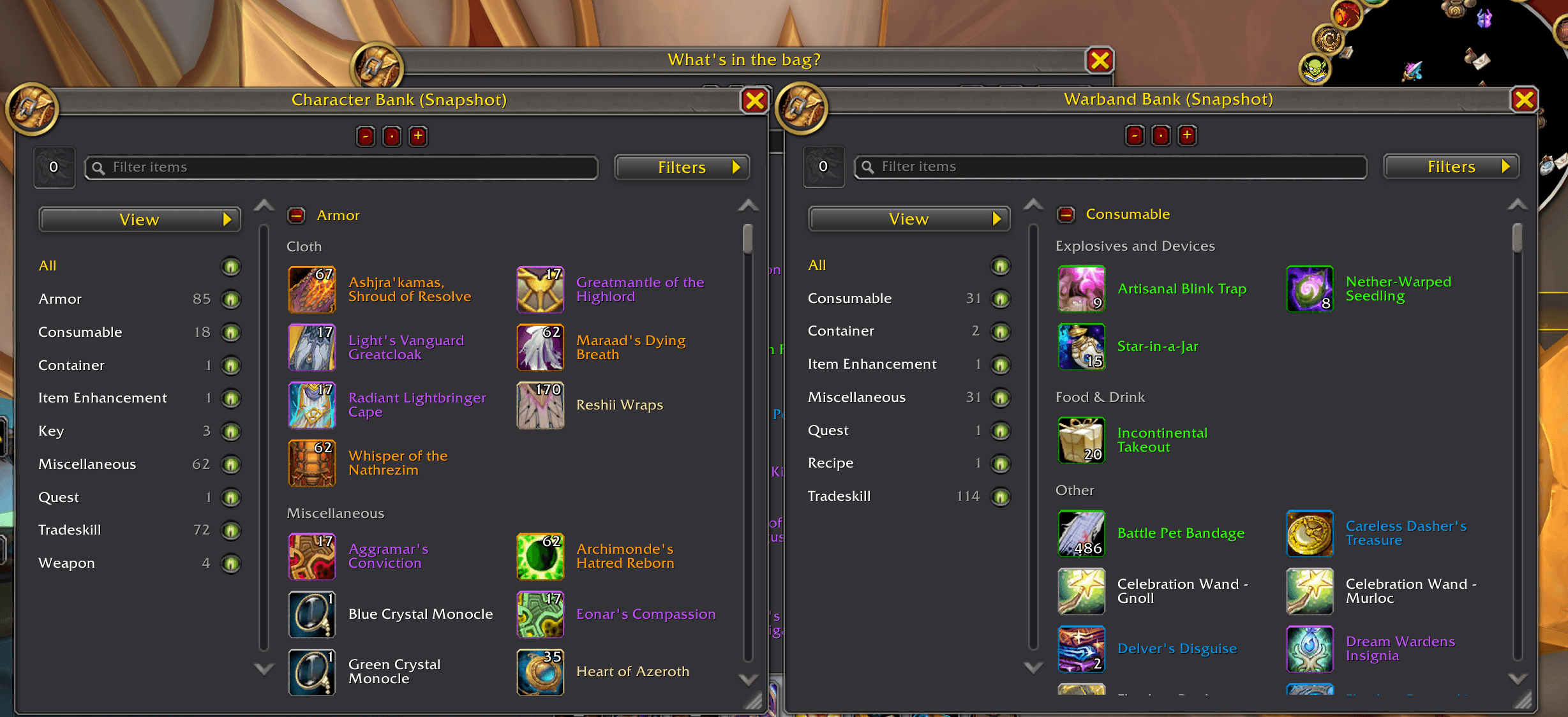
Browse carried bags and the Character Bank or Warband Bank in category- and subcategory-sorted views. Bank windows show live storage while it's accessible, then stay open and switch to the latest saved snapshot when access ends.
Use Alts to view saved snapshots from other characters who have used the addon. Search item names to show matching characters and highlight their matching Bags and Bank snapshots. Each character's Bags and Character Bank open in separate read-only windows; the Warband Bank snapshot is shared. Live item rows retain Blizzard's native interactions. The empty-slot target validates deposits before acting.
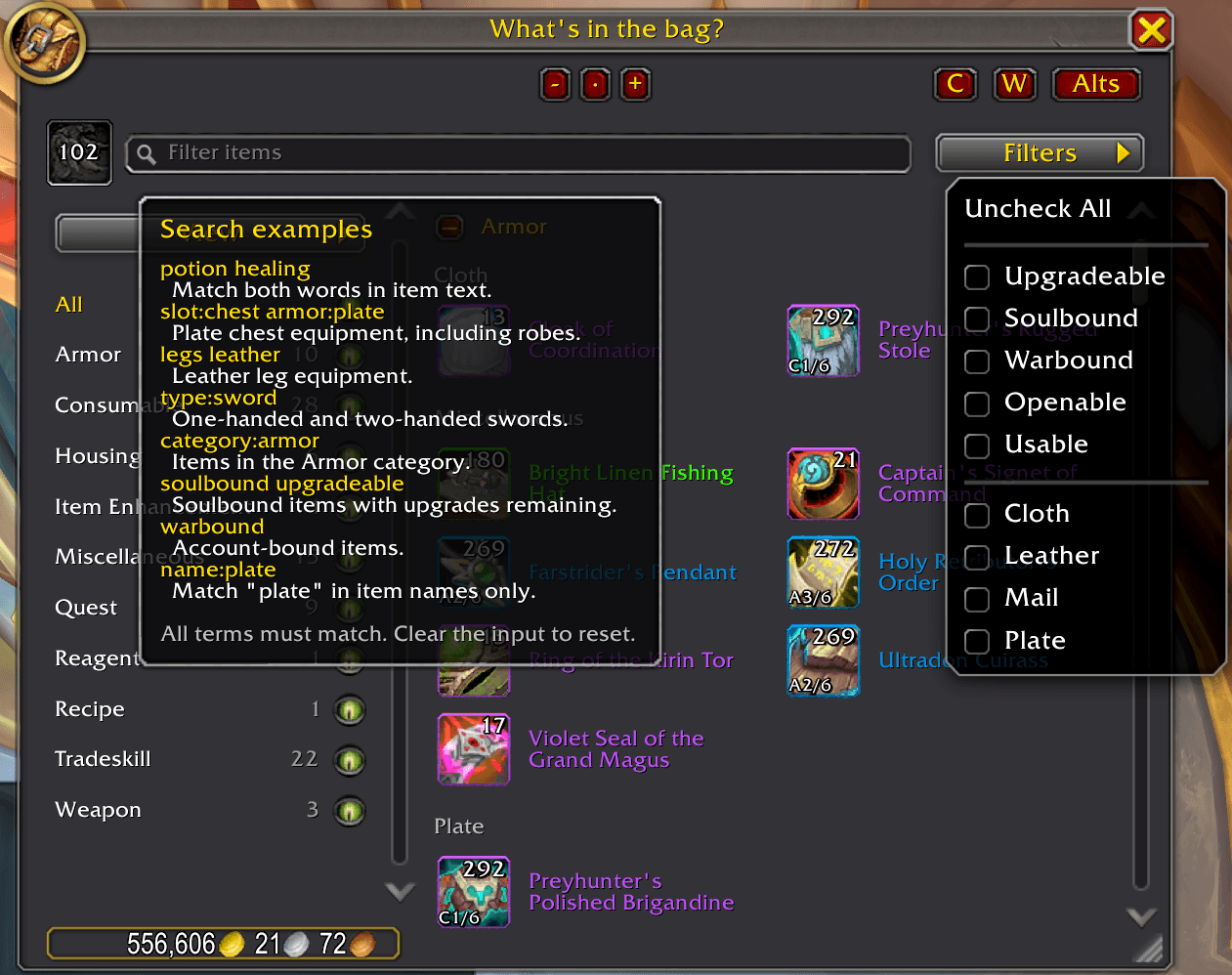
Search with item names or terms such as slot:chest armor:plate, and combine typed searches with quick filters for binding, upgrade status, usability, armor type, and more.
Item tooltips can show positive item counts for each character (bags plus Character Bank), the Warband Bank, and the overall total. Tooltip counts and category details are configurable in Settings.
What's New in 0.9.0
New features
- Select Equipment in Filters to browse gear by equipment slot. Its Equipped checkbox defaults on and adds currently equipped items as read-only references with highlighted borders. Rings and trinkets each share a category for both equipped slots.
- Enable Sort by item level in View to sort items from highest to lowest item level independently per window.
- Separate default-off settings show upgrade-track levels on the character panel and Blizzard bags/bank; WITB's own item-row overlays remain independent.
- Searching Alts hides characters without matching items in their saved Bags or Bank snapshots.
Bug fixes and improvements
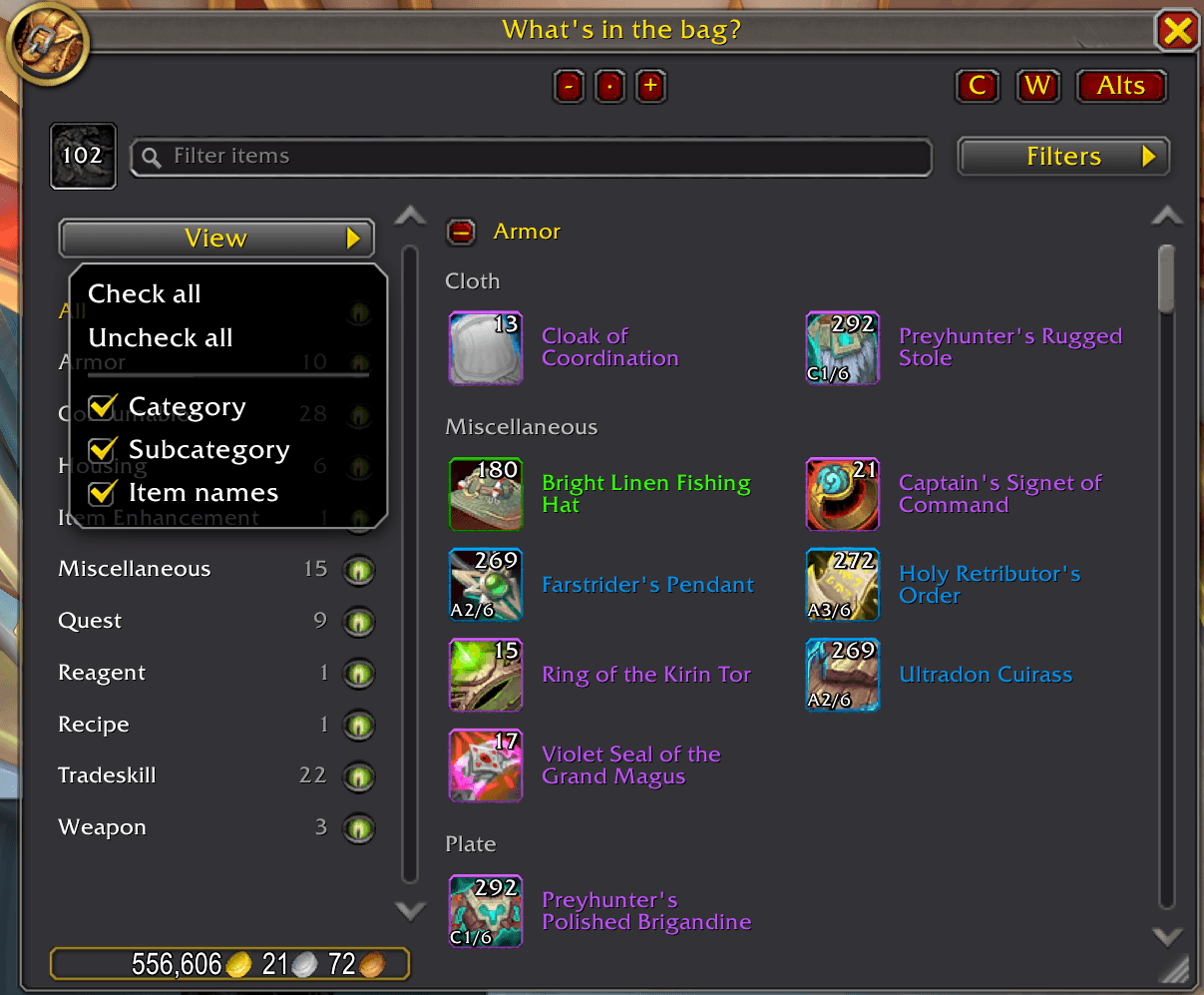
- View controls category, subcategory and item-name visibility. Matching subcategories merge when categories are hidden; slot ordering applies only while Equipment is enabled. Hide subcategories as well for one continuous grid.
- A foreground Loading snapshot… indicator stays visible while Alt snapshots fill progressively, without blocking hovering or scrolling.
- Blizzard-style two-column Settings include a Debugging section for category/subcategory tooltip details and default-off snapshot loading diagnostics. Enable diagnostics there, then use
/witb debug reportto replay the last five session reports. - Subcategory sections sort alphabetically when Category is off and Subcategory is on. Item ordering within sections stays unchanged, and unresolved subcategories remain last.
- Large snapshots use bounded row batches and reuse closed windows and rows; disabled native upgrade overlays avoid unnecessary frame scans.
- The Alts roster accommodates longer names and clarifies its search hint.
- View stays fixed above the category list, and live/reference item icons align.
- Invalid
0/0upgrade tracks are hidden and excluded from the Upgradeable filter.
Usage
- Use
/witbor left-click the minimap button to toggle the carried-bags window. Right-click the button to open Settings. - Use the C and W buttons beside search to toggle the Character Bank and Warband Bank windows.
- Click Alts to browse saved snapshots for other characters. Large snapshots fill progressively behind the loading indicator; loading speed can vary with frame rate and other enabled addons.
- Drag a window's title bar to move it. Drag the bottom-right resize grip to resize it; right-click the grip to reset that window's size.
- Use
/witb resetto reset window sizes, positions, and scales.
Compatibility
Retail WoW 12.1.5 (120105) is the supported target. Camelot/Forever (16001) remains alpha.
Version 0.9.0 is a candidate pending full in-game verification. Retail snapshot loading was reported responsive with WITB alone and a reduced addon set; freezes with other addons enabled have not been attributed to a specific addon or root cause.
The WITB Companion is available on GitHub for Windows x64 and macOS Intel and Apple silicon (ARM64).
What's in the bag? Team
