WeeklyRewards - Multi-character Weekly Progress Tracking
- By
Track your Delves, Prey, Pinnacle Caches and more Midnight weekly rewards progress across your characters
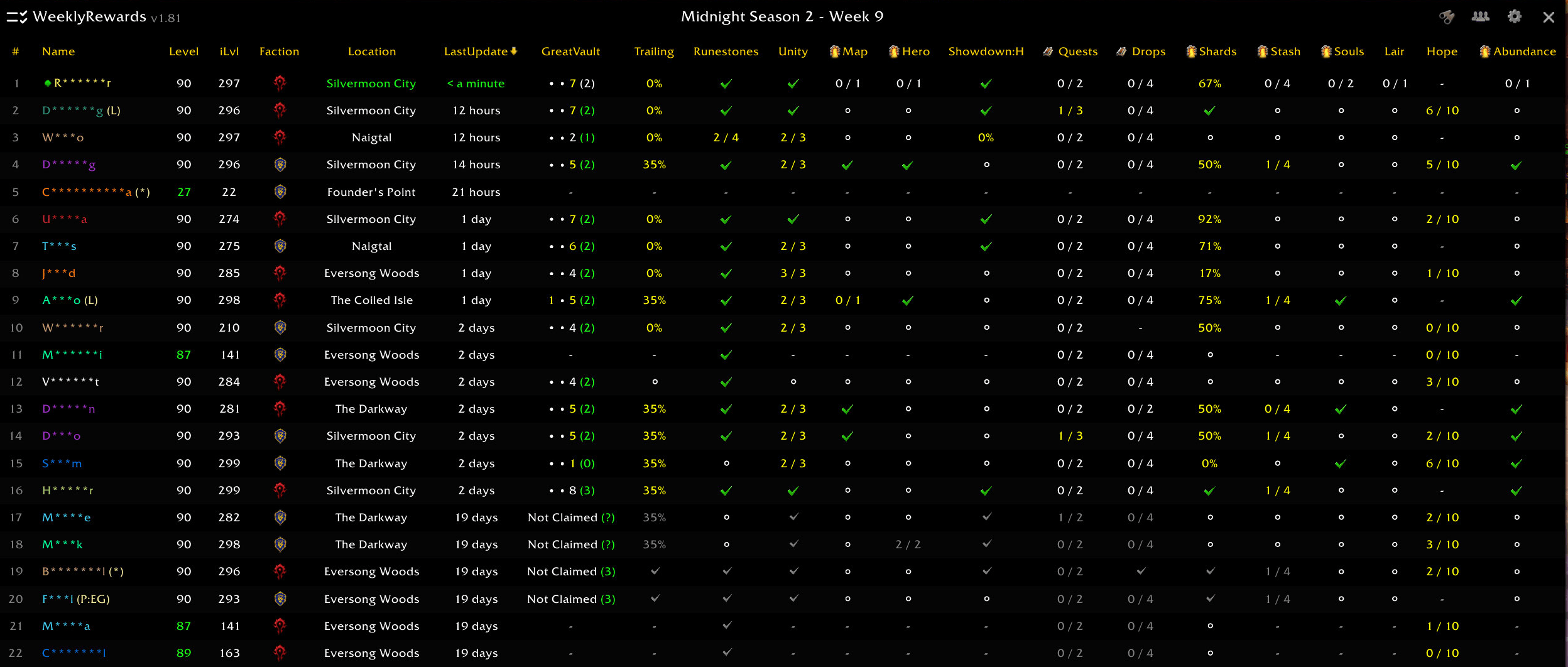
Main Grid to show all your characters' progress
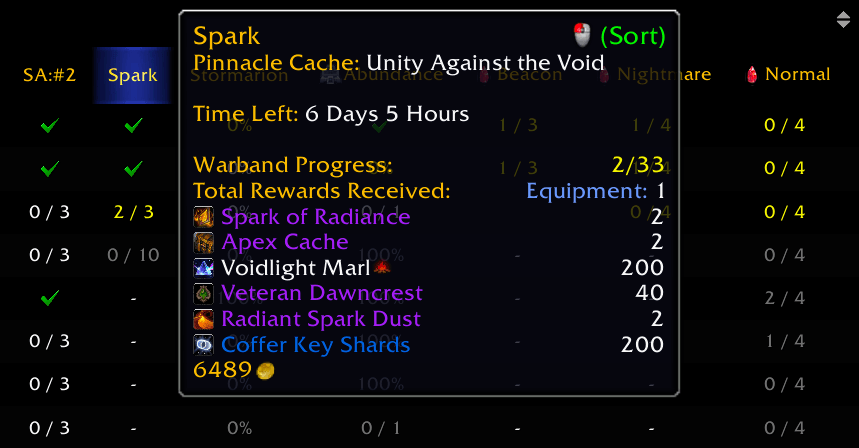
Track the total progress and rewards received across all your alts
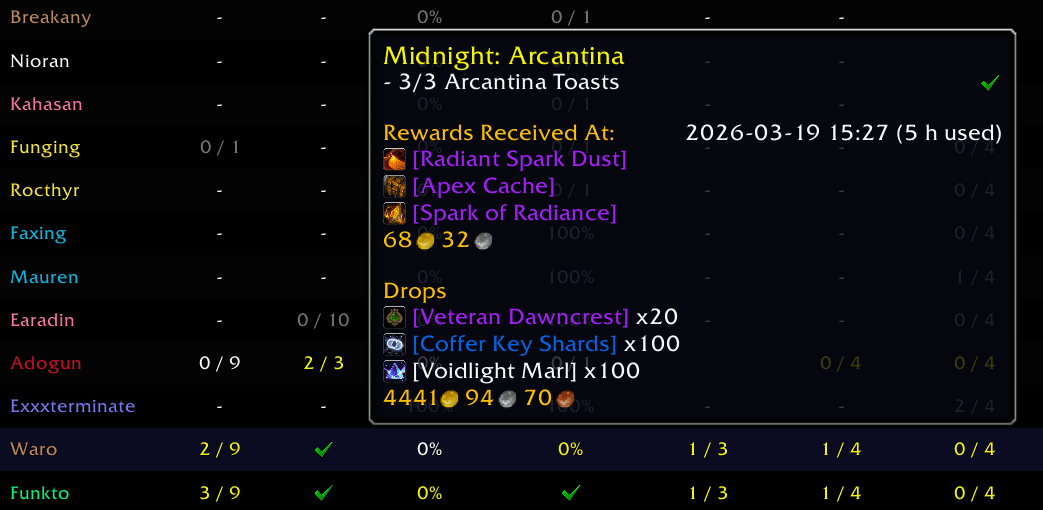
Track progress, completion time, rewards received and more
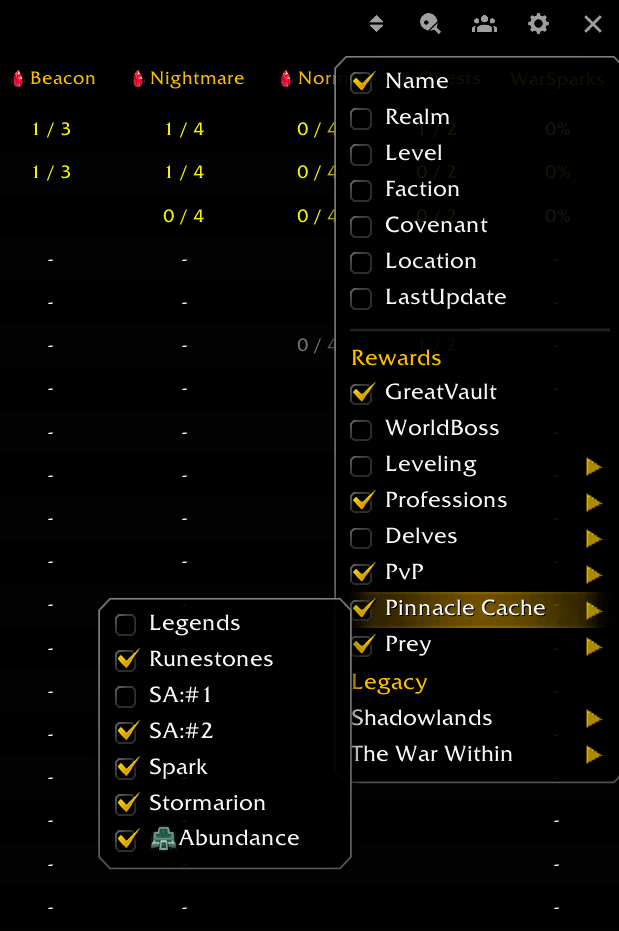
Show/Hide tracking rewards - Tip: Hide the column by pressing Ctrl + Click on the column header.
Description
Track weekly reward progress across all of your World of Warcraft characters in one grid.
Log in on each character once to collect its status, then open WeeklyRewards to see what is finished, what is still open, and what has already been claimed. The window is laid out like a spreadsheet: one row per character and one column per reward.
Features
- Progress grid. Each cell shows progress as a count, a percent, or a checkmark. Click a column header to sort. Drag a reward name to move that column.
- Filters. Show or hide characters and reward groups so the grid only includes what you care about.
- Warband totals. Hover a reward header for totals across your characters, time remaining, and rewards already received.
- Character details. Hover a cell for that character's objectives, when rewards were received, and drops.
- Notes. Click a character name to add a note. It appears beside the name and in the tooltip.
- Midnight rewards. Track Delves, Prey, Pinnacle Caches, and other weekly rewards as they are added each season. The current season week is shown in the title bar.
- Window controls. Use Lock Window in settings to keep the window where you left it. Use Max Rows if you need more than the default number of character slots. You can also turn off the in-window tutorial tips.
WeeklyRewards is for WoW Retail. You will need to log into a character before its row is up to date.
How to open it
The fastest way is a key binding: in Key Bindings, look under WeeklyRewards and bind Show/Hide the window of WeeklyRewards. You can also left-click the minimap button. Drag that icon to move it.
Slash Commands
/wror/weeklyrewards- Open or close the main window./wr debug- Enable or disable debug logs.
Feedback
Bugs and ideas: open an issue.
Pull requests are welcome on the same repository.
Acknowledgements
WeeklyRewards utilizes the UI design of WeeklyKnowledge, and all rights to the original UI design belong to WeeklyKnowledge.
WeeklyRewards - Multi-character Weekly Progress Tracking Team

Owner