Waymark: Battlefield Map
- By
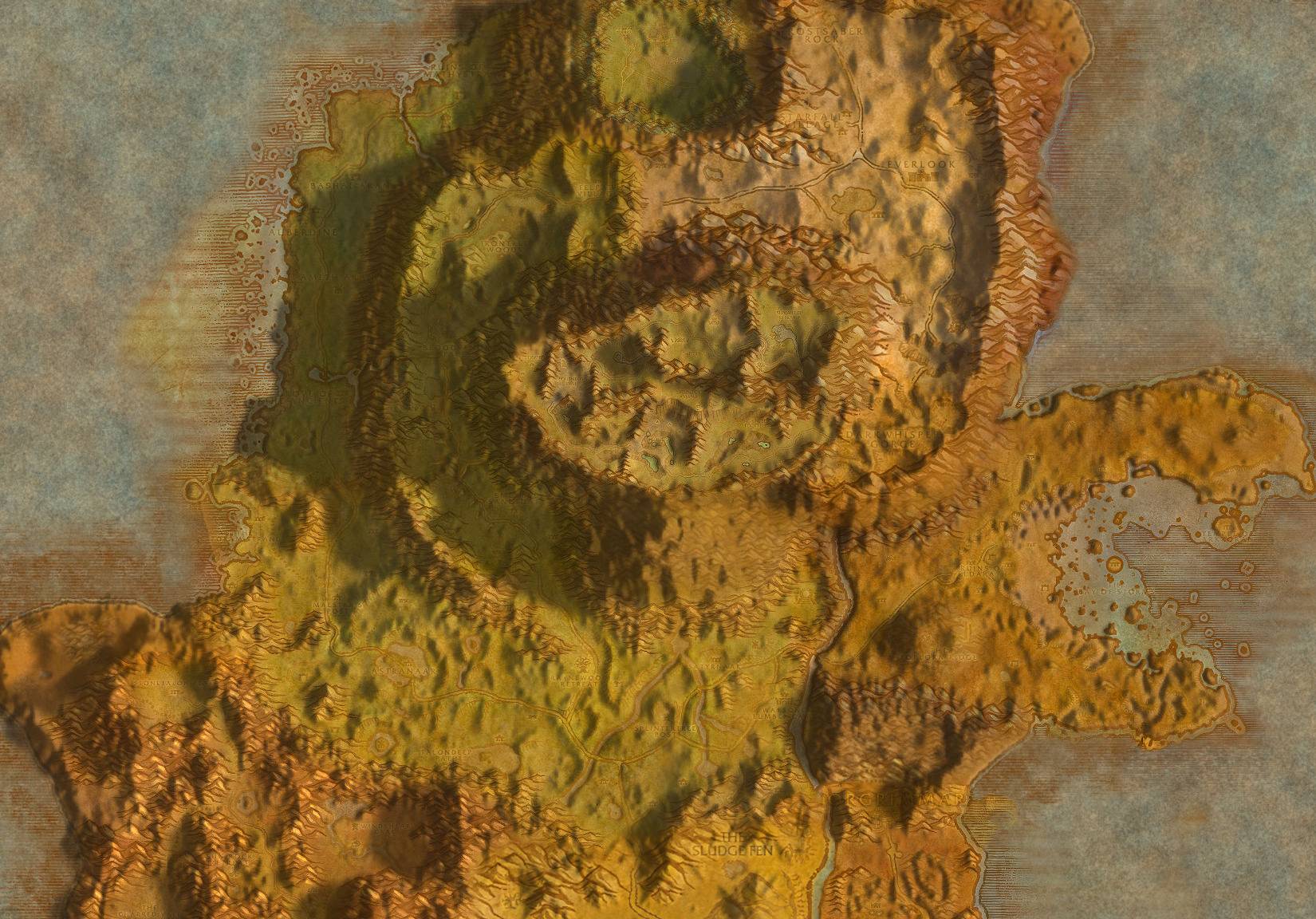
The whole map is shaded from the game’s own terrain.
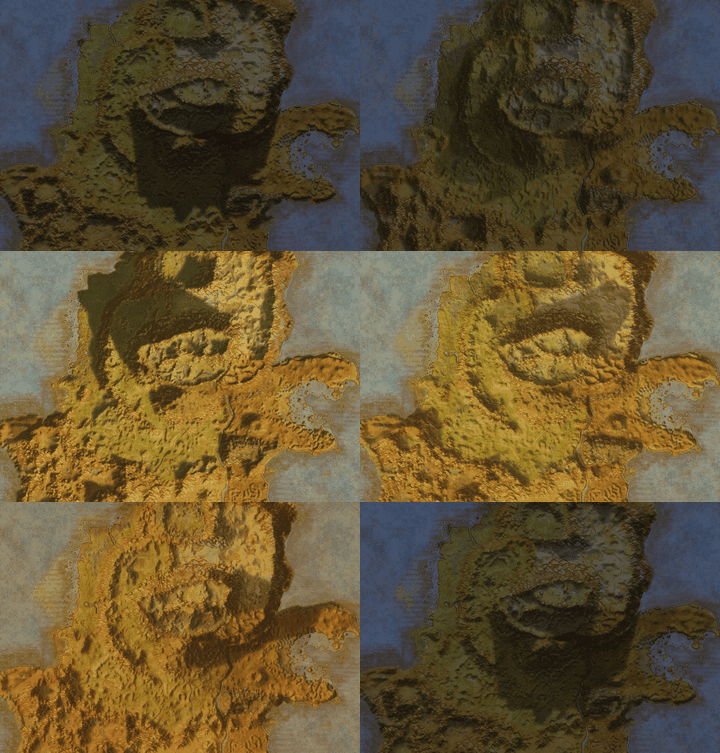
One day in a few seconds
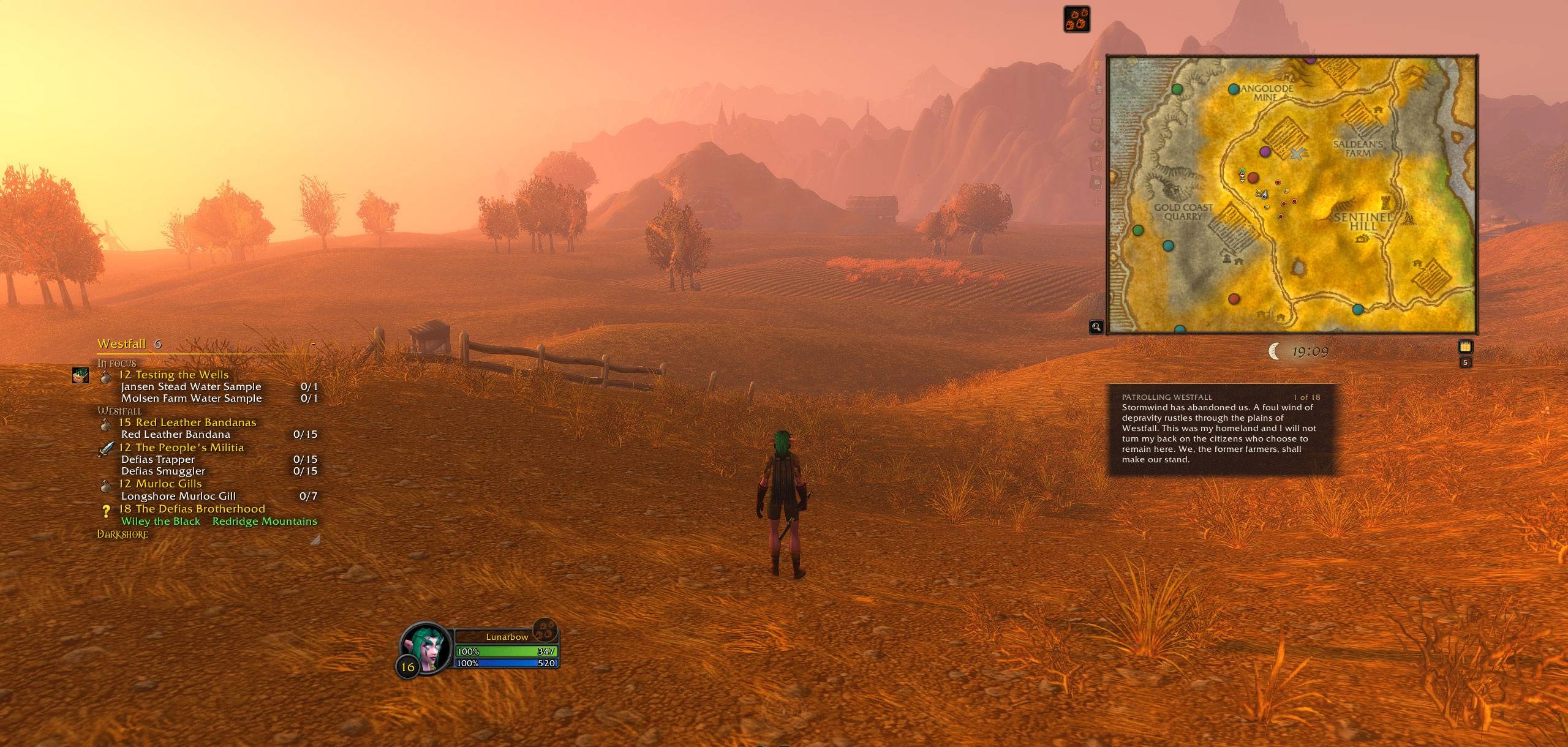
Quest areas on the ground, and the quest in the giver’s own words. Sighted mapart in pencil, walked in ink.
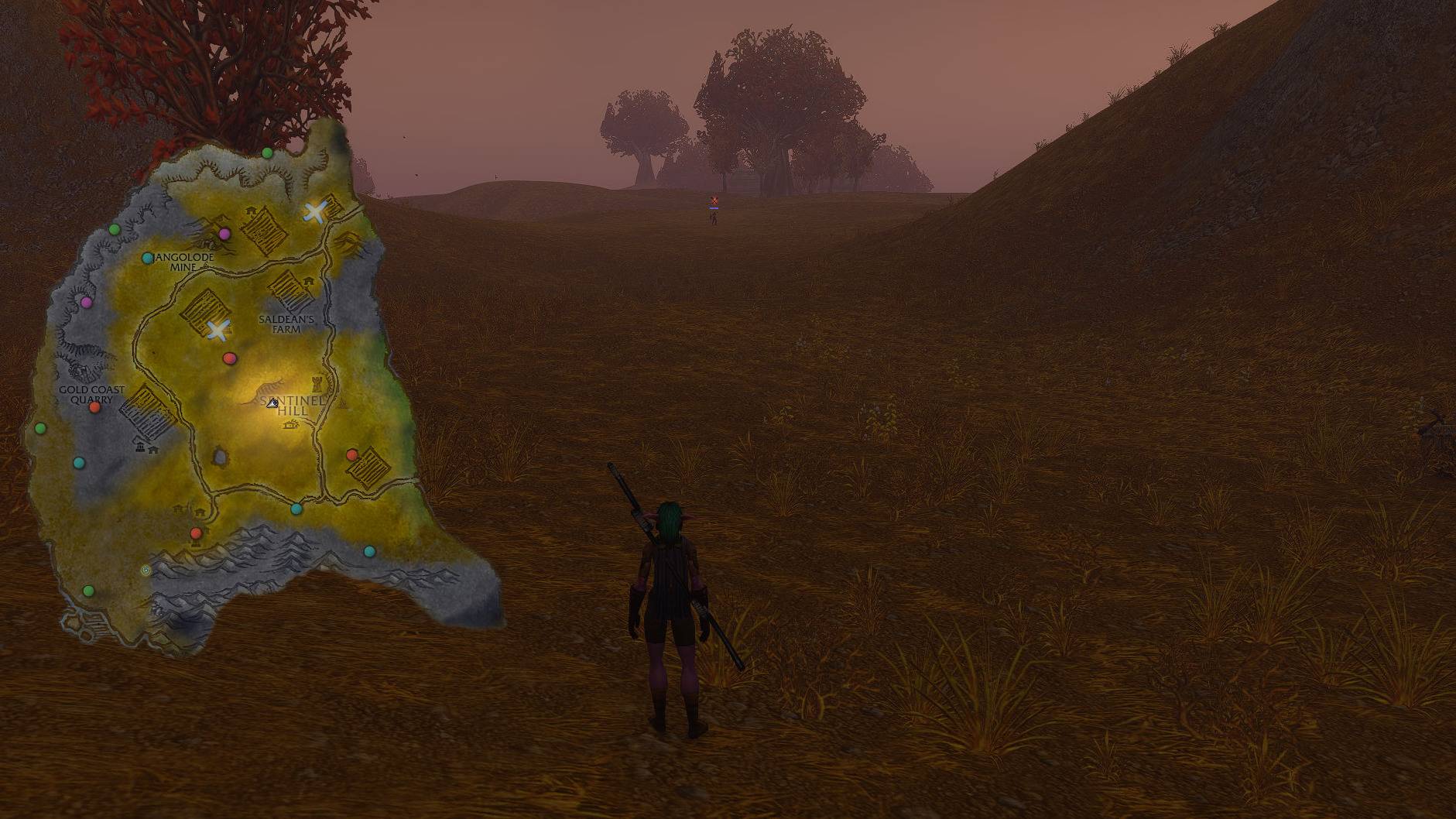
No frame, only the zone’s shape over the world.
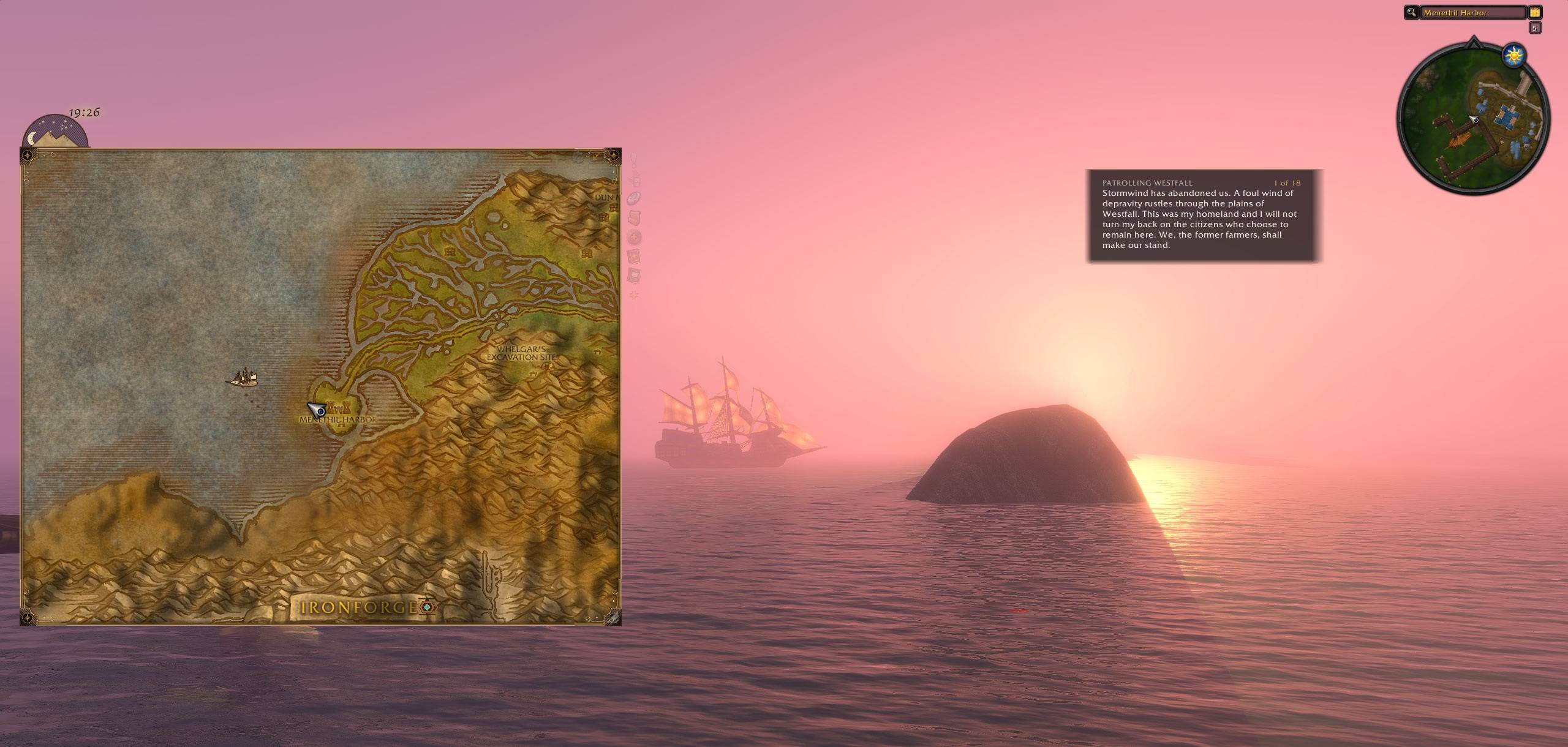
Ride one once and the map shows it on its crossing.
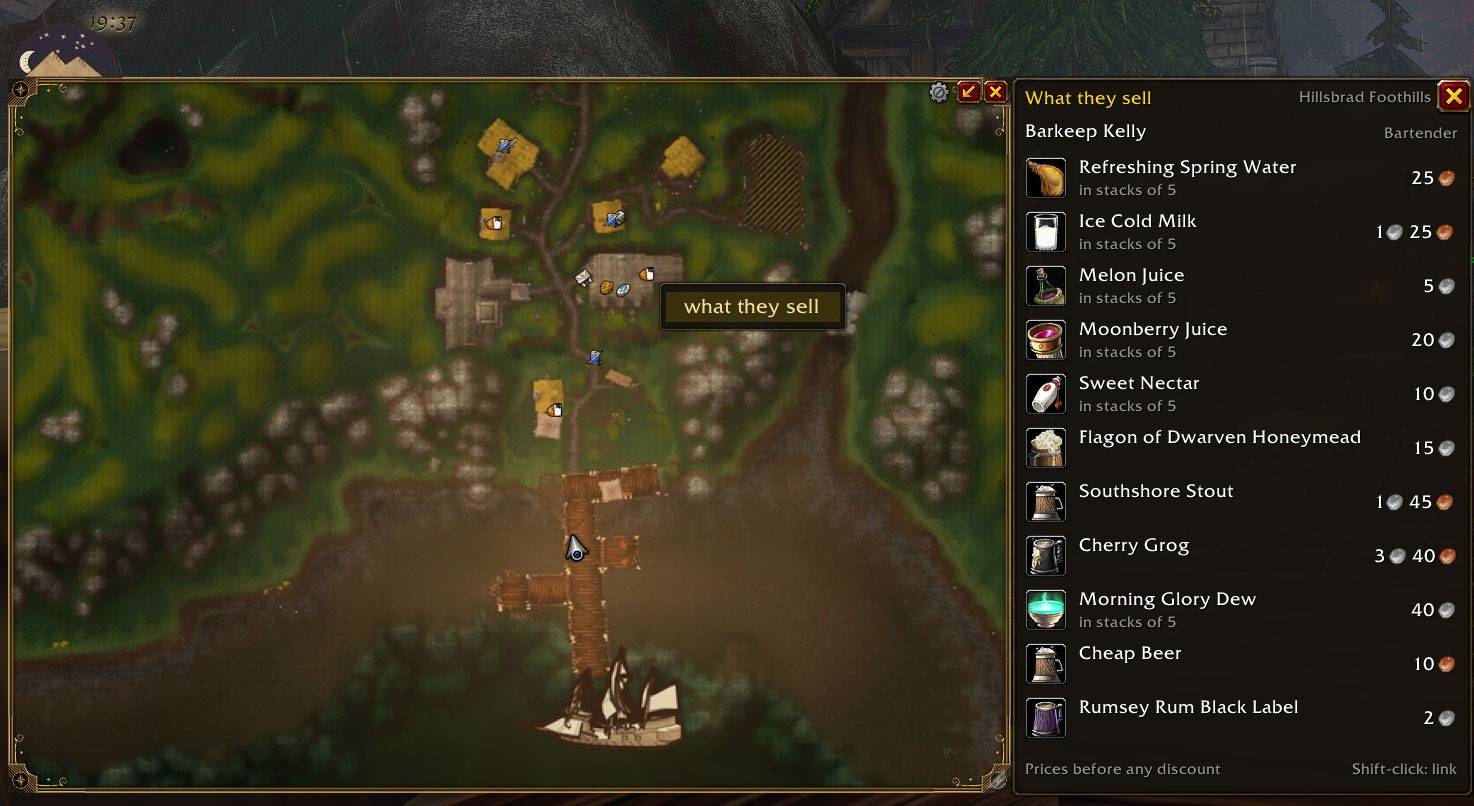
Right-click a vendor to see what they sell.
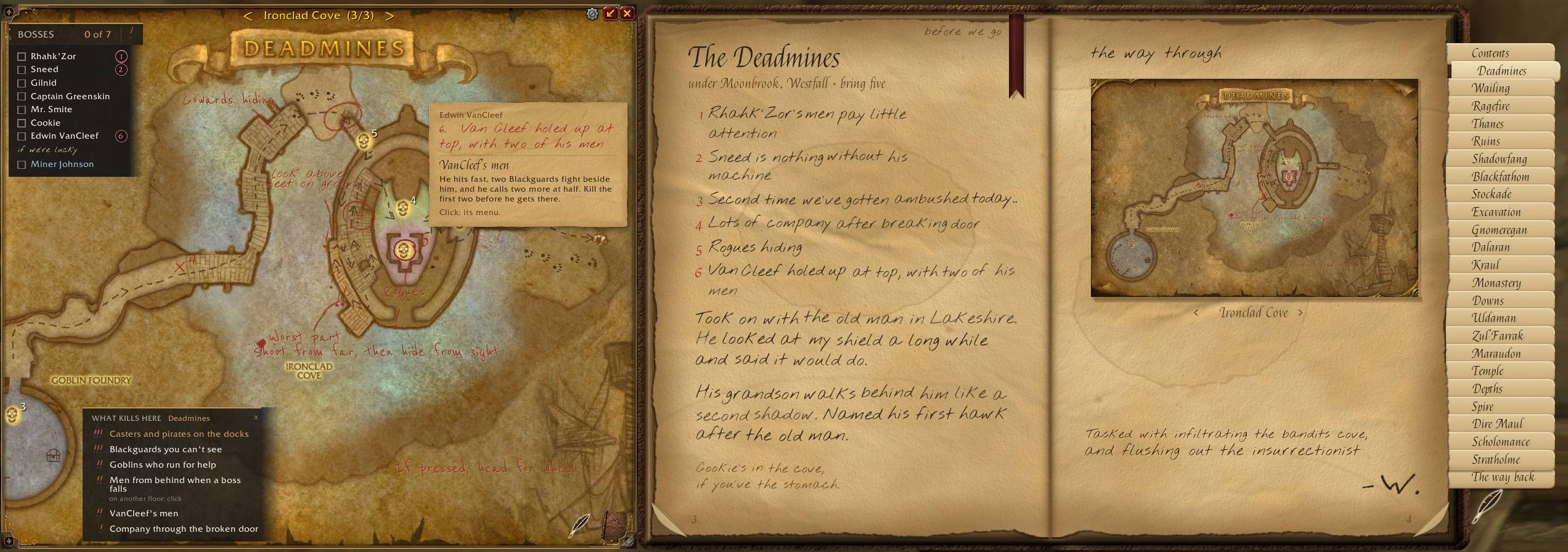
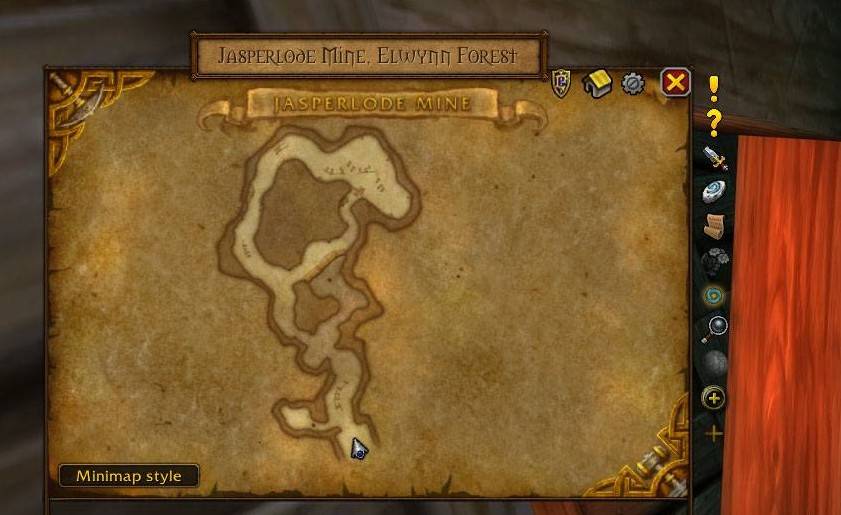
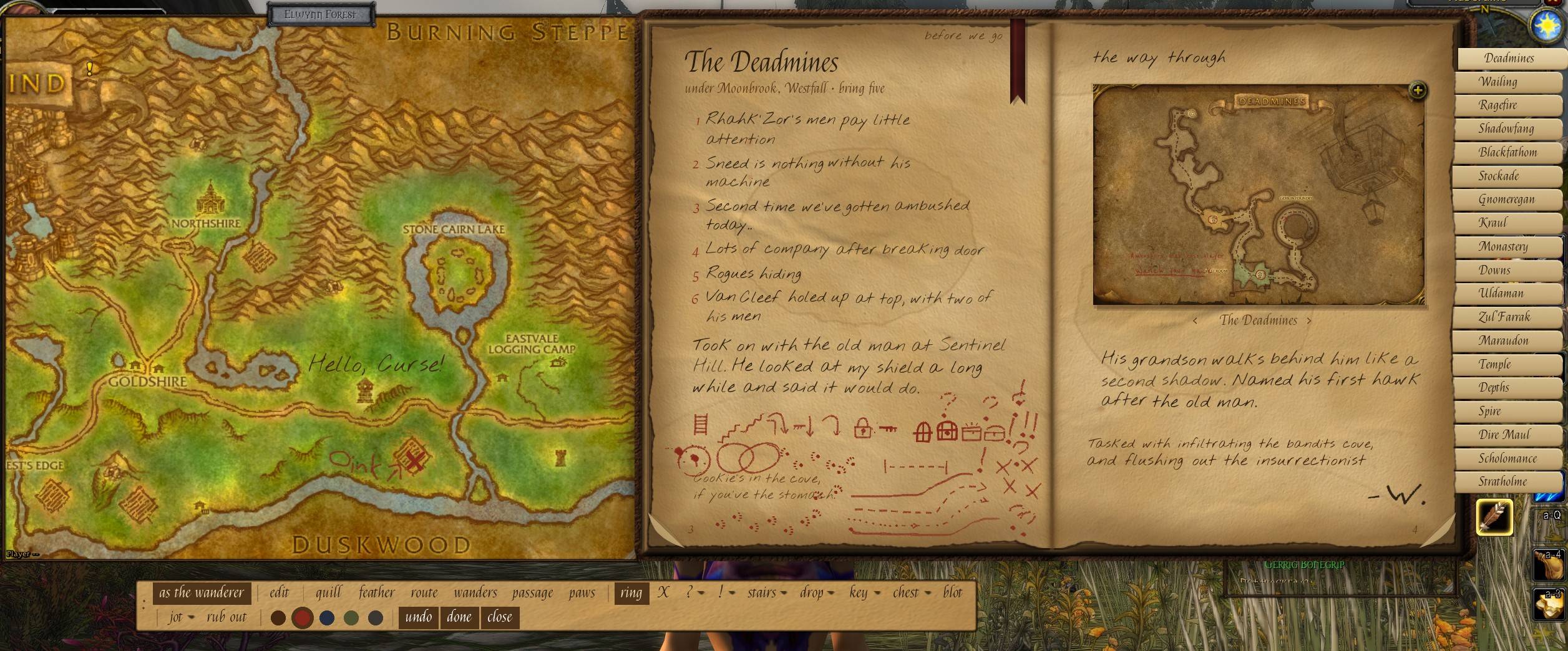
Varied quill markings, colors. Useable on map and in book. (old Elwyn, before shading)
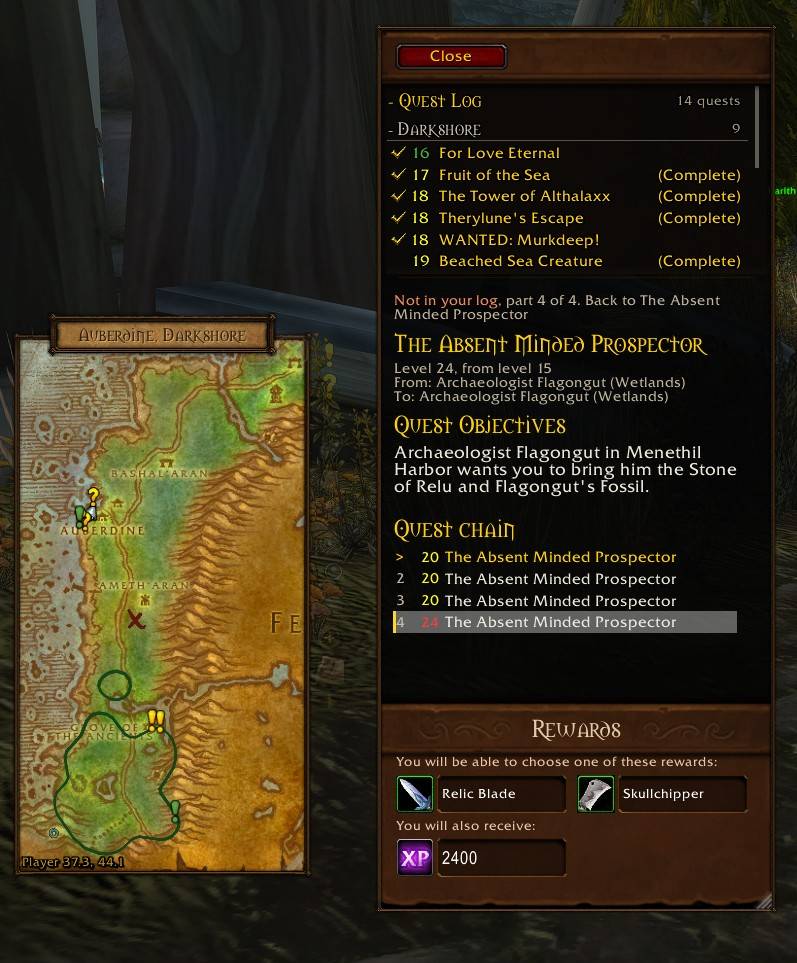
Questlines in log (old darkshore look)
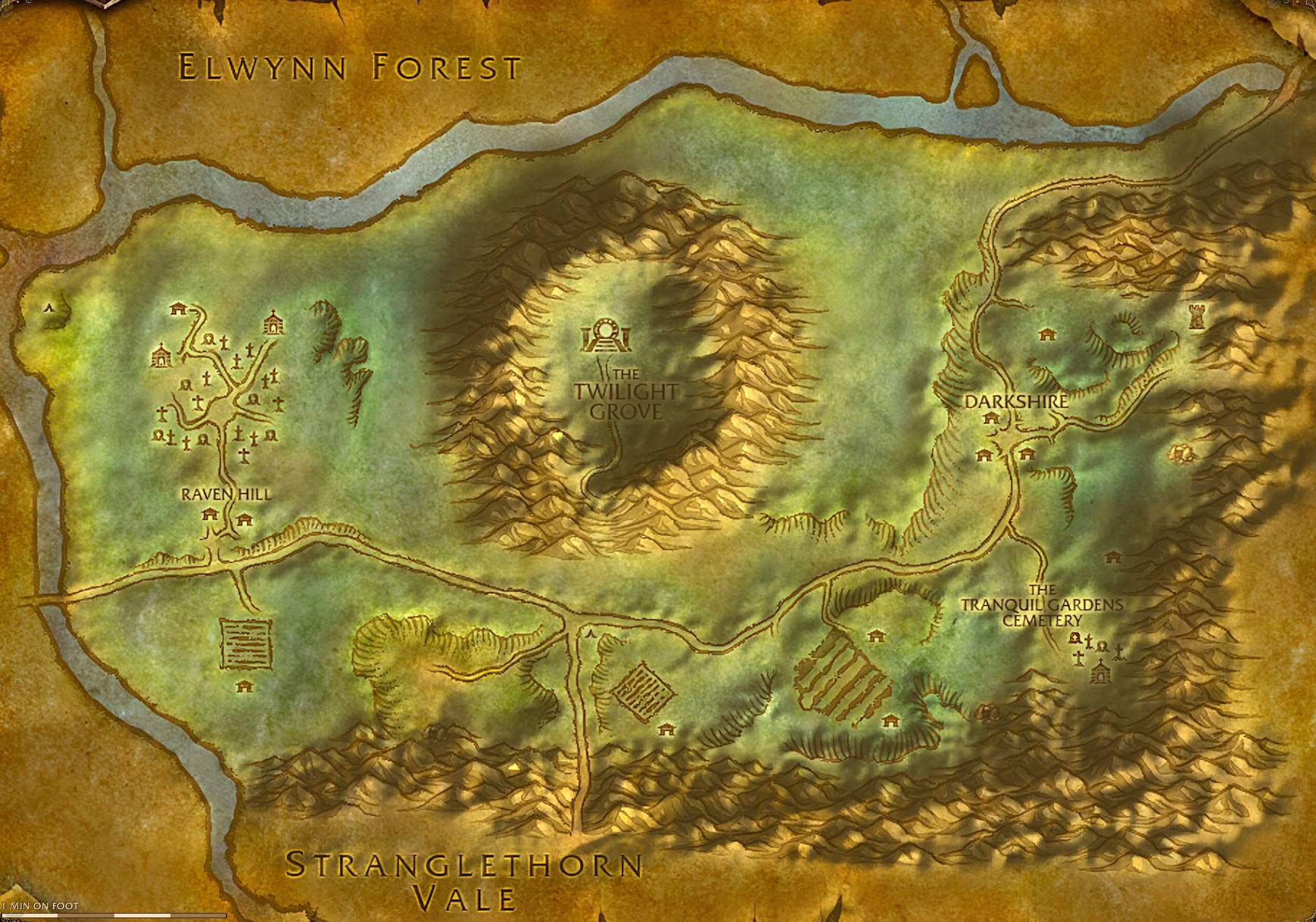
Description
 Waymark: Battlefield Map (formerly Battlefield Info)
I built this addon for me, because I've for 20 years thought the BattlefieldMap could be so much more. I've been having so much fun and have just kept adding to it. I figured maybe someone else would enjoy it too!
Waymark turns the small Battlefield Map (Shift-M) into the map you keep open while you play.
It doesn't change the game or play it for you. It's a better map, and a quieter way to get what you need about zones, quests and dungeons. It's for WoW Forever. The Classic Era file is the older 1.2.0 and isn't being updated.
New in 1.3
- The land has shape. The whole map is shaded from the game's own terrain, zones and continents both. The light goes round with the time of day, so Hyjal throws its shadow west in the morning and east in the evening.
- Pencil where you've only looked. Land you have seen but not walked is sketched in pencil. It takes its colour when you walk it.
- Boats where they really are. Once you've ridden a boat or zeppelin, the map draws it where it is on its crossing, so you can see if you need to run for the pier.
- As told. A small panel with your quest in the quest giver's own words, and the places they named pencilled on the map. If they said "east of the road, past the bridge", that is what you get.
- What kills here. In a dungeon, the things that wipe groups are marked on its map with a note beside it: the pull that brings the room, the caster who has to be interrupted. Click one for what to do about it. No boss guides.
- Search the map. A magnifier in the map's corner. Type a trainer, a service or an item a vendor sells, and the map shows the closest one.
- The notebook has drawings. Each dungeon's "before we go" page opens on a pen drawing of the place, and a small campfire on the zone map shows where it was drawn.
- Hold to glance. Hold the map's keybind and the map is there only while you hold it.
- New frames for the map, the tracker and the tooltips: Engraver's corners, Moonlit silver and Sun gold.
- Settings you can find things in. One list of nine entries, and a Start here page that shows everything Waymark can do, each with its switch.
Also new: the quest window shows what a quest giver says for the next step in a chain, Forever's new vendors have their stock, Forever's new boss drops are in the loot lists, and the map can fold out of the way when you open a window over it.
The map
- Follows you, zooms with the wheel, and zooms in by itself in towns.
- Wheel out to the continent and the world, click a zone to open it. The continent is one seamless map with every zone's own art laid into it.
- Zoom in close and the real trees and buildings show through.
- Unexplored land can be blank, faded, fogged or shown.
- A clock, coordinates, and the zone's level range in the header.
It has three main modes, and you can switch with a keybind:
- A window you put where you like.
- Clear view: no frame, only the zone's shape laid over the world.
- In the minimap's place: the whole map where your minimap was, with the minimap's own dots still on it.
Questing
- Quest givers and turn-ins on the map. Waymark has its own quest data, so it works with or without Questie.
- Where your quests' monsters and items are, as soft areas on the ground and not a field of pins.
- A tracker that shows only the quests you can do in the zone you're in, nearest first.
- Its own quest window beside the map.
- As told, if you'd sooner read your way there than follow a mark.
Towns
- Innkeepers, flight masters, trainers, vendors and the rest, bigger and clearer when you're in a town or city.
- Right-click a vendor or trainer for what they sell or teach.
Dungeons and caves
- The map switches to the dungeon when you go in, with bosses, a boss count, and what each boss carries.
- Doors and their keys, chests and levers, each behind its own switch.
- 248 caves out in the world get a map of their own, with your arrow on it.
The notebook, and your own ink
A leather notebook came with the map. Someone went into these dungeons before you and wrote down what they met, a page and a marked map for each. The notes are the small things that get people killed, in the words of someone who was there. There is a story in it too, if you read on.
You can write your own pages in the same book, and draw your own routes, marks and notes straight onto any map. Updates never touch what you wrote.
Also on the map, if you want them
Rares and their patrol paths, treasure, herbs and ore, fishing spots with the water washed by how your fishing goes there, your group in class colours, and boat and zeppelin routes on the continent.
Customizing it
Waymark comes set up simple: a framed map that follows you, with the game's own UI left alone. From there:
- Start here (type /waymark, or click the minimap button) lists everything it can do with a switch for each, and has seven presets to pick from. Simple is how it comes. Purist is the plain Battlefield Map with no quest help. Minimap Replacement and Minimalist put the map in the minimap's place or in clear view. By the words is the map as a chart you read: As told and the shaded land, and nothing pointing the way. Questing turns on everything for quests. Creator's is my own.
- The gear on the map opens a small panel with the switches you reach for most, without opening the settings.
- The settings have every layer with its own switch, size and opacity, the map's look, what the map does by itself (follow, zoom, fold, fade), and key bindings.
- Your own presets can be saved under a name, kept per character, and shared with a friend as a line of text.
- Performance mode is one switch for handhelds and older PCs.
Works with
All optional. Waymark picks them up if you have them: Questie or QuestieDB, RareScanner, GatherMate2, TomTom, SharedMedia.
Known in 1.3
- Class trainers don't have their lists yet. A right-click says so.
- A few of Forever's newest dungeons have no map pictures yet.
If something looks wrong, tell me here or on GitHub. Forever is new and I'm still finding things.
Credits
Cave and dungeon map data come from OpenMap (MIT licence). Waymark is MIT licensed.
Disclaimer: I am not a coder, and the addon's scope is large, so I used Claude as a codebuilding tool. Therefore I will always keep any release MIT licensed, so the code is open and free to use/change/publish for anyone. I have spent many many long days and weeks polishing this addon to be ready for forever, its been alot of fun!
Formerly Battlefield Info. Your old settings, notes and ink came along.
Waymark: Battlefield Map Team