


Waymaker by BFKWOW
- By
2-route-map.jpg
6-ask-signpost-closeup.jpg
7-profession-guide-closeup.jpg
Waymaker-Buy-Me-a-Coffee.png
Description
Your next quest, dungeon and flight, all in one place. Waymaker turns your quest log into a live leveling route and gives you the maps, class tools and economy information to make the most of every trip.
Built for WoW Forever · English & Danish · Free · Quest data included
Warrior class update (1.32.19)
- One key does the whole Charge — Set a key bind (for example 1) on the stance-shift button. Each press goes from Defensive Stance to Battle Stance, uses Charge, and switches straight back to Defensive. You choose the home stance, the stance and the spell (Charge, Intercept, Overpower, Taunt and more) by right-click or on the Options page. The icon shows what the next press does, the button shows the Charge and stance-change cooldowns, and it targets the nearest enemy for you. Ctrl+press goes home at any time.
- Own class window — Charge and Battle Shout sit in a small movable window that stays up in combat. The Battle Shout button appears the moment the shout runs out.
- Key binds for every quick button — Class buff, weapon buff or poison, lockbox, Pick Pocket, Disarm Trap, picklock service and the food, fishing and stance buttons can all have their own key bind under Key Bindings > AddOns.
- "Buffs missing" on your action bars — The button of a consumable whose buff is missing lights up; one whose buff is on is darkened.
Also new in 1.31.95
- Profit on every recipe at a glance — Every recipe in the profession window shows its profit in green (+) or loss in red (-) without opening it: reagent cost against the better of vendor and auction price.
- Heal quick buttons — A bandage button under 20% HP and a healing potion button under 25% HP, also in combat. Right-click to choose the item, Shift+right-click to set the HP percentage for each.
- Dungeon quests glow orange in the quest log — The same orange as the dungeon pins on the world map, so you instantly see which quests need an instance or a group.
- Auction house — A Waymaker button next to Recipes brings the Waymaker auction house window back, and random-enchant items ("of the Bandit" and so on) are priced at the average of their variants.
Quests, maps & travel
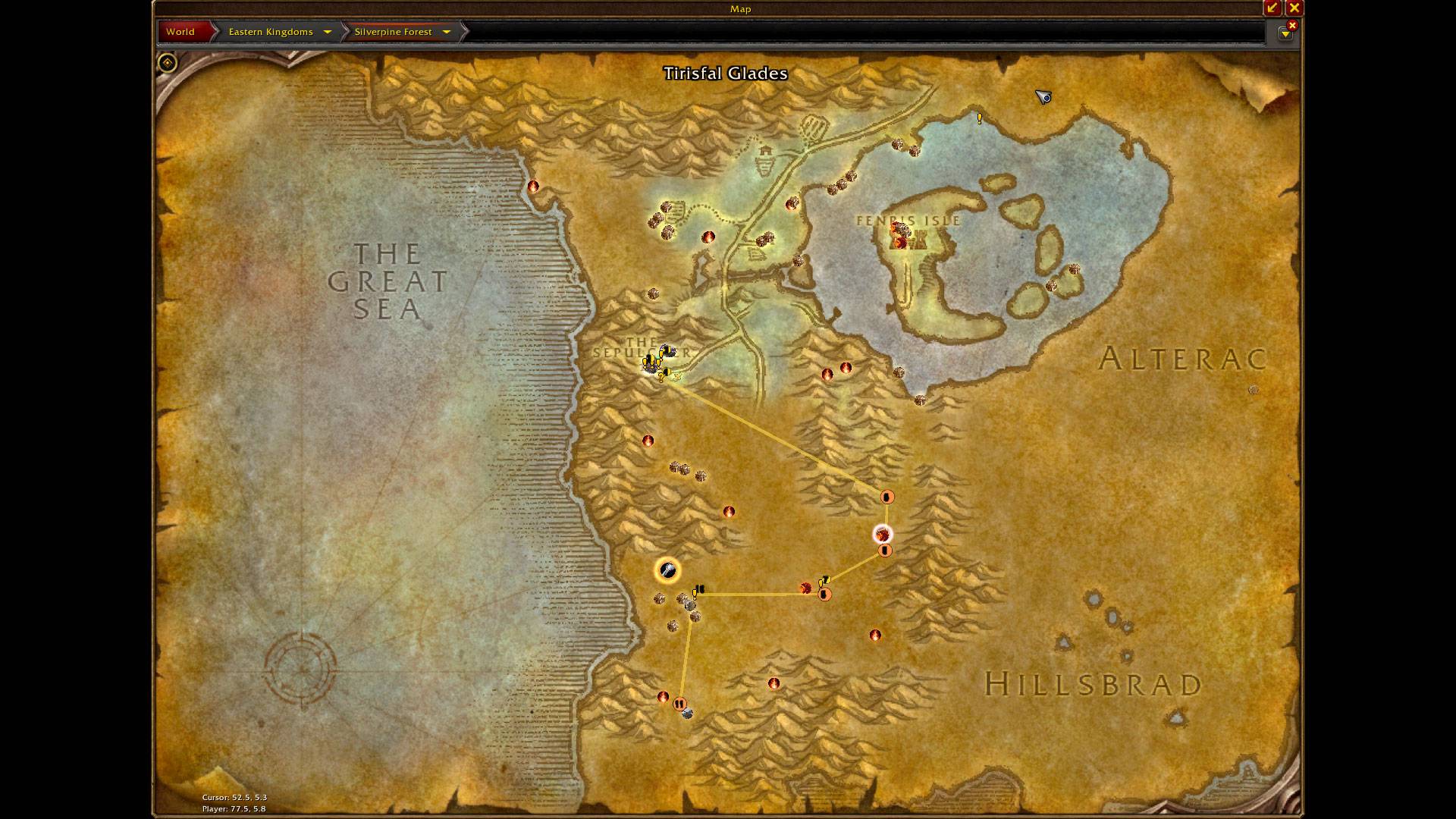
- Leveling Guide & Quest Log — See what to pick up, do and turn in next. Choose a zone to plan around, prioritize a quest, or unfold a chain to see its requirements, follow-ups and rewards. Optional quest automation and party progress messages.
- World Map & Minimap — See quest objectives, turn-ins, flight masters, vendors, trainers, graveyards and more. Repeatable and event quests only show when you can really do them. Search quests by name, zone, objective, item, mob or NPC. Follow a waypoint arrow, change pin sizes by type, and keep the Blizzard map or minimap if you prefer.
- Flight Timer — See quests ready to turn in on the flight master's map. Waymaker remembers completed flights across your characters and shows an ETA before takeoff and a countdown on known routes.
Dungeons, groups & combat
- Dungeon Atlas, Loot & Prep — Browse dungeon and raid maps, boss tactics (including The Drowned City, Alcaz Prison, Blackmaw Hold and Krol'dok Stronghold), loot and quest pickups. See which prerequisite chains to finish before you go, then track bosses and quest items during the run.
- Group Recruiter & Layer Switch — Find dungeon listings by role, class and level. Read player notes and optionally filter auto-recruit by playstyle and run type. Use the movable Layer Switch bar to find hosts or prepare a chat request.
- Damage Meter — View damage, DPS, healing, interrupts, dispels, deaths and more from the in-game meter. Dock it under the tracker or move it where you like.
- Class Guides & Combat Helpers — Explore all nine classes' ability unlocks, class quests and rewards, from Bear Form to Whirlwind weapons and class mounts. Compare gear and weapon enchants, find poison vendors, and use optional buff, cooldown, combo point and PvP queue alerts. A reminder bar covers rested XP, camp buffs and your Elemental Attractor, and the consumable buff reminder lets you forget buffs you no longer use.
Professions, gold & everyday tools
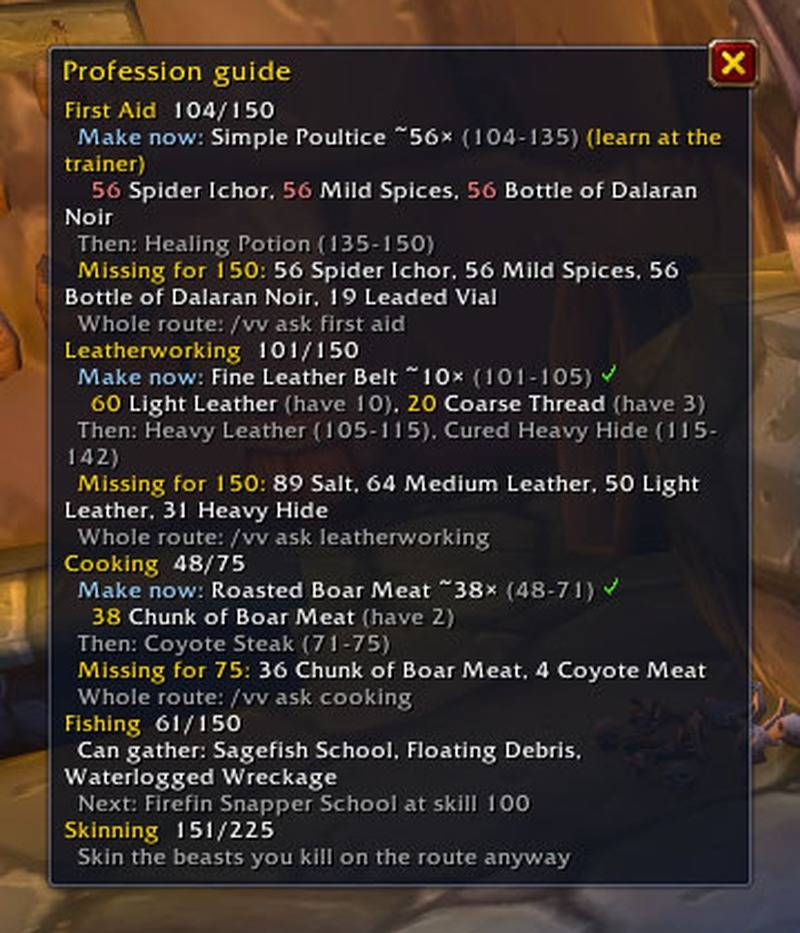
- Profession Guides & Disenchanting — See what to craft next, skill thresholds, trainers, shopping lists and material costs. Get reagent source tooltips, fishing helpers, Rogue Lockpicking guidance and a dedicated disenchant panel.
- Auction House & Bags — Compare scanned AH prices with vendor buy and sell prices, view recent personal purchases and your last sold price, shift-click quest items in the tracker to search for them, and set posting rules. Browse grouped bags, see bag value estimates and check Waylaid Crate materials.
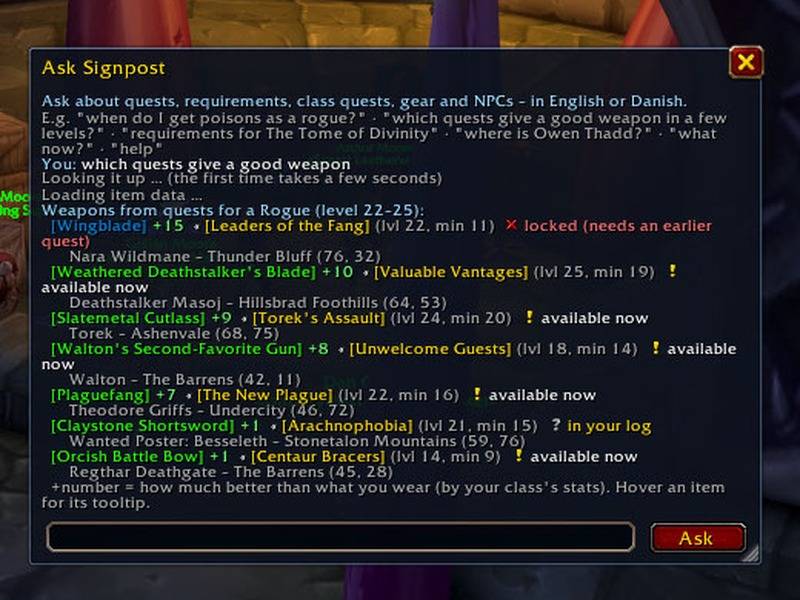
- Ask Waymaker, Notes & Collectibles — Look up quests, items, NPCs and dungeon prep in-game. Save map notes and export notepad documents. Follow Library Books, Legacy exploration, rare finds, the Cozy Sleeping Bag and camp-buff guides.
- XP Stats & Performance — Track XP per hour and time to level. Use the minimap stopwatch to start or stop a performance capture.
Get started
Install Waymaker Full, enter the game and follow the welcome tour. Open Menu for features and Settings to choose which ones you want. Type /vv to show the guide, or /vv lang da for Danish. The Full download includes SignpostDB, WaymakerMaps and WaymakerLoot. A separate Questie install is optional.
Found a bug? Use /vv bug and share the report in the CurseForge comments.
Credits · GPLv3. Quest data by the Questie team, maps by the Atlas Team, loot data from CMaNGOS and Forever dungeon references, Legacy data from Legacy Forever, and recipe data from LibProfessionDB with route references from MetaBot.
Waymaker is free and stays free. If it saved you time and you want to buy me a coffee, you can do it on Ko-fi without an account (cards, Apple Pay and Google Pay). It is never required.
Prefer PayPal?

Waymaker by BFKWOW Team
