


warriorkit-character-fire-theme.jpg
warriorkit-fight-at-sunset.jpg
warriorkit-panther-dodge.jpg
Description
WiggleUI
An interface for TBC Anniversary (2.5.6) and Classic Era (1.15.9). It draws your unit frames, your action bars, your bags, your character sheet, your quest log, your map, your mail and most of the other windows the client has, plus a dozen readouts neither client has ever had.
Shake the mouse and the screen changes
That is the gesture it is named after. One theme keeps your chat, your quest tracker, your bars and your meters under the pointer; the other has all four up with the feeds beside them. Shake to swap, shake again to swap back.
A shake is six turns inside 1.2 seconds, each leg at least 60 units long, and
nothing is sampled while you hold the right button to turn the camera, so it
does not fire while you play. /wui wiggle none turns it off and stops the
addon reading the mouse at all.
This is a beta
Everything below is built, has a switch of its own and gets played every day. What it has not had is a wide test, so install it to help find what is broken rather than an hour before a raid.
- It replaces Blizzard frames rather than hiding them. Turn a part off in
/wuiand the Blizzard version comes back. - Frames still change shape between versions.
/wui unlockputs every element up at full alpha to drag,/wui lockputs the theme back, and/wui resetputs everything where it started. - The client hides Lua errors unless you ask for them. If a part of the addon
is simply missing, run
/console scriptErrors 1, reload, and put the error text in the report. It is worth more than the rest of the report together.
Frames and bars
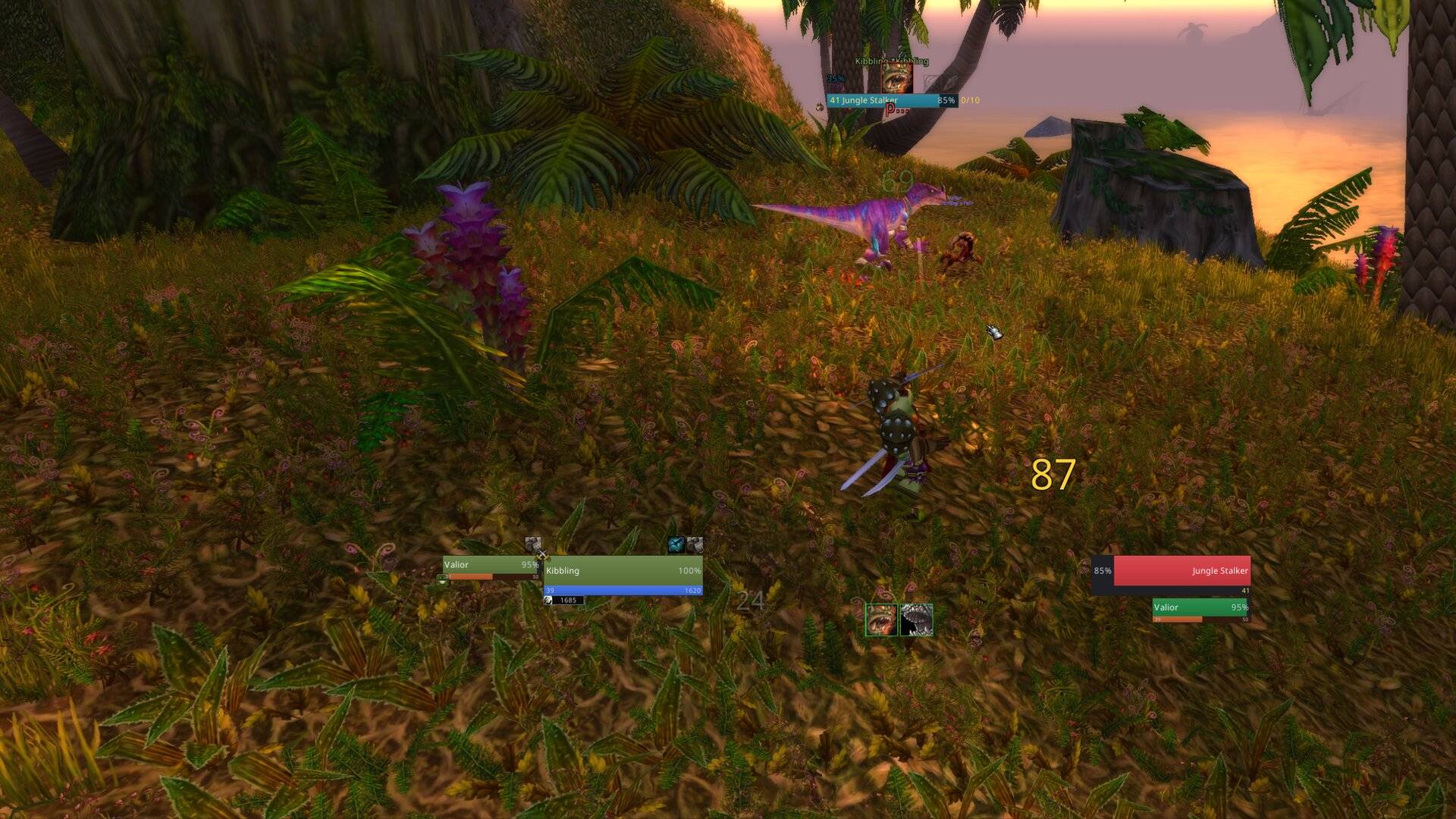
- Square class-coloured frames for you, your target and its target, with the incoming heal on the health gauge.
- Party and raid blocks ordered by role and then by name, so the healer is in the same place in every group you are ever in, worked out between fights and never during one.
- Your own bars redrawn on your own action slots, folded into 1, 2, 3, 4, 6 or 12 rows, each with its own colour, size and hide-until-shift. Your keys are read and never written, so turning it off gives everything back with no reload.
- A ring on a held key: push toward a square, let go, it fires.
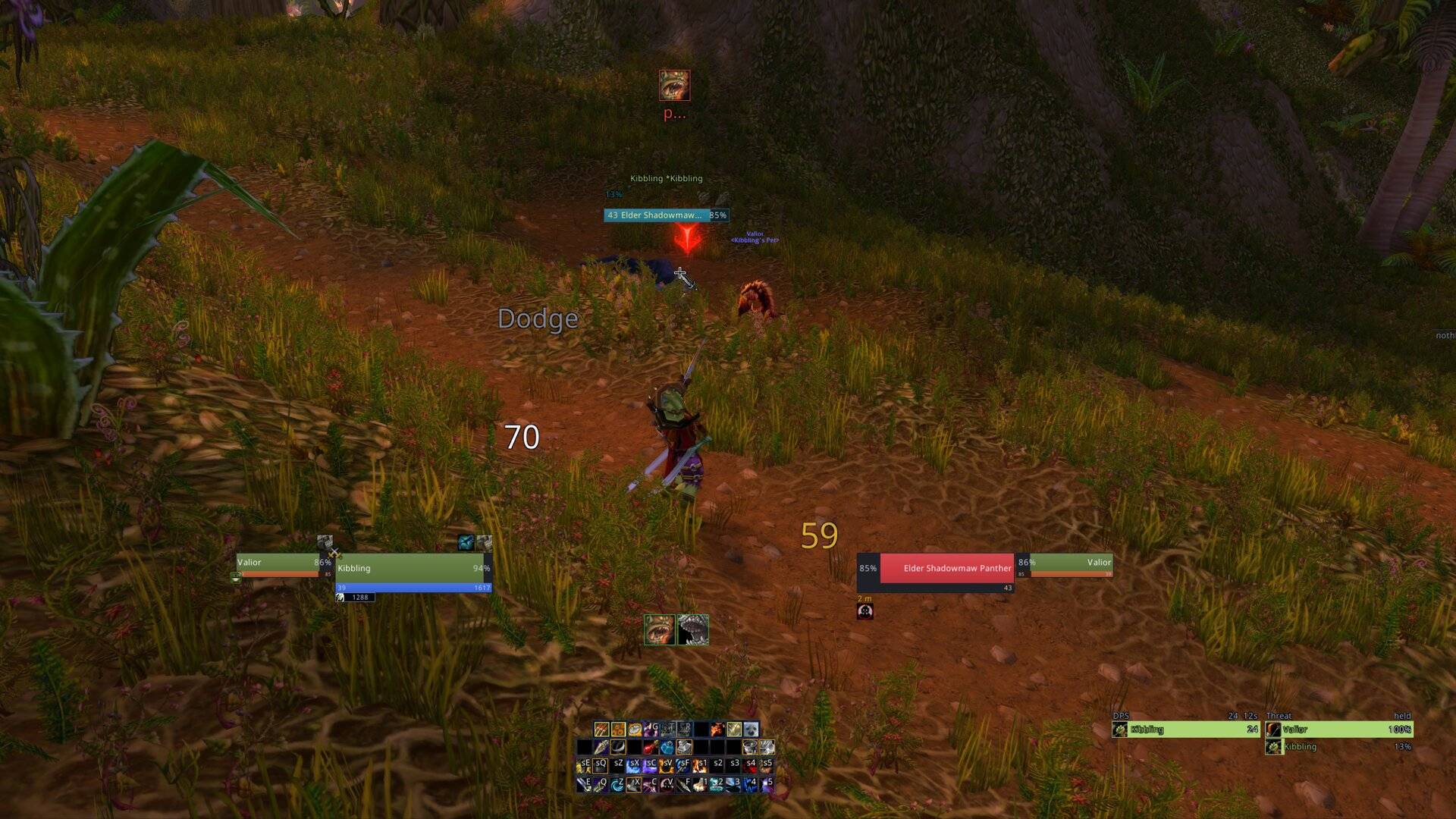
- Threat-coloured enemy bars in place of the nameplates, with a tag saying what the kill is worth.
- A cast bar that holds where it stopped and turns red when a cast dies, because an empty bar is what a finished cast leaves behind.
Windows
Each one replaces a Blizzard window or fills a hole where the client has none.
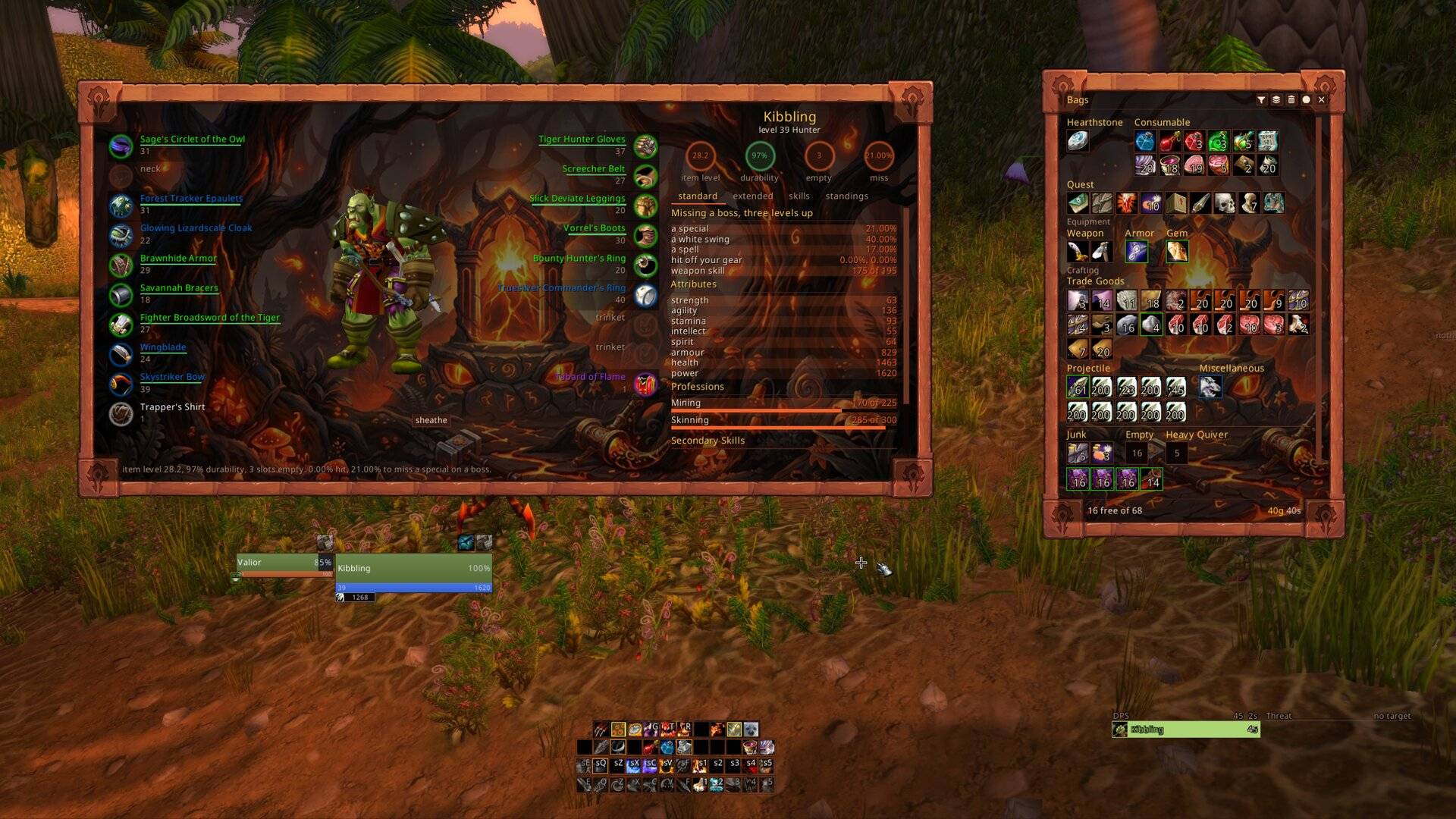
- A character sheet on C that works out how often you miss, against a boss and against your own level, with the hit from your gear already taken off. No client on either version has ever put that on the sheet. Item level, durability and empty slots are on it too, and every slot draws its own durability as a line.
- A socketing window on a shift-click of a gear square, with every gem in your bags under the holes and a line saying by name what applying costs you before you spend it. TBC only.
- A dungeon log on shift-L. Forty dungeons, two hundred and thirty seven bosses, the dungeon map cut into floors with a numbered mark per boss, and the drop list per boss. Neither client has an adventure guide and neither hands over a dungeon map, so the map is drawn from the tiles they ship.
- A quest log three columns wide: your quests by zone, what this one wants, what it pays.
- A world map with every zone down the left, your group on it, and where each quest you have finished was turned in.
- A talent window with all three trees side by side and nothing to scroll.
- A spell book with one row per spell and the ranks folded behind a button.
- One bag window instead of five, with a row that sells your greys and pays your repair while a vendor is open.
- A merchant window with the whole rack in it instead of ten behind an arrow.
- A mail window that colours the recipient green for one of your own characters, blue for somebody you know and red for a stranger, and splits more than twelve attachments across as many mails as it takes.
- A chat window with a tab for the people you play with. Name your wife, your kids or your officers and every line any of them says, in any channel, is copied there with the whispers you sent them.
Feeds, meters and readouts
- A loot stream and the combat log beside it, both scrolled with the wheel, the loot rows striped in quality colour and filtered by seven squares over them.
- A damage meter and a threat meter side by side, the threat side in the client's own percentage with the seconds until that player takes the mob.
- A breakdown of what your character actually does, kept between sessions: per ability, the share of your damage, how often it lands, how often it crits, what it averages, and what stopped it when it did not land. Readable one level band at a time, because a number pooled across grey trash and an elite is the average of two unrelated things.
- A row of squares over your character when something that should be up is not: a sharpening stone worn off, Battle Shout lapsed, no food, a racial you own and have not pressed. It is not there at all when nothing is wrong, so seeing it is the whole message.
- Two rows of cooldowns, seconds on top and minutes under.
- A shaman's four totem slots in Blizzard's own order, with a hole where a totem is missing. The client's own row can never tell you which slot is empty.
- A swing timer per hand, filling towards the next swing off the combat log.
- A square minimap with every addon button collected behind one square, and your experience along the bottom with the rested pool drawn as a second fill.
- Numbers floating off your character: what you land falls left, what lands on you falls right, healing rises.
Done for you
One switch each. Corpses empty in one go with a filter for the colours, kinds
and prices you asked for. Greys sell themselves. Damaged gear pays for its own
repair, out of the guild bank where your rank allows it. The camera pulls back
four times the base distance instead of 1.9. A stranger who buffs you in
passing gets a whispered ty, once every ten minutes per person, and nobody in
your group is ever whispered.
The warrior parts
The Charge button casts Charge, Intervene or Intercept depending on the stance you stand in and what you are looking at, and out of combat it aims by camera rather than by target. With it come the bar loadout and a green band on the swing timer showing where to press Slam so the cast finishes exactly as the swing does.
On any other class those three are not built at all: no button, no key taken, nothing hidden. Everything else here works the same on every class.
Themes, colours and profiles
A theme is one decision about how much of the addon you see, taken for all twenty three elements at once. Informational draws everything. Immersive is you and your target at a fifth and nothing else. Exploration is the middle, with chat, quests and the bars waiting under the pointer. Eight palettes, and all but dark carry a painted frame round every window; parchment's is a sheet of paper with a torn, scorched edge. Unit frames are flat with your portrait beside them, or modern with the bars taking the portrait's room.
/wui theme informational|immersive|exploration
/wui palette dark|forest|desert|arcane|horde|alliance|fire|parchment
/wui gauges flat|modern
Every setting on a character, the theme and the window spots included, comes
from one profile. /wui profile new <name> copies the one you are wearing,
use puts another on, and export hands one to somebody else as a string.
The first login
Five cards come up, one question each, with a picture of the answer on every
card: how big everything should be, how much of the addon you want on screen,
which colours it wears, how your unit frames look, and where a tooltip opens.
Nothing is written until you finish the last card, and the setup never comes up
on its own again. /wui setup answers them again, starting from what you have
now.
After that, /wui opens the settings window, which has a search field over it
and one page listing every part with a switch and a sentence saying what
turning it on puts on your screen. /wui help lists every word the addon
answers and /wui status says what every part is doing right now.
Install
Unzip into Interface/AddOns so that the folder is
Interface/AddOns/WiggleUI with WiggleUI.toc directly inside it.
Questie is optional and worth having. It adds the turn-in pin on the map, the drop rate under a quest item, a party member's progress on a shared quest, and the quest a finished item belongs to when you clear your bags. Nothing here needs it, and every part that would ask says so in the panel when Questie is not answering.
The guide
Every window and every command, one page per thing, with the screenshots: https://baudin999.github.io/Addon-WiggleUI/
The site is drawn in the addon's own eight palettes and wears whichever one you pick. Shake the mouse sideways on it and it swaps, the same way the addon does.
Bugs and requests
https://github.com/Baudin999/Addon-WiggleUI/issues
Open an issue there rather than a comment here. Comments on this page are not tracked and get lost between file uploads; an issue stays open until the thing is fixed. Say which client you are on (TBC Anniversary 2.5.6 or Classic Era 1.15.9), your class, and what you did just before it happened.
Licence
MIT. Source and issues: https://github.com/Baudin999/Addon-WiggleUI
WiggleUI Team
