WardrobeAchiever
- By
Displays which items you have or you are missing to complete an appearance achievement.
Description
WardrobeAchiever
See exactly which pieces you're missing for every appearance set achievement.
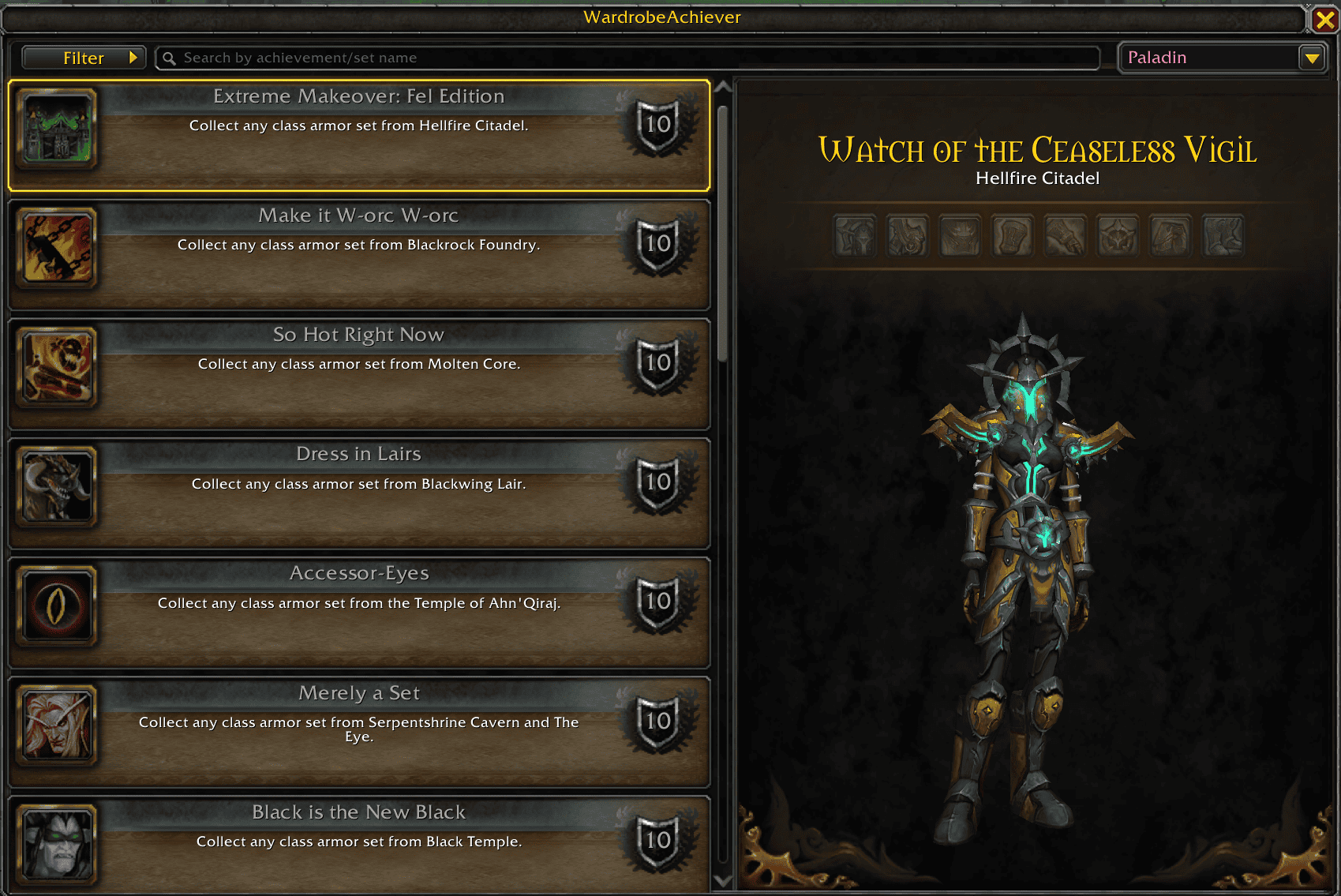
The game tells you whether an appearance achievement is complete, but not what's left. WardrobeAchiever shows it: every set from Classic to Midnight, the pieces you already own, the ones you're missing, and a 3D preview of your character wearing the whole set. You don't have to dig through the Collections tab or Wowhead anymore.
Features
- Every appearance achievement in one list, sorted by how close you are to completing it.
- Piece-by-piece progress with a preview of your character wearing the set. If the tier has several difficulties (LFR, Normal, Heroic, Mythic, PvP ranks…), switch between them with the combo menu.
- View any class. Pick a class from the dropdown (it starts on your current one) to see its sets and your progress. Progress is shared across your account, because appearances are.
- Filters: show or hide completed achievements, PvE sets and PvP sets, and pick one or several raids.
- Search by achievement name or set name.
- Smart raid detection. When you enter a raid with a pending appearance achievement, the addon selects it and can filter the list to that raid automatically (optional).
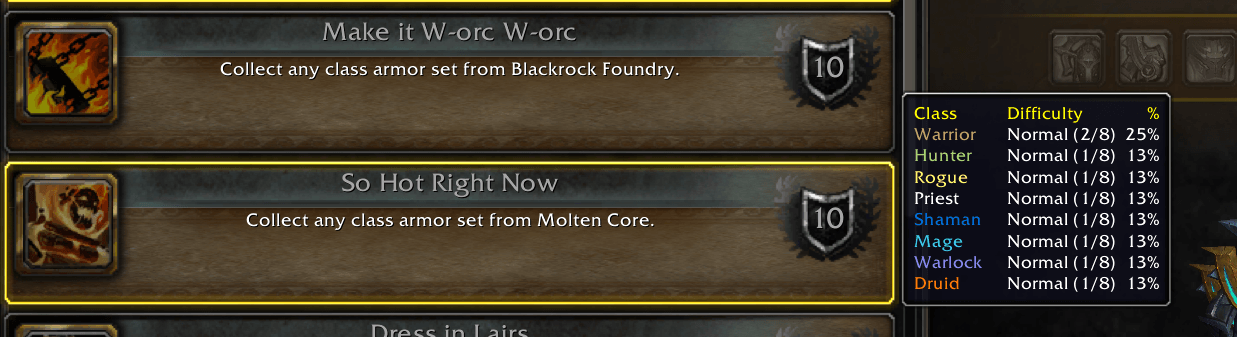
- Class comparison tooltip: hover an achievement to see your progress with every class.
- Easy to open: minimap button, addon compartment, or
/wardrobeachiever.
Frequently Asked Questions
How does it work?
Open the panel from the minimap button and click any achievement. On the right you'll see the pieces you've collected and a preview of the full set. Use the combo menu in the corner to switch between a tier's difficulties.
Why are some achievements missing for my character?
Some sets don't exist for every class (for example, newer classes don't have old PvP or raid sets). You only see the achievements that exist for the class you're viewing. Change the class in the dropdown to see the rest.
Can I hide the minimap button?
Yes, from the options panel. If you use Titan Panel or another LDB display, you can put the button there. You can also bring it back with /wardrobeachiever minimap.
Can I hide completed achievements, or only show PvE or PvP?
Yes. Open the Filter dropdown in the top bar.
Can I turn off the automatic filter when I enter a raid?
Yes: untick Filter achievements when entering a raid in the options. The achievement is still selected for you.
Where is the options panel?
Options → AddOns → WardrobeAchiever, or right-click the minimap button.
WardrobeAchiever Team

Owner