Warcraft 3 UI: Forever Edition
- By
::FOREWORD::
This addon is provided "as is". Originally this was really only done for a small group of friends. However after seeing the work put in by the enslaved Orc shaman, I mean PROFESSIONAL CODE DEVELOPER who worked on this, it was decided to share the addon with the public. We're also aware that there is another WC3 UI fork for WoW Forever. We are unrelated to that one, it can be found here:
https://github.com/Johan-p/WIIIUI-Forever-Fork
WHAT IS THIS?
This is a COMPLETE rework of the original WC3UI Addon made for 1.12.12 by Firus, which is here:
https://github.com/Fiurs-Hearth/WIIIUI
Due to API calls being locked down in the Blizzard client, the entire addon had to be rebuilt FROM SCRATCH from our resident code shaman/monkey. As such some things have been changed, some things have been added and for now, some things removed (like custom UI additions). Again bear in mind this is being provided "as is" for public use. Features for this fork of the addon are at our discretion.
===FEATURES===
::UI Customization::
Scale the WC3 UI independently of the WoW UI itself. Enable or disable what elements of the UI you want. Pick your theme from one of the original 4 HUDS from WC3 (Human, Orc, Undead, Night Elf). Set what the ping function does. Center it, whatever!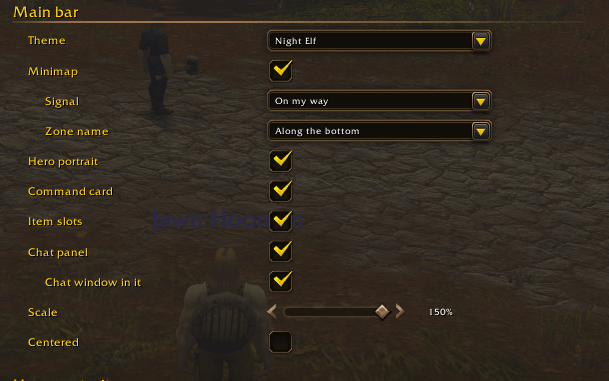
::THEMES::
Choose one of the original 4 HUDS from the WC3 Campaign.
Orc
Human
Undead
Night Elf
While I've said custom themes may not be possible in this version. Please refer to the original WC3UI github for steps on how to possibly set up a custom theme for your HUD
::THE HERO PORTRAIT::
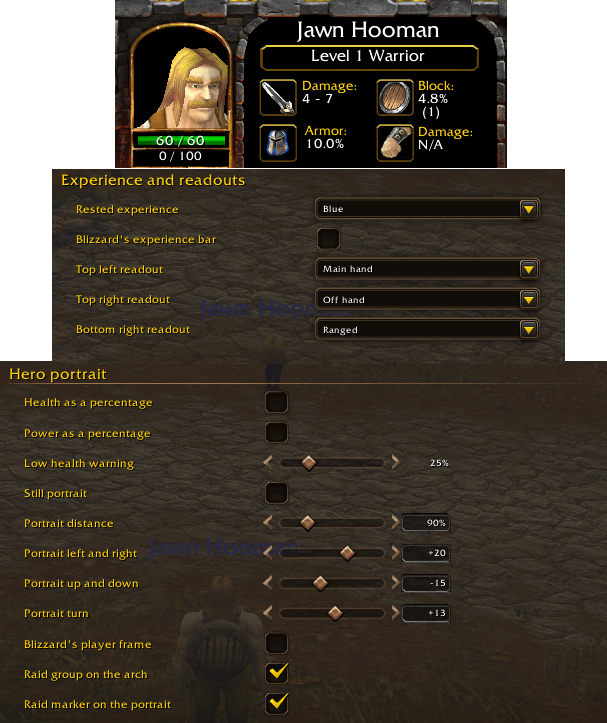
Like in WC3, the bottom area displays a 3D render of your character. Displaying Health, Resource (mana, rage, energy), as well as your XP bar and other things. These are also customizable via the addon's options. The character within the portrait can be repositioned and stilled via the addon's menus.
::Player Portrait and voice::
A new feature to this version of the UI. Replace your player portrait in the lefthand corner of your screen with either your character, your "unit"'s icon, your class or just your character race. This function also extends to your party and your pet. 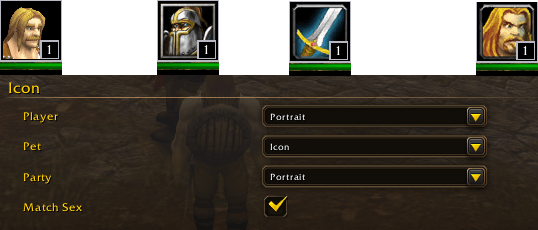
::Voice::
When portraits are enabled, you can also enable voice lines when the portrait is clicked. By default these are based on your race/class. You can change this to any of the available race/classes. There is also a "rare dialogue" option. Enabling this gives a % chance of after cycling through dialogue while clicking you can hear a "rare" voice line. the chance is configurable. Please not that not all "units" have a rare voice line and some race/class voice pools are very limited (we had to take WC2 gnome sounds to give the gnome priest something). You can also enable that "Your hero/our allies' hero has been slain" sound for when your character or party members die. a GREAT way to snap to attention mid raid if you're zoning out.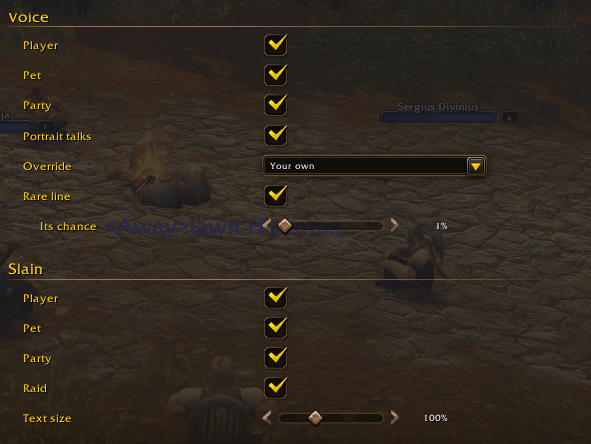
::Collapsable bag::
Our code shaman made the bag an icon that collapses and shows the bag and the "main bar" lets call it. You can hide or show the bags available on a whim and its compatible with addons like Bagnon. The bar itself is movable in the edit menu.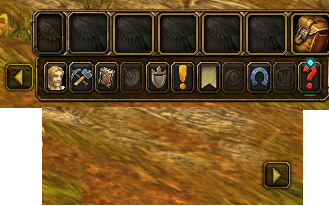
::The mini-map::
Your mini map is now in the bottom portion of the screen. Buttons on the side allow a few things. The big difference between Forever and the ORIGINAL WC3 UI is the lack of a few additional boxes (mainly due to API lockdown) that would have allowed a dedicated hearthstone button.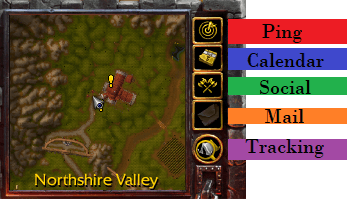
::ACTION BARS::
The action bars are slotted into the UI itself. Due to limitations of the modern API. Action bar #4 was relegated to the "bags" for the UI. You can customize how many action bars you want to cram into the frame itself via the menu. The below picture shows the arrangement as "Three rows in the command card". Also to note, a bug seems to exist with action bar 5. Either due to this addon, or due to Blizzard themselves, where the "Always show buttons" for the bar does not save between UI reloads. 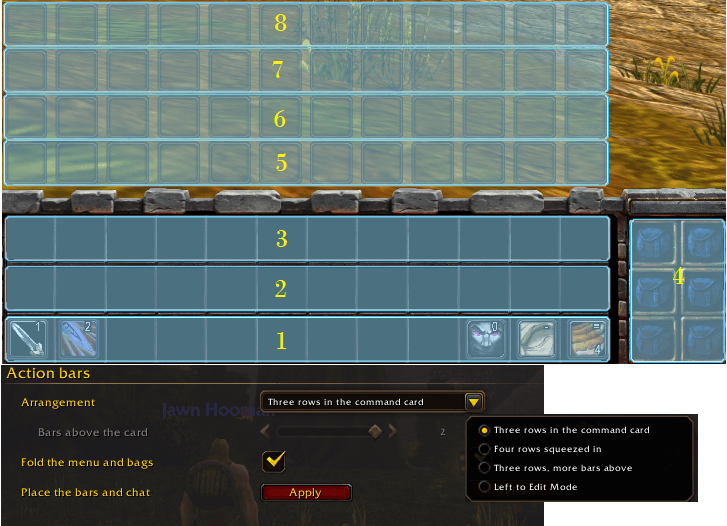
The arrangement will place a given amount of rows into the frame. prompting a UI refresh so the addon can align action bars appropriately. "Left to edit mode" is basically just leaving it to you to do whatever you want via edit mode.
Four rows: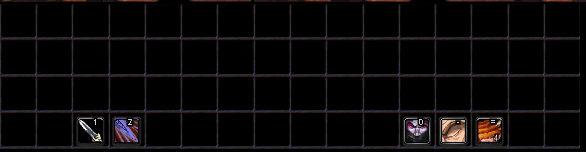
Three rows, more above. NOTICE! this "disables" the bags as shown.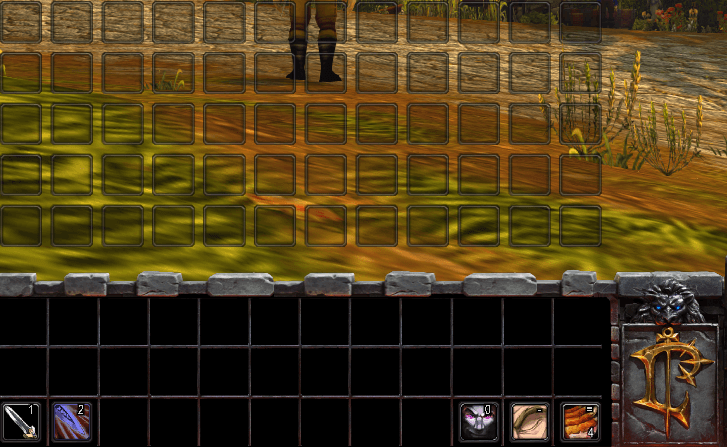
::COMPATIBILITY AND UPDATES::
Addon should work out of the gate with most popular addons. Should a problem arise for you, please note we will not be working to create compatibility unless one of us is using a given addon. As stands right now there are no issues with most addons, including the Forever classic UI addon. In regards to updating the addon; That wholly depends on how active anyone within the original group of people is on Forever. That being said, feel free to fork the project to continue updating it should WoW Forever break the addon. Just credit us and obviously Fiur.
Warcraft 3 UI: Forever Edition Team